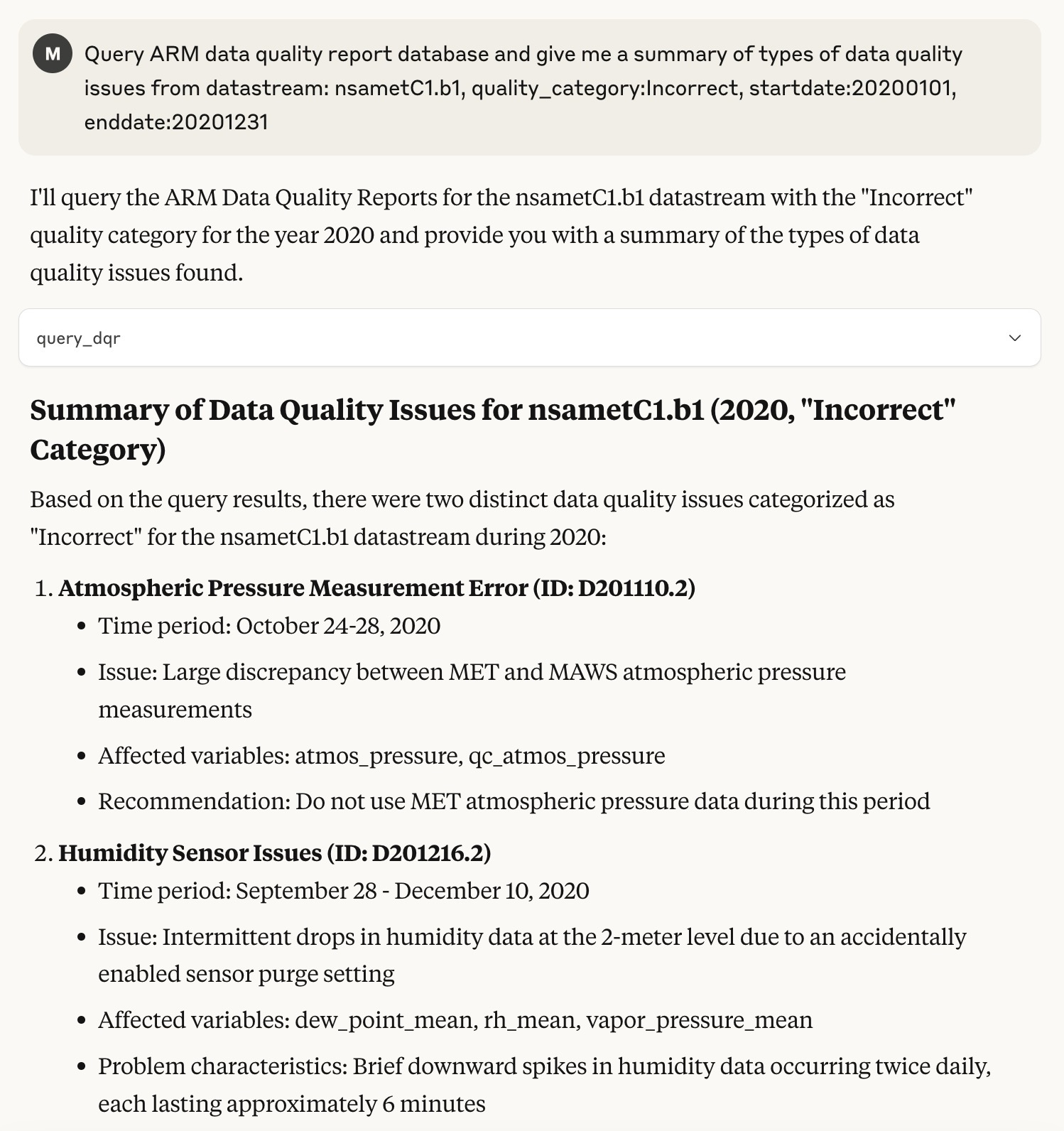
# MCP server for ARM Data Quality Report database
An MCP (Model Context Protocol) server for accessing Data Quality Report (DQR) database from the ARM user facility.
## Usage
### Set up your environment in MaxOS/Linus.
_For setup in Windows, please refer to the [official guide](https://modelcontextprotocol.io/quickstart/server)._
Install `uv`.
```bash
curl -LsSf https://astral.sh/uv/install.sh | sh
```
Restart your terminal after installing `uv`.
### Set up project.
```bash
# Create a new directory for this project or initialize it with an existing folder
uv init MCP-ARM-DQR
cd MCP-ARM-DQR
# Create virtual environment and activate it
uv venv
source .venv/bin/activate
# Install dependencies
uv add "mcp[cli]" "requests"
```
### Build docker image.
Doacker Image Name: `arm-dqr`
```bash
docker build -t arm-dqr .
```
### Add this MCP server to Claude Desktop app.
To use this server with the Claude Desktop app, click `developer`>`Edit Config` and add the following configuration to the "mcpServers" section of your `claude_desktop_config.json`:
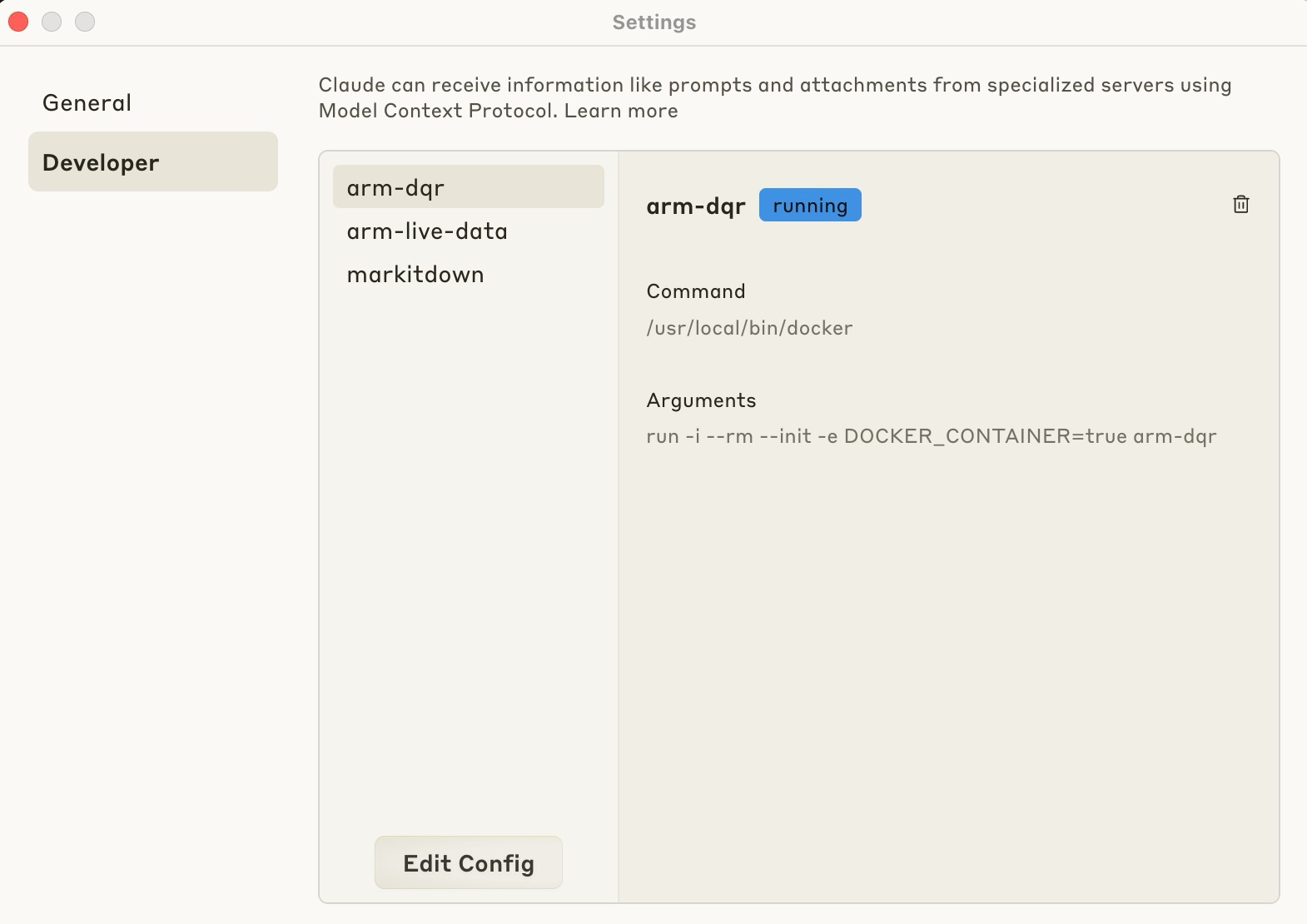 ```json
{
"mcpServers": {
"arm-dqr": {
"command": "/usr/local/bin/docker",
"args": [
"run",
"-i",
"--rm",
"--init",
"-e",
"DOCKER_CONTAINER=true",
"arm-dqr"
]
}
}
}
```
## Components
### Tools
1. **query_dqr**
- Description: Queries the ARM Data Quality Report (DQR) API for data quality information
- Parameters:
- `datastream`: The datastream to query (required)
- `quality_category`: Quality category filter (optional)
- `startdate`: Start date for filtering (optional)
- `enddate`: End date for filtering (optional)
- Returns: Dictionary containing the DQR data
_For more details about ARM Data Quality Report API, please refer to the [official documentation](https://dqr-web-service.svcs.arm.gov/docs)._
## Examples
```json
{
"mcpServers": {
"arm-dqr": {
"command": "/usr/local/bin/docker",
"args": [
"run",
"-i",
"--rm",
"--init",
"-e",
"DOCKER_CONTAINER=true",
"arm-dqr"
]
}
}
}
```
## Components
### Tools
1. **query_dqr**
- Description: Queries the ARM Data Quality Report (DQR) API for data quality information
- Parameters:
- `datastream`: The datastream to query (required)
- `quality_category`: Quality category filter (optional)
- `startdate`: Start date for filtering (optional)
- `enddate`: End date for filtering (optional)
- Returns: Dictionary containing the DQR data
_For more details about ARM Data Quality Report API, please refer to the [official documentation](https://dqr-web-service.svcs.arm.gov/docs)._
## Examples