| string
}
```
## CSS Styles
```CSS
/* VuePreview border-radius */
--vue-preview-radius
/* VuePreview border-color */
--vue-preview-color-border
/* VuePreview box-shadow */
--vue-preview-box-shadow
/* VuePreview color */
--vue-preview-color-icon
/* VuePreview hover:color */
--vue-preview-color-icon-bg-hover
/* VuePreview background-color of loading model */
--vue-preview-color-model-bg
/* VuePreview color of loading icon */
--vue-preview-color-loading
```
## Usage
### Vue
> Import the VuePreview component and style
```TS
import { createApp } from 'vue'
import { VuePreview } from 'vite-plugin-vue-preview'
import 'vite-plugin-vue-preview/style.css'
const app = createApp()
app.component('VuePreview', VuePreview)
```
### Vitepress
> Import the VuePreview component / style and plugin
```TS
// vite.config.ts
import { defineConfig } from 'vite'
import { VuePreviewPlugin } from 'vite-plugin-vue-preview'
export default defineConfig({
plugins: [VuePreviewPlugin()],
})
// .vitepress/theme/index.ts
import DefaultTheme from 'vitepress/theme'
import { VuePreview } from 'vite-plugin-vue-preview'
import 'vite-plugin-vue-preview/style.css'
export default {
...DefaultTheme,
enhanceApp(ctx) {
DefaultTheme.enhanceApp(ctx)
ctx.app.component('VuePreview', VuePreview)
},
}
```
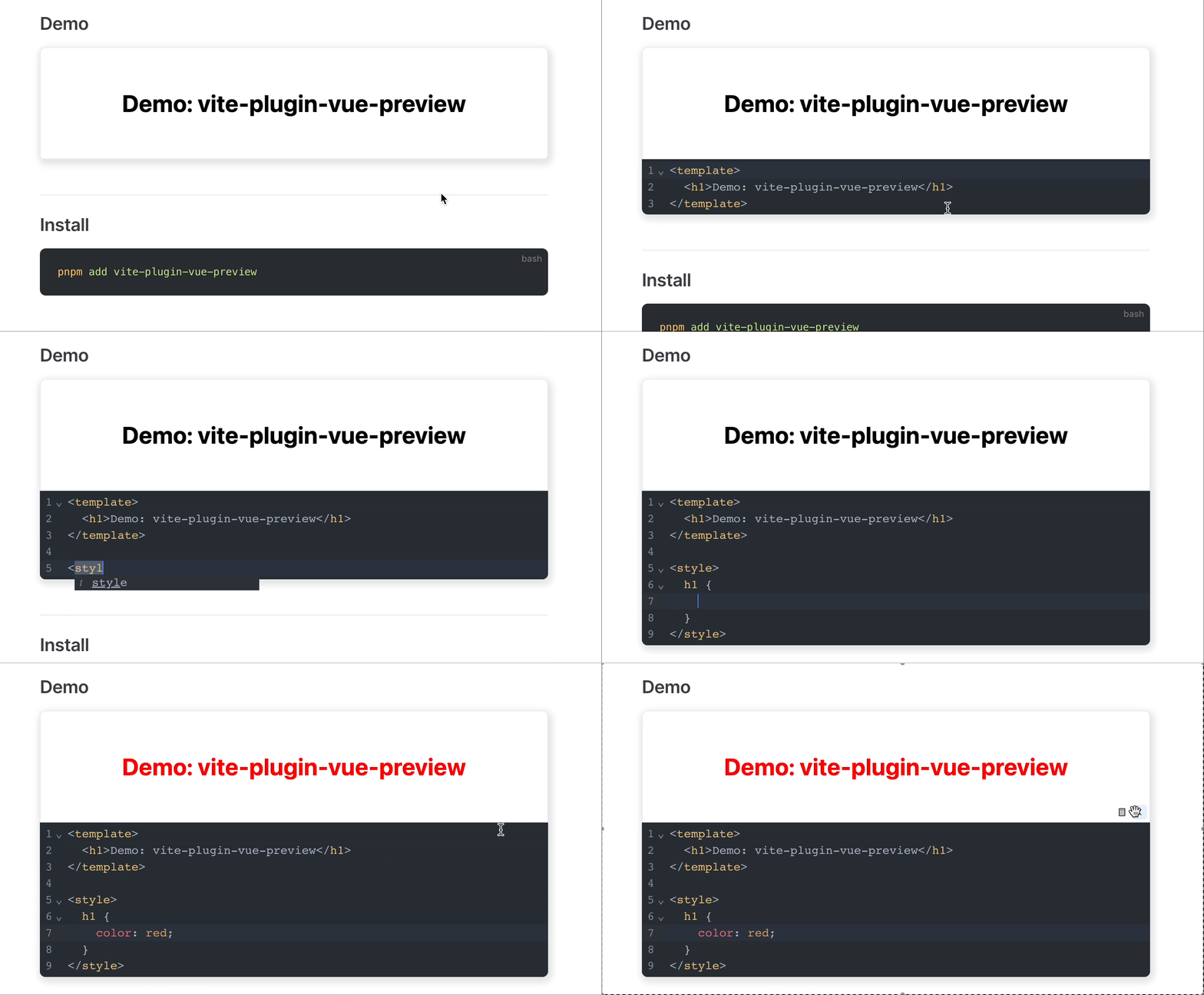
Once you've set up the above, you're ready to use it in your markdown file:
```vue preview
<template>
  <h1>Demo: vite-plugin-vue-preview</h1>
</template>
```
## Plugin Configuration
There is no elegant way to pass component **Props** in a MarkDown file, so passing in specific component Props is supported in the plugin configuration for global configuration
```TS
// vite.config.ts
import { defineConfig } from 'vite'
import { vuePreviewPlugin } from 'vite-plugin-vue-preview'
export default defineConfig({
plugins: [vuePreviewPlugin({
props: {
previewBodyStyle: {
display: 'flex',
justifyContent: 'center',
alignItems: 'center',
},
previewAppStyle: {
display: 'flex',
justifyContent: 'center',
alignItems: 'center',
flexDirection: 'column',
},
importMap: {
'@vue/shared': 'https://unpkg.com/@vue/shared@latest/dist/shared.esm-bundler.js',
},
},
})],
})
```