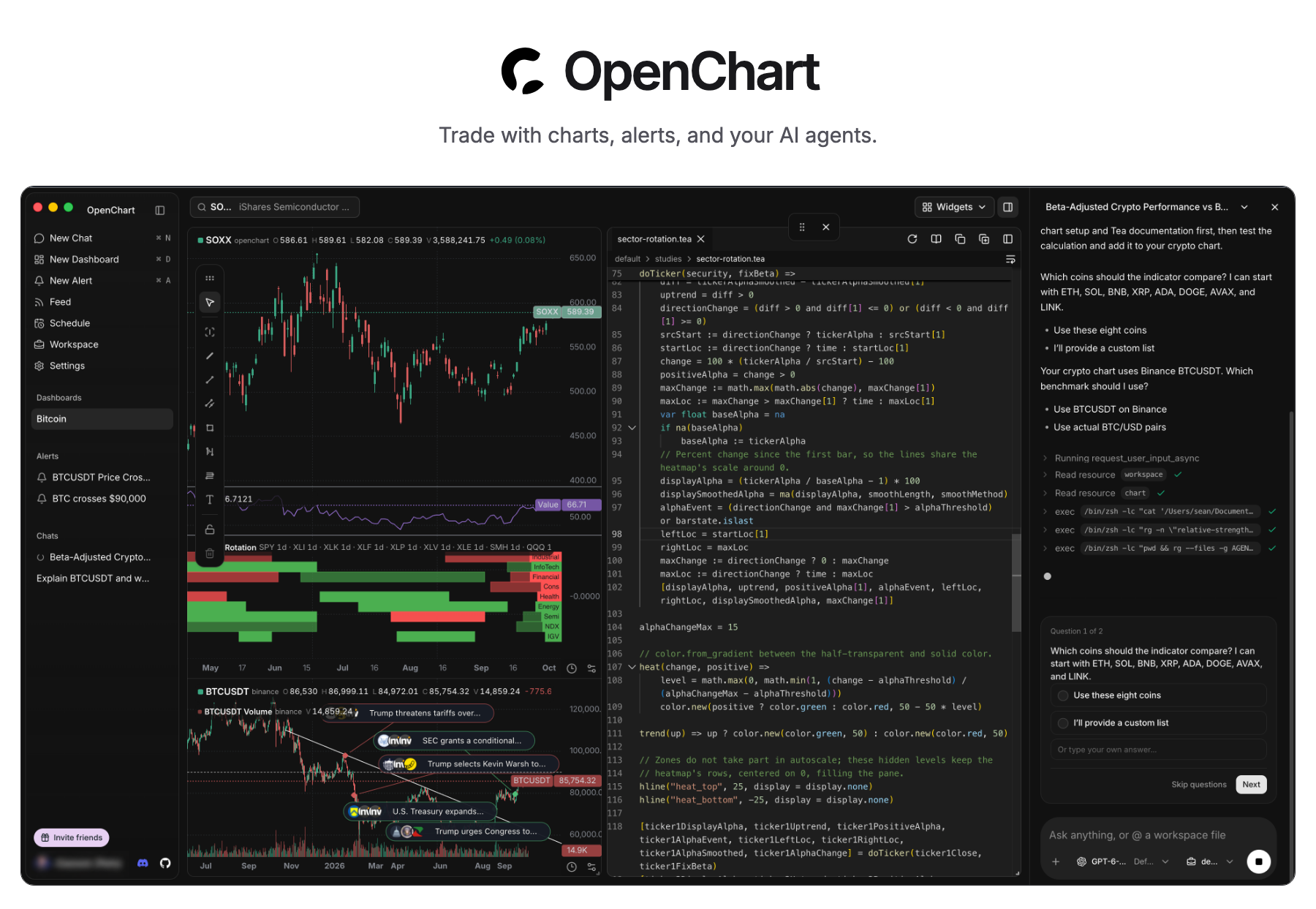
OpenChart — Trade with charts, alerts, and your AI agents. Desktop screenshot with SOXX and Bitcoin charts, indicators, the Tea editor, and an AI agent conversation.

Download Desktop · Self-hosting · Features · Tea

Product: OpenChart Desktop pricing: free Chat on Discord Follow @OpenChartHQ on X Join r/OpenChartOfficial on Reddit Build status on main

OpenChart brings AI agents into every step of your investment journey: statistical and technical analysis with code and charts, real-time responses to market events with alerts, opportunity discovery through agentic research, and more. OpenChart is not built to monetize software, but to explore a future where humans and agents manage assets together. If you believe in this future and want to join forces, [we want to talk to you](https://discord.gg/PR4gfbMKUD). ## Quick start [Download Desktop for macOS (Apple Silicon)](https://downloads.longsurf.ai/openchart/darwin/arm64/OpenChart.dmg), open the disk image, and install OpenChart. To run Desktop from source, install [Node.js 24](https://nodejs.org/en/download), [npm 11.11.1](https://docs.npmjs.com/downloading-and-installing-node-js-and-npm/), [Bun 1.4.2](https://bun.sh/docs/installation), and [Just](https://just.systems/man/en/), then run: ```sh git clone https://github.com/longsurf-ai/openchart.git cd openchart just install --frozen-lockfile just desktop ``` `just install` also initializes and builds Tea, a programming language built for analyzing market, by the same team. Follow the [setup guide](https://openchart.co/docs/getting-started/) for your first chart and alert, or the [development guide](docs/development.md) for building and packaging the app. Desktop is free. AI usage follows your agent provider's plan; optional Cloud market data is priced separately. ## Key features
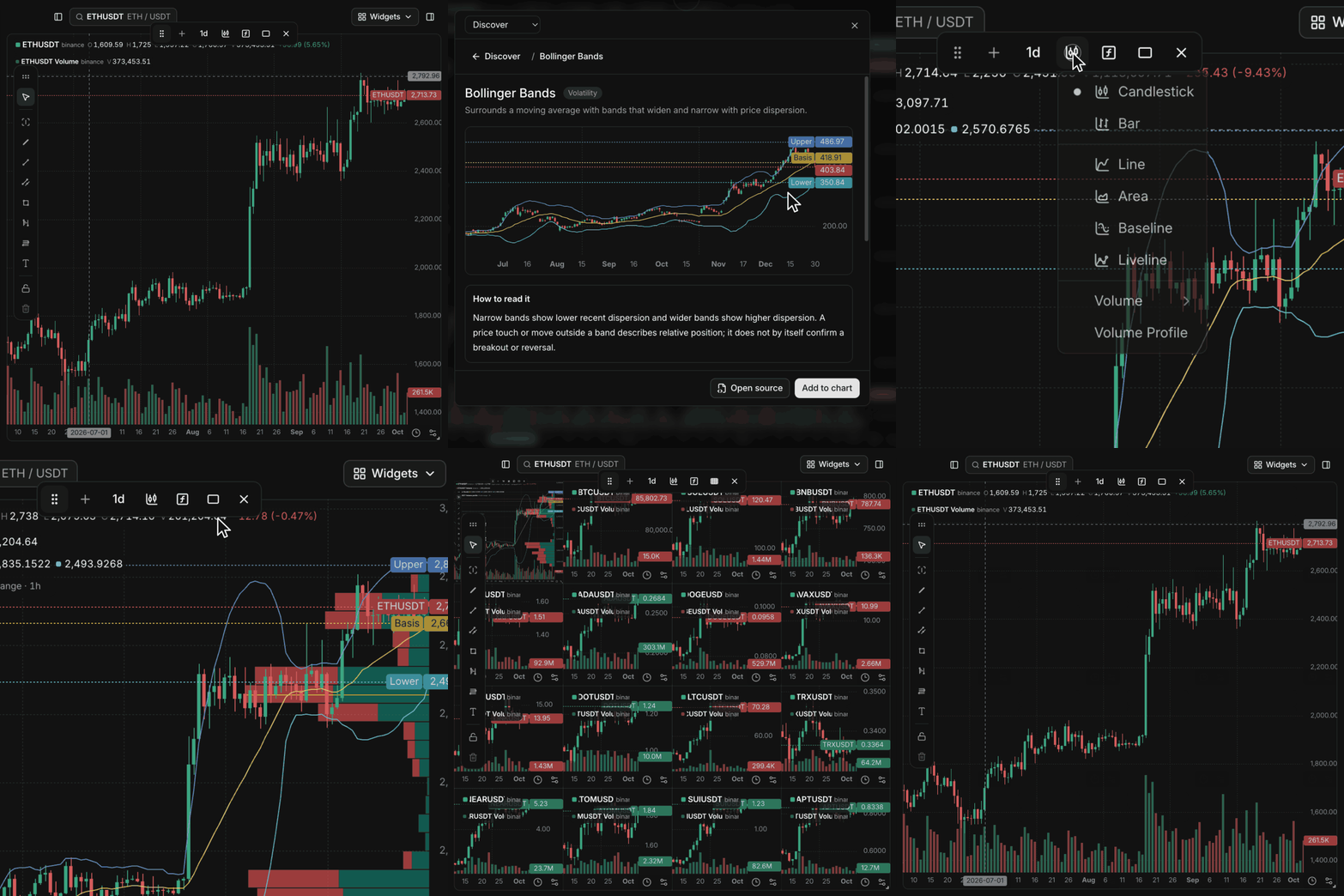
A real OpenChart chart gains Bollinger Bands and Volume Profile, then expands to a sixteen-chart 4-by-4 grid.

Charts without software quotas

Add indicators and Volume Profile, then expand to a 4×4 grid. No software plan limits on charts, indicators, or price and indicator alerts.

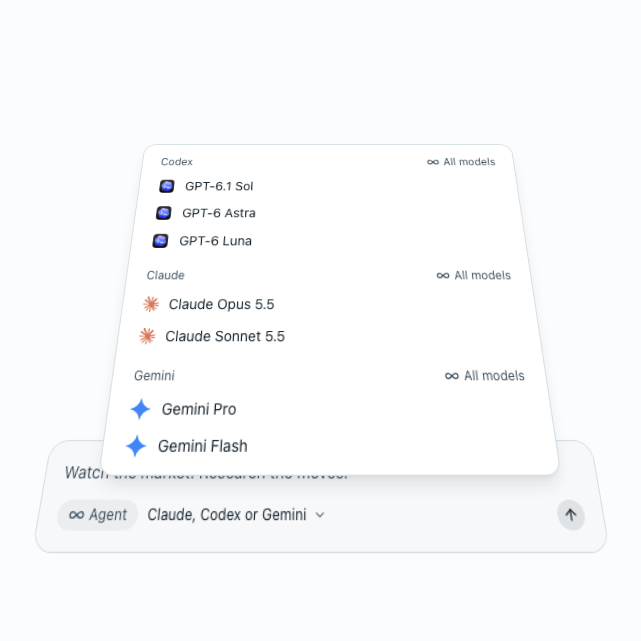
Codex, Claude, and Gemini models in a floating model-list illustration.

Use your own agents

Use your Claude, Codex, and Gemini models to research markets, build indicators, and set up alerts with the accounts you already have.

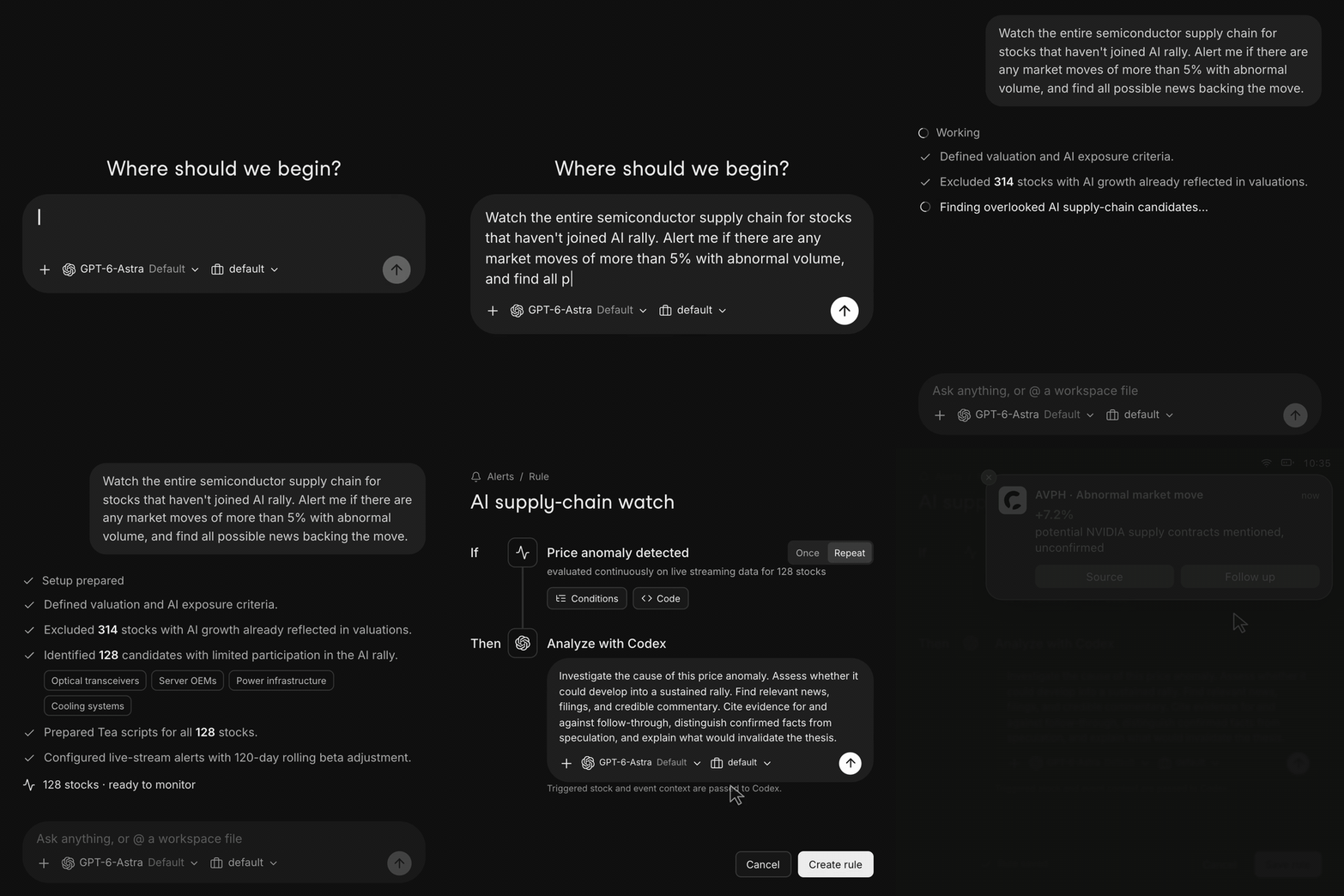
A plain-language request becomes Tea monitors and an alert that asks Codex to investigate an illustrative market move.

Describe what to watch

Tell your agent what matters. It builds Tea monitors that evaluate incoming data and investigate when a condition fires.

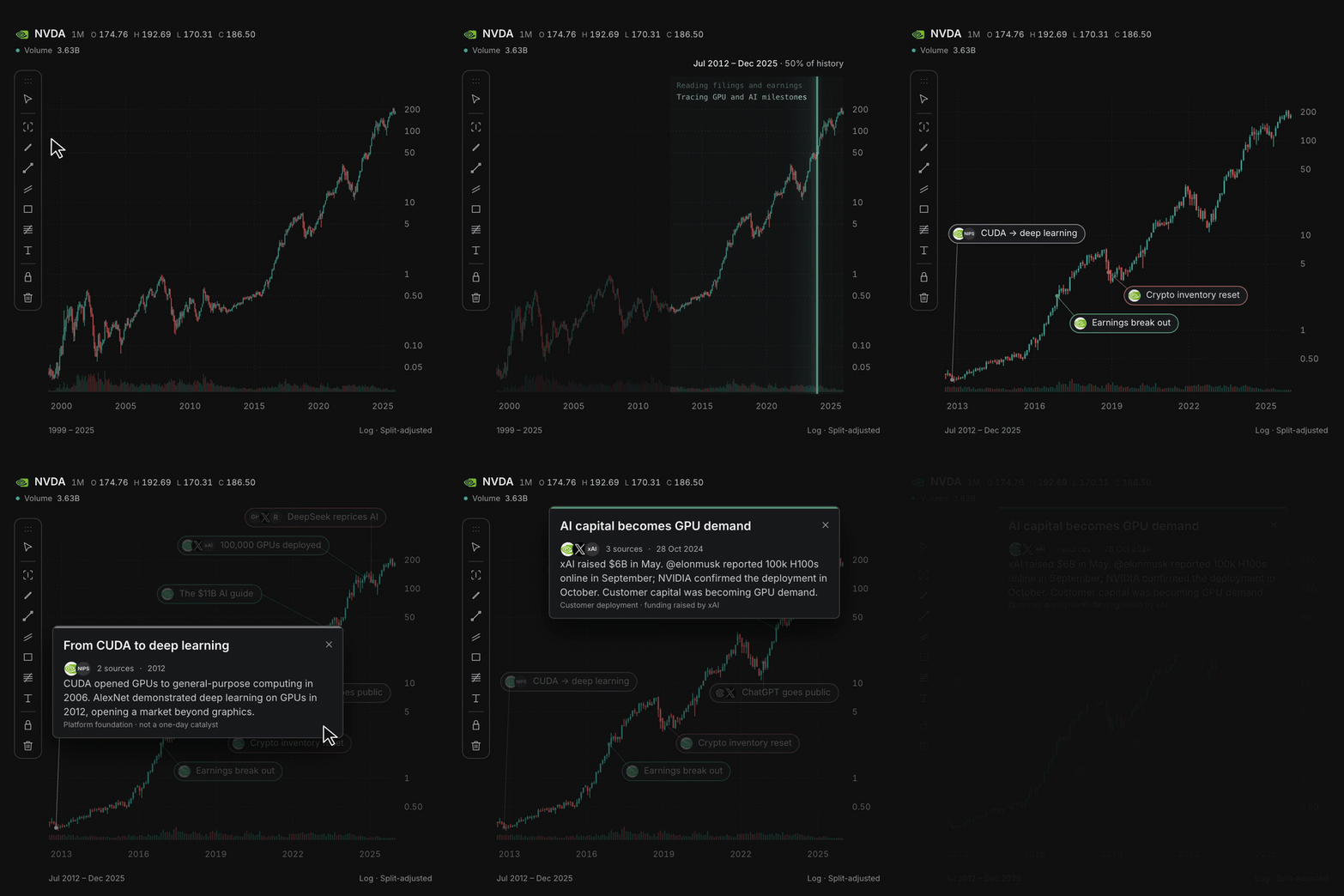
Select a chart range, research the move, and expand annotations with linked sources.

Explain what moved the chart

Select a range and let your agent research the move, with source-linked annotations pinned to the bars.

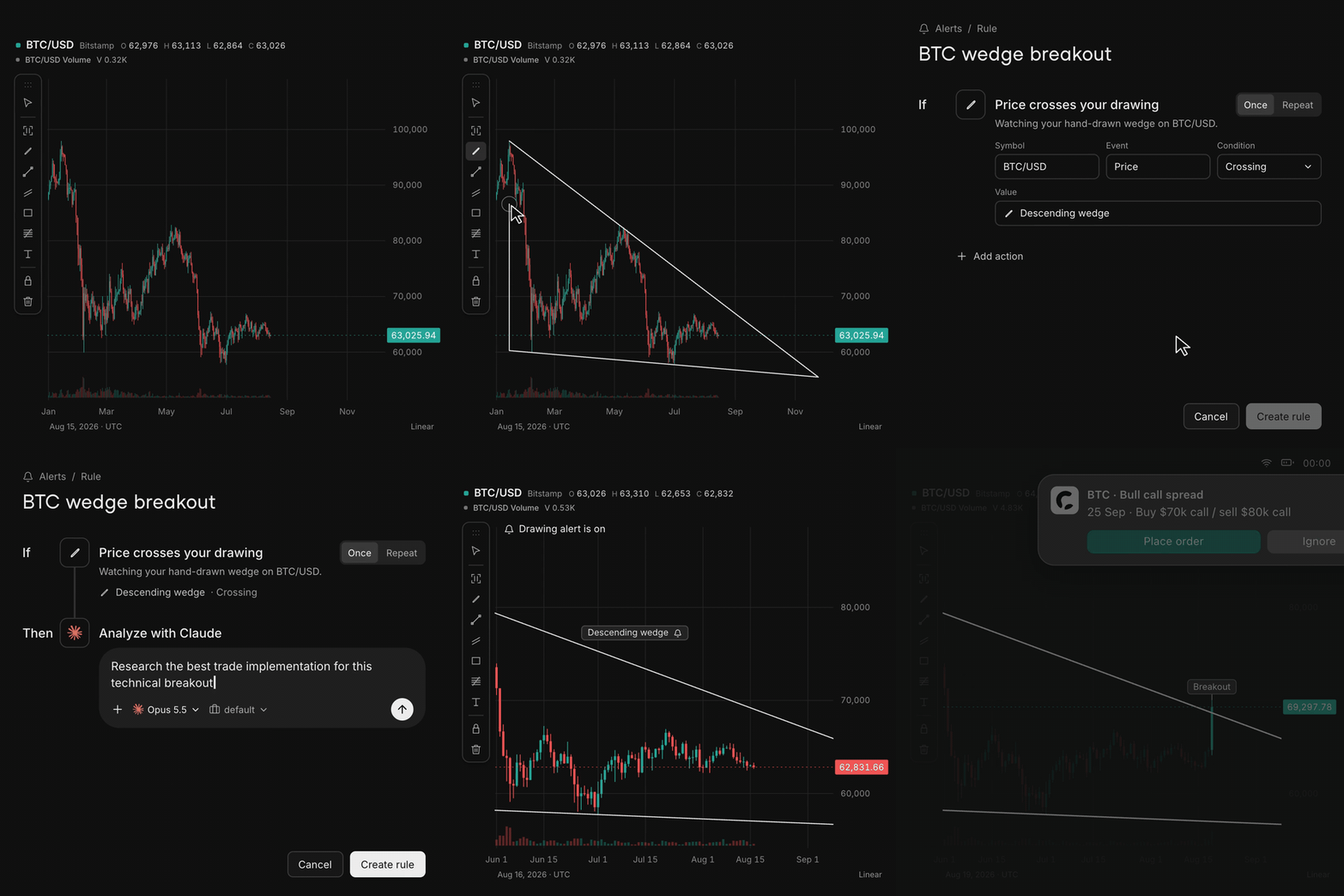
Draw a wedge, create an alert, and watch a breakout trigger agent research in this illustrated workflow.

Draw it, get alerted

Draw a line or zone on the chart. When price crosses it, an alert can ask your agent to research the move.

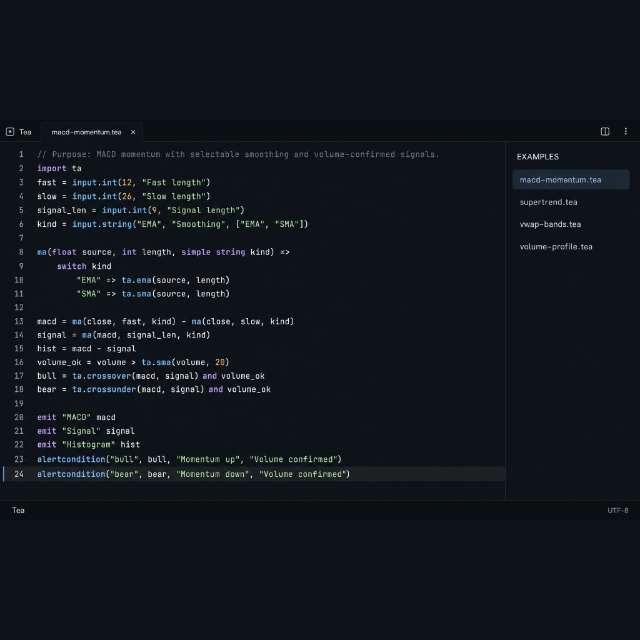
The website's Tea editor illustration showing a custom MACD indicator and volume-confirmed alerts.

Write your own market logic in Tea

Build custom indicators and conditions with functions, loops, state, and collections that evaluate as data flows in. Explore Tea →

## Staying updated [Star OpenChart](https://github.com/longsurf-ai/openchart) to support the project and help more people discover it. [![A cursor clicks Star on the OpenChart GitHub repository, changing it to Starred.](docs/assets/star-openchart.gif)](https://github.com/longsurf-ai/openchart) ## Credits Thank you to the projects and people whose work helps shape OpenChart: - [Jan](https://www.jan.ai/): for inspiration on the app's design and visual style. - [TradingView's Pine Script](https://www.tradingview.com/pine-script-docs/welcome/): for inspiring Tea's language design. - [OpenCode](https://opencode.ai/): a major inspiration for OpenChart, and the project through which we discovered [Effect](https://effect.website/). - [Dify](https://github.com/langgenius/dify): for inspiring the organization of this README. - [assistant-ui](https://www.assistant-ui.com/) and [AG-UI](https://docs.ag-ui.com/introduction): for the agent conversation interface and event protocol. - [shadcn/ui](https://ui.shadcn.com/docs), [Radix UI](https://www.radix-ui.com/primitives), and [Base UI](https://base-ui.com/): for reusable interface components. - [Effect](https://effect.website/): for the runtime, concurrency, and error-handling foundations. - [Inter](https://rsms.me/inter/) and [Hugeicons](https://hugeicons.com/): for typography and interface icons. - [robust-orientation](https://github.com/mikolalysenko/robust-orientation) and related libraries by Mikola Lysenko, and [kld-intersections](https://github.com/thelonious/kld-intersections) by Kevin Lindsey: for geometry algorithms adapted in Tea. Thanks also to the maintainers of the many other open-source dependencies that make OpenChart possible. ## Contributing Help improve OpenChart through code, indicators, documentation, and feedback. - **Code:** Start with the [development guide](docs/development.md) and [architecture](docs/architecture/code-organization.md). Run `just check` before submitting a pull request. - **Indicators:** Improve OpenChart's built-in studies, or contribute to the [Tea compiler and runtime](https://github.com/longsurf-ai/tea). - **Documentation:** Fix an unclear explanation, improve a setup guide, or add a useful example. - **Ideas and feedback:** Tell us what you are building on [Discord](https://discord.gg/PR4gfbMKUD), or open an [issue](https://github.com/longsurf-ai/openchart/issues) with a bug report or feature request. ### Contributors Thanks to everyone helping build OpenChart.

OpenChart contributors Codex — AI coding collaborator Claude — AI coding collaborator

## Community & contact - [Discord](https://discord.gg/PR4gfbMKUD): Ask questions, share charts and indicators, and meet other users. - [GitHub Issues](https://github.com/longsurf-ai/openchart/issues): Report reproducible bugs and suggest improvements. - [X / @OpenChartHQ](https://x.com/OpenChartHQ): Follow release news and project updates. - [Reddit / r/OpenChartOfficial](https://www.reddit.com/r/OpenChartOfficial/): Share setups, discuss market research workflows, and exchange ideas. ## Security disclosure Report vulnerabilities privately to [security@longsurf.ai](mailto:security@longsurf.ai), following our [security policy](SECURITY.md). Please do not disclose vulnerabilities in public issues, pull requests, or community channels. ## License OpenChart is open source under the [MIT License](LICENSE).