


CleanyModal is a good way to use UI-Customised alerts with ease
## Features - [x] Present some kind of clean alerts (With same API as UIAlertViewController) - [x] Add easily Textfields or Custom views as an Alert contains content UIStackView - [x] Action Sheets - [x] Present full-custom components as modal from a container view - [x] iOS 13 compatible with dark/light mode implemented by default ## Demo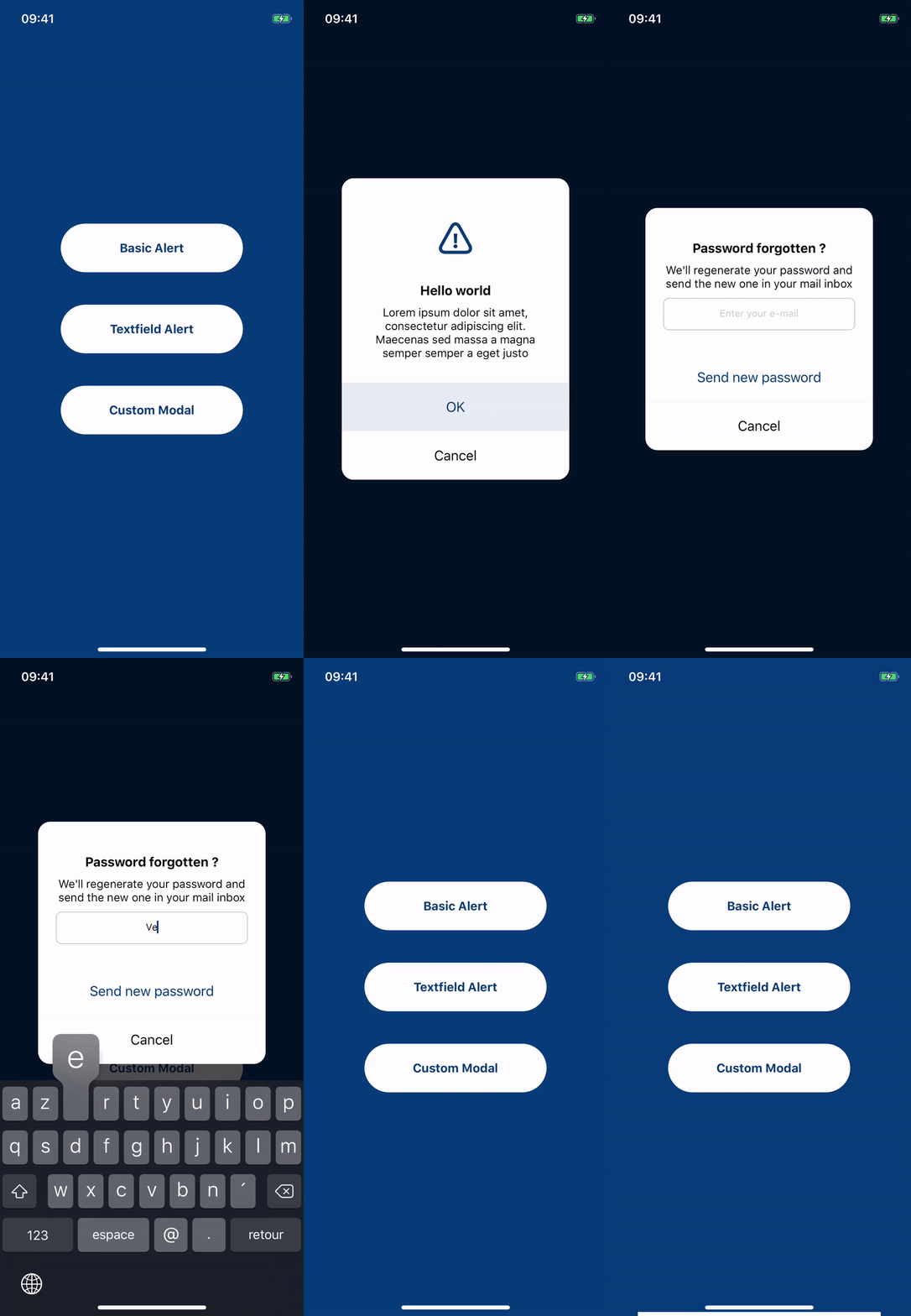 Present highly customizable and clean alert from provided built-in methods:
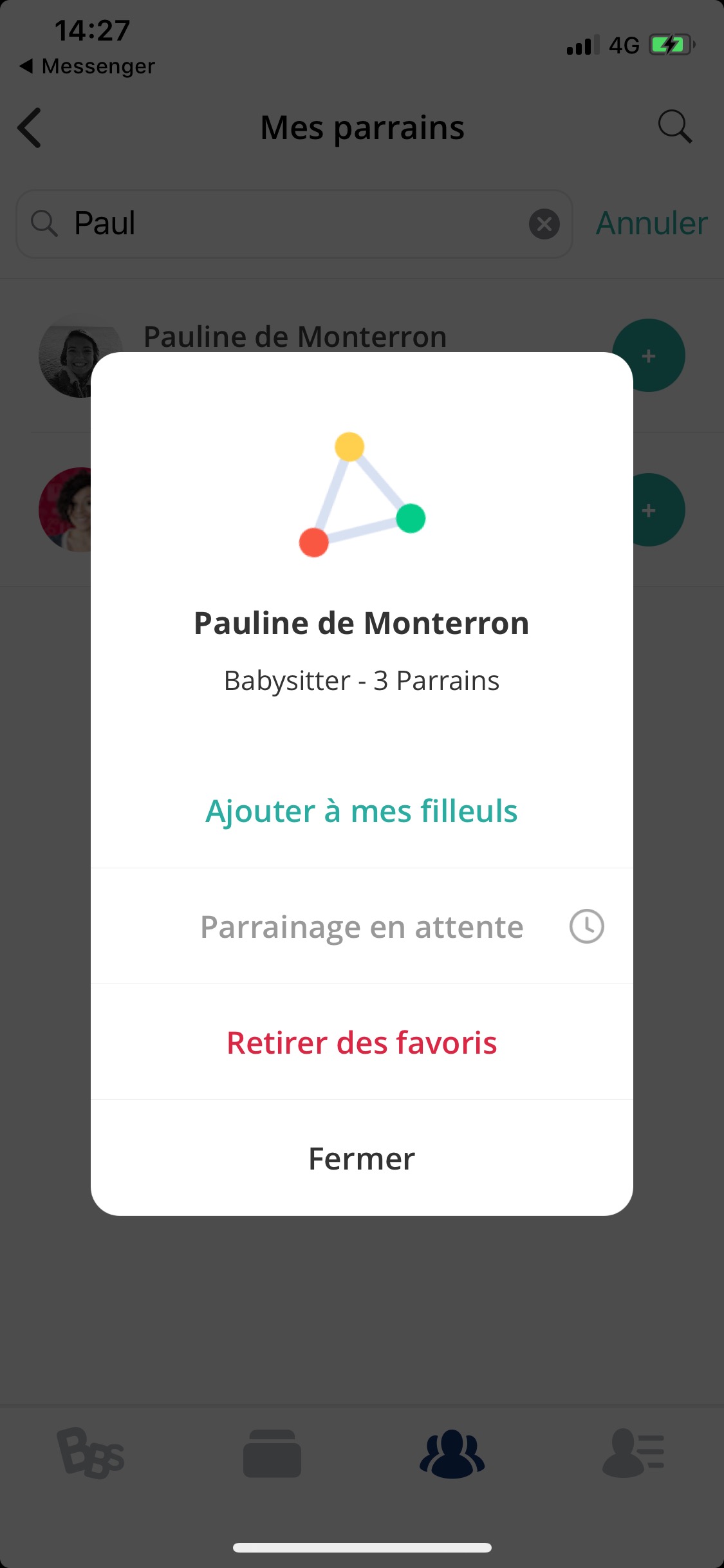 Use root modal system to present your custom components and use only the navigation/interaction stuff:
 ## Example
To run the example project, clone the repo, and run `pod install` from the Example directory first.
### Preview
Present a clean Alert with default style:
```swift
let alert = MyAlertViewController(
title: "Hello world",
message: "Lorem ipsum dolor sit amet, consectetur adipiscing elit. Maecenas sed massa a magna semper semper a eget justo",
imageName: "warning_icon")
alert.addAction(title: "OK", style: .default)
alert.addAction(title: "Cancel", style: .cancel)
present(alert, animated: true, completion: nil)
```
Apply your own style/theme easily :
```swift
class MyAlertViewController: CleanyAlertViewController {
init(title: String?, message: String?, imageName: String? = nil, preferredStyle: CleanyAlertViewController.Style = .alert) {
let styleSettings = CleanyAlertConfig.getDefaultStyleSettings()
styleSettings[.tintColor] = .yellow
styleSettings[.destructiveColor] = .pink
super.init(title: title, message: message, imageName: imageName, preferredStyle: preferredStyle, styleSettings: styleSettings)
}
}
```
Need to push customization of your Alerts further ?
Extend styles settings keys :
```swift
public extension CleanyAlertConfig.StyleKeys {
public static let shadowOffset = CleanyAlertConfig.StyleKey
## Example
To run the example project, clone the repo, and run `pod install` from the Example directory first.
### Preview
Present a clean Alert with default style:
```swift
let alert = MyAlertViewController(
title: "Hello world",
message: "Lorem ipsum dolor sit amet, consectetur adipiscing elit. Maecenas sed massa a magna semper semper a eget justo",
imageName: "warning_icon")
alert.addAction(title: "OK", style: .default)
alert.addAction(title: "Cancel", style: .cancel)
present(alert, animated: true, completion: nil)
```
Apply your own style/theme easily :
```swift
class MyAlertViewController: CleanyAlertViewController {
init(title: String?, message: String?, imageName: String? = nil, preferredStyle: CleanyAlertViewController.Style = .alert) {
let styleSettings = CleanyAlertConfig.getDefaultStyleSettings()
styleSettings[.tintColor] = .yellow
styleSettings[.destructiveColor] = .pink
super.init(title: title, message: message, imageName: imageName, preferredStyle: preferredStyle, styleSettings: styleSettings)
}
}
```
Need to push customization of your Alerts further ?
Extend styles settings keys :
```swift
public extension CleanyAlertConfig.StyleKeys {
public static let shadowOffset = CleanyAlertConfig.StyleKey