# Shepherdr
**herdr, from your phone.**
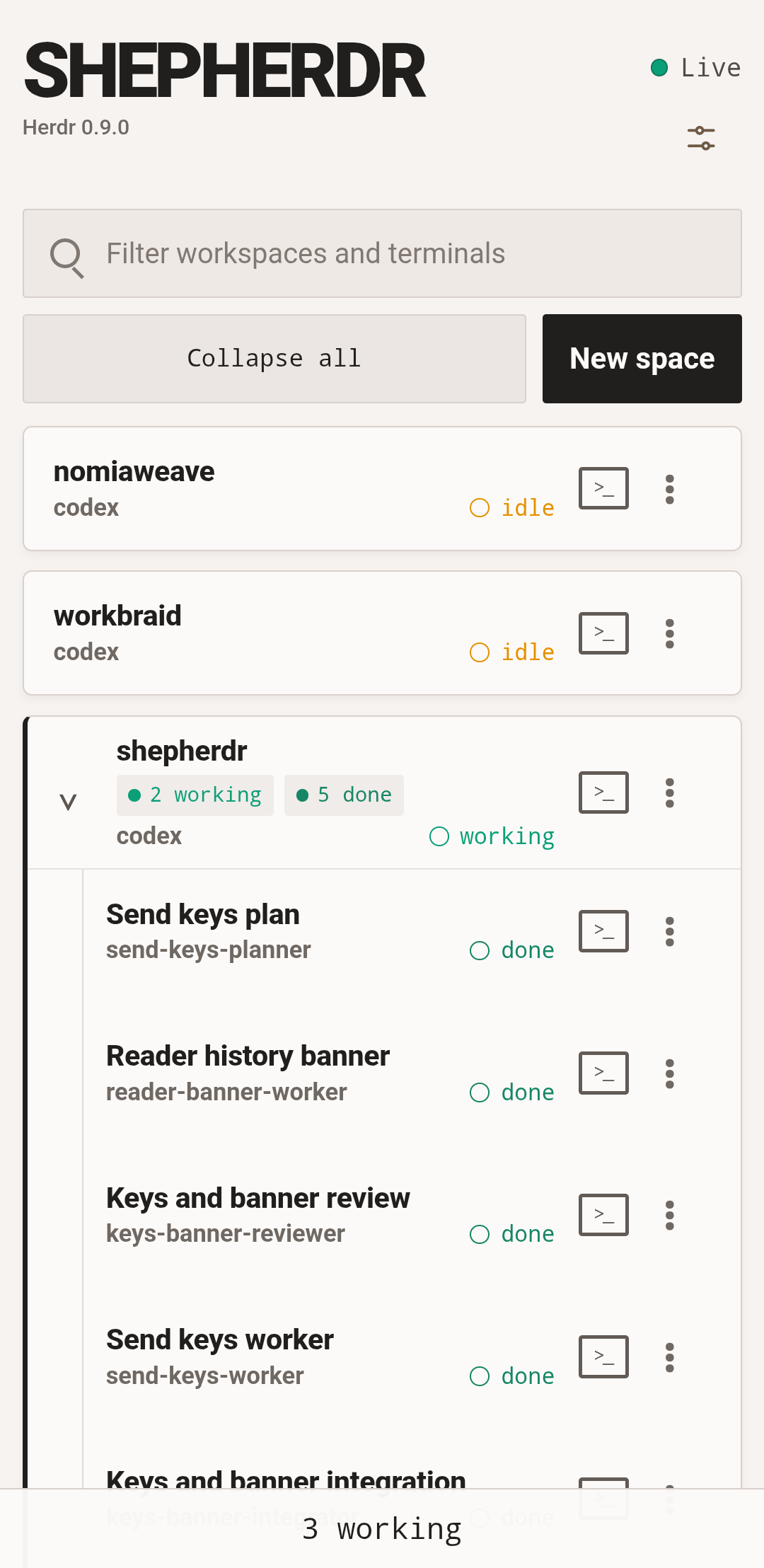
- **never hunt for the stuck one** — every terminal is marked working, blocked, idle, done, or unknown. when an agent needs you, shepherdr says so.
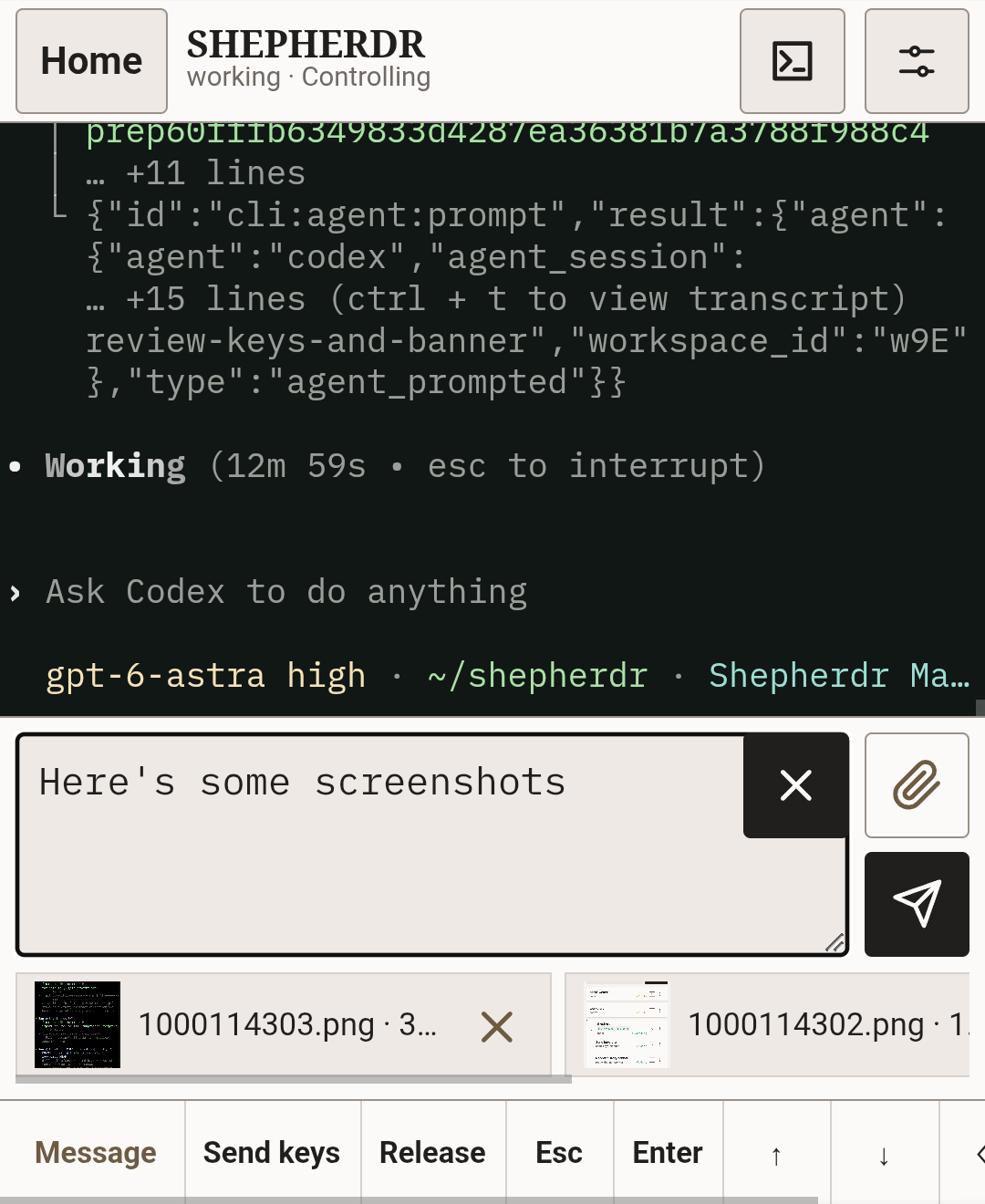
- **open the exact terminal** — read it, send text or shortcuts, and attach files while an agent is there. shepherdr never substitutes another pane.
- **workspaces from the phone** — create a workspace, add a worktree, close what's done, delete a clean checkout. herdr still does the work.
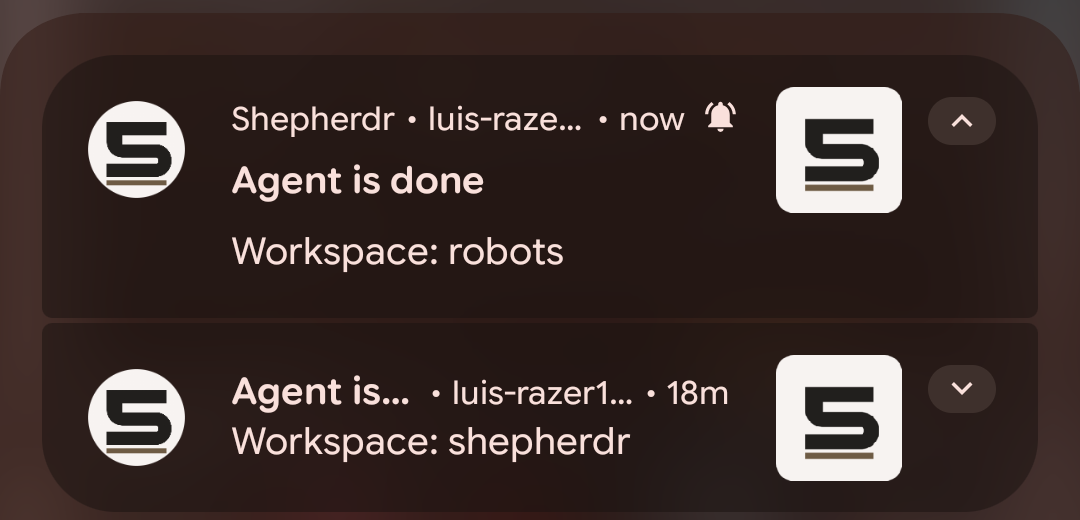
- **notifications that mean something** — blocked, done, or a trusted sign-in change. tap through to that terminal, or home if it's gone.
- **passkeys, not accounts** — trust this phone once. later visits are sign in with a passkey. no email, no password. a new browser cannot trust itself.
- **private by default** — loopback, then your tailnet. reaching shepherdr is never enough to trust a new device.
---
## Install
Shepherdr needs [Herdr](https://github.com/herdrdev/herdr) 0.9.0 or later running locally, `herdr` on `PATH`, and the same OS account as Herdr. Herdr 0.9.0–0.9.1 are validated; newer or unknown versions run best effort with a warning.
Use matching Herdr CLI and server versions for terminal reads and control.
Download the archive for this machine from the [latest release](https://github.com/luiscleto/shepherdr/releases/latest), plus its matching checksum file. The examples below use v0.4.2.
| System | Archive |
| --- | --- |
| Linux x86-64 | `shepherdr_0.4.2_linux_amd64.tar.gz` |
| Linux ARM64 | `shepherdr_0.4.2_linux_arm64.tar.gz` |
| macOS Intel | `shepherdr_0.4.2_darwin_amd64.tar.gz` |
| macOS Apple silicon | `shepherdr_0.4.2_darwin_arm64.tar.gz` |
macOS builds are unsigned. Expect a system warning on first run.
```sh
archive=shepherdr_0.4.2_linux_amd64.tar.gz
grep " ${archive}$" shepherdr_0.4.2_checksums.txt | sha256sum -c -
tar -xzf "$archive"
mkdir -p "$HOME/.local/bin"
install -m 0755 "${archive%.tar.gz}/shepherdr" "$HOME/.local/bin/shepherdr"
shepherdr --version
```
On macOS, use `shasum -a 256 -c -` instead of `sha256sum -c -`. Put the binary on `PATH` if `$HOME/.local/bin` is not already there.
**Go** (embeds the browser app; release archives are still the usual path):
```sh
go install github.com/luiscleto/shepherdr@latest
# or pin a version: go install github.com/luiscleto/shepherdr@v0.4.2
```
**From source** — Go 1.27+, Node.js 20+, npm:
```sh
npm ci --prefix web
npm run build --prefix web
go build -o bin/shepherdr .
```
To upgrade to v0.4.2, update Herdr to at least 0.9.0 first. Stop Shepherdr, keep its state and configuration, replace the binary with the verified download, check `shepherdr --version`, then restart it.
## Start
Start Herdr first. Shepherdr needs a stable private HTTPS address. Tailscale Serve is the usual way:
```sh
tailscale serve --bg 8787
```
Copy the printed address with no trailing slash, then:
```sh
shepherdr \
-public-origin PRIVATE_HTTPS_ADDRESS \
-vapid-contact mailto:you@example.com
```
`-public-origin` is `https://` plus a lowercase DNS name, optional nondefault port. No path, no trailing slash, no `:443`. That address is saved and cannot be changed later.
First start prints a setup link and QR code. They expire in ten minutes and are not reprinted on restart. Miss them? Stop Shepherdr and run `shepherdr access invite`. Open the link, name the device, choose **Trust this device**.
### Later starts
```sh
shepherdr
```
Open the same private address. Sign in with a passkey. `http://127.0.0.1:8787` is only the local listen address.
### Sign-in off (not recommended)
```sh
shepherdr -no-sign-in
```
Anyone who can reach Shepherdr has operator authority. The flag is not saved. Do not combine it with `-public-origin` or `-session-lifetime`.
## Keep it private
Keep Shepherdr inside a network of people and devices you trust with the machine running Herdr.
- One private HTTPS hostname, only for Shepherdr. Open only that exact address.
- Passkeys are an extra lock, not permission to publish.
- No Tailscale Funnel, no public exposure.
When sign-in is on, do not open Shepherdr by loopback, IP, `localhost`, another name, or another port.
## Devices
**Settings → Devices** lists trusted sign-ins, invites another device, revokes one while another remains, or signs this browser out. A passkey can sync; copies share one entry and are revoked together.
Stop Shepherdr first for local commands:
```sh
shepherdr access invite # ten-minute link + QR
shepherdr access devices # list trust IDs
shepherdr access revoke # refuses to remove the last passkey
shepherdr access reset # wipe passkeys, sign-ins, invitations, notification subscriptions
```
Reset keeps the private address and notification contact. The next protected start prints a new setup invitation.
## Notifications
Set a contact once. Each browser then chooses its own events under **Settings**.
```sh
shepherdr -vapid-contact mailto:you@example.com
```
An HTTPS website is also accepted.
| On by default | Off by default |
| --- | --- |
| `blocked`, `done`, trusted sign-in added/removed | `working`, `idle`, `unknown`, workspace opened/closed |
iPhone or iPad: add Shepherdr to the Home Screen and open it there before enabling. Android Chrome does not need that.
Reset (Shepherdr stopped):
```sh
shepherdr -reset-notifications
```
Best effort. No history, no delivery guarantee.
## Terminal and files
On a phone, Terminal opens in Reader for reading and selecting output. The terminal icon beside Settings opens the full terminal for direct typing; tap its input area to open the keyboard. The phone icon returns to Reader, keeping your reading place, draft, and pending files.
Both views keep control until you release it or another controller takes over. Opening a terminal never takes control from someone else; taking over requires confirmation.
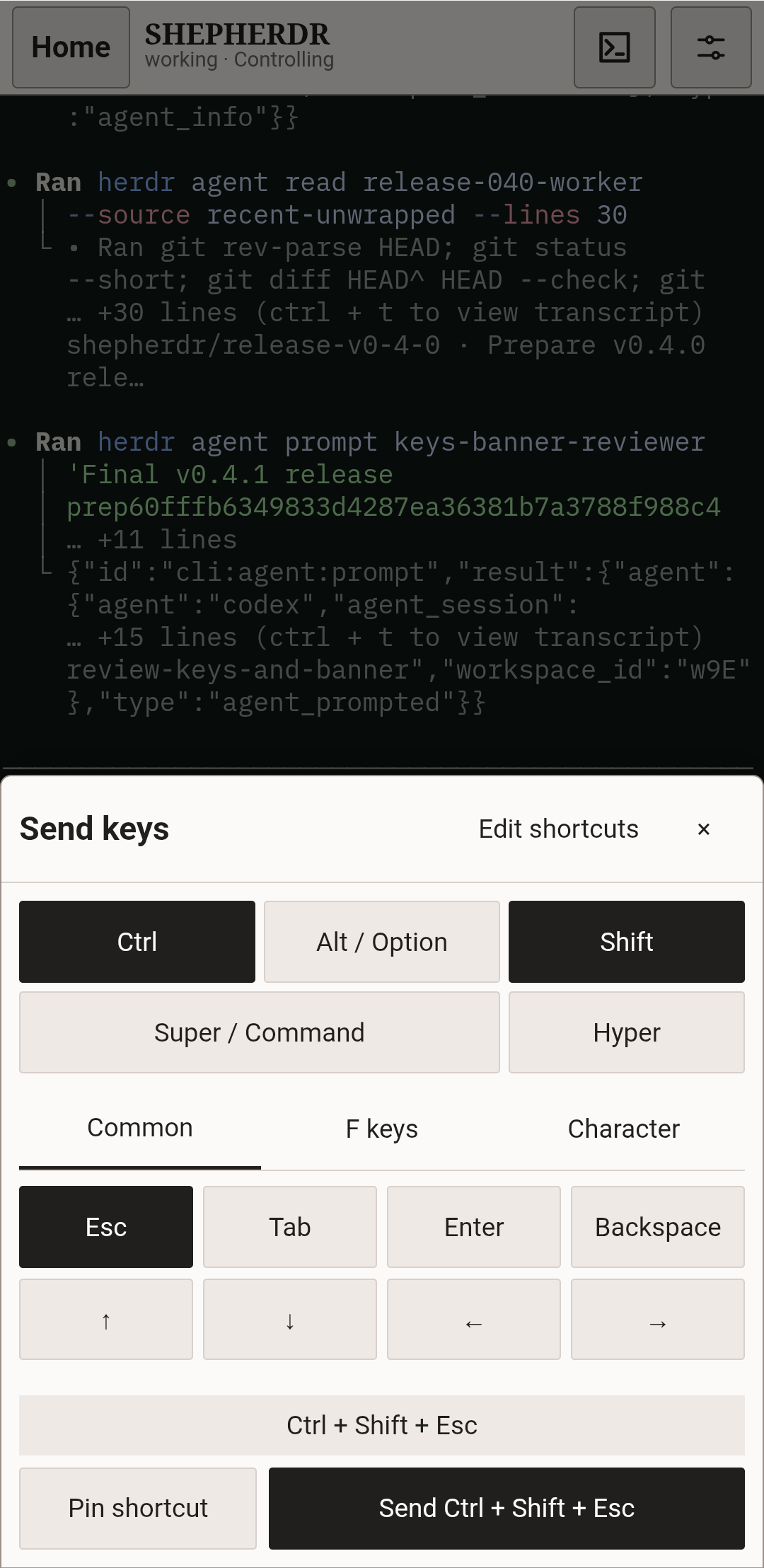
**Send keys** lets you choose Esc, Tab, Enter, Backspace, arrows, F1–F12, or one printable character, with Ctrl, Alt / Option, Shift, Super / Command, and Hyper. Herdr interprets the combination for the terminal. While observing, use **Control** or confirmed **Take over** first. Keys act immediately, independently of your unsent message and files. If the result is unknown, check the terminal before deliberately sending again.
Pin combinations without sending them, then edit, remove, reorder, or restore the shortcuts in this browser. Esc, Up, Down, Backspace, and Ctrl+C start pinned, in that order, with fixed Enter after the first shortcut. Saved choices stay unchanged; **Restore defaults** applies the new list. Tab remains in the picker and can be pinned. Enter, Send keys, control, and Message or Attach files remain available with their usual rules.
In Reader, **Message** opens the composer. **Add files** appears only while that exact terminal has a recognized agent. **Photos** and **Files** use the browser's ordinary pickers. **Send** submits the message and any selected file paths.
While a recognized agent is present, the full terminal's paperclip opens a compact files-only panel. **Insert files** adds local file references at the current cursor without pressing Enter. Submit them yourself when ready; your Reader message draft stays separate.
Shepherdr stores the files on this machine. Reader sends their absolute paths as:
```text
User uploaded files:
- /absolute/path/to/file
```
Those paths are for the agent to open. They are not sent to a model.
Files stay with the workspace across agent changes and restarts. After the workspace is gone, Shepherdr tries to delete only the folder it created. Cleanup can fail. This is not file history.
## Flags
| Flag | Default | Notes |
| --- | --- | --- |
| `-listen` | `127.0.0.1:8787` | Loopback only. Match this port with `tailscale serve --bg`. |
| `-session-lifetime` | `30d` | `1d`–`365d`, or `none`. Saved. Using Shepherdr does not extend it. |
| `-herdr-socket` | `~/.config/herdr/herdr.sock` | Uses `$XDG_CONFIG_HOME/herdr/herdr.sock` when nonempty, including on macOS. Pass an absolute path to override. |
| `-log-level` | `info` | Runtime logging: `debug`, `info`, `warn`, or `error`. |
| `-upload-parent` | system temp | Staging directory for selected files. |
| `-upload-limit` | `50MiB` | Per send. Bytes, `KiB`/`MiB`/`GiB`, or `none`. |
Apache License 2.0.