A desktop workbench for making CAD parts with an AI coding agent.
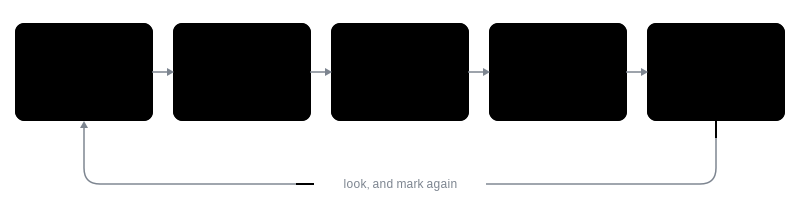
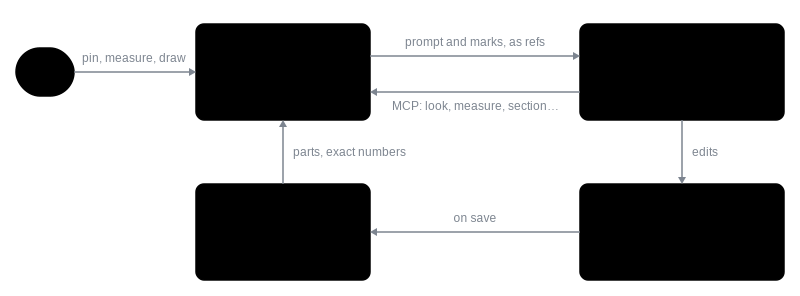
You point at the part. The agent writes the code. torno builds it every time you save.
> [!NOTE]
> torno is new and early. It is developed on Linux (Arch, Wayland) 100% using claudecode and also runs on macOS, which has seen less use. Expect rough edges,
> and please [open an issue](https://github.com/luisg0nc/torno/issues) when you find one.
## Why torno
Coding agents are good at writing [build123d](https://github.com/gumyr/build123d) models, the Python CAD library
on top of OpenCascade. Two things get in the way. The agent can't see what it made, and it's hard for you to
tell it *which* face is wrong, or by how much.
torno fixes both. It runs [Claude Code](https://docs.anthropic.com/en/docs/claude-code) next to a live 3D view
of the model. You pin a note to a face, measure a wall or draw on the view, and the agent gets exactly what you
pointed at: the face's ref, the exact measured value, your note. The agent also gets tools to look at the model,
measure it and cut sections through it, so it can check its own work before it hands it back.
torno is not a modeller. It has no feature tree and no way to edit a solid by hand, and its sketches tell Claude
what you mean rather than make geometry. The model is the Python file, and torno shows it.
## Features
- **Live builds.** Every save rebuilds the model and redraws it. When a build fails, the last good parts stay on
screen and the traceback is one click away. A failed fillet tells you which edges and what radius would work.
- **Point, don't describe.** Pins, arrows, strokes, shapes and picks on faces and edges, each with a note. The
agent gets them with your next prompt as refs like `lid/F12`, never as vague words. What you have selected waits
in a tag by the part, with what the kernel says of it.
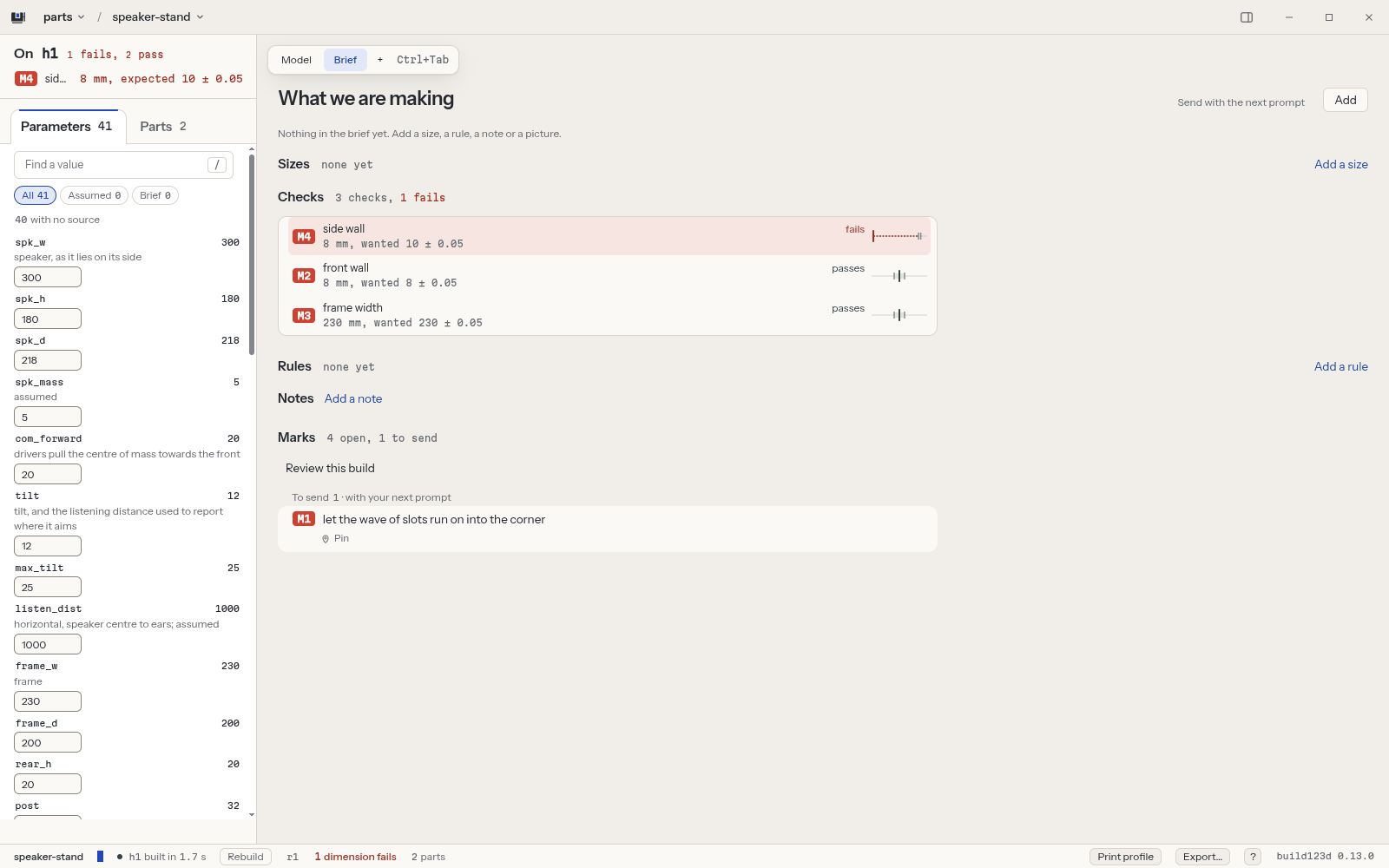
- **What waits on you.** The top of the left column says how the build on show stands (`2 checks fail, 5 pass`) and lists
what needs you: a failing check, Claude's question, a mark to review. Parameters and Parts are two tabs under it,
and `Ctrl+P` finds any part or value in a model of many. `Ctrl+Shift+L` hides the column.
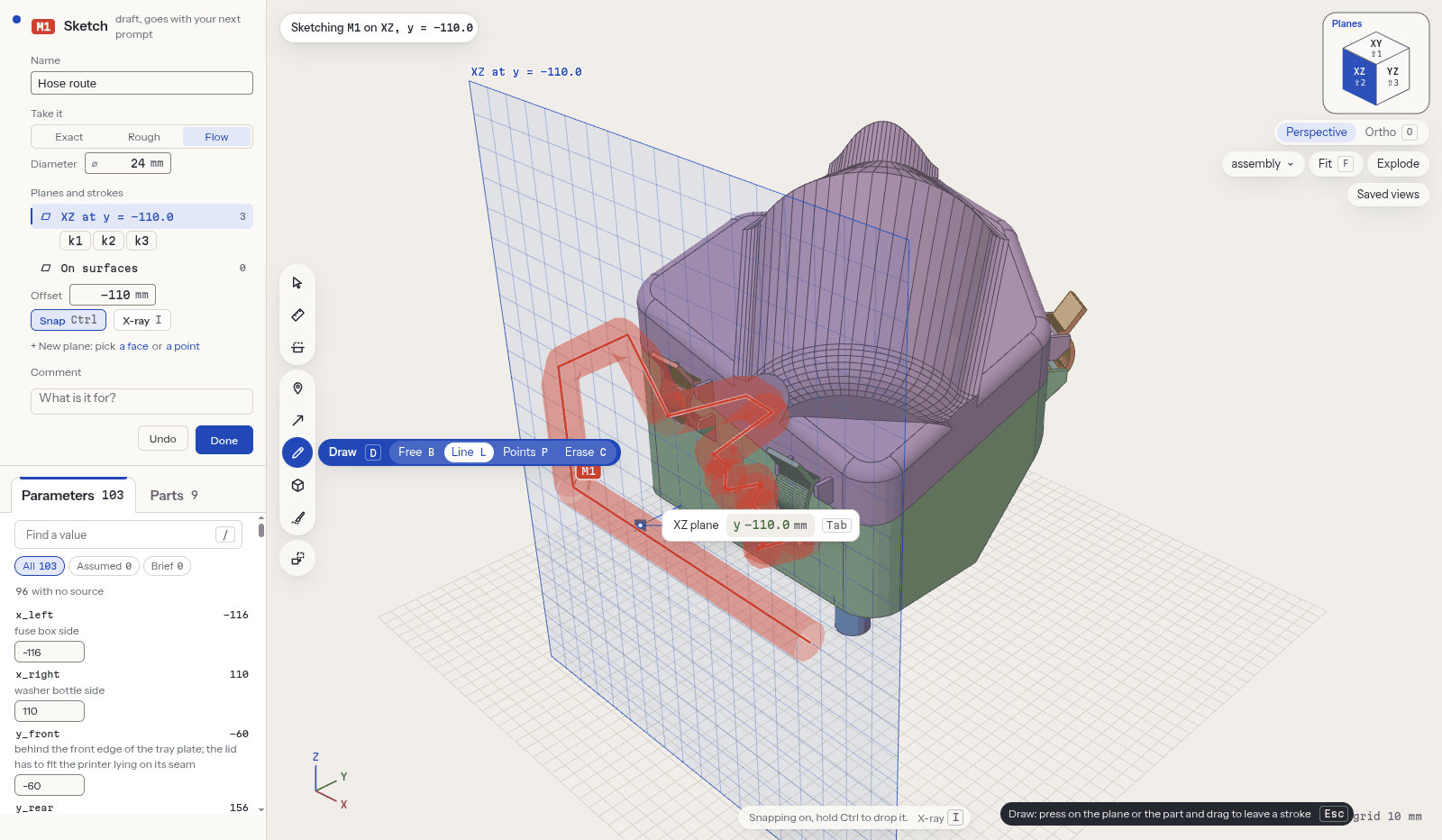
- **Sketch in 3D.** Draw strokes in space, on a plane or on the surface of the parts, in millimetres, to show
where something goes or how it runs. [More](docs/manual.md#3d-sketches)
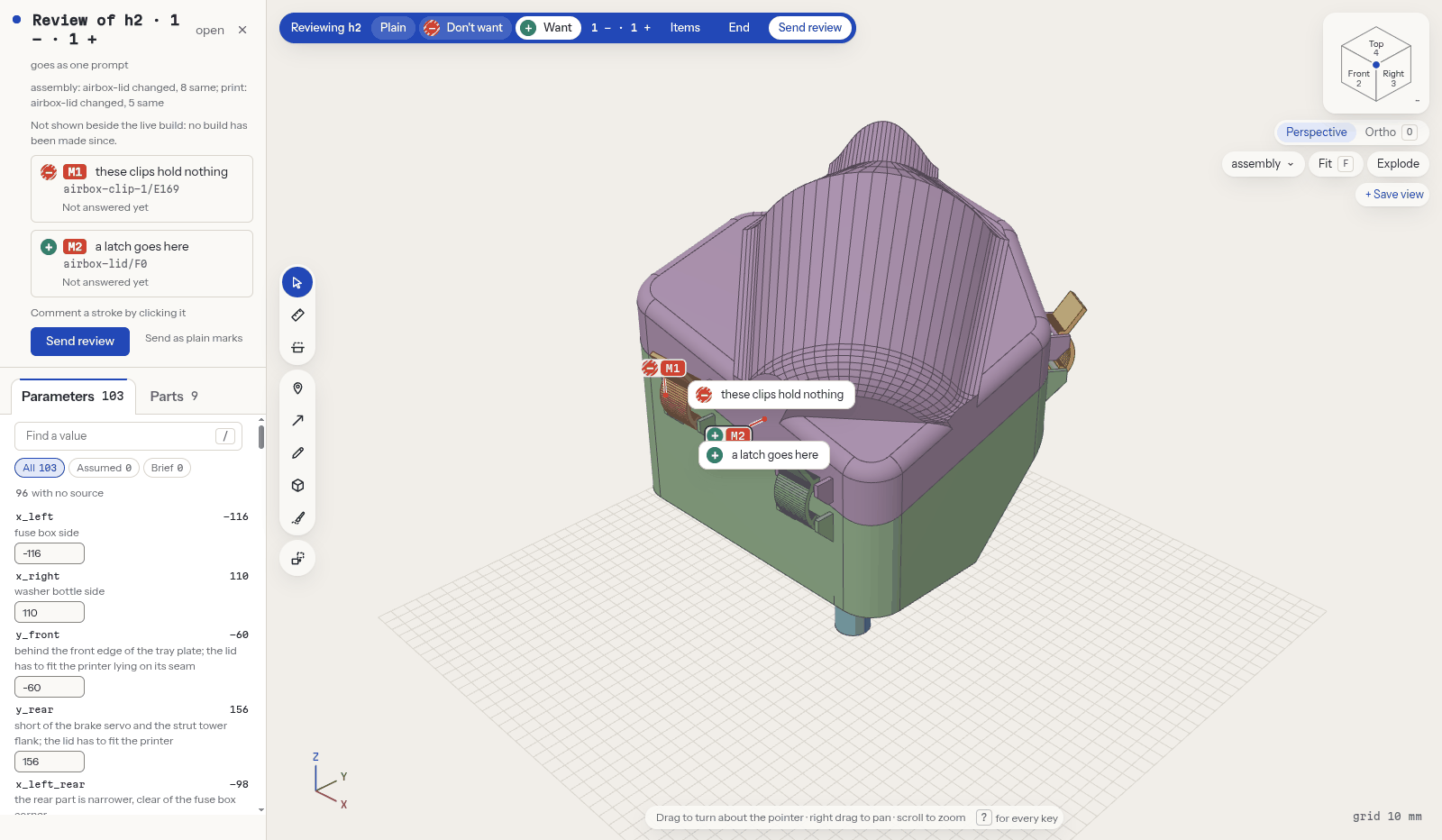
- **Review a build.** Go over a build once, marking what you don't want and what you want, and send it as one
round. Claude answers each item, and after the next build you say OK or Still wrong. [More](docs/manual.md#reviews)
- **Name what you mean.** Give a few faces, edges, parts or strokes a name like `#deck` that you and Claude both
use. torno finds them again after every build. [More](docs/manual.md#named-sets)
- **Every build kept.** The builds timeline under the view groups them by prompt and lets you compare two builds,
star one, review one, or go back to before a prompt.
- **Exact numbers.** Distances, angles, radii and wall thickness are measured on the B-rep, not on the mesh.
Give a dimension the value it should be and it says *passes* or *fails* after every build.
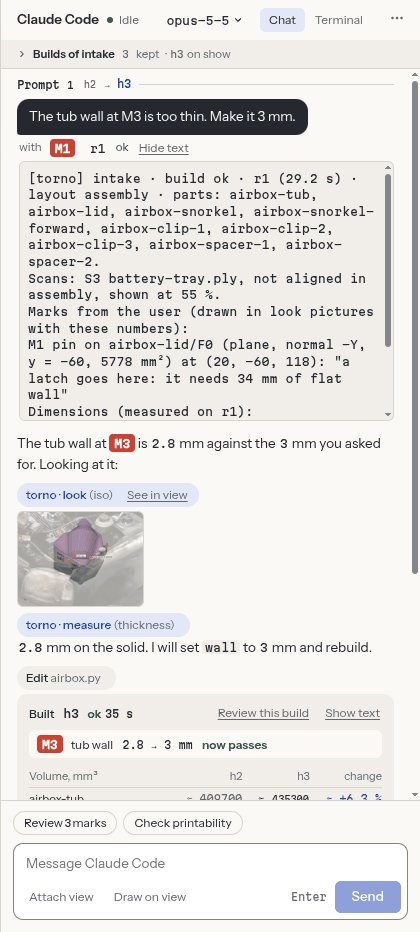
- **The agent sees what you see.** The agent gets MCP tools of its own: `look` (a picture of your view, marks
included), `measure`, `section`, `check` (overlaps and printability), `diff` between builds, `try_fillet`
and more.
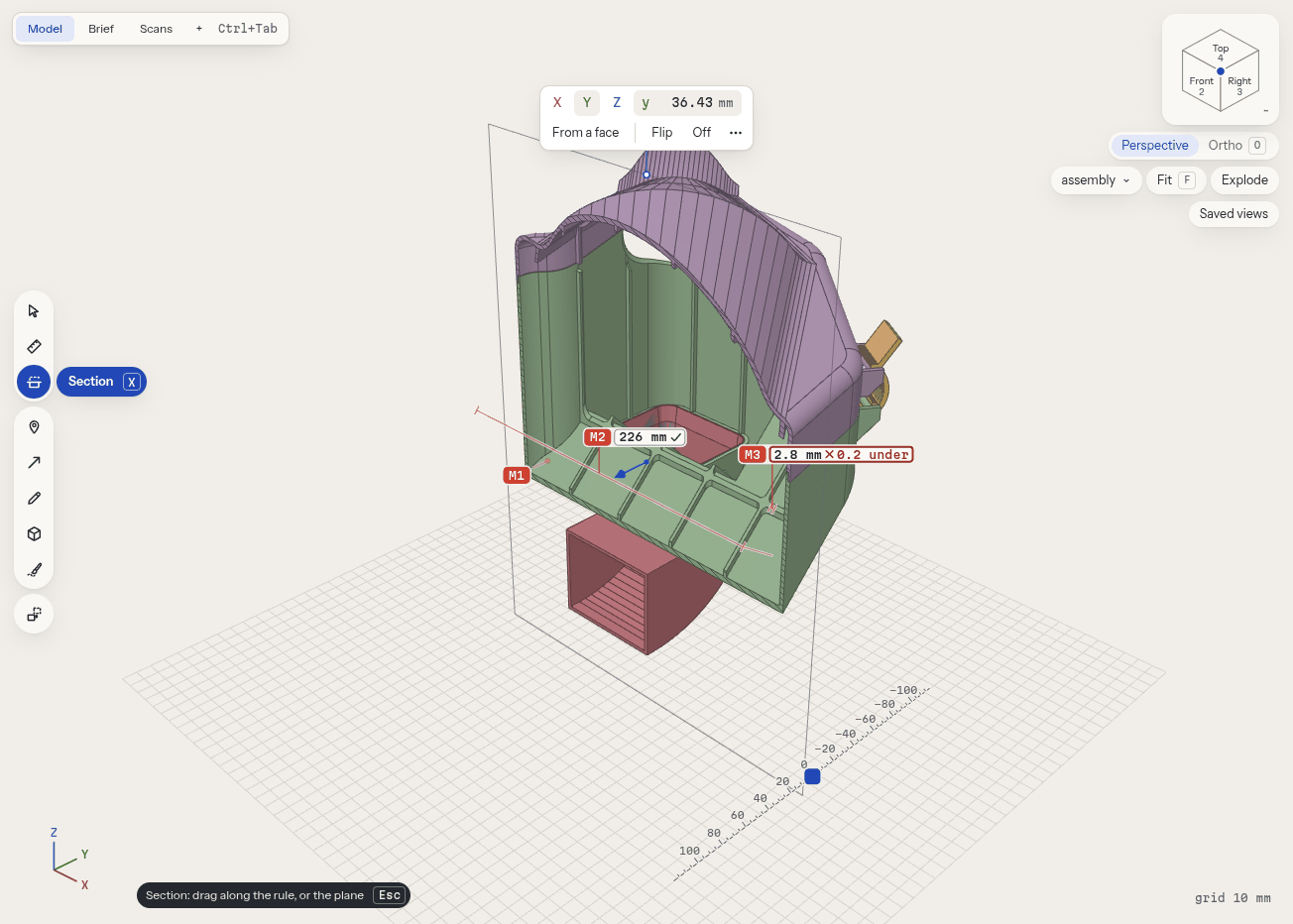
- **Section, explode, saved views.** Cut through the parts, pull an assembly apart, keep a camera under a
name.
- **Scans.** Import a phone or scanner mesh of the place the part has to fit, align it, and check clashes and
deviation against it. torno always marks scan numbers as approximate. A scan is a tab beside Model and Brief.
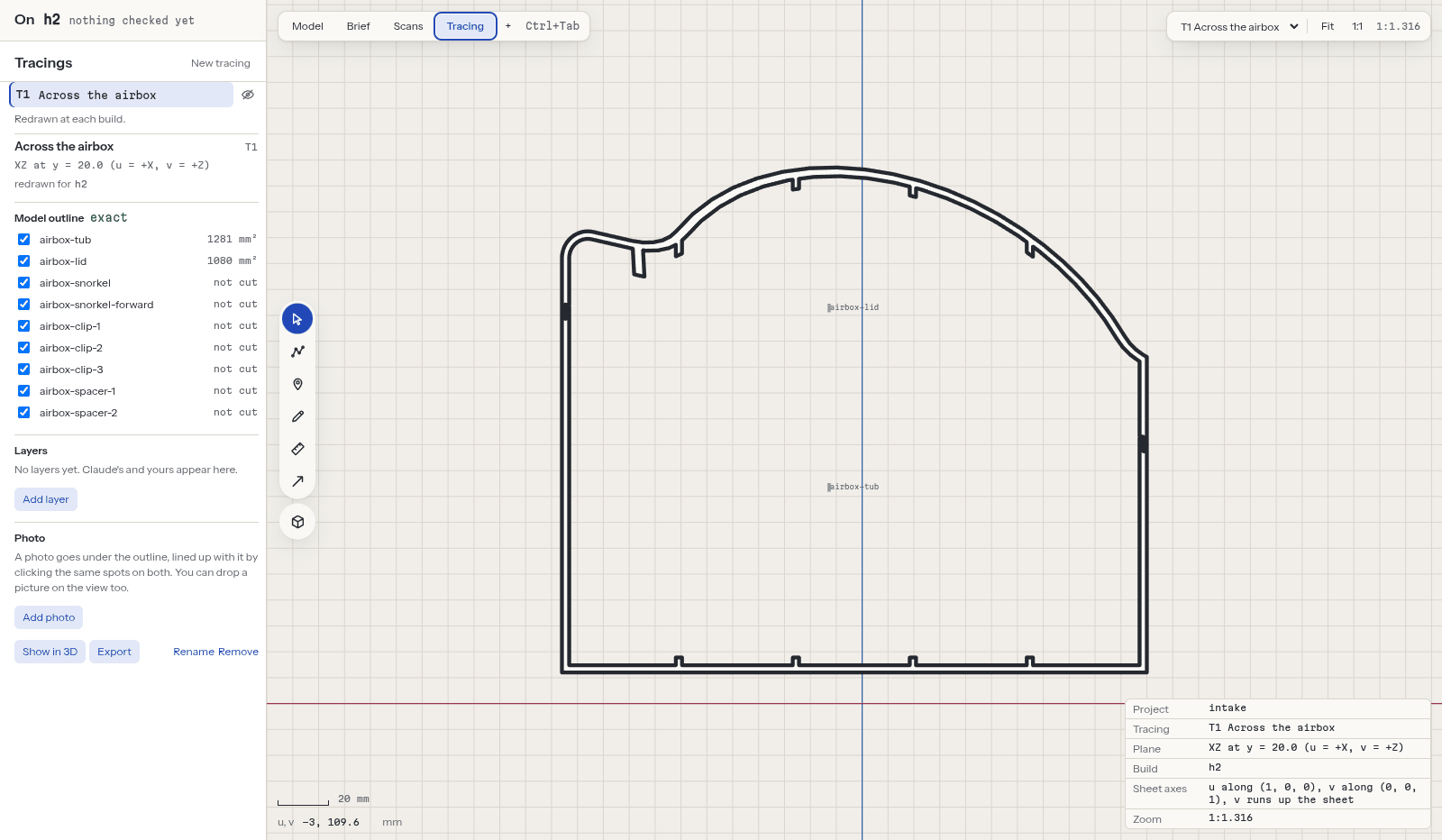
- **Tracings.** Lay one plane of the model flat at true size on a millimetre grid, over a photo of the real thing
if you have one. The outline is redrawn after every build. It is a tab of the same switch.
[More](docs/manual.md#the-tracing-view)
- **A brief for each project.** One page with what you are making, the sizes you know and where each came from,
the rules, the photos and notes, and your checks, dimensions and marks. Claude is told the sizes and rules in
every new conversation. [More](docs/manual.md#the-brief)
- **Start from what you have.** A new project can start from a description, photos, doodles, scans and other
projects in the workspace. Claude gets all of it with its first prompt. All your projects stand on one bench at
true scale, the ones waiting on you first.
- **Export.** A single HTML file anyone can open in a browser without installing anything, or STEP, STL and 3MF, a PNG of the view, and an SVG or PDF drawing of a section or a tracing at true scale.
- **Local.** torno itself uploads nothing. The agent is your own `claude`, under your own login, and torno
leaves its settings alone. In your folders, torno writes only under `/.torno/`, and a session can edit files only in its own project.
Checks and marks on the Brief page
The agent's view
Section
A 3D sketch
Reviewing a build
A tracing
## What goes well, and what does not
It goes well with prismatic parts that have sizes you measured: brackets, enclosures, holders, a lid and a box,
hole patterns. It needs more from you for a part that must fit a place you can only scan, and for an assembly of
more than three or four parts that touch. It does not go well with organic shapes described in words alone, gears
and threads written by hand, or sizes read from a photo. Whatever the part, give a measured number, a scan or a
dimension mark in place of a description. The [manual](docs/manual.md#what-goes-well-and-what-does-not) has the
lists.
## How it works
A **workspace** is a folder of **projects**. Each project is a folder with one build123d model in it:
```
projects/
├── bracket/
│ └── bracket.py
└── hollow/
└── hollow.py
```
A model gives its parts as a dict, or as `make_()` functions, or as module-level shapes:
```python
from dataclasses import dataclass
from build123d import Box, Cylinder, Pos
@dataclass(frozen=True)
class Params:
side: float = 40
wall: float = 2
def assembly(p):
inner, height = p.side - 2 * p.wall, p.side - p.wall
tub = Pos(0, 0, height / 2) * Box(p.side, p.side, height)
tub -= Pos(0, 0, p.wall + inner / 2) * Box(inner, inner, inner)
tub += Pos(0, 0, p.wall + 10) * Cylinder(3, 20)
lid = Pos(0, 0, height + p.wall / 2) * Box(p.side, p.side, p.wall)
return {"tub": tub, "lid": lid}
```
The app is Electron and three.js. The kernel is a Python package that loads models and tessellates them in
forked workers. Each project gets its own Claude Code session, in the project's folder, connected to torno's MCP
server on `127.0.0.1`. See [Projects and builds](docs/manual.md#projects-and-builds) for the full rules.
## Getting started
### Requirements
- Linux or macOS (not Windows: the launcher, the terminal view and the login-shell `PATH` are for Unix; WSL2 is untried)
- Node.js 22.12 or later, and pnpm 10
- [uv](https://docs.astral.sh/uv/) (it fetches Python 3.11 or 3.12 if you have neither)
- [Claude Code](https://docs.anthropic.com/en/docs/claude-code) (`claude`) on your `PATH`, logged in
torno checks all of this on its first screen, under "Ready to work", and says what's missing. The first build
sets up torno's own Python environment with build123d and bd_warehouse (about 900 MB, once). If your workspace has its own
`pyproject.toml`, torno uses that environment instead and never changes it. Run `uv sync` there once yourself.
More in [Requirements](docs/manual.md#requirements).
### Install
```sh
git clone https://github.com/luisg0nc/torno.git
cd torno
pnpm install
```
### Run
```sh
scripts/torno ~/projects # open a folder as the workspace
scripts/torno # the workspace you opened last, or the first screen
```
The launcher rebuilds the app when the sources change, so `git pull` and run it again. On the first screen,
**Open the example** opens a small project, an enclosure with its brief and a few marks, in a temporary copy, so you can try everything without touching
your own files.
On Linux, `scripts/torno --install-desktop` adds torno to your application launcher, or `pnpm dist:linux` builds an
AppImage and a tar.gz in `app/dist/`. On macOS, `pnpm dist:mac` builds `torno.app` in `app/dist/` (signed ad hoc, not
notarized). More in
[Run](docs/manual.md#run).
### Your first five minutes
Press **Open the example** on the first screen. It is an enclosure for a sensor board, with a lid that rattles. The
manual has a [walk-through](docs/manual.md#five-minutes-with-torno) on it: turning, pinning, measuring, cutting and
asking the agent to fix the fit. It works the same from a packaged app.
## Working with Claude Code in torno
A few habits that save time.
- **Point, don't describe.** Pin the face and write the note. The agent gets the face's ref and your words, not
"the left side near the top".
- **Give measured sizes.** Put what you have measured in the brief or the first prompt. A size the agent guesses is
the usual reason a part does not fit.
- **Make a dimension a standing test.** Measure the wall or the gap, type the value it should have, and it says
*passes* or *fails* after every build, whoever made the change.
- **Ask for two or three rough blockouts before details.** Compare the shapes first. Fillets and holes can wait.
- **Ask for measured sizes back.** "What is the wall under the lid?" is answered from the B-rep, exactly. Say so
when you want the number and not a look.
- **Run `/mcp__torno__review` before you call it done.** The agent goes through every open mark and every unmet
dimension against the current build.
- **One project, a few parts.** Split a big assembly into projects. Use [saved views](docs/manual.md#explode-and-saved-views)
to come back to the same angle.
The [manual](docs/manual.md#the-agent) says what the agent is given and told.
## Documentation
- **[The manual](docs/manual.md)**, the reference for everything torno does. The parts most people need:
- [The agent](docs/manual.md#the-agent): the chat, what Claude Code is given and told, the
[tools](docs/manual.md#tools)
- [Marks](docs/manual.md#marks) and [measuring](docs/manual.md#measuring-and-dimensions)
- [Scans](docs/manual.md#scans) and [export](docs/manual.md#export)
- [Keys](docs/manual.md#keys), [files torno writes](docs/manual.md#files-torno-writes),
[troubleshooting](docs/manual.md#troubleshooting)
- **[The design](docs/superpowers/specs/2026-10-08-torno-design.md)**, why torno is built the way it is.
## Contributing
Issues and pull requests are welcome. torno is young, so for anything bigger than a fix, please open an issue
first to talk it over. [CONTRIBUTING.md](CONTRIBUTING.md) covers setting up, where things are, the rules the code
holds to, and the tests. Questions and parts you made go in [Discussions](https://github.com/luisg0nc/torno/discussions). To report a security problem, see [SECURITY.md](SECURITY.md).
## License
Copyright 2026 the torno authors.
Licensed under the [Apache License, Version 2.0](LICENSE).