
Happycoding Everyday
Your DeepSeek Harness activity as a GitHub-style contribution graph.
English | 中文


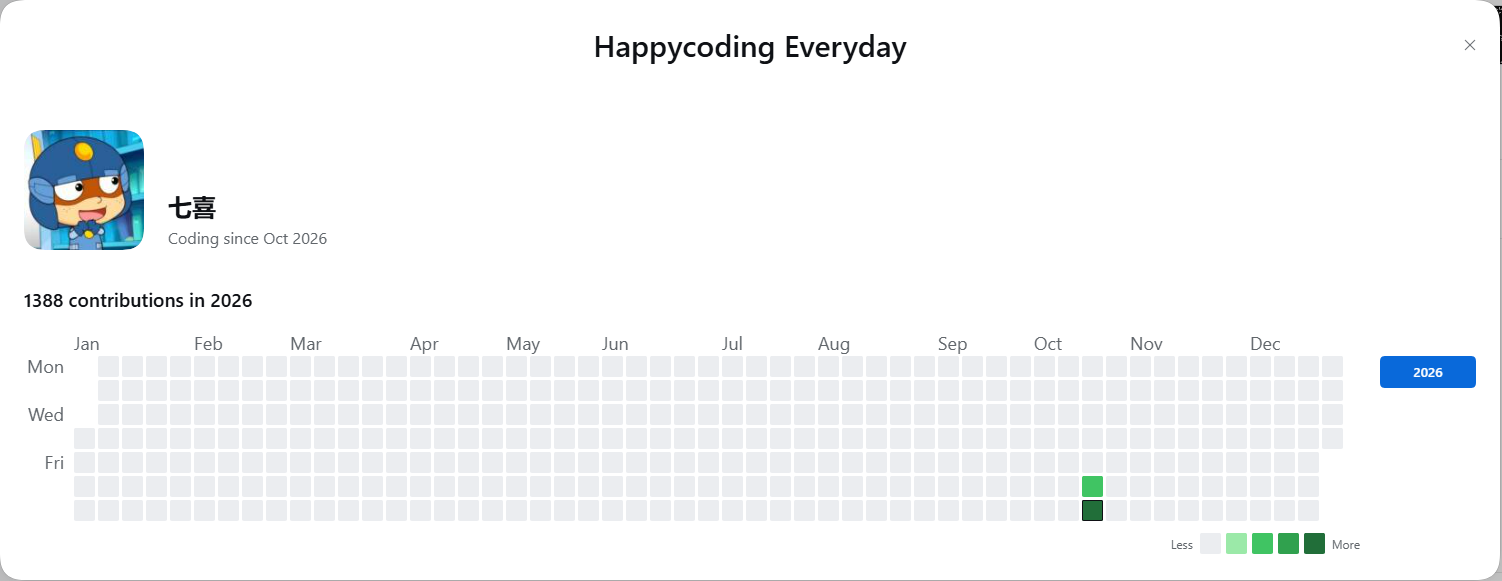
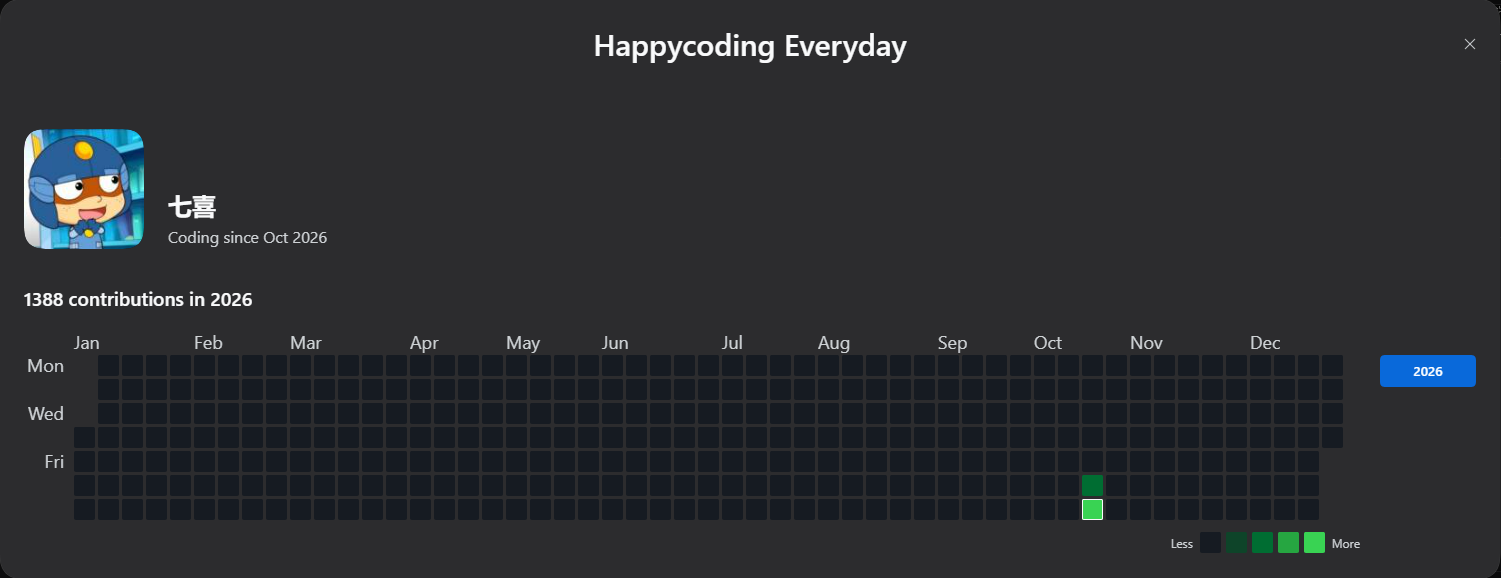
*Display name **Happycoding Everyday**; the package, the repository and the
plugin id stay `dsh-happycode`.*
Happycoding Everyday reads the session logs DeepSeek Harness already writes on
your machine, turns them into one number per day, and draws the year the way
GitHub draws it: weeks across, Monday to Sunday down, five shades of green, a
tooltip on every cell. It is a plugin, not a service — nothing leaves the machine.
## Install
From the DSH plugin market, search **Happycoding Everyday** and install it in one
click. From a terminal:
```sh
dsh plugin --profile add dsh-happycode
```
On DSH Desktop, install it from **Settings → Plugins** instead (the app owns that
profile). Restart DSH once so the server half loads. Afterwards the client half
reloads with the page.
Then open your **avatar menu** at the bottom of the sidebar. `HappyCode` sits
between **Settings** and **Feedback** — the menu keeps the short name, the dialog
carries the full one.
## What you get
- **A row in the account menu** — same typography, spacing and hover state as the
three rows around it, with a small heat-grid glyph.
- **A profile row** — a 120px avatar, your name at 24px and `Coding since Oct 2026`
beside it, read from the account launcher the host already rendered. No picture?
The first letter on a brand-coloured tile. No account at all? The row is not
drawn. Never your e-mail: the host only exposes a masked one, so an `@` means
"no name".
- **A dialog that matches the host's own Settings dialog** — the brand centred in a
90px title band, close button in the top-right corner, Escape and a click on the
backdrop. Its height follows the content (`min(1500px, 94vw)` wide, capped at
88vh) instead of reserving empty space.
- **One view: a calendar year.** January to December, Monday-based columns, blank
padding cells at both ends so no neighbouring year leaks in.
- **A graph that fills the dialog.** Cell size is computed from the card's width —
21px at the design width, 14px floor — and recomputed whenever the window
changes, so there is no dead space to the right of the grid.
- **Readable axis labels** — `Jan`…`Dec` and `Mon`/`Wed`/`Fri` at 18px.
- **GitHub's legend, in GitHub's place** — inside the card, under the grid, right
aligned.
- **A year picker** on the right of the card — the current year plus the years
with activity, newest first, capped at three. A new year still gets a button,
even before it has any activity.
- **A tooltip on every cell** — `19 contributions on October 24th.` and
`No contributions on October 23rd.`, GitHub's wording, with ordinals.
- **The GitHub palette** in both light and dark, following the host theme.
- **Weights you can change** — three numbers and a **Recalculate** button on the
plugin's page under **Plugins**.
## What counts
One contribution value per day, from three kinds of event in the session log:
| Event | Weight | Default |
|---|---|---|
| A message you sent (`user/message` with a real user source) | `m` | 1 |
| A tool call (`tool/call`) | `t` | 1 |
| A tool call that writes a file (`write`, `edit`, `str_replace_editor`, …) | `f` | 3 |
`value = 1·m + 1·t + 3·f`
Deliberately **not** counted: injected context (runtime snapshots, skill catalogs,
time context), assistant messages, tool results, sub-agent sessions, and empty
sessions. The rules and the evidence behind them live in
[docs/data-schema.md](https://github.com/luoyiyxo/dsh-happycode/blob/main/docs/data-schema.md).
Colours are bucketed from your own data: the 25th/50th/75th percentile of the
non-zero days **inside the current window** become the three thresholds. Fewer
than eight active days, or quartiles that collapse onto each other, fall back to
GitHub's fixed `1–9 / 10–19 / 20–39 / 40+`.
## Privacy
- **No network requests.** The plugin talks to the host over its own loopback
HTTP routes and nothing else. No telemetry, no fonts, no avatars fetched.
- **Read-only on your logs.** `~/.dsh/sessions/` and the session projection cache
are only ever read.
- **One writable directory**: `~/.dsh/profiles//.dsh-happycode/`, holding
`daily.json`, `sessions.json` and `settings.json`.
- **No log content is written anywhere.** Diagnostics carry file names, counts and
error messages only.
## Compatibility
- DSH `0.2.1` or newer, prereleases included (`engines.dsh: ">=0.2.1-0"` — the
account menu and the plugin configuration page are what it targets).
- Node `22.15` or newer, for the built-in Zstandard decoder. On an older Node the
compressed logs are skipped and logged rather than crashing.
## How it works
```
~/.dsh/sessions//session-/session.v4.jsonl.zstd (read-only)
│ concatenated zstd frames → JSONL
▼
daily.json { "2026-10-24": { m: 8, t: 11, f: 0 } } (cache)
│
▼
GET /dsh-happycode/api/graph?year=2026 → { total, days[], thresholds, … }
GET /dsh-happycode/api/graph?range=last365 (kept for the roadmap; unused by this UI)
│
▼
client bundle → account-menu row → dialog
```
The first index runs in the background; afterwards only sessions whose size or
mtime changed are decoded again. A session that fails to decode is skipped and
counted in the status, never retried and never fatal.
## Development
```sh
npm test # 53 tests: decoding, counting, caching, routes, UI
npm run render:preview # regenerate the README preview from the grid geometry
```
The client bundle is hand-written CommonJS in `client/client.js` — no build step.
It registers itself with the host's `window.__ModuleLoader__` and requires only
`react` and `@deepseek-ai/dsh-client-ui-primitives` from the host's module table.
See [docs/host-ui-notes.md](https://github.com/luoyiyxo/dsh-happycode/blob/main/docs/host-ui-notes.md) for how the account-menu row is
injected and why.
## License
MIT.