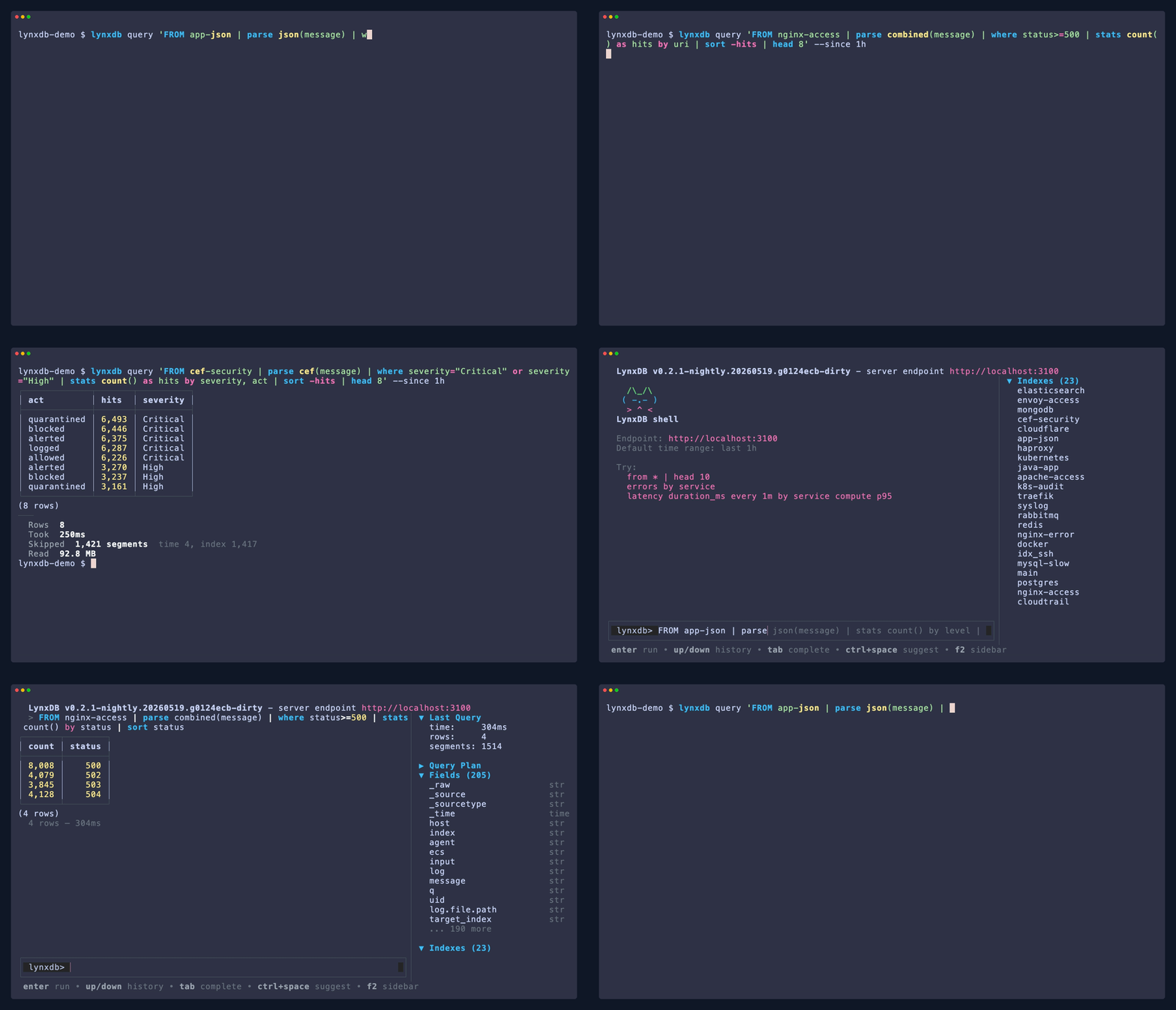
LynxDB is a single-binary log analytics database. It works as a Unix-style pipe
tool, a persistent server, or a distributed cluster, all through the same
LynxFlow query engine.
> LynxDB is in active development. APIs, storage format, and query behavior may
> change between releases.
## Why LynxDB
- **Pipe mode:** run analytics on stdin or local files with no daemon.
- **Server mode:** ingest logs once, query indexed columnar storage repeatedly.
- **LynxFlow:** a clean pipeline language with typed values, schema-on-read parsing,
CTEs, joins, materialized views, arrays, objects, and time-series sugar.
- **Index-honest search:** `has` is term-index search, `contains` is substring
search, and `matches` is regex.
- **Drop-in ingest paths:** Elasticsearch `_bulk`, OpenTelemetry OTLP, Splunk HEC,
syslog, and raw HTTP ingest.
## Install
```bash
curl -fsSL https://lynxdb.org/install.sh | sh
```
Other options:
```bash
brew install lynxbase/tap/lynxdb
go install github.com/lynxbase/lynxdb/cmd/lynxdb@latest
docker run -p 3100:3100 ghcr.io/lynxbase/lynxdb server
```
## Query Without A Server
Pipe any logs into `lynxdb query` and use the full LynxFlow engine in-process:
```bash
kubectl logs deploy/api | lynxdb query '
where status >= 500
| stats count() as errors, p95(duration_ms) as p95_ms by endpoint
| sort -errors
| head 10'
```
Query a local file directly:
```bash
lynxdb query --file access.log '
from main status>=500
| stats count() as count, dc(client_ip) as unique_ips by uri
| sort -count
| head 20'
```
Explore a large file cheaply:
```bash
lynxdb query --file app.ndjson '
sample 1% seed=42
| describe'
```
## Run A Server
```bash
lynxdb server
lynxdb ingest nginx_access.log --source nginx
lynxdb query '
from main[-1h] _source=nginx status>=500
| every 5m by uri stats count() as errors fill=0
| sort uri, _time'
```
`from main[-1h]` scopes the source and time range. Search terms immediately after
`from` are source-level search sugar: `status>=500`, `"connection reset"`, `error`,
and `field=*` all desugar to typed LynxFlow predicates.
## LynxFlow In 60 Seconds
LynxFlow v2 is the only query language in LynxDB. The old SPL2 runtime was
removed; legacy spellings now produce migration hints.
```lynxflow
from nginx[-24h] "timeout" status>=500
| parse json
| extend route = url_strip_query(uri),
latency_bucket = bucket(duration_ms, [0, 50, 100, 250, 500, 1000])
| stats count() as count,
p95(duration_ms) as p95_ms,
top_k(client_ip, 5) as top_clients
by service, route, latency_bucket
| sort -count
| head 20
```
Core stage names are intentionally explicit:
| Old habit | LynxFlow v2 |
|---|---|
| `eval x=...` | `extend x = ...` |
| `table a, b` / `fields a, b` | `keep a, b` |
| `stats count by host` | `stats count() by host` |
| `timechart count span=5m` | `every 5m stats count()` |
| `sort count desc` | `sort -count` |
| `head 10` / `tail 10` | unchanged |
Useful idioms:
```lynxflow
// Conditional aggregation
from main[-1h]
| stats count(where status >= 500) as errors,
count() as total
by service
| extend error_rate = errors * 100.0 / total
| sort -error_rate
```
```lynxflow
// CTEs and joins
let $threats = from threat_feed | keep client_ip, threat_type;
let $failures = from auth[-24h] event="login_failed"
| stats count() as failures by src_ip
| rename src_ip as client_ip;
from $threats
| join type=inner on client_ip with $failures
| sort -failures
```
```lynxflow
// Arrays inside one event
from traces[-1h]
| extend p95_span = array_reduce("p95", map(spans, s -> s.duration_ms)),
slow_spans = array_count(spans, s -> s.duration_ms > 500)
| where slow_spans > 0
| keep _time, trace_id, service, p95_span, slow_spans
```
## Features
- **LynxFlow v2** - one expression grammar, typed values, arrays/objects,
lambdas, CTEs, joins, window functions, and visible sugar rewrites.
- **Full-text index** - FST term dictionary, roaring bitmap postings, and bloom
filters for segment skipping.
- **Columnar storage** - custom `.lsg` segments with delta-varint timestamps,
dictionary encoding, Gorilla XOR, and LZ4 compression.
- **Materialized views** - stored partial aggregate states with automatic query
rewrites and rollups.
- **Time-series helpers** - `every`, `gapfill`, `hist`, `latency`,
`percentiles`, `streamstats`, `rank`, `dense_rank`, `ema`, and `delta`.
- **Analytics stdlib** - `arg_max`, `top_k`, `value_counts`, `entropy`,
calendar functions, URL/IP helpers, JSON path helpers, and array reducers.
- **Operational modes** - stdin/file mode, local server, Web UI, REST API,
cluster mode, S3 tiering, syslog, and shipper-compatible ingest.
- **Sigma support** - convert and run Sigma detections as LynxFlow queries; see
[docs/site/docs/sigma](docs/site/docs/sigma/index.md).
## Comparison
| | LynxDB | Splunk | Elasticsearch | Loki | ClickHouse |
|---|---|---|---|---|---|
| Deployment | Single binary | Standalone or distributed | Single node or cluster | Single binary or microservices | Single binary or cluster |
| Dependencies | None | - | JVM | Object storage in production | Keeper for replication |
| Query language | LynxFlow | SPL | Lucene DSL / ES\|QL | LogQL | SQL |
| Pipe mode | Yes | No | No | No | Yes |
| Schema | Schema-on-read | Schema-on-read | Schema-on-write | Labels + line | Schema-on-write |
| Full-text index | FST + bitmaps | tsidx | Lucene | Label index only | Token bloom filters |
| License | Apache 2.0 | Commercial | ELv2 / AGPL | AGPL | Apache 2.0 |
## CLI Map
```text
lynxdb query run a LynxFlow query
lynxdb server start the HTTP server and Web UI
lynxdb ingest ingest local files into a server
lynxdb tail live tail query results
lynxdb shell interactive REPL
lynxdb explain show the logical/physical query plan
lynxdb fields inspect fields for matching events
lynxdb mv create/list manage materialized views
lynxdb config inspect and edit configuration
lynxdb status show server status
lynxdb demo generate sample data
lynxdb grammar print the LynxFlow grammar/cookbook
```
Run `lynxdb --help` or see [docs/site/docs/cli/overview.md](docs/site/docs/cli/overview.md)
for the full command map.
## Configuration
Zero config is required for pipe mode and local use. Server defaults are
documented in [docs/site/docs/configuration](docs/site/docs/configuration/overview.md).
Common overrides:
```bash
lynxdb server --data-dir /var/lib/lynxdb --addr 0.0.0.0:3100
LYNXDB_SERVER=http://localhost:3100 lynxdb query 'from main | stats count()'
lynxdb config init
```
## Documentation
- [What is LynxDB?](docs/site/docs/intro.md)
- [Quick Start](docs/site/docs/getting-started/quickstart.md)
- [LynxFlow operators](docs/site/docs/lynxflow/operators/from.md)
- [LynxFlow functions](docs/site/docs/lynxflow/functions.md)
- [LynxFlow aggregates](docs/site/docs/lynxflow/aggregates.md)
- [RFC-002 language specification](docs/grammar/RFC-002.md)
## Contributing
Contributor workflow and PR guidelines live in [CONTRIBUTING.md](CONTRIBUTING.md).
## Feedback
- [Issues](https://github.com/lynxbase/lynxdb/issues)
- [Discord](https://discord.gg/RgggCFdgWK)
---
LynxDB would not exist without the projects that inspired it:
- **[Splunk](https://www.splunk.com/)** - for the pipe-first log analytics model
that inspired LynxFlow.
- **[ClickHouse](https://clickhouse.com/)** - for showing how much analytical
performance a focused engine can deliver.
- **[VictoriaLogs](https://docs.victoriametrics.com/victorialogs/)** - for
proving that operational log storage can be simple and efficient.
- **`grep`, `awk`, `sed`, `jq`** - for the Unix style of composable data tools.
## Star History
## License
[Apache 2.0](LICENSE)