
Download → • Follow @lzhgus • Features • Build from Source
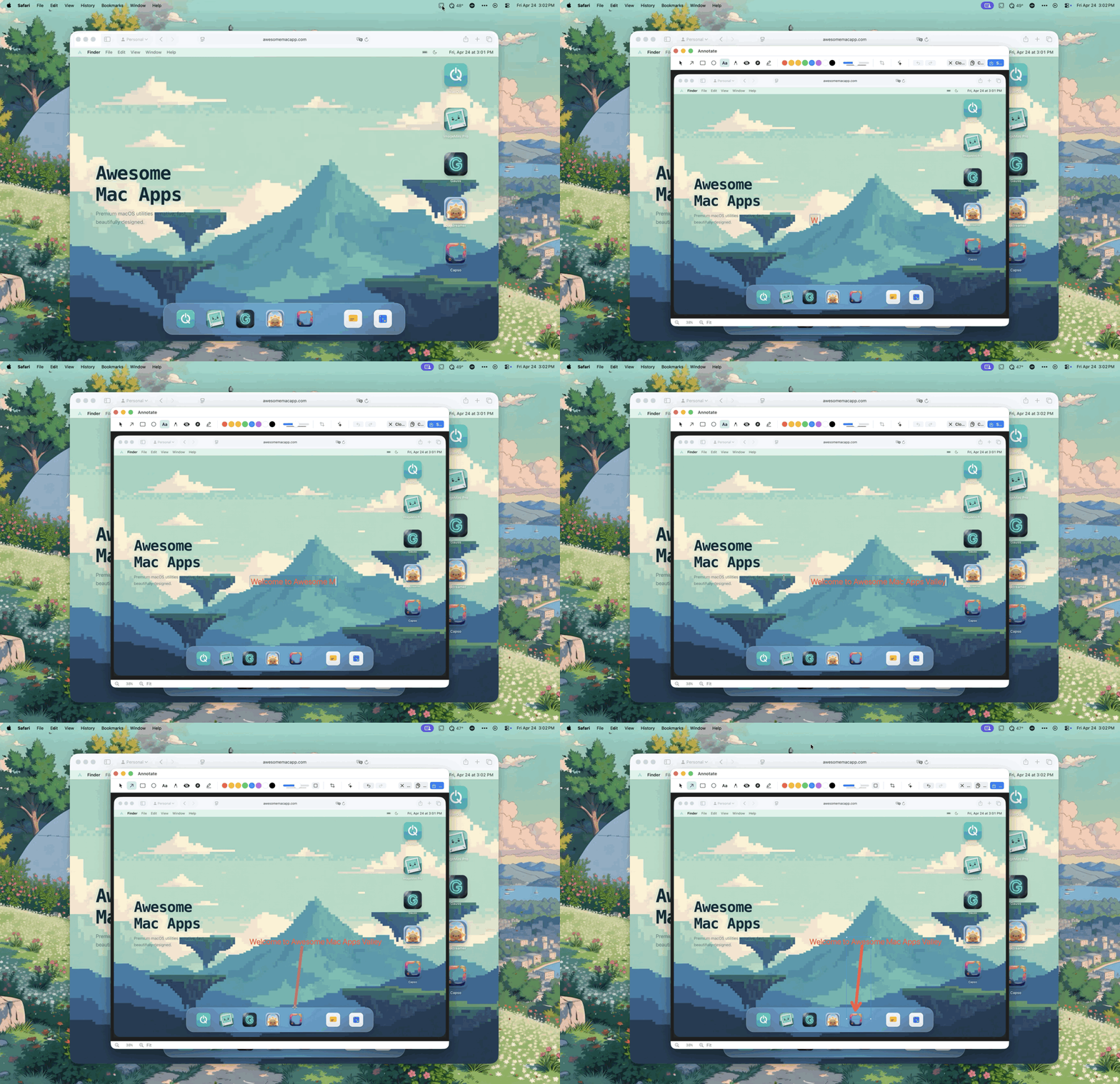
--- ## Download Grab the latest signed, notarized DMG from [**GitHub Releases →**](https://github.com/lzhgus/Capso/releases/latest) Or install via Homebrew: ```bash brew tap lzhgus/tap brew install --cask capso ``` Or [build from source](#build-from-source). > Screen recording, camera, and microphone permissions are required. The app will prompt on first use. --- ## Why Open Source? Every macOS screenshot tool worth using costs money — CleanShot X is $29, Cap is $58. They're excellent apps, but a core productivity feature shouldn't be locked behind a paywall. Capso is our answer: a **fully native, feature-complete alternative** that's free forever, built in the open, and architected so the underlying pieces (CaptureKit, AnnotationKit, OCRKit…) are reusable SPM packages you can drop into your own app. Capso exists to give back to the macOS community and to show what a modern, modular Swift 6 app can look like. --- ## Features ### All-in-One Capture - **CleanShot-style capture HUD** — choose Area, Fullscreen, Window, Scrolling, Timer, OCR, or Recording from one floating toolbar - **Adjustable selection** — resize or move the capture area before committing, with dimmed surroundings and a bright selected region - **Aspect-ratio and fixed-size presets** — quickly switch between Freeform, 1:1, 4:3, 16:9, and custom fixed pixel sizes - **Inline annotation** — draw arrows, shapes, text, highlights, and pixelation directly on the captured area before saving or copying ### Screenshots - **Area capture** — drag to select with dimension display; press **R** to cycle aspect ratio and fixed-size presets (1:1, 16:9, 1920×1080, custom) - **Fullscreen capture** — one-click full screen - **Window capture** — click any window to capture - **Scrolling capture** — capture long webpages, chat threads, and documents into one stitched image - **Quick Access** — floating preview with copy, save, annotate, OCR, pin, and a dedicated drag handle for sending the fresh screenshot to other apps without saving first ### Screen Recording - **Video (MP4)** and **GIF** recording - **Webcam PiP** — 4 shapes (circle, square, portrait, landscape), drag-resize, snap-to-corners, and restart recording without losing your PiP placement or size - **Camera presentation mode** — click PiP to expand fullscreen, click again to restore - **System audio + microphone** capture - **Recording controls** — pause, stop, restart, delete, timer - **Countdown overlay** — 3-2-1 before recording starts - **Export quality presets** — Maximum, Social, Web - **Recording editor** — trim, zoom suggestions, cursor smoothing, background styling, and MP4/GIF export in one flow - **Live composited preview** — see zoom, cursor, and background changes before export ### Annotation Editor - Arrow, rectangle, ellipse, text, freehand drawing, pixelate/blur, crop - Highlighter and counter (numbered markers) tools - Color picker, stroke controls, undo/redo - **Inline edit mode** — annotate an area capture in place without first saving the original screenshot - **Screenshot beautification** — background color, padding, rounded corners, shadow ### OCR (Text Recognition) - **Instant OCR** — select area, text copied to clipboard - **Visual OCR** — highlighted text regions, click to select individual blocks ### Translation - **Capture & Translate** — select any screen area, extract text with OCR, and show translated text in a floating card - **Flexible language controls** — change the target language from the result card, pin it above other windows, or launch translation from Quick Access ### Screenshot History - **Persistent library** — browse screenshots, GIFs, and recordings in one place - **Built-in actions** — filter captures, copy, save, show in Finder, and delete without leaving Capso - **Retention controls** — keep history automatically and choose how long entries stay around ### More - **Pin to Screen** — float screenshots as always-on-top windows with lock/click-through mode - **Global keyboard shortcuts** — fully configurable - **Preferences** — comprehensive settings with Apple Liquid Glass design - **Localization** — English, Simplified Chinese, Japanese, Korean ### Cloud Sharing (Optional) - **Bring-your-own storage** — point Capso at your own Cloudflare R2 bucket; we never run a hosted service - **One-click upload** — click the cloud icon in Quick Access, or use the **⌥⇧0** shortcut to capture-and-share in one step - **History integration** — upload past captures from the History window, or copy any previously-shared link with one click - **Setup wizard** in Preferences → Cloud Share — 5-minute guided R2 configuration, with Test Connection and Reset - **Zero project cost** — your captures, your storage, your bill (R2 has 10 GB free + zero egress fees) - Future provider support: Backblaze B2, AWS S3, generic S3-compatible — coming in a future release
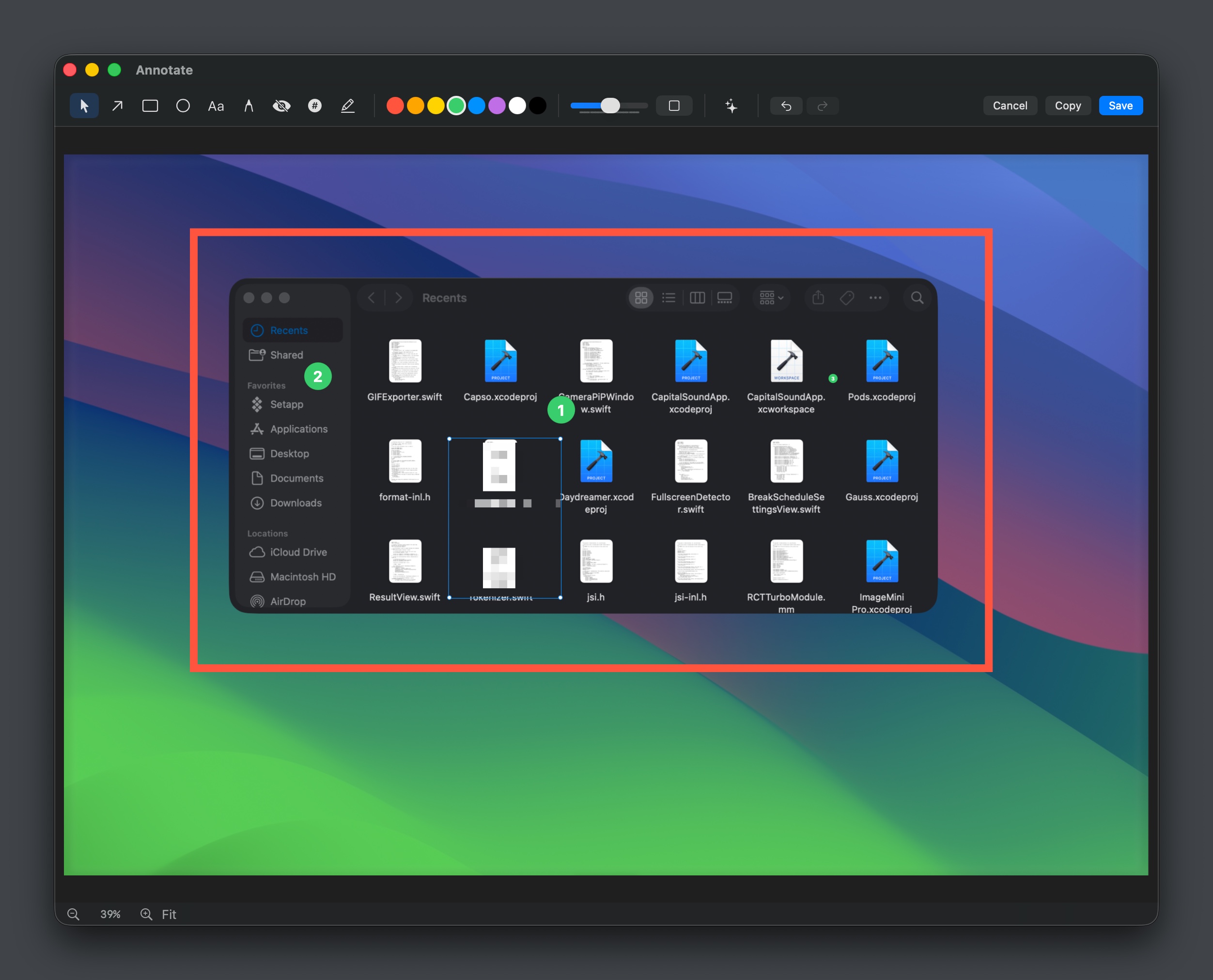
Annotation editor with drawing tools, counters, and markers
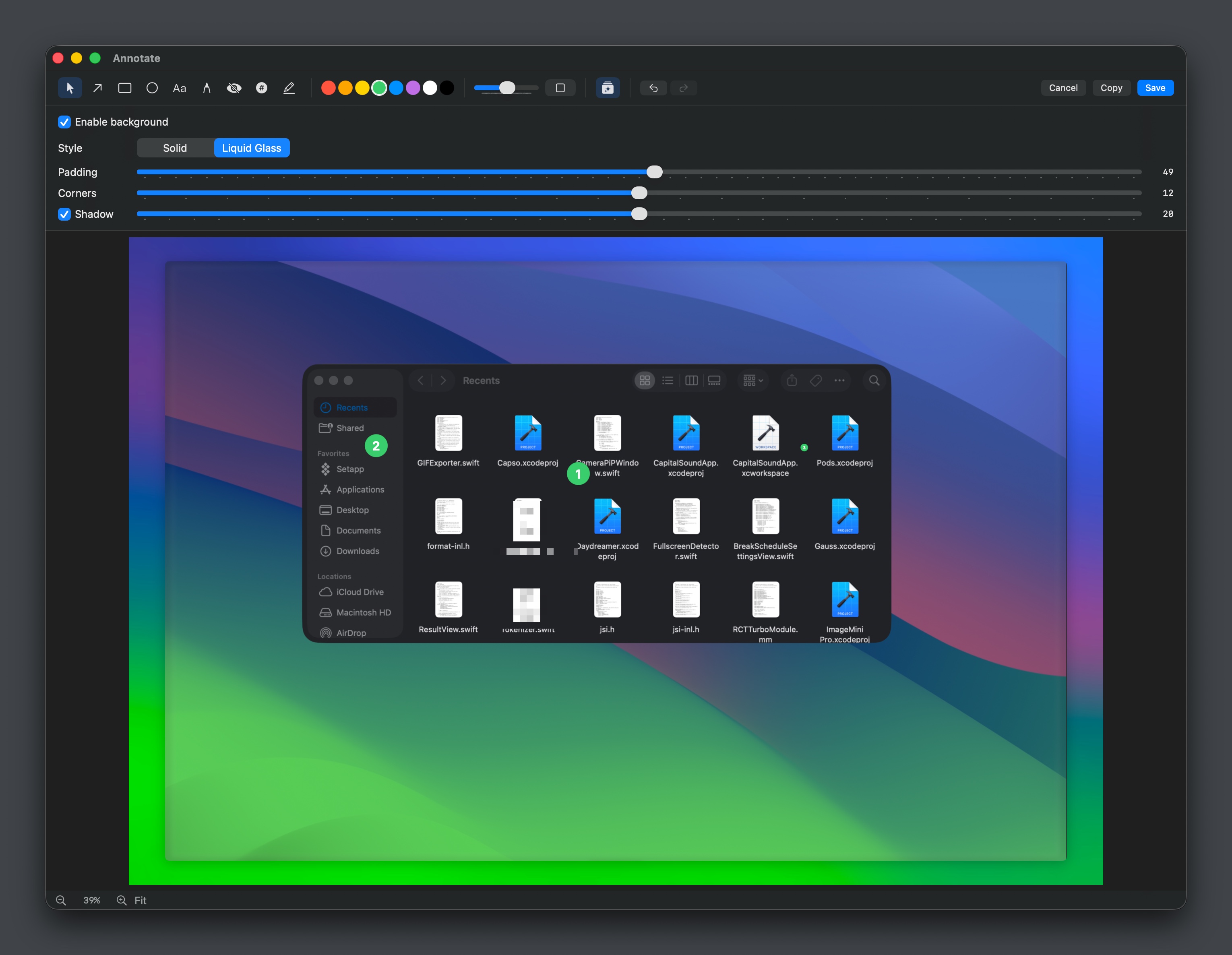
Screenshot beautification — background, padding, corners, shadow
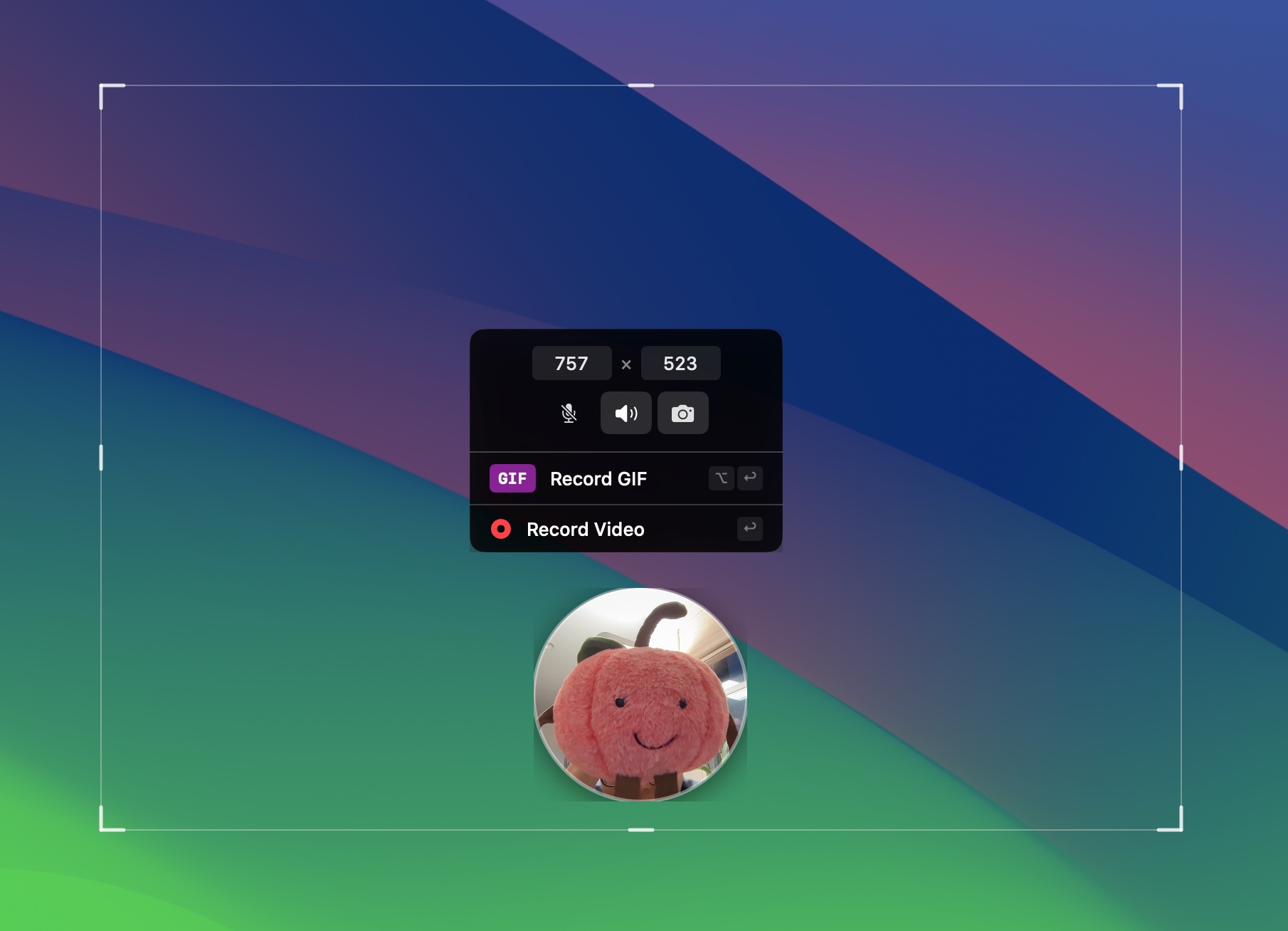
Screen recording with webcam PiP and GIF/Video options



Built in the open by the Capso project.