
# PortPilot
**See every dev server on your machine, and who started it.**
PortPilot runs your local dev servers and shows every port, every crash and who started each one. Connect an AI assistant (Claude Code, Cursor, Windsurf, Cline or any MCP client) and it sees the same apps you do, and reuses a running server instead of starting a second copy. It works on its own; the assistant link is optional.
[](https://github.com/m4cd4r4/PortPilot/releases/tag/v4.0.4)
[](tests/)
[](LICENSE)
[](mcp-server/README.md)
[](https://marketplace.visualstudio.com/items?itemName=macdara.portpilot)
**[Download v4.0.4](#install)** · **[Connect an AI assistant](#any-mcp-assistant)** · **[Website](https://m4cd4r4.github.io/PortPilot/)**
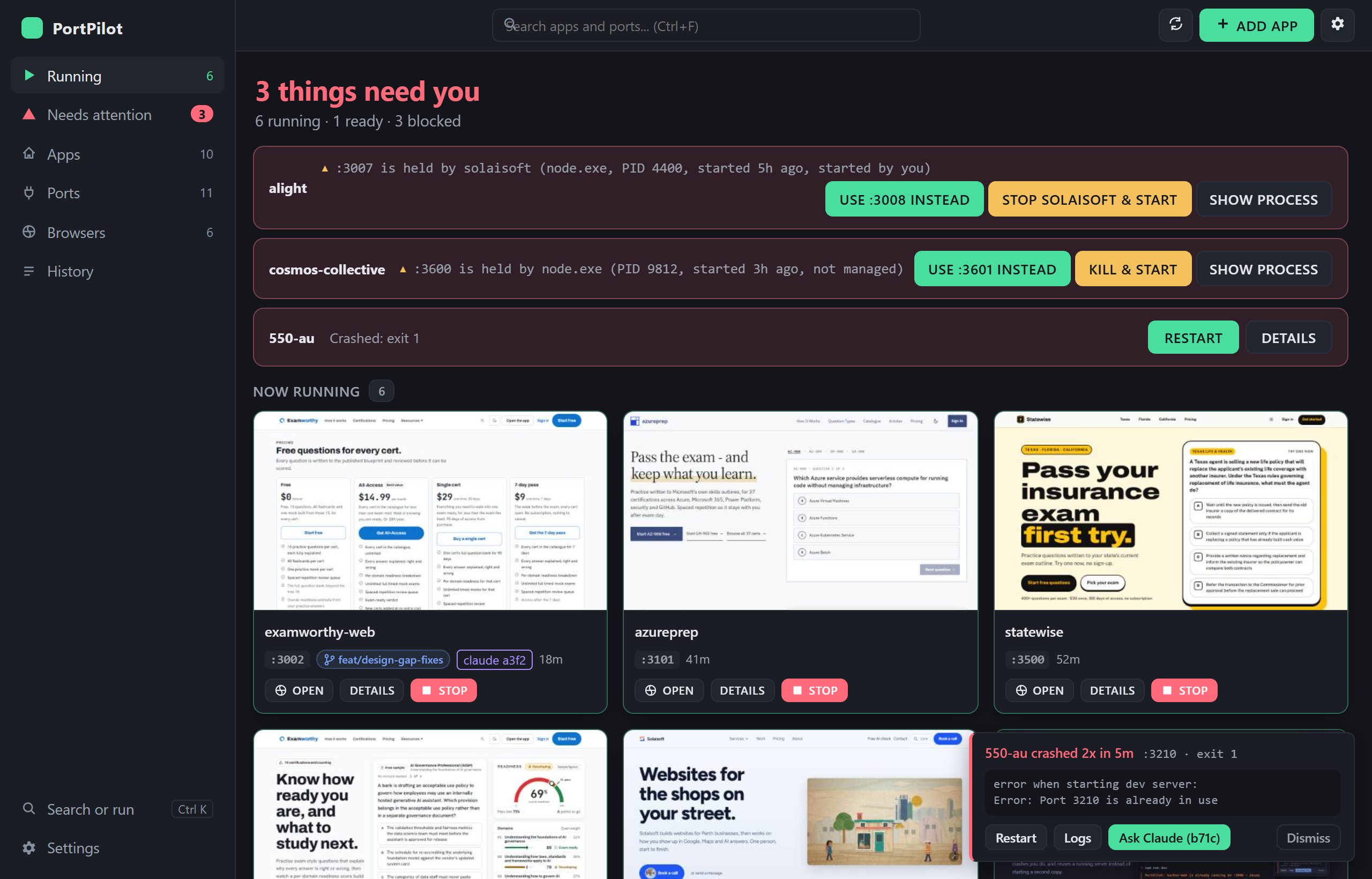
Local-first: no account, no telemetry, no cloud. Windows 10/11 and Linux.
## Ways to use PortPilot
Four surfaces, one config file and one run record. An app you add in one shows up in the others, and a start or crash in one is visible in all of them.
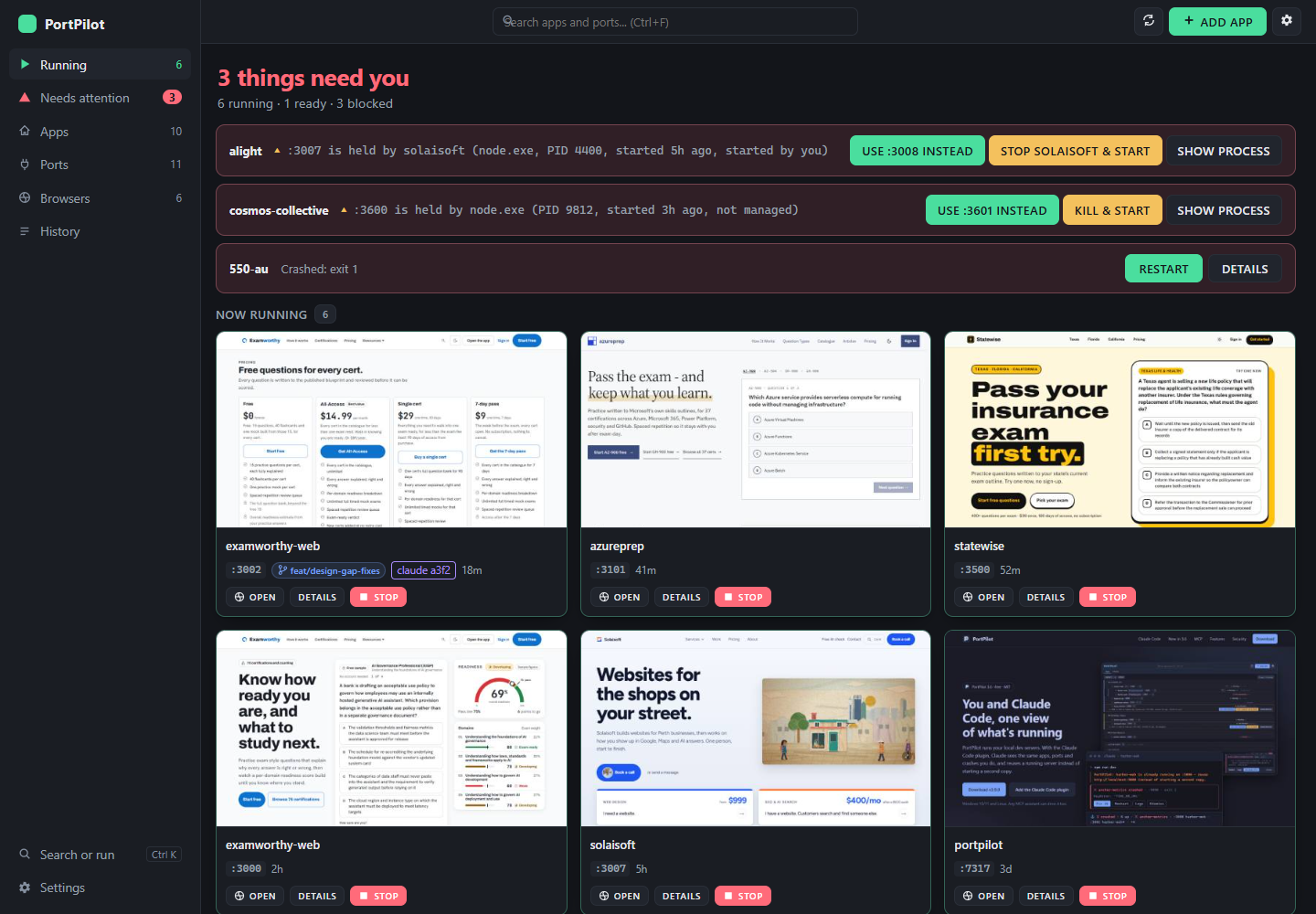
**Desktop app.** The full view: apps, ports, conflicts, crashes and the History tab. Pick it when you want everything on one screen, or a tray icon that keeps your servers alive after you close the window.
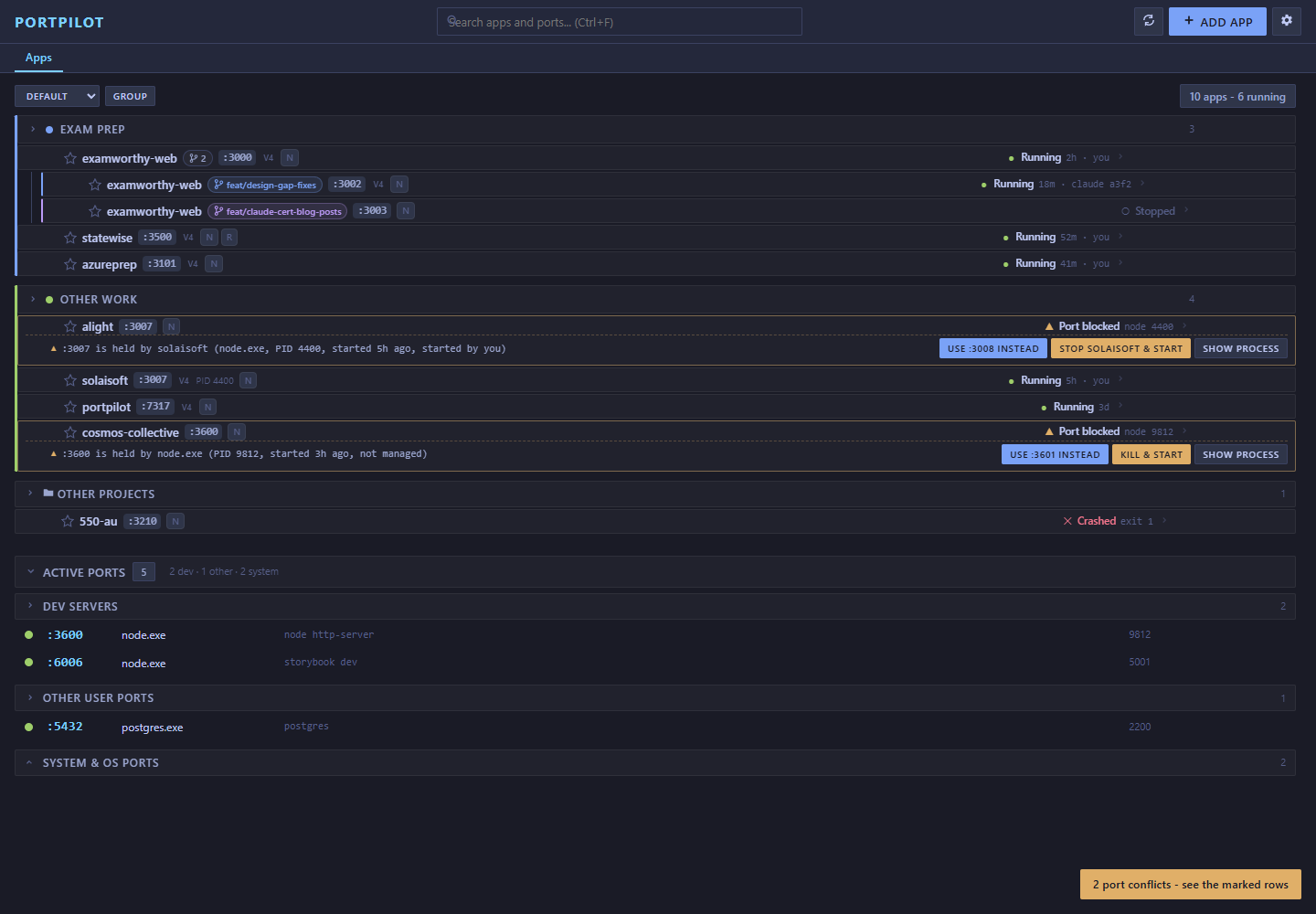
**Web portal.** The same Apps view in your browser, from `npm run agent` or from VS Code. It binds `127.0.0.1` only and needs a per-session token. Pick it on a machine where you cannot install the desktop app. The History and Browsers tabs, row previews and crash toasts are not in the portal yet.
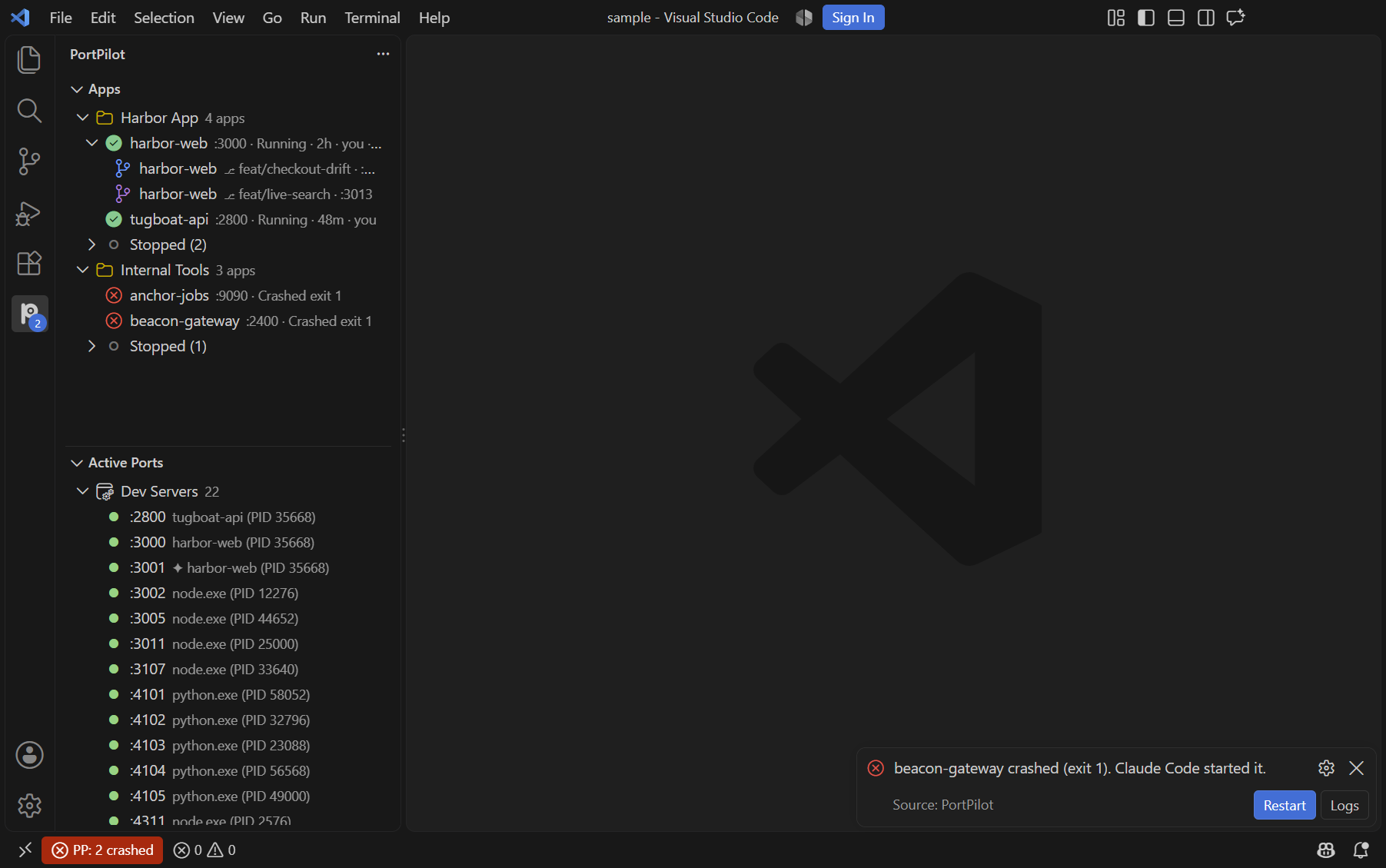
**VS Code extension.** The sidebar tree, a status bar item and a crash toast, without leaving the editor. Running apps come first, stopped ones fold away, and a ✦ marks anything Claude started. Pick it if you live in VS Code. A Browsers view lists your named browser profiles with Start and Stop, and expands a running one to its open tabs.
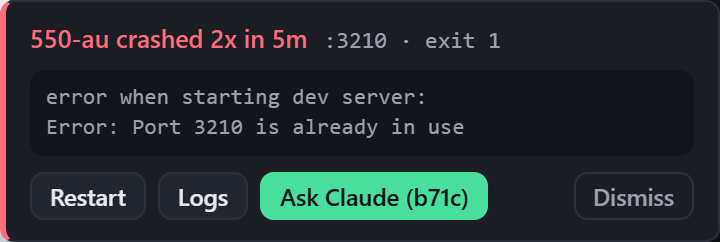
**Claude Code.** Install the plugin and Claude sees what you see: a status line, a guard that points a second start at the running server, a crash band with Fix it, and the 26 MCP tools such as `find_run`. Pick it when Claude is the one starting your servers.
**History tab.** Every run is recorded with the git state it ran from, including uncommitted changes. Search by app, branch, file or SHA, open the page a run served while it is still up, copy its SHA, or pin it so it is never pruned. **Re-run this version** puts that exact commit and its uncommitted files in a new sibling worktree, installs from the lockfile and starts it on a free port. Claude finds the same runs with `find_run`.
**Browser history.** In the Browsers tab, **History** under a profile lists its past sessions: who started and stopped each, when, and the pages that were open, with secrets in addresses hidden. **Open again** starts the profile and opens those pages (http and https only, at most 20) in it. A dev-server run a profile had a tab on reads `tested in