
Ghostex
The native workspace for your coding agents.
Every agent in one sidebar, as chat or CLI.
Keep working from your computer or your phone.
Download ·
3-minute tour ·
Website ·
Discord
macOS · Windows · Linux · iOS · Android
Free and open source · MIT
[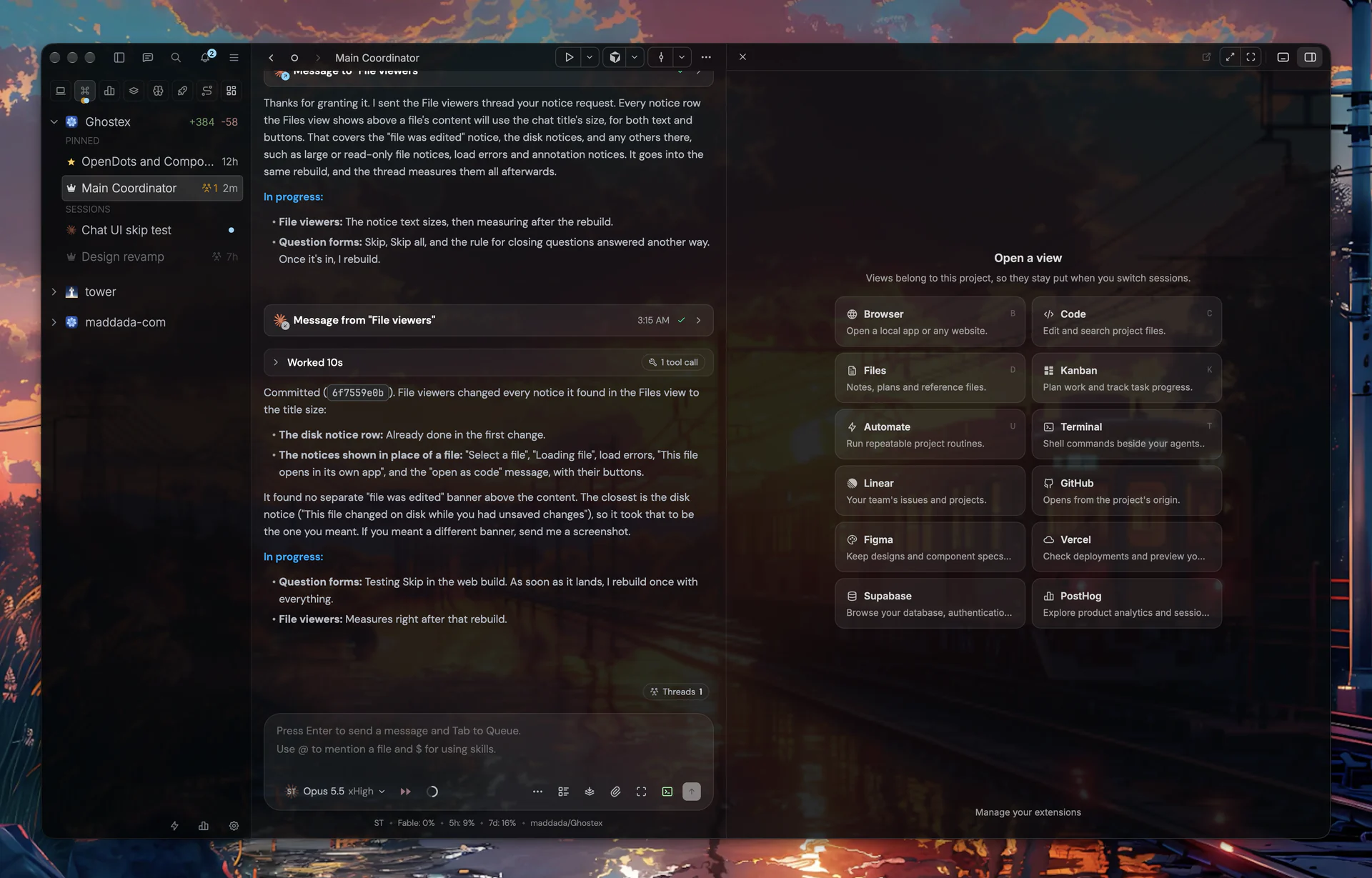](media/readme/gx-hero-1.webp)
**As minimal as you want it.**
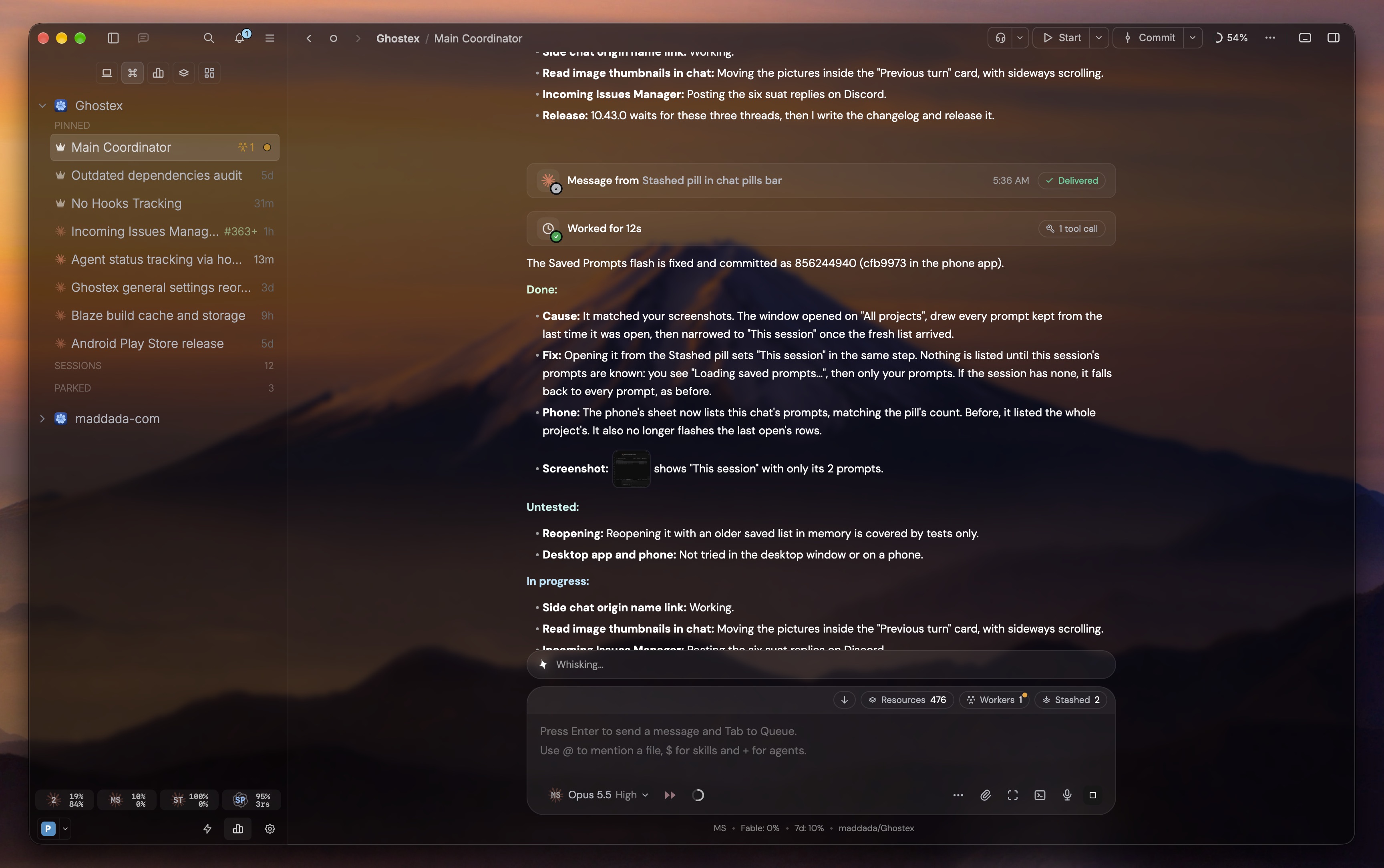
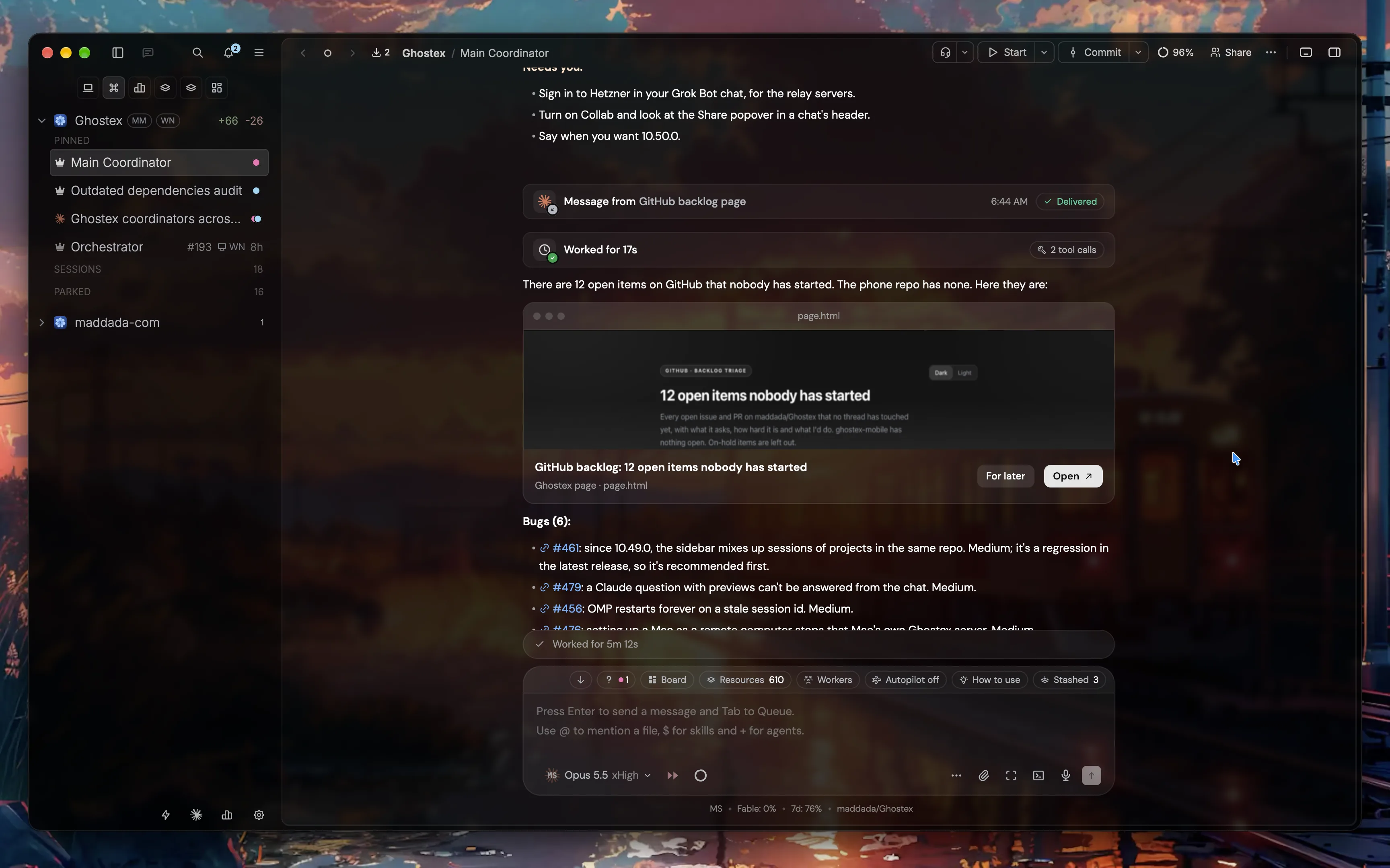
**Coordinators and pages, together.**
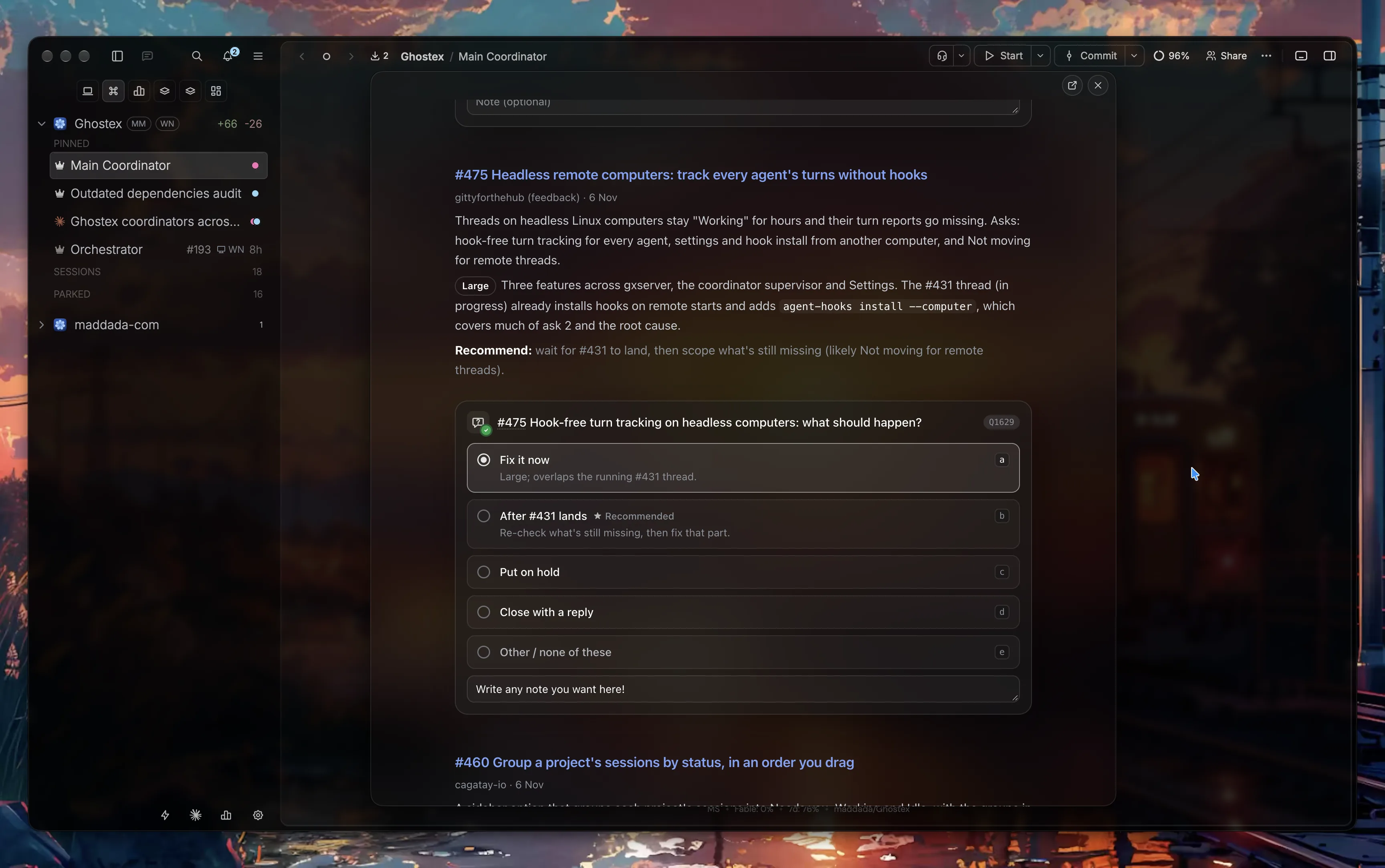
**Pick a design and send your choices.**
**A full editor, with annotations.**
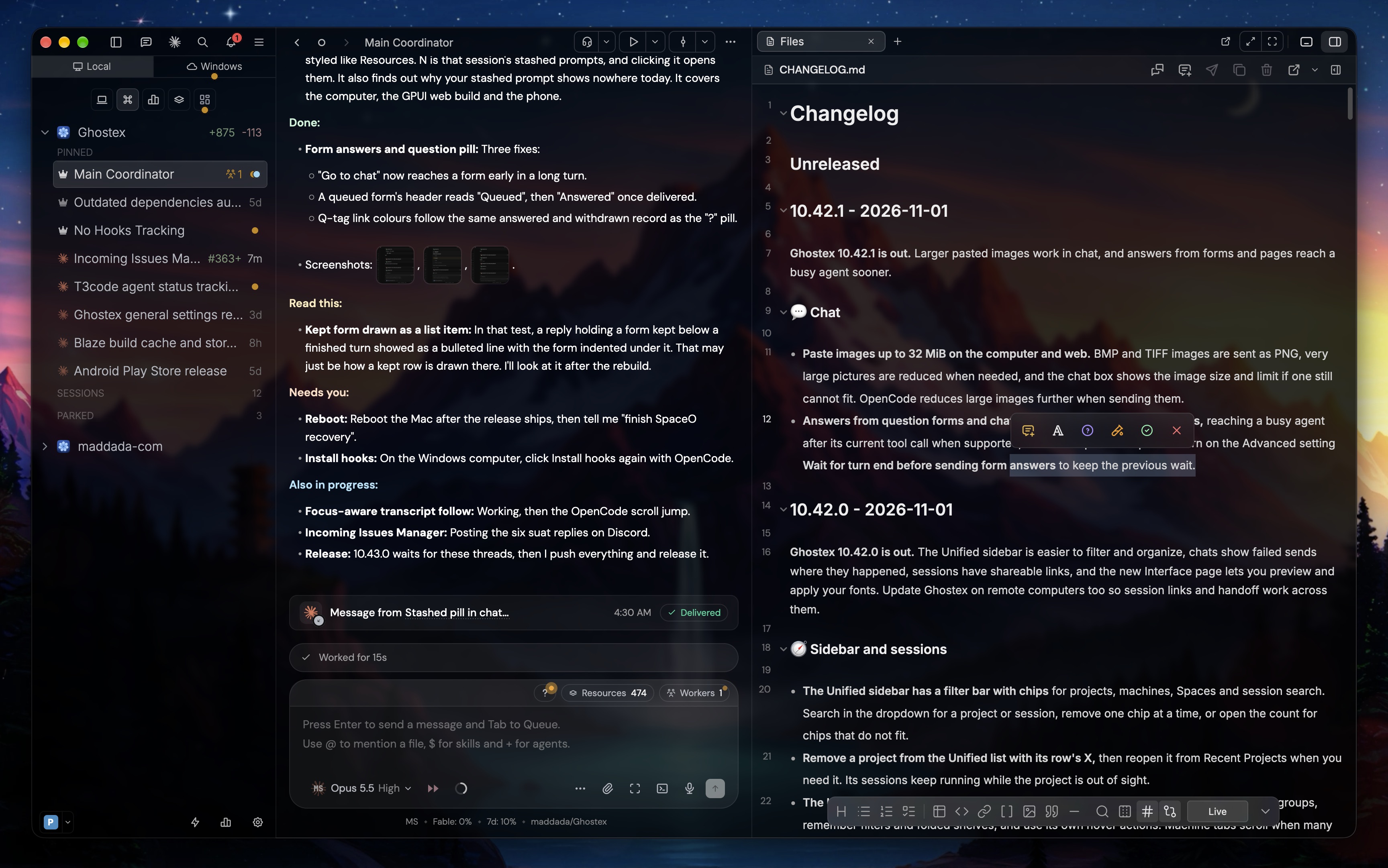
Want an animated wallpaper behind Ghostex like these? Try [Wallspace](https://wallspace.app/) on macOS (free, recommended), [Lively Wallpaper](https://github.com/rocksdanister/lively) on Windows (free, open source) or [Hidamari](https://github.com/jeffshee/hidamari) on Linux (free, open source; it has no gallery, so add your own videos, for example looping clips from [Pexels Videos](https://www.pexels.com/search/videos/abstract%20loop/), or paste a YouTube link: search for "4K live wallpaper loop"). Move Ghostex to its own desktop or workspace so only the wallpaper sits behind it.
## What it does
### 📱 Your agents, in your pocket
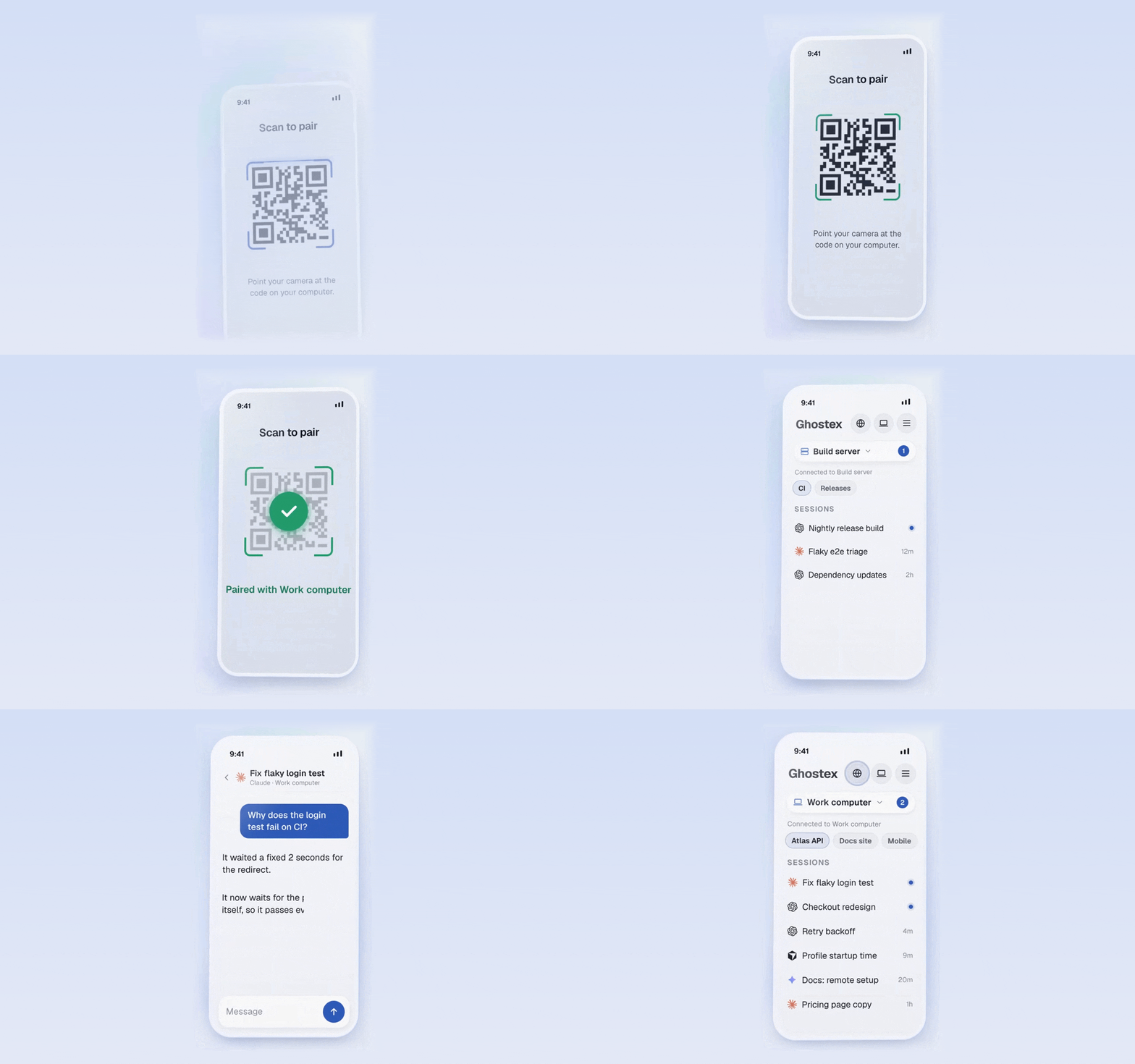
Pair the iOS or Android app with one scan. Read transcripts, send follow-ups, preview localhost pages, and get a push when an agent finishes.
### 💬 Chat or CLI, your call
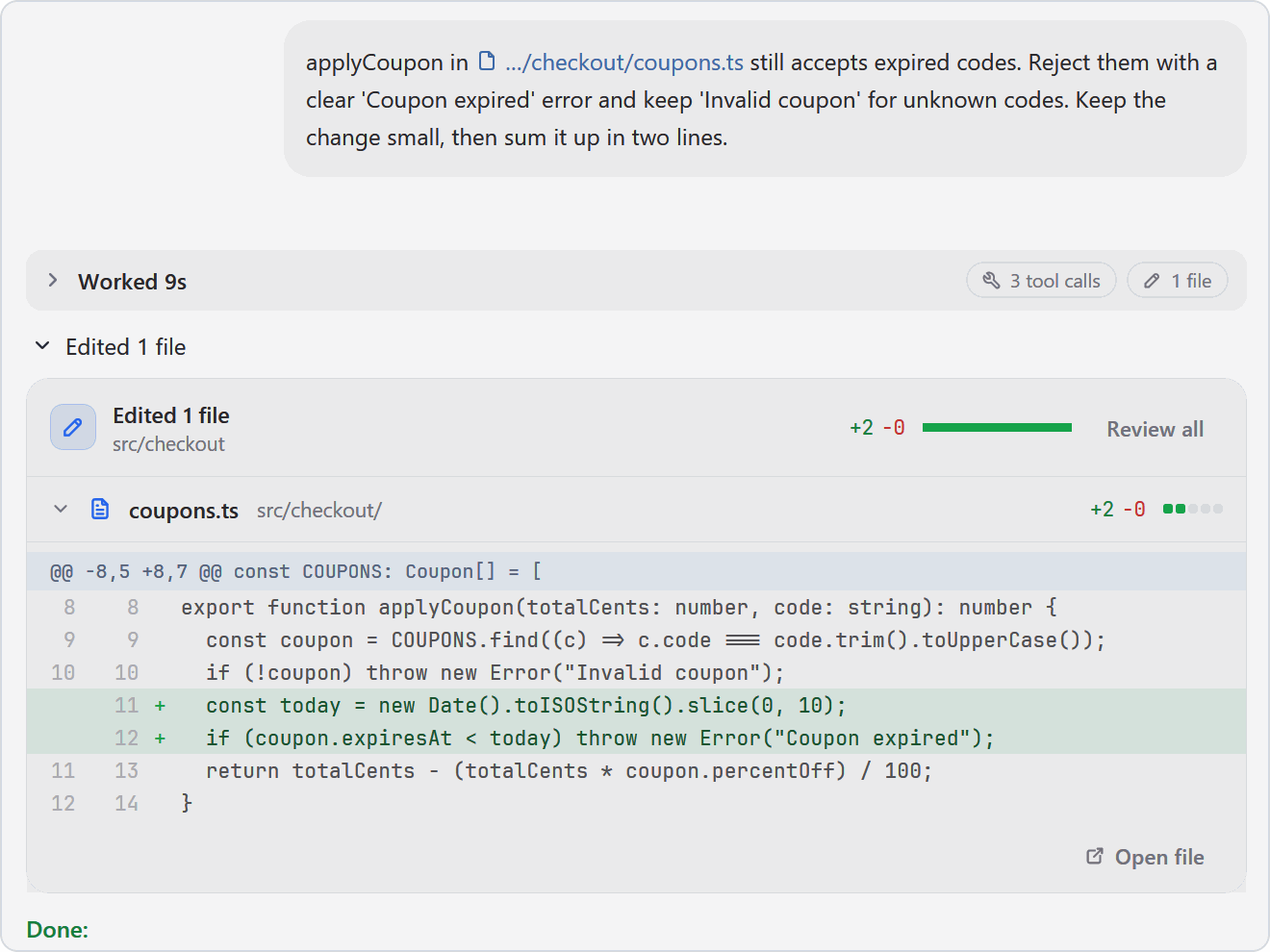
A proper chat with images, readable diffs and sub-agents in view. The raw terminal is one hotkey away.
See chat and diffs
### 🔀 Any agent, swap mid-task
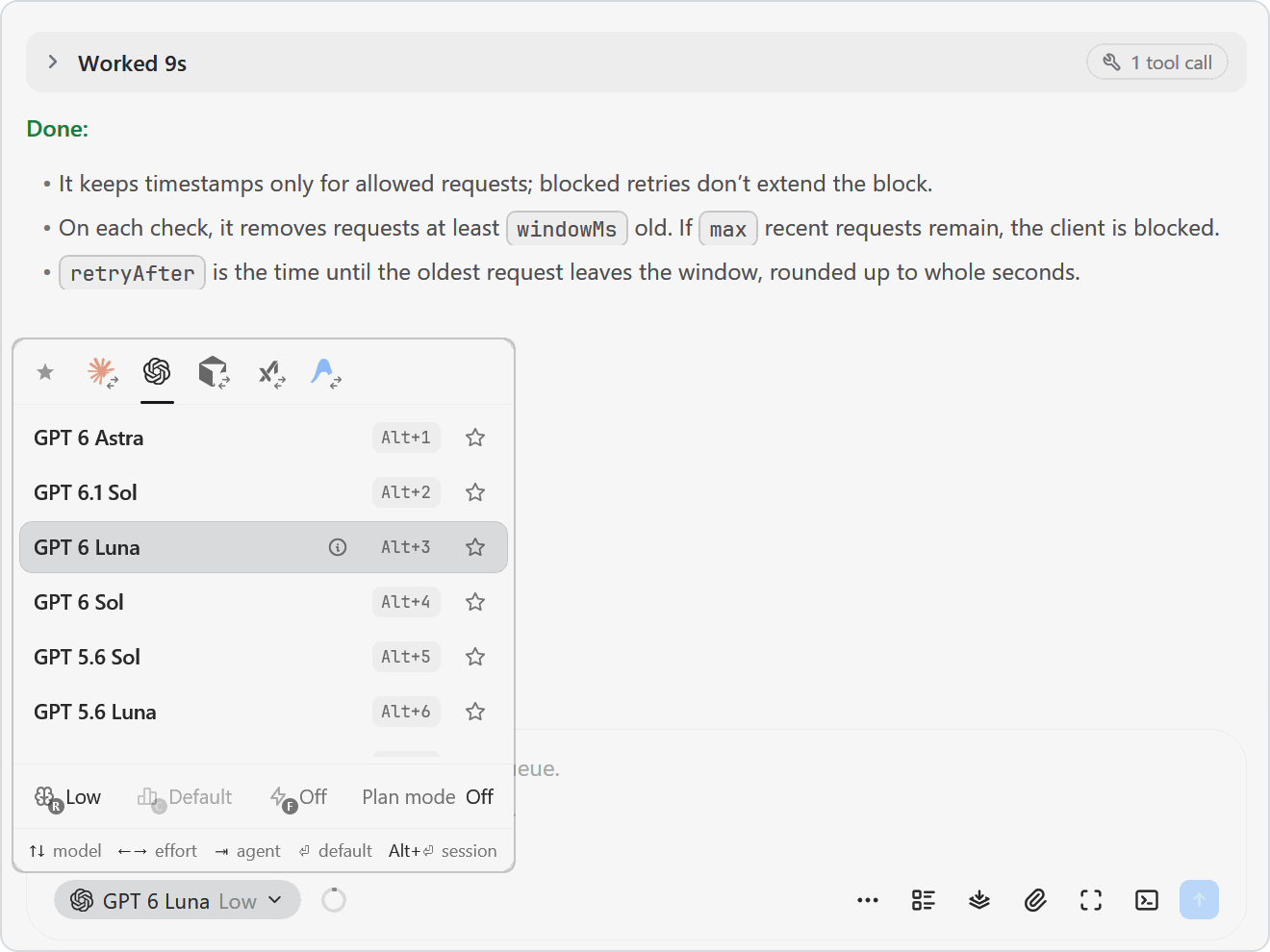
Claude Code, Codex, OpenCode, Pi, Cursor and more. Pick the model and effort from the chat box, or hand a task to another agent.
See the agent picker
### 🤖 Agents that run agents
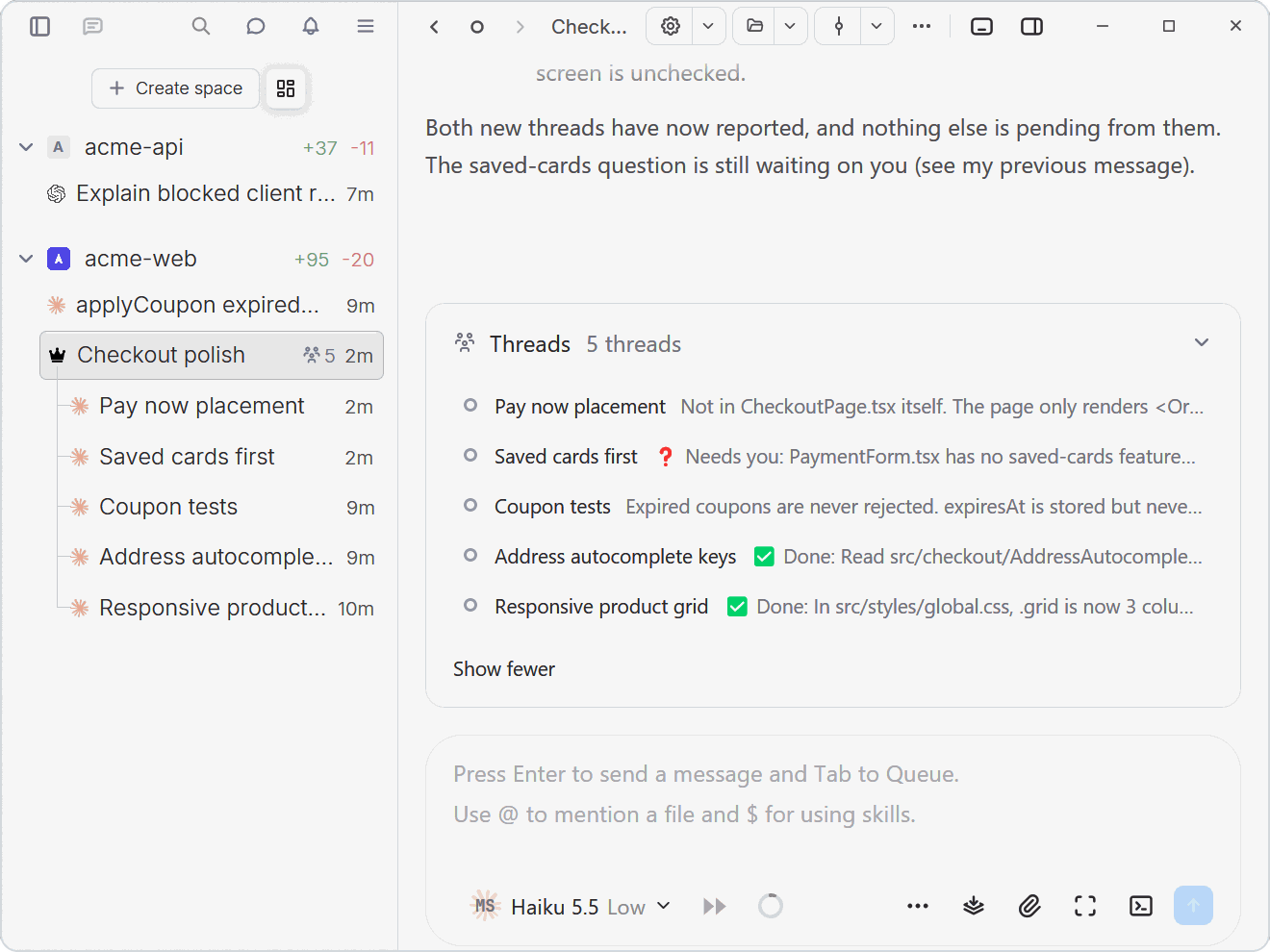
The `ghostex` command lets an agent open sessions, prompt others and read their replies. Or let a coordinator keep track of the threads.
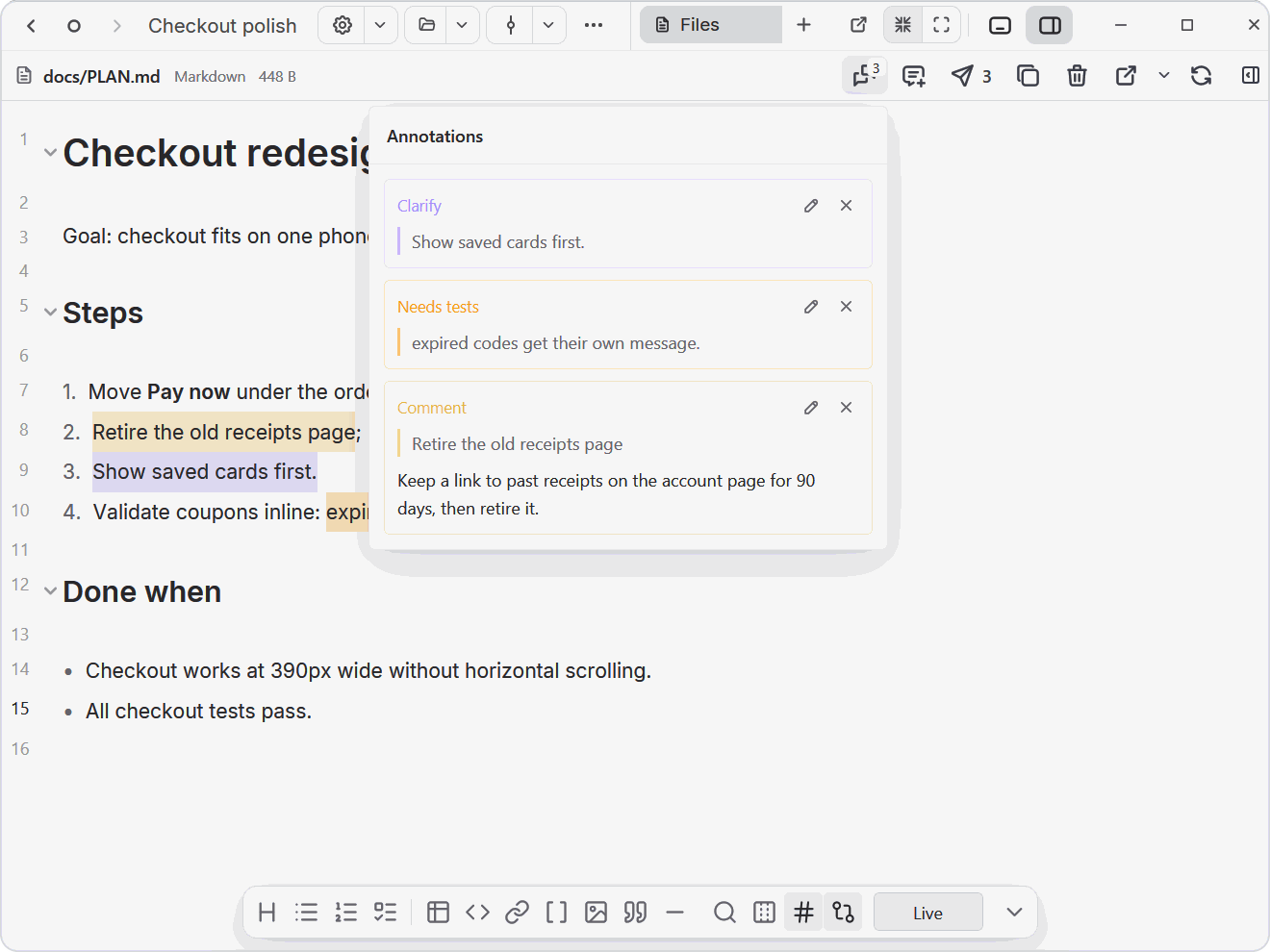
### 📝 Annotate, then send
Mark up plans, HTML and diagrams next to your agent. One click sends every note as numbered feedback.
See annotations
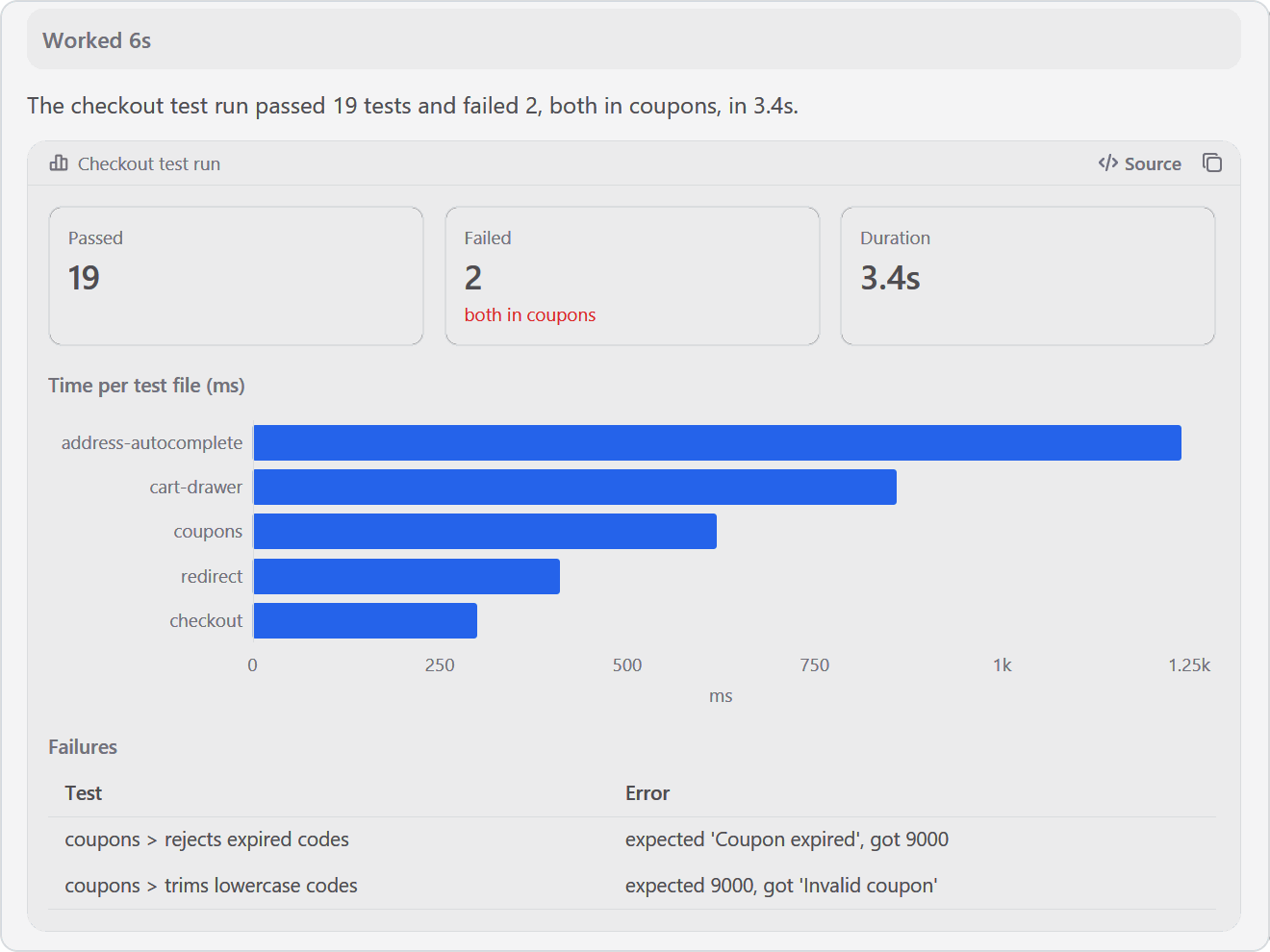
### 📊 Charts and pages in the chat
Agents answer with charts, tables and stat tiles, or publish a page that opens as a card. Same on desktop, web and phone.
See a visual reply
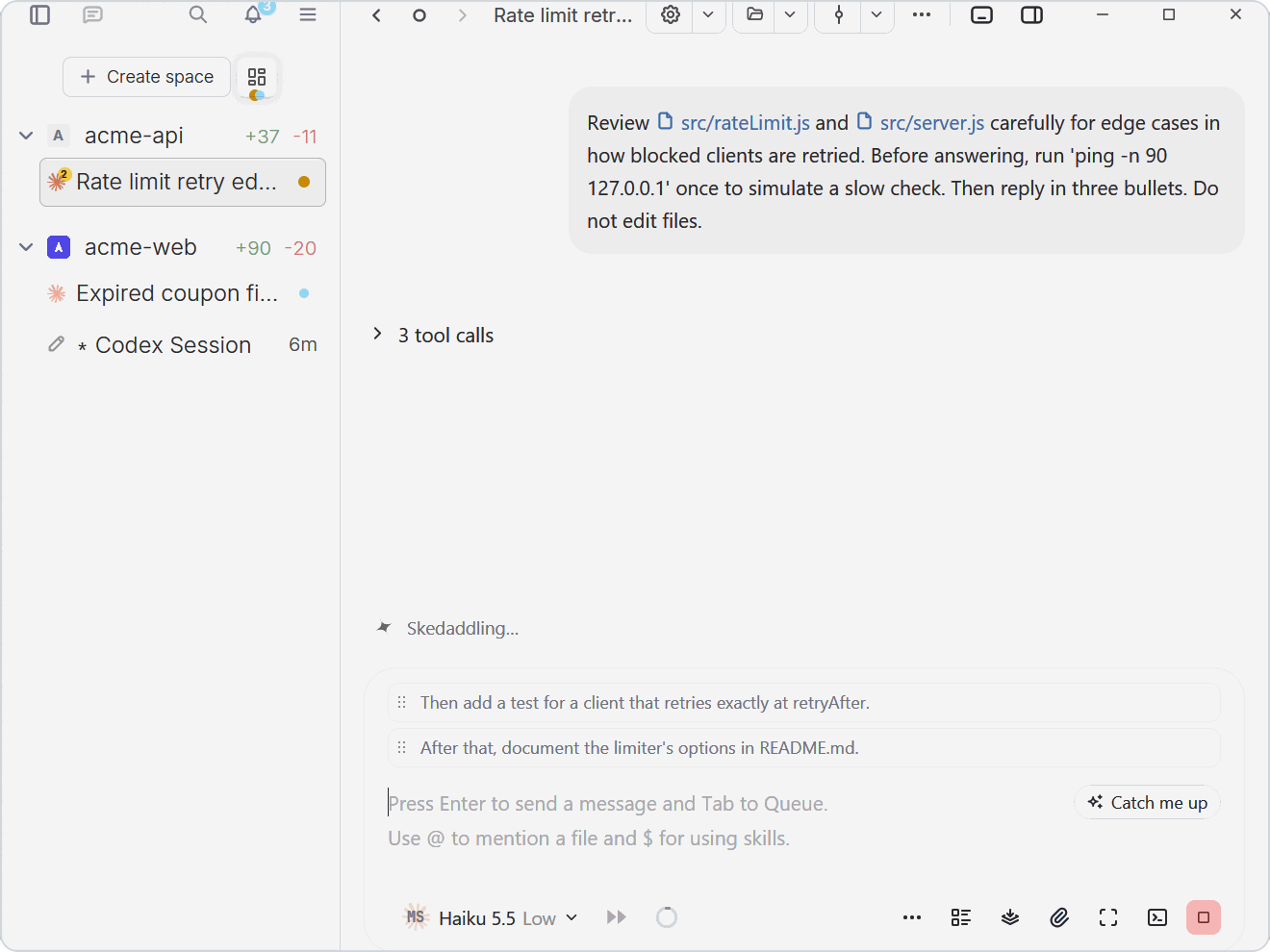
### ⏭️ Queue the next prompt
Keep typing while the agent works. Press Tab to queue a prompt; drag to reorder, or play one to interrupt.
See queued prompts
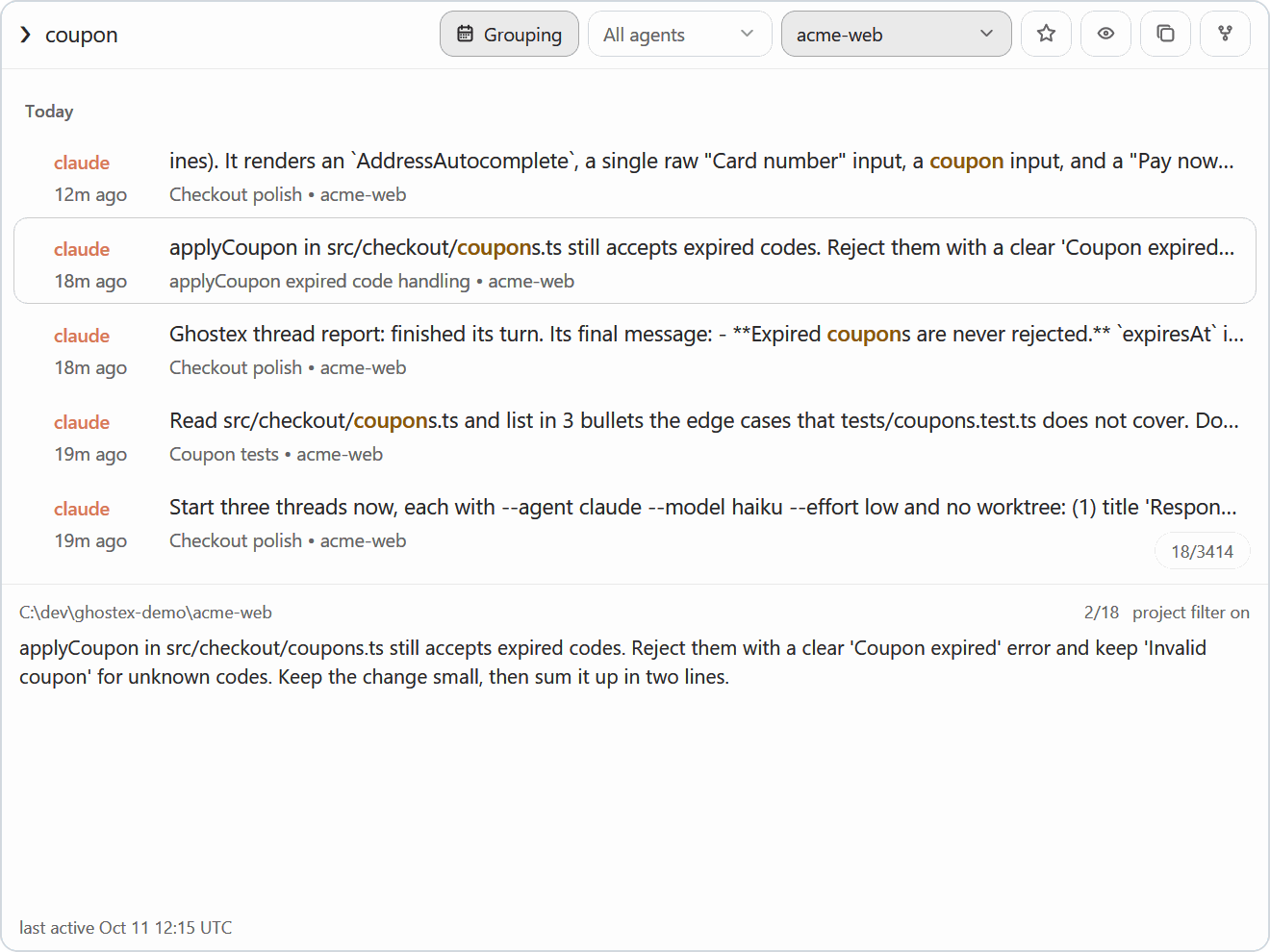
### 🔎 Find any past session
Fuzzy search every prompt you ever sent, across all your agents. Press Enter to resume. Also available as `gx f` in a terminal.
See prompt search
**Also in the box:** an on-demand VS Code editor · remote computers over Easy Connect or SSH · Claude and Codex usage with account switching · worktrees, splits and spaces · automations (scheduled prompts) with menu bar and sound notifications · optional plugins such as the Kanban board.
## Works with your agent
[Claude Code](https://docs.anthropic.com/claude/docs/claude-code) · [Codex](https://github.com/openai/codex) · [OpenCode](https://opencode.ai) · [Pi](https://pi.dev) · [oh-my-pi](https://omp.sh) · [Grok](https://x.ai/cli) · [Cursor](https://cursor.com/cli) · [Copilot CLI](https://github.com/features/copilot/cli) · and more.
## Install
### On your computer
**macOS:** [Apple Silicon DMG](https://maddada.com/download/macos-arm64)
Or install with Homebrew
```bash
brew install ghostex
```
**Windows:** [x64 installer](https://maddada.com/download/windows-x64) · [ARM64 installer](https://maddada.com/download/windows-arm64)
PowerShell install and Windows details
```powershell
irm https://ghostex.dev/install.ps1 | iex
```
The [script](tooling/install/install.ps1) downloads the installer for your PC from GitHub, checks it against GitHub's SHA-256 digest, and runs it.
Agents run in native PowerShell by default. Prefer Linux? Switch to WSL in Settings → General → Terminal → Windows Environment. Updates arrive automatically.
**Linux:** [.deb](https://maddada.com/download/linux-deb-x64) · [.rpm](https://maddada.com/download/linux-rpm-x64) · [AppImage](https://maddada.com/download/linux-appimage-x64) · [AUR](https://aur.archlinux.org/packages/ghostex-bin) · [tar.zst](https://maddada.com/download/linux-tar-x64)
Arch Linux, ARM64 and other Linux details
```bash
# Arch Linux
yay -S ghostex-bin
# Other x64 distributions: extract into /opt/ghostex
sudo tar -xpf ghostex-*-linux-x64.tar.zst -C /
# No package manager: the AppImage copies itself into ~/.local/share/ghostex/appimage on first start
chmod +x ghostex-*-linux-x64.AppImage
./ghostex-*-linux-x64.AppImage
```
ARM64 packages are on the [release page](https://github.com/maddada/Ghostex/releases/latest). To update an AppImage, download the new one and open it. Without FUSE the AppImage says "Cannot mount AppImage": install your distribution's `fuse3` package, or start it with `--appimage-extract-and-run`.
Ghostex offers to install Chromium the first time you open the browser or code editor.
### On your phone
**iPhone:** [Get it on the App Store](https://apps.apple.com/app/id6771707394)
**Android:** [Download the APK](https://github.com/maddada/Ghostex/releases/latest/download/ghostex-android.apk)
Pair the phone app with Ghostex on your computer using Easy Connect, or use your existing Tailscale tailnet.
## How it compares
Open the feature comparison
| Feature | Ghostex | ChatGPT app | cmux |
| ------------------------- | ------- | ----------- | ---- |
| macOS support | Yes | Yes | Yes |
| Windows support | Yes | Yes | No |
| Linux support | Yes | Yes | No |
| Open source | Yes | - | Yes |
| Ghostty terminal | Yes | - | Yes |
| Chromium Browser | Yes | Yes | No |
| Chat GUI view | Yes | Yes | No |
| Fully featured IDE | Yes | - | - |
| Built-in Computer use | Yes | Yes | - |
| Built-in Browser use | Yes | Yes | Yes |
| Use any model | Yes | - | Yes |
| Cross Model Orchestration | Yes | - | Yes |
| Rich Prompt Editor | Yes | N/A | - |
| iOS | Yes | Yes | Yes |
| Android | Yes | Yes | Yes |
| Automations | Yes | Yes | - |
## Community
[Discord](https://discord.gg/df7b3G92CS) for help and feature talk · [Issues](https://github.com/maddada/Ghostex/issues) for bugs and ideas · [Contributing](CONTRIBUTING.md) to help with ports, agents, docs and polish.
Credits: the open source Ghostex builds on
Ghostex builds on open source work from these projects and communities:
- [Ghostty](https://github.com/ghostty-org/ghostty) and [Zed / GPUI](https://github.com/zed-industries/zed) for the terminal and native shell
- [CEF](https://github.com/chromiumembedded/cef) for embedded Chromium panes
- [Trycua](https://github.com/trycua/cua) for built-in Computer Use
- [VS Code](https://github.com/microsoft/vscode) and [code-server](https://github.com/coder/code-server) for the embedded IDE
- [Beads](https://github.com/gastownhall/beads) by [Steve Yegge](https://github.com/steveyegge) and [Beads Viewer](https://github.com/Dicklesworthstone/beads_viewer) for the Kanban board
- [OpenUsage](https://github.com/robinebers/openusage) for usage stats
- [Agentation](https://github.com/benjitaylor/agentation) for browser annotation tooling, including [Ghostex's fork](https://github.com/maddada/agentation/tree/ghostex)
- [cmux](https://github.com/manaflow-ai/cmux) for agent hook and notification patterns
- [zehn](https://github.com/al3rez/zehn) by [al3rez](https://github.com/al3rez) for prompt-history search
- [vvterm](https://github.com/vivy-company/vvterm) and [Termux](https://github.com/termux/termux-app) for mobile terminal components
- [Pierre](https://github.com/pierrecomputer/pierre) for diff and file rendering components
Free and open source under the [MIT License](LICENSE).