> 🚀 New: Magnitude is state-of-the-art, scoring [94% on WebVoyager](https://github.com/magnitudedev/webvoyager)!
Magnitude uses vision AI to enable you to control your browser with natural language.
- 🧭 **Navigate** - Sees and understands any interface to plan out actions
- 🖱️ **Interact** - Executes precise actions using mouse and keyboard
- 🔍 **Extract** - Intelligently extracts useful structured data
- ✅ **Verify** - Built-in test runner with powerful visual assertions
You can use it to automate tasks on the web, integrate between apps without APIs, extract data, test your web apps, or as a building block for your own browser agents.
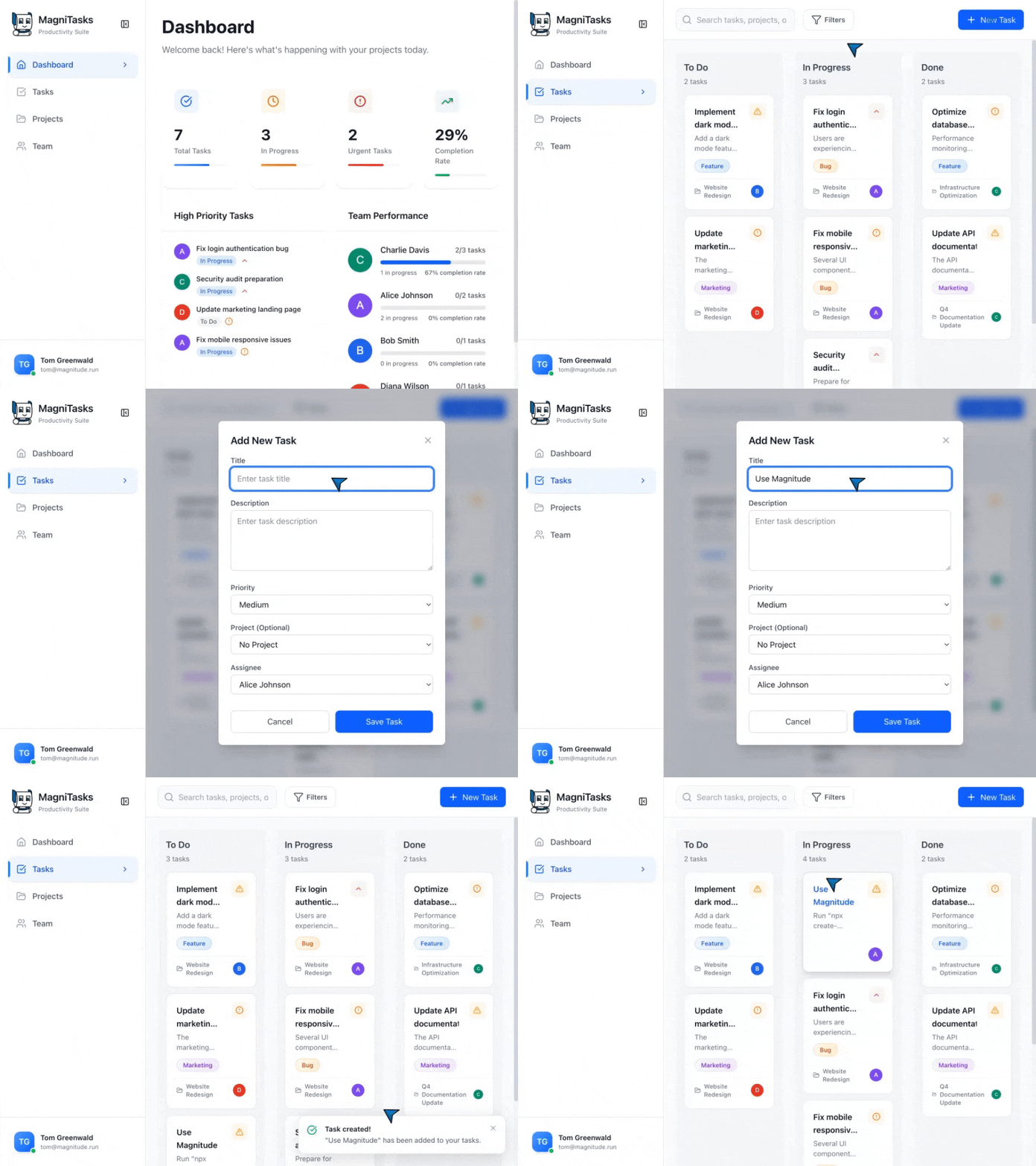
↕️ Magnitude in action! ↕️
```ts
// Magnitude can handle high-level tasks
await agent.act('Create a task', {
// Optionally pass data that the agent will use where appropriate
data: {
title: 'Use Magnitude',
description: 'Run "npx create-magnitude-app" and follow the instructions',
},
});
// It can also handle low-level actions
await agent.act('Drag "Use Magnitude" to the top of the in progress column');
// Intelligently extract data based on the DOM content matching a provided zod schema
const tasks = await agent.extract(
'List in progress tasks',
z.array(z.object({
title: z.string(),
description: z.string(),
// Agent can extract existing data or new insights
difficulty: z.number().describe('Rate the difficulty between 1-5')
})),
);
```
## Get started
### Running your first browser automation
```bash
npx create-magnitude-app
```
This will create a new project and walk you through the steps for setting up Magnitude. It will also create an example script that you can run right away!
### Using the test runner
To install the test runner for use in an **existing** web app, please run:
```bash
npm i --save-dev magnitude-test && npx magnitude init
```
This will create a basic tests directory `tests/magnitude` with:
- `magnitude.config.ts`: Magnitude test configuration file
- `example.mag.ts`: An example test file
For information on how to run tests and integrate into CI/CD see [here](https://docs.magnitude.run/core-concepts/running-tests).
> [!NOTE]
> Magnitude requires a large **visually grounded** model. We recommend Claude Sonnet 4 for the best performance, but are also compatible with Qwen-2.5VL 72B. See [docs](https://docs.magnitude.run/customizing/llm-configuration) for more information.
## Why Magnitude?
❌ **Problem #1:** Most browser agents draw numbered boxes around page elements - doesn't generalize well due to complex modern sites
✅ **Solution: Vision-first architecture**
* Visually grounded LLM specifies pixel coordinates
* True generalization independent of DOM structure
* Future-proof architecture for desktop apps, VMs, etc.
❌ **Problem #2:** Most browser agents follow "high-level prompt + tools = work until done" - works for demos, not production
✅ **Solution: Controllable & repeatable automation**
* Flexible abstraction levels (granular actions vs. flows)
* Custom actions + prompts at agent and action level
* Deterministic runs via native caching system *(in progress)*
## Additional info
Please see [our docs](https://docs.magnitude.run) for more information on how to best build Magnitude automations and test cases.
## Contact
If you are an enterprise and want more features or support, feel free to reach out to us at founders@magnitude.run or schedule a call [here](https://cal.com/tom-greenwald/30min) to discuss your needs.
You can also join our Discord community for help or any suggestions!