# react-native-curtains
[](https://www.npmjs.com/package/react-native-curtains)
Lightweight helper lib for mounting + unmounting of child elements in an animated 'curtain' style.
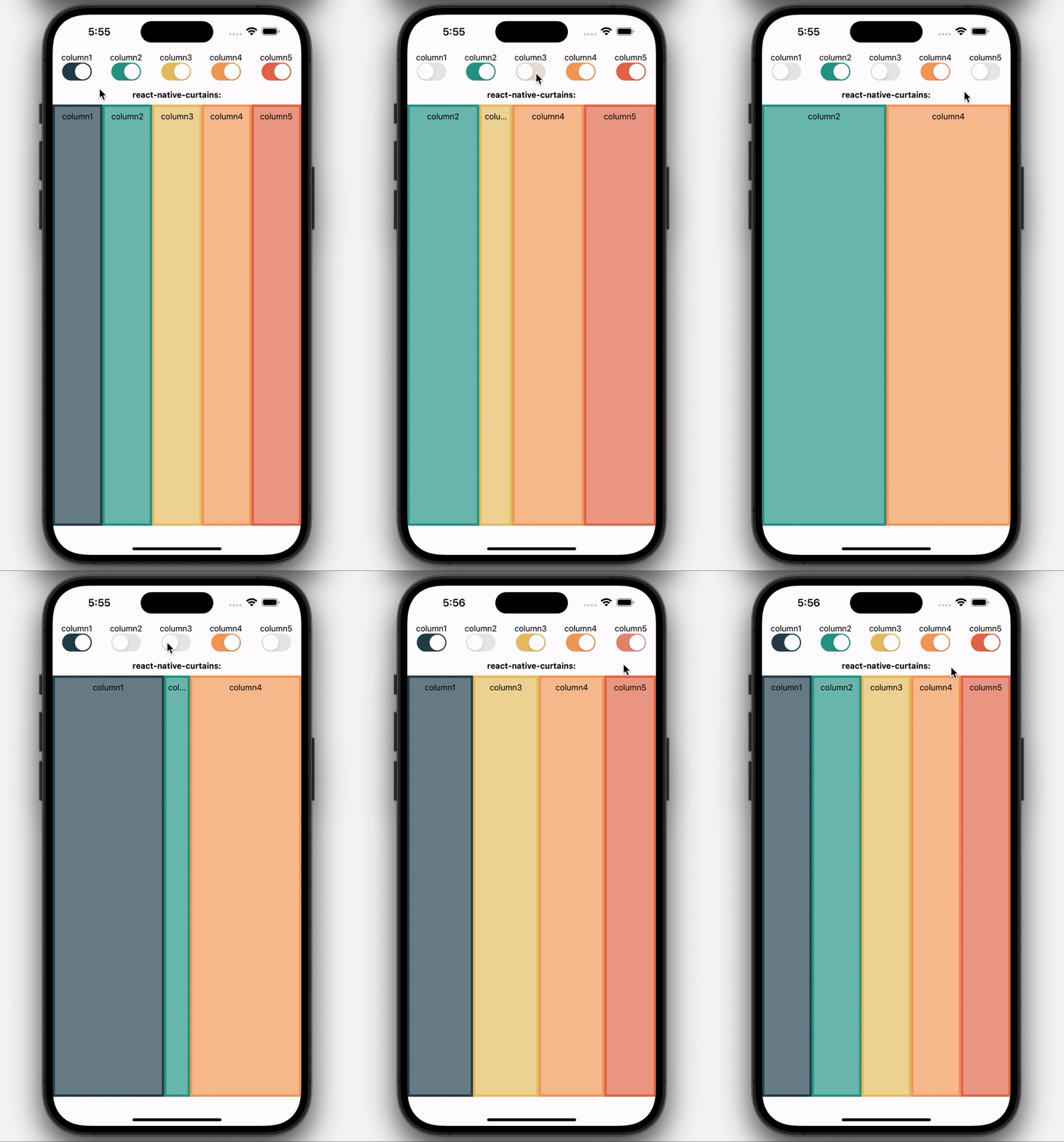
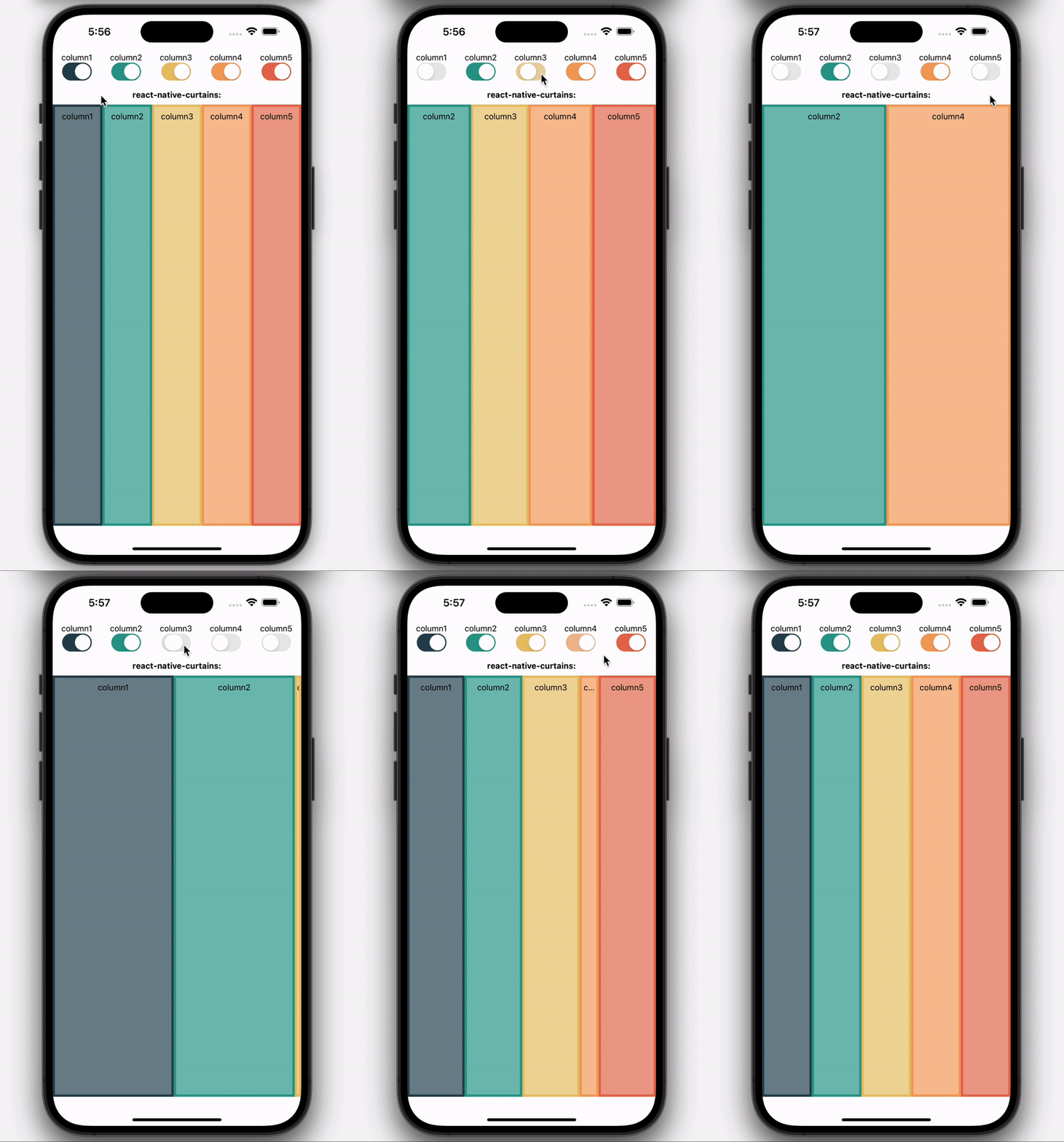
## Demo
### With 'bounce' animation:
### With 'linear' animation:
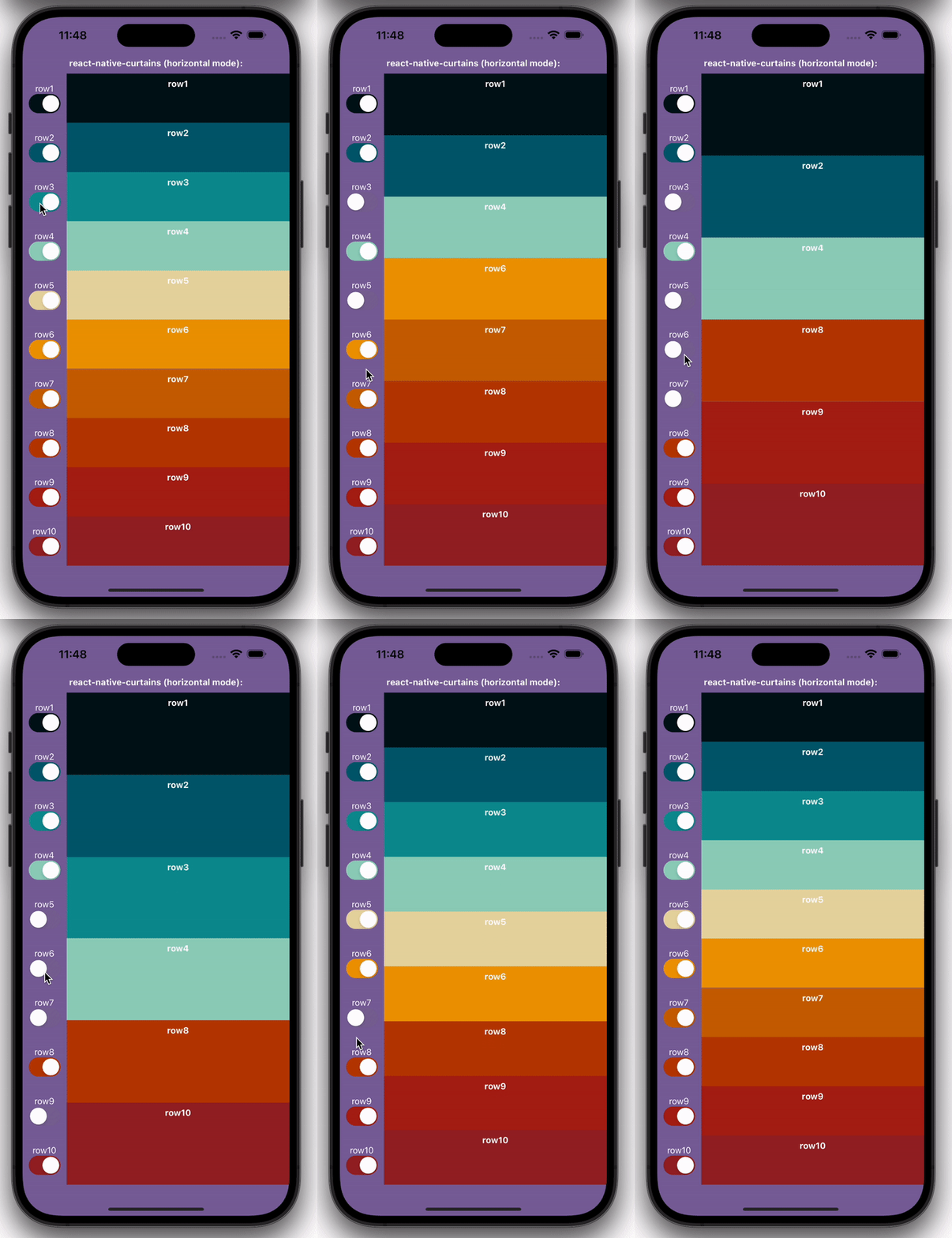
### Horizontal version:
## Live Demos
[(1) Expo snack showing the classical usage](https://snack.expo.dev/@maks-io/react-native-curtains-demo?platform=web).
[(2) Expo snack showing the horizontal usage](https://snack.expo.dev/@maks-io/react-native-curtains-horizontal-demo?platform=web).
## Highlights
- lightweight
- no actual dependency
- you decide if you want to use @react-spring/native or react-native-reanimated for the animations
## Installation
This library works with both, @react-spring/native and react-native-reanimated. You need to install one of them and set the `lib` prop accordingly (details below).
Installing `react-native-curtains` itself:
If you use expo, use:
```bash
expo install react-native-curtains
```
Otherwise, for npm use:
```bash
npm i react-native-curtains --save
```
And for yarn use:
```bash
yarn add react-native-curtains
```
## Usage
Use `import { ReactNativeCurtains } from "react-native-curtains"` to access the main component.
The following example shows a three column usage, where the column with the key `"column2"` gets removed and therefore unmounted including animation.
| before | after |
|
```tsx
column1
column2
column3
```
|
```tsx
column1
column3
```
|
Note the keys on the immediate children of `` - only if those are available, the library can appropriately animate the mounting and unmounting of any given child.
Mounting additional children of course also works the same way.
This example would use `react-native-reanimated`[README.md](README.md) as the underlying animation library, due to how the `lib` prop is set to `"reanimated"` - for details see section "props" below.
## Props
| prop | required | default | type | description |
| --------------------- | -------- | ---------- | ----------------------------------------------------------------------------------------------------------------------------- | -------------------------------------------------------------------------------------------------------------------------------------------------------------------------------------------------------------------------------------------------------------------------------------------- |
| lib | yes | | `"reanimated"` | `"spring"` | Mandatory prop to define the animation library used in the background (`"reanimated"` for react-native-reanimated, `"spring"` for @react-spring/native) |
| AnimationModule | yes | | The entire Animation Module | Import the desired module via `import * as AnimationModule from "react-native-reanimated"` or `import * as AnimationModule from "@react-spring/native"` and then pass it as the prop's value, like `AnimationModule={AnimationModule}`. |
| children | yes | | `JSX.Element[]` | The children that will be animated upon mounting/unmounting. Make sure to use unique `key`s so that the library can properly do its job. |
| animationDuration | no | `500` | `number` | The animation duration in milliseconds. |
| easing | no | `"linear"` | `"linear"` | `"ease"` | `"quad"` | `"cubic"` | `"sin"` | `"circle"` | `"exp"` | `"bounce"` | Animation style, based on functions defined at https://reactnative.dev/docs/easing. However, this prop is only allowed when `lib` is set to `"reanimated"`. When using `"spring"` the animations will always be linear. |
| useHorizontalCurtains | no | `false` | `boolean` | If set to `true` the curtains will be horizontal, meaning rows instead of columns. |
## Choosing the animation library
There are Pros and Cons for either library, I will quickly try to summarize what my thoughts are:
In general one might want to re-use a library if it is already part of a app. If you have already setup `react-native-reanimated`, there is no need to add an additional dependency, and vice versa.
At least, almost... `react-native-reanimated` behaves more smoothly, especially when using slower animation durations and quickly mounting/unmounting multiple children within a short time frame. With the `@react-spring/native` this might lead to visual glitches.
So it depends on your use case. Also, it does only allow to animate in a "linear" way, while reanimated allows multiple easing functions. One upside for spring is the easier way to set it up initially (just install it and you should be good to go, reanimated on the other hand would take some additional setup steps, see their docs for details).
## Misc
[Youtube playlist for react-native-curtains videos](https://www.youtube.com/playlist?list=PLz7X-_iH1H1G5MNe5fCN5PhIlODEB_onO)