
Naruto: Rise of a Ninja — Nintendo Switch port

English · Русский

status, platform, renderer, license

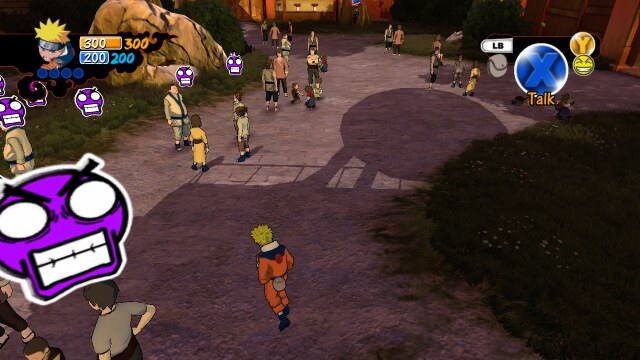
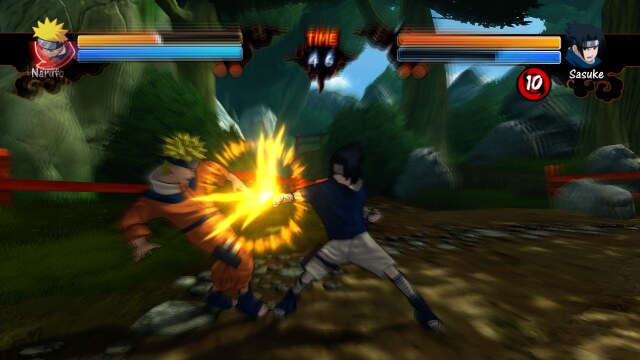
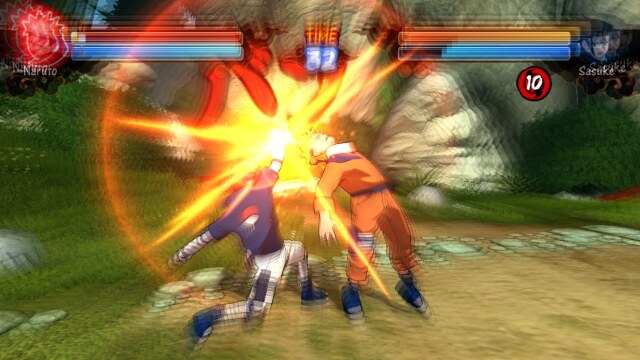
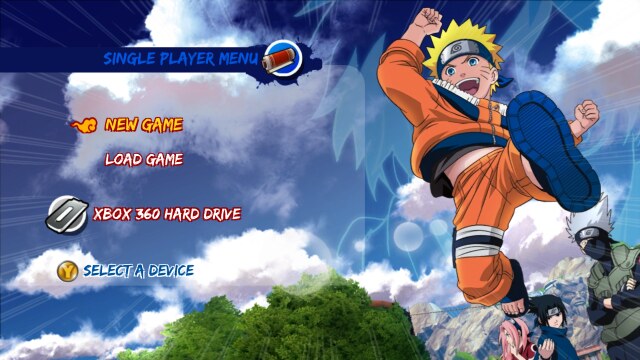
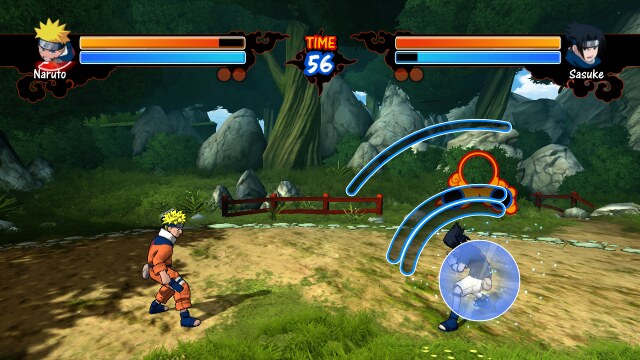
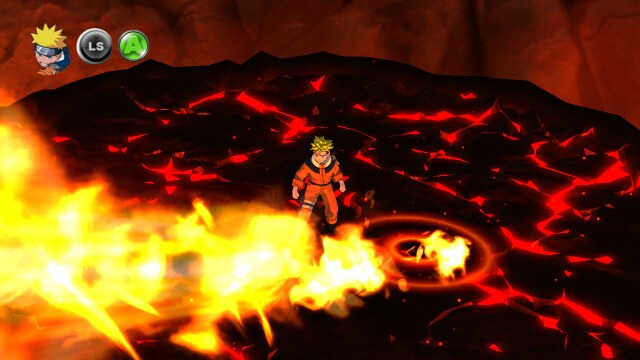
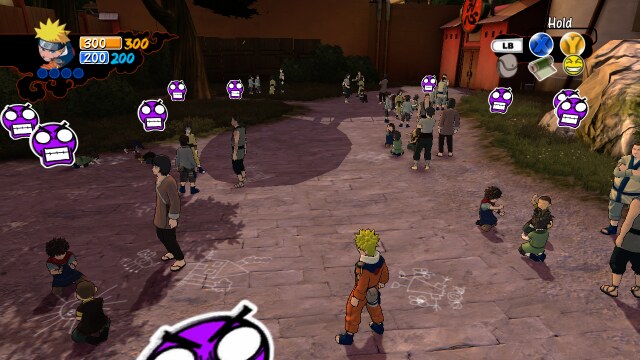
A Nintendo Switch (homebrew NRO) port of **Naruto: Rise of a Ninja** (Ubisoft Montreal, 2007, Xbox 360 exclusive). The game's PowerPC code is statically recompiled with [ReXGlue](https://github.com/rexglue/rexglue-sdk); the Xbox 360 GPU is not emulated: Direct3D calls are drawn by Renut, a Direct3D-level renderer, on deko3d, the Switch's native graphics API. > [!IMPORTANT] > **[Version 0.1.3](https://github.com/malinkin-s/naruto-rise-of-a-ninja-nx/releases/tag/v0.1.3) is playable, and it > is still a test build.** The story mode and fights play on a real console; further testing is needed to find bugs, > crashes and so on. The game's files are not included: you need your own copy of the game (installation: [the release page](https://github.com/malinkin-s/naruto-rise-of-a-ninja-nx/releases/tag/v0.1.3)). ## Status **Version 0.1.3, 2026-10-29.** Measured on a Nintendo Switch, handheld. Two sets of figures: stock clocks (CPU 1020 MHz, GPU 460 MHz; the 0.1.1 measurements, not repeated) and the console overclocked by hand (CPU 1785 MHz, GPU 768 MHz) with the render resolution at 480p (`sa2_render_height_handheld = 480`), which is where the game now plays well. | Area | Switch | Notes | |---|---|---| | Boot, logos, menus | **Works** | 24–29 FPS in menus | | Story mode (Konoha, the open world) | **Works** | CPU 1785 / GPU 768 MHz, 480p: about 30 FPS (the game's own rate in the open world) with rare dips, in the part of the village played so far. Stock clocks: about 20 FPS (0.1.1). Ground shadows fixed | | Fights | **Works** | CPU 1785 / GPU 768 MHz, 480p: 60 FPS (the game's own rate in fights) with rare dips. Stock clocks: 32–47 FPS at 1280×720, 46–58 FPS at 854×480 (0.1.1) | | Saves on the SD card | **Works** | Created, listed and loaded | | Bink video (cutscenes) | **Works** | The intro and the first story scenes; not checked through the whole game | | Controller | **Works** | Played by hand in the story mode | | Settings (`naruto.toml`) | **Works** | Render resolution, separately for handheld and docked (`sa2_render_height_handheld` / `sa2_render_height_docked`: 480, 720 or 1080; 720 by default, 480 is faster), the game's anti-aliasing. The file is written next to the NRO at the first start | | Audio | Plays | With the fourth CPU core (below) no audio lag in Konoha; on three cores it stutters when the frame rate drops | | Fourth CPU core | **Works** | Needs a HOME Menu forwarder started with 4 cores; +0.5–1.2 FPS in the heavy spot, smoother play, clean sound | | Character DLC (3 extra engines) | Not yet | | | Known issues | | Possible crashes when quitting. Playable, but it needs more testing to find bugs and crashes: please report what you meet | Performance so far: sa2-nx's enhancements, an optimised code generator (registers as locals, direct calls, guest memory without volatile, float-mode switches skipped), store cards for Renut's caches, a batched draw queue without allocations, the use of a **fourth CPU core** when the game is started with four (0.1.2), and, new in 0.1.3, a build optimised with the profile of a console session (PGO) and link-time optimisation (LTO): at the same scene load the render thread uses about 21 % less CPU time a frame than in the plain build of 0.1.2 (measured at 3500 draws a frame). The profile is in [pgo/](pgo/) (branch counters only). Moving the renderer's command recording to the free core (the experimental option `naruto_deko3d_record_worker`, off by default) was measured and is slower, so it stays off. #### HOME Menu forwarder and the fourth CPU core (recommended) **It is recommended to make a HOME Menu forwarder in [Sphaira](https://github.com/ITotalJustice/sphaira)**: select `naruto.nro`, install a forwarder with **CPU cores = 4** and **address space = 39-bit**, and start the game from the new HOME Menu icon. The 39-bit address space gives the game the memory of a game (applet mode has too little), and the fourth CPU core takes the audio mixer, the XMA decoder and the game's thread pool away from the game's heavy threads: smoother play and clean sound. The core count is chosen by the launcher, which is why a forwarder is needed. Check `process cores 4 (mask 0xF)` in `logs/rex/rex_profile.log`. Without a forwarder the port starts from hbmenu with a title override (hold **R** while starting any game) and works on three cores. The fourth core is shared with the HOME Menu, overlays and background services: please report anything odd in long sessions. A ready-made forwarder is not shipped (an NSP is signed with the console's keys). ### What was solved to get here - **Older Direct3D than any earlier Renut port** (XDK 2.0.6274, LTCG): the private device layout, functions and offsets were mapped using the PC recompilation's renderer as a reference ([docs/d3d-census.md](docs/d3d-census.md), [docs/renut-retarget.md](docs/renut-retarget.md)). - **3,322 game shaders** from `xeshader.sdb` translated (XenosRecomp → DXC → SPIRV-Cross → uam for deko3d). - **Tiled rendering**: the game draws its 3D scene in three 1280×256 tiles with 4× MSAA (the Xbox 360's EDRAM); Renut's targets now cover all tiles. - **The game engine `ai2c.dll`** is linked into the NRO as a static module. - **Automated console tests over nxlink** (`tools/switch/nxtest.sh`): the game runs for a set time, sends its log, renderer frames, its profile and crash reports to the PC, and exits by itself. - **Ground shadows**: the game's polygon offset (depth bias) was ignored by Renut, which cut decal shadows into wedges. The full story, with evidence for every step, is in [docs/port-journal.md](docs/port-journal.md). ## Screenshots Taken from the renderer on a Nintendo Switch (half size, 640×360), version 0.1.0 at stock clocks.
Konoha, story mode Konoha plaza
Story mode: Konoha The village plaza
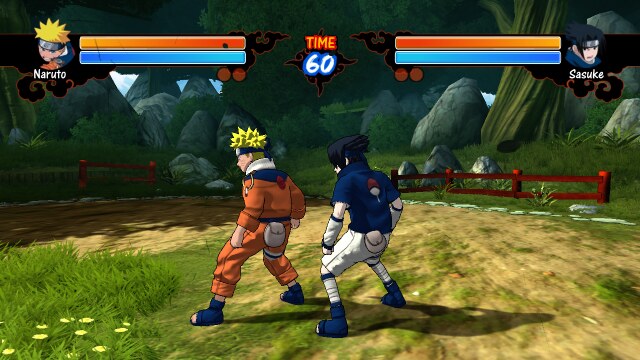
Fight, a hit Fight, a combo
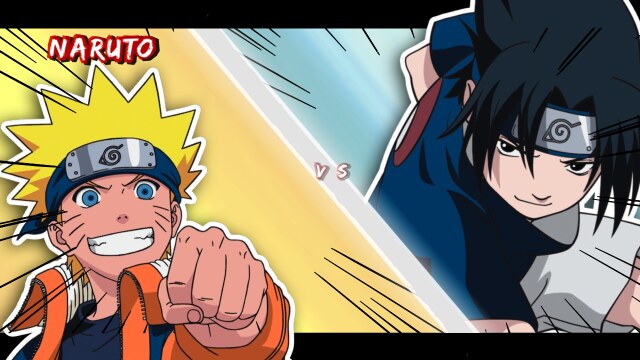
Naruto vs Sasuke A combo
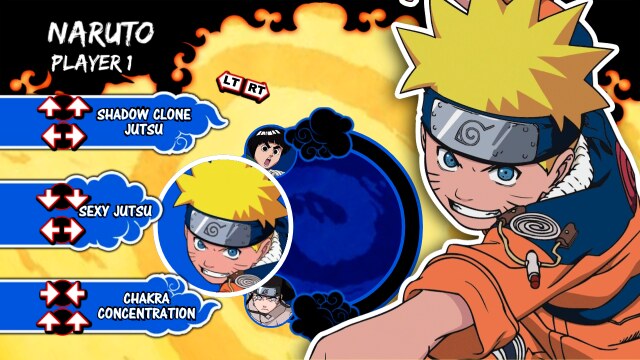
Single player menu Jutsu list
Single player menu Jutsu list before a fight
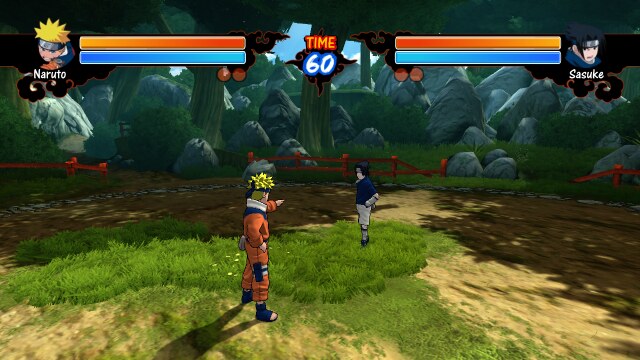
Naruto vs Sasuke Fight arena
Match intro The forest arena
Fight, close Jutsu in a fight
Naruto and Sasuke A jutsu prompt
Jutsu cut-in Scaleform logo
Jutsu cut-in Boot logos
## How it is built | Part | From | |---|---| | Recompiled code | ReXGlue SDK, the [sa2-nx](https://github.com/ChanseyIsTheBest/sa2-nx) fork (Horizon layer, static guest modules) | | PC base and reference | [jorjbarbosa/naruto-rise-recomp](https://github.com/jorjbarbosa/naruto-rise-recomp): seeds, hooks, the Direct3D map | | Renderer | Renut (masterspike52) on plume's deko3d back end, from sa2-nx, retargeted to Naruto's Direct3D | | Toolchain | devkitA64 (GCC 16.1) in Docker, libnx, deko3d | ### Installing Through the installer page, which makes the game's shaders from your own disc: **https://malinkin-s.github.io/naruto-nx-installer/**. The steps are on [the 0.1.2 release page](https://github.com/malinkin-s/naruto-rise-of-a-ninja-nx/releases/tag/v0.1.2). ### Building (outline) You need your own game files in `game/` (the extracted disc, `default.xex` at the top). ```bash python3 tools/fetch_thirdparty.py # SDK third-party sources tools/fetch_renut_deps.sh # plume, XenosRecomp, uam, imgui (from sa2-nx) # host rexglue (sdk/, cmake --preset linux-amd64), then: rexglue codegen app/naruto_manifest.toml # recompiled code into app/generated/ (never committed) tools/deko3d_build_tools.sh # SPIRV-Cross and uam for the shader chain tools/switch/host_shaders.sh # Renut's own shaders for deko3d tools/switch/build.sh # out/nx/naruto.nro tools/switch/package.sh # out/nx/sdcard/ -> copy to the SD card ``` On the console, start hbmenu with title override (hold R while starting a game, for the full memory) and pick Naruto: Rise of a Ninja. ## Credits - [jorjbarbosa/naruto-rise-recomp](https://github.com/jorjbarbosa/naruto-rise-recomp): the PC recompilation this port stands on. - [sa2-nx](https://github.com/ChanseyIsTheBest/sa2-nx): the Switch template, the SDK fork and Renut on deko3d. - Renut by masterspike52; plume; XenosRecomp; uam; deko3d and libnx by the devkitPro and switchbrew teams. - The [ReXGlue SDK](https://github.com/rexglue/rexglue-sdk). ## License and disclaimer GPL-3.0, see [LICENSE](LICENSE). This is a fan project, not affiliated with or endorsed by Ubisoft, Bandai Namco, Shueisha, Microsoft or Nintendo. *Naruto* and the game's assets belong to their owners. No game files are distributed here: build it from a copy of the game you own.