Touch grass.
Arc’s sidebar and Dia’s polish on real Chromium.
Free and open source. Ads and trackers stay out.
128 MB DMG · macOS 14 Sonoma or later · Apple Silicon · Notarized by Apple
Like your paint wet? The nightly has every fix the day it’s made, smudges and all.
Homebrew: brew install ardia-browser/tap/ardia
ardia.dev · What’s new · All releases · Discord
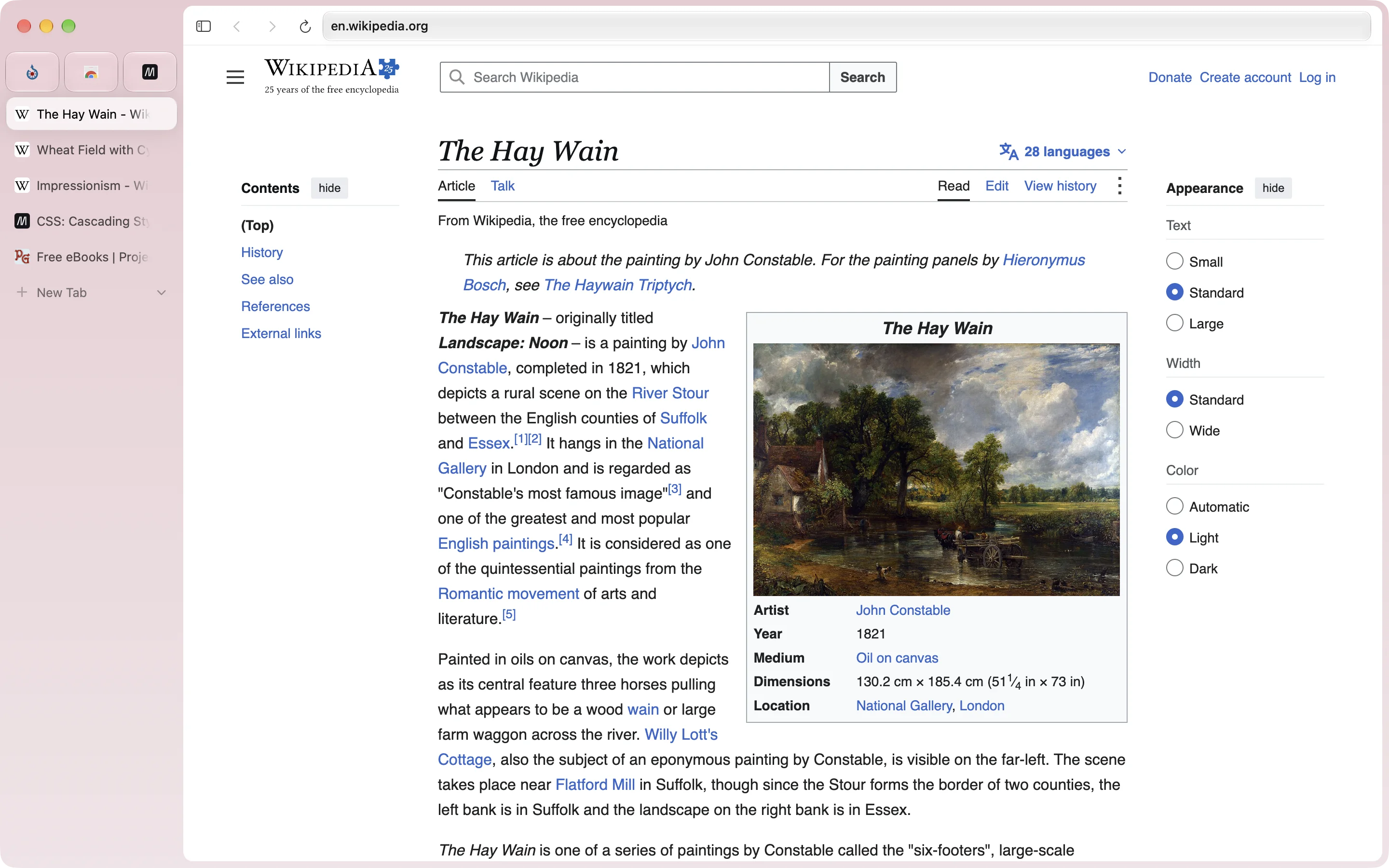
## Lose the toolbar.
Move the address bar into the sidebar and the page runs all the way to the top of the window.
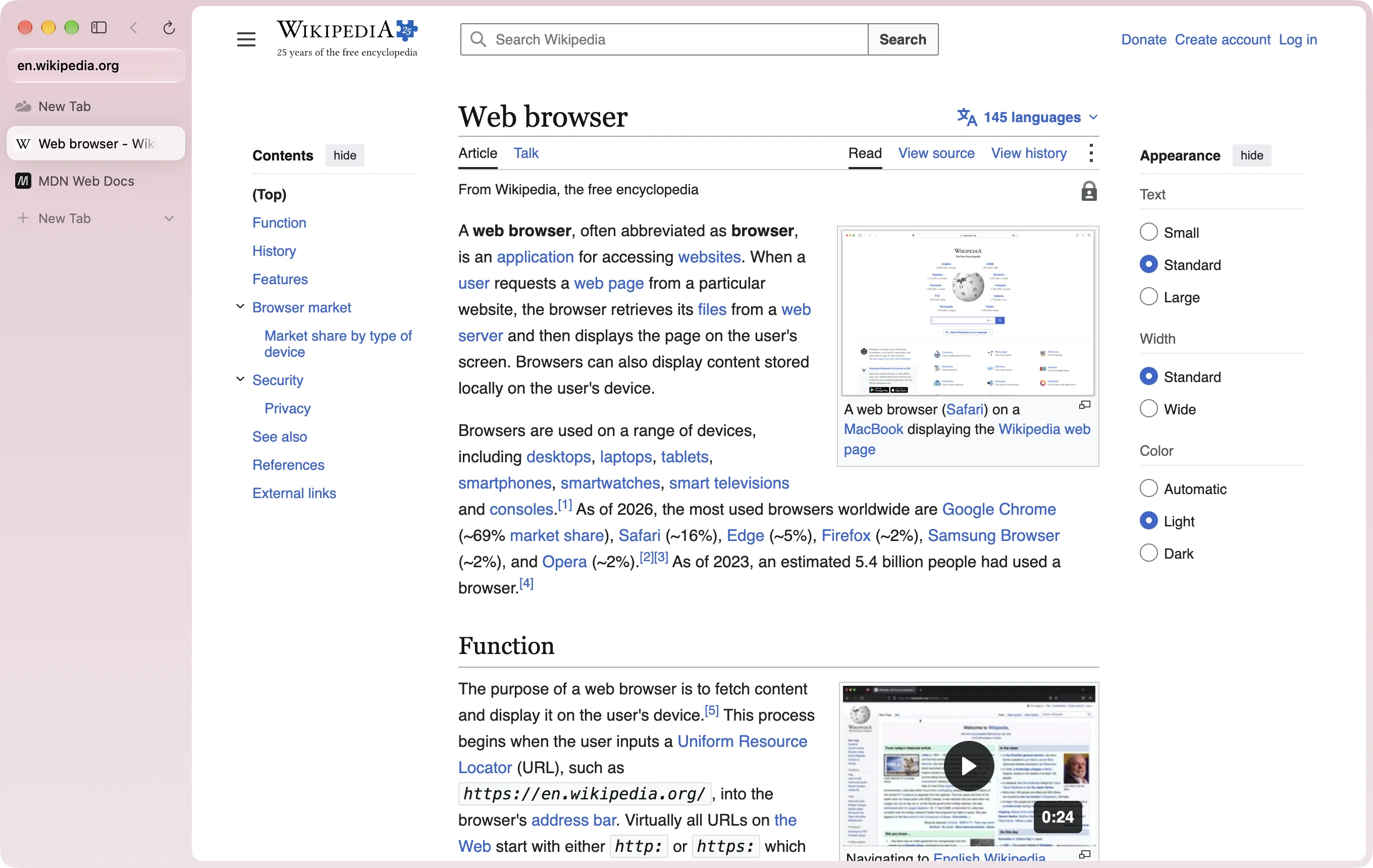 ## Two pages, one window.
Drag a tab onto the page. Up to three panes, side by side or stacked.
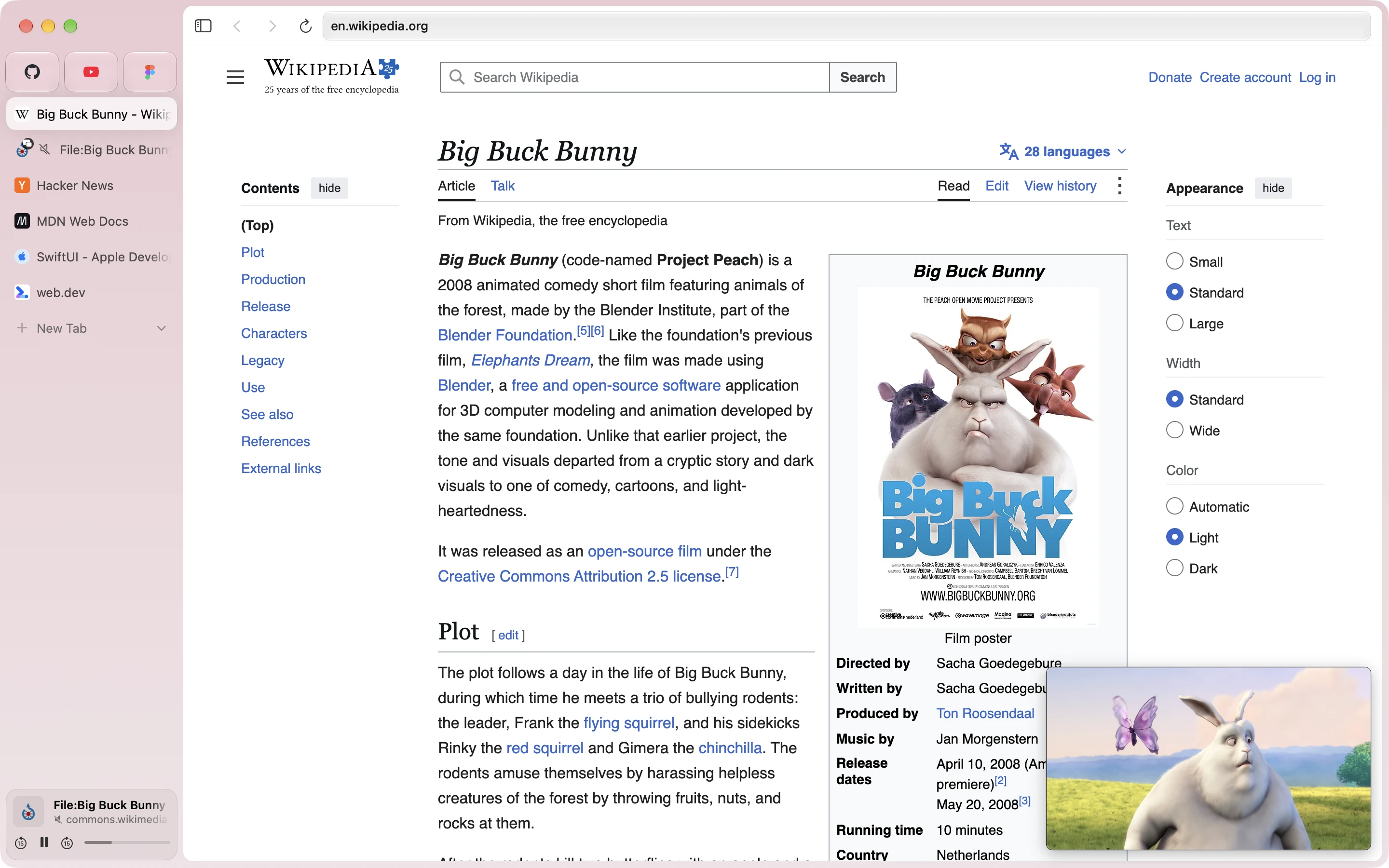
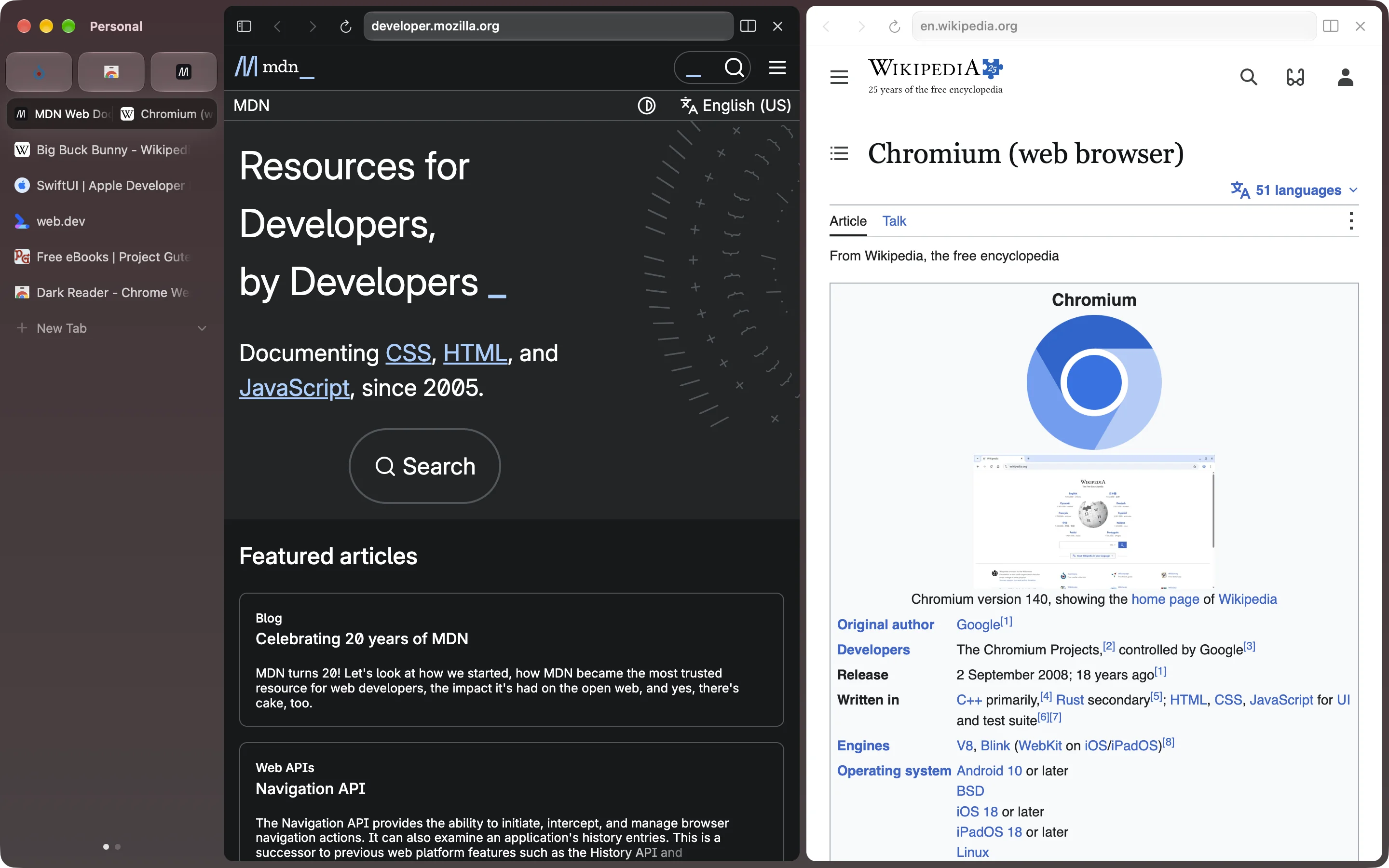 ## Refuses to leave the picture.
Switch tabs mid-video and it floats along in the corner. Go back to its tab and it slips back into the page.
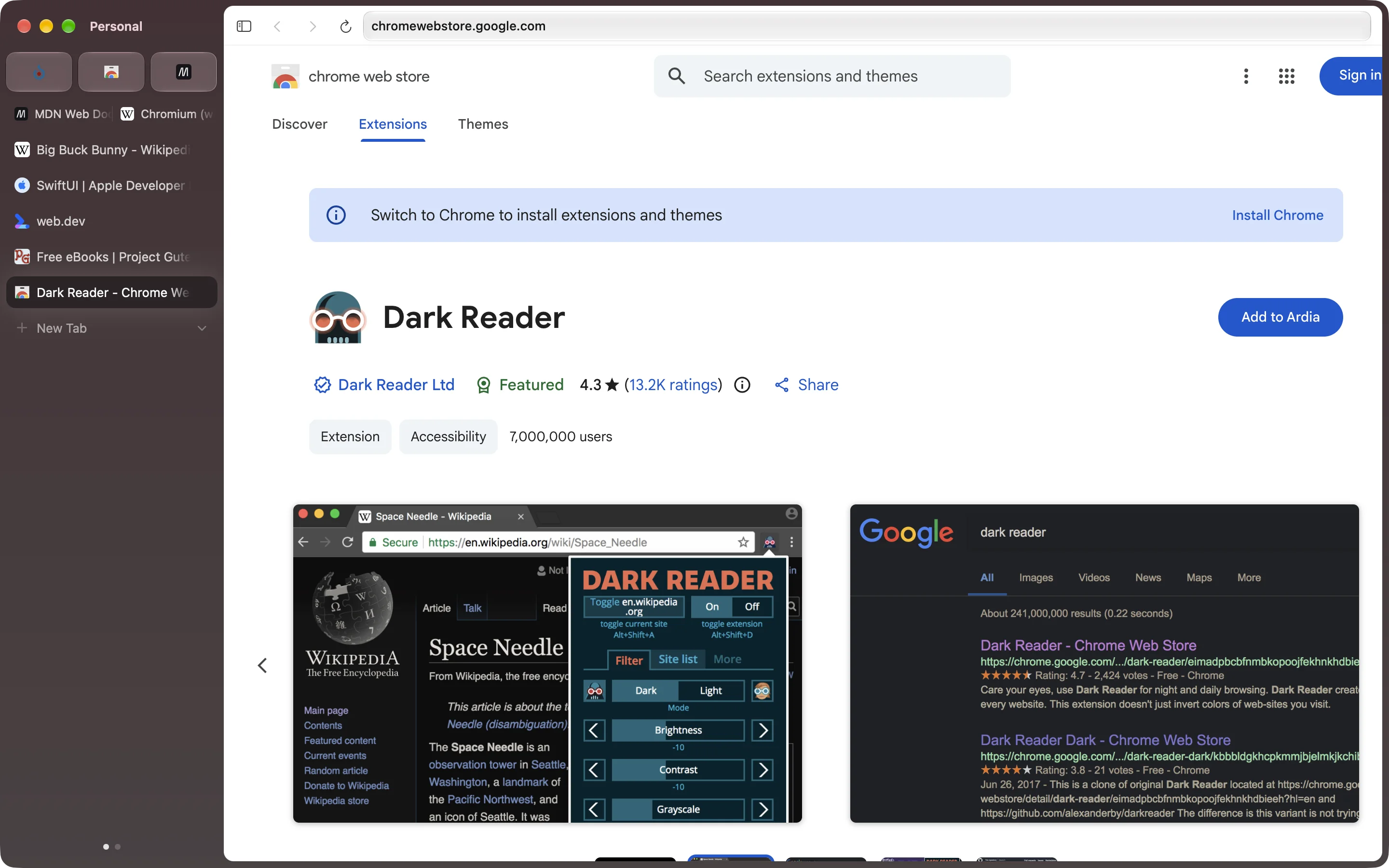
 ## Your extensions come along.
The Chrome Web Store just works, its button says Add to Ardia, and Sync takes them to your other Macs.
 ## Ads and trackers stay out.
The full uBlock Origin is built in, cookie banners included. Google’s pings are compiled out. Crash reports are
opt-in and never carry your sites or searches.
## Also in there
- **Work stays at work.** Each profile keeps its own logins, history, extensions and colour. Swipe the sidebar to switch.
- **Little Ardia.** ⌥⌘N opens a small window with one page and no sidebar.
- **Groups on contact.** Drop a tab on a tab and they’re a group, named for you.
- **Moves in for you.** Bookmarks, history, passwords and logins from Chrome, Safari, Firefox, Arc, Dia and five more. Arc’s spaces, pinned tabs and themes too.
- **Paints like Arc.** Gradient themes per profile: up to three colours, some grain, some blur.
- **Syncs through your iCloud.** End-to-end encrypted, in a folder in your own iCloud Drive. No server of ours in the middle.
- **Command bar.** ⌘L finds tabs, history and bookmarks, does your sums, and knows doc.new and 16 friends.
- **Tidies up.** ⌥⌘K sweeps the tabs you haven’t touched into Recently Cleaned.
- **Clean links.** Copy a link and the tracking junk stays behind.
- **Naps when you do.** Background tabs past your latest five freeze, and sleep after half an hour.
- **Sits still.** Idles under half a percent of CPU with a tab open.
- **Updates itself.** Quietly, then shows you what changed.
## It’s actually Chromium.
Not WebKit. Not Electron. Every window is Chrome’s own, so sites, extensions and DevTools behave like they do in Chrome.
| Part | Details | Status |
| --- | --- | --- |
| Engine | Chromium 157, on Chrome’s own framework. | ✓ Yes |
| De-Googled | Google’s background services stripped out. | ✓ Yes |
| H.264 and AAC | The codecs Chromium leaves out. | ✓ Yes |
| DevTools | Docked, with device mode. Like Chrome. | ✓ Yes |
| Sync | End-to-end encrypted, through your own iCloud Drive. | ✓ Yes |
| Translate | On your Mac. Nothing leaves it. | ✓ macOS 26 |
| Passkeys | Touch ID yes. iCloud Keychain waits on Apple. | ~ Partly |
| Netflix and DRM | Streaming sites open in WebKit, where they play. Widevine in Chromium waits on Google. | ~ Partly |
| Intel Macs | Apple Silicon only. | ✗ No |
It’s 128 MB and one drag into Applications.
Not on a Mac? Watch › Custom › Releases up top and GitHub tells you when it is.
---
# Build it yourself
A macOS browser that looks and feels like [Dia](https://diabrowser.com): Chrome's own framework from our
patched Chromium with our layer on top (ArdiaCore), an Expo + React Native macOS shell, and Metal shaders
reconstructed from Dia's own New Tab effects.
```
apps/
browser/ Expo + react-native-macos app (UI in src/, Xcode project in macos/)
linux/ Linux desktop entry, window controls and native host integration; shares the browser UI
packages/
ardiacore/ The engine: Chromium 157's framework with our layer (Chrome tabs hosted in our views), JS API in src/
shell/ Native menu bar + shortcuts → JS, windows, SF Symbols, native primitives
shaders/ Metal: New Tab effects + grained OKLab window backdrop
import/ Import from other browsers (bookmarks, history, passwords, Arc spaces)
core/ Pure TS: omnibox input → URL, suggestions, Dia-style breadcrumbs (tested)
```
## Run it
The Linux desktop target is `apps/linux`, for x86-64 Linux on Wayland or X11. Releases ship it as a tarball, a `.deb`
and an AppImage; its source-build and packaging instructions are in [docs/linux-port.md](docs/linux-port.md). It builds against the dedicated Linux Chromium host.
The macOS app requires Xcode 26+, CocoaPods, Node 24 (pinned in `.nvmrc`), pnpm 11.
```bash
pnpm install
```
The engine (Chrome's framework, built from our patched Chromium) comes prebuilt: with no local engine build, the app's
build downloads the one matching your checkout's `engine/` (about 110 MB, once; Apple Silicon only) and checks it
against `packages/ardiacore/prebuilt-engines.tsv`. Every release whose engine changed publishes one. If `main`'s engine
is newer than the last release's, work from a release tag (`v0.2.30`, say), or run
`packages/ardiacore/scripts/fetch-engine.sh --nearest` to build against the newest prebuilt anyway. Passkeys and saved
cards need our team ID and won't work in a build signed by anyone else.
To change the engine itself (anything under `engine/`), build it from source: Chrome's framework from our patched
Chromium tree in `~/chromium-build` (Chromium 157.0.8103.50 with the patch series in `engine/patches`;
`docs/engine-build.md` › "Rebuilding", then `engine/chromium/apply.sh`,
`engine/ardiacore/apply.sh` and `autoninja -C out/Release_GN_arm64 chrome_framework`; the first build takes about 2
hours). The app's build stages it from there when it exists.
```bash
pnpm pods
```
In one terminal, start Metro:
```bash
pnpm dev
```
In another, build and launch the Debug app (on its own data, `~/Library/Application Support/Ardia Dev`, or
`ARDIA_DATA_DIR`):
```bash
pnpm macos
```
Other tasks: `pnpm typecheck`, `pnpm test`, `pnpm shaders:check` (compiles the embedded Metal offline),
`scripts/agent/build-app --config Release` (a Release `.app` with a Hermes bytecode bundle in
`apps/browser/build-`, under the shared build locks; `--help`).
Signed releases (DMG, Sparkle zip and appcast) are built by the Release workflow with `scripts/release.sh`, see
`docs/releasing.md`.
Shortcuts: ⌘T new tab, ⌘L command bar, ⌘W close, ⇧⌘T reopen, ⌘S sidebar, ⌘[ / ⌘] back/forward,
⌘R reload, ⌘1–⌘9 select tab, ⌃Tab cycle.
## How Dia's New Tab light works
Dia 1.50 turns this light off along with its rebrand (a painted mark, a single-colour power-up band
and a halo around the bar; `docs/dia-spec.md` › "1.50 Sunglow"), and so does Ardia. The
reconstruction left the tree with it: `git show f2c0e251:packages/shaders/ios/AreaLightView.swift`.
These findings come from disassembling the Metal libraries in `Dia.app` (v1.49.1) with
`xcrun metal-objdump`. `BoostBrowser_PowerUp.bundle/default.metallib` contains
`breathingAreaLightFragment`, which the Swift class `NewTabPage.NewTabAreaLightView` hosts. The
reconstruction was `AreaLightView.swift` (above).
- **The command bar is a light source.** Dia models the bar as a rounded-rectangle area light floating
`lift` points above the page. Each pixel receives the closed-form irradiance of that rectangle: the
solid-angle formula, one `atan` term per corner, times 1/2π. Rounded corners subtract (1 − π/4) of
each corner square. The result is a physically correct penumbra: a higher lift gives a softer, wider
glow.
- **Falloff** is reshaped from inverse-square to `(h/d)^falloff`, where `d` is the distance to the
emitter's rounded-rect surface rather than to its centre.
- **Colour** is Dia's brand spectrum (`ProgressBarColor2…7` in its asset catalog):
blue `#0358F7`, steel `#5092C7`, lavender `#E1E1FE`, yellow `#FFD400`, orange `#FA3D1D` and magenta
`#FD02F5`. It is laid out as a wrapping, slightly diagonal gradient that scrolls every 20 s. IQ's 2D
simplex noise warps the gradient under the bar, and the warp fades out into the penumbra.
- **Dark mode** treats the light as HDR emission and applies the Hable/Uncharted-2 filmic tonemap
(white point 11.2), with alpha set to Rec.709 luminance. **Light mode** keeps the flat palette
colour and uses the irradiance as opacity.
- **Finishing:** alpha fades over the top 50 pt and bottom 200 pt of the view, and ±3/255 triangular
dither (Dave Hoskins' `hash12`) prevents banding in the long soft falloff.
- **Animation:** the shader itself only scrolls the colours. The lift-off intro and the slow
"breathing" come from the CPU, which animates `lift` and `intensity`. Those curves live in Dia's
Swift code, so the ones here (quartic ease-out over 1.1 s, ±7% intensity on a 5.5 s sine) are my
approximation.
The **window backdrop** comes from `ARC_WindowThemeUI.bundle`
(`gradientFragment` + `renderFragment`). Gradient stops are stored and mixed in **OKLab**, then
converted to linear sRGB and gamma-encoded in the shader. A tiled grain texture is then
multiply-blended on top. `WindowBackdropView` does the same with procedural grain.
Only math and colour values are reused. No Dia images, fonts or binaries are copied into this repo.
## Architecture notes
- **Why Expo SDK 54:** `react-native-macos` tops out at 0.81, which pairs with Expo SDK 54 (whose
`ExpoAppDelegate` / `ExpoReactNativeFactory` have macOS code paths).
- **Legacy architecture.** react-native-macos 0.81's Fabric support is experimental, so the app runs on
the legacy architecture. One consequence: Expo's legacy view-manager adapter instantiates a module's
*first* view class for every view it declares, so each native view has its own module.
- **Metro, not `expo start`.** Metro runs through the react-native-macos CLI. `metro.config.js`
redirects `react-native` → `react-native-macos` for `platform=macos`, because defining our own
`resolveRequest` replaces the redirect the CLI would install.
- **No Reanimated.** It has no macOS build for 0.81; animations use RN's `Animated`.
- **Monorepo paths.** pnpm is set to `nodeLinker: hoisted` because CocoaPods and Metro resolve
`react-native-macos` by path. The Podfile rewrites `REACT_NATIVE_PATH` to the hoisted location and
raises every pod's deployment target to 14.0, since Xcode 26+ rejects the 11.0 some Expo pods declare.
- **Native subviews** are sized in `setFrameSize`, not `layout()`. RN macOS assigns frames directly and
never autoresizes subviews.
- **Shaders** are Metal source embedded in Swift and compiled at runtime (once per class, cached). This
keeps the pods free of a metallib build phase.
## Status
Feature parity with Dia (everything but its AI) is tracked row by row in
[docs/dia-feature-parity.md](docs/dia-feature-parity.md); releases and their notes are at
[ardia.dev/release-notes](https://ardia.dev/release-notes).
## License
Ardia as distributed is licensed under the [GNU General Public License v3](LICENSE), because its engine is built
with GPL-3.0 patches. Ardia's own source files are under the [Apache License 2.0](LICENSE.Apache-2.0). It builds on
Chromium, carries a few of the Chromium Embedded Framework's patches to Chromium (BSD-3-Clause), and bundles uBlock
Origin, each under its own license; see [NOTICE](NOTICE). Every release links its source.