rook ### A coding agent that lives in your terminal

CI Latest release License: MIT Built with Raven Platforms

rook streams a real model's reply token by token, and the model can read, search, edit files, and run commands in your working directory, with you approving anything that changes the repo. It is built on the [plumage](https://github.com/martian56/plumage) TUI framework and the [aviary](https://github.com/martian56/aviary) model gateway, so it speaks to OpenAI, Anthropic, Gemini, and a dozen more providers behind one API. The name: a rook is the raven's cousin, which is what this is to the Raven language. **Contents:** [Install](#install) · [Run it](#run-it) · [Talking to it](#talking-to-it) · [Models](#choosing-a-model) · [Tools](#tools) · [Commands](#commands) · [Skills & memory](#skills-and-memory) · [Subagents](#subagents) · [Web](#web) · [Git](#git) · [Plugins](#plugins) · [Hooks](#hooks) · [MCP](#mcp) · [How it is built](#how-it-is-built) · [Development](#development) ## Install One command installs the latest release, and the same command updates it later (rook tells you when a newer version exists): Windows (PowerShell): ```powershell irm https://raw.githubusercontent.com/martian56/rook/main/scripts/install.ps1 | iex ``` Linux: ```bash curl -fsSL https://raw.githubusercontent.com/martian56/rook/main/scripts/install.sh | bash ``` Or download a build for your platform from the [latest release](https://github.com/martian56/rook/releases/latest): | Platform | File | |----------|------| | Windows | `rook--x86_64.msi` (adds rook to your PATH) or `rook--x86_64.zip` | | Debian / Ubuntu | `rook__amd64.deb` | | Fedora / RHEL | `rook--1.x86_64.rpm` | | Linux (any) | `rook--x86_64.tar.gz` | Or run it from source with the [Raven toolchain](https://github.com/martian56/raven): ``` git clone https://github.com/martian56/rook cd rook rvpm run ``` ## Run it Launch it in a real terminal, `rook` if you installed a release, or `rvpm run` from a source checkout, then give it an API key. Either export one: ``` export OPENROUTER_API_KEY=... # or OPENAI_API_KEY, ANTHROPIC_API_KEY, ... ``` or type **`/key`** in the app and paste the key for the current provider. A key entered that way is saved to `~/.rook/auth.json` and reused next time. OpenRouter is the default provider, since one key there reaches most models.
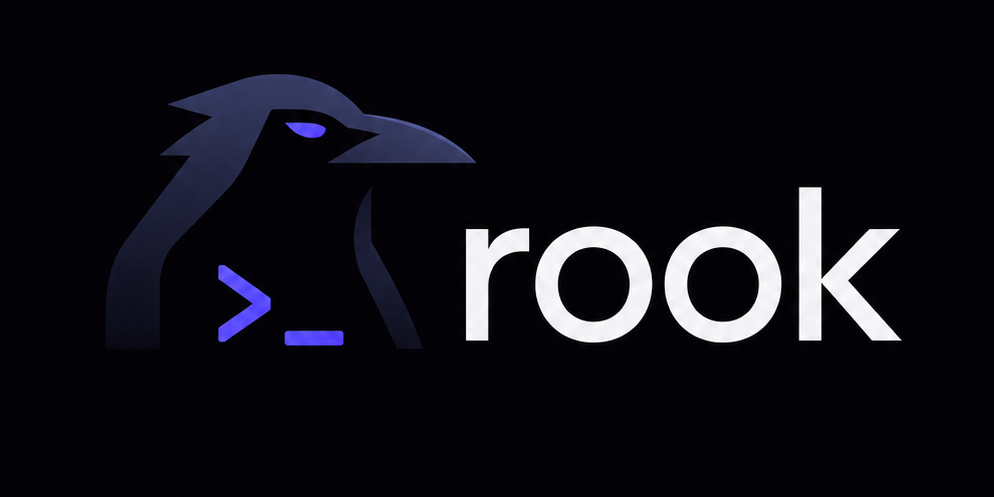
rook's welcome screen
## Talking to it - Type a message and press Enter. The reply streams in. - Type `@` to pin a file to the message: a picker fuzzy-matches paths as you type, arrows move, Tab or Enter completes. On send, every `@path` you referenced is read and attached, so the model has those files without a separate read step. - The model uses tools as it works. Reading and searching happen automatically; a file write, edit, or shell command pauses for your approval: **y** to allow, **a** to allow every call of that kind for the rest of the turn, **n** to deny (the denial is fed back to the model). A file change shows its diff right in the approval prompt, removals red, additions green, and again under the tool row once it runs, so you see exactly what changed. - **Esc** interrupts; **ctrl+c** twice quits. **PageUp/PageDown** or the mouse wheel scroll. - **Drag with the left mouse button** to select transcript text; it is copied to your clipboard on release. You can scroll while dragging, and dragging past the top or bottom edge extends the selection. (rook draws its own selection because it captures the mouse for scrolling; a click or any keypress clears it.) - The status bar shows the session's token usage and an estimated cost; each turn also reports its own tokens and cost when it finishes. Costs are rough per-model estimates for at-a-glance spend, not billing. ## Choosing a model Models are `provider/model` strings (aviary's format). - `/model` opens a picker with a search bar: type to filter the complete OpenRouter model snapshot plus more than 100 direct-provider choices, arrow-select and Enter. `[tools]` marks models that can participate in Rook's normal agent loop. `[no tools]` marks OpenRouter models that do not advertise tool calling. Your choice is remembered for next time. - `/model anthropic/claude-sonnet-5` sets one directly; any `provider/model` string aviary can route works, listed or not. - The startup model is resolved in order: the `--model` flag (`rvpm run -- --model openai/gpt-5.6-sol`), `ROOK_MODEL`, a project `rook.json`, a global `~/.config/rook/rook.json`, the last model you picked, then a built-in default. `rook.json` is a small JSON file: ```json { "model": "openai/gpt-5.6-sol", "base_url": "" } ``` `base_url` (or `ROOK_BASE_URL`) points at any OpenAI-compatible endpoint, for a local or self-hosted model. The provider's key comes from its environment variable (`OPENROUTER_API_KEY`, `OPENAI_API_KEY`, `ANTHROPIC_API_KEY`, and so on), or from a key you entered with `/key` (stored in `~/.rook/auth.json`). Picking a model whose provider has no key opens the key prompt automatically. Rook supports every provider routed by Aviary: | Model prefix | API key variable | |---|---| | `openai` | `OPENAI_API_KEY` | | `anthropic`, `claude` | `ANTHROPIC_API_KEY` | | `gemini`, `google` | `GEMINI_API_KEY` | | `cohere` | `COHERE_API_KEY` | | `groq` | `GROQ_API_KEY` | | `mistral` | `MISTRAL_API_KEY` | | `deepseek` | `DEEPSEEK_API_KEY` | | `xai`, `grok` | `XAI_API_KEY` | | `together` | `TOGETHER_API_KEY` | | `fireworks` | `FIREWORKS_API_KEY` | | `perplexity` | `PERPLEXITY_API_KEY` | | `openrouter` | `OPENROUTER_API_KEY` | | `deepinfra` | `DEEPINFRA_API_KEY` | | `nebius` | `NEBIUS_API_KEY` | | `moonshot` | `MOONSHOT_API_KEY` | | `sakana` | `SAKANA_API_KEY` | | `azure` | `AZURE_API_KEY`, with `AZURE_API_BASE` | | `ollama` | none | | `custom` | optional `AVIARY_API_KEY`, with `ROOK_BASE_URL` or `AVIARY_BASE_URL` | The direct picker catalog was reviewed against provider documentation on July 16, 2026. It includes current flagship APIs and a broad selection of tool-capable hosted models. A provider may restrict models by account, region, preview access, or deployment. Ollama entries also require the named model to be installed locally. If a model is missing from the picker, enter its full `provider/model` string directly. Rook still allows a `[no tools]` model to be selected, including with `/model provider/model`, but adds a warning to the transcript. Such a model can answer normally but may be unable to inspect files, edit code, or run tests because those actions require tool calls. Sakana's direct models are `sakana/fugu`, `sakana/fugu-ultra`, and `sakana/fugu-ultra-20260615`. Rook gives direct Sakana turns a longer stream timeout because Fugu may spend several minutes orchestrating before its first visible response. Fugu Ultra is also available through OpenRouter as `openrouter/sakana/fugu-ultra`. ## Tools The model can call: - `read_file`, `list_dir`, `file_tree`, `grep` (read-only, run automatically) - `write_file`, `edit_file`, `multi_edit`, `run_command`, `run_background` (mutating, approved by you) `multi_edit` applies several find-and-replace edits to one file in a single call, in order and all or nothing: if any `old_text` is missing, nothing is written. A multi-spot change is one approval, and the prompt shows the combined diff before you allow it. File paths accepted by tools and `@` mentions are normalized inside the workspace. Absolute paths, paths that escape with `..`, and symlinked path segments are rejected. `run_background` starts a long-running command (a dev server, a watcher, an app rook just built) and returns a shell id immediately instead of blocking; the output collects in the background. The model follows up with `read_shell` (what a shell printed since its last look), `list_shells` (status, runtime, and command of each), and `kill_shell` (stop one; this asks for approval). So rook can start the app it just built, watch the log, and react to what it sees. Stored output is capped so a chatty process cannot grow memory without bound, old finished shells fall off the list, and quitting rook kills everything still running so no child is orphaned. Rook allows up to five running background shells by default. When the limit is reached, the tool asks the model to inspect `list_shells` and stop one with `kill_shell`. You can choose another positive limit in `.agents/settings.json`: ```json { "tools": { "run_background": { "max_running": 3 } } } ``` `/plan` toggles plan mode: the model may read, search, and inspect but its write, edit, and command tools are withheld, so it studies the task and proposes an ordered plan instead of changing anything. The status bar shows a `◆ PLAN` badge while it is on. Review the plan, then `/plan` again to carry it out. Subagents dispatched in plan mode are read-only too. During multi-step work the model keeps a checklist with `set_todos`, shown live above the input: done steps check off dim, the current one is highlighted, pending ones wait. `/clear` empties it. When a decision is yours to make (which approach, which of several fixes), the model asks with `ask_user`: a modal shows the question and its options, arrows pick, Enter answers, Esc declines. The pick goes back to the model as text. `run_command` runs through the platform shell in the working directory and returns stdout, stderr, and the exit code. Foreground commands time out after 120000 ms by default, and Esc interrupts the active command as well as the model stream. Tool output is truncated so a noisy command cannot bury the answer. ## Commands Type `/` and a menu of every command opens above the input, filtered as you keep typing: arrow keys move the highlight, **Tab** completes the name, **Enter** runs the selection, **Esc** dismisses. Custom commands from `.agents/commands/` appear right in the menu. `/shells` opens a panel of the background shells, id, status with runtime or exit code, and command, refreshed live while it is open. Enter tails the highlighted shell: a full-screen pane follows its output as it is produced, so a dev server or build log is readable while rook keeps working. Esc steps back. `/sessions` lists your past conversations (newest first) and resumes one: the transcript comes back and the model picks up the context. Sessions save to `~/.rook/sessions` automatically after each turn; `/clear` starts a fresh one and leaves the old one resumable. `/permissions` opens a toggle menu for common grants like file edits, shell commands, background shells, git commits, and MCP tools. Choices are saved to your global `~/.agents/settings.json`, not the project, and deny rules stay in place. When a long conversation nears the model's context window, rook compacts it: the older turns are summarized into a compact note (by a one-off model call) and the recent turns are kept verbatim, so the session keeps going instead of overflowing or getting truncated blindly. A notice says when it happens. The transcript you see is untouched; only what the model receives is condensed. If the summary call fails, the conversation is left as is. `/help` opens the same list as a menu: arrows to browse every command (built-in and custom) with its description, Enter to run one, Esc to close. The other built-ins: `/clear` (wipe the conversation), `/model`, `/theme` (pick a color theme; arrow keys preview it live, and the choice is remembered), `/key` (set the current provider's API key), `/permissions`, `/quit`. Built-in themes: Rook and Rook Light, Dracula, Gruvbox Dark and Light, Nord, Solarized Dark and Light, Catppuccin Mocha and Latte, Tokyo Night. `/theme nord` sets one directly. With no theme chosen yet, rook starts with the dark or light default matching the terminal background (read from `COLORFGBG` where the terminal sets it). On terminals without truecolor, theme colors are downsampled to the 256-color cube or the basic 16, judged from `COLORTERM` and `TERM`. Your own palettes go in `.agents/themes/.json` (project or global) and appear in the picker alongside the built-ins: ```json { "name": "Midnight", "accent": "#7aa2f7", "dim": "#565f89", "text": "#c0caf5", "tool": "#9ece6a", "warn": "#e0af68", "error": "#f7768e" } ``` Six colors define a palette; rook maps them onto every UI element the same way it does for the built-ins. A palette whose name collides with an existing theme is skipped. ## Skills and memory rook reads the cross-agent `.agents` layout: a project `./.agents` and a global `~/.agents`, with project entries winning. A skill is a folder `.agents/skills//` holding a `SKILL.md`, frontmatter with a `name` and one-line `description`, then a markdown body of instructions. The model sees an index of skill names and descriptions in its system prompt, and pulls in a skill's full instructions with the `use_skill` tool when one matches the task (shown in the transcript like any other tool call). An `AGENTS.md` in the working directory (the cross-tool memory file: build steps, tests, conventions) is loaded into the system context on every turn, along with a global `~/.agents/AGENTS.md` for your own standing notes. The global file comes first so the project one can refine it. `.agents/settings.json` (project or global) configures rook alongside `rook.json`: ```json { "model": "openai/gpt-5.6-sol", "theme": "Nord", "base_url": "", "permissions": {}, "tools": { "run_command": { "timeout_ms": 120000 } }, "mcp": {} } ``` The string fields join the resolution chain (a root's `rook.json` wins over the same root's settings, and project beats global). The `tools` section configures built-in tool behavior, and the `mcp` section configures MCP servers. Global user settings and installed plugins are trusted roots. Project `.agents` settings are read more carefully: deny rules apply, but allow rules, hooks, and MCP server commands are ignored unless you opt in from your global `~/.agents/settings.json`: ```json { "trust": { "project_settings": true } } ``` That switch trusts project settings for every project, so only enable it when that is the behavior you want. `permissions` is live: allow rules skip the approval prompt for calls you always trust, deny rules block calls outright (for any tool, even read-only ones), and deny beats allow. Type `/permissions` to grant common allow rules from the app. A rule is a tool name, a tool-name glob such as `mcp__*`, or a tool name with a glob matched against the call's command or path: ```json { "permissions": { "allow": ["run_command(rvpm *)", "read_shell"], "deny": ["run_command(rm *)", "read_file(*secrets*)"] } } ``` Deny rules from the project and global `.agents` both apply, and they bind subagents the same way. Allow rules from global settings and installed plugins can skip approval. Project allow rules only skip approval after project settings are trusted. Anything not covered falls through to the normal approval prompt. Custom slash commands live in `.agents/commands/.md`: optional frontmatter with a `description` (shown by `/help`), then a prompt template. `/name args` sends the template with `$ARGUMENTS` replaced by `args` (or the args appended when the template has no placeholder). The transcript shows what you typed; the model gets the expansion. Built-in commands cannot be overridden. ## Subagents Three come built in, all read-only: **explorer** (scout the codebase and report), **reviewer** (critique code and list real defects), and **planner** (produce a step-by-step plan). Ask rook to "have the explorer find where X happens" and it delegates. Define your own in `.agents/subagents/.md`: frontmatter with a `description`, an optional `tools` allowlist (comma-separated), and an optional `model` override, then the agent's system prompt as the body. A custom subagent is read-only by default: omit `tools` and it can only read and search (`read_file`, `list_dir`, `file_tree`, `grep`, `git_status`, `git_diff`). To grant more, name the exact tools it may call, or write `tools: all` to give it every tool. The roster the model sees lists each subagent's effective access. The model delegates with the `dispatch` tool; the subagent runs an isolated conversation (its own prompt, tools, and rounds) and only its final answer returns to the main conversation. While it works, its activity shows as a live nested block in the transcript, a `◆ name agent working…` header with the agent's tool calls indented beneath it (parallel agents each keep their own block), and when it finishes the block collapses to one `done · N tools` line ahead of the result. Anything mutating still stops for your approval, labeled with the agent's name (parallel agents queue for the prompt one at a time). Subagents cannot dispatch further agents. A definition named after a built-in replaces it. When the model dispatches several agents in one step they run in parallel, each on its own goroutine with its own conversation, and the main agent continues once every result is back, wide read-only work like searching three areas at once finishes in one round. ## Web `web_search` returns the top results (titles and links) for a query, and `web_fetch` reads a URL as text with the HTML stripped, so the model can pull in current documentation during a task. Both are read-only and run automatically; output is truncated like other tools. ## Git rook is git-aware. `git_status` and `git_diff` (read-only, auto-run) let the model see the branch and the working tree. `git_commit` commits only changes that are already staged, and its approval prompt shows the status, any untracked files (which it never commits), and the exact staged diff before it runs. ## Plugins A plugin is a shareable `.agents` bundle: a git repo with a `plugin.json` (name, version, description) and the same `skills/`, `subagents/`, `commands/`, and `themes/` folders rook reads from `.agents`. Installed plugins live under `~/.rook/plugins//`. An installed plugin is read like another `.agents` root, so its skills, subagents, commands, and themes merge into the session automatically, with precedence project `.agents` > plugin > global `.agents`. Manage them with `/plugins`: `list` shows what is installed and what each contributes, `add [tag]` installs one, `remove ` deletes one, and `update ` re-installs from the recorded source. `browse [query]` lists plugins from a git-hosted index so you can find one without knowing its URL, and `add ` then installs a plugin by its index name. The index URL defaults to a martian56-hosted list and is overridable with `ROOK_PLUGIN_INDEX`. ## Hooks A hook runs a command when something happens in a session. Declare them under a `hooks` key in a `settings.json` at any root rook reads (project `.agents`, an installed plugin, or global `~/.agents`), keyed by event: ```json { "hooks": { "pre-tool": [ { "match": "write_file", "command": "./deny-secrets.sh", "fail_closed": true } ], "post-tool": [{ "command": "git add -A" }], "turn-end": [{ "command": "notify-send 'rook is done'" }] } } ``` Project hooks run only after project settings are trusted. Hooks from global settings and installed plugins can run without that extra opt-in. The events are `session-start`, `pre-tool`, `post-tool`, `pre-prompt`, and `turn-end`. `match` is a glob on the tool name (default `*`); it only applies to the tool events. Each hook's command runs through the platform shell with a small JSON context on stdin: `{ "event", "tool", "args" }`, where `args` is the tool call's raw arguments. A `pre-tool` hook that exits non-zero blocks the tool, and its output is fed back to the model as the reason; every other event is observe-only. Because plugins are just another root, a plugin can ship hooks the same way. If a hook process cannot start, rook shows one notice for that command and error instead of repeating it on every matching event. Launch failures are fail-open by default. Set `"fail_closed": true` on a `pre-tool` hook when the tool must be blocked if its guard command cannot start. Notices show the command name without its arguments. Working examples are in [`examples/hooks/`](examples/hooks/): block a dangerous command, format a file after an edit, and notify when a turn ends, with a `settings.json` to copy. ## MCP rook is an MCP client: it launches Model Context Protocol servers and uses the tools, resources, and prompts they expose. Configure servers under an `mcp` key in a `settings.json` at any root rook reads (project `.agents`, an installed plugin, or global `~/.agents`): ```json { "mcp": { "servers": [ { "name": "filesystem", "command": "npx", "args": ["-y", "@modelcontextprotocol/server-filesystem", "."], "env": ["SOME_TOKEN=value"] } ] } } ``` Each entry is `{ name, command, args, env }`, where `env` is a list of `"KEY=value"` strings. Project MCP servers are ignored until project settings are trusted. Servers from global settings and installed plugins connect on first use, or when you run `/mcp connect`. Environment names use the portable form `A-Z`, `a-z`, `0-9`, and `_`, and cannot start with a digit. Invalid entries appear in `/mcp` status without showing their values. - **Tools** a server exposes reach the model as `mcp____`. Being external, they always ask for approval. - **Resources** are readable context. The model pulls one in with the `mcp_read_resource` tool, which runs without approval since it only reads. - **Prompts** are server-provided templates you invoke with `/mcp prompt [key=value ...]`; the expanded prompt runs as a turn. Values may be quoted strings or typed JSON, for example `query="error handling"`, `limit=20`, `archived=false`, or `files=["src/a.rv","src/b.rv"]`. For a complete object, use `/mcp prompt --json '{"limit":20}'`. `/mcp` shows the configured servers, whether each connected, and what each provides; `/mcp connect` starts the connections in the background. Per-server `env` is applied on Unix and Windows. On Windows rook uses a fixed PowerShell launcher stored under `~/.rook`; the generated script contains no configured names or values. Values are handed to it through a short-lived file in the same per-user directory, which is deleted before the MCP server starts, so they do not remain in the launcher command line. A `.cmd` launcher such as `npx` can be used directly when `env` is present. Without `env`, use `"command": "cmd", "args": ["/c", "npx", ...]`. ## How it is built rook is a plumage app. The one interesting problem is that a streamed completion blocks, while the UI must keep drawing: each turn runs on a background goroutine that emits an ordered log of display events and owns the conversation, guarded by a mutex; the plumage loop drains and replays that log every tick. Approval is a one-slot channel the goroutine blocks on while the UI renders the prompt. ``` src/ main.rv entry: build the app and run it app/ model, update (events, keys, approvals), view agent/ the turn loop, shared state, session agents/ the .agents folder loader (skills, commands, settings) tools/ file, search, and shell tools, plus the schema registry config/ model resolution, rook.json, the /model catalog ui/ the transcript renderer, theme, and spinner plugins/ install, load, and manage shareable .agents bundles hooks/ run commands on lifecycle events mcp/ the MCP client: transport, connect, tools, resources commands.rv slash-command parsing ``` ## Development ``` rvpm test rvpm run behavior-evals rvpm build rvpm fmt ``` The end-to-end tests drive a full turn against an in-process server posing as a model, so the suite needs no network and no keys. The behavior evals run separately with scripted model responses and check exact tool traces for inspection before editing, plan mode, permission recovery, instruction conflicts, commit restraint, and verification after changes. The OpenRouter picker snapshot is generated from its official Models API. Refresh it with `python scripts/sync_openrouter_catalog.py`, then run the tests and commit both the generator and generated Raven module together. ## Known limits grep is literal substring matching, not regex. A subagent's own request (non-streaming) stops at its next tool round rather than mid-flight. ## License MIT