# Museeks


A simple, clean, and cross-platform music player. ([museeks.io](https://museeks.io))
## Features
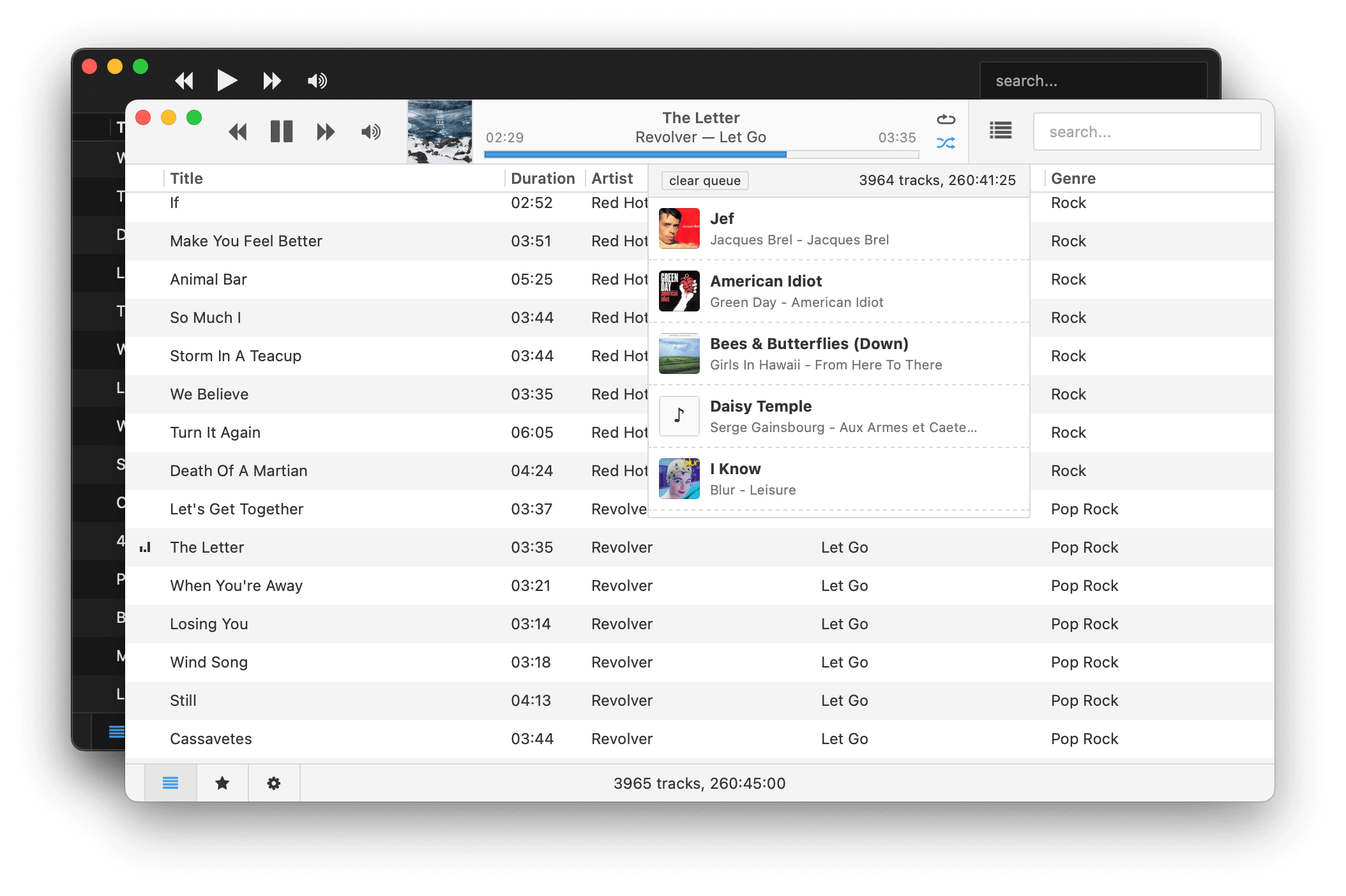
Museeks aims to be a simple and easy-to-use music player with a clean UI. You will not find tons of features, as its goal is not to compete with more complete and more famous music players.
Here is a little preview though:
- 💻 Cross-platform music player (Linux, macOS, and Windows)
- 🎧 Supported formats: mp3, mp4, m4a/aac, flac, wav, ogg, 3gpp
- 🔄 Library auto-refresh
- 🌟 Playlists
- 🎼 Queue management
- ➰ Shuffle, loop
- 🌄 Cover art
- 🤓 Dark theme
- 🚤 Playback speed control
- 😴 Sleep mode blocker
- 📥 `.m3u` import/export
Want more? Open a new issue or 👍 an existing one so we can talk about it.
## Installation
Binaries/Installers can be found [on the releases page](https://github.com/martpie/museeks/releases).
> [!NOTE]
> The publication of Museeks to package managers is community-maintained. Museeks may be available there (like Homebrew, AUR, etc.), but there is no guarantee it will be the latest version.
## Release Notes
[Over here!](https://github.com/martpie/museeks/releases)
## Bugs
Please open an issue on GitHub, mention your OS, your Museeks version, and how to reproduce it. Adding a screenshot of the console (Menu -> View -> Toggle Developer Tools) is a big help too.
Thank you!
## Troubleshooting
Since version `0.20`, I try to keep things as backwards-compatible as possible, but I may miss some edge cases.
If you encounter freezes or crashes when using the app, you can reset Museeks.
Reset Museeks
- Go to Settings -> Open Storage Directory
- Alternatively, go to the Museeks folder directly:
- Windows: `%AppData%\museeks`
- macOS: `~/Library/Application Support/museeks`
- Linux: `~/.config/museeks/` or `$XDG_CONFIG_HOME/museeks`
- Delete everything there
- Restart Museeks
If you still have problems after that, please open an issue :)
## Contributing and Development
### Guidelines
- Before making complex changes, don't hesitate to open an issue first to discuss it ;)
- Understandable code > short code: comment if needed
- That's it :)
### Setup
Museeks is built upon:
- Back-end: [Tauri v2](https://v2.tauri.app/) / Rust 🦀
- UI: [React.js](https://react.dev)
So you will need to install the following dependencies:
- [Tauri requirements](https://v2.tauri.app/start/prerequisites/) for `rust`
- [`vp` (Vite+)](https://viteplus.dev/guide/) for the frontend toolchain (handles Node.js, dependencies, and build tools)
Then you can:
- Fork the repository
- `git clone git@github.com:/museeks.git`
- `cd museeks`
- `vp env use` to setup Node.js and the package manager
### Development Mode
- `vp install`
- `vp run tauri dev`
This will launch Museeks in dev mode. Hot reload will work out-of-the-box, so when you update a `.js` file, the UI will automatically update. When you edit a `.rs` file, Museeks will automatically rebuild.
### Package Binaries
- `vp install`
- `vp run tauri build`
Tauri does not support cross-platform binaries, so the command will only generate binaries for your current platform (macOS, Linux, or Windows).
### Translations
- Follow the steps from the "Setup" and "Development Mode" sections
- Go to `src/translations/languages.ts`
- Add your language information to the list
- Run `vp run gen:translations`
- This will create a new file `.po` in the same folder
- Fill in the translations from the created `.po` file
- Open a Pull Request
Pluralization Help
- [Pluralization guide](https://lingui.dev/guides/plurals)
- [Pluralization reference](https://www.unicode.org/cldr/charts/42/supplemental/language_plural_rules.html)
ps: _Translations are in an early stage. If your language has "special" characteristics, like right-to-left, specific locales instead of languages, or something else, Museeks might not be ready for it yet. Please open an issue to discuss it!_