# URLEmbeddedView
[](https://developer.apple.com/iphone/index.action)
[](https://developer.apple.com/swift)
[](https://github.com/Carthage/Carthage)
[](http://cocoapods.org/pods/URLEmbeddedView)
[](http://cocoapods.org/pods/URLEmbeddedView)
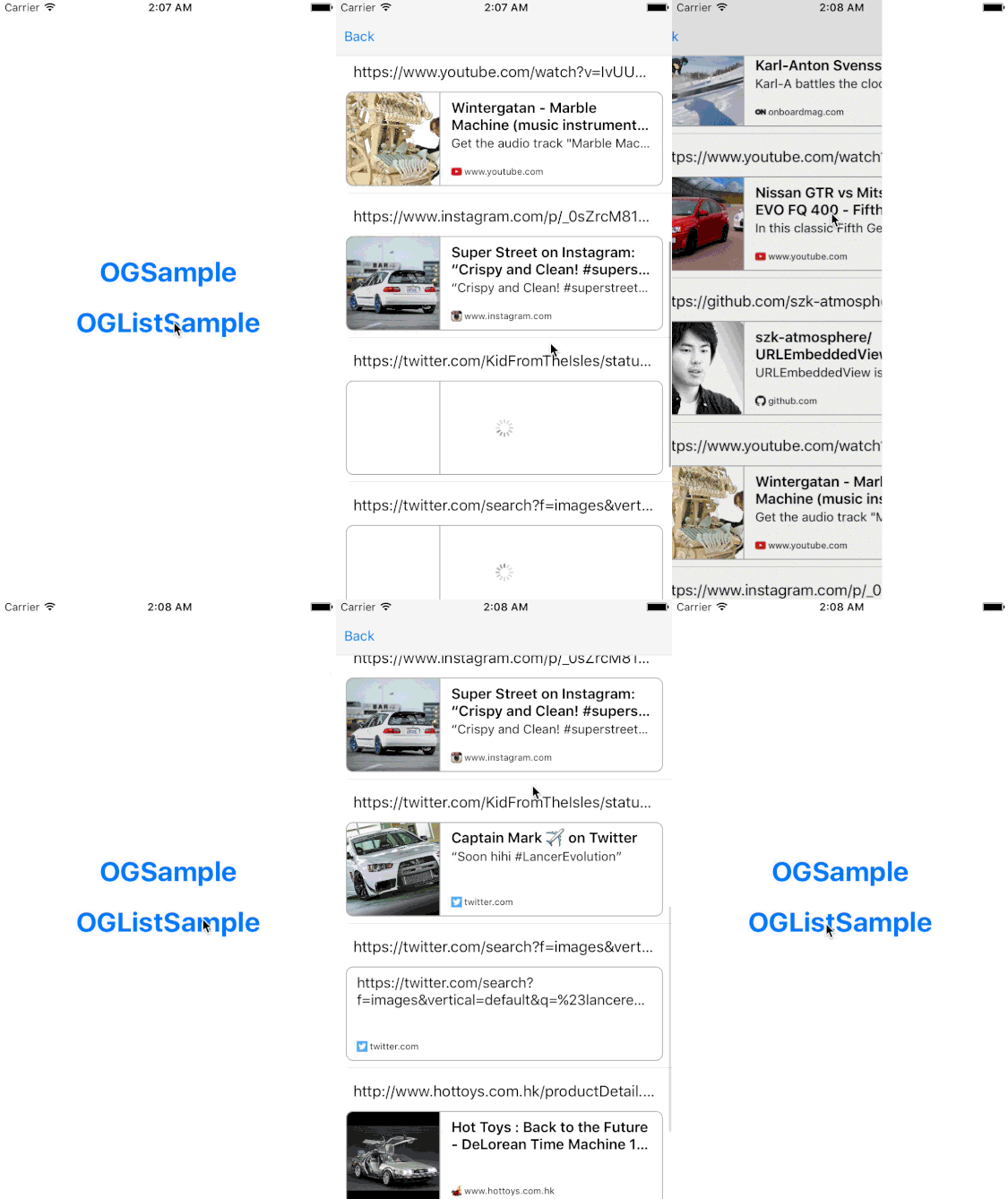 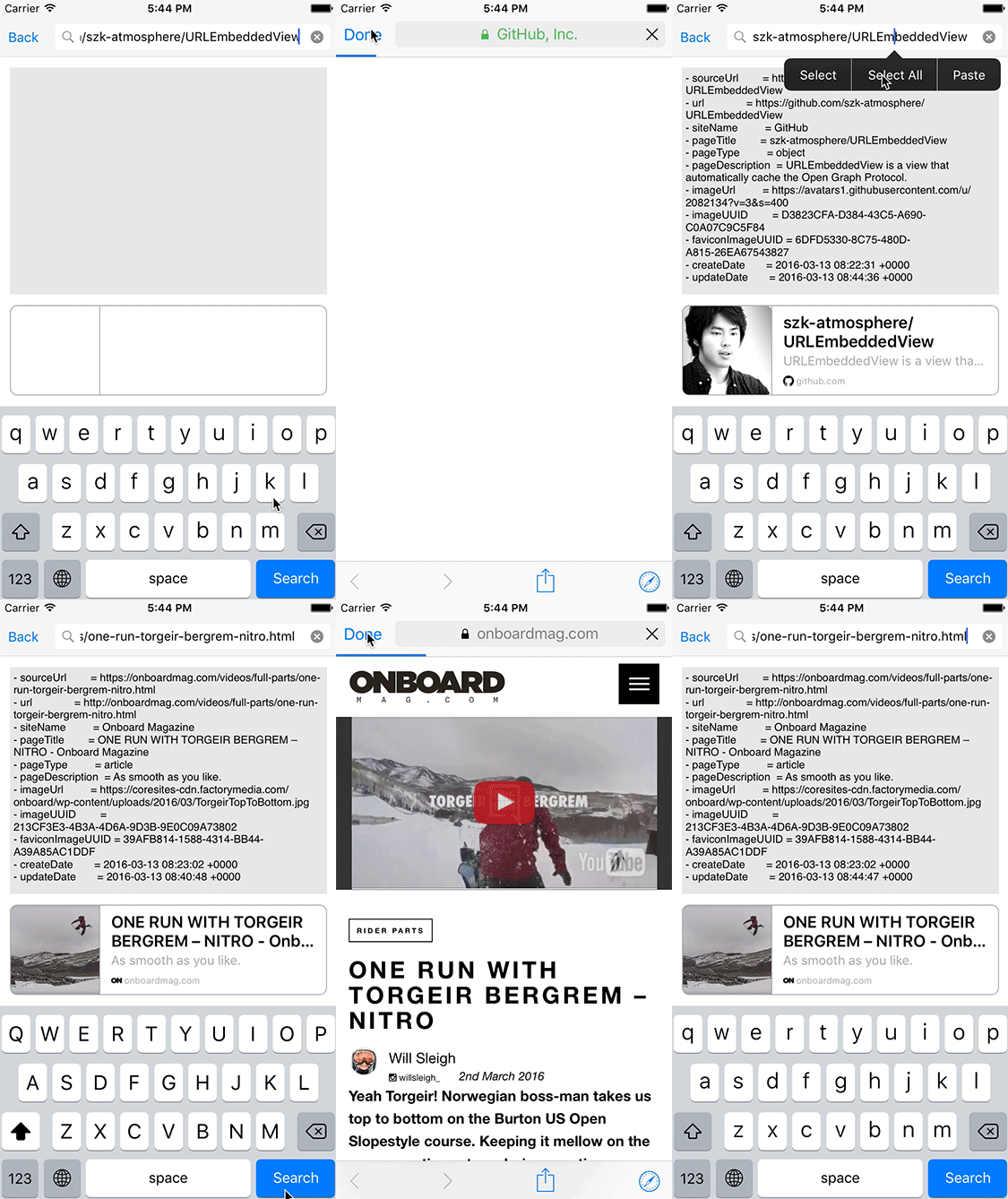
## Features
- [x] Simple interface for fetching Open Graph Data
- [x] Be able to display Open Graph Data
- [x] Automatically caching Open Graph Data
- [x] Automatically caching Open Graph Image
- [x] Tap handleable
- [x] Clearable image cache
- [x] Clearable data cache
- [x] Support Swift3.2 (until 0.11.x)
- [x] Supprot Swift4.x (until 0.17.1)
- [x] Support Swift5 (since 0.18.0)
- [x] Support Carthage since 0.11.1
- [x] Support tvOS since 0.16.0
- [x] Custom implementation of OGData cache
## Usage
To run the example project, clone the repo, and run `carthage update` from the Example directory first.
```swift
let embeddedView = URLEmbeddedView()
embeddedView.loadURL(urlString)
```
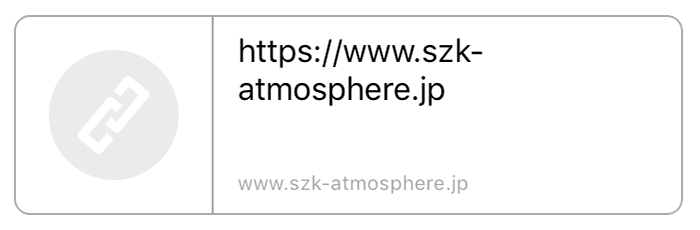
## Layouts
- Default
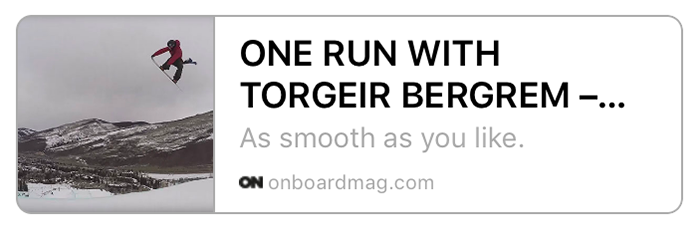 - No Image
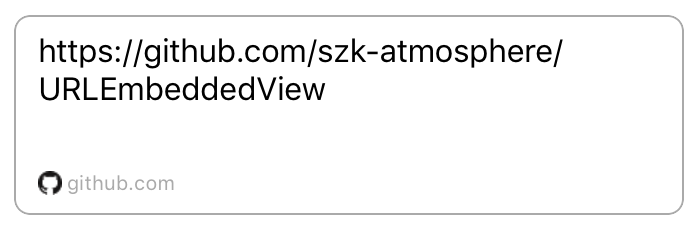 - No response
 ## Customization
```swift
embeddedView.textProvider[.Title].font = .boldSystemFontOfSize(18)
embeddedView.textProvider[.Title].fontColor = .lightGrayColor()
embeddedView.textProvider[.Title].numberOfLines = 2
//You can use ".Title", ".Description", ".Domain" and ".NoDataTitle"
```
## Data and Image Cache
You can get Open Graph Data with `OGDataProvider`.
```swift
OGDataProvider.shared.fetchOGData(urlString: String, completion: ((OpenGraph.Data, Error?) -> Void)? = nil) -> String?
OGDataProvider.shared.deleteOGData(urlString: String, completion: ((Error?) -> Void)? = nil)
OGDataProvider.shared.deleteOGData(_ ogData: OpenGraph.Data, completion: ((Error?) -> Void)? = nil)
```
You can configure time interval for next updating of OGData.
Default is 10 days.
```swift
OGDataProvider.shared.updateInterval = 10.days
```
You can get UIImage with `OGImageProvider`.
```swift
OGImageProvider.shared.loadImage(urlString: String, completion: ((UIImage?, Error?) -> Void)? = nil) -> NSURLSessionDataTask?
OGImageProvider.shared.clearMemoryCache()
OGImageProvider.shared.clearAllCache()
```
### Custom Data Cache implementation
Default cache feature is using Core Data.
If you want to use other cache features, please implement cache manager with `OGDataCacheManagerProtocol`.
For example, URLEmbeddedView has `OGDataNoCacheManager` that feature is not using cache.
If you want to use that feature, you can use like this.
```swift
OGDataProvider.shared.cacheManager = OGDataNoCacheManager()
```
You can implement custom cache feature and use it like this.
```swift
class MemoryCacheManager: OGDataCacheManagerProtocol {
// implementation of required methods
}
OGDataProvider.shared.cacheManager = MemoryCacheManager()
```
## OpenGraph.Data Properties
```swift
public let imageUrl: URL?
public let pageDescription: String?
public let pageTitle: String?
public let pageType: String?
public let siteName: String?
public let sourceUrl: URL?
public let url: URL?
```
## OpenGraphDataDownloader
You can only use download feature of OGData with `OpenGraphDataDownloader` like this.
```swift
let urlString = ...
OpenGraphDataDownloader.shared.fetchOGData(urlString: urlString) { result in
switch result {
case let .success(data, isExpired):
// do something
case let .failure(error, isExpired):
// do something
}
}
```
If you use `OGDataProvider` with `OGDataNoCacheManager`, it is almost same process.
```swift
OGDataProvider.shared.cacheManager = OGDataNoCacheManager()
let urlString = ...
OGDataProvider.shared.fetchOGData(urlString: urlString) { ogData, error in
// do something
}
```
## Installation
#### CocoaPods
URLEmbeddedView is available through [CocoaPods](http://cocoapods.org). To install
it, simply add the following line to your Podfile:
```ruby
# Uncomment the next line to define a global platform for your project
# platform :ios, '8.0'
target 'Your Project Name' do
# Comment the next line if you're not using Swift and don't want to use dynamic frameworks
use_frameworks!
# Pods for URLEmbeddedViewSample
pod "URLEmbeddedView"
end
```
#### Carthage
If you’re using [Carthage](https://github.com/Carthage/Carthage), simply add
NoticeObserveKit to your `Cartfile`:
```ruby
github "marty-suzuki/URLEmbeddedView"
```
## Use in Objective-C
```objective-c
#import
- (void)viewDidLoad {
[super viewDidLoad];
URLEmbeddedView *embeddedView = [[URLEmbeddedView alloc] init];
[self.view addSubView:embeddedView];
[embeddedView loadURL:@"https://github.com/" completion:nil];
}
- (void)setUpdateInterval {
[OGDataProvider sharedInstance].updateInterval = [NSNumber days:10];
}
- (void)fetchOpenGraphData {
[[OGDataProvider sharedInstance] fetchOGDataWithUrlString:self.textView.text
completion:^(OpenGraphData *data, NSError *error) {
NSLog(@"OpenGraphData = %@", data);
}];
}
```
[Here](./Example/URLEmbeddedViewSample/OGObjcSampleViewController.m) is Objective-C sample.
## Special Thanks
- [CryptoSwift](https://github.com/krzyzanowskim/CryptoSwift) is a greate Crypto related functions and helpers for Swift. (Created by [@krzyzanowskim](https://github.com/krzyzanowskim))
## Requirements
- Xcode 10.2 or greater
- iOS 8.0 or greater
- tvOS 10.0 or greater
- UIKit
- CoreData
- CoreGraphics
## Other
- [MisterFusion](https://github.com/szk-atmosphere/MisterFusion) - Swift DSL for AutoLayout
- [NoticeObserveKit](https://github.com/marty-suzuki/NoticeObserveKit) (type-safe NotificationCenter wrapper) is used in this sample.
- Android version is [here](https://github.com/kaelaela/OpenGraphView). (Created by [@kaelaela](https://github.com/kaelaela))
## Author
Taiki Suzuki, s1180183@gmail.com
## License
URLEmbeddedView is available under the MIT license. See the LICENSE file for more info.
## Customization
```swift
embeddedView.textProvider[.Title].font = .boldSystemFontOfSize(18)
embeddedView.textProvider[.Title].fontColor = .lightGrayColor()
embeddedView.textProvider[.Title].numberOfLines = 2
//You can use ".Title", ".Description", ".Domain" and ".NoDataTitle"
```
## Data and Image Cache
You can get Open Graph Data with `OGDataProvider`.
```swift
OGDataProvider.shared.fetchOGData(urlString: String, completion: ((OpenGraph.Data, Error?) -> Void)? = nil) -> String?
OGDataProvider.shared.deleteOGData(urlString: String, completion: ((Error?) -> Void)? = nil)
OGDataProvider.shared.deleteOGData(_ ogData: OpenGraph.Data, completion: ((Error?) -> Void)? = nil)
```
You can configure time interval for next updating of OGData.
Default is 10 days.
```swift
OGDataProvider.shared.updateInterval = 10.days
```
You can get UIImage with `OGImageProvider`.
```swift
OGImageProvider.shared.loadImage(urlString: String, completion: ((UIImage?, Error?) -> Void)? = nil) -> NSURLSessionDataTask?
OGImageProvider.shared.clearMemoryCache()
OGImageProvider.shared.clearAllCache()
```
### Custom Data Cache implementation
Default cache feature is using Core Data.
If you want to use other cache features, please implement cache manager with `OGDataCacheManagerProtocol`.
For example, URLEmbeddedView has `OGDataNoCacheManager` that feature is not using cache.
If you want to use that feature, you can use like this.
```swift
OGDataProvider.shared.cacheManager = OGDataNoCacheManager()
```
You can implement custom cache feature and use it like this.
```swift
class MemoryCacheManager: OGDataCacheManagerProtocol {
// implementation of required methods
}
OGDataProvider.shared.cacheManager = MemoryCacheManager()
```
## OpenGraph.Data Properties
```swift
public let imageUrl: URL?
public let pageDescription: String?
public let pageTitle: String?
public let pageType: String?
public let siteName: String?
public let sourceUrl: URL?
public let url: URL?
```
## OpenGraphDataDownloader
You can only use download feature of OGData with `OpenGraphDataDownloader` like this.
```swift
let urlString = ...
OpenGraphDataDownloader.shared.fetchOGData(urlString: urlString) { result in
switch result {
case let .success(data, isExpired):
// do something
case let .failure(error, isExpired):
// do something
}
}
```
If you use `OGDataProvider` with `OGDataNoCacheManager`, it is almost same process.
```swift
OGDataProvider.shared.cacheManager = OGDataNoCacheManager()
let urlString = ...
OGDataProvider.shared.fetchOGData(urlString: urlString) { ogData, error in
// do something
}
```
## Installation
#### CocoaPods
URLEmbeddedView is available through [CocoaPods](http://cocoapods.org). To install
it, simply add the following line to your Podfile:
```ruby
# Uncomment the next line to define a global platform for your project
# platform :ios, '8.0'
target 'Your Project Name' do
# Comment the next line if you're not using Swift and don't want to use dynamic frameworks
use_frameworks!
# Pods for URLEmbeddedViewSample
pod "URLEmbeddedView"
end
```
#### Carthage
If you’re using [Carthage](https://github.com/Carthage/Carthage), simply add
NoticeObserveKit to your `Cartfile`:
```ruby
github "marty-suzuki/URLEmbeddedView"
```
## Use in Objective-C
```objective-c
#import
- (void)viewDidLoad {
[super viewDidLoad];
URLEmbeddedView *embeddedView = [[URLEmbeddedView alloc] init];
[self.view addSubView:embeddedView];
[embeddedView loadURL:@"https://github.com/" completion:nil];
}
- (void)setUpdateInterval {
[OGDataProvider sharedInstance].updateInterval = [NSNumber days:10];
}
- (void)fetchOpenGraphData {
[[OGDataProvider sharedInstance] fetchOGDataWithUrlString:self.textView.text
completion:^(OpenGraphData *data, NSError *error) {
NSLog(@"OpenGraphData = %@", data);
}];
}
```
[Here](./Example/URLEmbeddedViewSample/OGObjcSampleViewController.m) is Objective-C sample.
## Special Thanks
- [CryptoSwift](https://github.com/krzyzanowskim/CryptoSwift) is a greate Crypto related functions and helpers for Swift. (Created by [@krzyzanowskim](https://github.com/krzyzanowskim))
## Requirements
- Xcode 10.2 or greater
- iOS 8.0 or greater
- tvOS 10.0 or greater
- UIKit
- CoreData
- CoreGraphics
## Other
- [MisterFusion](https://github.com/szk-atmosphere/MisterFusion) - Swift DSL for AutoLayout
- [NoticeObserveKit](https://github.com/marty-suzuki/NoticeObserveKit) (type-safe NotificationCenter wrapper) is used in this sample.
- Android version is [here](https://github.com/kaelaela/OpenGraphView). (Created by [@kaelaela](https://github.com/kaelaela))
## Author
Taiki Suzuki, s1180183@gmail.com
## License
URLEmbeddedView is available under the MIT license. See the LICENSE file for more info.