
remi
The CLI that Apple should have built for Reminders.
Create lists, add reminders, organize them into sections, and have everything sync across all your Apple devices — from the terminal.
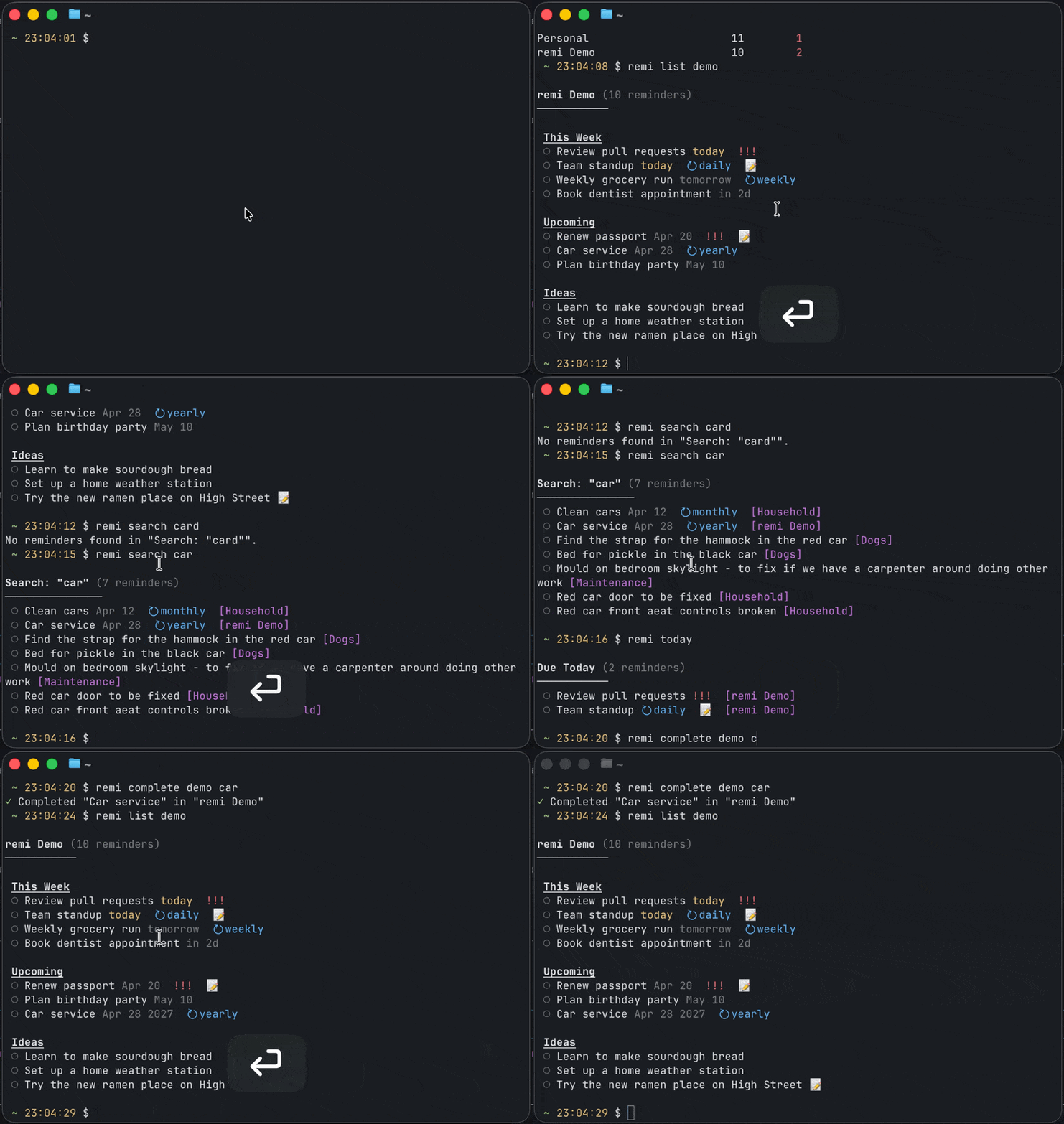
## Why remi?
- **Sections with iCloud sync** — the only CLI that supports Apple Reminders sections. Create them, assign reminders, move between them, and it all syncs.
- **Natural language** — `--due "next tuesday"`, `--repeat "every 2 weeks on monday,friday"`
- **Fuzzy matching** — type `remi list shopping` instead of `remi list "Groceries / Shopping List"`
- **Agent-first** — structured JSON output, Claude Code plugin, skills.sh skill, OpenClaw compatible
- **Fast** — compiled Swift helpers, no Electron, no GUI
### vs other tools
| | remi | [remindctl](https://github.com/steipete/remindctl) | [reminders-cli](https://github.com/keith/reminders-cli) |
|---|---|---|---|
| Sections | **Yes** | No | No |
| Section sync (iCloud) | **Yes** | N/A | N/A |
| Recurrence | **Yes** | Yes | No |
| Natural language dates | **Yes** | Yes | No |
| JSON output | **Yes** | Yes | No |
| AI agent integration | **Yes** | Partial | No |
## Install
```bash
brew tap mattheworiordan/tap && brew install remi
```
Or via npm:
```bash
npm install -g @mattheworiordan/remi
# or run without installing
npx @mattheworiordan/remi lists
```
## Quick start
```bash
remi lists # See all lists
remi list "Groceries" # View a list (fuzzy: remi list groceries)
remi add "Groceries" "Buy milk" --section "Dairy" # Add to a section
remi today # What's due today?
remi complete "Groceries" "milk" # Fuzzy complete
```
## Usage
### Check what's due
```bash
remi today # Due today
remi overdue # Past due
remi upcoming --days 7 # Coming up
remi search "dentist" # Search across all lists
```
### Manage reminders
```bash
remi add "Work" "Review PR" --due "next friday" --priority high
remi add "Work" "Standup" --due tomorrow --repeat daily
remi complete "Work" "standup"
remi update "Work" "Review PR" --due "in 3 days"
remi delete "Work" "Review PR" --confirm
```
Dates: `tomorrow`, `next tuesday`, `in 3 days`, or `YYYY-MM-DD`
Recurrence: `daily`, `weekly`, `monthly`, `every 2 weeks`, `every 3 months on monday,friday`
### Organize with sections
```bash
remi sections "Groceries" # List sections
remi create-section "Groceries" "Produce" # Create a section
remi add "Groceries" "Bananas" --section "Produce" # Add to a section
remi move "Groceries" "Bananas" --to-section "Dairy" # Move between sections
```
Sections sync to iCloud via CRDT vector clocks. See [how it works](docs/APPLE_REMINDERS_INTERNALS.md).
### JSON output
Every command supports `--json` for machine-readable output:
```bash
remi today --json
# {"success": true, "data": [...]}
```
## AI agent integration
remi is designed for AI agents. Use it as an MCP server, Claude Code plugin, or skill:
### MCP server
```json
{
"mcpServers": {
"remi": {
"command": "remi",
"args": ["--mcp"]
}
}
}
```
16 tools: `remi_lists`, `remi_add`, `remi_complete`, `remi_move`, `remi_today`, `remi_search`, and more — all with fuzzy matching and structured responses.
### Other integrations
```bash
# Claude Code plugin
claude plugin marketplace add mattheworiordan/remi
# skills.sh
npx skills add mattheworiordan/remi
# OpenClaw
clawhub install remi
```
## Permissions
On first run, macOS will ask you to grant Reminders access (click Allow). Section features also need Full Disk Access for your terminal app.
```bash
remi authorize # Guides you through both
remi doctor # Shows what's granted
```
## Requirements
- macOS 13+ (Ventura or later)
- Node.js 18+
- Xcode Command Line Tools (`xcode-select --install`)
## How it works
remi uses three layers because Apple never exposed sections in their public API:
| Layer | What | Why |
|-------|------|-----|
| **EventKit** | Reminder CRUD, queries, recurrence | Stable public API |
| **ReminderKit** | Section CRUD | Private framework — only way to create sections that sync |
| **SQLite + Token Maps** | Section membership | Direct database writes with CRDT vector clocks for iCloud sync |
The [full reverse-engineering story](docs/APPLE_REMINDERS_INTERNALS.md) explains what we discovered about Apple's undocumented sync architecture.
## Contributing
```bash
git clone https://github.com/mattheworiordan/remi.git && cd remi
npm install && npm run build:swift && npm run build
npm test # Unit tests
npm run test:integration # Integration tests (needs Reminders access)
```
## License
MIT — [Matthew O'Riordan](https://github.com/mattheworiordan)