# Cookbook
collection of recipes how `react-native-ultimate-config` can be used for
typical tasks
☝️ _most of the recipes assume default template of react-native app (single target/scheme on ios and no flavors on android) unless stated otherwise_
## Table of contents
1. [Application name](#application-name)
1. [Bundle identifier](#bundle-identifier)
1. [Deeplink](#deeplink)
1. [Using multiple schemes (ios)](#using-multiple-schemes-ios)
1. [Using multiple flavors (android)](#using-multiple-flavors-android)
1. [Generate fastlane dotenv](#generate-fastlane-dotenv)
1. [Override native values in js](#override-native-values-in-js)
## Application name
1. Declare env variable `APP_NAME=RNUC Demo`
1. Initialize config `yarn rnuc .env`
1. Configure native projects
### iOS
1. open xcode
1. go to "Info" tab
1. find entry "Bundle Display Name"
1. replace it with `${APP_NAME}`
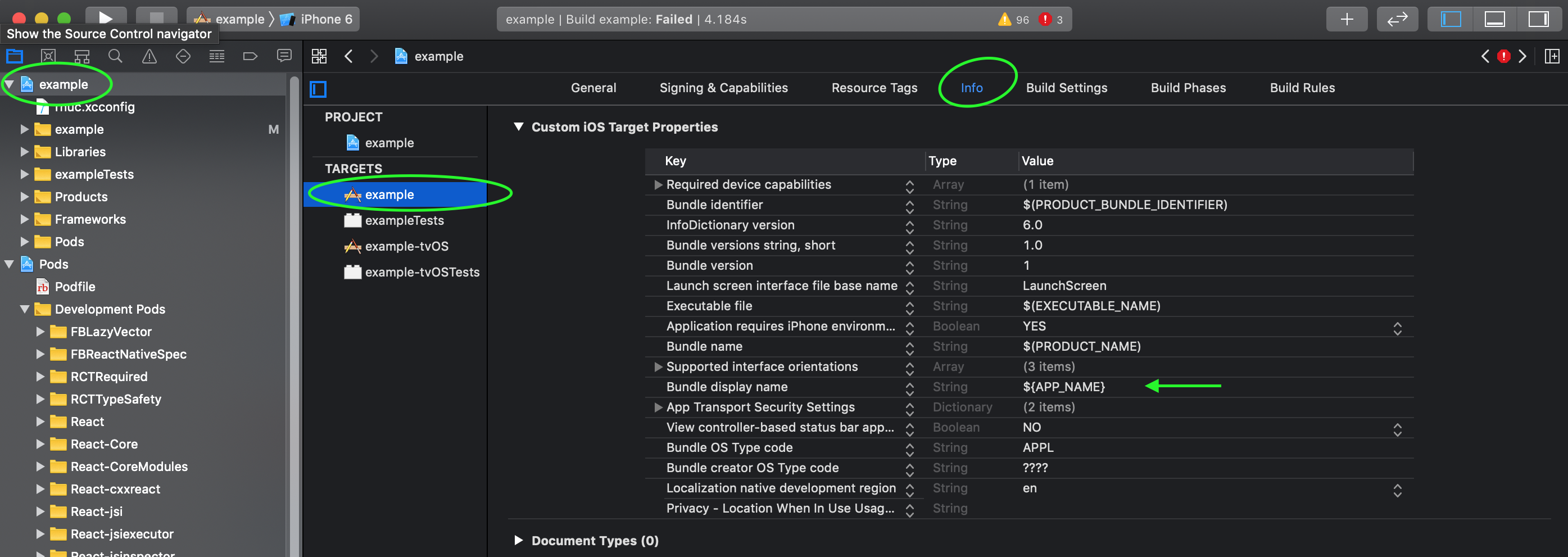
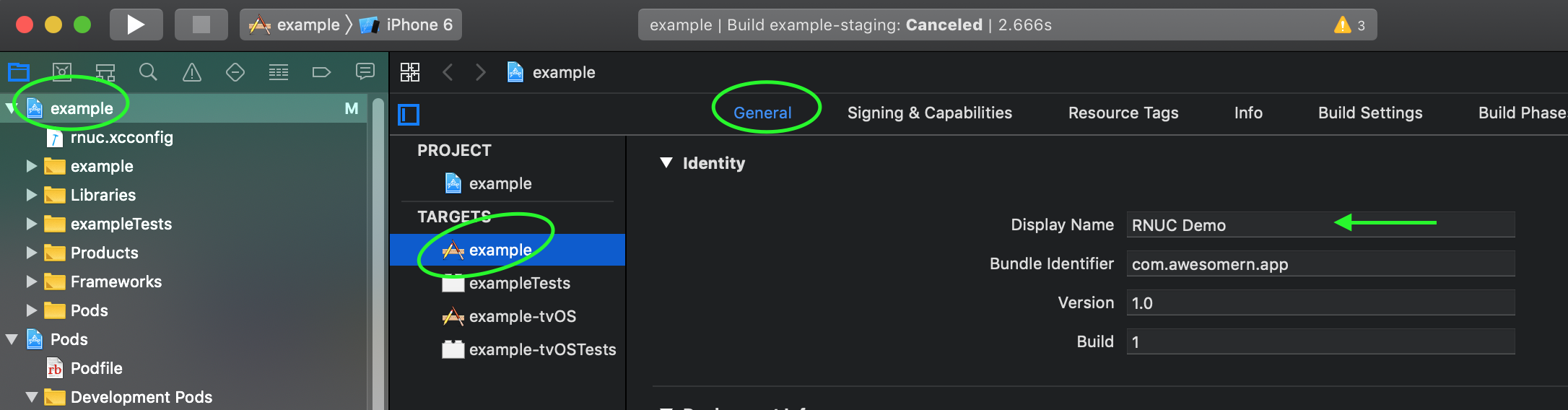
1. checkout app name has changes
### Android
1. open `android/app/src/main/AndroidManifest.xml`
1. find tag `application` and set attribute `android:label` to
`@strings/APP_NAME` or `${APP_NAME}`
```xml
...
```
or
```xml
...
```
## Bundle identifier
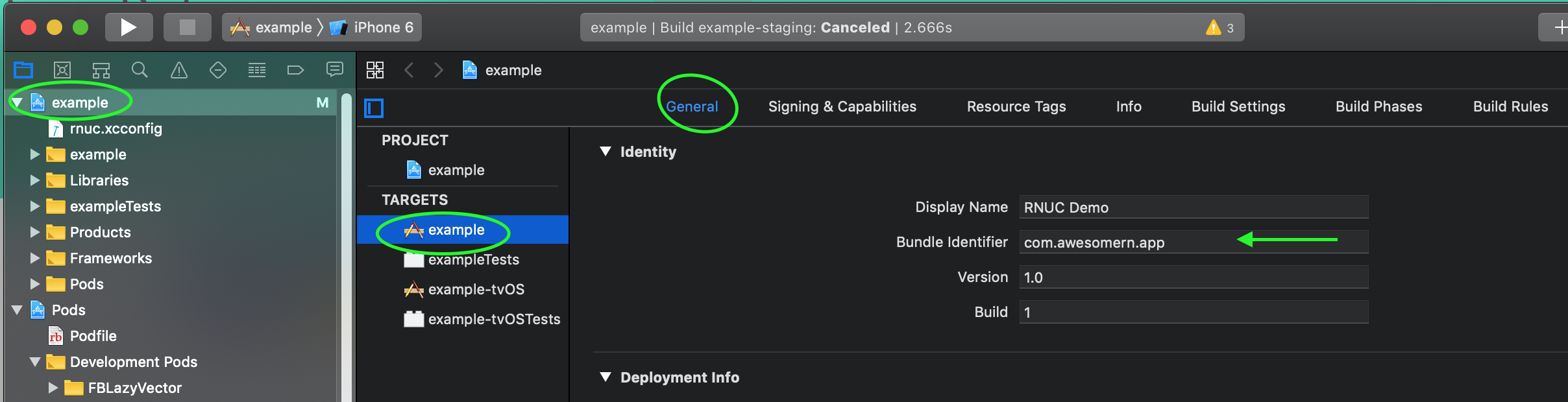
1. Declare env variable `BUNDLE_ID=com.awesomern.app`
1. Initialize config `yarn rnuc .env`
1. Configure native projects
### ios
1. open xcode
1. go to "Build Settings" tab
1. find entry "PRODUCT_BUNDLE_IDENTIFIER"
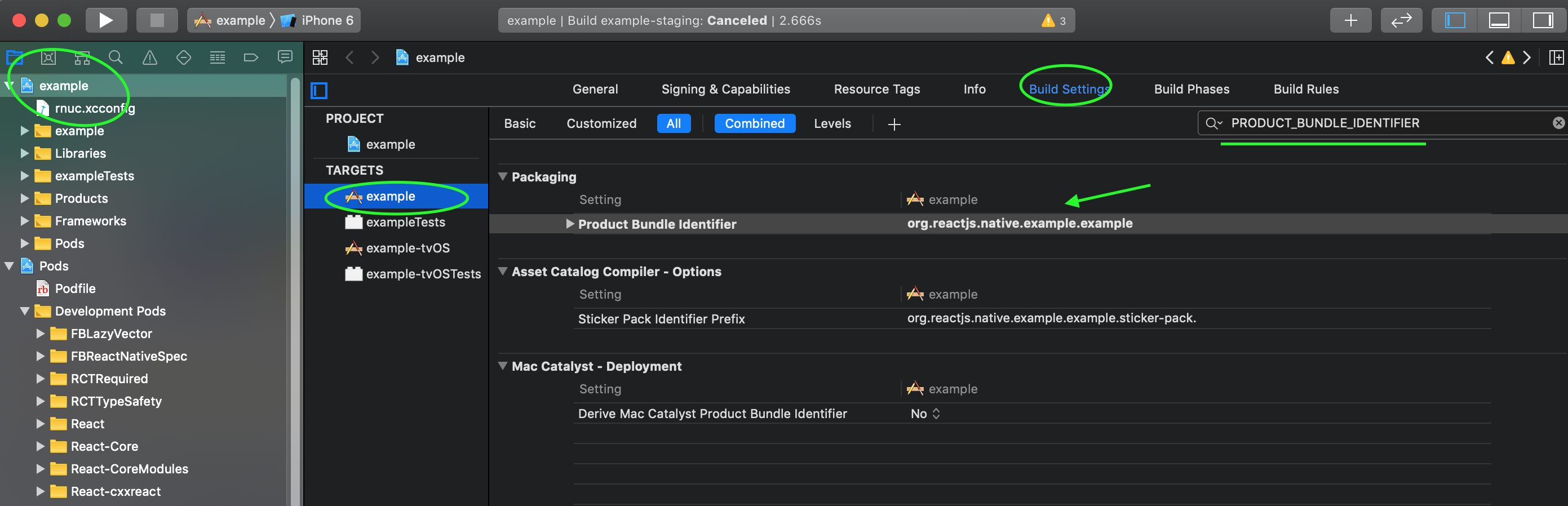
1. replace it with `${BUNDLE_ID}`
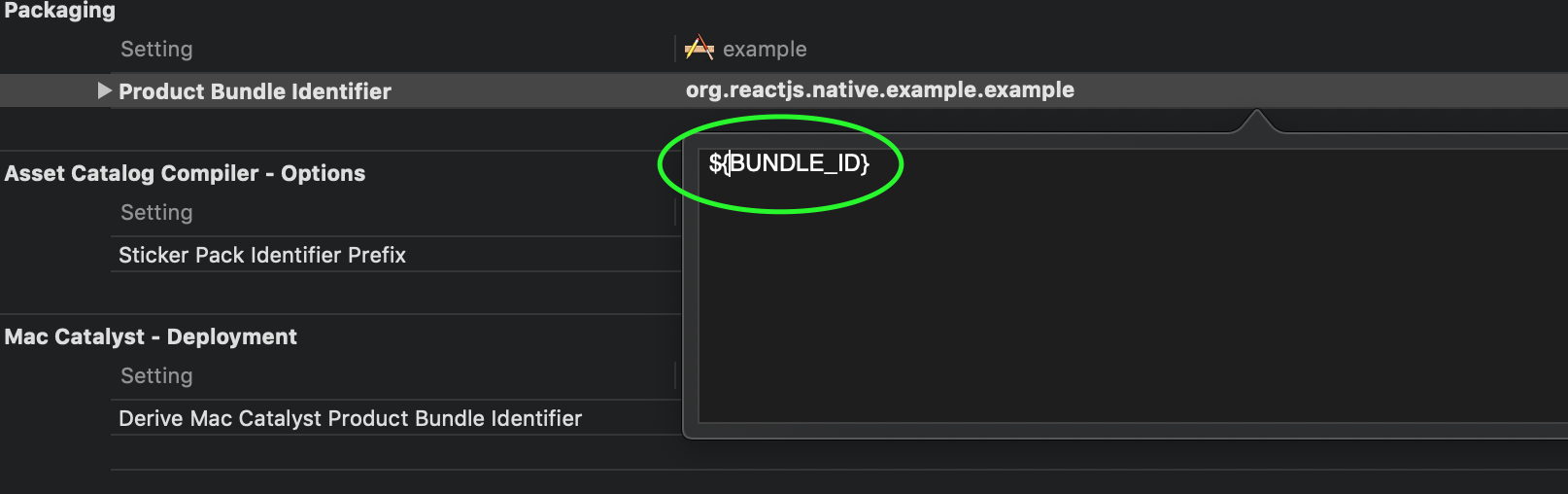
1. checkout bunle id has changed

### Android
1. open `android/app/build.gradle`
1. set bundle id with data from config:
```gradle
android {
...
defaultConfig {
applicationId project.config.get("BUNDLE_ID")
...
}
}
```
## Deeplink
Suppose you want your app to open links with scheme "awesomeapp://"
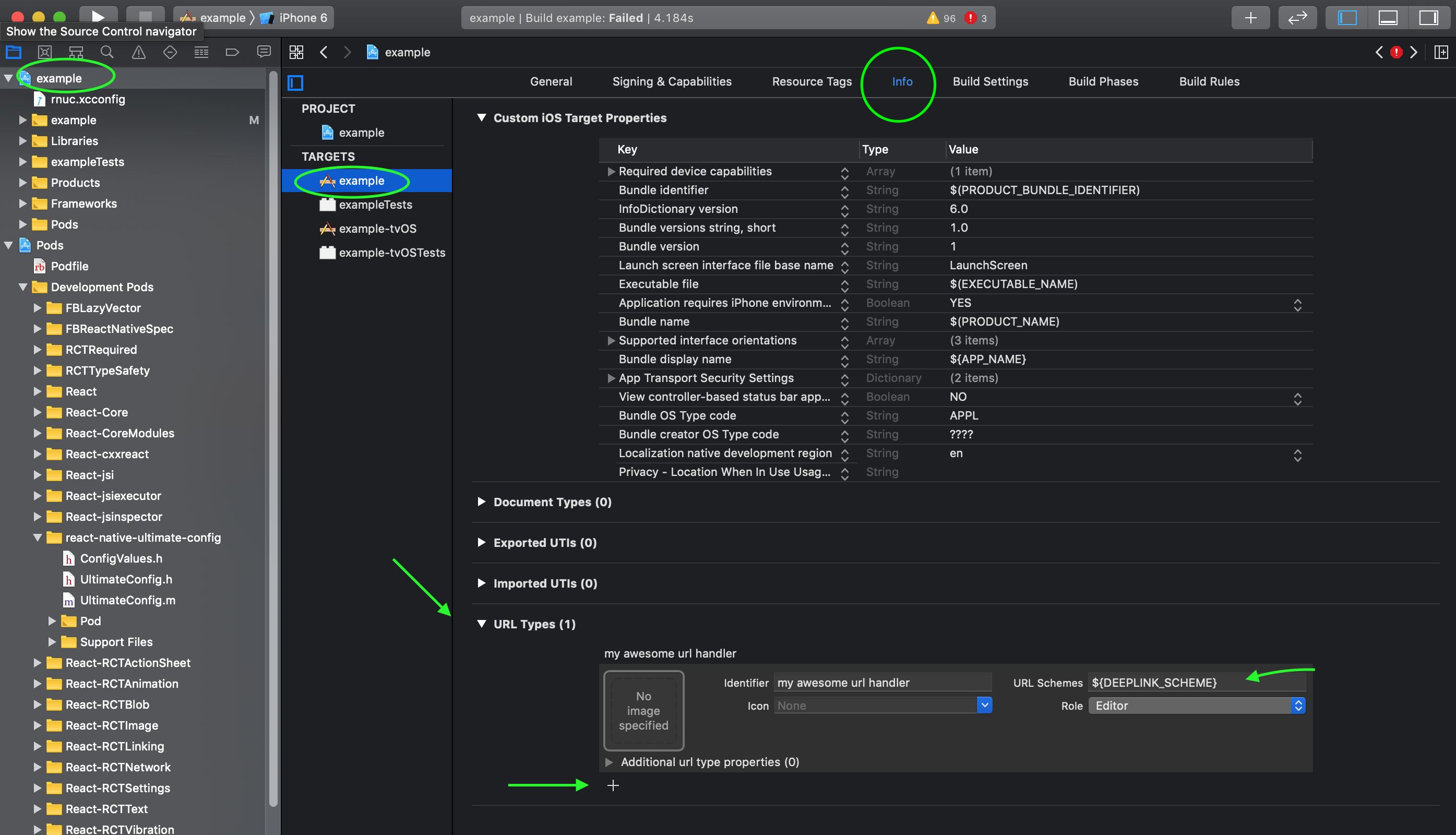
1. declare env variable `DEEPLINK_SCHEME=awesomeapp`
### iOS
1. [get familiar with official guide](https://developer.apple.com/documentation/uikit/inter-process_communication/allowing_apps_and_websites_to_link_to_your_content/defining_a_custom_url_scheme_for_your_app)
1. open xcode
1. go to "Info" tab
1. find section "URL Types" and press "+"
1. in "scheme" field type `${DEEPLINK_SCHEME}`
### Android
1. [get familiar with official guide](https://developer.android.com/training/app-links/deep-linking)
1. open `android/app/src/main/AndroidManifest.xml`
1. add intent filter according to the guide and configure scheme using variable:
```xml
...
...
```
## Using multiple schemes (ios)
️❗❗❗This recipe has experimental support and may not cover all edge cases.
If your project is using multiple schemes you may still use library via cli
without this recipe.
⚠️️⚠️️⚠️️ With this approach xcode project remains uninitialized until you build
it first time. Until project is built some UI elements may dispay empty values (like app name or bundle id)
⚠️️⚠️️⚠️️ While this approach is suitable in certain scenarios make sure
you know exactly why do you need multiple schemes in first place. This library lets you avoid creating unnecessary native schemes/targets in many scenarios.
Using multiple schemes it is possible to avoid using cli tool manually when building specific environment. This is possible by defining pre-build script
phase in a scheme.
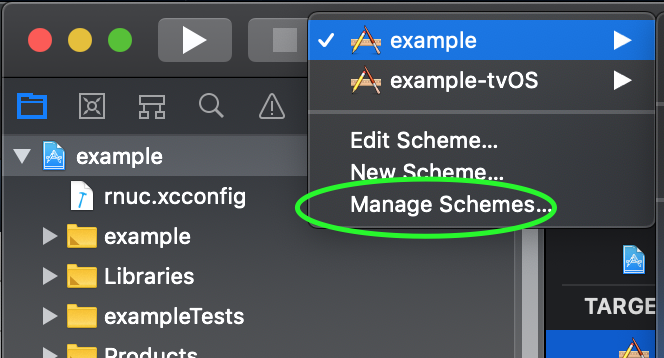
1. open schemes of the project
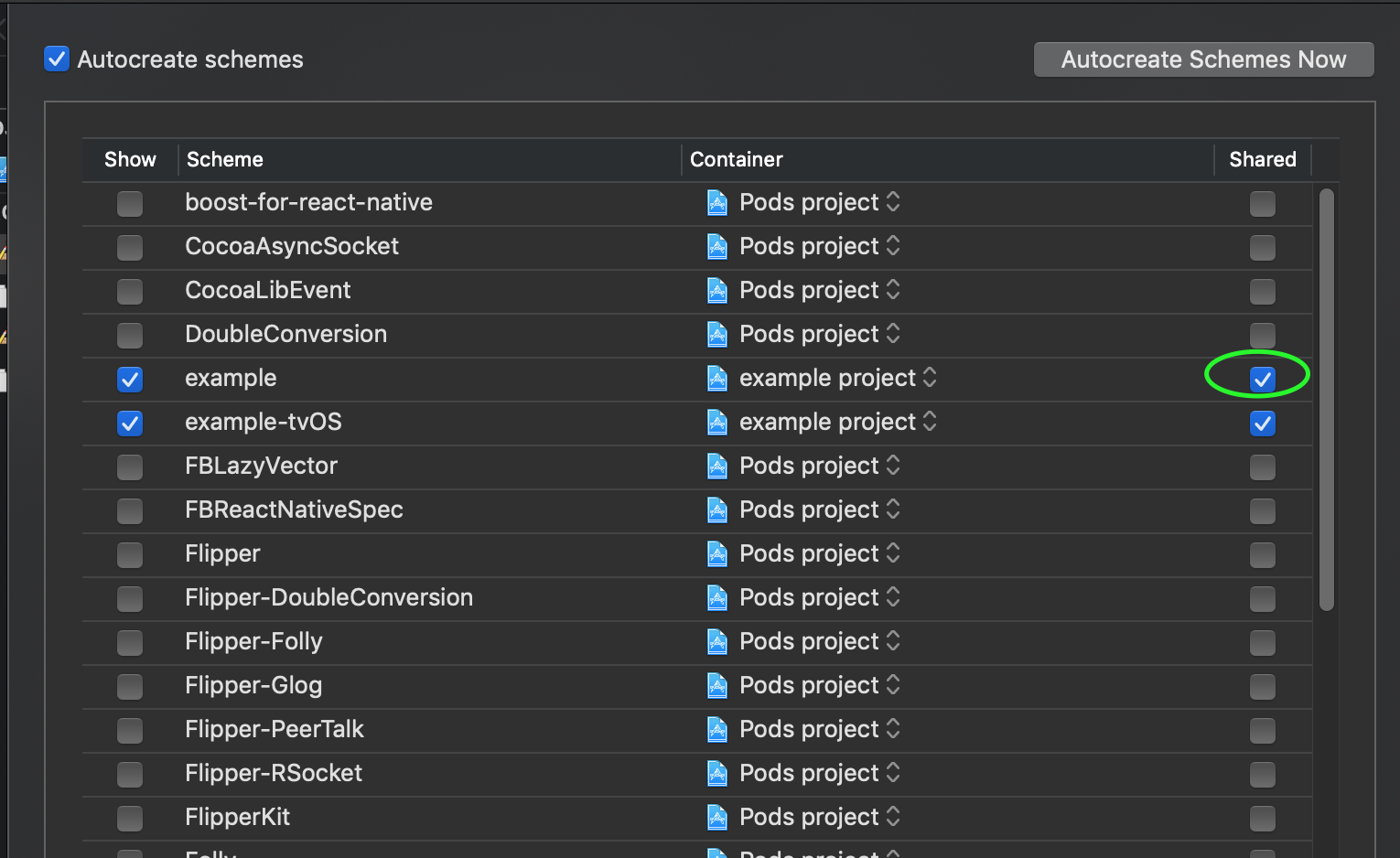
1. ensure scheme is shared (otherwise it will not be committed)
1. go to scheme details
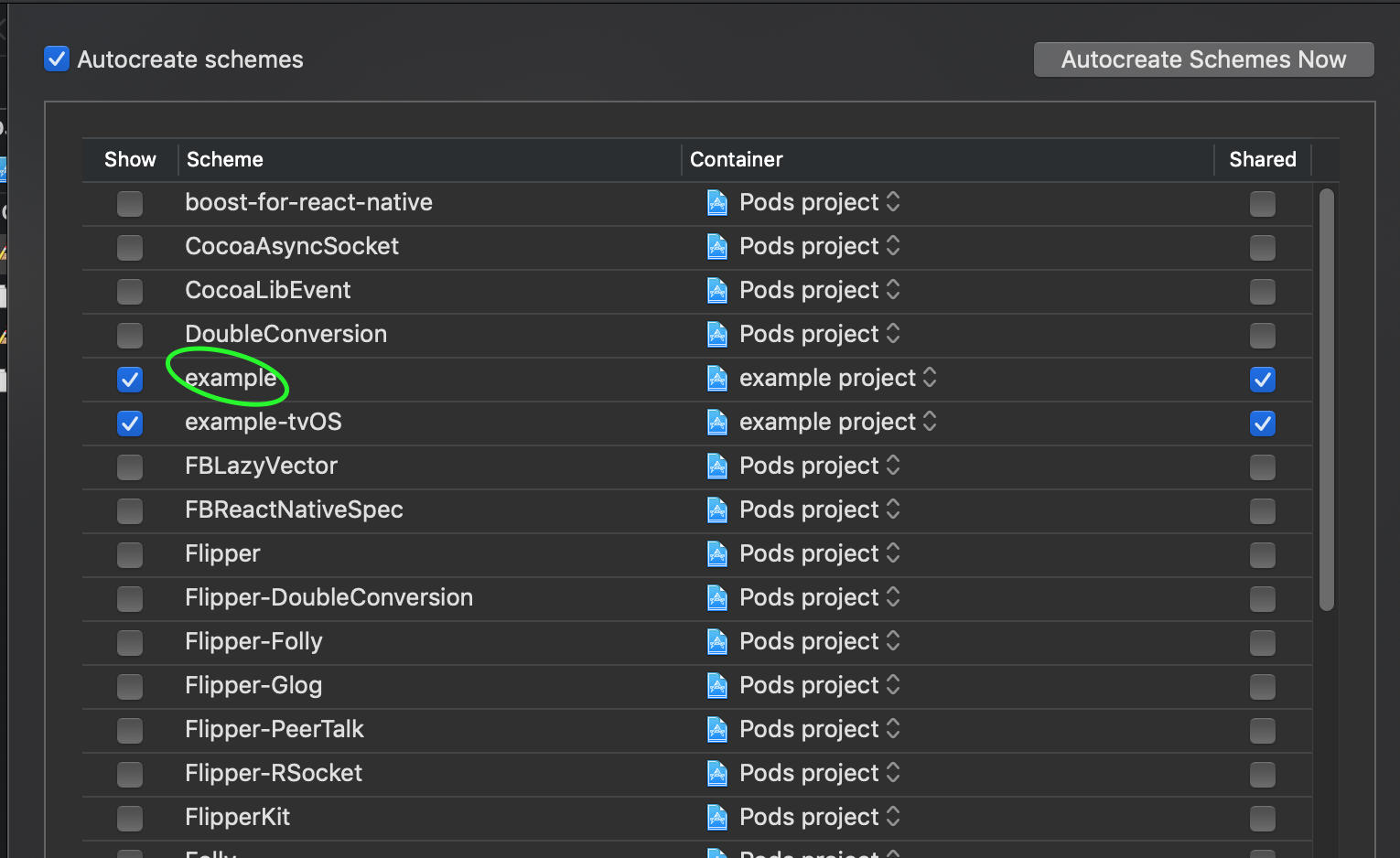
1. add Script "Pre-action" for "Build" action. ⚠️ make sure to select "Provide build settings from.."
1. paste the following code
```sh
if [ -d "$HOME/.nvm" ]; then
export NVM_DIR="$HOME/.nvm"
[ -s "$NVM_DIR/nvm.sh" ] && \. "$NVM_DIR/nvm.sh" # This loads nvm
fi
RN_ROOT_DIR=$(dirname "$PROJECT_DIR")
cd "$RN_ROOT_DIR"
yarn run rnuc ".env.yaml"
#or
#npm run rnuc ".env.yaml"
```
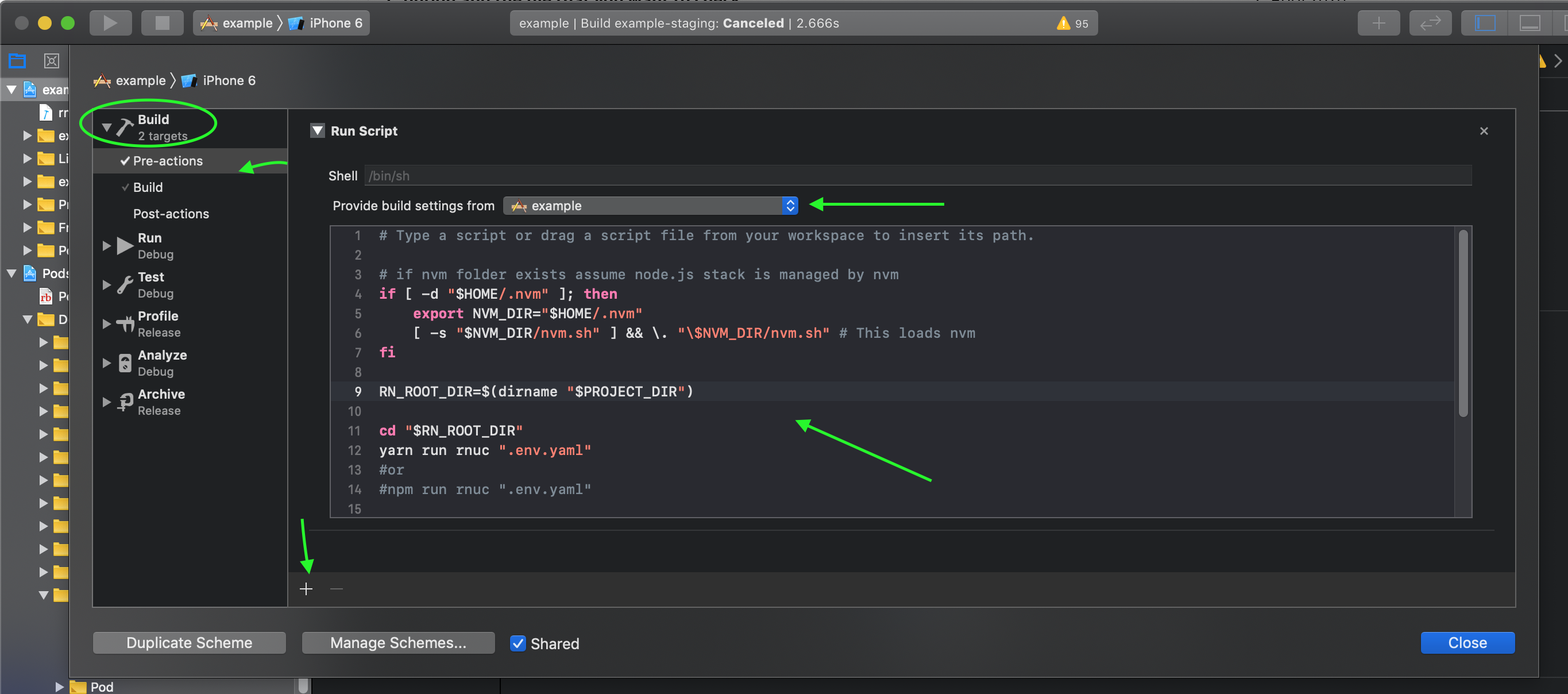
1. you can now duplicate scheme per every environment you use and change name of the file that is used for `rnuc` command.
## Using multiple flavors (android)
️❗❗❗This recipe has experimental support and may not cover all edge cases.
If your project is using multiple flavors you may still use library via cli
without this recipe.
️❗Typescript typings are not available for this setup at the moment.
⚠️️⚠️️⚠️️ While this approach is suitable in certain scenarios make sure
you know exactly why do you need multiple flavors in first place. This library lets you avoid creating unnecessary native flavors in many scenarios.
Assuming you want to support multiple flavors of the app: "dev" and "staging".
1. Define flavor => env mapping in `android/app/build.gradle`
```gradle
project.ext.flavorEnvMapping = [
dev: "../.env.yaml",
staging: "../.env.staging.yaml"
]
```
️️⚠️️ only yaml files are supported here
1. Define some flavors (or you may already have them defined)
```gradle
flavorDimensions "default"
productFlavors {
dev{
}
staging{
}
}
```
1. Done. If you run `(cd android; ./gradlew/assembleDebug)` it will properly
pick up all configs per flavor names. Whenever gradle is configuring tasks
it will read env data from files and populate resources, build config and
manifest placeholders from them.
## Generate fastlane dotenv
1. Create rc file `touch .rnucrc.js`
1. Add hook code:
```js
const fs = require("fs");
module.exports = {
on_env: async function (env) {
if (fs.existsSync("./ios/fastlane")) {
const writer = fs.createWriteStream("./ios/fastlane/.env");
for (const key in env) {
writer.write(`${key}=${env[key]}\n`);
}
writer.close();
}
// repeat for android
},
};
```
## Override native values in js
Sometimes you may need to make config values generated in javascript as
opposed to consuming them from native. For example if you want to benefit
from fast code reload (without recompilation) with metro or to use
over-the-air deploys with services like codepush.
This can be achieved with rc config: `js_override`:
```js
// rnuc.rc
module.exports = {
js_override: true,
};
```
In this case `react-native-ultimate-config` will embed all config values
into javascript code overriding values from native.
NOTE: This feature does not apply to web projects which do not use native values
either way. See the [quickstart guide](./quickstart.md) for help configuring
`react-native-ultimate-config` for use in a web project.