# Quickstart
This document covers basic setup assuming default react-native's template with
single scheme/target on ios and default flavor on android.
For advanced setup please refer to [cookbook](./cookbook.md)
1. Add dependency
| npm | yarn |
| ------------------------------------------ | --------------------------------------- |
| `npm install react-native-ultimate-config` | `yarn add react-native-ultimate-config` |
1. Create example file
```bash
echo "MY_CONFIG=hello" > .env
```
1. Update .gitignore
Add this to `.gitignore`:
```
# react-native-ultimate-config
rnuc.xcconfig
```
1. **ONLY FOR NPM. SKIP IF USING YARN**
create script in "package.json"
```json
"rnuc": "$(npm bin)/rnuc"
```
1. Generate files
generate env files for native projects
| npm | yarn |
| ------------------- | ---------------- |
| `npm run rnuc .env` | `yarn rnuc .env` |
1. Configure native projects (one-off setup)
1. ios
1. run `pod install`in folder `ios`
1. open workspace
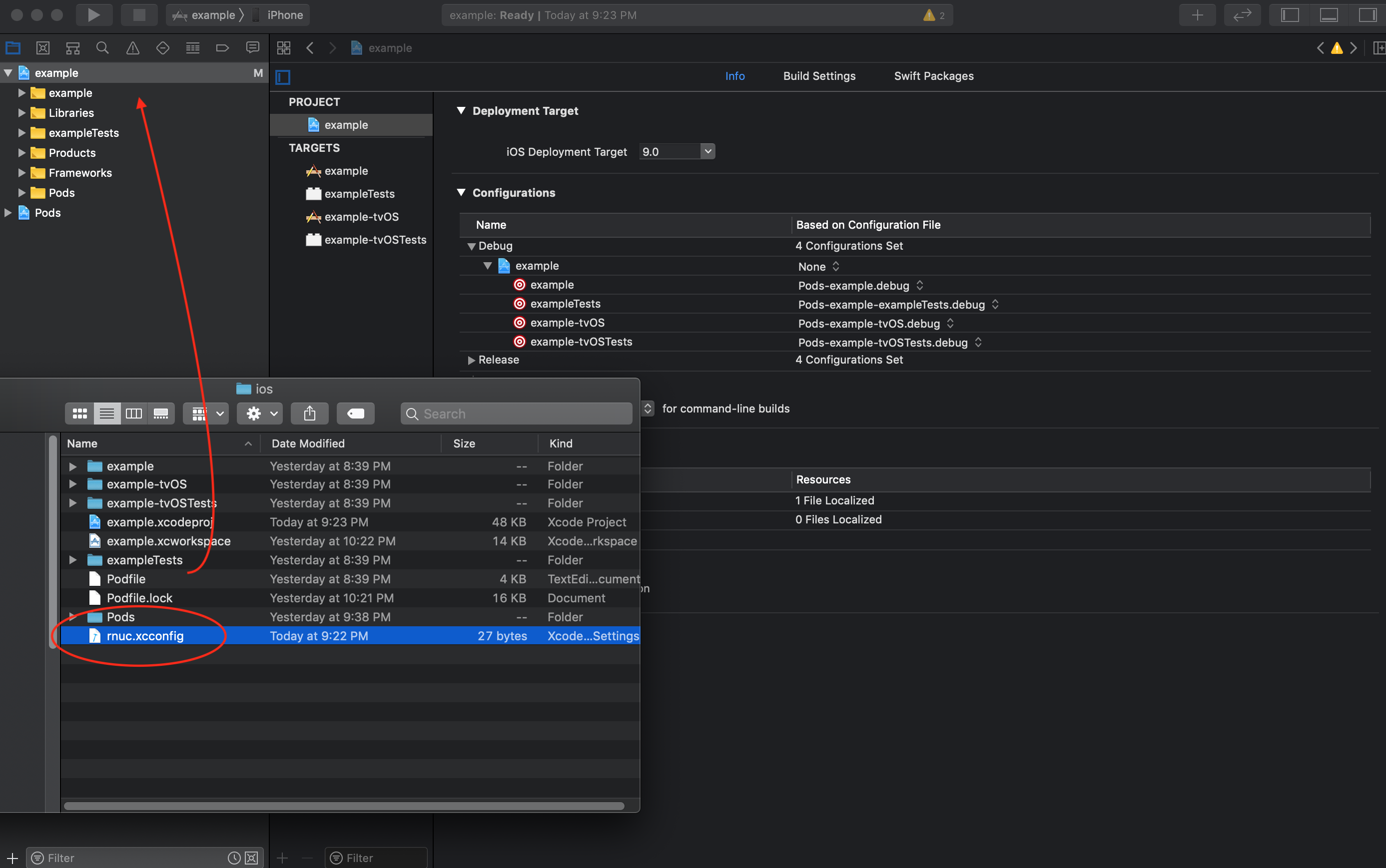
1. open Finder in folder `ios`
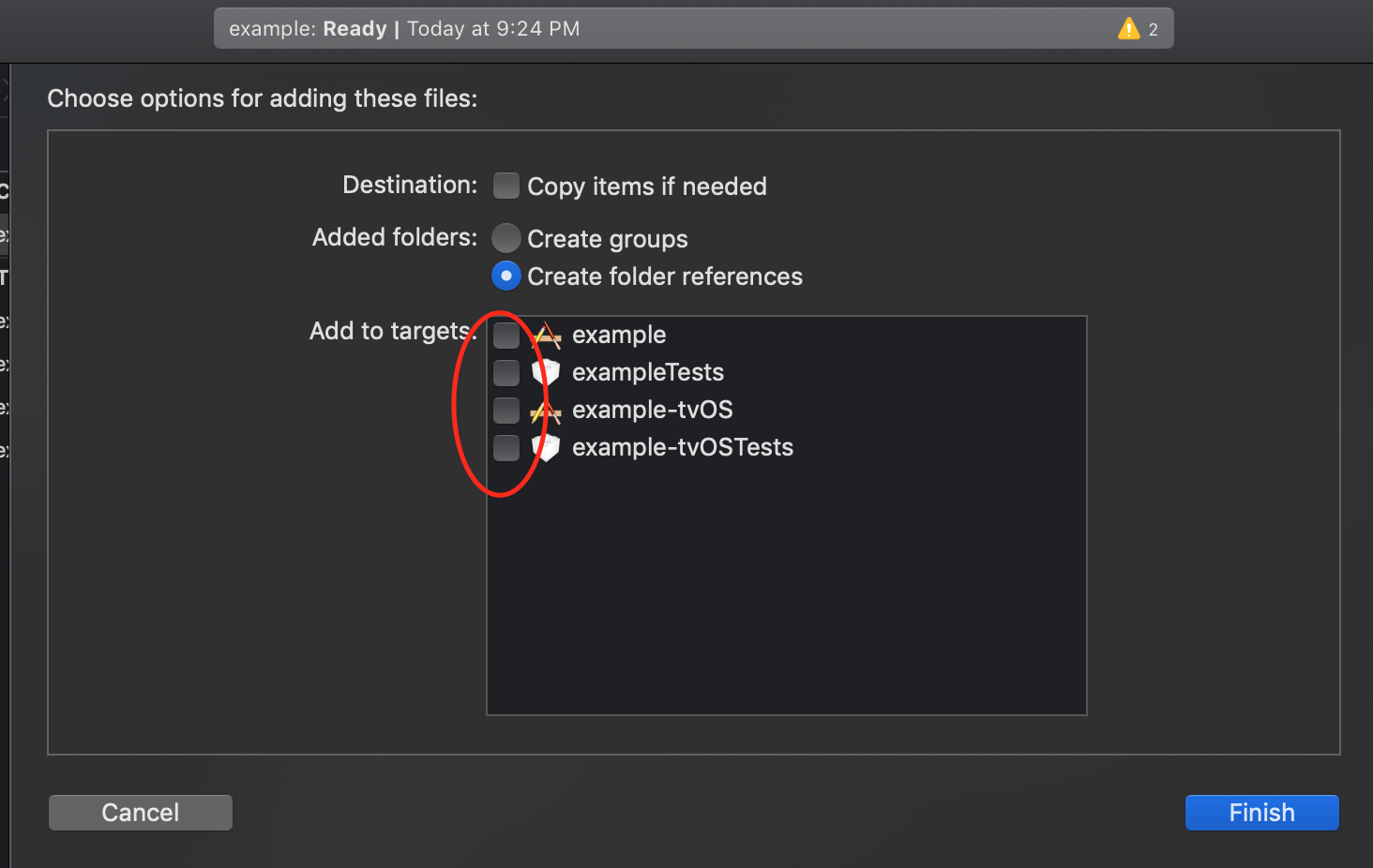
1. drag'n'drop generated file into project
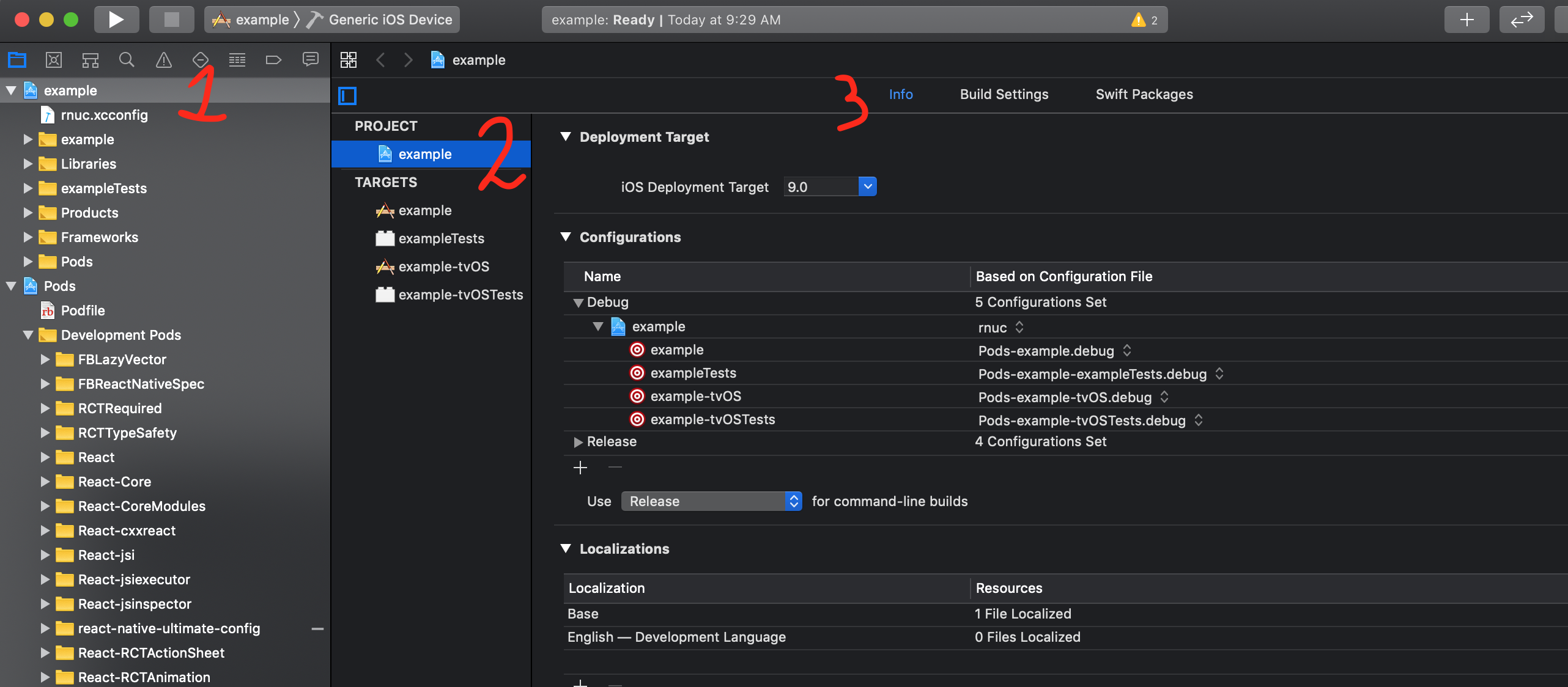
1. go to project settings
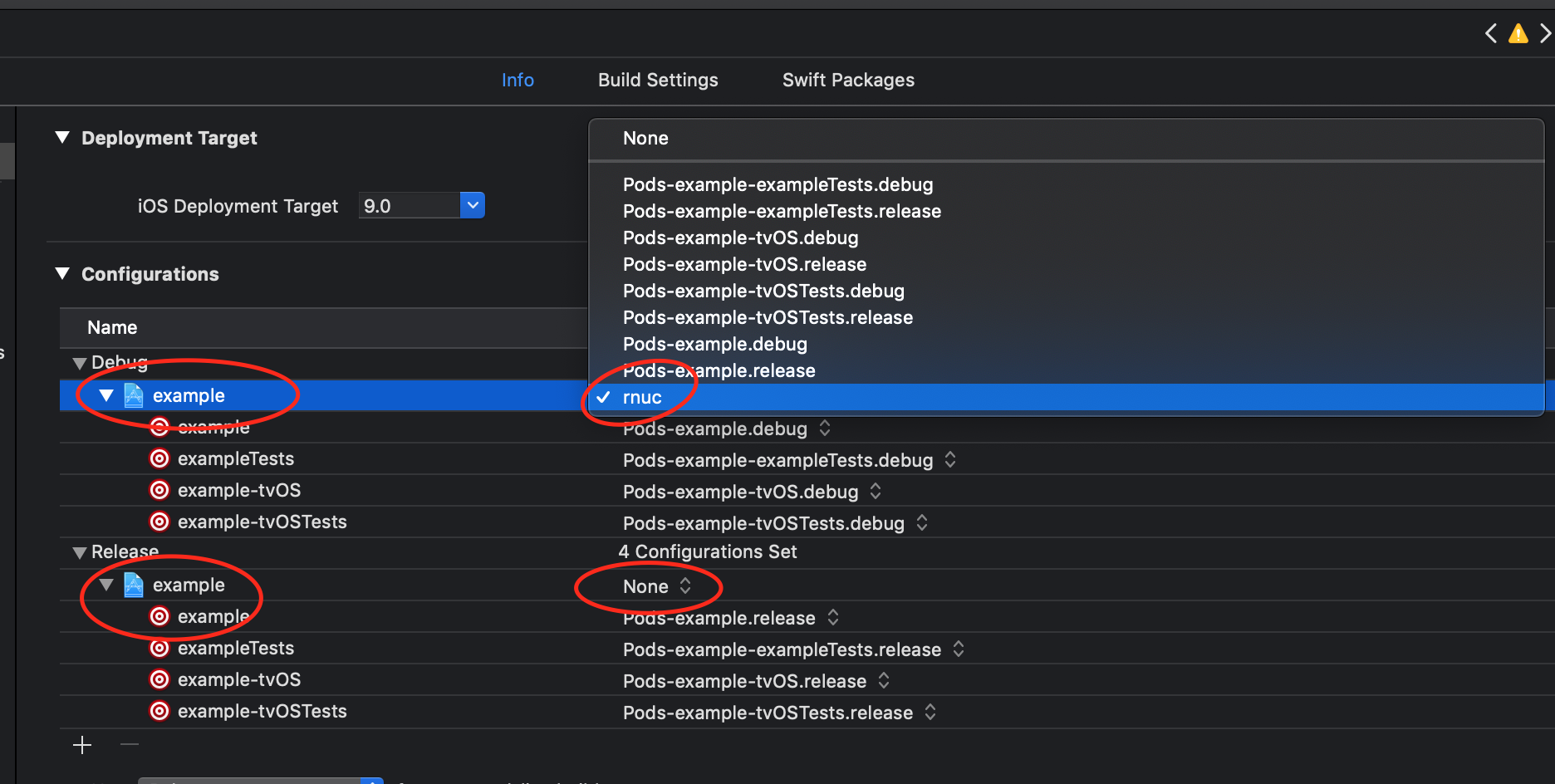
1. set `rnuc.config` as root configuration for both "Debug" and "Release"
1. android
1. apply plugin in gradle
Add this right after applying react's plugin:
```gradle
apply from: "../../node_modules/react-native-ultimate-config/android/rnuc.gradle"
```
Final code:
```gradle
apply from: "../../node_modules/react-native/react.gradle"
apply from: "../../node_modules/react-native-ultimate-config/android/rnuc.gradle"
```
2. expose `BuildConfig` to the library
in `MainApplication.java` add
```java
// import module
import com.reactnativeultimateconfig.UltimateConfigModule;
...
@Override
public void onCreate() {
super.onCreate();
...
UltimateConfigModule.setBuildConfig(BuildConfig.class); // expose
}
```
3. If you are using ProGuard:
in `proguard-rules.pro` add the following snippet replacing `MY_PACKAGE`
with package identifier of yours, e.g. `com.mypackage.BuildConfig`.
❗keep `` as is. it SHALL NOT be replaced with actual field names
```java
-keepclassmembers class MY_PACKAGE.BuildConfig {
public static ;
}
```
1. save changes made to native projects `.xcodeproj` file and `build.gradle`.
**DO NOT COMMMIT** `rnuc.*` files.
1. Configure web projects (optional, one-off setup)
You can import your config into a web project as well (e.g. a project using [React Native for Web](https://github.com/necolas/react-native-web)). `react-native-ultimate-config` vends a web-friendly CommonJS module using the [package.json browser field](https://docs.npmjs.com/cli/v7/configuring-npm/package-json#browser). Most web bundlers support this with minimal effort:
- **Webpack** - No configuration needed. If you choose to set [target](https://webpack.js.org/configuration/target/) it must include `"web"`.
- **Rollup** - Install [@rollup/plugin-node-resolve](https://www.npmjs.com/package/@rollup/plugin-node-resolve) and set `browser` to `true`.
- **Parcel** - No configuration needed.
- **Browserify** - No configuration needed.
1. from now on every time you need to switch environment just run
`npm run rnuc ` or `yarn rnuc ` and rerun your native project (with
`react-native run-{ios,android}`) or web project (with your web bundler of choice)