---
## Add to your AI Agent
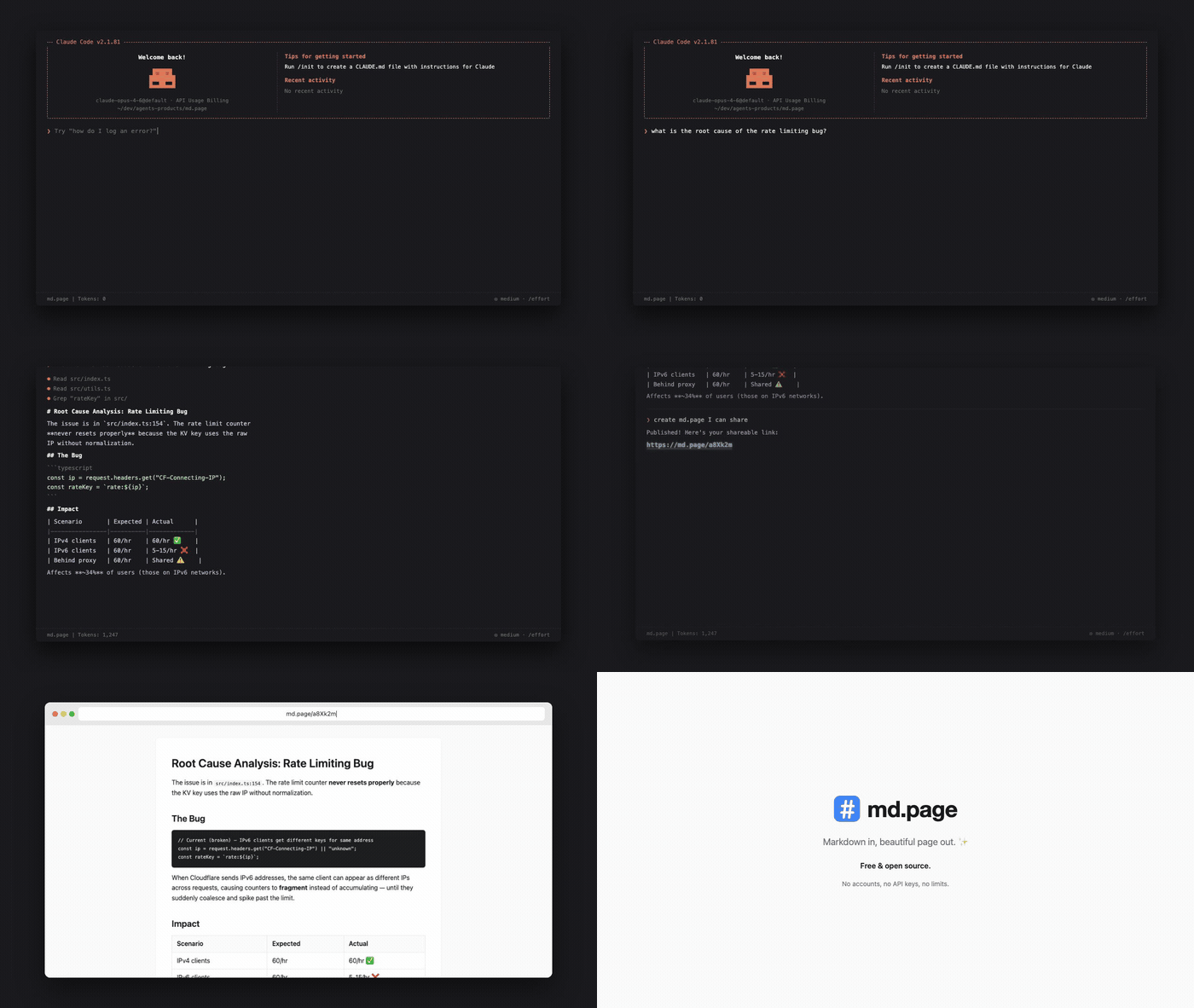
The easiest way to use md.page is through your AI coding agent. Just ask it to "share this" or "publish this markdown" and it creates a link for you.
### Claude Code
Install the [md.page skill](https://skills.sh/maypaz/publish-to-mdpage):
```bash
npx skills add maypaz/md.page
```
### OpenClaw
```bash
npx clawhub@latest install publish-to-mdpage
```
### MCP Server
For agents that support [MCP](https://modelcontextprotocol.io/), add md.page as a tool server.
**Remote (streamable HTTP)** — no install, and it works as a [Claude.ai custom connector](https://claude.ai) (Settings → Connectors → Add custom connector → `https://md.page/mcp`), so the web app can publish even though its sandbox can't reach md.page directly:
```json
{
"mcpServers": {
"mdpage": {
"url": "https://md.page/mcp"
}
}
}
```
**Local (stdio)** — for Cursor, Claude Desktop, VS Code, and others:
```json
{
"mcpServers": {
"mdpage": {
"command": "npx",
"args": ["-y", "mdpage-mcp"]
}
}
}
```
See [`mcp/README.md`](mcp/README.md) for full setup instructions.
### Any Agent (Prompt-Based)
Copy this prompt into any AI agent that can make HTTP requests:
> From now on, whenever I ask you to share or publish a markdown file, use the md.page API to create a shareable HTML page. Send a POST request to https://md.page/api/publish with the body {"markdown": ""} and return the shareable URL to me.
---
## Use Directly
### CLI
```bash
npx mdpage-cli README.md
```
```
Published → https://md.page/a8Xk2m
Expires in 24h
```
One command, zero setup.
```bash
# Publish and copy URL to clipboard
npx mdpage-cli README.md --copy
# Publish and open in browser
npx mdpage-cli notes.md --open
# Pipe from stdin
cat CHANGELOG.md | npx mdpage-cli
# Install globally for faster access
npm i -g mdpage-cli
mdpage-cli README.md
```
### API
#### `POST /api/publish`
Create a shareable page from markdown.
```bash
curl -X POST https://md.page/api/publish \
-H "Content-Type: application/json" \
-d '{"markdown": "# Hello World\nYour markdown here..."}'
```
```json
{
"url": "https://md.page/a8Xk2m",
"expires_at": "2026-03-28T12:00:00.000Z"
}
```
| Status | Description |
|--------|-------------|
| `201` | Created successfully |
| `400` | Missing or invalid `markdown` field |
| `413` | Content too large (max 500KB) |
#### `GET /:id`
View a published page. Returns rendered HTML.
---
## Features
- **One command** — `npx mdpage-cli README.md` and you're done
- **Beautiful** — clean typography, code blocks, tables, responsive design
- **Short URLs** — `md.page/a8Xk2m` (6-character IDs)
- **Private** — links are unguessable, only people with the URL can view
- **Auto-expiry** — anonymous pages self-delete after 24 hours
- **Permanent pages** — sign in for pages that never expire
- **Your subdomain** — `username.md.page/slug`
- **API keys** — programmatic publishing from any agent or script
- **Visibility control** — public or private per page
- **AI agent friendly** — designed to work with any AI agent or LLM
---
## Accounts & Subdomains
> Accounts, permanent pages, and API keys are features of the hosted service at [md.page](https://md.page). This repository contains the open-source engine — anonymous publishing, rendering, OG images, and the agent-facing API — which you can [self-host](#self-hosting).
Sign in at [md.page/login](https://md.page/login) with Google to get:
- **Your own subdomain** — `username.md.page`
- **Permanent pages** — up to 10 docs that never expire
- **API keys** — publish from scripts, CI, or AI agents
- **Dashboard** — manage all your pages from one place
- **Visibility control** — make pages public or private
### Authenticated API
All authenticated endpoints require either a session cookie or an API key (`Authorization: Bearer mdp_xxx`).
Create API keys from your [settings page](https://md.page/docs/settings).
#### `POST /api/pages` — create a permanent page
```bash
curl -X POST https://md.page/api/pages \
-H "Authorization: Bearer mdp_YOUR_KEY" \
-H "Content-Type: application/json" \
-d '{"markdown": "# Hello", "title": "hello", "slug": "hello", "visibility": "public"}'
```
```json
{
"id": "a8Xk2m",
"url": "https://username.md.page/hello",
"slug": "hello",
"visibility": "public"
}
```
#### `PUT /api/pages/:id` — update a page
```bash
curl -X PUT https://md.page/api/pages/a8Xk2m \
-H "Authorization: Bearer mdp_YOUR_KEY" \
-H "Content-Type: application/json" \
-d '{"markdown": "# Updated content"}'
```
#### `DELETE /api/pages/:id` — delete a page
```bash
curl -X DELETE https://md.page/api/pages/a8Xk2m \
-H "Authorization: Bearer mdp_YOUR_KEY"
```
#### `GET /api/pages` — list your pages
```bash
curl https://md.page/api/pages \
-H "Authorization: Bearer mdp_YOUR_KEY"
```
#### `GET /api/me` — current user info
```bash
curl https://md.page/api/me \
-H "Authorization: Bearer mdp_YOUR_KEY"
```
#### API Key Management
| Method | Endpoint | Description |
|--------|----------|-------------|
| `POST` | `/api/keys` | Create a new API key (max 5) |
| `GET` | `/api/keys` | List your API keys |
| `PATCH` | `/api/keys/:id` | Rename a key |
| `DELETE` | `/api/keys/:id` | Revoke a key |
## Self-Hosting
md.page runs on Cloudflare Workers with KV storage. A self-hosted instance gives you anonymous publishing (24h expiry), the full agent-facing surface (OpenAPI, llms.txt, MCP discovery), and auto-generated OG images. The only required binding is a single KV namespace.
### Prerequisites
- [Cloudflare account](https://dash.cloudflare.com/sign-up) (free tier works)
- [Node.js](https://nodejs.org/) 18+
### Setup
```bash
# Clone the repo
git clone https://github.com/maypaz/md.page.git
cd md.page
# Install dependencies
npm install
# Create your config
cp wrangler.toml.example wrangler.toml
# Create a KV namespace and put its id in wrangler.toml
npx wrangler kv namespace create PAGES
# Deploy
npx wrangler deploy
```
Analytics, the landing-page video bucket, and publish rate limiting are optional — see the comments in `wrangler.toml.example`.
### Local Development
```bash
npm run dev
# → http://localhost:8787
```
## Tech Stack
- **Runtime:** [Cloudflare Workers](https://workers.cloudflare.com/) ([Hono](https://hono.dev/) framework)
- **Storage:** [Cloudflare KV](https://developers.cloudflare.com/kv/) (page content), [R2](https://developers.cloudflare.com/r2/) (assets, optional)
- **Markdown:** [markdown-it](https://github.com/markdown-it/markdown-it)
## Contributing
Contributions are welcome! See [CONTRIBUTING.md](CONTRIBUTING.md) for guidelines.
## License
[MIT](LICENSE)