MCPStack
Stack & Orchestrate MCP Tools — The Scikit-Learn-Pipeline Way, For LLMs
> [!IMPORTANT]
> * 📣Come Check Out Our MCPs Marketplace, on the documentation!
> * 🥇The Documentation is now available at [MCPStack Documentation](https://mcpstack.readthedocs.io/en/latest/).
> * 🎉 MCPStack MIMIC MCP tool, available!
## 💡 About The Project
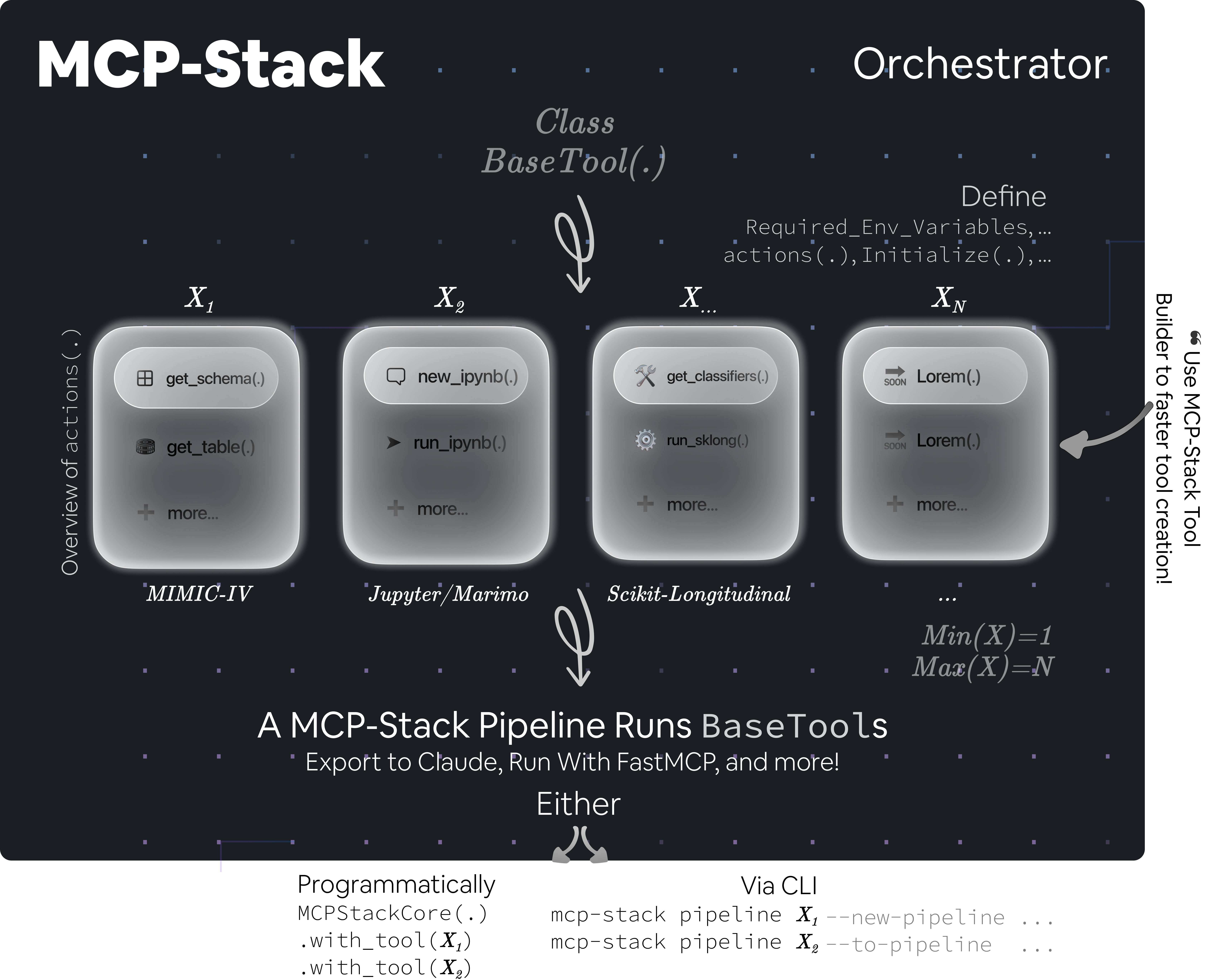
`MCPStack` is a **`Scikit-Learn-Like` Pipeline orchestrator** for Model Context Protocols (MCPs).
It allows you to **stack multiple MCP tools together** into a pipeline of interest and expose them directly
into your favourite LLM environment, such as **Claude Desktop**.
Think of it as **`scikit-learn` pipelines, but for Large Language Models**:
* In `scikit-learn`, you chain `preprocessors`, `transformers`, and `estimators`.
* In `MCPStack`, you chain MCP tools of interest. If some tools are not of interest, you simply do not include them in the pipeline.
The LLM cannot use a tool that is not included in the pipeline. This makes orchestration both **powerful** and **secure**.
This permits sophisticated compositions in which the LLM can only access the tools you specify – no more, no less.
**Wait, what is a Model Context Protocol (MCP) — In layman's terms ?**
The Model Context Protocol (MCP) standardises interactions with machine learning (Large Language) models,
enabling tools and libraries to communicate successfully with a uniform workflow.
---
## Installation
### Install dependencies
Using `UV` _(recommended, [see Astral UV official doc here](https://docs.astral.sh/uv/))_:
```bash
uv add mcpstack
```
Using `pip`:
```bash
pip install mcpstack
```
### Install pre-commit hooks
Via `UV`:
```bash
uv run pre-commit install
```
Via `pip`:
```bash
pre-commit install
```
> [!NOTE]
> MCPStack is the orchestrator — it comes with core utilities and validated tools.
> All MCPStack MCP tools are auto-registered via their `[project.entry-points."mcpstack.tools"]`.
> As such, simply add the tool(s) of interest via `UV` or `pip`, and it/they will be auto-registered.
## 🖥️ CLI Workflow
You can manage and run your MCP pipelines directly from the CLI with the `mcpstack` command.
Every command is run with `uv run mcpstack` (or just `mcpstack` if installed globally).
 ### `Help`
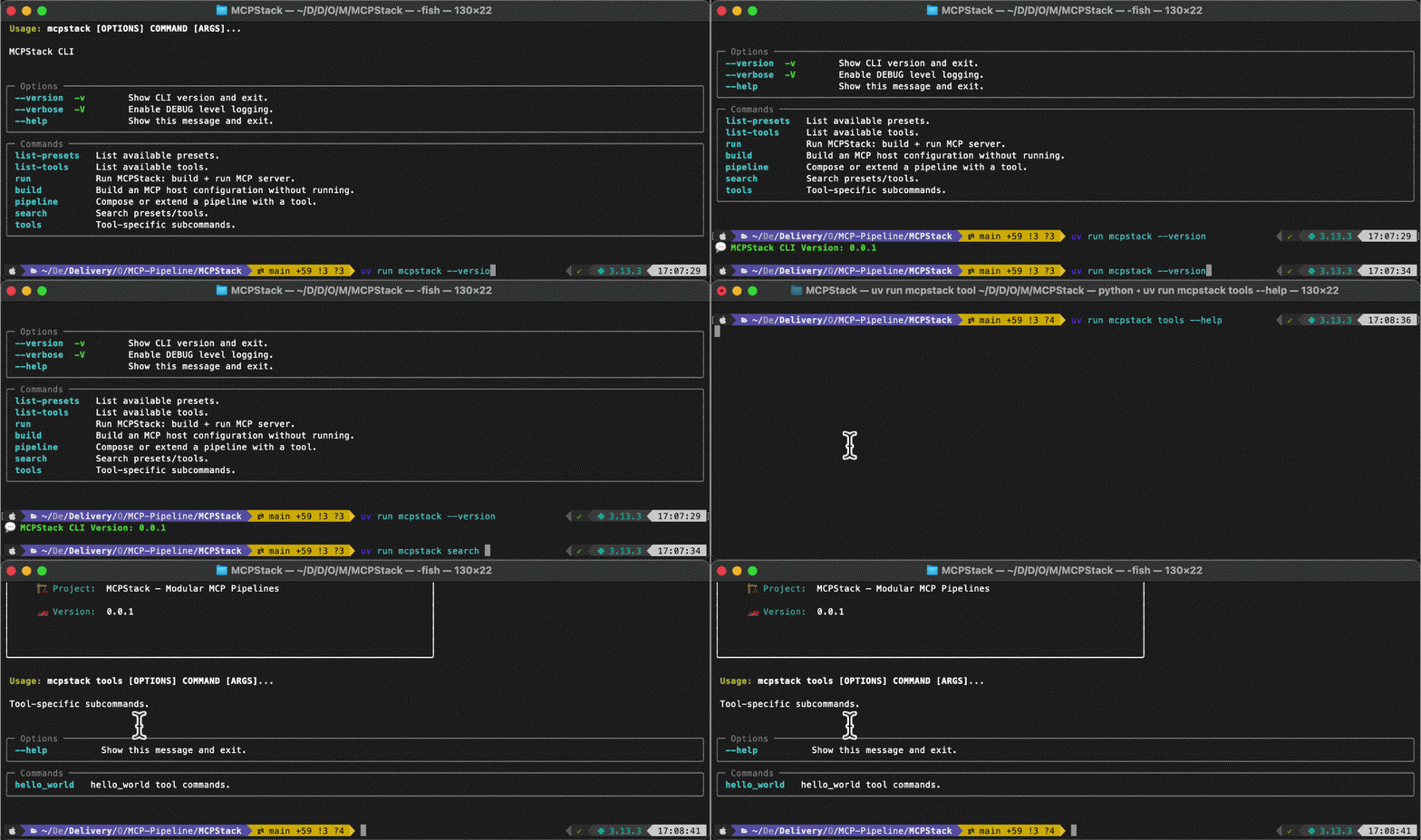
Display all available CLI options, from utilities to building your pipeline, run with `--help`.
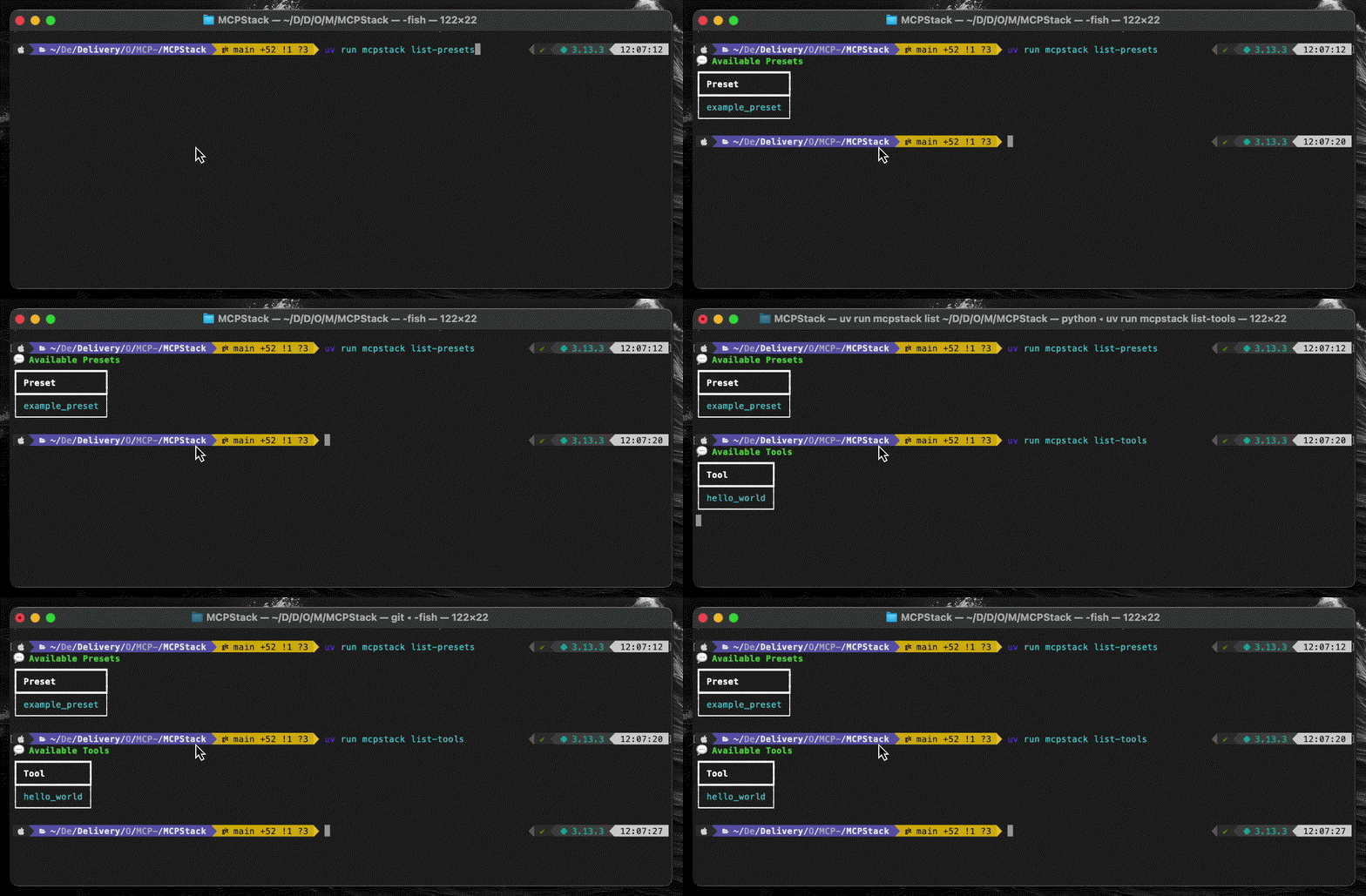 ### `Utilities`
List all validated tools available in your environment via `list-tools` and the presets via `list-presets`.
A preset is an already configured pipeline that you can run in one command line rather than building it from scratch.
Useful for experiments reproduction.
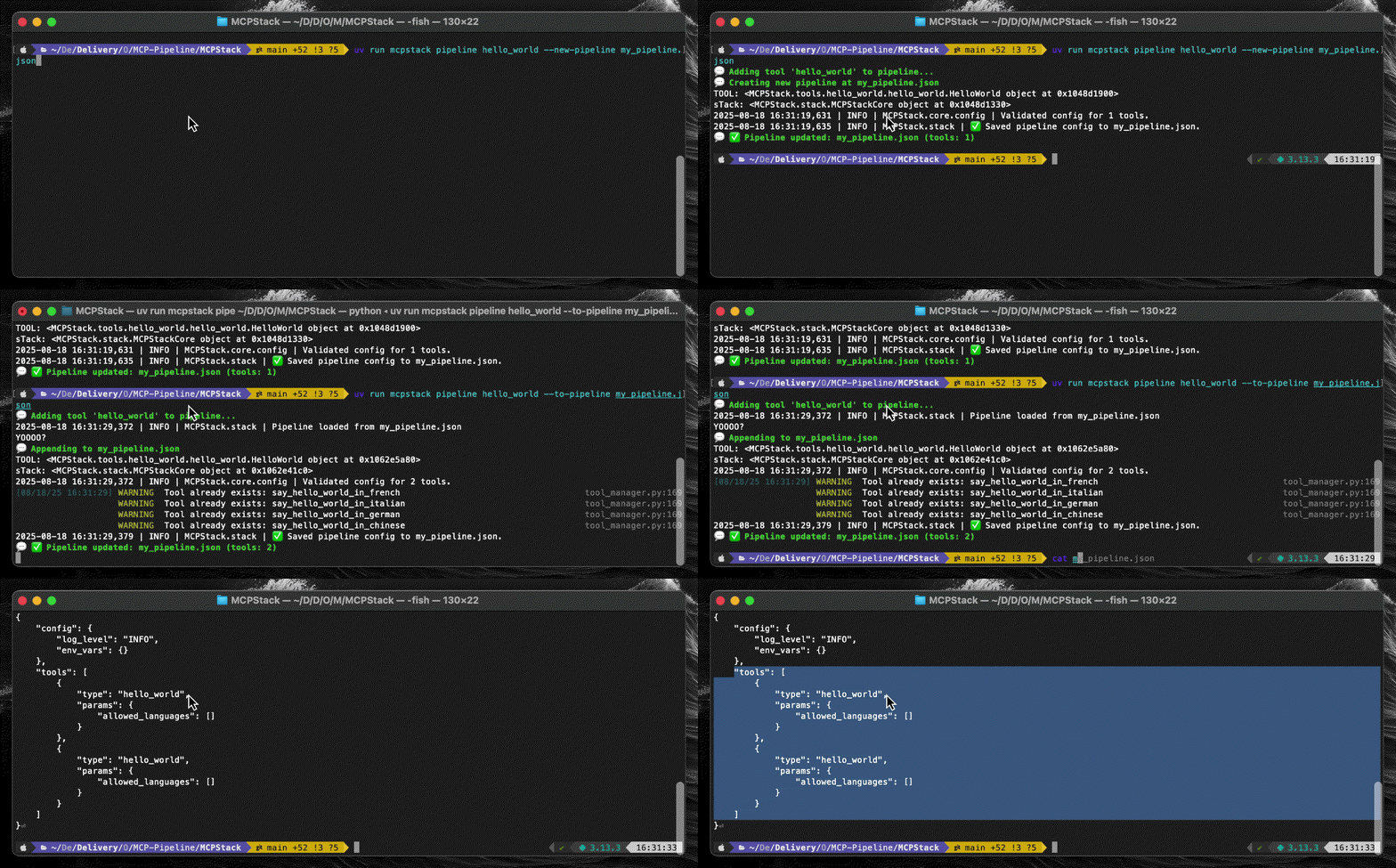 ### `Your First Pipeline`
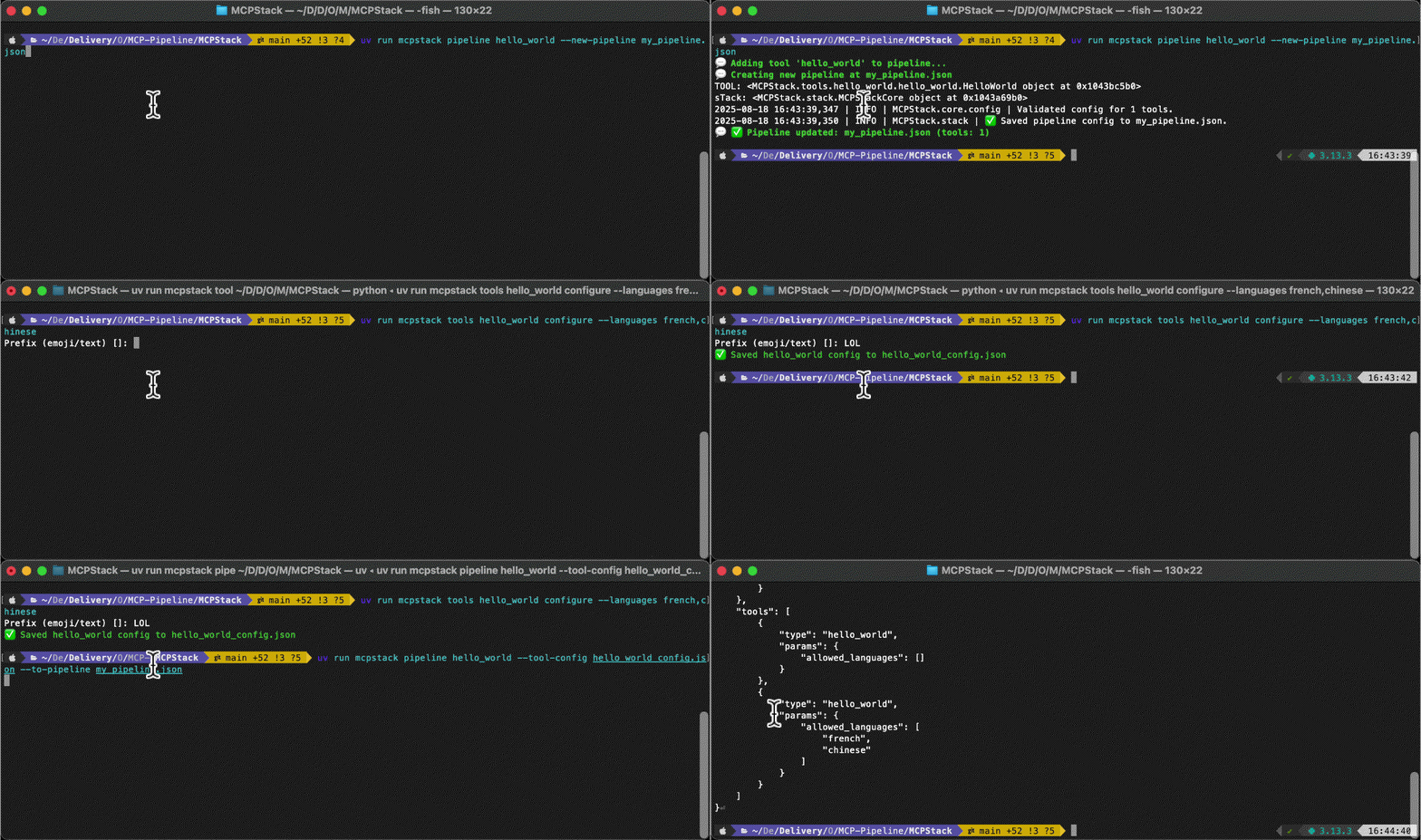
Create a pipeline from scratch with more than one MCPs in it! `pipeline --new/to-pipeline `.
 ### `MCP Tool Configuration`
You can configure yoru MCP tools before adding it to your pipelines. `tools configure ` then `pipeline --tool-config ...`.
 ### `Run Pipeline In Claude`
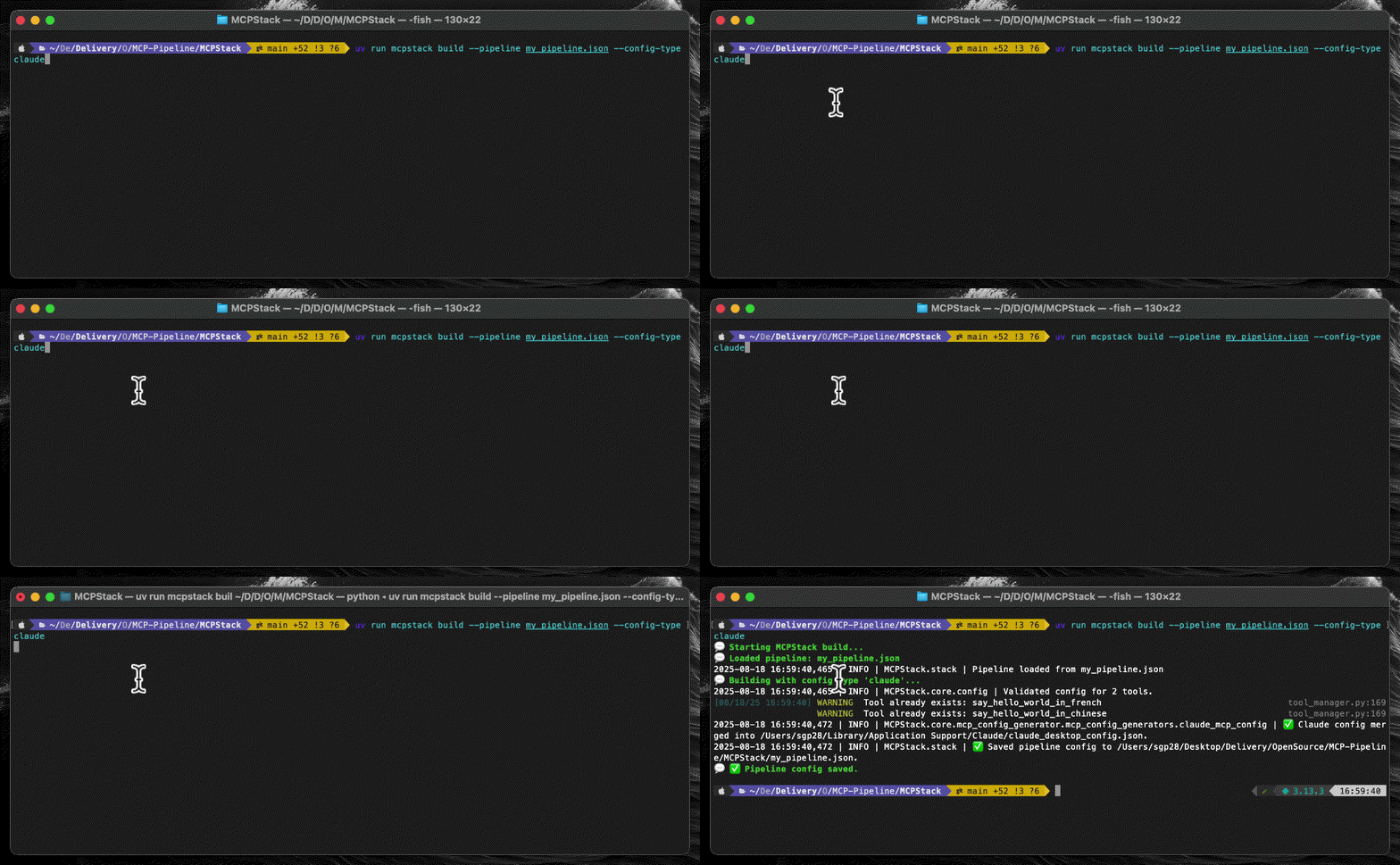
As soon as you have built your pipeline, you can run it via many ways. One is within a LLM environment like Claude Desktop.
`build --pipeline --config-type ` — Open Claude Desktop now!
 ### `Run W/ FastMCP`
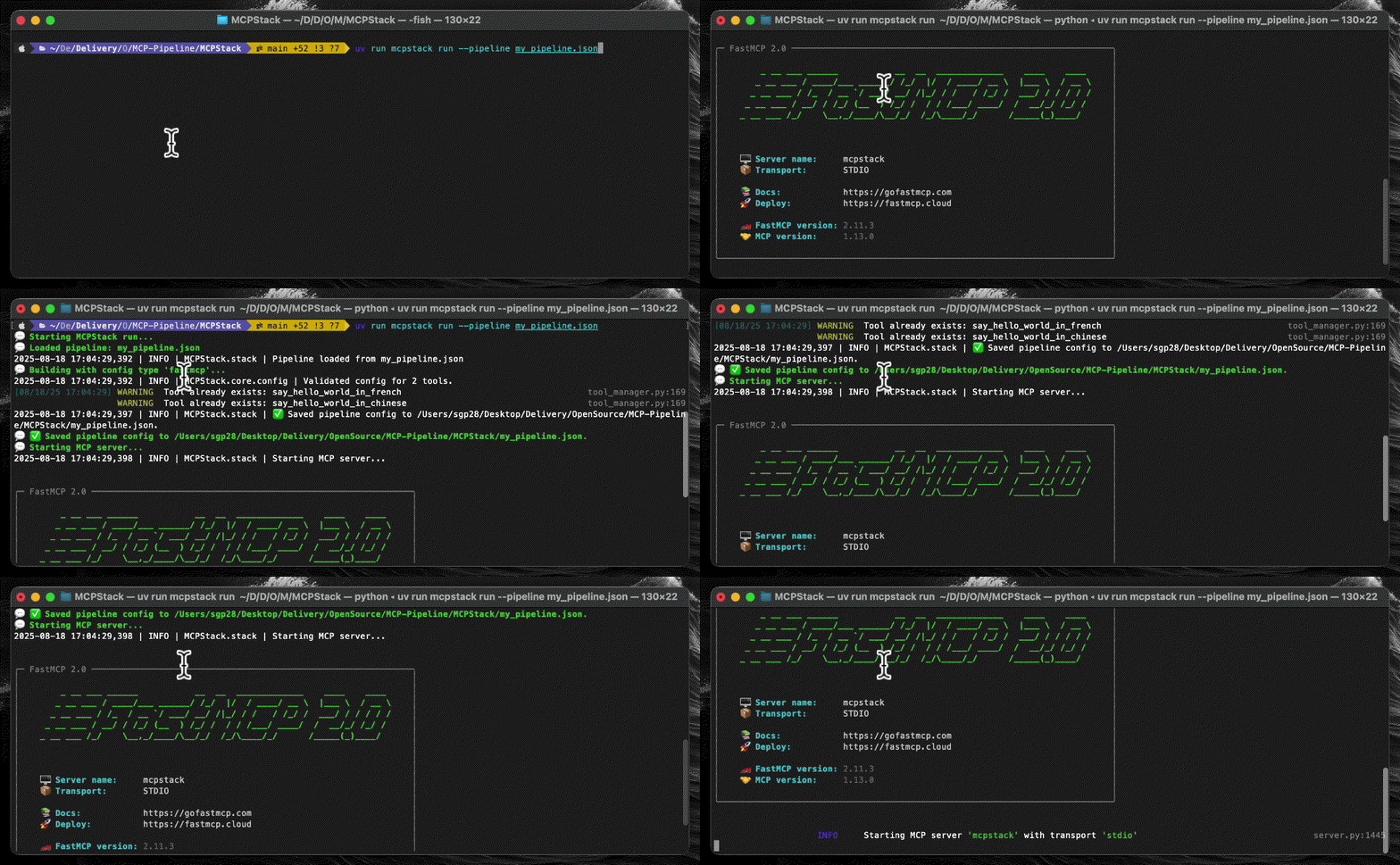
You can also run your pipeline with FastMCP, allowing you to connect to various LLMs avenues.
 ### `Many Other CLIs Options`
More options are available, such as `search` for MCP tools or presets via a prompt query, run with presets,
search for MCP tools
help commands via `tools --help`, and more.
## ⚙️ Programmatic Workflow
For those wanted to integrate MCPStack into their Python workflow, or simply prefer
to play with programmatic pathways, MCPStack provides a Python API to build and run pipelines, very similarly;
with chaining-based methods for an intuitive and smooth programmatic API exp.
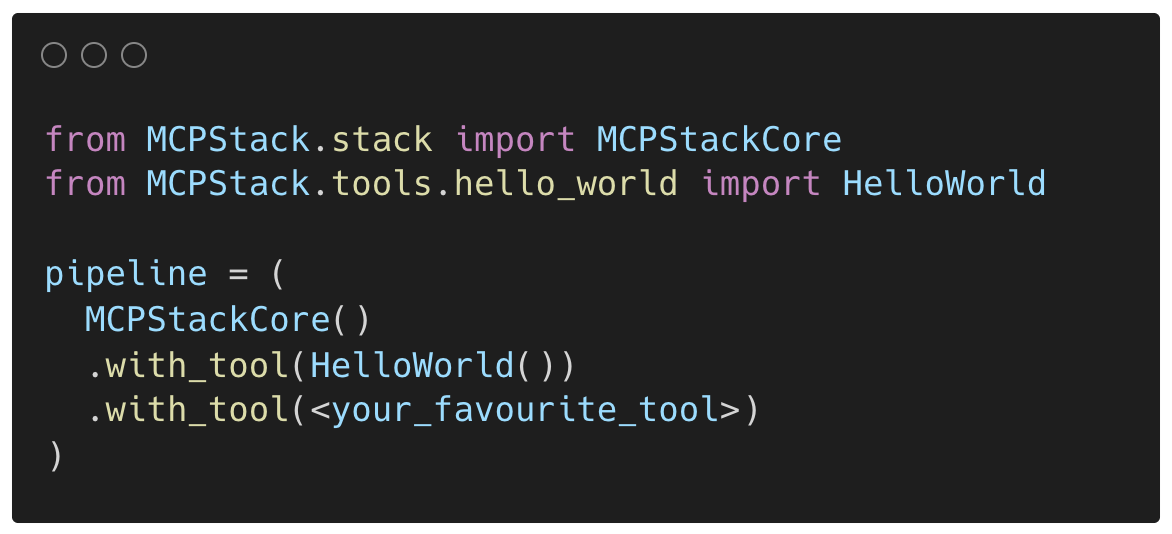 ### `Your First Pipeline`
Build your first pipeline programmatically by stacking MCP tools together via `with_tool(.)` or `with_tools(...)` methods.
Of course, you can configure each tool before adding through `with_tool(.)`.
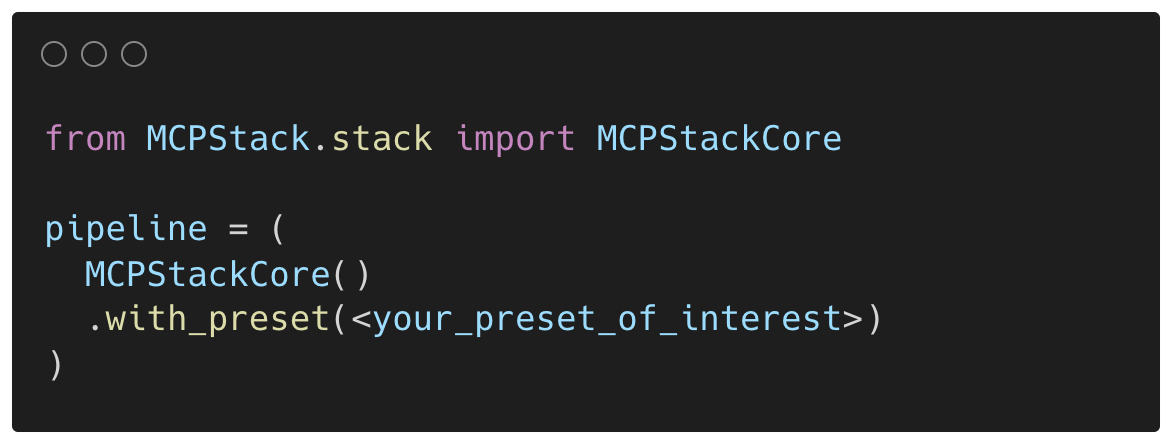 ### `With Presets`
You can also use presets to build your pipeline, which is a pre-configured pipeline that you can run in one line of
code rather than stacking `with_tool(...)` methods. Great for experiments reproduction.
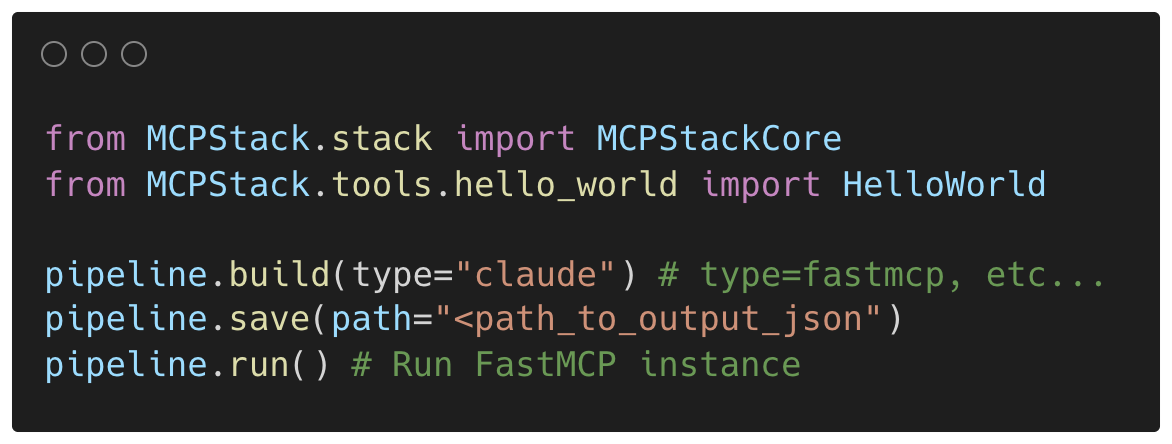 ### `Build, Save, & Run!`
Once a pipeline's r eady, you can build, save and run it via many ways. `build(.)` preps your pipeline,
validate & prepare it for running. `Save(.)` pipeline to a file, and `run(.)` via FastMCP.
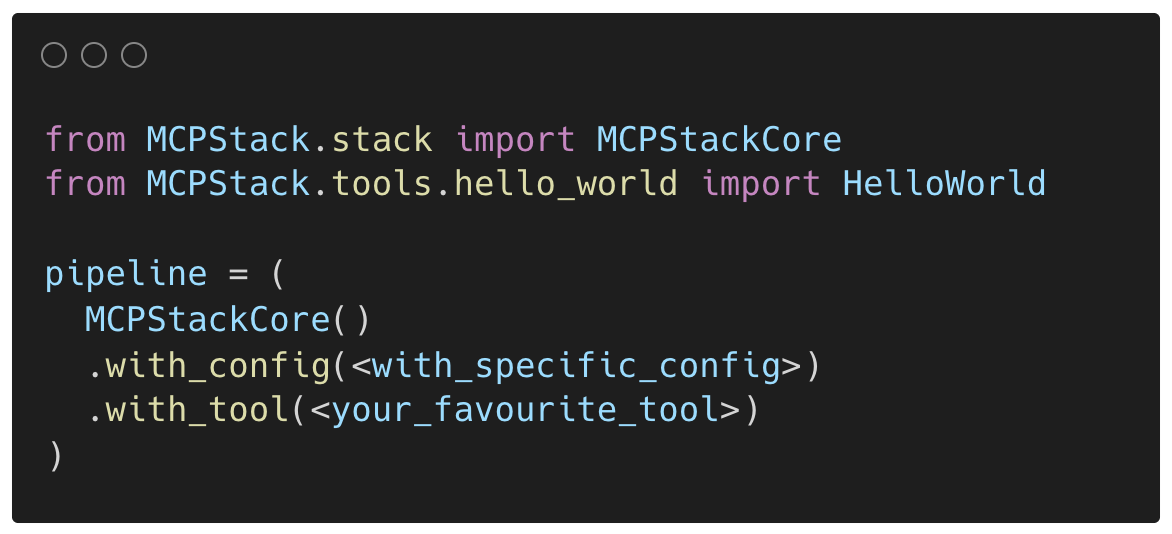 ### `Many Other APIs`
More chaining methods are available, such as `with_config(...)` to configure the whole `MNCPStack` instance,
`with_tools(...)` which suppresses the need to call `with_tool(...)` multiple times, etc.
 ### `Create Your Tool`
You can also create your own MCP tool with the [`mcpstack-tool-builder` CLI](https://github.com/MCP-Pipeline/MCPStack-Tool-Builder), which will generate a skeleton for you to fill in.
That means, creating the `actions` your MCP tool will allow LLMs to perform, and a `CLI` to
initialise it, configure it, and run it. More in the documentation.
## 🔐 License
MIT — see **[LICENSE](LICENSE)**.