# 🚀 MCP360 Universal Gateway
[](https://opensource.org/licenses/MIT)
[](https://nodejs.org)
[Get Started](#-quick-start) • [Features](#-key-features) • [Documentation](https://help.mcp360.ai/) • [Support](https://mcp360.ai)
---
## 🎯 What is MCP360?
**MCP360 is a unified MCP gateway** that gives AI agents access to **100+ external tools**, including prebuilt MCPs and custom MCP servers. You can connect your agents once and immediately run searches, research tasks, SEO workflows, and other operational actions. Instead of spending days integrating multiple APIs, connect to 100+ tools easily with a simple setup, or add your own **Custom MCPs** when you need specific logic or data.
---
## ✨ Key Features

Smart Discovery
Find the perfect tool across all connected MCP servers
|

Universal Execution
Run any tool from any MCP server with a single command
|

Enterprise Security
API key authentication with secure token handling
|

Universal Access
Single gateway to marketplace MCPs and custom integrations
|

Lightning Fast
Optimized for performance with global CDN delivery
|

Universal Compatibility
Works with Claude Desktop, Cursor, Windsurf, VS Code & more
|
---
## 🚀 Quick Start
### Step 1: Get Your API Key
1. **Sign up** at [mcp360.ai](https://mcp360.ai) 🎉
2. Navigate to **Settings → API Keys** ⚙️
3. Click **Generate New Key** 🔑
4. Copy your API key securely 📋
### Step 2: Choose Your Platform
🖥️ Claude Desktop (Click to expand)
**Configuration File Locations:**
- **macOS:** `~/Library/Application Support/Claude/claude_desktop_config.json`
- **Windows:** `%APPDATA%\Claude\claude_desktop_config.json`
**Add this configuration:**
```json
{
"mcpServers": {
"mcp360": {
"command": "npx",
"args": ["-y", "@mcp360/universal-gateway"],
"env": {
"MCP360_API_KEY": "your_api_key_here"
}
}
}
}
```
**Restart Claude Desktop** and you're ready! 🎊
🎯 Cursor
1. Open Cursor Settings: `Cmd/Ctrl + Shift + J`
2. Navigate to the **MCP** section
3. Add server configuration:
```json
{
"mcpServers": {
"mcp360": {
"command": "npx",
"args": ["-y", "@mcp360/universal-gateway"],
"env": {
"MCP360_API_KEY": "your_api_key_here"
}
}
}
}
```
**Restart Cursor** to activate! 🚀
💻 Claude Code
**Configuration File Locations:**
- **macOS/Linux:** `~/.config/claude-code/mcp_settings.json`
- **Windows:** `%APPDATA%\claude-code\mcp_settings.json`
**Add this configuration:**
```json
{
"mcpServers": {
"mcp360": {
"command": "npx",
"args": ["-y", "@mcp360/universal-gateway"],
"env": {
"MCP360_API_KEY": "your_api_key_here"
}
}
}
}
```
**Restart Claude Code** to load the gateway! ✨
🌊 Windsurf
**Configuration File Locations:**
- **macOS:** `~/Library/Application Support/Windsurf/mcp_config.json`
- **Windows:** `%APPDATA%\Windsurf\mcp_config.json`
**Add this configuration:**
```json
{
"mcpServers": {
"mcp360": {
"command": "npx",
"args": ["-y", "@mcp360/universal-gateway"],
"env": {
"MCP360_API_KEY": "your_api_key_here"
}
}
}
}
```
**Restart Windsurf** to activate! 🌟
🔧 VS Code (Cline Extension)
1. Install the [Cline extension](https://marketplace.visualstudio.com/items?itemName=saoudrizwan.claude-dev)
2. Open **Cline settings**
3. Add MCP server configuration:
```json
{
"mcpServers": {
"mcp360": {
"command": "npx",
"args": ["-y", "@mcp360/universal-gateway"],
"env": {
"MCP360_API_KEY": "your_api_key_here"
}
}
}
}
```
**Reload VS Code** to activate the gateway! 💡
🤖 YourGPT
1. Go to your **YourGPT Dashboard**
2. Select **Functions** from the sidebar
3. Choose the **MCP Server** option
4. You'll see two options:
- **Browse Marketplace MCP** - Select from pre-configured MCP servers
- **Add Custom MCP** - Add your own MCP server configuration
**Use MCP360 in YourGPT:**
- Select **Add MCP**
- Enter the server details:
- **Name:** `mcp360`
- **URL:** `https://connect.mcp360.ai/v1/mcp360/mcp?token=YOUR_API_KEY`
**Save and activate** to start using MCP360 in YourGPT! 🎉
🦀 OpenClaw
OpenClaw is an open-source, self-hosted agent runtime that treats AI agents as long-lived managed processes with state, health, tooling, and execution boundaries. MCP360 connects to OpenClaw as a unified tool gateway.
**Step 1: Install OpenClaw globally**
```bash
npm i -g openclaw
openclaw --version
```
**Step 2: Run initial configuration**
```bash
openclaw configure
```
**Step 3: Start the gateway and verify health**
```bash
openclaw gateway
openclaw gateway status
openclaw doctor
```
> All health checks must pass before proceeding.
**Step 4: Install MCP tooling for inspection**
```bash
npm i -g mcporter
mcporter --version
```
**Step 5: Create a stable MCP configuration directory**
```bash
mkdir -p ~/mcp
cd ~/mcp
```
**Step 6: Register MCP360 as an MCP server**
```bash
mcporter config add mcp360 \
--command 'npx mcp-remote "https://connect.mcp360.ai/v1/mcp360/mcp?token=YOUR_API_KEY"'
```
**Step 7: Confirm registration and verify tool access**
```bash
mcporter config list
mcporter list
```
If `mcporter list` returns structured tool definitions, your MCP360 connection is working correctly. ✅
> **Tip:** Use `openclaw tui` to run OpenClaw in the terminal instead of the dashboard.
📖 For a full walkthrough, see the [OpenClaw + MCP360 setup guide](https://mcp360.ai/blog/openclaw-agent-runtime-mcp-tool-setup).
### 🚄 Pro Tip: Global Installation
For **faster startup times**, install globally:
```bash
npm install -g @mcp360/universal-gateway
```
Then update your config to use the global command:
```json
{
"mcpServers": {
"mcp360": {
"command": "mcp360-gateway",
"env": {
"MCP360_API_KEY": "your_api_key_here"
}
}
}
}
```
---
## 🛠️ Core Tools
The gateway provides **2 powerful meta-tools** that unlock access to 100+ services:
### 1️⃣ `search` - Discover Available Tools
Find the perfect tool for your task across all connected MCP servers.
**Parameters:**
- `query` *(optional)*: Search term to filter by name or description
**Examples:**
```bash
💬 "Search for email tools"
💬 "Show me all available tools"
💬 "Find tools for SEO"
💬 "What tools can help with keyword research?"
```
**Returns:** Comprehensive list of matching tools with names, descriptions, and parameters.
---
### 2️⃣ `execute` - Run Any Tool
Execute any tool from any connected MCP server with dynamic parameters.
**Parameters:**
- `tool_name` *(required)*: Name of the tool to execute
- `arguments` *(optional)*: Tool-specific parameters as an object
**Examples:**
```bash
💬 "Execute verify_email with email 'test@example.com'"
💬 "Run keyword_research with keyword 'AI tools'"
💬 "Execute get_crypto_price for Bitcoin"
```
**Returns:** Tool-specific results tailored to your request.
---
## 🌟 Available Services
### 🏪 MCP360 Marketplace
| Service | Description | Use Cases |
|---------|-------------|-----------|
| 🔍 **Keyword Research** | SEO keyword analysis & search volumes | Content strategy, SEO optimization |
| 📊 **OnPage SEO Checker** | Website SEO element analysis | Site audits, optimization |
| ✉️ **Email Verification** | Validate email addresses | List cleaning, form validation |
| 🕷️ **Web Scraping** | Extract content from websites | Data collection, monitoring |
| 📈 **Google Trends** | Search trends & interest data | Market research, trending topics |
| 💰 **Cryptocurrency** | Real-time crypto prices & market data | Price tracking, portfolio management |
### 🔧 Your Custom MCPs
All custom MCP servers you've created in your MCP360 account are automatically available through the Universal Gateway!
---
## 📖 Typical Workflow
```mermaid
graph LR
A[🔍 Discover Tools] --> B[📋 Check Parameters]
B --> C[⚡ Execute Tool]
C --> D[📊 Get Results]
D --> E{Need More?}
E -->|Yes| A
E -->|No| F[✅ Done]
```
### Example Session
```bash
# Step 1: Discover
User: "Search for email tools"
→ Returns: verify_email, send_email, email_lookup, etc.
# Step 2: Check Details
→ See: verify_email requires { email: string }
# Step 3: Execute
User: "Execute verify_email with email 'john@example.com'"
→ Returns: { valid: true, deliverable: true, ... }
```
---
**How it works:**
1. 🔐 **Authenticate** with your API key
2. 🔄 **Aggregate** all available tools from marketplace and custom MCPs
3. 🎯 **Expose** them through 2 simple meta-tools: `search` and `execute`
4. ⚡ **Execute** tools dynamically based on your requests
---
## 🔧 Configuration
### Environment Variables
| Variable | Description | URL |
|----------|--------------|---------|
| `MCP360_TOOL_URL` | Your MCP360 API key | `https://connect.mcp360.ai/v1/mcp360/_tool_name_/mcp` |
| `MCP360_UNIVERSAL_GATEWAY` | Custom gateway URL | `https://connect.mcp360.ai/v1/mcp360/mcp` |
### Custom Gateway URL
For enterprise deployments or custom configurations:
```json
{
"mcpServers": {
"mcp360": {
"command": "npx",
"args": ["-y", "@mcp360/universal-gateway"],
"env": {
"MCP360_API_KEY": "your_api_key_here",
"MCP360_GATEWAY_URL": "https://your-custom-gateway.com/mcp"
}
}
}
}
```
## 🚀 Quick Start
### Step 1: Get Your API Key (Optional)
MCP360 supports **flexible authentication** to get you started quickly:
🔑 Option 1: Manual API Key Setup
1. **Sign up** at [mcp360.ai](https://mcp360.ai) 🎉
2. Navigate to **Settings → API Keys** ⚙️
3. Click **Generate New Key** 🔑
4. Copy your API key and add it to your configuration 📋
🔐 Option 2: Skip API Key - Use OAuth 2.0 (Automatic Fallback)
**No API key? No problem!** Simply connect MCP360 without an API key, and our OAuth 2.0 flow will automatically activate:
1. 🌐 Your browser opens to the MCP360 sign-in page
2. 🔓 You grant permission to access your MCP360 account
3. 📂 You select your project and API key
4. ✅ Authentication completes seamlessly
**Benefits:**
- ⚡ Zero manual API key management
- 🔄 Easy project switching
- 🔒 Secure token-based authentication
- 🎯 Granular permission control
> **Note:** If you don't provide an API key in your configuration, OAuth 2.0 authentication will trigger automatically on first use.
---
## 🔒 Enterprise-Grade Security
### 🛡️ Security Compliance & Certifications
MCP360 is built with enterprise security at its core, ensuring your data is protected with industry-leading standards.

🇪🇺 GDPR Compliant
Full compliance with European data protection regulations
✓ Data Privacy
✓ User Consent
✓ Right to Delete
|

🔐 SOC 2 Type II
Rigorous security, availability, and confidentiality controls
✓ Security Controls
✓ Availability
✓ Confidentiality
|

🏆 ISO 27001
International standard for information security management
✓ Risk Management
✓ Asset Protection
✓ Continuous Improvement
|
### 🔑 Secure Authentication Options
| Method | Security Level | Best For |
|--------|----------------|----------|
| **OAuth 2.0** | 🔒🔒🔒 Highest | Production environments, team access |
| **API Key** | 🔒🔒 High | Development, personal projects |
**Security Features:**
- 🔐 **Encrypted Communication**: All data transmitted over TLS 1.3
- 🔄 **Token Rotation**: Automatic OAuth token refresh
- 📊 **Audit Logs**: Complete activity tracking
- 🚫 **Rate Limiting**: Protection against abuse
- 🛡️ **DDoS Protection**: Enterprise-grade infrastructure
- 🔍 **Anomaly Detection**: AI-powered security monitoring
---
## 📚 Resources
Learn how to set up, test, and manage MCP servers and functions using MCP360:


🚀 MCP360 Integration with N8N
Step-by-step installation, configuration, and your first tool execution. Perfect for beginners!
|
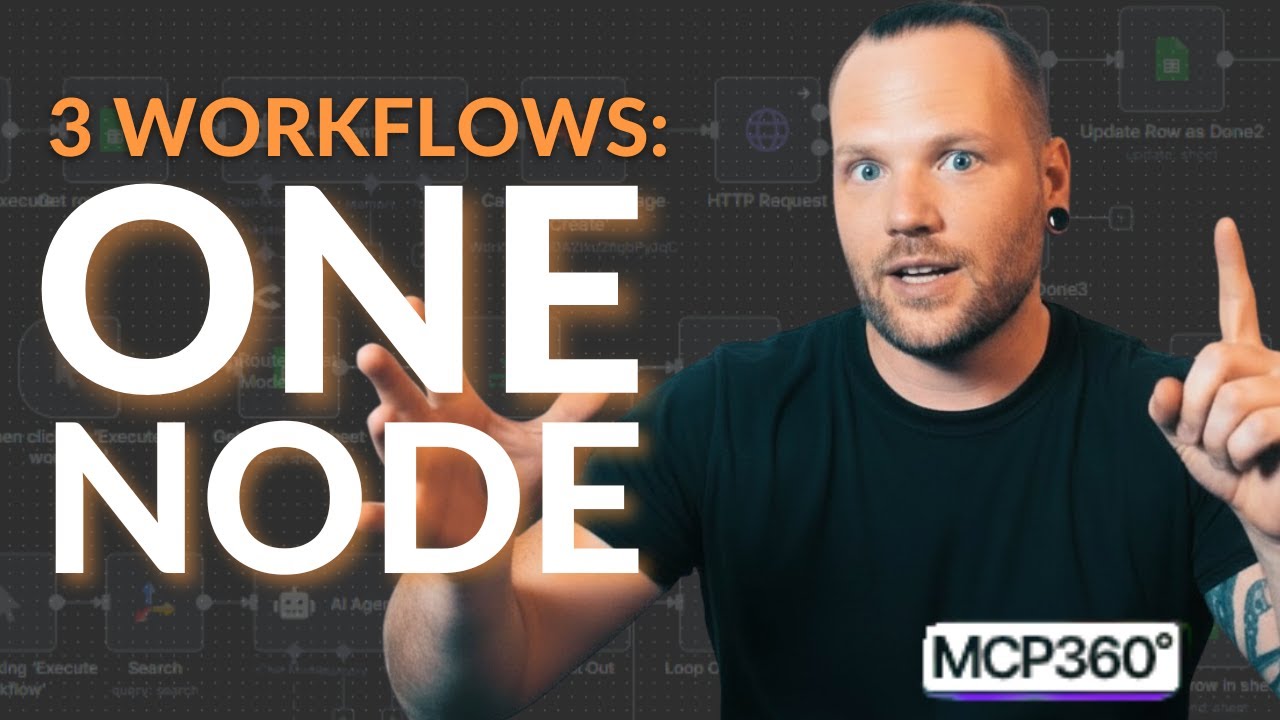

⚡ Building Real MCP Workflows
Deep dive into powerful features, custom MCPs, and advanced workflows for power users.
|
### 📖 Additional Learning Resources


Help Center
Comprehensive guides, API references, and best practices
|


Dev.to Tutorial
Build an Amazon Price Alert system with n8n integration
|


Code Examples
Ready-to-use code snippets and integration samples
|
---
## 💬 Support & Community


🐛 Bug Reports & Features
Report bugs, request features
Issue Tracking • Feature Requests
|


📧 Direct Support
Assistance from our support team
24-hr Response • Priority Support
|
## 📄 License
This project is licensed under the **MIT License** - see the [LICENSE](LICENSE) file for details.
---
## 🙏 Acknowledgments
Built with ❤️ by the team at [MCP360](https://mcp360.ai)
Special thanks to:
- 🌟 All our contributors
- 💡 The Anthropic team for Claude Desktop
- 🚀 The open-source community
---
### 🌟 Star Us on GitHub!
If you find MCP360 Universal Gateway helpful, please consider giving us a star ⭐
[](https://github.com/mcp360/universal-gateway)
**Made with ❤️ by [MCP360](https://mcp360.ai)**
[Website](https://mcp360.ai) • [Documentation](https://help.mcp360.ai/) • [GitHub](https://github.com/mcp360/universal-gateway) • [npm](https://www.npmjs.com/package/@mcp360/universal-gateway)