# Get an AIHubMix API key and use free Gemini 3.7 Flash for vision
**English** | [中文](aihubmix-gemini-vision.zh.md)
This tutorial completes three tasks:
1. Create an AIHubMix account.
2. Create and safely store an AIHubMix API key.
3. Use the free `gemini-3.7-flash-free` model for image analysis in DSH Vision Toolkit.
> As of August 20, 2026, the AIHubMix model page lists `gemini-3.7-flash-free` as a free trial model with image input. Free capacity is limited, may return `429`, and is not guaranteed for production workloads; use the paid `gemini-3.7-flash` route when reliability is required. Models, pricing, and availability can change, so check the [AIHubMix model page](https://aihubmix.com/model/gemini-3.7-flash-free) for current details.
## 1. Open the signup entry and register
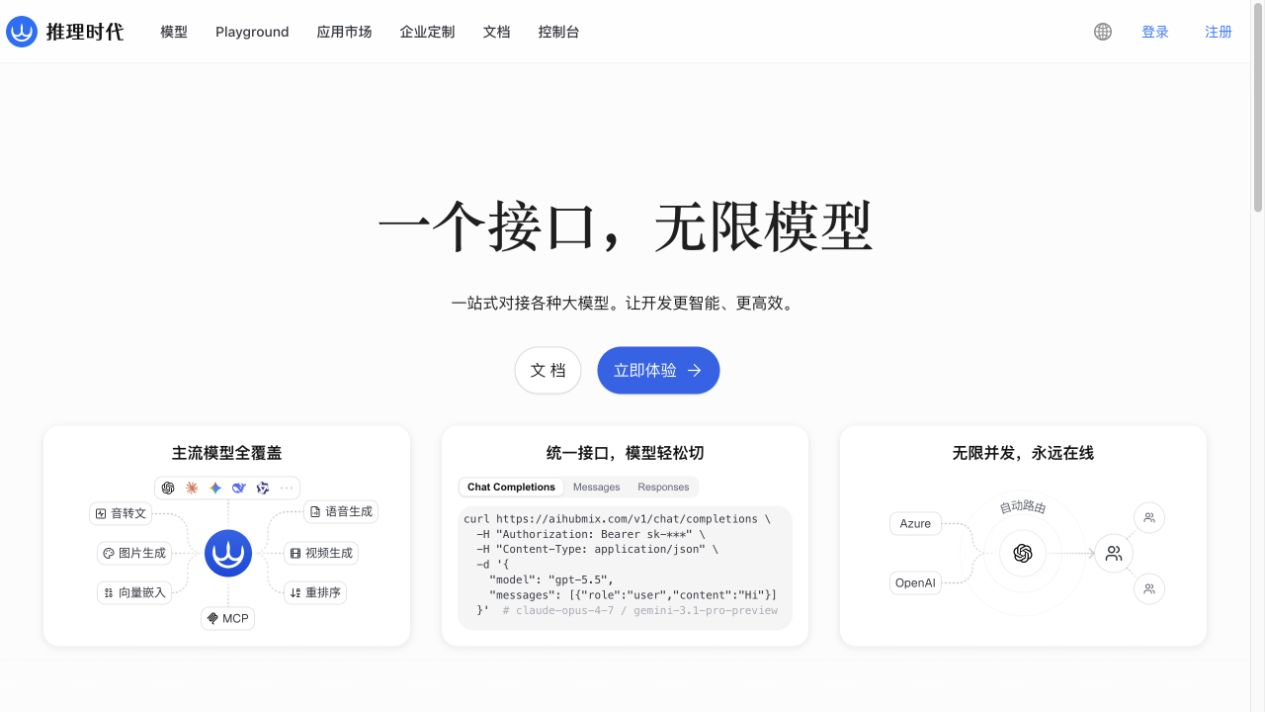
Open the [Inferera signup entry](https://inferera.com/?aff=sinZ), which redirects to AIHubMix, then select **Sign up** in the upper-right corner or **Get API Key** on the page.
This URL includes the project's referral parameter. You can instead open [Inferera](https://inferera.com/) directly if you prefer not to use a referral link.
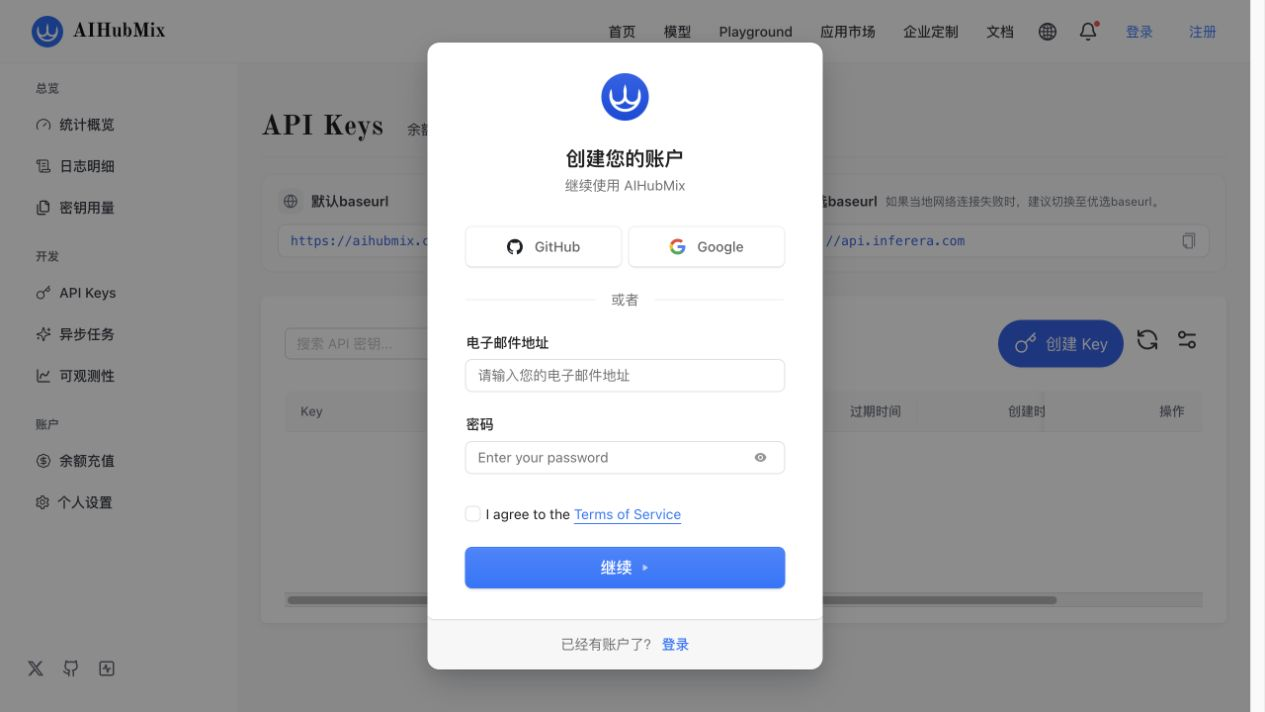
The signup page supports GitHub, Google, and email. For email signup, enter an email address and password, accept the terms, and complete any verification requested by the page.
## 2. Create an API key
After signing in, open **Developer → API Keys** in the console sidebar, or go directly to [AIHubMix API Keys](https://console.aihubmix.com/token). The page shows two endpoint hosts:
- Default: `https://aihubmix.com`
- Preferred: `https://api.inferera.com`
This guide uses the preferred `https://api.inferera.com/v1` endpoint in Vision Toolkit. If that endpoint does not work from your network, use `https://aihubmix.com/v1` instead.
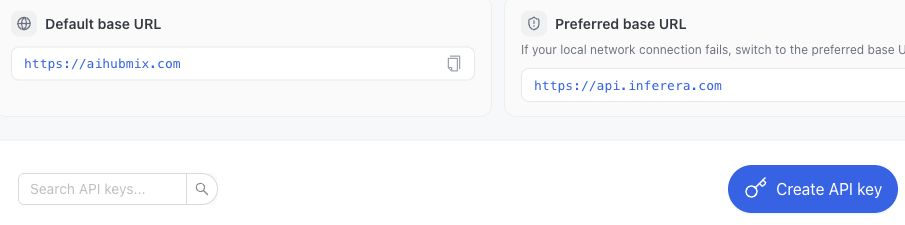
Select **Create API key**, then:
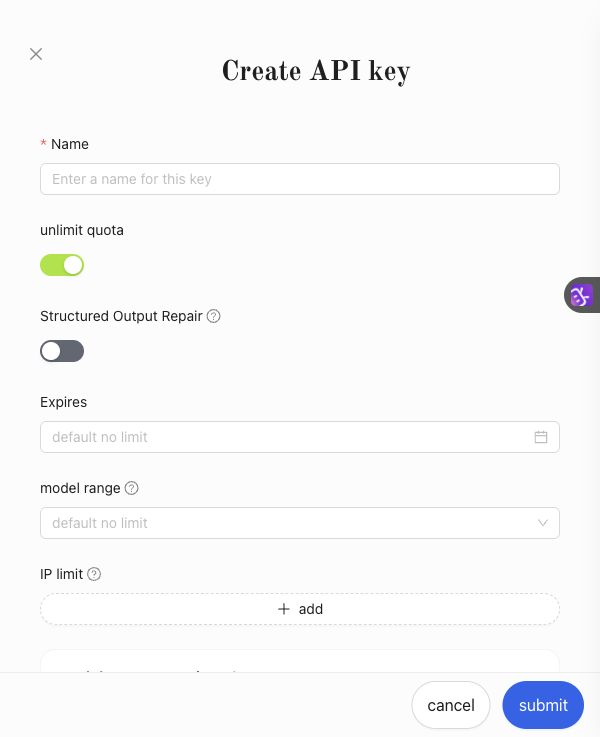
1. Enter a recognizable name such as `dsh-vision-toolkit`.
2. For an initial trial, turn off unlimited quota and set a small quota, expiration date, model range, or IP restriction so a later paid-model mistake cannot spend without a limit.
3. Select **Submit** to create the key.
4. Copy the complete `sk-...` value immediately and store it in a password manager or DSH Credential.
Do not place the complete key in a README, chat transcript, screenshot, Git commit, browser frontend, or public log. Delete and replace a key immediately if it becomes public.
## 3. Select the free vision model
Use this exact model ID:
```text
gemini-3.7-flash-free
```
The model page lists it as free and shows text, image, audio, video, and PDF input. Vision Toolkit uses its image input and text output.
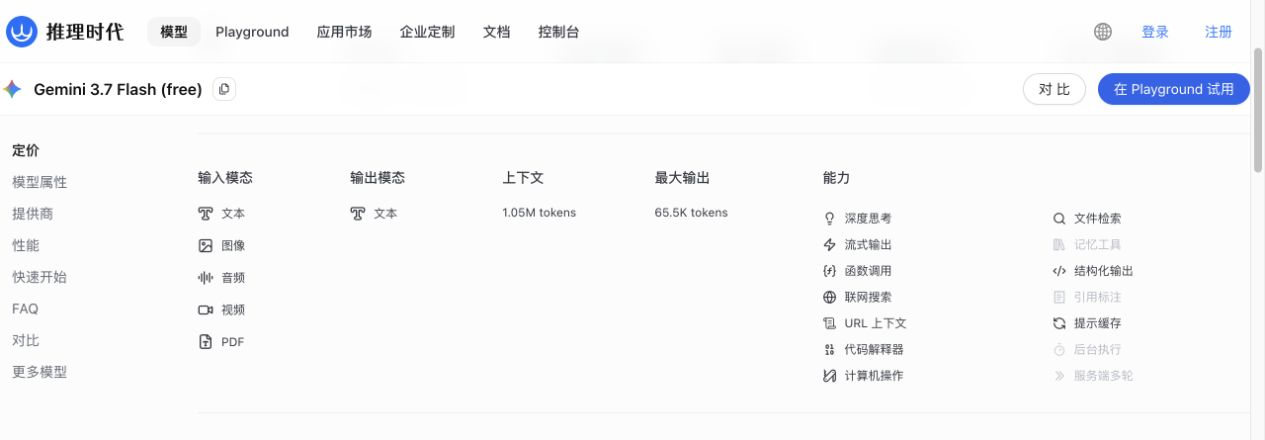
The free route is for trials and can return `429 Too Many Requests` when capacity is exhausted. For reliable usage, switch the model to `gemini-3.7-flash` and ensure the account has sufficient credit. Optional capabilities such as web search or cache storage may have separate charges; ordinary Vision Toolkit image analysis does not enable them.
## 4. Configure DSH Vision Toolkit
1. Open **Settings → Vision** in DSH Web.
2. Enter these values under the vision service:
| Field | Value |
|---|---|
| API protocol | `OpenAI Chat Completions` |
| Base URL | `https://api.inferera.com/v1` |
| Model | `gemini-3.7-flash-free` |
| API key | Paste the newly created `sk-...` key |
3. Expand **Advanced settings** and change **Credential name** to `AIHUBMIX_API_KEY` instead of reusing the built-in free provider's credential name.
4. Select **Save and apply**. The key is stored in DSH Credentials and is not displayed again in full.
5. Select **Test vision model**. This action sends the bundled diagnostic image and verifies a real multimodal request; **Test API connection**, which only queries `/models`, is not a substitute.
6. After the test succeeds, paste an image into a session and ask a concrete question, for example:
```text
Transcribe the error in this screenshot exactly, then explain the most likely cause and the repair steps.
```
The same provider can be stored in a Profile patch. Keep the key value in DSH Credentials rather than YAML:
```yaml
- id: vision-toolkit
config:
provider:
protocol: openai
baseUrl: https://api.inferera.com/v1
model: gemini-3.7-flash-free
credential: AIHUBMIX_API_KEY
```
## 5. Troubleshooting
### `401` or `Unauthorized`
- Confirm that you pasted the complete `sk-...` value, not the key name or a masked fragment.
- Remove extra spaces, line breaks, or an `AIHUBMIX_API_KEY=` prefix from the value.
- Delete and replace a key that has appeared in a public location.
### `402`, insufficient credit, or an unavailable model
- The free trial route must use the full `gemini-3.7-flash-free` model ID.
- If you switch to `gemini-3.7-flash` or another paid model, add credit from **Credits** in the console.
- Model availability changes; check the current AIHubMix model page and console.
### `404` or `model not found`
- Use exactly `gemini-3.7-flash-free`.
- Do not send the display name `Gemini 3.7 Flash (free)` as the API model ID.
### `429 Too Many Requests`
- Free-model capacity is limited. Wait and retry, or lower concurrency and request frequency.
- Switch to `gemini-3.7-flash` when stable production service is required.
### Connection timeout or unreachable endpoint
- Start with this guide's `https://api.inferera.com/v1` endpoint.
- If it is unavailable, switch to `https://aihubmix.com/v1` and rerun **Test vision model**.
## Official resources
- [Inferera signup entry](https://inferera.com/?aff=sinZ)
- [AIHubMix API Keys](https://console.aihubmix.com/token)
- [AIHubMix documentation](https://docs.aihubmix.com/en)
- [Gemini 3.7 Flash (free) model page](https://aihubmix.com/model/gemini-3.7-flash-free)