# dsh-plugin-terminal
English | [中文](README.zh.md)
A [DeepSeek Harness](https://github.com/deepseek-ai/deepseek-harness) (DSH) Web
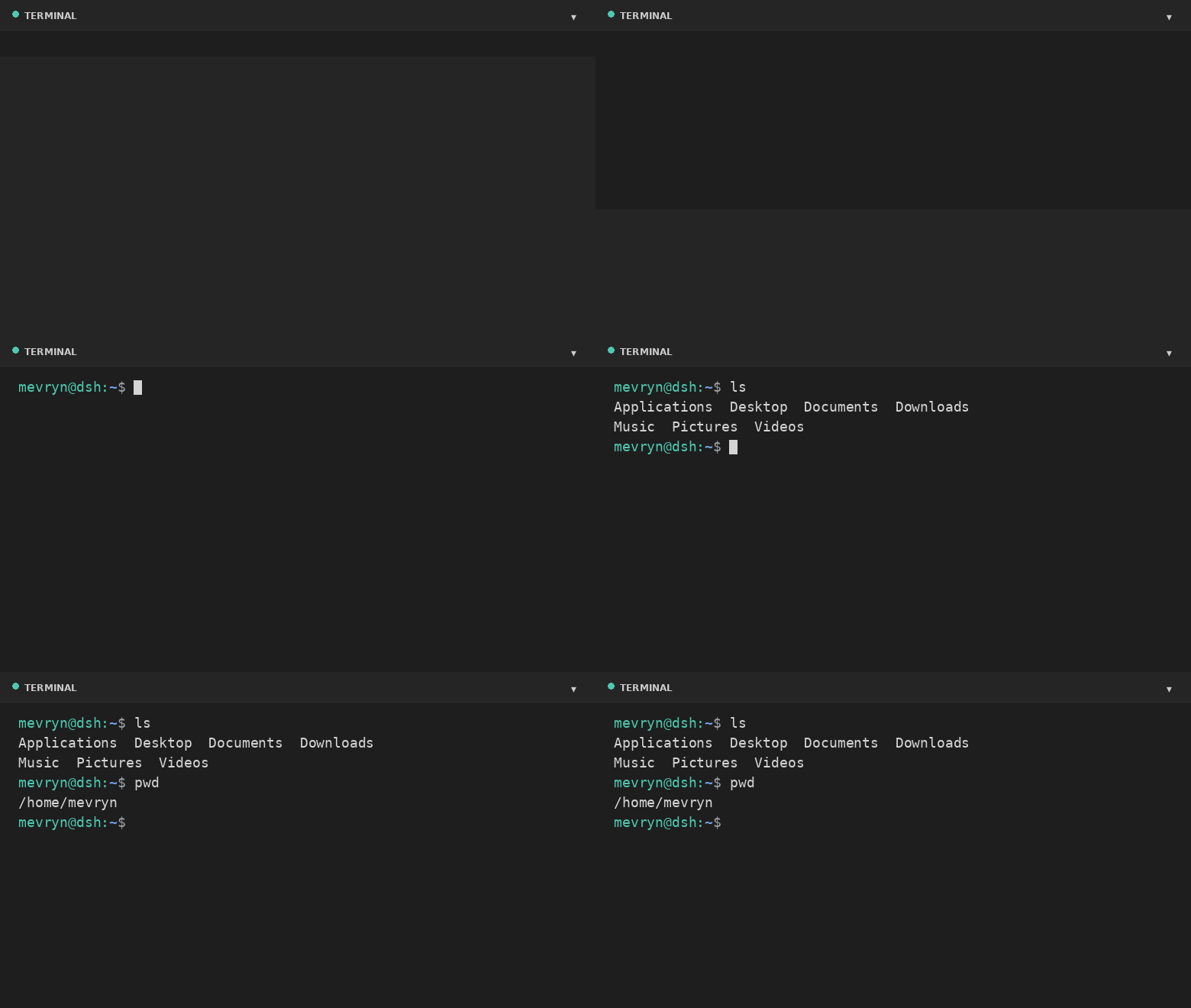
plugin that adds a **real** interactive terminal — a VS Code-style collapsible
panel docked to the footer. This plugin runs an actual shell in a PTY
and streams the raw terminal bytes to the browser. It is a persistent bundle
plugin (a host half plus a browser half) that loads on every boot.
## Demo
## What it does
- **Actual terminal** — a real interactive shell (PowerShell on Windows,
`$SHELL`/`/bin/bash` elsewhere, by default) running in a PTY via the harness's
`subprocess.spawnTerminal` primitive (node-pty).
- **Full terminal rendering** — xterm.js renders ANSI colors, cursor movement,
full-screen apps (`vim`, `htop`, `top`, …), and 256-color output.
- **VS Code-style footer panel** — a collapsible bottom panel with a header,
drag-to-resize top edge, restart button, and collapse toggle.
- **Keyboard shortcut** — `Ctrl+`` `` toggles the panel (the VS Code default).
- **Live resize** — the PTY reflows when you resize the panel.
- **A Terminal settings card** under Settings → Plugins configures theme, font
size, panel height, opacity, start-collapsed, shell, and working directory at
runtime.
- **Graceful fallback** — if xterm.js cannot load (offline), a plain streaming
view still exposes the real shell.
## Files
| File | Purpose |
| --- | --- |
| `lib/index.js` | Host half — spawns the PTY and bridges it over the `/api/terminal` WebSocket. |
| `lib/client.js` | Browser half — the footer panel and the settings card. |
| `cordis.patch.yml` | Composition patch that inserts the plugin row. |
| `package.json` | Package metadata (`dsh.bundle` + `dsh.client` manifest). |
## Install
```bash
dsh plugin --profile web add github:mervyn-teo/dsh-plugin-terminal
```
Then restart `dsh web` — host bundles load at boot.
Defaults live in `cordis.patch.yml`. Change them there (or in the profile's own
`cordis.patch.yml`) and restart, or adjust them at runtime from the settings
card. The host half serves two same-origin routes the browser half uses:
`GET|POST /api/terminal/config` and the `/api/terminal` WebSocket upgrade.
## Requirements
- DSH with the `subprocess` and `webServer` services mounted.
- Network access to jsDelivr the first time the terminal renders xterm.js
(the plain fallback works without it).
## Settings
Settings → Plugins → **Terminal** exposes:
| Setting | Description |
| --- | --- |
| Theme | `dark` or `light` terminal theme (applied live). |
| Font size | Terminal font size in pixels (applied live). |
| Max height | Maximum panel height in pixels. |
| Opacity | Terminal background opacity 0–100% (100 = fully opaque). |
| Start collapsed | Whether the panel starts collapsed. |
| Shell | Shell executable for new sessions. |
| Working directory | Default directory for new sessions (empty = home directory). |
Shell and working directory apply the next time you open the terminal; theme,
opacity, font size, and max height apply immediately.
## Notes and limitations
- The terminal renders xterm.js from the jsDelivr CDN; the first expansion
requires network access. The plain fallback still works offline.
- A session is process-local and does not survive a harness restart.
- The WebSocket route is loopback-bound like the rest of the Web GUI.
- **Windows** — on Windows the default shell is `powershell.exe` (set `shell` to
`cmd.exe` for Command Prompt, with `shellArgs: []`). It needs a Windows-built
`node-pty` (conpty/winpty) from the DSH host.
## License
[MIT](LICENSE)