# Metasequoia IME (水杉输入法)
[简体中文](../../README.md) · **English** · [日本語](README.ja.md) · [한국어](README.ko.md) · [繁體中文](README.zh-Hant.md)
> This is a translation of the [Simplified Chinese README](../../README.md), which is authoritative. Linked documents are mostly in Chinese.
[](https://github.com/metasequoiaime/msime/actions/workflows/ci.yml?query=branch%3Adevelop)
[](https://github.com/metasequoiaime/msime/actions/workflows/ci-platforms.yml?query=branch%3Adevelop)
[](https://github.com/metasequoiaime/msime/actions/workflows/codeql.yml)
[](https://github.com/metasequoiaime/msime/actions/workflows/cargo-audit.yml)
[](../../platforms/android/README.md)
[](../../platforms/ios/README.md)
[](../../platforms/macos/README.md)
[](../../platforms/linux/README.md)
[](../../platforms/windows/README.md)
[](../../platforms/harmony/README.md)
[](https://www.npmjs.com/package/@msime/web-engine)
[](../../LICENSE)
[](../../Cargo.toml)
[](https://msime.app/)
[](https://github.com/metasequoiaime/msime/stargazers)
[](https://github.com/metasequoiaime/msime/graphs/contributors)
[](https://github.com/metasequoiaime/msime/commits/develop)
 Metasequoia IME (MSIME) is a multi-platform Chinese input method for Android, iOS, macOS, Linux, Windows and HarmonyOS. Each of the six platforms has its own native input method host, and all of them connect to the same shared input runtime. The settings UI is owned per platform: macOS, Linux and HarmonyOS use the same shared React settings pages, while Windows, iOS and Android use their own native settings UI, and the settings business rules should live in the shared Rust layer, with each platform's UI doing only the UI (some rules are still written in the native UIs today); on macOS and Linux the React settings pages call ordinary Rust business libraries through Tauri, while on HarmonyOS they do not go through Tauri: ArkWeb loads them and they reach Rust through the ArkTS native bridge and NAPI; the input algorithms are provided by msime-engine.
Project home: [msime.app](https://msime.app/) · [GitHub repository](https://github.com/metasequoiaime/msime) · [Contributors](https://github.com/metasequoiaime/msime/graphs/contributors) · [Issues](https://github.com/metasequoiaime/msime/issues) · [Code signing policy](https://github.com/metasequoiaime/msime-windows/blob/develop/docs/code-signing-policy.md)
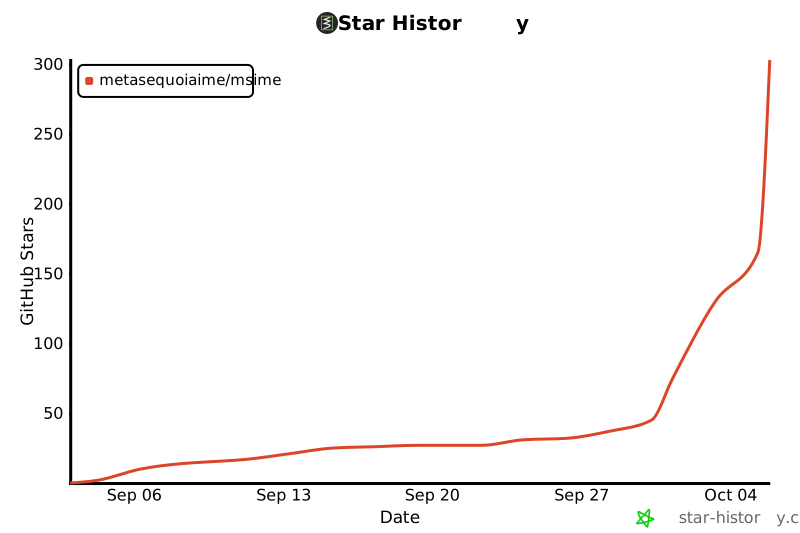
## Star History
[](https://star-history.com/#metasequoiaime/msime&Date)
> **About the name**: MSIME is short for Metasequoia IME (水杉输入法). It is unrelated to Microsoft IME and has no affiliation with Microsoft whatsoever. Every occurrence of `msime` in code, package names and repository names has this meaning. `shuangpin_profile: microsoft` in the settings is the "Microsoft Shuangpin" scheme, one of four key layouts alongside Xiaohe, Ziranma and Shoudao, offered for users accustomed to that layout; it likewise implies no affiliation.
**An input method sees everything you type, so this question deserves an answer you can check item by item: [what data leaves the device](../../PRIVACY.md).** The short version: with the default configuration of a fresh install, no feature sends what you type off the device; cloud suggestions (sending the pinyin being composed to Google Input Tools) have to be turned on by you, at the first prompt or in settings, and every other networked feature only works after you enter your own credentials or choose a service. Separately, there is a first-party anonymous usage statistic that carries no input content: all six platforms send daily-active, session and crash (error summary and call stack with directories stripped) records to `api.msime.app`. It is on by default and can be turned off under "Anonymous usage statistics" in settings — the fields, per-platform differences and on-disk locations are listed item by item in [PRIVACY.md](../../PRIVACY.md#使用统计与崩溃上报默认开启可关闭). The repository does not integrate any third-party analytics or crash-reporting SDK.
## Module boundaries
- `crates/client-base`, `crates/client-core`, `crates/client-services`, `crates/client-providers`: host-independent client business logic, layered base → core → services and core → providers; none of the four depends on Tauri, UI or platform hosts. client-base holds storage, file locks, text predicates, the calendar and Simplified-to-Traditional conversion; client-core holds local configuration and editions, themes, punctuation, clipboard, translation, the cloud candidate and cloud clipboard protocols, and generational installation of pinned resources; client-services holds accounts and sessions, community, usage statistics, notices, update checks, diagnostics, the clipboard relay, skins, plugins, dictionaries, common phrases and typing statistics; client-providers holds voice, service credentials, AI and on-demand resource packs.
- `crates/input-runtime`: session orchestration, focus cancellation, candidate paging and generation-tagged selection; does not duplicate the engine's composition state machine.
- `crates/engine` (`msime-engine`): pure Rust input engine — composition state, the input schemes, dictionary lookup and learning replay; ported from the original C++ MSIME-Engine.
- `crates/host-api`: versioned C interface, thread-bound session handles and explicit response freeing; the hosts on all six platforms link against it.
- `packages/ui`, `apps/desktop`: the shared React settings pages and the Tauri hosting layer; the directory name keeps "desktop". The React settings pages are the settings UI of macOS (the Tauri settings app), Linux (the Tauri settings app) and HarmonyOS (packaged as a rawfile loaded by ArkWeb); on the three desktop platforms Tauri also hosts the shared panels such as emoji and symbols, handwriting, the on-screen keyboard, voice, cloud dictionary and cloud clipboard. The settings of Windows, iOS and the Android release package are native UI: the iOS and Android release packages do not contain these React pages; on Windows the tray, the Start menu and requests without a panel all open the native settings program `msime-client-settings.exe`, while the React settings pages are still installed inside Tauri's `MSIME.exe` and show up when `MSIME.exe` is run directly, though no settings entry points to them. See the [architecture document](../ARCHITECTURE.md#设置界面按平台归属) for the ownership. The Rust entry is layered into `platform/{android,ios,linux,macos,windows,desktop}`, `shared/` and `tests/`. **Tauri is a shared component, not the product itself on any platform**: what is ultimately installed, launched and recognized by the system as an input method is always the native host under `platforms/`, which hosts Tauri/React only on the platforms that use it.
- `shared/apple/`: Foundation / Objective-C++ bridging shared by macOS and iOS; contains no system input method entry point.
- `platforms/`: per-system entry points and adaptation layers. Each of the six platforms — Android, iOS, macOS, Linux, Windows and HarmonyOS — maintains its own host boundary, and each host is recognized as an input method in that system's native way: the input method service on Android, the keyboard extension on iOS, the InputMethodKit bundle on macOS, the IBus and Fcitx5 entry points on Linux, the TSF DLL and Server on Windows, and the InputMethodExtensionAbility on HarmonyOS. The shared input algorithms and composition state are owned by `crates/engine`; hosts do not duplicate them.
## Platform directories and host forms
| Platform | Entry directory | Host form and integration |
| --- | --- | --- |
| [Android](../../platforms/android/README.md) | `platforms/android/` | The input method service `app.msime.android.MSIMEInputService` runs in a separate `:ime` process, and the Java host calls host-api through `platforms/android/native/client_jni.cpp`; the released APK (`build-apk.sh`) uses the native Java settings UI and contains no Tauri/React; the Tauri combined package with the React settings (`build-client-apk.sh`) is in the same package as the input method but a different process, sharing private files/bootstrap/state, and is only used for development and is not released; handwriting uses ML Kit Digital Ink |
| [iOS](../../platforms/ios/README.md) | `platforms/ios/` | A native app generated by XcodeGen from `project.yml` embeds the keyboard extension `MSIMEKeyboardExtension`, and the two share state through the App Group `group.app.msime.ios`; the Swift keyboard calls host-api directly, and handwriting uses ML Kit Digital Ink |
| [macOS](../../platforms/macos/README.md) | `platforms/macos/` | InputMethodKit bundle (product name `水杉输入法.app`, bundle id `app.msime.inputmethod.MetasequoiaIME`); the Swift backend is compiled into `MSIMEBackend.dylib` and distributed with the bundle, and Sparkle handles automatic updates |
| [Linux](../../platforms/linux/README.md) | `platforms/linux/` | IBus and Fcitx5 are two parallel system entry points linking the same host-api ABI; online suggestions, voice, clipboard and similar capabilities are carried by a separate provider process plus systemd user units; CPack produces TGZ and DEB |
| [Windows](../../platforms/windows/README.md) | `platforms/windows/`, `platforms/windows/tsf/` | The in-process TSF DLL (`MetasequoiaImeTsf`) communicates with the out-of-process `MetasequoiaImeServer` over a named pipe, alongside a watchdog and a runtime-configuration preparation tool; the candidate window, floating toolbar and tray menu are drawn by `msimeui` with Direct2D/DirectWrite; the Inno Setup installer registers the TIP and bundles the dictionaries |
| [HarmonyOS](../../platforms/harmony/README.md) | `platforms/harmony/` | The ArkTS `KeyboardExtensionAbility` (`module.json5` declares `type: "inputMethod"`) hosts the keyboard and calls host-api through the NAPI module `libmsimeclient.so`; the settings page is the same shared React page, inlined and packaged into `entry/src/main/resources/rawfile/settings/index.html` |
The shared libraries can be loaded into different host processes; typing does not require launching Tauri. All six platforms are consistent: the product is the native host in `platforms/`, and Tauri only provides the cross-platform shared features and UI and is never launched on its own as the product. Cross-process settings changes go through explicit persistence and notification mechanisms and do not rely on in-process shared memory.
## CI and releases
Baseline checks on `develop` are handled by `Core CI`, which in practice runs actionlint workflow validation and dependency review; the repository's text contracts are the set of `test-*.py` files under `scripts/`, which `scripts/run-checks.sh` discovers by file name and runs. The contracts job of `Core CI` runs it on Linux, and `scripts/verify-local.sh` runs the same script locally; checks that lack the required tools or reference repositories print skipped on CI and pass. Builds and tests for iOS and macOS are handled by their respective native host workflows. Android, Linux, HarmonyOS and Windows are run by Native Platform CI when the corresponding platform or the shared layer has changed, and are explicitly skipped otherwise; this layer covers host contracts, JVM smoke tests, container builds and cross-compilation. Device-level input acceptance is covered by the device suites and manual steps recorded in each platform's README, not replaced by CI. See [GitHub Actions](https://github.com/metasequoiaime/msime/actions) for the status of each workflow; develop is merged frequently and queued runs are often cancelled by later pushes, so when reading results, go by the most recent run that finished and was not cancelled.
Releases of the six platforms are fully independent: each platform has its own manual release workflow, version file, concurrency group, build artifacts and GitHub Release tag. The release workflows only create GitHub Releases; they do not upload to app stores automatically or use signing credentials.
| Platform | Release workflow | Version file | Tag |
| --- | --- | --- | --- |
| Android | [](https://github.com/metasequoiaime/msime/actions/workflows/release-android.yml) | `platforms/android/version.txt` | `android-vX.Y.Z` |
| iOS | [](https://github.com/metasequoiaime/msime/actions/workflows/release-ios.yml) | `platforms/ios/version.txt` | `ios-vX.Y.Z` |
| macOS | [](https://github.com/metasequoiaime/msime/actions/workflows/release-macos.yml) | `platforms/macos/version.txt` | `macos-vX.Y.Z` |
| Linux | [](https://github.com/metasequoiaime/msime/actions/workflows/release-linux.yml) | `platforms/linux/version.txt` | `linux-vX.Y.Z` |
| Windows | [](https://github.com/metasequoiaime/msime/actions/workflows/release-windows.yml) | `platforms/windows/version.txt` | `windows-vX.Y.Z` |
| HarmonyOS | [](https://github.com/metasequoiaime/msime/actions/workflows/release-harmony.yml) | `platforms/harmony/version.txt` | `harmony-vX.Y.Z` |
## Development
Before contributing code, read the [architecture overview](../ARCHITECTURE.md), [contributing guide](../../.github/CONTRIBUTING.md), [security policy](../../.github/SECURITY.md), [network requests and data flows](../../PRIVACY.md) and [code of conduct](../../.github/CODE_OF_CONDUCT.md). When preparing to publish source code or platform build artifacts, also read the [open-source release checklist](../open-source-release.md) and the [third-party component inventory](../third-party.md); they list third-party notices, resource licenses, sensitive-file checks and verification boundaries. For build, test and installation details of each platform host, the corresponding `platforms//README.md` is authoritative. To make sound packs, music packs, command tables, effect packs, phrase tables, auxiliary code tables, word books or symbol sets, see the [plugin author guide](../plugins.md).
The cross-platform local verification entry point is `bash scripts/verify-local.sh`: `--quick` runs only the build stage and is the pre-merge gate; with no arguments it runs the full suite, including Rust tests, fmt, clippy, dependency audit, frontend lint and type checks, ctest for each native host, and the whole-sentence conversion and per-keystroke latency benchmarks. Each stage compares the names of failing tests against `scripts/known-failures.txt` and fails only on names not on that list. `git config core.hooksPath .githooks` hooks `--quick` into pre-push.
```sh
cargo test -p msime-client-base -p msime-client-core -p msime-client-providers -p msime-client-services --locked
cargo fmt --all --check
cargo clippy -p msime-client-base -p msime-client-core -p msime-client-providers -p msime-client-services --all-targets --locked -- -D warnings
pnpm install --frozen-lockfile
pnpm --filter @msime/desktop test
pnpm build
```
Desktop builds require the [Tauri platform prerequisites](https://tauri.app/start/prerequisites/). Do not run `pnpm tauri build` or `pnpm tauri dev` directly: the Tauri project is a shared component the native host launches, `apps/desktop/scripts/require-platform-build.mjs` refuses it with an error, and the build entry is each platform's `platforms/`; user-facing installers are produced by each platform's own packaging chain — the CMake bundle on macOS, `platforms/windows/installer/msime_setup.iss` on Windows, CPack (`-DMSIME_ENABLE_PACKAGING=ON`) on Linux, `platforms/android/build-apk.sh` on Android, `hvigorw assembleHap` on HarmonyOS, and the Xcode project on iOS. In an ordinary browser, only a notice that local configuration cannot be accessed is shown; a successful save is not simulated.
The application identifier and default app data directory of the desktop settings are named per platform: `app.msime.macos` on macOS, `app.msime.windows` on Windows and `app.msime.linux` on Linux. Preferences are stored in `preferences.json` inside that directory. The environment variable `MSIME_CLIENT_STATE_DIR`, set to an absolute path, can also point to an isolated development directory. The macOS native host reads the same configuration and applies updates after the current composition ends; when several settings windows save at the same time, conflicts are detected through a revision, and the user must explicitly reload before deciding whether to overwrite.
For the Android combined-package build and device testing, see [Android host](../../platforms/android/README.md#tauri--react-共享设置合包). The combined package is only used for development; the released APK is the native package without Tauri. In the combined package the Tauri settings and the native `:ime` service are in the same package but different processes, sharing private files/bootstrap/state, and closing the settings window does not end the input method process. The product host on iOS is the native app in `platforms/ios`, whose settings UI is native SwiftUI; it embeds the native keyboard extension and shares state through the App Group. The app has no WebView; the Tauri iOS project is only produced when the shared component is built on its own, and it is not distributed or launched as an app. For signing and device installation steps, see [iOS host](../../platforms/ios/README.md).
The shared settings support shuangpin_profile: xiaohe (Xiaohe), ziranma (Ziranma), shoudao (Shoudao), microsoft (Microsoft), and custom (a user-defined layout whose key table is stored in shuangpin_custom_profile). When the value is absent it is read as Xiaohe, and unknown values are rejected; the settings page disables this selection under non-shuangpin schemes but keeps the selected value. On macOS and Linux the settings page edits the custom layout starting from a built-in one and imports and exports it as JSON; a table is saved only once the Engine accepts it, and the input method runs Xiaohe when the table cannot be used. Scheme changes follow the same rule of replacing the Engine after the composition ends.
For local Linux builds, isolated D-Bus / IBus tests and first-time setup after installation, see [Linux host](../../platforms/linux/README.md). The host supports automatic reloading of the settings file; after installation, the bundled `msime-linux-setup` provisions the dictionaries and prepares the runtime configuration. `msime-linux-setup --download` fetches missing dictionaries according to `resources/desktop-dictionary.lock.json`, and the graphical entry point opens the same first-time setup page when `runtime-options.json` is missing.
Feature parity takes the complete feature set of MSIME-Windows as the behavioral baseline: the shared business logic is wired into the shared layer item by item, and the UI goes into the shared React pages or the platform's native settings according to the per-platform ownership. Windows keeps the split-process structure of TSF DLL and Server, but the protocol between them only serves same-version builds of this repository and is no longer compatible with MSIME-Windows's old configuration, shared memory, unversioned handshake or old voice pipe; Android, iOS, macOS, Linux and HarmonyOS adapt according to their own system capabilities. `scripts/test-reference-*.py` turns this baseline into a rerunnable gate — the reference implementation's factory configuration keys, the machine-readable capability inventories of its four UIs, every feature in its changelog, and every source file under `windows/`, `server/` and `ui/src` must each map to an implementation in this repository or to an absence record that states the reason.
## Input engine
```sh
cargo test -p msime-engine --locked
```
The input engine is `crates/engine` in the workspace and is built together with the other crates; it needs no extra source checkout and no C++ toolchain, and SQLite is compiled in through the `bundled` feature of `rusqlite`. The behavioral baseline is `crates/engine/tests/golden/`, recorded from the original C++ Engine; see `tools/engine-golden/README.md` for how it is recorded. Paths are supplied explicitly by the host, and character input consists of ASCII actions supported by the engine. Engine and runtime tests use the real engine rather than test doubles; among them, the group of local Unicode mode cases covers the decision of whether a bare digit key goes to the engine or to candidate selection.
## Native host interface
`cargo build -p msime-host-api --locked` produces a static library and a dynamic library. The header is `crates/host-api/include/msime_client.h`, and the C consumer example is `crates/host-api/native/native_smoke.c`. The call chain is C host → host-api → input-runtime → engine, with no dependency on the Tauri runtime.
After creating a session, the host must pass in the focus state explicitly, map `handled` to the system consuming the key, commit `commit` to the text field through the system API, and render the value snapshot as candidates. Candidate selection carries the returned generation and the global index. All session operations run on the thread that created the session; expired, destroyed or wrong-thread handles return errors. Each UTF-8 JSON response must be freed exactly once with `msime_client_string_free`. Per-keystroke latency is measured against a frame budget by the `rerank_latency` example in `crates/input-runtime`, and `scripts/verify-local.sh` runs it as a gate stage.
`msime_client_select_edge(session, generation, index, edge)` is an ABI 1 addition; adapters and host libraries must be updated together. Directions use `MSIME_FIRST_HAN` / `MSIME_LAST_HAN`; the shared layer checks the session, generation and current page the candidate belongs to, and the engine extracts the first/last Han character and clears the entire composition on success. When the candidate contains no Han character, it returns not-handled and keeps the composition, without selecting a word automatically or appending punctuation; such valid calls still advance the view generation, and the host must use the new snapshot for subsequent operations. Invalid directions and stale identities are rejected before any state advances. The Windows adapter library's config-key routing, no-Han fallback and TSF reply encoding are all wired into the production KeyHandler, and tests such as `msime-tsf-client-key-router`, `msime-tsf-character-result` and `msime-tsf-engine-response` in the `platforms/windows/tsf` ctest cover this path.
## Pinned dictionary resources
`resources/desktop-dictionary.lock.json` pins the source, length and SHA-256 of the published `dict-v2.0.24` release of `metasequoiaime/msime-dictionary`. Of these files, `msime-mozc_dictionary_oss_README.txt` and `msime-mozc_LICENSE.txt` are the full license texts for the Japanese dictionary (the former contains the IPAdic and ICOT terms, the latter Mozc's three-clause BSD license), and `msime-scowl_Copyright.txt` is the copyright and license notice for the SCOWL word list in `msime-english.db`; their terms all require them to be distributed together with the data, so they must not be omitted when repackaging; see the [third-party component inventory](../third-party.md#日文词库的分发义务) for details. The first download is about 189 MB. The lock's `source_commit` records which commit of this repository produced this batch of dictionaries with `msime-dict-build`; among them, `msime-bigram.bin` and `msime-trigram.bin` are the language model tables used for whole-sentence lattice arbitration. When the tables are missing, the engine does not report an error; the whole-sentence path is simply unweighted — candidates still appear, in a worse order — so when changing dictionary versions, confirm that `crates/engine` can still read the new tables and rerun the sentence conversion benchmark. Development setup command:
```sh
cargo run -p msime-client-core --example install_resources -- target/resources
```
The installer reads resources through an injected stream, limits their length and verifies their digests; only after everything succeeds are they published to a content-addressed directory. On reuse, the cached bytes are checked; a corrupted cache reports an error, and a failed installation does not replace the previous generation. This step only prepares immutable release resources; it does not activate the existing input method or migrate user learning data. Resources are downloaded as individual files; no whole-package archive is extracted.
`msime_engine::host::prepare_options` is the authoritative entry point for working-dictionary preparation and learning replay; callers must verify the resources and pause the affected sessions first. The following probe uses a temporary user directory and cache to verify the `nihao` lookup, candidate commit, and first/last Han character selection against the published dictionary:
```sh
cargo run -p msime-engine --example query_dictionary -- <上一步返回的资源目录>
```
The whole-sentence neural reranking model has its own `resources/neural-model.lock.json`, which locks the small model used by keyboards and the large model used by the desktop for settling to the same release version. To prepare the two models separately, run:
```sh
python3 scripts/fetch_neural_model.py --out target/neural-model
```
Downloads accept only HTTPS and are first written to a temporary file; each file is published by rename only after its locked length and SHA-256 have been verified, and existing files whose digest already matches are skipped. None of the released installers include the desktop model; when the user turns on "Desktop neural suggestions", the settings app downloads it on demand (resource pack `settled-model`). Local builds and distribution packaging can still bundle it; in that case resource packaging prefers the legacy `target/settled-model` directory and, if it is missing, automatically uses the desktop model in this `target/neural-model` directory, and the bundled copy takes precedence over a downloaded one. The keyboard model is still verified and copied into EngineResources by the dictionary resource installer driven by `desktop-dictionary.lock.json`; both locks are kept as provenance records.
The language dictionaries for Jyutping, Zhuyin and stroke input are pinned separately by `resources/language-dictionaries.lock.json`; the three dictionaries, together with their respective license texts, form a single resource pack, `language-dictionaries`. The macOS release package and Android's full and Pinyin-edition release APKs bundle only the core dictionaries needed for typing Chinese: the Japanese dictionary group (`msime-japanese.dat` and the two Mozc license texts) and the language dictionaries are not bundled, and are downloaded according to the lock file into `resource-packs/` in the preferences directory only when the user selects the Japanese, Jyutping, Zhuyin or stroke scheme (on Android, when the user adds these languages under "Add language"; the Pinyin edition does not offer Jyutping, Zhuyin or stroke, and only downloads the Japanese dictionary for temporary Japanese input). Downloaded files are verified against the locked length and SHA-256 just like bundled files. These two Android editions also leave non-English offline glosses (`resources/offline-glosses.lock.json`, downloaded when offline glosses are turned on) and the local voice runtime (`resources/voice-runtime-android.lock.json`, downloaded when "Offline recognition" is turned on) to on-demand download, and no resource pack is downloaded automatically at startup; when upgrading from an older version that bundled these files, files already extracted on the device are converted directly into resource packs once they pass verification. Windows, Linux, iOS, HarmonyOS, the other Android editions and the Tauri development combined package still bundle them as before. The macOS release package also leaves the Wubi table `msime-wubi.db` (except in MSIME Wubi; downloaded when Wubi is chosen, resource pack `wubi`) and the sherpa-onnx runtime for on-device speech recognition (downloaded when on-device recognition is chosen, resource pack `voice-runtime-macos`: the upstream library re-signed with this project's Developer ID and published, its SHA-256 pinned by `resources/voice-runtime-macos.lock.json`; bundled until that lock pins it) to on-demand download. For download URLs, mirrors and privacy notes, see [PRIVACY.md](../../PRIVACY.md#资源与更新下载).
For building the macOS native IMK bundle, isolated state directories and installation, see [macOS host](../../platforms/macos/README.md). `platforms/macos/scripts/install.sh` re-signs with Developer ID and atomically replaces the bundle in `~/Library/Input Methods`, rolling back on failure; `platforms/macos/scripts/check_input_source.swift` checks the result of the input source registration.
## Code signing policy
Free code signing provided by [SignPath.io](https://about.signpath.io/), certificate by [SignPath Foundation](https://signpath.org/).
Official Windows releases are currently built, signed and published by [msime-windows](https://github.com/metasequoiaime/msime-windows), and signing there is governed by that repository's [Code signing policy](https://github.com/metasequoiaime/msime-windows/blob/develop/docs/code-signing-policy.md). This repository's Windows installer is built by `release-windows.yml`; SignPath signing is not yet enabled (it is waiting for SignPath Foundation to add this repository to the same project), and until it is enabled, the published installers are unsigned. The signing scope, roles and process once it is enabled are described in this repository's [Code signing policy](../code-signing-policy.md). The other platforms are signed through their own platform mechanisms and do not go through SignPath. For privacy information, see [PRIVACY.md](../../PRIVACY.md).
## License
The source code is licensed under **GPL-3.0-only**; see [LICENSE](../../LICENSE) for the full text.
Upstream code, dictionaries, models and platform SDKs are governed by their own licenses and notices; in particular, handwriting recognition on Android and iOS uses Google ML Kit, which is licensed under its terms of service rather than an open-source license. For the complete mapping, see the [third-party component inventory](../third-party.md).
Metasequoia IME (MSIME) is a multi-platform Chinese input method for Android, iOS, macOS, Linux, Windows and HarmonyOS. Each of the six platforms has its own native input method host, and all of them connect to the same shared input runtime. The settings UI is owned per platform: macOS, Linux and HarmonyOS use the same shared React settings pages, while Windows, iOS and Android use their own native settings UI, and the settings business rules should live in the shared Rust layer, with each platform's UI doing only the UI (some rules are still written in the native UIs today); on macOS and Linux the React settings pages call ordinary Rust business libraries through Tauri, while on HarmonyOS they do not go through Tauri: ArkWeb loads them and they reach Rust through the ArkTS native bridge and NAPI; the input algorithms are provided by msime-engine.
Project home: [msime.app](https://msime.app/) · [GitHub repository](https://github.com/metasequoiaime/msime) · [Contributors](https://github.com/metasequoiaime/msime/graphs/contributors) · [Issues](https://github.com/metasequoiaime/msime/issues) · [Code signing policy](https://github.com/metasequoiaime/msime-windows/blob/develop/docs/code-signing-policy.md)
## Star History
[](https://star-history.com/#metasequoiaime/msime&Date)
> **About the name**: MSIME is short for Metasequoia IME (水杉输入法). It is unrelated to Microsoft IME and has no affiliation with Microsoft whatsoever. Every occurrence of `msime` in code, package names and repository names has this meaning. `shuangpin_profile: microsoft` in the settings is the "Microsoft Shuangpin" scheme, one of four key layouts alongside Xiaohe, Ziranma and Shoudao, offered for users accustomed to that layout; it likewise implies no affiliation.
**An input method sees everything you type, so this question deserves an answer you can check item by item: [what data leaves the device](../../PRIVACY.md).** The short version: with the default configuration of a fresh install, no feature sends what you type off the device; cloud suggestions (sending the pinyin being composed to Google Input Tools) have to be turned on by you, at the first prompt or in settings, and every other networked feature only works after you enter your own credentials or choose a service. Separately, there is a first-party anonymous usage statistic that carries no input content: all six platforms send daily-active, session and crash (error summary and call stack with directories stripped) records to `api.msime.app`. It is on by default and can be turned off under "Anonymous usage statistics" in settings — the fields, per-platform differences and on-disk locations are listed item by item in [PRIVACY.md](../../PRIVACY.md#使用统计与崩溃上报默认开启可关闭). The repository does not integrate any third-party analytics or crash-reporting SDK.
## Module boundaries
- `crates/client-base`, `crates/client-core`, `crates/client-services`, `crates/client-providers`: host-independent client business logic, layered base → core → services and core → providers; none of the four depends on Tauri, UI or platform hosts. client-base holds storage, file locks, text predicates, the calendar and Simplified-to-Traditional conversion; client-core holds local configuration and editions, themes, punctuation, clipboard, translation, the cloud candidate and cloud clipboard protocols, and generational installation of pinned resources; client-services holds accounts and sessions, community, usage statistics, notices, update checks, diagnostics, the clipboard relay, skins, plugins, dictionaries, common phrases and typing statistics; client-providers holds voice, service credentials, AI and on-demand resource packs.
- `crates/input-runtime`: session orchestration, focus cancellation, candidate paging and generation-tagged selection; does not duplicate the engine's composition state machine.
- `crates/engine` (`msime-engine`): pure Rust input engine — composition state, the input schemes, dictionary lookup and learning replay; ported from the original C++ MSIME-Engine.
- `crates/host-api`: versioned C interface, thread-bound session handles and explicit response freeing; the hosts on all six platforms link against it.
- `packages/ui`, `apps/desktop`: the shared React settings pages and the Tauri hosting layer; the directory name keeps "desktop". The React settings pages are the settings UI of macOS (the Tauri settings app), Linux (the Tauri settings app) and HarmonyOS (packaged as a rawfile loaded by ArkWeb); on the three desktop platforms Tauri also hosts the shared panels such as emoji and symbols, handwriting, the on-screen keyboard, voice, cloud dictionary and cloud clipboard. The settings of Windows, iOS and the Android release package are native UI: the iOS and Android release packages do not contain these React pages; on Windows the tray, the Start menu and requests without a panel all open the native settings program `msime-client-settings.exe`, while the React settings pages are still installed inside Tauri's `MSIME.exe` and show up when `MSIME.exe` is run directly, though no settings entry points to them. See the [architecture document](../ARCHITECTURE.md#设置界面按平台归属) for the ownership. The Rust entry is layered into `platform/{android,ios,linux,macos,windows,desktop}`, `shared/` and `tests/`. **Tauri is a shared component, not the product itself on any platform**: what is ultimately installed, launched and recognized by the system as an input method is always the native host under `platforms/`, which hosts Tauri/React only on the platforms that use it.
- `shared/apple/`: Foundation / Objective-C++ bridging shared by macOS and iOS; contains no system input method entry point.
- `platforms/`: per-system entry points and adaptation layers. Each of the six platforms — Android, iOS, macOS, Linux, Windows and HarmonyOS — maintains its own host boundary, and each host is recognized as an input method in that system's native way: the input method service on Android, the keyboard extension on iOS, the InputMethodKit bundle on macOS, the IBus and Fcitx5 entry points on Linux, the TSF DLL and Server on Windows, and the InputMethodExtensionAbility on HarmonyOS. The shared input algorithms and composition state are owned by `crates/engine`; hosts do not duplicate them.
## Platform directories and host forms
| Platform | Entry directory | Host form and integration |
| --- | --- | --- |
| [Android](../../platforms/android/README.md) | `platforms/android/` | The input method service `app.msime.android.MSIMEInputService` runs in a separate `:ime` process, and the Java host calls host-api through `platforms/android/native/client_jni.cpp`; the released APK (`build-apk.sh`) uses the native Java settings UI and contains no Tauri/React; the Tauri combined package with the React settings (`build-client-apk.sh`) is in the same package as the input method but a different process, sharing private files/bootstrap/state, and is only used for development and is not released; handwriting uses ML Kit Digital Ink |
| [iOS](../../platforms/ios/README.md) | `platforms/ios/` | A native app generated by XcodeGen from `project.yml` embeds the keyboard extension `MSIMEKeyboardExtension`, and the two share state through the App Group `group.app.msime.ios`; the Swift keyboard calls host-api directly, and handwriting uses ML Kit Digital Ink |
| [macOS](../../platforms/macos/README.md) | `platforms/macos/` | InputMethodKit bundle (product name `水杉输入法.app`, bundle id `app.msime.inputmethod.MetasequoiaIME`); the Swift backend is compiled into `MSIMEBackend.dylib` and distributed with the bundle, and Sparkle handles automatic updates |
| [Linux](../../platforms/linux/README.md) | `platforms/linux/` | IBus and Fcitx5 are two parallel system entry points linking the same host-api ABI; online suggestions, voice, clipboard and similar capabilities are carried by a separate provider process plus systemd user units; CPack produces TGZ and DEB |
| [Windows](../../platforms/windows/README.md) | `platforms/windows/`, `platforms/windows/tsf/` | The in-process TSF DLL (`MetasequoiaImeTsf`) communicates with the out-of-process `MetasequoiaImeServer` over a named pipe, alongside a watchdog and a runtime-configuration preparation tool; the candidate window, floating toolbar and tray menu are drawn by `msimeui` with Direct2D/DirectWrite; the Inno Setup installer registers the TIP and bundles the dictionaries |
| [HarmonyOS](../../platforms/harmony/README.md) | `platforms/harmony/` | The ArkTS `KeyboardExtensionAbility` (`module.json5` declares `type: "inputMethod"`) hosts the keyboard and calls host-api through the NAPI module `libmsimeclient.so`; the settings page is the same shared React page, inlined and packaged into `entry/src/main/resources/rawfile/settings/index.html` |
The shared libraries can be loaded into different host processes; typing does not require launching Tauri. All six platforms are consistent: the product is the native host in `platforms/`, and Tauri only provides the cross-platform shared features and UI and is never launched on its own as the product. Cross-process settings changes go through explicit persistence and notification mechanisms and do not rely on in-process shared memory.
## CI and releases
Baseline checks on `develop` are handled by `Core CI`, which in practice runs actionlint workflow validation and dependency review; the repository's text contracts are the set of `test-*.py` files under `scripts/`, which `scripts/run-checks.sh` discovers by file name and runs. The contracts job of `Core CI` runs it on Linux, and `scripts/verify-local.sh` runs the same script locally; checks that lack the required tools or reference repositories print skipped on CI and pass. Builds and tests for iOS and macOS are handled by their respective native host workflows. Android, Linux, HarmonyOS and Windows are run by Native Platform CI when the corresponding platform or the shared layer has changed, and are explicitly skipped otherwise; this layer covers host contracts, JVM smoke tests, container builds and cross-compilation. Device-level input acceptance is covered by the device suites and manual steps recorded in each platform's README, not replaced by CI. See [GitHub Actions](https://github.com/metasequoiaime/msime/actions) for the status of each workflow; develop is merged frequently and queued runs are often cancelled by later pushes, so when reading results, go by the most recent run that finished and was not cancelled.
Releases of the six platforms are fully independent: each platform has its own manual release workflow, version file, concurrency group, build artifacts and GitHub Release tag. The release workflows only create GitHub Releases; they do not upload to app stores automatically or use signing credentials.
| Platform | Release workflow | Version file | Tag |
| --- | --- | --- | --- |
| Android | [](https://github.com/metasequoiaime/msime/actions/workflows/release-android.yml) | `platforms/android/version.txt` | `android-vX.Y.Z` |
| iOS | [](https://github.com/metasequoiaime/msime/actions/workflows/release-ios.yml) | `platforms/ios/version.txt` | `ios-vX.Y.Z` |
| macOS | [](https://github.com/metasequoiaime/msime/actions/workflows/release-macos.yml) | `platforms/macos/version.txt` | `macos-vX.Y.Z` |
| Linux | [](https://github.com/metasequoiaime/msime/actions/workflows/release-linux.yml) | `platforms/linux/version.txt` | `linux-vX.Y.Z` |
| Windows | [](https://github.com/metasequoiaime/msime/actions/workflows/release-windows.yml) | `platforms/windows/version.txt` | `windows-vX.Y.Z` |
| HarmonyOS | [](https://github.com/metasequoiaime/msime/actions/workflows/release-harmony.yml) | `platforms/harmony/version.txt` | `harmony-vX.Y.Z` |
## Development
Before contributing code, read the [architecture overview](../ARCHITECTURE.md), [contributing guide](../../.github/CONTRIBUTING.md), [security policy](../../.github/SECURITY.md), [network requests and data flows](../../PRIVACY.md) and [code of conduct](../../.github/CODE_OF_CONDUCT.md). When preparing to publish source code or platform build artifacts, also read the [open-source release checklist](../open-source-release.md) and the [third-party component inventory](../third-party.md); they list third-party notices, resource licenses, sensitive-file checks and verification boundaries. For build, test and installation details of each platform host, the corresponding `platforms//README.md` is authoritative. To make sound packs, music packs, command tables, effect packs, phrase tables, auxiliary code tables, word books or symbol sets, see the [plugin author guide](../plugins.md).
The cross-platform local verification entry point is `bash scripts/verify-local.sh`: `--quick` runs only the build stage and is the pre-merge gate; with no arguments it runs the full suite, including Rust tests, fmt, clippy, dependency audit, frontend lint and type checks, ctest for each native host, and the whole-sentence conversion and per-keystroke latency benchmarks. Each stage compares the names of failing tests against `scripts/known-failures.txt` and fails only on names not on that list. `git config core.hooksPath .githooks` hooks `--quick` into pre-push.
```sh
cargo test -p msime-client-base -p msime-client-core -p msime-client-providers -p msime-client-services --locked
cargo fmt --all --check
cargo clippy -p msime-client-base -p msime-client-core -p msime-client-providers -p msime-client-services --all-targets --locked -- -D warnings
pnpm install --frozen-lockfile
pnpm --filter @msime/desktop test
pnpm build
```
Desktop builds require the [Tauri platform prerequisites](https://tauri.app/start/prerequisites/). Do not run `pnpm tauri build` or `pnpm tauri dev` directly: the Tauri project is a shared component the native host launches, `apps/desktop/scripts/require-platform-build.mjs` refuses it with an error, and the build entry is each platform's `platforms/`; user-facing installers are produced by each platform's own packaging chain — the CMake bundle on macOS, `platforms/windows/installer/msime_setup.iss` on Windows, CPack (`-DMSIME_ENABLE_PACKAGING=ON`) on Linux, `platforms/android/build-apk.sh` on Android, `hvigorw assembleHap` on HarmonyOS, and the Xcode project on iOS. In an ordinary browser, only a notice that local configuration cannot be accessed is shown; a successful save is not simulated.
The application identifier and default app data directory of the desktop settings are named per platform: `app.msime.macos` on macOS, `app.msime.windows` on Windows and `app.msime.linux` on Linux. Preferences are stored in `preferences.json` inside that directory. The environment variable `MSIME_CLIENT_STATE_DIR`, set to an absolute path, can also point to an isolated development directory. The macOS native host reads the same configuration and applies updates after the current composition ends; when several settings windows save at the same time, conflicts are detected through a revision, and the user must explicitly reload before deciding whether to overwrite.
For the Android combined-package build and device testing, see [Android host](../../platforms/android/README.md#tauri--react-共享设置合包). The combined package is only used for development; the released APK is the native package without Tauri. In the combined package the Tauri settings and the native `:ime` service are in the same package but different processes, sharing private files/bootstrap/state, and closing the settings window does not end the input method process. The product host on iOS is the native app in `platforms/ios`, whose settings UI is native SwiftUI; it embeds the native keyboard extension and shares state through the App Group. The app has no WebView; the Tauri iOS project is only produced when the shared component is built on its own, and it is not distributed or launched as an app. For signing and device installation steps, see [iOS host](../../platforms/ios/README.md).
The shared settings support shuangpin_profile: xiaohe (Xiaohe), ziranma (Ziranma), shoudao (Shoudao), microsoft (Microsoft), and custom (a user-defined layout whose key table is stored in shuangpin_custom_profile). When the value is absent it is read as Xiaohe, and unknown values are rejected; the settings page disables this selection under non-shuangpin schemes but keeps the selected value. On macOS and Linux the settings page edits the custom layout starting from a built-in one and imports and exports it as JSON; a table is saved only once the Engine accepts it, and the input method runs Xiaohe when the table cannot be used. Scheme changes follow the same rule of replacing the Engine after the composition ends.
For local Linux builds, isolated D-Bus / IBus tests and first-time setup after installation, see [Linux host](../../platforms/linux/README.md). The host supports automatic reloading of the settings file; after installation, the bundled `msime-linux-setup` provisions the dictionaries and prepares the runtime configuration. `msime-linux-setup --download` fetches missing dictionaries according to `resources/desktop-dictionary.lock.json`, and the graphical entry point opens the same first-time setup page when `runtime-options.json` is missing.
Feature parity takes the complete feature set of MSIME-Windows as the behavioral baseline: the shared business logic is wired into the shared layer item by item, and the UI goes into the shared React pages or the platform's native settings according to the per-platform ownership. Windows keeps the split-process structure of TSF DLL and Server, but the protocol between them only serves same-version builds of this repository and is no longer compatible with MSIME-Windows's old configuration, shared memory, unversioned handshake or old voice pipe; Android, iOS, macOS, Linux and HarmonyOS adapt according to their own system capabilities. `scripts/test-reference-*.py` turns this baseline into a rerunnable gate — the reference implementation's factory configuration keys, the machine-readable capability inventories of its four UIs, every feature in its changelog, and every source file under `windows/`, `server/` and `ui/src` must each map to an implementation in this repository or to an absence record that states the reason.
## Input engine
```sh
cargo test -p msime-engine --locked
```
The input engine is `crates/engine` in the workspace and is built together with the other crates; it needs no extra source checkout and no C++ toolchain, and SQLite is compiled in through the `bundled` feature of `rusqlite`. The behavioral baseline is `crates/engine/tests/golden/`, recorded from the original C++ Engine; see `tools/engine-golden/README.md` for how it is recorded. Paths are supplied explicitly by the host, and character input consists of ASCII actions supported by the engine. Engine and runtime tests use the real engine rather than test doubles; among them, the group of local Unicode mode cases covers the decision of whether a bare digit key goes to the engine or to candidate selection.
## Native host interface
`cargo build -p msime-host-api --locked` produces a static library and a dynamic library. The header is `crates/host-api/include/msime_client.h`, and the C consumer example is `crates/host-api/native/native_smoke.c`. The call chain is C host → host-api → input-runtime → engine, with no dependency on the Tauri runtime.
After creating a session, the host must pass in the focus state explicitly, map `handled` to the system consuming the key, commit `commit` to the text field through the system API, and render the value snapshot as candidates. Candidate selection carries the returned generation and the global index. All session operations run on the thread that created the session; expired, destroyed or wrong-thread handles return errors. Each UTF-8 JSON response must be freed exactly once with `msime_client_string_free`. Per-keystroke latency is measured against a frame budget by the `rerank_latency` example in `crates/input-runtime`, and `scripts/verify-local.sh` runs it as a gate stage.
`msime_client_select_edge(session, generation, index, edge)` is an ABI 1 addition; adapters and host libraries must be updated together. Directions use `MSIME_FIRST_HAN` / `MSIME_LAST_HAN`; the shared layer checks the session, generation and current page the candidate belongs to, and the engine extracts the first/last Han character and clears the entire composition on success. When the candidate contains no Han character, it returns not-handled and keeps the composition, without selecting a word automatically or appending punctuation; such valid calls still advance the view generation, and the host must use the new snapshot for subsequent operations. Invalid directions and stale identities are rejected before any state advances. The Windows adapter library's config-key routing, no-Han fallback and TSF reply encoding are all wired into the production KeyHandler, and tests such as `msime-tsf-client-key-router`, `msime-tsf-character-result` and `msime-tsf-engine-response` in the `platforms/windows/tsf` ctest cover this path.
## Pinned dictionary resources
`resources/desktop-dictionary.lock.json` pins the source, length and SHA-256 of the published `dict-v2.0.24` release of `metasequoiaime/msime-dictionary`. Of these files, `msime-mozc_dictionary_oss_README.txt` and `msime-mozc_LICENSE.txt` are the full license texts for the Japanese dictionary (the former contains the IPAdic and ICOT terms, the latter Mozc's three-clause BSD license), and `msime-scowl_Copyright.txt` is the copyright and license notice for the SCOWL word list in `msime-english.db`; their terms all require them to be distributed together with the data, so they must not be omitted when repackaging; see the [third-party component inventory](../third-party.md#日文词库的分发义务) for details. The first download is about 189 MB. The lock's `source_commit` records which commit of this repository produced this batch of dictionaries with `msime-dict-build`; among them, `msime-bigram.bin` and `msime-trigram.bin` are the language model tables used for whole-sentence lattice arbitration. When the tables are missing, the engine does not report an error; the whole-sentence path is simply unweighted — candidates still appear, in a worse order — so when changing dictionary versions, confirm that `crates/engine` can still read the new tables and rerun the sentence conversion benchmark. Development setup command:
```sh
cargo run -p msime-client-core --example install_resources -- target/resources
```
The installer reads resources through an injected stream, limits their length and verifies their digests; only after everything succeeds are they published to a content-addressed directory. On reuse, the cached bytes are checked; a corrupted cache reports an error, and a failed installation does not replace the previous generation. This step only prepares immutable release resources; it does not activate the existing input method or migrate user learning data. Resources are downloaded as individual files; no whole-package archive is extracted.
`msime_engine::host::prepare_options` is the authoritative entry point for working-dictionary preparation and learning replay; callers must verify the resources and pause the affected sessions first. The following probe uses a temporary user directory and cache to verify the `nihao` lookup, candidate commit, and first/last Han character selection against the published dictionary:
```sh
cargo run -p msime-engine --example query_dictionary -- <上一步返回的资源目录>
```
The whole-sentence neural reranking model has its own `resources/neural-model.lock.json`, which locks the small model used by keyboards and the large model used by the desktop for settling to the same release version. To prepare the two models separately, run:
```sh
python3 scripts/fetch_neural_model.py --out target/neural-model
```
Downloads accept only HTTPS and are first written to a temporary file; each file is published by rename only after its locked length and SHA-256 have been verified, and existing files whose digest already matches are skipped. None of the released installers include the desktop model; when the user turns on "Desktop neural suggestions", the settings app downloads it on demand (resource pack `settled-model`). Local builds and distribution packaging can still bundle it; in that case resource packaging prefers the legacy `target/settled-model` directory and, if it is missing, automatically uses the desktop model in this `target/neural-model` directory, and the bundled copy takes precedence over a downloaded one. The keyboard model is still verified and copied into EngineResources by the dictionary resource installer driven by `desktop-dictionary.lock.json`; both locks are kept as provenance records.
The language dictionaries for Jyutping, Zhuyin and stroke input are pinned separately by `resources/language-dictionaries.lock.json`; the three dictionaries, together with their respective license texts, form a single resource pack, `language-dictionaries`. The macOS release package and Android's full and Pinyin-edition release APKs bundle only the core dictionaries needed for typing Chinese: the Japanese dictionary group (`msime-japanese.dat` and the two Mozc license texts) and the language dictionaries are not bundled, and are downloaded according to the lock file into `resource-packs/` in the preferences directory only when the user selects the Japanese, Jyutping, Zhuyin or stroke scheme (on Android, when the user adds these languages under "Add language"; the Pinyin edition does not offer Jyutping, Zhuyin or stroke, and only downloads the Japanese dictionary for temporary Japanese input). Downloaded files are verified against the locked length and SHA-256 just like bundled files. These two Android editions also leave non-English offline glosses (`resources/offline-glosses.lock.json`, downloaded when offline glosses are turned on) and the local voice runtime (`resources/voice-runtime-android.lock.json`, downloaded when "Offline recognition" is turned on) to on-demand download, and no resource pack is downloaded automatically at startup; when upgrading from an older version that bundled these files, files already extracted on the device are converted directly into resource packs once they pass verification. Windows, Linux, iOS, HarmonyOS, the other Android editions and the Tauri development combined package still bundle them as before. The macOS release package also leaves the Wubi table `msime-wubi.db` (except in MSIME Wubi; downloaded when Wubi is chosen, resource pack `wubi`) and the sherpa-onnx runtime for on-device speech recognition (downloaded when on-device recognition is chosen, resource pack `voice-runtime-macos`: the upstream library re-signed with this project's Developer ID and published, its SHA-256 pinned by `resources/voice-runtime-macos.lock.json`; bundled until that lock pins it) to on-demand download. For download URLs, mirrors and privacy notes, see [PRIVACY.md](../../PRIVACY.md#资源与更新下载).
For building the macOS native IMK bundle, isolated state directories and installation, see [macOS host](../../platforms/macos/README.md). `platforms/macos/scripts/install.sh` re-signs with Developer ID and atomically replaces the bundle in `~/Library/Input Methods`, rolling back on failure; `platforms/macos/scripts/check_input_source.swift` checks the result of the input source registration.
## Code signing policy
Free code signing provided by [SignPath.io](https://about.signpath.io/), certificate by [SignPath Foundation](https://signpath.org/).
Official Windows releases are currently built, signed and published by [msime-windows](https://github.com/metasequoiaime/msime-windows), and signing there is governed by that repository's [Code signing policy](https://github.com/metasequoiaime/msime-windows/blob/develop/docs/code-signing-policy.md). This repository's Windows installer is built by `release-windows.yml`; SignPath signing is not yet enabled (it is waiting for SignPath Foundation to add this repository to the same project), and until it is enabled, the published installers are unsigned. The signing scope, roles and process once it is enabled are described in this repository's [Code signing policy](../code-signing-policy.md). The other platforms are signed through their own platform mechanisms and do not go through SignPath. For privacy information, see [PRIVACY.md](../../PRIVACY.md).
## License
The source code is licensed under **GPL-3.0-only**; see [LICENSE](../../LICENSE) for the full text.
Upstream code, dictionaries, models and platform SDKs are governed by their own licenses and notices; in particular, handwriting recognition on Android and iOS uses Google ML Kit, which is licensed under its terms of service rather than an open-source license. For the complete mapping, see the [third-party component inventory](../third-party.md).