


AVPlayerViewController-Subtitles is a library to display subtitles on iOS. It's built as a Swift extension and it's very easy to integrate.
## How To Get Started
### Installation with CocoaPods
```ruby
platform :ios, '8.0'
pod 'AVPlayerViewController-Subtitles'
```
### Manually installation
[Download](https://github.com/mhergon/MPMoviePlayerController-Subtitles/raw/master/MPMoviePlayerController-Subtitles.swift) (right-click) and add to your project.
### Requirements
| Version | Language | Minimum iOS Target |
|:--------------------:|:---------------------------:|:---------------------------:|
| 1.4.x | Swift 5.0 | iOS 12 |
| 1.3.x | Swift 5.0 | iOS 8 |
| 1.2.x | Swift 3.0 | iOS 8 |
| 1.0.x | Swift 2.x | iOS 8 |
### Usage with player
```swift
import AVPlayerViewControllerSubtitles
```
```swift
// Video file
let videoFile = Bundle.main.path(forResource: "trailer_720p", ofType: "mov")
// Subtitle file
let subtitleFile = Bundle.main.path(forResource: "trailer_720p", ofType: "srt")
let subtitleURL = URL(fileURLWithPath: subtitleFile!)
// Movie player
let moviePlayer = AVPlayerViewController()
moviePlayer.player = AVPlayer(url: URL(fileURLWithPath: videoFile!))
present(moviePlayer, animated: true, completion: nil)
// Add subtitles
moviePlayer.addSubtitles().open(file: subtitleURL)
moviePlayer.addSubtitles().open(file: subtitleURL, encoding: String.Encoding.utf8)
// Change text properties
moviePlayer.subtitleLabel?.textColor = UIColor.red
// Play
moviePlayer.player?.play()
```
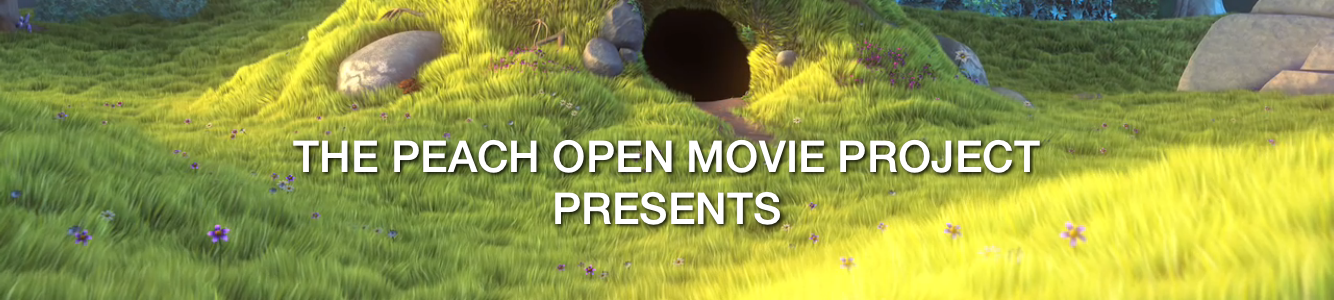
#### Screenshot
### Usage without player
From version 1.2 you can search text in the SubRip file or text without need play any file.
```swift
import AVPlayerViewControllerSubtitles
```
```swift
// Subtitle file
let subtitleFile = Bundle.main.path(forResource: "trailer_720p", ofType: "srt")
let subtitleURL = URL(fileURLWithPath: subtitleFile!)
// Subtitle parser
let parser = Subtitles(file: subtitleURL, encoding: .utf8)
// Do something with result
let subtitles = parser.searchSubtitles(at: 2.0) // Search subtitle at 2.0 seconds
```
## Contact
- [Linkedin][2]
- [Twitter][3] (@mhergon)
[2]: https://es.linkedin.com/in/marchervera
[3]: http://twitter.com/mhergon "Marc Hervera"
## License
Licensed under Apache License v2.0.
Copyright 2017 Marc Hervera.