
Divetracx
The self-hosted dive log you actually own.
Import from DiveMate and Garmin, log by hand, export anywhere. Keep every
dive on your own infrastructure.
Live demo
·
Import
·
Export
·
Quick start
·
Documentation




---
> [!TIP]
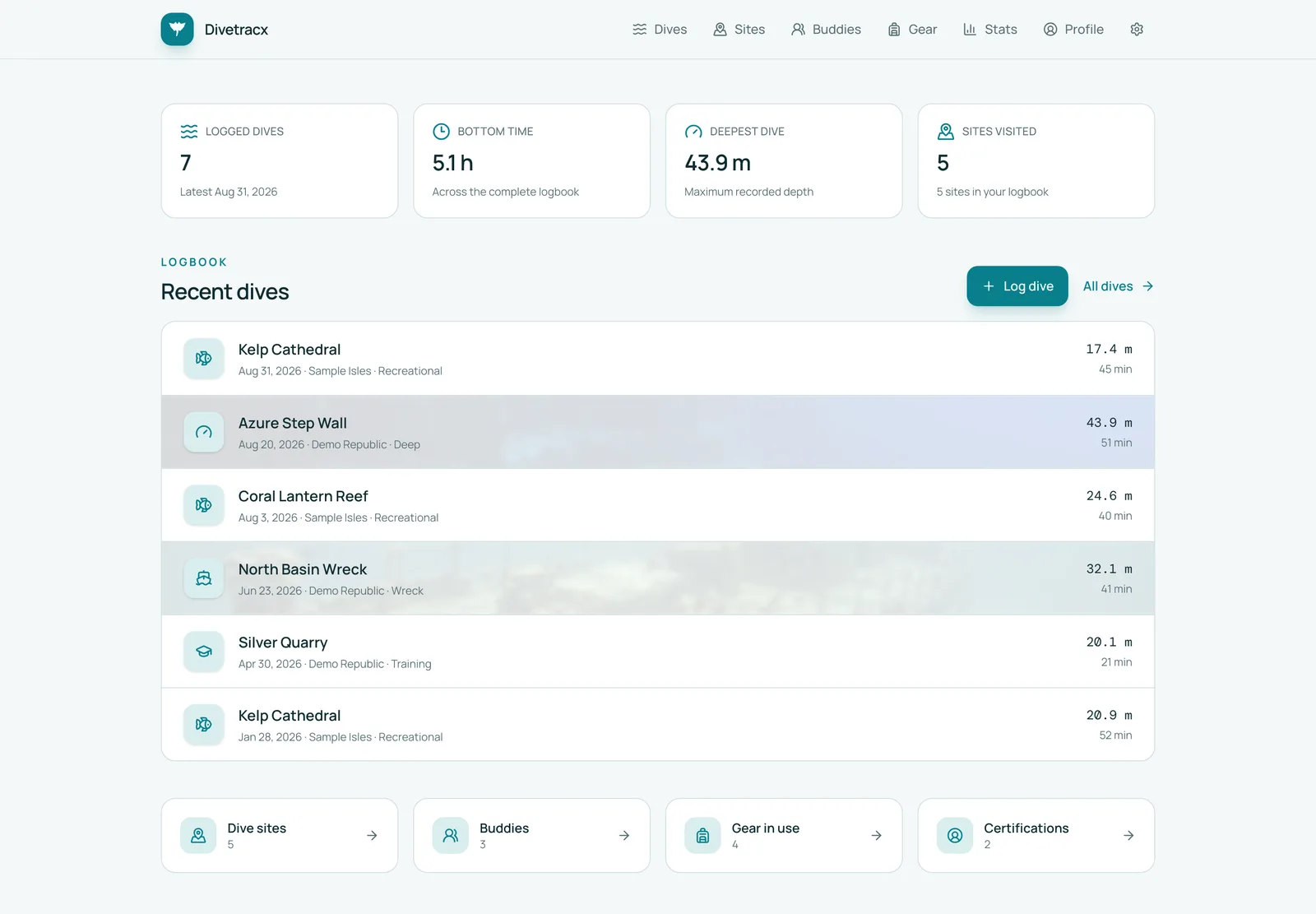
> **Try it in ten seconds.** The
> [read-only demo](https://divetracx.vercel.app/) runs entirely from seven
> anonymized sample dives with complete profiles — no account, no database,
> nothing to install.
> [!TIP]
> **Planning your next dive?** [DiveCalc.app](https://divecalc.app/) offers free
> scuba calculators and practical guides for MOD, SAC/RMV, gas planning,
> Nitrox, unit conversions, and safer dive preparation.
## 🤿 What it is
Divetracx is a self-hosted home for your dives, sites, buddies, equipment,
cylinders, gases, profiles, pictures, and certifications.
Dive computers, phone apps, and exchange formats each keep their own copy of
your dives, with their own schemas and their own gaps. Divetracx pulls them
together into **one canonical logbook**: run a full historical import once,
then let incremental syncs pick up new dives — or skip the import entirely and
log dives straight from the UI. Either way the data lives on your own
PostgreSQL and storage, and you can export it again in the format of your
choice.
## ✨ Why Divetracx
- 📥 **Import from multiple sources.** DiveMate `.ddb` backups (with photos and
certification cards) and Garmin dive computers via the official FIT SDK.
- 🔁 **Reliable ongoing sync.** Full imports are manual, validated, and
transactional. Incremental imports skip unchanged records and never delete a
dive just because it disappeared from a later feed.
- ✍️ **Log anything by hand.** Dives, tanks, sites, buddies, gear, and
certifications have full editors in the UI. No dive computer required —
manual dives take paper-logbook fields (pressure groups, surface interval,
safety stop, residual nitrogen time) and render a logbook-style schematic
instead of an empty profile chart.
- 🧩 **One canonical record.** Different source schemas map into one durable
model with full provenance. Vendor IDs and raw payloads stay in a separate
integration layer, so your manual edits survive every re-import.
- 📈 **Complete dive detail.** Profiles, tanks, gases, pressure, temperature,
decompression ceiling, ppO₂, notes, ratings, and media in one place.
- 🗺️ **Maps and statistics.** Interactive profiles, a site map with a
click-to-pin coordinate picker, calendar activity, trends, personal records,
and aggregate statistics.
- 📤 **Your data, portable.** Export to DiveMate `.ddb`, Subsurface `.ssrf`,
UDDF 3.2.3, CSV, or versioned Divetracx JSON at any time.
- 🤖 **Ask your agent.** An optional private MCP endpoint with
owner-controlled read, write, and delete tools
lets your own AI tools search dives, load details, list sites, and read
statistics.
- 🔒 **Yours, end to end.** Self-hosted on your own PostgreSQL and your own
storage, behind your own auth proxy. No accounts, no telemetry, no upsell.
- 🚀 **Deploys in one command.** Docker Compose for a home server, a Helm chart
for a cluster.
## 📥 Getting dives in
Three import sources are supported today. All are run from
**Settings → Integrations** and from the command line; DiveMate and Garmin can
also run on a schedule. Every run lands in **Import history**, which reports discovered,
new, changed, unchanged, and failed source records.
| Source | Full import | Incremental sync | What comes across | How it connects |
| --- | :---: | :---: | --- | --- |
| **DiveMate** `.ddb` | ✅ | ✅ | Dives, profiles, tanks, sites, buddies, equipment, equipment sets, certifications with card images, shops, dive types, diver profile, pictures | Reads `DiveMate.ddb` plus its `Media` and `Cards` files from a Google Drive folder via a service account |
| **Garmin** dive computers | ✅ | ✅ | Dives, profiles, tanks, gases; gear and certifications from the Garmin Dive app | Divetracx signs in with your account (MFA supported), pulls FIT activities from Garmin Connect, and reads gear from the Garmin Dive service |
| **Subsurface** `.ssrf` / `.xml` | — | ✅ | Dives, profiles, cylinders, gas changes, sites with GPS, buddies and dive guides, weights, tags | Upload a logbook file from the browser or the CLI |
> [!NOTE]
> **Not yet supported:** importing UDDF, CSV, or Divetracx JSON. Those three
> formats are export-only for now. If your dives live elsewhere, log them by
> hand, or export them from [Subsurface](https://subsurface-divelog.org/) —
> which reads most dive computers and logbook formats — and upload that file.
**Full** and **incremental** mean different things:
- A **full import** is a deliberate, manual operation. It re-reads the whole
source, validates it, and applies the result in a single transaction. It is
destructive by design for records the source previously produced, but it
never touches dives you created by hand or that only matched an imported
profile.
- An **incremental import** is safe to run as often as you like. It compares
stable source identities and content hashes, applies only new or changed
records, and never deletes anything.
Each integration card has a **What to sync** list where you can switch off the
kinds of data you don't want brought across — say, certifications from DiveMate
while you keep its dives. Everything is on by default. A switched-off kind is
left out of later imports but nothing already imported is removed, and dives
keep pointing at sites, people, and gear that came across earlier. Some kinds
are tied together and the list says so: profiles and tanks belong to dives, gear
sets are made of gear, and a Garmin activity or Subsurface dive is the thing its
profile and people are read from, so those dives are always on. Switching an
entity back on imports its records as new.
DiveMate details
Configure `DIVEMATE_GOOGLE_DRIVE_FOLDER_ID` and `GOOGLE_APPLICATION_CREDENTIALS`
for a service account with read access to the Drive folder holding your
backup. The importer uses SQLite row IDs and content hashes for idempotent
incremental detection. Images are copied to configured storage with immutable
originals and generated WebP thumbnails.
DiveMate buddy IDs import as buddies. Its legacy free-text `Divemaster` value
imports as a linked person with the Divemaster role. Divetracx exports
Divemaster, Instructor, and Guide assignments back into that field with role
labels, so those richer assignments survive a Divetracx → DiveMate → Divetracx
round trip.
```bash
bun run sync:divemate # incremental, from the CLI
bun run import:incremental --integration=divemate # same thing, generic entry point
```
Garmin details
Garmin Connect runs directly in Divetracx’s server process. Connect your Garmin
account once from **Settings → Integrations**; MFA is supported. Passwords and
verification codes are used only for the login, while the resulting OAuth tokens
are retained in Divetracx’s server-only database for later imports.
Dives are listed through the Garmin Dive service (the backend of the Garmin Dive
app), so dives you logged by hand in the app come across too, and each dive’s
original FIT file is downloaded for everything the computer recorded: the
depth, temperature, and ceiling profile with remaining no-deco limit, time to
surface, CNS and nitrogen loading per sample; gases with their planned role
(bottom, deco, travel); the decompression model and gradient factors; CNS and
OTU totals; fresh or salt water; every alert and gas switch as a timeline of
computer events; the recording device with serial and firmware; and — when the
watch recorded it — heart rate. Wrist heart rate underwater is off by default on
Descent computers; enable it in the watch’s dive settings if you want it in
your profiles.
A dive read from more than one source shows all of them under **Recorded by**
on its page, with what each contributed. No source is treated as primary: each
one fills in whatever the dive did not have yet.
Activities are reconciled against existing log entries by start time within
45 minutes, so a computer-recorded profile attaches to the dive you already
logged instead of creating a duplicate.
Gear and certifications you keep in the **Garmin Dive** app come across too.
They live in a separate, undocumented Garmin service (the one the Dive app
talks to), which Divetracx reaches by exchanging the stored Connect token for a
Dive-scoped one — no second login. Gear brings brand, model, serial number,
purchase date, price and shop, weight, retirement, and the next service date;
Garmin stores certifications as a kind of gear, so those arrive with name and
date only. Both are matched to existing gear and certifications by name before
anything new is created, so a DiveMate import of the same item is enriched, not
duplicated. Because this API is unofficial, a failure there is recorded in the
run's diagnostics and never blocks the dive import. Switch either off under
**What to sync** to skip the Dive service entirely.
The **Probe Dive API** button under the Garmin account exercises those endpoints
read-only and shows what each returned, which is useful when Garmin changes
something.
```bash
bun run import:incremental --integration=garmin
```
Subsurface details
Divetracx reads the native Subsurface XML in all three layouts it has used over
the years — the original `` files, `` with inline
`` elements, and the current `` with a
`` table — so `.ssrf` files saved by any Subsurface release import.
Because Subsurface has no stable dive identifier, each dive is keyed by its
start date and time; uploading a newer export of the same logbook updates those
dives in place and never deletes anything. Sites are matched to existing
Divetracx sites by name or coordinates before new ones are created, buddies and
dive guides become people, cylinders become tanks, gas-change events become the
active tank on each profile sample, and `boat`/`shore`/`deco` tags map onto the
entry type and decompression flag. A tag that matches one of your dive types
assigns it. The file itself is not stored; only the parsed records and a
fingerprint of the upload are kept for change detection.
```bash
bun run import:subsurface --file=backups/logbook.ssrf
```
## 📤 Getting dives out
Everything you put in, you can take out again. **Settings → Export** offers
one-click downloads, and the same files are served from `/api/export/*` for
scripts and backups.
| Format | Endpoint | Best for | What it contains |
| --- | --- | --- | --- |
| **DiveMate backup** `.ddb` | `/api/export/divemate` | Opening your whole logbook in DiveMate again | A DiveMate-compatible SQLite database rebuilt from canonical data, including Garmin-imported and hand-logged dives |
| **Divetracx backup** `.json` | `/api/export/json` | Complete, lossless backups | Every table in the database as versioned JSON (`divetracx-backup`, currently version 17) |
| **Dive spreadsheet** `.csv` | `/api/export/csv` | Spreadsheets and data analysis | One joined row per dive: site, buddies, equipment, tanks, conditions, notes, and the full profile as inline samples |
| **Universal dive log** `.uddf` | `/api/export/uddf` | Other logbook software | UDDF 3.2.3 with diver, sites, and dives including depth profiles |
| **Subsurface logbook** `.ssrf` | `/api/export/subsurface` | Opening the logbook in Subsurface, or a Subsurface ⇄ Divetracx round trip | Native Subsurface XML (format 3) with sites and GPS, cylinders, weights, buddies and dive team, tags, gas-change events, and full profiles with per-tank pressure and deco ceiling |
The DiveMate export uses your configured `.ddb` only as a schema template and
rebuilds the supported tables from canonical data. Besides downloading it, you
can **publish it back to Google Drive** with *Export to Drive* on the
Integrations page. That replaces `DiveMate.ddb` in your Drive folder, asks for
confirmation, and is never triggered automatically; Drive keeps the previous
revision. The same export is available from the CLI:
```bash
bun run export:divemate --output=backups/DiveMate.ddb
```
> [!WARNING]
> Exports contain personal data — locations, health-related notes, contact
> details, certification numbers. Treat the files accordingly.
## ✍️ Logging dives by hand
You do not need a dive computer or a DiveMate history to use Divetracx. The UI
is a complete logbook editor, and hand-logged records live alongside imported
ones in the same canonical model.
- **Dives** — date, entry time, duration, surface interval, maximum and average
depth, air and water temperature, weights, conditions (visibility, current,
waves, weather), suit, boat, dive computer, shop, dive type, rating, and
notes. Search for people and assign each one as Buddy, Divemaster,
Instructor, or Guide; attach gear; and add one or more **tanks** with volume,
start and end pressure, and O₂/He mix.
- **Dive sites** — name, water body, region, country, and notes, with a map
where you click to pin the coordinates. Each site shows its dive count,
deepest dive, and last visit.
- **Buddies** — the people you dive with, including their certifications and
agency memberships.
- **Gear and gear sets** — track individual equipment items and group them
into sets you can attach to a dive in one step.
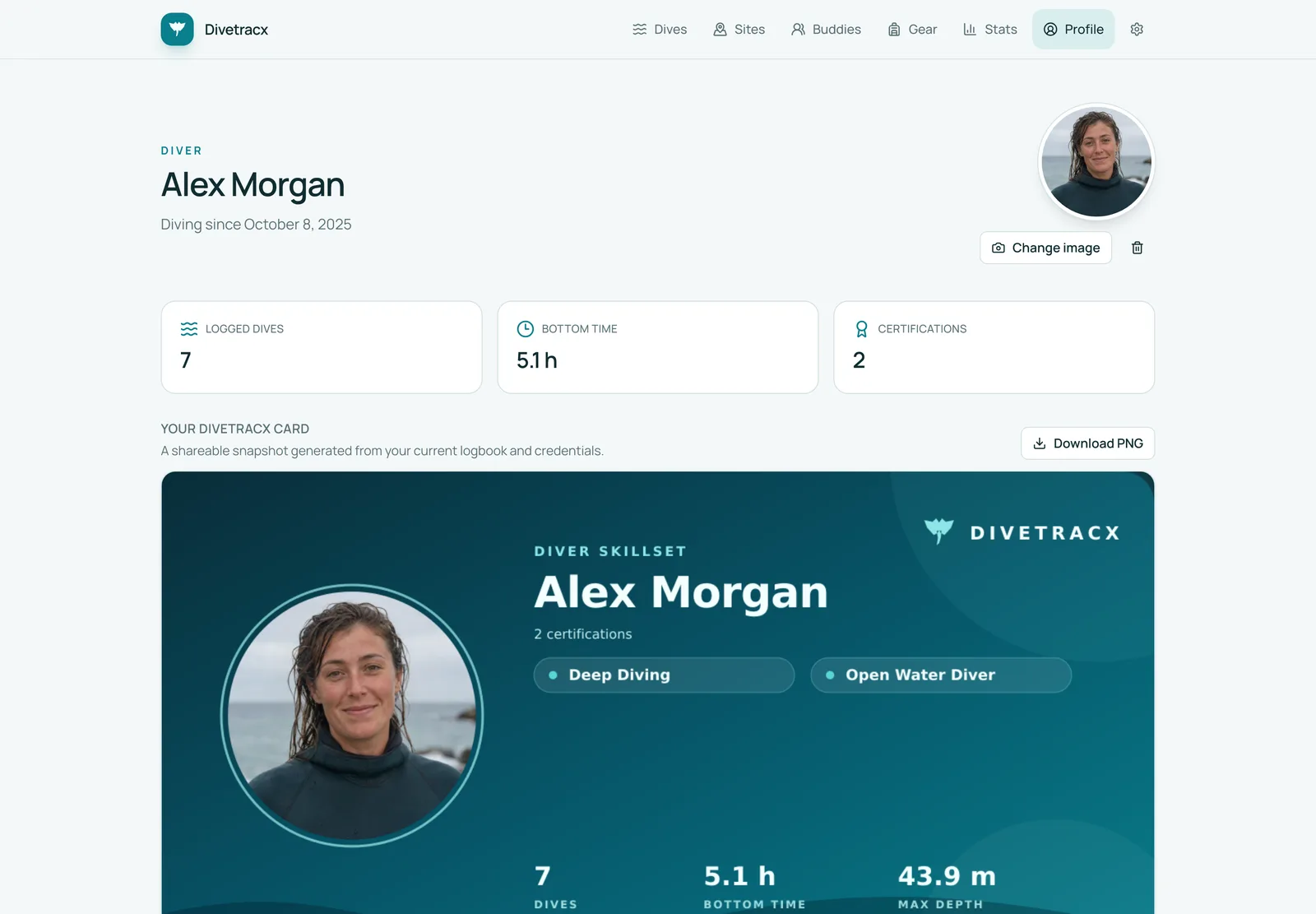
- **Profile** — your diver profile, certifications, and agency memberships,
plus a generated shareable diver card.
- **Photos** — upload pictures to dives, sites, and gear items; originals stay
immutable and WebP thumbnails are generated.
- **Settings** — maintain your own lists of dive types and agencies.
### Merging a split dive
Dive computers end a dive when you surface, so a short surface interval can
leave one dive logged as two. Open either entry, choose **Merge dives**, and
pick the ones that belong with it. The earliest entry is the one that is kept —
that is where the dive began, so it keeps its dive number — and the rest are
appended to it at their real clock times and deleted. The tanks you kept
breathing are continued rather than duplicated, buddies, gear, photos, and notes
move across, and the duration, depths, and temperatures are recomputed over the
whole dive.
The profile chart draws each recorded segment separately, with the surface
interval between them shaded and left empty — no sample is invented to bridge
the gap.
A merged dive is an ordinary dive and keeps syncing. It holds the provenance of
every entry that went into it, so later imports update it as they always would
and never recreate the entries you merged in. Merging itself is not reversible.
Because provenance is stored separately from the logbook, re-running an import
never overwrites a field you edited yourself.
## 🤖 Ask your AI assistant
Divetracx exposes a scoped
[Model Context Protocol](https://modelcontextprotocol.io) endpoint so your own
AI tools can search and maintain dives, sites, buddies, gear, and your diver
profile. Every tool can be switched on or off under **Settings → AI access**.
MCP uses stateless Streamable HTTP without OAuth. Deploy it behind a private
network boundary or an outbound ChatGPT tunnel. In ChatGPT, choose the tunnel
and No authentication. The Helm chart exposes a separate ClusterIP MCP Service
and restricts port 3000 to explicitly allowed namespaces. Public ingress stays
behind Hodor, including `/api/mcp`.
Tool results may contain private dive and health data. Every enabled tool is
available to every client allowed onto this private network. Disable tools you
do not want assistants to use under Settings > AI access. You can pause all
MCP access there and inspect the paginated tool activity history.
## 📸 Screenshots
More screenshots
 |
 |
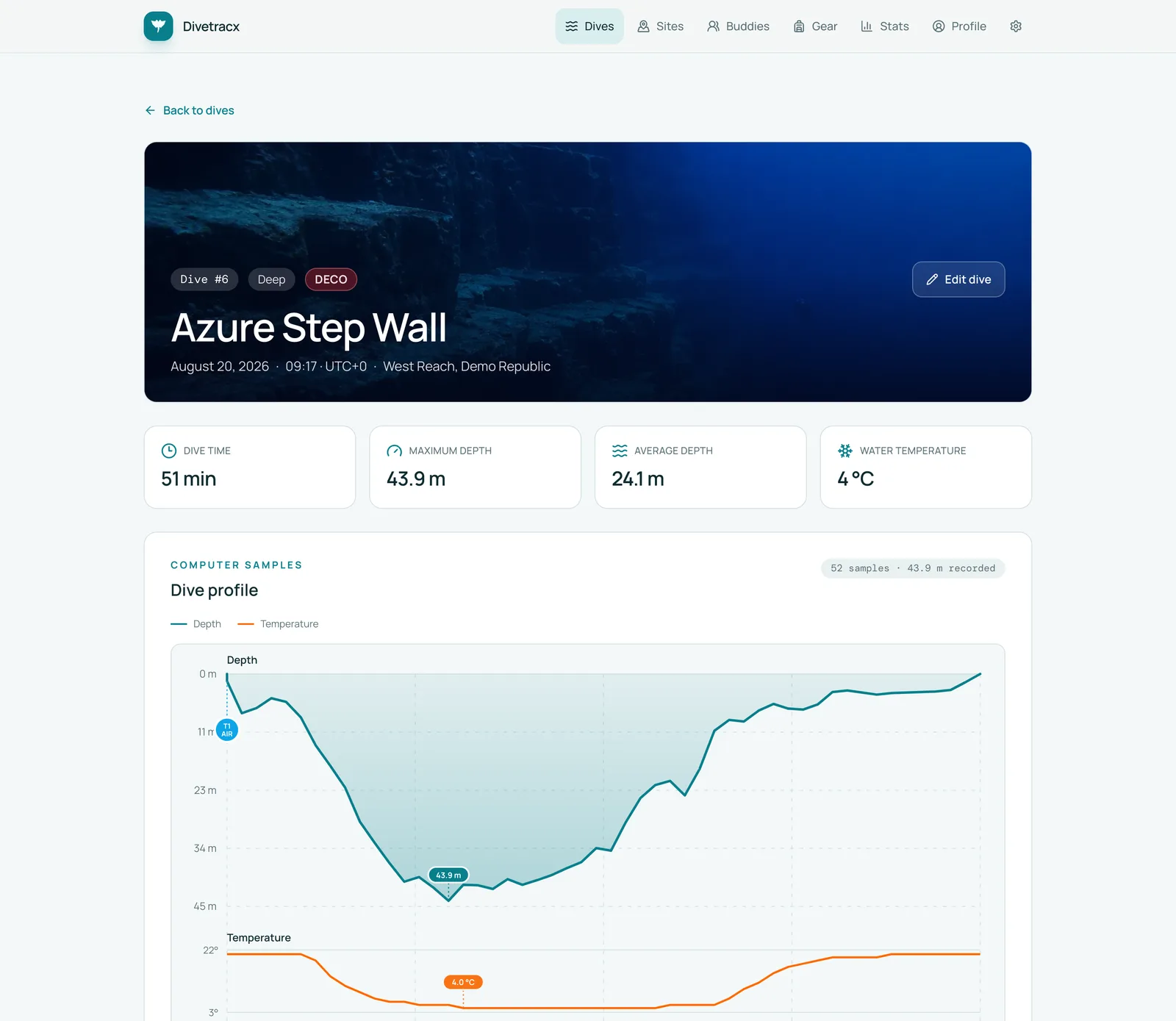
| Dive detail with computer profile |
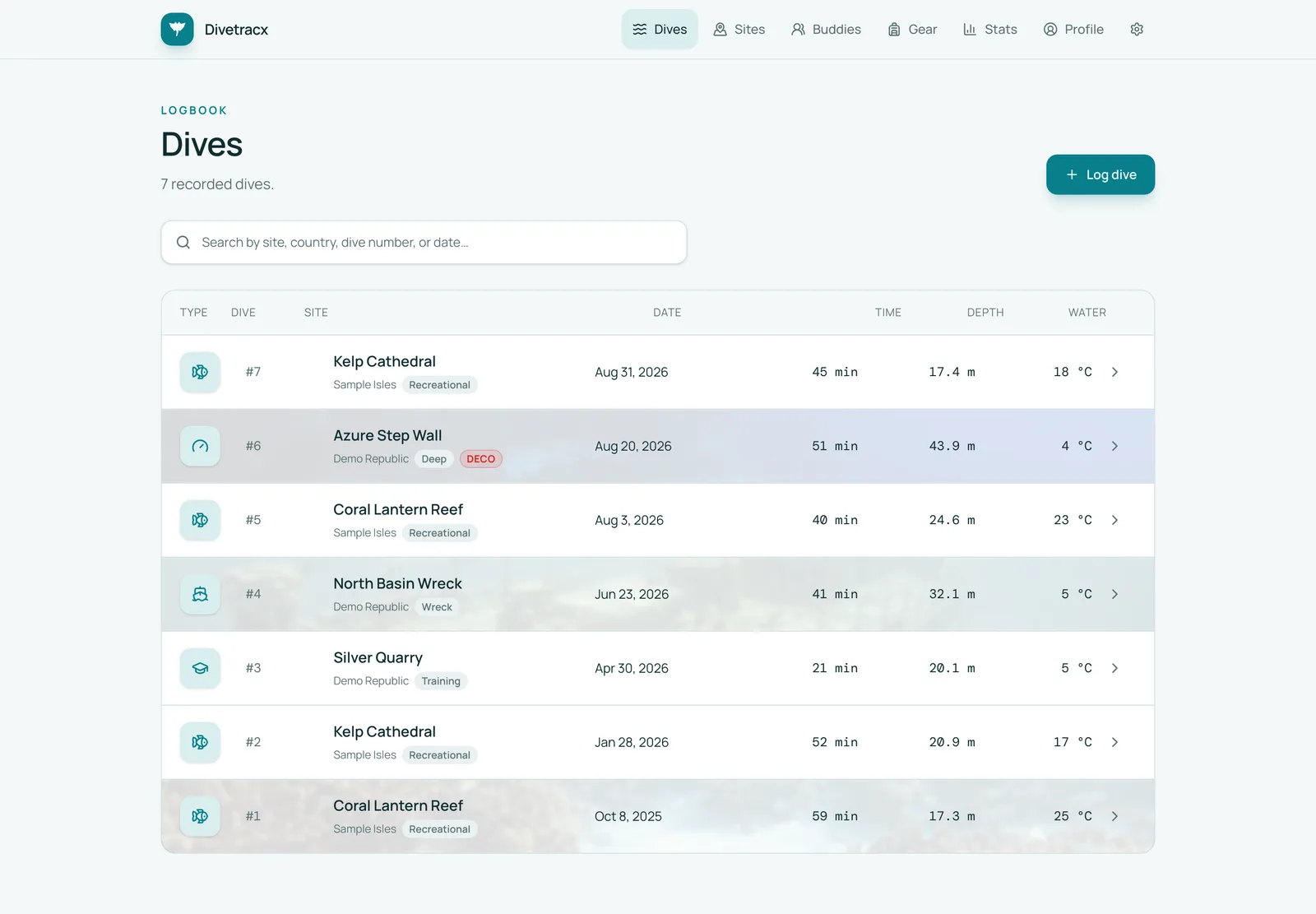
Searchable logbook |
 |
 |
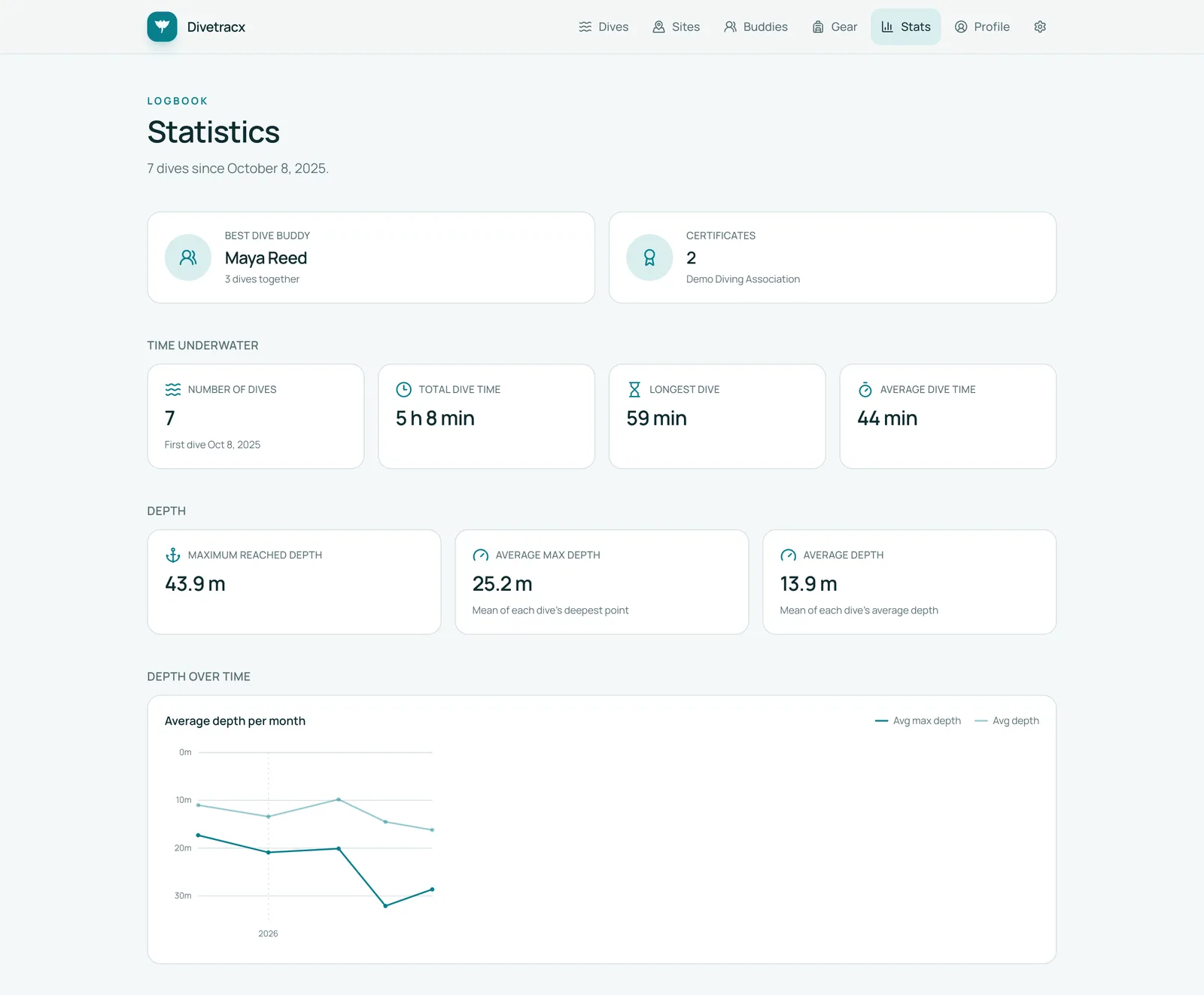
| Statistics |
Profile and shareable diver card |
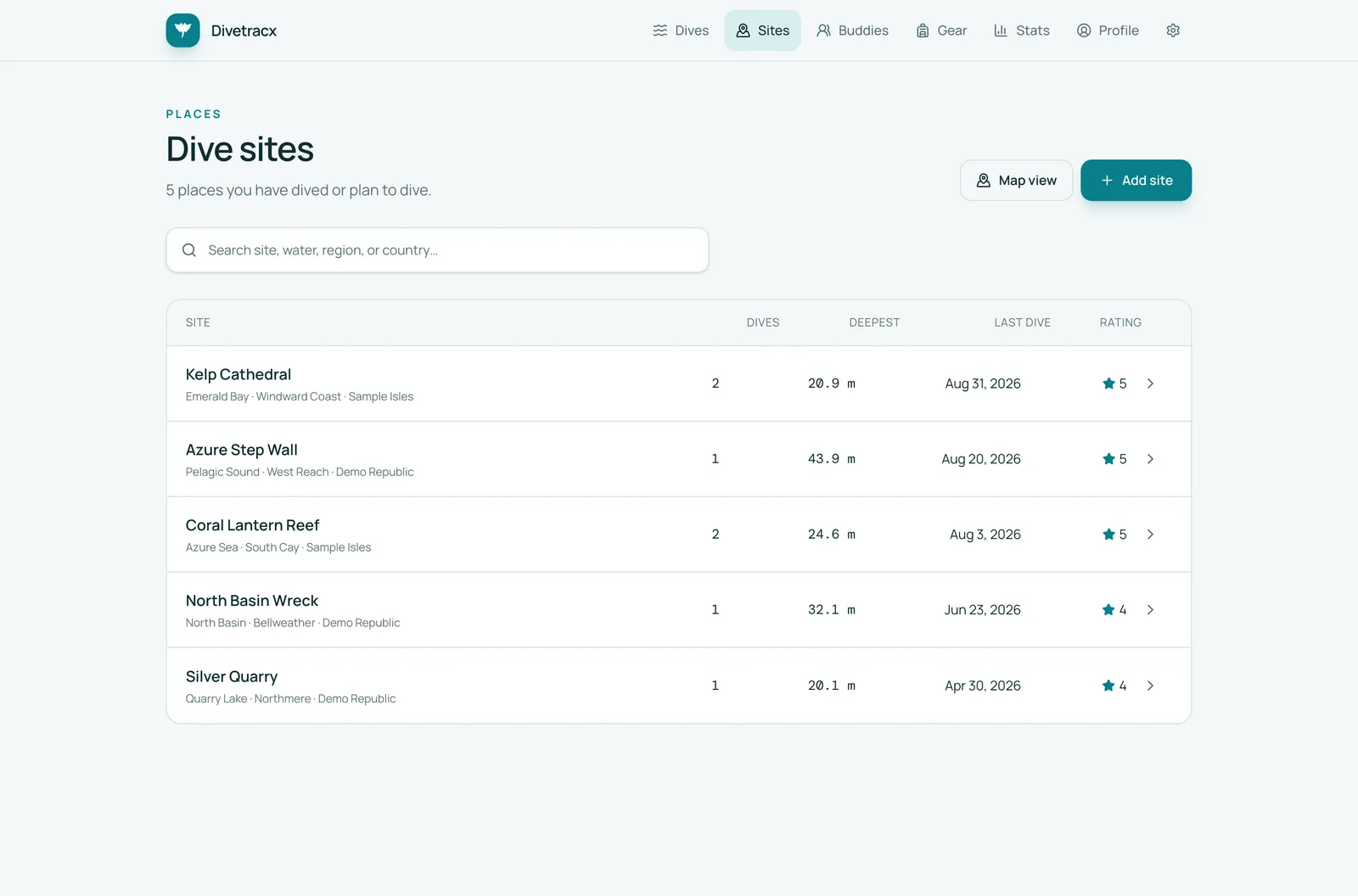 |
| Dive sites |
## 🧱 Tech stack
A modern, boring-where-it-counts TypeScript stack with full-stack type safety
from the database row to the rendered field:
| Layer | Choice |
| --- | --- |
| Runtime and package manager | Bun 1.4 |
| Full-stack framework | TanStack Start with server functions |
| Routing | TanStack Router, file-based and fully typed |
| UI | React 19, shadcn/ui, Base UI, Tailwind CSS v4 |
| Icons and maps | Lucide, MapLibre GL |
| Database | PostgreSQL 18 with Drizzle ORM and committed migrations; ephemeral PGlite for the demo |
| Media storage | Local filesystem or any S3-compatible bucket |
| Dive computer data | Garmin's official FIT JavaScript SDK |
| Validation | Zod at every boundary, including environment variables |
| Tooling | Vite, Biome, Knip, `bun test` |
| Deployment | Docker Compose or Helm, fronted by the Hodor auth proxy |
Server-only concerns — database access, storage providers, Google Drive and
Garmin transport, and secrets — never cross into browser code, and
configuration is validated lazily on first use, reporting the affected
variable names.
## 🚀 Quick start
Docker Compose starts PostgreSQL 18, applies committed migrations, starts
Divetracx, and exposes it through Hodor.
```bash
cp .env.example .env
# Replace HODOR_PASSWORD and HODOR_SECRET in .env.
# Generate a signing secret with: openssl rand -hex 32
docker compose up -d postgres
docker compose run --rm app bun run scripts/migrate.ts
docker compose up -d
```
Open , sign in through Hodor, and either start logging
dives or head to **Settings → Integrations** to connect DiveMate or Garmin.
## 🔧 Local development
Divetracx uses Bun 1.4.0. With PostgreSQL available at the `DATABASE_URL` from
`.env`:
```bash
bun install --frozen-lockfile
cp .env.example .env
docker compose up -d postgres
bun run db:migrate
bun run dev
```
The unauthenticated development server listens on . It
applies pending migrations before startup and watches for newly generated
migrations.
All available commands
| Command | Purpose |
| --- | --- |
| `bun run dev` | Apply migrations and start the watched development server |
| `bun run check` | Check source formatting and lint |
| `bun run typecheck` | Run TypeScript without emitting files |
| `bun run test` | Run tests; environment-gated integration suites are skipped |
| `bun run test:integration:imports` | Run the PostgreSQL-backed import integration tests |
| `bun run test:integration:divemate-export` | Run the DiveMate writeback integration tests |
| `bun run lint:deadcode` | Find unused code and dependencies with Knip |
| `bun run build` | Build production assets |
| `bun run build:demo` | Build the database-free Vercel demo |
| `bun run check:helm` | Lint and template the Helm chart |
| `bun run verify` | Run the complete local quality gate |
| `bun run db:generate` | Generate a Drizzle migration after a schema change |
| `bun run db:migrate` | Apply committed migrations |
| `bun run db:studio` | Open Drizzle Studio |
| `bun run db:seed` | Seed the same fictional dataset as the public demo |
| `bun run sync:divemate` | Run an incremental DiveMate import |
| `bun run import:incremental --integration=garmin` | Run an incremental Garmin import |
| `bun run import:subsurface --file=backups/logbook.ssrf` | Import a Subsurface logbook file |
| `bun run export:divemate --output=backups/DiveMate.ddb` | Rebuild a DiveMate backup from canonical data |
| `bun run media:refresh-thumbnails` | Regenerate WebP thumbnails for stored pictures |
## 📚 Documentation
| Guide | What is inside |
| --- | --- |
| [Development and testing](docs/development.md) | Workflow, tests, tooling, CLI import and export |
| [Configuration reference](docs/configuration.md) | Every environment variable |
| [Deployment](docs/deployment.md) | Docker, Compose, Helm, MCP routing, security boundary |
| [Read-only demo mode](docs/demo-mode.md) | How the PGlite demo is built |
| [Design system](DESIGN.md) | Layout contract and UI conventions |
| [Helm chart reference](charts/README.md) | Chart values, Secrets, CronJobs |
## 📁 Project layout
```text
src/routes/ TanStack Router file routes and API endpoints
src/components/ Shared application UI and shadcn/ui primitives
src/modules/ Domain modules: dives, sites, gear, export, media, profile, …
src/modules/mcp/ Private MCP tools and owner policy
src/modules/integrations/ Generic import service, runs, and provenance
src/modules/divemate/ DiveMate .ddb reader, mapper, and writer
src/modules/garmin/ Garmin Connect client, FIT mapping, and import flow
src/db/ Drizzle schema and database connection
drizzle/ Committed migrations and metadata
scripts/ CLI entry points: migrate, seed, sync, and export
charts/ Helm chart
```
> [!WARNING]
> `src/routeTree.gen.ts` is generated. Run `bun run generate-routes` instead of
> editing it manually.
## 📄 License
[MIT](LICENSE)
---
Open-source software for people who care about their dives. 🌊
Try the demo ·
Star it on GitHub