# 初学者数据科学课程
[](https://github.com/codespaces/new?hide_repo_select=true&ref=main&repo=344191198)
[](https://github.com/microsoft/Data-Science-For-Beginners/blob/master/LICENSE)
[](https://GitHub.com/microsoft/Data-Science-For-Beginners/graphs/contributors/)
[](https://GitHub.com/microsoft/Data-Science-For-Beginners/issues/)
[](https://GitHub.com/microsoft/Data-Science-For-Beginners/pulls/)
[](http://makeapullrequest.com)
[](https://GitHub.com/microsoft/Data-Science-For-Beginners/watchers/)
[](https://GitHub.com/microsoft/Data-Science-For-Beginners/network/)
[](https://GitHub.com/microsoft/Data-Science-For-Beginners/stargazers/)
[](https://discord.gg/nTYy5BXMWG)
[](https://aka.ms/foundry/forum)
微软 Azure 云推广团队很高兴推出一个为期 10 周、共 20 课的完整数据科学课程。每节课包含课前和课后测验、完成课程的书面说明、解决方案以及作业。我们的项目驱动教学法让你在构建项目的过程中学习,这是帮助新技能“落地”的有效方法。
**衷心感谢我们的作者:** [Jasmine Greenaway](https://www.twitter.com/paladique), [Dmitry Soshnikov](http://soshnikov.com), [Nitya Narasimhan](https://twitter.com/nitya), [Jalen McGee](https://twitter.com/JalenMcG), [Jen Looper](https://twitter.com/jenlooper), [Maud Levy](https://twitter.com/maudstweets), [Tiffany Souterre](https://twitter.com/TiffanySouterre), [Christopher Harrison](https://www.twitter.com/geektrainer)。
**🙏 特别感谢 🙏 我们的 [Microsoft 学生大使](https://studentambassadors.microsoft.com/)作者、审稿人及内容贡献者,** 尤其是 Aaryan Arora、[Aditya Garg](https://github.com/AdityaGarg00)、[Alondra Sanchez](https://www.linkedin.com/in/alondra-sanchez-molina/)、[Ankita Singh](https://www.linkedin.com/in/ankitasingh007)、[Anupam Mishra](https://www.linkedin.com/in/anupam--mishra/)、[Arpita Das](https://www.linkedin.com/in/arpitadas01/)、ChhailBihari Dubey、[Dibri Nsofor](https://www.linkedin.com/in/dibrinsofor)、[Dishita Bhasin](https://www.linkedin.com/in/dishita-bhasin-7065281bb)、[Majd Safi](https://www.linkedin.com/in/majd-s/)、[Max Blum](https://www.linkedin.com/in/max-blum-6036a1186/)、[Miguel Correa](https://www.linkedin.com/in/miguelmque/)、[Mohamma Iftekher (Iftu) Ebne Jalal](https://twitter.com/iftu119)、[Nawrin Tabassum](https://www.linkedin.com/in/nawrin-tabassum)、[Raymond Wangsa Putra](https://www.linkedin.com/in/raymond-wp/)、[Rohit Yadav](https://www.linkedin.com/in/rty2423)、Samridhi Sharma、[Sanya Sinha](https://www.linkedin.com/mwlite/in/sanya-sinha-13aab1200),
[Sheena Narula](https://www.linkedin.com/in/sheena-narua-n/)、[Tauqeer Ahmad](https://www.linkedin.com/in/tauqeerahmad5201/)、Yogendrasingh Pawar 、[Vidushi Gupta](https://www.linkedin.com/in/vidushi-gupta07/)、[Jasleen Sondhi](https://www.linkedin.com/in/jasleen-sondhi/)
|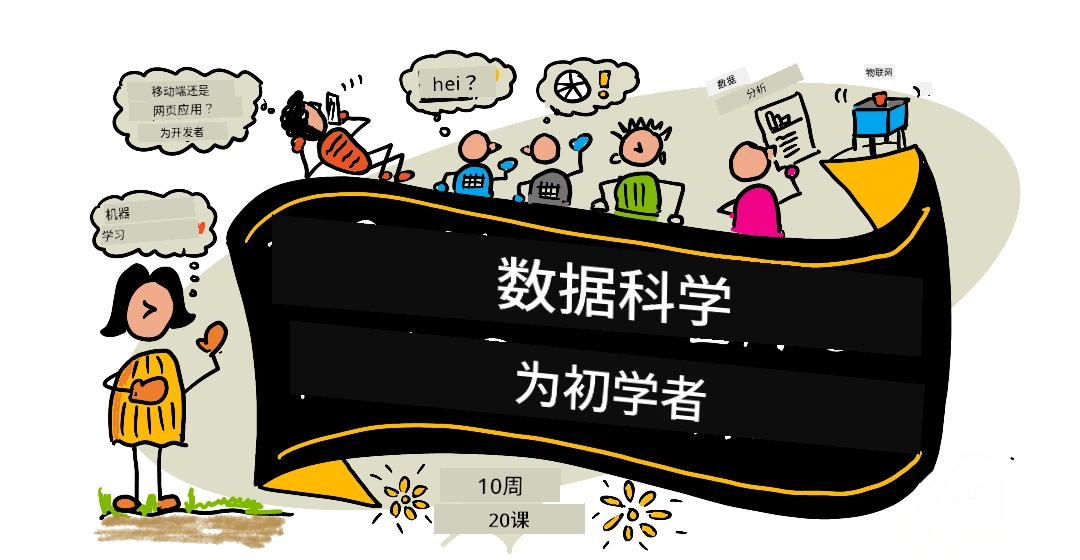|
|:---:|
| 初学者数据科学 - _手绘笔记由 [@nitya](https://twitter.com/nitya)_ |
### 🌐 多语言支持
#### 通过 GitHub Action 支持(自动且持续更新)
[Arabic](../ar/README.md) | [Bengali](../bn/README.md) | [Bulgarian](../bg/README.md) | [Burmese (Myanmar)](../my/README.md) | [Chinese (Simplified)](./README.md) | [Chinese (Traditional, Hong Kong)](../zh-HK/README.md) | [Chinese (Traditional, Macau)](../zh-MO/README.md) | [Chinese (Traditional, Taiwan)](../zh-TW/README.md) | [Croatian](../hr/README.md) | [Czech](../cs/README.md) | [Danish](../da/README.md) | [Dutch](../nl/README.md) | [Estonian](../et/README.md) | [Finnish](../fi/README.md) | [French](../fr/README.md) | [German](../de/README.md) | [Greek](../el/README.md) | [Hebrew](../he/README.md) | [Hindi](../hi/README.md) | [Hungarian](../hu/README.md) | [Indonesian](../id/README.md) | [Italian](../it/README.md) | [Japanese](../ja/README.md) | [Kannada](../kn/README.md) | [Khmer](../km/README.md) | [Korean](../ko/README.md) | [Lithuanian](../lt/README.md) | [Malay](../ms/README.md) | [Malayalam](../ml/README.md) | [Marathi](../mr/README.md) | [Nepali](../ne/README.md) | [Nigerian Pidgin](../pcm/README.md) | [Norwegian](../no/README.md) | [Persian (Farsi)](../fa/README.md) | [Polish](../pl/README.md) | [Portuguese (Brazil)](../pt-BR/README.md) | [Portuguese (Portugal)](../pt-PT/README.md) | [Punjabi (Gurmukhi)](../pa/README.md) | [Romanian](../ro/README.md) | [Russian](../ru/README.md) | [Serbian (Cyrillic)](../sr/README.md) | [Slovak](../sk/README.md) | [Slovenian](../sl/README.md) | [Spanish](../es/README.md) | [Swahili](../sw/README.md) | [Swedish](../sv/README.md) | [Tagalog (Filipino)](../tl/README.md) | [Tamil](../ta/README.md) | [Telugu](../te/README.md) | [Thai](../th/README.md) | [Turkish](../tr/README.md) | [Ukrainian](../uk/README.md) | [Urdu](../ur/README.md) | [Vietnamese](../vi/README.md)
> **想要本地克隆?**
>
> 本库包含超过 50 种语言的翻译,显著增加了下载大小。若想不包含翻译文件可使用稀疏检出:
>
> **Bash / macOS / Linux:**
> ```bash
> git clone --filter=blob:none --sparse https://github.com/microsoft/Data-Science-For-Beginners.git
> cd Data-Science-For-Beginners
> git sparse-checkout set --no-cone '/*' '!translations' '!translated_images'
> ```
>
> **CMD (Windows):**
> ```cmd
> git clone --filter=blob:none --sparse https://github.com/microsoft/Data-Science-For-Beginners.git
> cd Data-Science-For-Beginners
> git sparse-checkout set --no-cone "/*" "!translations" "!translated_images"
> ```
>
> 这样你可以更快下载,获得完成课程所需的全部内容。
**如需支持更多语言,查看此处支持列表:[here](https://github.com/Azure/co-op-translator/blob/main/getting_started/supported-languages.md)**
#### 加入我们的社区
[](https://discord.gg/nTYy5BXMWG)
我们正在举办 Discord 上的“与 AI 一起学习”系列,时间为 2025 年 9 月 18 日至 30 日。了解详情并加入请见[与 AI 一起学习系列](https://aka.ms/learnwithai/discord)。你将获得使用 GitHub Copilot 进行数据科学的技巧和窍门。

# 你是学生吗?
请使用以下资源开始:
- [学生中心页面](https://docs.microsoft.com/en-gb/learn/student-hub?WT.mc_id=academic-77958-bethanycheum) 在此页面你能找到初学者资源、学生包甚至获得免费认证券的方式。我们会至少每月更新内容,建议收藏并定期查看。
- [Microsoft Learn 学生大使](https://studentambassadors.microsoft.com?WT.mc_id=academic-77958-bethanycheum) 加入全球学生大使社区,这可能是你进入微软的机会。
# 入门指南
## 📚 文档
- **[安装指南](INSTALLATION.md)** - 针对初学者的逐步环境搭建说明
- **[使用指导](USAGE.md)** - 示例和常见工作流程
- **[故障排查](TROUBLESHOOTING.md)** - 常见问题解决方案
- **[贡献指南](CONTRIBUTING.md)** - 如何为本项目贡献代码
- **[教师专用](for-teachers.md)** - 教学指导和课堂资源
## 👨🎓 学生专区
> 完全零基础:数据科学新人?请先看我们的[初学者示例](examples/README.md)!这些简单且注释详尽的示例能帮助你了解基础知识,再深入全套课程。
> **[学生](https://aka.ms/student-page)**:若想自行使用本课程,请 fork 整个仓库并独立完成练习,从课前测验开始。阅读课程内容并完成剩余活动。尽量理解课程后自行构建项目,而非直接复制解决方案代码;不过每个项目导向课程的 /solutions 文件夹都有参考代码。你也可以和朋友组建学习小组一起学习。想深入学习,推荐访问 [Microsoft Learn](https://docs.microsoft.com/en-us/users/jenlooper-2911/collections/qprpajyoy3x0g7?WT.mc_id=academic-77958-bethanycheum)。
**快速开始:**
1. 查看[安装指南](INSTALLATION.md),配置环境
2. 研读[使用指导](USAGE.md),了解课程操作流程
3. 从第一课开始,按顺序学习
4. 加入我们的[Discord 社区](https://aka.ms/ds4beginners/discord)获得支持
## 👩🏫 教师专区
> 教师们:我们[提供了一些建议](for-teachers.md)来帮助您使用本课程。我们非常期待您在[讨论论坛](https://github.com/microsoft/Data-Science-For-Beginners/discussions)中的反馈!
## 团队介绍
[](https://youtu.be/8mzavjQSMM4 "宣传视频")
动图作者 [Mohit Jaisal](https://www.linkedin.com/in/mohitjaisal)
> 🎥 点击上方图片观看项目和创作者介绍视频!
## 教学法
我们在构建本课程时选择了两个教学原则:确保课程以项目为基础,并且包含频繁的测验。在本系列课程结束时,学生将掌握数据科学的基本原理,包括伦理概念、数据准备、处理数据的不同方法、数据可视化、数据分析、数据科学的实际应用案例等等。
此外,课前的低风险测验可以帮助学生确立学习主题的意向,而课后的第二次测验则有助于进一步巩固知识。本课程设计灵活且有趣,可整体学习也可部分学习。项目从简单开始,随着10周周期的推进逐渐变得复杂。
> 查看我们的[行为准则](CODE_OF_CONDUCT.md)、[贡献指南](CONTRIBUTING.md)、[翻译指南](TRANSLATIONS.md)。欢迎您提供建设性的反馈!
## 每节课包括:
- 可选的草图笔记
- 可选的补充视频
- 课前热身测验
- 书面课程内容
- 针对项目型课程的逐步项目构建指导
- 知识检查
- 挑战任务
- 补充阅读
- 作业
- [课后测验](https://ff-quizzes.netlify.app/en/)
> 关于测验的说明:所有测验都包含在 Quiz-App 文件夹中,共40个测验,每个测验包含3个问题。它们在课程中有链接,但测验应用可在本地运行或部署到 Azure;请按照 `quiz-app` 文件夹中的说明操作。测验正在逐步实现本地化。
## 🎓 适合初学者的示例
**刚开始学数据科学?** 我们创建了一个专门的[示例目录](examples/README.md),其中包含简单且注释详细的代码,帮助您入门:
- 🌟 **Hello World** - 你的第一个数据科学程序
- 📂 加载数据 - 学习读取和探索数据集
- 📊 简单分析 - 计算统计数据并发现模式
- 📈 基础可视化 - 创建图表和曲线图
- 🔬 真实项目 - 从头到尾完成完整工作流程
每个示例都包含详细注释,解释每一步骤,非常适合绝对初学者!
👉 **[从示例开始](examples/README.md)** 👈
## 课程列表
|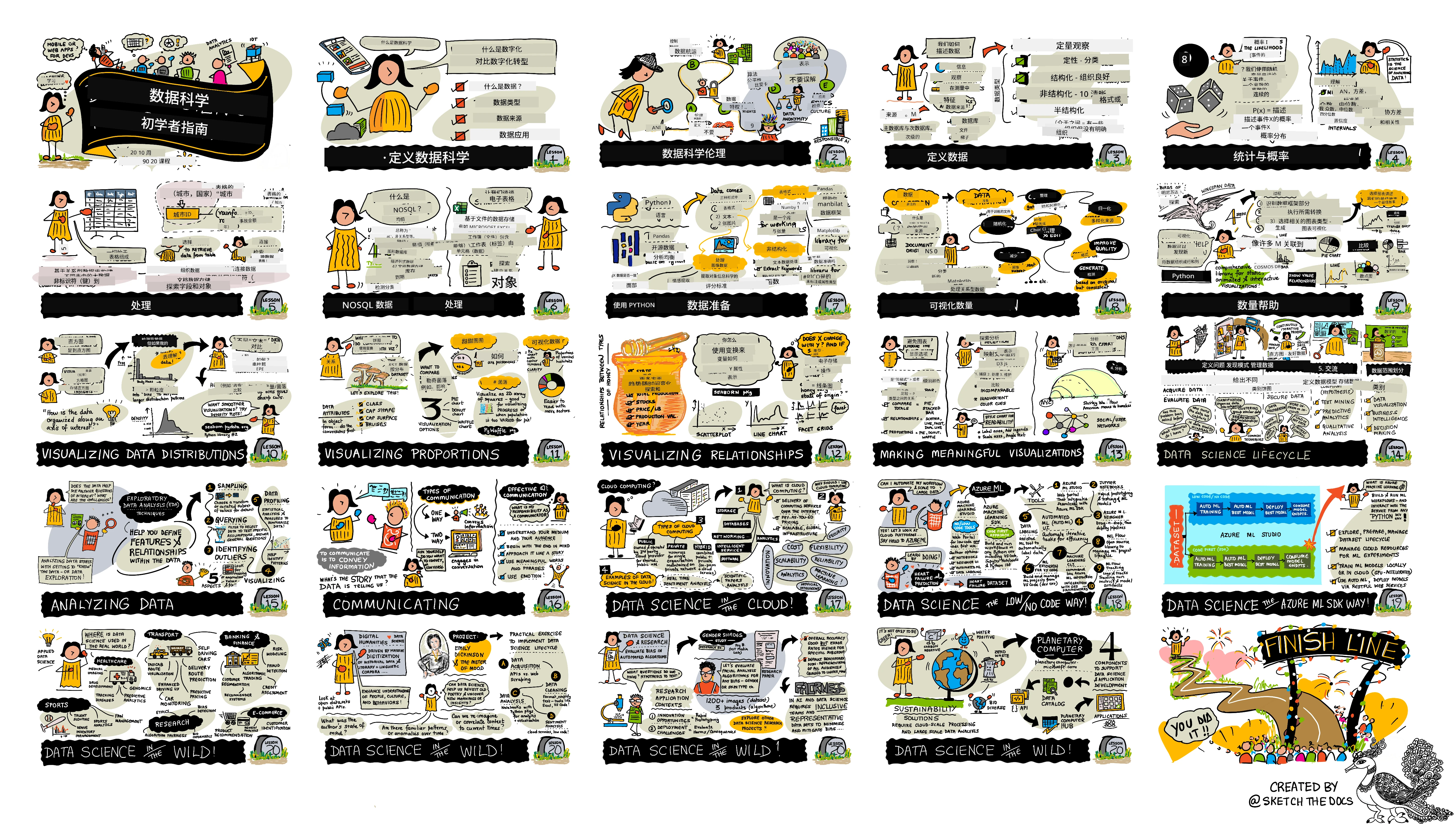|
|:---:|
| 数据科学初学者路线图 - _草图笔记作者 [@nitya](https://twitter.com/nitya)_ |
| 课程编号 | 主题 | 课程分组 | 学习目标 | 相关课程 | 作者 |
| :------: | :----------------------------------------: | :--------------------------------------------------: | :-----------------------------------------------------------------------------------------------------------------------------------------------------------------------: | :---------------------------------------------------------------------: | :----: |
| 01 | 定义数据科学 | [介绍](1-Introduction/README.md) | 了解数据科学的基本概念及其与人工智能、机器学习和大数据的关系。 | [课程](1-Introduction/01-defining-data-science/README.md) [视频](https://youtu.be/beZ7Mb_oz9I) | [Dmitry](http://soshnikov.com) |
| 02 | 数据科学伦理 | [介绍](1-Introduction/README.md) | 数据伦理的概念、挑战及框架。 | [课程](1-Introduction/02-ethics/README.md) | [Nitya](https://twitter.com/nitya) |
| 03 | 定义数据 | [介绍](1-Introduction/README.md) | 数据的分类及常见来源。 | [课程](1-Introduction/03-defining-data/README.md) | [Jasmine](https://www.twitter.com/paladique) |
| 04 | 统计学和概率入门 | [介绍](1-Introduction/README.md) | 运用概率与统计的数学方法理解数据。 | [课程](1-Introduction/04-stats-and-probability/README.md) [视频](https://youtu.be/Z5Zy85g4Yjw) | [Dmitry](http://soshnikov.com) |
| 05 | 使用关系型数据 | [数据操作](2-Working-With-Data/README.md) | 介绍关系型数据,及使用结构化查询语言(SQL,发音为“see-quell”)进行数据探索和分析的基础知识。 | [课程](2-Working-With-Data/05-relational-databases/README.md) | [Christopher](https://www.twitter.com/geektrainer) |
| 06 | 使用 NoSQL 数据 | [数据操作](2-Working-With-Data/README.md) | 介绍非关系型数据及其不同类型,以及对文档数据库进行探索和分析的基础知识。 | [课程](2-Working-With-Data/06-non-relational/README.md) | [Jasmine](https://twitter.com/paladique) |
| 07 | 使用 Python | [数据操作](2-Working-With-Data/README.md) | 使用 Python 和 Pandas 等库进行数据探索的基础。建议具备 Python 编程基础。 | [课程](2-Working-With-Data/07-python/README.md) [视频](https://youtu.be/dZjWOGbsN4Y) | [Dmitry](http://soshnikov.com) |
| 08 | 数据准备 | [数据操作](2-Working-With-Data/README.md) | 数据清洗和转换技术,处理缺失、不准确或不完整数据的挑战。 | [课程](2-Working-With-Data/08-data-preparation/README.md) | [Jasmine](https://www.twitter.com/paladique) |
| 09 | 数量可视化 | [数据可视化](3-Data-Visualization/README.md) | 学习如何用 Matplotlib 可视化鸟类数据 🦆 | [课程](3-Data-Visualization/09-visualization-quantities/README.md) | [Jen](https://twitter.com/jenlooper) |
| 10 | 数据分布可视化 | [数据可视化](3-Data-Visualization/README.md) | 可视化区间内的观察值和趋势。 | [课程](3-Data-Visualization/10-visualization-distributions/README.md) | [Jen](https://twitter.com/jenlooper) |
| 11 | 比例可视化 | [数据可视化](3-Data-Visualization/README.md) | 可视化离散及分组百分比数据。 | [课程](3-Data-Visualization/11-visualization-proportions/README.md) | [Jen](https://twitter.com/jenlooper) |
| 12 | 关系可视化 | [数据可视化](3-Data-Visualization/README.md) | 可视化数据集及其变量之间的联系和相关性。 | [课程](3-Data-Visualization/12-visualization-relationships/README.md) | [Jen](https://twitter.com/jenlooper) |
| 13 | 有意义的可视化 | [数据可视化](3-Data-Visualization/README.md) | 制作有价值的可视化,帮助有效地解决问题和获得洞察的技巧与指导。 | [课程](3-Data-Visualization/13-meaningful-visualizations/README.md) | [Jen](https://twitter.com/jenlooper) |
| 14 | 数据科学生命周期简介 | [生命周期](4-Data-Science-Lifecycle/README.md) | 介绍数据科学生命周期及其第一步——获取和提取数据。 | [课程](4-Data-Science-Lifecycle/14-Introduction/README.md) | [Jasmine](https://twitter.com/paladique) |
| 15 | 分析 | [生命周期](4-Data-Science-Lifecycle/README.md) | 关注数据科学生命周期中分析数据的技术。 | [课程](4-Data-Science-Lifecycle/15-analyzing/README.md) | [Jasmine](https://twitter.com/paladique) |
| 16 | 交流 | [生命周期](4-Data-Science-Lifecycle/README.md) | 关注数据科学生命周期中以便于决策者理解的方式呈现数据洞察的阶段。 | [课程](4-Data-Science-Lifecycle/16-communication/README.md) | [Jalen](https://twitter.com/JalenMcG) |
| 17 | 云端数据科学 | [云端数据](5-Data-Science-In-Cloud/README.md) | 本系列课程介绍云端数据科学及其优势。 | [课程](5-Data-Science-In-Cloud/17-Introduction/README.md) | [Tiffany](https://twitter.com/TiffanySouterre) 和 [Maud](https://twitter.com/maudstweets) |
| 18 | 云端数据科学 | [云端数据](5-Data-Science-In-Cloud/README.md) | 使用低代码工具训练模型。 | [课程](5-Data-Science-In-Cloud/18-Low-Code/README.md) | [Tiffany](https://twitter.com/TiffanySouterre) 和 [Maud](https://twitter.com/maudstweets) |
| 19 | 云端数据科学 | [云端数据](5-Data-Science-In-Cloud/README.md) | 使用 Azure Machine Learning Studio 部署模型。 | [课程](5-Data-Science-In-Cloud/19-Azure/README.md) | [Tiffany](https://twitter.com/TiffanySouterre) 和 [Maud](https://twitter.com/maudstweets) |
| 20 | 实际应用中的数据科学 | [实践](6-Data-Science-In-Wild/README.md) | 数据科学驱动的真实世界项目。 | [课程](6-Data-Science-In-Wild/20-Real-World-Examples/README.md) | [Nitya](https://twitter.com/nitya) |
## GitHub Codespaces
按照以下步骤在 Codespace 中打开此示例:
1. 点击 Code 下拉菜单,选择 “Open with Codespaces” 选项。
2. 在面板底部选择 “+ New codespace”。
更多信息请查看[GitHub 文档](https://docs.github.com/en/codespaces/developing-in-codespaces/creating-a-codespace-for-a-repository#creating-a-codespace)。
## VSCode Remote - 容器
按以下步骤使用您的本地计算机和 VSCode 通过 VS Code Remote - Containers 扩展在容器中打开此仓库:
1. 如果这是您首次使用开发容器,请确保您的系统满足前置要求(例如已安装 Docker),详情见[快速入门文档](https://code.visualstudio.com/docs/devcontainers/containers#_getting-started)。
使用此仓库,您可以选择在隔离的 Docker 卷中打开仓库:
注意:此操作实际上会使用 Remote-Containers 的 **Clone Repository in Container Volume...** 命令,将源码克隆到 Docker 卷中而非本地文件系统。[卷](https://docs.docker.com/storage/volumes/) 是持久化容器数据的推荐机制。
或者打开本地克隆或下载的仓库版本:
- 将仓库克隆到本地文件系统。
- 按 F1 并选择 **Remote-Containers: Open Folder in Container...** 命令。
- 选择克隆的文件夹,等待容器启动,然后开始使用。
## 离线访问
您可以使用 [Docsify](https://docsify.js.org/#/) 离线运行文档。先 Fork 此仓库,[安装 Docsify](https://docsify.js.org/#/quickstart) 到本地,然后在仓库根目录输入 `docsify serve`。网站将通过本地端口 3000 提供服务:`localhost:3000`。
> 注意,笔记本文件不会通过 Docsify 渲染,因此需要运行笔记本时,请单独在 VS Code 中使用 Python 内核运行。
## 其它课程
我们的团队还制作了其他课程!敬请查看:
### LangChain
[](https://aka.ms/langchain4j-for-beginners)
[](https://aka.ms/langchainjs-for-beginners?WT.mc_id=m365-94501-dwahlin)
[](https://github.com/microsoft/langchain-for-beginners?WT.mc_id=m365-94501-dwahlin)
---
### Azure / Edge / MCP / 代理
[](https://github.com/microsoft/AZD-for-beginners?WT.mc_id=academic-105485-koreyst)
[](https://github.com/microsoft/edgeai-for-beginners?WT.mc_id=academic-105485-koreyst)
[](https://github.com/microsoft/mcp-for-beginners?WT.mc_id=academic-105485-koreyst)
[](https://github.com/microsoft/ai-agents-for-beginners?WT.mc_id=academic-105485-koreyst)
---
### 生成式 AI 系列
[](https://github.com/microsoft/generative-ai-for-beginners?WT.mc_id=academic-105485-koreyst)
[-9333EA?style=for-the-badge&labelColor=E5E7EB&color=9333EA)](https://github.com/microsoft/Generative-AI-for-beginners-dotnet?WT.mc_id=academic-105485-koreyst)
[-C084FC?style=for-the-badge&labelColor=E5E7EB&color=C084FC)](https://github.com/microsoft/generative-ai-for-beginners-java?WT.mc_id=academic-105485-koreyst)
[-E879F9?style=for-the-badge&labelColor=E5E7EB&color=E879F9)](https://github.com/microsoft/generative-ai-with-javascript?WT.mc_id=academic-105485-koreyst)
---
### 核心学习
[](https://aka.ms/ml-beginners?WT.mc_id=academic-105485-koreyst)
[](https://aka.ms/datascience-beginners?WT.mc_id=academic-105485-koreyst)
[](https://aka.ms/ai-beginners?WT.mc_id=academic-105485-koreyst)
[](https://github.com/microsoft/Security-101?WT.mc_id=academic-96948-sayoung)
[](https://aka.ms/webdev-beginners?WT.mc_id=academic-105485-koreyst)
[](https://aka.ms/iot-beginners?WT.mc_id=academic-105485-koreyst)
[](https://github.com/microsoft/xr-development-for-beginners?WT.mc_id=academic-105485-koreyst)
---
### Copilot 系列
[](https://aka.ms/GitHubCopilotAI?WT.mc_id=academic-105485-koreyst)
[](https://github.com/microsoft/mastering-github-copilot-for-dotnet-csharp-developers?WT.mc_id=academic-105485-koreyst)
[](https://github.com/microsoft/CopilotAdventures?WT.mc_id=academic-105485-koreyst)
## 获取帮助
**遇到问题?** 请查阅我们的[故障排除指南](TROUBLESHOOTING.md),获取常见问题的解决方案。
如果您遇到困难或对构建 AI 应用有任何疑问,请加入其他学习者和经验丰富的开发者一起讨论 MCP。这是一个支持性的社区,欢迎提问且知识自由共享。
[](https://discord.gg/nTYy5BXMWG)
如果您在构建过程中有产品反馈或遇到错误,请访问:
[](https://aka.ms/foundry/forum)
---
**免责声明**:
本文档通过 AI 翻译服务 [Co-op Translator](https://github.com/Azure/co-op-translator) 进行翻译。虽然我们力求准确,但请注意自动翻译可能包含错误或不准确之处。应以原始语言版本的文档为权威来源。对于重要信息,建议使用专业人工翻译。我们不对因使用本翻译而产生的任何误解或误释承担责任。