# Brave Search MCP Server
An MCP Server implementation that integrates the [Brave Search API](https://brave.com/search/api/), providing, Web Search, Local Points of Interest Search, Video Search, Image Search, News Search and LLM Context Search capabilities
 ## Hosted deployment
A hosted deployment is available on [Fronteir AI](https://fronteir.ai/mcp/mikechao-brave-search-mcp).
## Features
- **Web Search**: Perform a regular search on the web
- **Image Search**: Search the web for images.
- **News Search**: Search the web for news
- **Video Search**: Search the web for videos
- **Local Points of Interest Search**: Search for local physical locations, businesses, restaurants, services, etc
- **LLM Context Search**: Fetch and extract full web page content optimized for reading and synthesizing sources
## Tools
- **brave_web_search**
- Execute web searches using Brave's API
- Inputs:
- `query` (string): The term to search the internet for
- `count` (number, optional): The number of results to return (max 20, default 10)
- `offset` (number, optional, default 0): The offset for pagination
- `freshness` (enum, optional): Filters search results by when they were discovered
- The following values are supported
- pd: Discovered within the last 24 hours.
- pw: Discovered within the last 7 Days.
- pm: Discovered within the last 31 Days.
- py: Discovered within the last 365 Days
- YYYY-MM-DDtoYYYY-MM-DD: Custom date range (e.g., 2022-04-01to2022-07-30)
- **brave_image_search**
- Get images from the web relevant to the query
- Inputs:
- `query` (string): The term to search the internet for images of
- `count` (number, optional): The number of images to return (max 50, default 10)
- **brave_news_search**
- Searches the web for news
- Inputs:
- `query` (string): The term to search the internet for news articles, trending topics, or recent events
- `count` (number, optional): The number of results to return (max 20, default 10)
- `offset` (number, optional, default 0): The zero-based offset for pagination (max 9)
- `freshness` (enum, optional): Filters search results by when they were discovered
- The following values are supported
- pd: Discovered within the last 24 hours.
- pw: Discovered within the last 7 Days.
- pm: Discovered within the last 31 Days.
- py: Discovered within the last 365 Days
- YYYY-MM-DDtoYYYY-MM-DD: Custom date range (e.g., 2022-04-01to2022-07-30)
- **brave_local_search**
- Search for local businesses, services and points of interest
- Falls back to brave_web_search on the initial page if no location results are found
- Inputs:
- `query` (string): Local search term
- `count` (number, optional): The number of results to return (max 20, default 5)
- `offset` (number, optional, default 0): The zero-based offset for pagination (max 9)
- **brave_video_search**
- Search the web for videos
- Inputs:
- `query`: (string): The term to search for videos
- `count`: (number, optional): The number of videos to return (max 20, default 10)
- `offset` (number, optional, default 0): The zero-based offset for pagination (max 9)
- `freshness` (enum, optional): Filters search results by when they were discovered
- The following values are supported
- pd: Discovered within the last 24 hours.
- pw: Discovered within the last 7 Days.
- pm: Discovered within the last 31 Days.
- py: Discovered within the last 365 Days
- YYYY-MM-DDtoYYYY-MM-DD: Custom date range (e.g., 2022-04-01to2022-07-30)
- **brave_llm_context_search**
- Pre-extracted web content optimized for AI agents, LLM grounding, and RAG pipelines.
- Uses Brave's `balanced` context threshold mode in `compact` mode and disables Brave relevance filtering in `full` mode.
- Inputs:
- `query` (string): The search query. Maximum 400 characters and 50 words.
- `url` (string, optional): Optional URL to target. When provided, query and URL are combined for retrieval and only snippets from this exact URL are returned.
- `count` (number, optional, default 8): The maximum number of search results considered. Minimum 1, maximum 50.
- `maximumNumberOfUrls` (number, optional, default 8): The maximum number of URLs to include in the response. Minimum 1, maximum 50.
- `maximumNumberOfTokens` (number, optional, default 2048): The approximate maximum number of tokens in the returned context. Minimum 1024, maximum 32768.
- `maximumNumberOfSnippets` (number, optional, default 16): The maximum number of snippets across all URLs. Minimum 1, maximum 100.
- `maximumNumberOfTokensPerUrl` (number, optional, default 512): The maximum number of tokens per URL. Minimum 512, maximum 8192.
- `maximumNumberOfSnippetsPerUrl` (number, optional, default 2): The maximum number of snippets per URL. Minimum 1, maximum 100.
- `responseMode` (enum, optional, default `compact`): `compact` applies Brave's `balanced` relevance filtering plus local snippet filtering/truncation. `full` disables Brave's relevance filtering and returns raw snippets without local filtering or truncation.
- `maxSnippetChars` (number, optional, default 400): Maximum characters per snippet in compact mode. Minimum 80, maximum 4000.
- `maxOutputChars` (number, optional, default 8000): Approximate maximum serialized response size in compact mode. Minimum 1000, maximum 100000.
## OpenAI Apps & MCP Apps Support
## Hosted deployment
A hosted deployment is available on [Fronteir AI](https://fronteir.ai/mcp/mikechao-brave-search-mcp).
## Features
- **Web Search**: Perform a regular search on the web
- **Image Search**: Search the web for images.
- **News Search**: Search the web for news
- **Video Search**: Search the web for videos
- **Local Points of Interest Search**: Search for local physical locations, businesses, restaurants, services, etc
- **LLM Context Search**: Fetch and extract full web page content optimized for reading and synthesizing sources
## Tools
- **brave_web_search**
- Execute web searches using Brave's API
- Inputs:
- `query` (string): The term to search the internet for
- `count` (number, optional): The number of results to return (max 20, default 10)
- `offset` (number, optional, default 0): The offset for pagination
- `freshness` (enum, optional): Filters search results by when they were discovered
- The following values are supported
- pd: Discovered within the last 24 hours.
- pw: Discovered within the last 7 Days.
- pm: Discovered within the last 31 Days.
- py: Discovered within the last 365 Days
- YYYY-MM-DDtoYYYY-MM-DD: Custom date range (e.g., 2022-04-01to2022-07-30)
- **brave_image_search**
- Get images from the web relevant to the query
- Inputs:
- `query` (string): The term to search the internet for images of
- `count` (number, optional): The number of images to return (max 50, default 10)
- **brave_news_search**
- Searches the web for news
- Inputs:
- `query` (string): The term to search the internet for news articles, trending topics, or recent events
- `count` (number, optional): The number of results to return (max 20, default 10)
- `offset` (number, optional, default 0): The zero-based offset for pagination (max 9)
- `freshness` (enum, optional): Filters search results by when they were discovered
- The following values are supported
- pd: Discovered within the last 24 hours.
- pw: Discovered within the last 7 Days.
- pm: Discovered within the last 31 Days.
- py: Discovered within the last 365 Days
- YYYY-MM-DDtoYYYY-MM-DD: Custom date range (e.g., 2022-04-01to2022-07-30)
- **brave_local_search**
- Search for local businesses, services and points of interest
- Falls back to brave_web_search on the initial page if no location results are found
- Inputs:
- `query` (string): Local search term
- `count` (number, optional): The number of results to return (max 20, default 5)
- `offset` (number, optional, default 0): The zero-based offset for pagination (max 9)
- **brave_video_search**
- Search the web for videos
- Inputs:
- `query`: (string): The term to search for videos
- `count`: (number, optional): The number of videos to return (max 20, default 10)
- `offset` (number, optional, default 0): The zero-based offset for pagination (max 9)
- `freshness` (enum, optional): Filters search results by when they were discovered
- The following values are supported
- pd: Discovered within the last 24 hours.
- pw: Discovered within the last 7 Days.
- pm: Discovered within the last 31 Days.
- py: Discovered within the last 365 Days
- YYYY-MM-DDtoYYYY-MM-DD: Custom date range (e.g., 2022-04-01to2022-07-30)
- **brave_llm_context_search**
- Pre-extracted web content optimized for AI agents, LLM grounding, and RAG pipelines.
- Uses Brave's `balanced` context threshold mode in `compact` mode and disables Brave relevance filtering in `full` mode.
- Inputs:
- `query` (string): The search query. Maximum 400 characters and 50 words.
- `url` (string, optional): Optional URL to target. When provided, query and URL are combined for retrieval and only snippets from this exact URL are returned.
- `count` (number, optional, default 8): The maximum number of search results considered. Minimum 1, maximum 50.
- `maximumNumberOfUrls` (number, optional, default 8): The maximum number of URLs to include in the response. Minimum 1, maximum 50.
- `maximumNumberOfTokens` (number, optional, default 2048): The approximate maximum number of tokens in the returned context. Minimum 1024, maximum 32768.
- `maximumNumberOfSnippets` (number, optional, default 16): The maximum number of snippets across all URLs. Minimum 1, maximum 100.
- `maximumNumberOfTokensPerUrl` (number, optional, default 512): The maximum number of tokens per URL. Minimum 512, maximum 8192.
- `maximumNumberOfSnippetsPerUrl` (number, optional, default 2): The maximum number of snippets per URL. Minimum 1, maximum 100.
- `responseMode` (enum, optional, default `compact`): `compact` applies Brave's `balanced` relevance filtering plus local snippet filtering/truncation. `full` disables Brave's relevance filtering and returns raw snippets without local filtering or truncation.
- `maxSnippetChars` (number, optional, default 400): Maximum characters per snippet in compact mode. Minimum 80, maximum 4000.
- `maxOutputChars` (number, optional, default 8000): Approximate maximum serialized response size in compact mode. Minimum 1000, maximum 100000.
## OpenAI Apps & MCP Apps Support
▶️ Click to watch the demo video
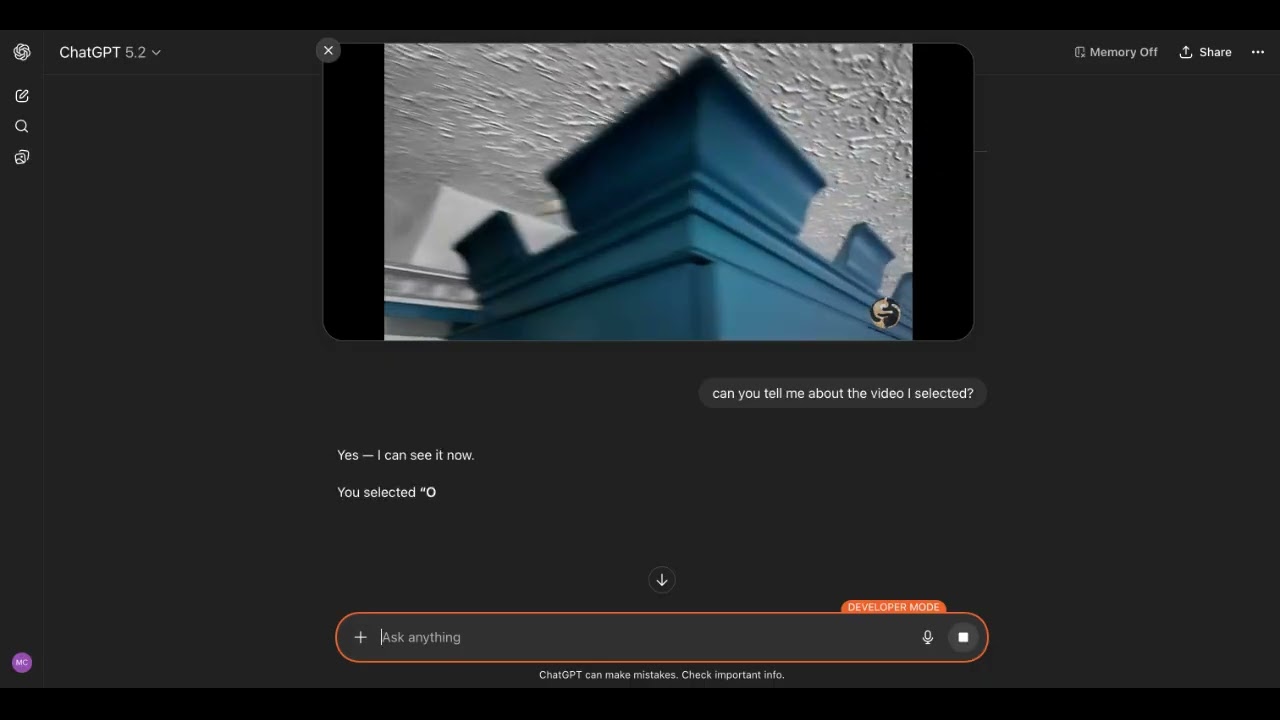
There is now support for [OpenAI Apps](https://developers.openai.com/apps-sdk/) and [MCP Apps](https://modelcontextprotocol.io/docs/extensions/apps) in this MCP Server. When UI mode is enabled for each tool there is a corresponding UI widget that let's you control what gets added to the model's context. See the directions in [usage with ChatGPT section](#usage-with-chatgpt).
## Configuration
### Getting an API Key
1. Sign up for a [Brave Search API account](https://brave.com/search/api/)
2. Choose a plan
3. Generate your API key [from the developer dashboard](https://api.search.brave.com/app/keys)
### Streamable HTTP mode
By default the MCP server runs in stdio mode.
```bash
BRAVE_API_KEY="your_key_here" npx -y brave-search-mcp
```
To enable Streamable HTTP mode:
```bash
BRAVE_API_KEY="your_key_here" npx -y brave-search-mcp --http
```
By default the server listens on port 3001.
The URL is:
```
http://0.0.0.0:3001/mcp
```
### Environment variables
When running in HTTP mode, the following environment variables are supported:
- `BRAVE_API_KEY` (required): Brave Search API key.
- `PORT` (optional): HTTP port (default: `3001`).
- `HOST` (optional): Interface to bind to (default: `0.0.0.0`).
- `ALLOWED_HOSTS` (optional): Comma-separated list of allowed hostnames for Host header validation.
- Example: `ALLOWED_HOSTS=localhost,127.0.0.1,my-app.ngrok-free.app`
- Use hostnames only (no scheme/path), e.g. `my-app.ngrok-free.app` not `https://my-app.ngrok-free.app/mcp`
Examples:
```bash
# Local only
HOST=127.0.0.1 ALLOWED_HOSTS=localhost,127.0.0.1 BRAVE_API_KEY="your_key_here" npx -y brave-search-mcp --http
```
```bash
# Local with ngrok tunnel
HOST=127.0.0.1 ALLOWED_HOSTS=localhost,127.0.0.1,my-app.ngrok-free.app BRAVE_API_KEY="your_key_here" npx -y brave-search-mcp --http --ui
```
### Usage with ChatGPT
The Brave Search MCP Server can be used with the web UI of ChatGPT. It takes a few steps.
#### 1. Enable Developer Mode in ChatGPT
Settings → Apps → Advanced settings → Developer mode
Additional instructions [here](https://platform.openai.com/docs/guides/developer-mode)
#### 2. Run the Brave Search MCP in HTTP mode and UI mode
```bash
BRAVE_API_KEY="your_key_here" npx -y brave-search-mcp --http --ui
```
#### 3. Create a local tunnel to expose the MCP Server to ChatGPT
Sign up and configure [ngrok](https://ngrok.com/), the free plan works.
```bash
ngrok http 3001
```
Take note of the forwarding URL.
```bash
...
Forwarding https://john-joe-asdf.ngrok-free.dev -> http://localhost:3001
...
```
#### 4. Add Brave Search MCP as a Connector to ChatGPT
Open [ChatGPT Apps settings](https://chatgpt.com/#settings/Connectors)
Click Apps
Click Create Apps
Fill out the form using the URL from step 3 as the MCP Server URL, but add `/mcp`.
```
https://john-joe-asdf.ngrok-free.dev/mcp
```
For Authentication, select 'No Auth'
Tick the checkbox for 'I understand and want to continue'
Then click Create.
#### 5. Using the Brave Search MCP Server
In the ChatGPT UI, click the '+' button, scroll to '...more', select the newly created Brave Search app, and enter your query.
### Usage with Claude Code
For [Claude Code](https://claude.ai/code) users, run this command:
**Windows:**
```bash
claude mcp add-json brave-search '{"command":"cmd","args":["/c","npx","-y","brave-search-mcp"],"env":{"BRAVE_API_KEY":"YOUR_API_KEY_HERE"}}'
```
**Linux/macOS:**
```bash
claude mcp add-json brave-search '{"command":"npx","args":["-y","brave-search-mcp"],"env":{"BRAVE_API_KEY":"YOUR_API_KEY_HERE"}}'
```
Replace `YOUR_API_KEY_HERE` with your actual Brave Search API key.
### Usage with Claude Desktop
#### MCP Bundle (MCPB)
1. Download the `mcpb` file from the [Releases](https://github.com/mikechao/brave-search-mcp/releases)
2. Open it with Claude Desktop
or
Go to File -> Settings -> Extensions and drag the .mcpb file to the window to install it
#### Docker
1. Clone the repo
2. Build the image from the repo root
```bash
docker build -t brave-search-mcp:latest -f apps/brave-search-mcp/Dockerfile .
```
3. Run it directly if you want HTTP mode:
```bash
docker run --rm -p 3001:3001 -e BRAVE_API_KEY="YOUR_API_KEY_HERE" brave-search-mcp:latest --http
```
4. Add this to your `claude_desktop_config.json` for stdio mode:
```json
{
"mcp-servers": {
"brave-search": {
"command": "docker",
"args": [
"run",
"-i",
"--rm",
"-e",
"BRAVE_API_KEY",
"brave-search-mcp"
],
"env": {
"BRAVE_API_KEY": "YOUR API KEY HERE"
}
}
}
}
```
#### NPX
Add this to your `claude_desktop_config.json`:
```json
{
"mcp-servers": {
"brave-search": {
"command": "npx",
"args": [
"-y",
"brave-search-mcp"
],
"env": {
"BRAVE_API_KEY": "YOUR API KEY HERE"
}
}
}
}
```
### Usage with LibreChat
Add this to librechat.yaml
```yaml
brave-search:
command: sh
args:
- -c
- BRAVE_API_KEY=API KEY npx -y brave-search-mcp
```
## Contributing
Contributions are welcome! See [CONTRIBUTING.md](CONTRIBUTING.md) for development setup, monorepo structure, and release instructions.
For UI build workflow details, including the entrypoint orchestrator, see [UI Build Orchestrator](CONTRIBUTING.md#ui-build-orchestrator).
## Disclaimer
This library is not officially associated with Brave Software. It is a third-party implementation of the Brave Search API with a MCP Server.
## License
This project is licensed under the GNU General Public License v3.0 - see the [LICENSE](LICENSE) file for details.