## ⚡ Quickstart: Run Ralph Loops Now
Want to run Ralph Wiggum loops right now? You need LLM API access. Ralph uses a lot of tokens, which gets expensive quickly.
[Zai Coding Plan](https://z.ai/subscribe?ic=F8BPSXJHOC) is a great way to get access to a lot of tokens for a low price.
**[Zai Coding Plan](https://z.ai/subscribe?ic=F8BPSXJHOC)** — starts at $3/month, works with Claude Code, Amp, Cline, and 10+ coding tools. This link gets you **10% off** (full disclosure: I'm [@mikehostetler](https://github.com/mikehostetler) and by using this link you help support my work on Wreckit).
```bash
npm install -g wreckit && wreckit init
wreckit ideas < YOUR_IDEAS.md
wreckit # go touch grass
```
Once you have API access, you can set up Claude Code to use the Zai API:
👉 [Claude Code setup instructions](https://docs.z.ai/devpack/tool/claude)
---
# Wreck it Ralph Wiggum 🔨
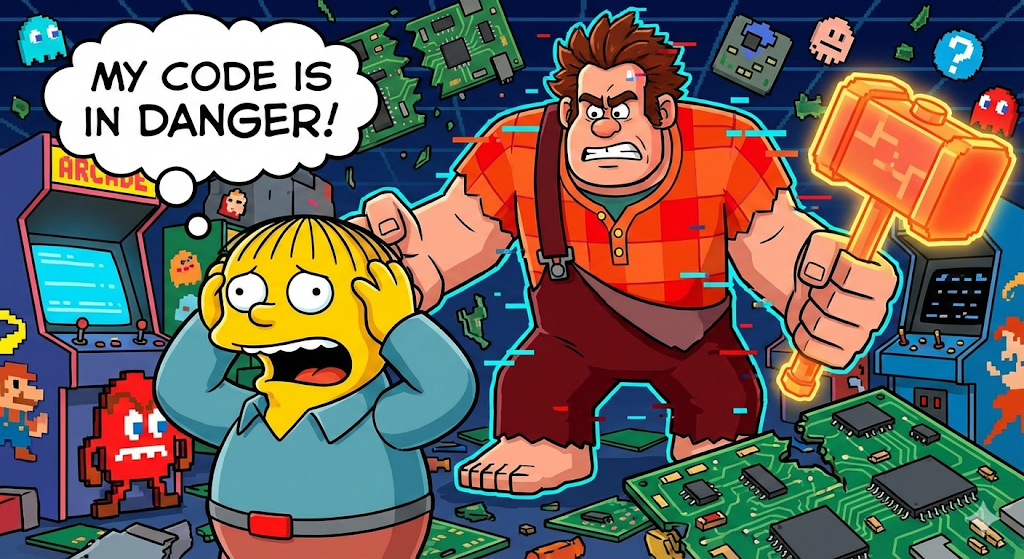
> _"I'm gonna wreck it!"_ — Wreck-It Ralph
> _"I'm in danger."_ — Ralph Wiggum, also your codebase
**Your AI agent, unsupervised, wrecking through your backlog while you sleep.**
```bash
wreckit ideas < BACKLOG.md && wreckit # go touch grass
```
---
## What Is This
A CLI that runs a **Ralph Wiggum Loop** over your roadmap:
```
ideas → research → plan → implement → PR → done
└──────────────────────────────────┘
"I'm helping!" — the agent, probably
```
You dump a text file of half-baked ideas. Wreckit turns them into researched, planned, implemented, and PR'd code. You review. Merge. Ship.
It's the [HumanLayer](https://github.com/humanlayer/humanlayer) **Research → Plan → Implement** workflow, fully automated. The agent researches your codebase, writes a detailed plan, then executes it story-by-story until there's a PR ready for your review.
**Files are truth.** Everything lives in `.wreckit/` as JSON and Markdown. Git-trackable. Inspectable. Resumable. No magic databases. No cloud sync. Just files.
---
## Quick Start
```bash
# Install the chaos
npm install -g wreckit
# Initialize in your repo
cd my-project
wreckit init
# Feed it ideas (literally anything)
wreckit ideas < IDEAS.md
# or: echo "add dark mode" | wreckit ideas
# or: wreckit ideas --file ROADMAP.md
# Let Ralph loose
wreckit
# Go do something else. Come back to PRs.
```
---
## The Loop
Each item progresses through states:
```
raw → researched → planned → implementing → in_pr → done
```
| State | What Happened |
| -------------- | ------------------------------------------------------ |
| `raw` | Ingested, waiting for attention |
| `researched` | Agent analyzed codebase, wrote `research.md` |
| `planned` | Agent created `plan.md` + `prd.json` with user stories |
| `implementing` | Agent coding through stories, committing as it goes |
| `in_pr` | PR opened, awaiting your review |
| `done` | Merged. Ralph did it. |
### The Workflow
1. **Research** — Agent reads your codebase thoroughly. Finds patterns. Documents file paths, conventions, integration points. Outputs `research.md`.
2. **Plan** — Agent designs the solution. Breaks it into phases with success criteria. Creates user stories with acceptance criteria. Outputs `plan.md` + `prd.json`.
3. **Implement** — Agent picks the highest priority story, implements it, runs tests, commits, marks it done. Repeats until all stories complete.
4. **PR** — Agent opens a pull request. You review. You merge. You ship.
---
## CLI Commands
### The Essentials
| Command | What It Does |
| ---------------------- | ----------------------------------- |
| `wreckit` | Run everything. TUI shows progress. |
| `wreckit init` | Initialize `.wreckit/` in repo |
| `wreckit ideas < FILE` | Ingest ideas from stdin |
| `wreckit status` | List all items with state |
| `wreckit run ` | Run single item through all phases |
| `wreckit next` | Run the next incomplete item |
| `wreckit doctor` | Validate items, find issues |
### Phase Commands (for debugging)
| Command | Transition |
| ------------------------ | ---------------------- |
| `wreckit research ` | raw → researched |
| `wreckit plan ` | researched → planned |
| `wreckit implement ` | planned → implementing |
| `wreckit pr ` | implementing → in_pr |
| `wreckit complete ` | in_pr → done |
### Flags
| Flag | What |
| ----------- | ----------------------------------------- |
| `--sandbox` | Run in isolated Firecracker VM |
| `--verbose` | More logs |
| `--quiet` | Errors only |
| `--no-tui` | Disable TUI (CI mode) |
| `--dry-run` | Preview, don't execute |
| `--force` | Regenerate artifacts |
---
## Sandbox Mode
**Sandbox mode** runs your agent in an isolated Firecracker microVM, automatically syncing files back and forth. This is the safest way to run untrusted code or risky operations.
### Quick Start
```bash
# Run a single item in sandbox mode
wreckit run 079-sandbox-usability-layer --sandbox
# Run all phases in sandbox mode
wreckit research 079-sandbox-usability-layer --sandbox
wreckit plan 079-sandbox-usability-layer --sandbox
wreckit implement 079-sandbox-usability-layer --sandbox
# Run everything in sandbox mode
wreckit --sandbox
```
### What Sandbox Mode Does
When you use `--sandbox`, Wreckit:
1. **Spawns a Firecracker VM** — Creates an isolated microVM via Sprite
2. **Syncs your project** — Pushes your code to the VM before execution
3. **Runs the agent** — Executes in complete isolation
4. **Pulls back changes** — Syncs modified files back to your machine on success
5. **Cleans up** — Automatically destroys the VM when done
### Why Use Sandbox Mode?
- **Safety**: Run risky code (file operations, network requests, system commands) in isolation
- **Clean environments**: Each sandbox starts fresh, no leftover state
- **Parallel execution**: Run multiple sandboxes simultaneously without conflicts
- **Reproducibility**: Same VM config every time
### Requirements
- **Sprite CLI** — Install from [sprites.dev](https://sprites.dev/)
- **Sprites.dev account** — Free tier available for testing
- **Sufficient resources** — Each VM uses ~512MiB RAM by default
### How It Works
**VM Lifecycle:**
```
1. Auto-generate VM name: wreckit-sandbox--
2. Start VM with Sprite CLI
3. Push project files to VM (excludes: .git, node_modules, .wreckit, dist, build)
4. Run agent in VM
5. On success: Pull modified files back from VM
6. Destroy VM (ephemeral cleanup)
```
**Interrupt Safety:**
- Press `Ctrl+C` once → Graceful shutdown with VM cleanup
- Press `Ctrl+C` twice → Force exit (if cleanup hangs)
**Bi-directional Sync:**
- Files modified in the VM are pulled back automatically on success
- Excludes: `.git`, `node_modules`, `.wreckit`, `dist`, `build`, `.DS_Store`
### Advanced: Manual VM Management
For power users who want persistent VMs or manual control:
```bash
# List running VMs
wreckit sprite list
# Start a VM manually
wreckit sprite start my-vm
# Execute commands in a VM
wreckit sprite exec my-vm -- npm test
# Pull files from VM
wreckit sprite pull my-vm
# Kill a VM
wreckit sprite kill my-vm
# Attach to a VM (interactive shell)
wreckit sprite attach my-vm
```
**When to use manual VM management:**
- You want a persistent VM for multiple runs
- You need to debug inside the VM
- You want to run custom commands before/after agent execution
- You're running many operations and don't want to restart the VM each time
### Configuration
You can also configure sandbox mode in `.wreckit/config.json`:
```json
{
"agent": {
"kind": "sprite",
"wispPath": "sprite",
"syncEnabled": true,
"syncOnSuccess": true,
"maxVMs": 5,
"defaultMemory": "512MiB",
"defaultCPUs": "1"
}
}
```
**However, using `--sandbox` is recommended** because it:
- Automatically sets sensible defaults
- Enables ephemeral mode (auto-cleanup)
- Enables bi-directional sync
- Works with any agent configuration
### Troubleshooting
**VM fails to start:**
```bash
# Check Sprite CLI is installed
sprite --version
# Verify authentication
sprite auth status
# Check available VMs
wreckit sprite list
```
**Files not syncing back:**
- Ensure `syncOnSuccess: true` in config (automatic with `--sandbox`)
- Check that files aren't in exclude patterns
- Run with `--verbose` to see sync logs
**Orphaned VMs:**
```bash
# List all VMs
wreckit sprite list
# Kill orphaned VMs
wreckit sprite kill
```
---
## Configuration
Lives in `.wreckit/config.json`:
```json
{
"schema_version": 1,
"base_branch": "main",
"branch_prefix": "wreckit/",
"agent": {
"command": "amp",
"args": ["--dangerously-allow-all"],
"completion_signal": "COMPLETE"
},
"max_iterations": 100,
"timeout_seconds": 3600
}
```
### Agent Options
Wreckit supports multiple agent execution backends:
| Kind | Description | Configuration |
| -------------- | ------------------------------ | -------------------------------- |
| `claude_sdk` | Claude Agent SDK (recommended) | model, max_tokens, tools |
| `amp_sdk` | Amp SDK (experimental) | model (optional) |
| `codex_sdk` | Codex SDK (experimental) | model (default: codex-1) |
| `opencode_sdk` | OpenCode SDK (experimental) | none |
| `process` | External CLI process | command, args, completion_signal |
#### Claude SDK Mode (Recommended)
Uses the Claude Agent SDK directly for best performance and error handling:
```json
{
"agent": {
"kind": "claude_sdk",
"model": "claude-sonnet-4-20250514",
"max_tokens": 8192
}
}
```
#### Experimental SDK Modes
Wreckit also supports experimental SDK integrations. These use the same underlying SDK infrastructure and share authentication/environment variable resolution with `claude_sdk`.
> **Note:** Experimental SDKs may have API changes in future releases.
**Amp SDK:**
```json
{
"agent": {
"kind": "amp_sdk",
"model": "custom-model"
}
}
```
**Codex SDK:**
```json
{
"agent": {
"kind": "codex_sdk",
"model": "codex-1"
}
}
```
**OpenCode SDK:**
```json
{
"agent": {
"kind": "opencode_sdk"
}
}
```
#### Process Mode
Spawns an external CLI process (for backward compatibility or custom agents):
**Amp CLI:**
```json
{
"agent": {
"kind": "process",
"command": "amp",
"args": ["--dangerously-allow-all"],
"completion_signal": "COMPLETE"
}
}
```
**Claude CLI:**
```json
{
"agent": {
"kind": "process",
"command": "claude",
"args": ["--dangerously-skip-permissions", "--print"],
"completion_signal": "COMPLETE"
}
}
```
See [MIGRATION.md](./MIGRATION.md) for detailed configuration and environment variable documentation.
---
## Folder Structure
```
.wreckit/
├── config.json # Global config
├── index.json # Registry of all items
├── prompts/ # Customizable prompt templates
│ ├── research.md
│ ├── plan.md
│ └── implement.md
└── /
└── -/
├── item.json # State and metadata
├── research.md # Codebase analysis
├── plan.md # Implementation plan
├── prd.json # User stories
├── prompt.md # Generated agent prompt
└── progress.log # What the agent learned
```
Items are organized by section (e.g., `features/`, `bugs/`, `infra/`) with sequential numbering.
---
## Customization
### Prompt Templates
Edit files in `.wreckit/prompts/` to customize agent behavior:
- `research.md` — How the agent analyzes your codebase
- `plan.md` — How it designs solutions
- `implement.md` — How it executes user stories
### Template Variables
| Variable | Description |
| ----------------------- | ---------------------------------------- |
| `{{id}}` | Item ID (e.g., `features/001-dark-mode`) |
| `{{title}}` | Item title |
| `{{section}}` | Section name |
| `{{overview}}` | Item description |
| `{{item_path}}` | Path to item folder |
| `{{branch_name}}` | Git branch name |
| `{{base_branch}}` | Base branch |
| `{{completion_signal}}` | Agent completion signal |
| `{{research}}` | Contents of research.md |
| `{{plan}}` | Contents of plan.md |
| `{{prd}}` | Contents of prd.json |
| `{{progress}}` | Contents of progress.log |
---
## Example Session
```bash
$ cat IDEAS.md
Add dark mode toggle
Fix the login timeout bug
Migrate auth to OAuth2
$ wreckit ideas < IDEAS.md
Created 3 items:
features/001-dark-mode-toggle
bugs/001-login-timeout
infra/001-oauth2-migration
$ wreckit status
ID STATE
features/001-dark-mode-toggle raw
bugs/001-login-timeout raw
infra/001-oauth2-migration raw
$ wreckit
# TUI runs, agent researches, plans, implements...
# You go do literally anything else
$ wreckit status
ID STATE PR
features/001-dark-mode-toggle in_pr #42
bugs/001-login-timeout in_pr #43
infra/001-oauth2-migration implementing
$ # Review PRs, merge, done
```
---
## Design Principles
1. **Files are truth** — JSON + Markdown, git-trackable
2. **Idempotent** — Re-run anything safely
3. **Resumable** — Ctrl-C and pick up where you left off
4. **Transparent** — Every prompt is inspectable and editable
5. **Recoverable** — `wreckit doctor --fix` repairs broken state
---
## Cloud Sandboxes
Wreckit is designed for **multi-actor parallelism** — spin up multiple sandboxes, each working on different items from the same repo. The file-based state in `.wreckit/` means no conflicts, no coordination headaches.
We recommend [Sprites](https://sprites.dev/) from Fly.io for cloud dev environments. Spin up a fleet of Ralphs, let them wreck in parallel.
```bash
# Each sandbox pulls the repo, runs one item
wreckit next # grabs the next incomplete item, runs it
```
---
## Requirements
- Node.js 18+
- `gh` CLI (for GitHub PRs)
- An AI agent:
- **SDK Mode** (recommended):
- **Direct API**: `export ANTHROPIC_API_KEY=sk-ant-...`
- **Custom endpoint** (e.g., Zai): Set `ANTHROPIC_BASE_URL` and `ANTHROPIC_AUTH_TOKEN`
- Verify setup: `wreckit sdk-info`
- See [MIGRATION.md#environment-variables](./MIGRATION.md#environment-variables) for full details
- **Process Mode**: [Amp](https://ampcode.com) or [Claude](https://claude.ai) CLI
---
## Development
```bash
git clone https://github.com/mikehostetler/wreckit.git
cd wreckit
bun install
bun run build
bun run test
```
---
## Exit Codes
| Code | Meaning |
| ---- | -------------------- |
| 0 | Success |
| 1 | Error |
| 130 | Interrupted (Ctrl-C) |
---
## Acknowledgements
The "Ralph Wiggum Loop" methodology stands on the shoulders of giants:
- [Ryan Carson](https://x.com/ryancarson) — for the Ralph pattern that inspired the core loop
- [Geoff Huntley](https://x.com/GeoffreyHuntley) — for evangelizing the Ralph Wiggum agent pattern
- [Dexter Horthy](https://x.com/dexhorthy) and the entire [HumanLayer](https://humanlayer.dev) team — for the Research → Plan → Implement workflow that makes agents actually useful
- Everyone in the community teaching agents to stop vibing and start shipping
---
## License
MIT
---
_"My code is in danger!"_ — your codebase, nervously