# envx
[](https://opensource.org/licenses/MIT)

A powerful and secure environment variable manager for developers, featuring an intuitive Terminal User Interface (TUI)
and comprehensive command-line interface.
## 🎥 Introduction Video
[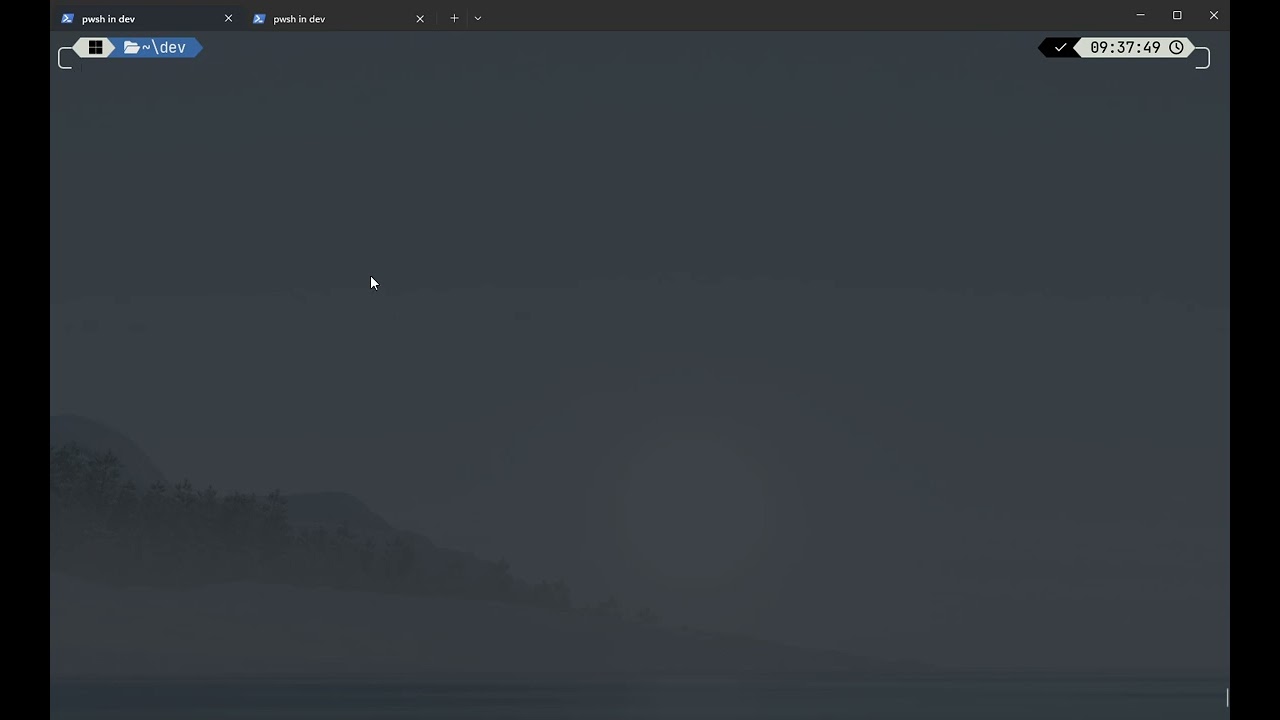](https://youtu.be/UzrKuQQURFw)
Click the image above to watch a quick introduction to Envx
[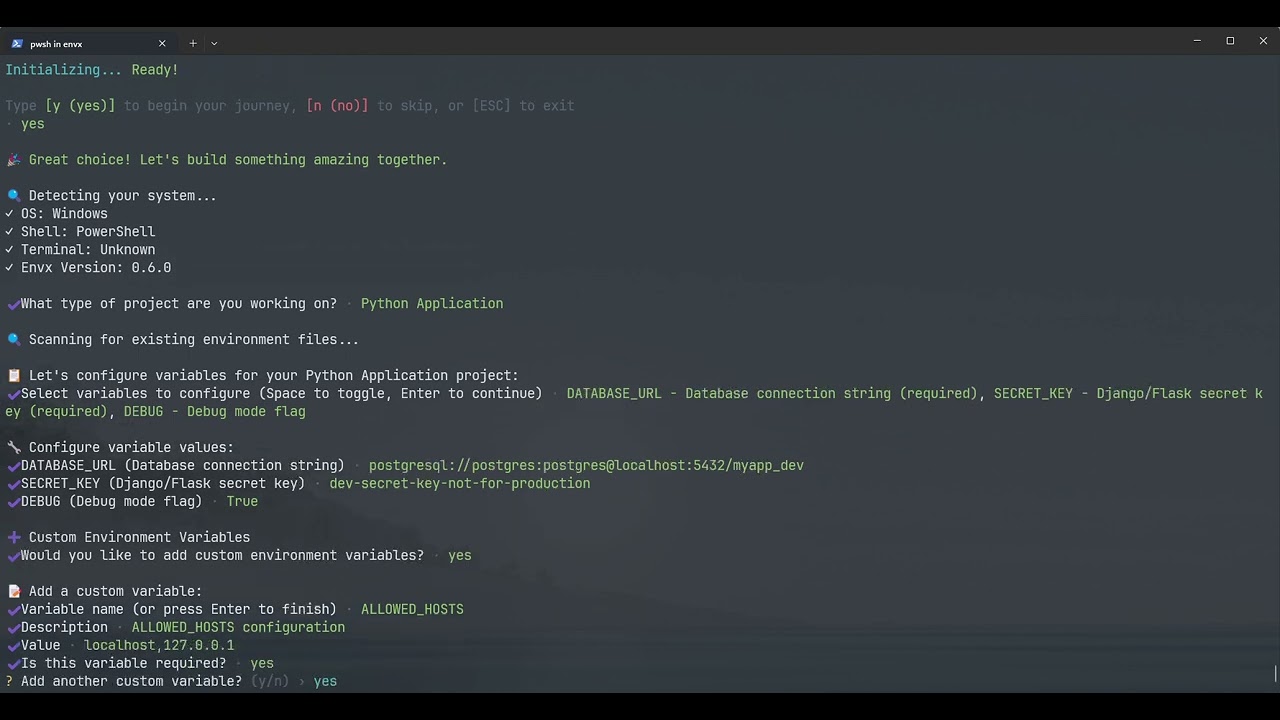](https://youtu.be/DbRPbN9KECw)
Click the image above to watch how interactive wizard works
## 📸 Screenshots
Envx's Main Page
Envx's Search Dialog
Envx's View Dialog
Envx's CLI Query Command
## 🌟 Features
- **🖥️ Interactive TUI**: Beautiful terminal interface for easy environment variable management
- **🔍 Smart Search**: Fast filtering and searching across all environment variables
- **📊 Source Tracking**: Distinguish between System, User, Process, Shell, and Application variables
- **📝 Multi-line Support**: Edit complex environment variables with proper multi-line support
- **🔄 Import/Export**: Support for multiple formats (JSON, YAML, TOML, ENV)
- **📸 Snapshots & Profiles Feature Implementation**: Save and restore variable states
- **📁 Project Configuration**: Define required variables, defaults, and scripts for consistent team environments
- **👀 Watch Mode & Monitor**: Monitor file changes and sync automatically, track environment modifications in real-time
- **⚡ Performance**: Built with Rust for blazing-fast performance
- **🎨 Cross-platform**: Works on Windows, macOS, and Linux
## 📦 Installation
### From Source
```bash
git clone https://github.com/yourusername/envx.git
cd envx
cargo install --path crates/envx
```
### Using Cargo
```bash
cargo install envex
```
### Pre-built Binaries
Download the latest release for your platform from the [releases page](https://github.com/yourusername/envx/releases).
## 🚀 Quick Start
### Launch the TUI
```bash
envx tui
# or
envx ui
```
### List all environment variables
```bash
envx list
```
### Set a variable
```bash
envx set MY_VAR "my value"
```
### Get a variable
```bash
envx get MY_VAR
```
## 📖 Command Line Usage
### Overview
```bash
System Environment Variable Manager
Usage: envx.exe
Commands:
list List environment variables
get Get a specific environment variable
set Set an environment variable
delete Delete environment variable(s)
analyze Analyze environment variables
tui Launch the TUI [aliases: ui]
path Manage PATH variable
export Export environment variables to a file
import Import environment variables from a file
help Print this message or the help of the given subcommand(s)
Options:
-h, --help Print help
-V, --version Print version
```
### Core Commands
#### `init` - Initialize a new project with the setup wizard
```bash
Initialize a new project with interactive wizard
Usage: envx.exe init [OPTIONS]
Options:
-t, --template Use a specific template
-w, --wizard Run interactive wizard
--list-templates List available templates
-h, --help Print help
```
The `init` command launches an interactive setup wizard that helps you configure your project's environment variables.
The wizard will:
- Detect your project type (Web App, Python, Rust/Go, Docker, Microservices, or Custom)
- Guide you through setting up environment variables with values
- Create profiles for different environments (development, testing, production, etc.)
- Generate `.env` files for each profile
- Set up team collaboration features
- Configure validation rules
- Import existing `.env` files if found
##### Example Usage
```bash
# Run the interactive setup wizard
envx init
# Or
envx init --wizard
```
##### What the Wizard Creates
After running the wizard, you'll have:
1. **Project Configuration** (`.envx/config.yaml`):
- Required environment variables with descriptions
- Default values for common variables
- Validation rules and patterns
- Auto-load configuration for .env files
2. **Environment Profiles**:
- Separate profiles for development, testing, production, etc.
- Profile-specific variable values
- Easy switching between environments
3. **`.env` Files** (optional):
- Generated `.env` files for each profile
- Pre-populated with your configured values
- Ready to use with your application
##### Example Wizard Flow
```text
✨ Welcome to envx! Your intelligent environment variable companion
This setup wizard will help you:
📋 Define environment variables ─ Set up your project's environment
🚀 Create profiles ─ Configure dev, test, and production environments
📦 Import existing files ─ Seamlessly migrate from .env files
📝 Generate .env files ─ Create .env files for each profile
👥 Enable team features ─ Share configurations with your team
⏱️ Estimated time: 1-3 minutes
💡 Tip: Press ESC at any time to exit the wizard
Let's create the perfect setup for your project! 🎯
```
The wizard will guide you through:
- Selecting your project type
- Configuring environment variables with actual values
- Creating environment profiles with custom names if needed
- Setting up team features (optional)
- Configuring validation rules
After completion, the wizard will check if all required variables are set and provide guidance on next steps.
#### `list` - List environment variables
```bash
List environment variables
Usage: envx.exe list [OPTIONS]
Options:
-s, --source Filter by source (system, user, process, shell)
-q, --query Search query
-f, --format Output format (json, table, simple, compact) [default: table]
--sort Sort by (name, value, source) [default: name]
--names-only Show only variable names
-l, --limit Limit output to N entries
--stats Show statistics summary
-h, --help Print help
```
```bash
# List all variables
envx list
# List with a pattern
envx list --format table --sort name --query RUST
# List from specific source
envx list --source system
envx list --source user
```
#### `get` - Get a specific variable
```bash
Get a specific environment variable
Usage: envx.exe get [OPTIONS]
Arguments:
Variable name or pattern (supports *, ?, and /regex/)
Examples:
envx get PATH - exact match
envx get PATH* - starts with PATH
envx get *PATH - ends with PATH
envx get *PATH* - contains PATH
envx get P?TH - P followed by any char, then TH
envx get /^JAVA.*/ - regex pattern
Options:
-f, --format Output format (simple, detailed, json) [default: simple]
-h, --help Print help
```
```bash
envx get PATH
envx get MY_CUSTOM_VAR
envx get RUST*
```
#### `set` - Set an environment variable
```bash
Set an environment variable
Usage: envx.exe set [OPTIONS]
Arguments:
Variable name
Variable value
Options:
-p, --permanent Make change permanent
-h, --help Print help
```
```bash
# Set for current session
envx set MY_VAR "value"
# Set persistently (survives reboot)
envx set MY_VAR "value" --permanent
```
#### `delete` - Remove an environment variable
```bash
Delete environment variable(s)
Usage: envx.exe delete [OPTIONS]
Arguments:
Variable name or pattern
Options:
-f, --force Force deletion without confirmation
-h, --help Print help
```
```bash
envx delete MY_VAR
envx delete TEMP_VAR
envx delete /JAVA.*/
```
#### `analyze` - Analyze environment variables
```bash
Analyze environment variables
Usage: envx.exe analyze [OPTIONS]
Options:
-a, --analysis-type Type of analysis (duplicates, invalid) [default: all]
-h, --help Print help
```
```bash
envx analyze --analysis-type duplicates
envx analyze --analysis-type invalid
```
#### `path` - Manage PATH variable
```bash
Manage PATH variable
Usage: envx.exe path [OPTIONS] [COMMAND]
Commands:
add Add a directory to PATH
remove Remove a directory from PATH
clean Clean invalid/non-existent entries from PATH
dedupe Remove duplicate entries from PATH
check Check PATH for issues
list Show PATH entries in order
move Move a PATH entry to a different position
help Print this message or the help of the given subcommand(s)
Options:
-c, --check Check if all paths exist
-v, --var Target PATH variable (PATH, Path, or custom like PYTHONPATH) [default: PATH]
-p, --permanent Apply changes permanently
-h, --help Print help
```
### Import/Export Commands
#### `export` - Export variables to a file
```bash
Export environment variables to a file
Usage: envx.exe export [OPTIONS]
Arguments:
Output file path
Options:
-v, --vars Variable names or patterns to export (exports all if not specified)
-f, --format Export format (auto-detect from extension, or: env, json, yaml, txt)
-s, --source Include only specific sources (system, user, process, shell)
-m, --metadata Include metadata (source, modified time)
--force Overwrite existing file without confirmation
-h, --help Print help
```
```bash
envx export --vars RUST* .env
envx export variables.json --format json --source user
envx export variables.yaml --format yaml --source system
envx export variables.toml --format toml --source process
envx export .env --format env --source shell
```
#### `import` - Import variables from a file
```bash
Import environment variables from a file
Usage: envx.exe import [OPTIONS]
Arguments:
Input file path
Options:
-v, --vars Variable names or patterns to import (imports all if not specified)
-f, --format Import format (auto-detect from extension, or: env, json, yaml, txt)
-p, --permanent Make imported variables permanent
--prefix Prefix to add to all imported variable names
--overwrite Overwrite existing variables without confirmation
-n, --dry-run Dry run - show what would be imported without making changes
-h, --help Print help
```
```bash
# Import from JSON
envx import variables.json
# Import from YAML
envx import variables.yaml --format yaml
# Import from .env file
envx import .env --format env
```
#### `profiles` - Manage environment profiles
```bash
Manage environment profiles
Usage: envx.exe profile
Commands:
create Create a new profile
list List all profiles
show Show current or specific profile
switch Switch to a profile
add Add a variable to a profile
remove Remove a variable from a profile
delete Delete a profile
export Export a profile
import Import a profile
apply Apply a profile to current environment
help Print this message or the help of the given subcommand(s)
Options:
-h, --help Print help
```
```bash
envx profile create dev
envx profile add dev NODE_ENV development
envx profile switch dev --apply
envx profile export dev > dev-profile.json
```
#### `snapshots` - Manage environment snapshots
```bash
Manage environment snapshots
Usage: envx.exe snapshot
Commands:
create Create a new snapshot
list List all snapshots
show Show details of a snapshot
restore Restore from a snapshot
delete Delete a snapshot
diff Compare two snapshots
help Print this message or the help of the given subcommand(s)
Options:
-h, --help Print help
```
```bash
# Create a snapshot before deployment
envx snapshot create "pre-deployment-v1.2"
# Restore if something goes wrong
envx snapshot restore "pre-deployment-v1.2"
# Compare snapshots
envx snapshot diff "pre-deployment-v1.2" "current"
```
#### `project` - Manage project-specific configuration
```bash
Manage project-specific configuration
Usage: envx.exe project
Commands:
init Initialize a new project configuration
apply Apply project configuration
check Validate project configuration
edit Edit project configuration
info Show project information
run Run a project script
require Add a required variable
help Print this message or the help of the given subcommand(s)
Options:
-h, --help Print help
```
##### Usage Example
```bash
# Initialize a new project
cd my-project
envx init --name "My Web App"
# Add required variables
envx project require DATABASE_URL --description "PostgreSQL connection" --pattern "^postgresql://.*"
envx project require API_KEY --description "API authentication key"
# Edit configuration
envx project edit
# Check if all required variables are set
envx project check
# Apply configuration
envx project apply
# Run a project script
envx project run dev
# Create a custom project file
envx project init -f myproject.yaml --name "My Project"
# Apply configuration from custom file
envx project apply -f myproject.yaml
# Check validation with custom file
envx project check -f configs/production.yaml
# Edit custom configuration
envx project edit -f myproject.yaml
# Add required variable to custom config
envx project require API_KEY -f myproject.yaml --description "API authentication key"
```
##### Example Configuration File
Here's what a typical .envx/config.yaml would look like:
```yaml
name: my-web-app
description: Production web application
# Required environment variables
required:
- name: DATABASE_URL
description: PostgreSQL connection string
pattern: "^postgresql://.*"
example: "postgresql://user:pass@localhost/dbname"
- name: API_KEY
description: External API authentication key
- name: PORT
description: Server port number
pattern: "^[0-9]+$"
example: "3000"
# Default values (if not already set)
defaults:
NODE_ENV: development
LOG_LEVEL: info
PORT: "3000"
# Files to auto-load (in order)
auto_load:
- .env
- .env.local
- .env.${NODE_ENV}
# Profile to activate
profile: dev
# Scripts for common tasks
scripts:
dev:
description: Start development server
run: npm run dev
env:
NODE_ENV: development
DEBUG: "true"
test:
description: Run tests
run: npm test
env:
NODE_ENV: test
migrate:
description: Run database migrations
run: npm run migrate
# Validation rules
validation:
warn_unused: true
strict_names: true
patterns:
"*_URL": "^https?://.*"
"*_PORT": "^[0-9]{1,5}$"
```
```bash
# Create a snapshot before deployment
envx snapshot create "pre-deployment-v1.2"
# Restore if something goes wrong
envx snapshot restore "pre-deployment-v1.2"
# Compare snapshots
envx snapshot diff "pre-deployment-v1.2" "current"
```
#### `rename` - Rename environment variables (supports wildcards)
```bash
Rename environment variables (supports wildcards)
Usage: envx.exe rename [OPTIONS]
Arguments:
Pattern to match (supports wildcards with *)
New name or pattern
Options:
--dry-run Dry run - show what would be renamed without making changes
-h, --help Print help
```
##### Example Usage
```bash
# Rename single variable
envx rename MY_API MY_API2
# Rename with wildcards
envx rename APP_* MY_APP_*
envx rename *_OLD *_NEW
envx rename TEST_* PROD_*
# Dry run to preview changes
envx rename APP_* MY_APP_* --dry-run
```
#### `replace` - Replace environment variable values
```bash
Replace environment variable values
Usage: envx.exe replace [OPTIONS]
Arguments:
Variable name or pattern (supports wildcards with *)
New value to set
Options:
--dry-run Dry run - show what would be replaced without making changes
-h, --help Print help
```
##### Example Usage
```bash
envx replace MY_VAR "new value"
envx replace API_* REDACTED
```
#### `find-replace` - Find and replace text within environment variable values
```bash
Find and replace text within environment variable values
Usage: envx.exe find-replace [OPTIONS]
Arguments:
Text to search for in values
Text to replace with
Options:
-p, --pattern Only search in variables matching this pattern (supports wildcards)
--dry-run Dry run - show what would be replaced without making changes
-h, --help Print help
```
##### Example Usage
```bash
# Find and replace text within values
envx find-replace localhost production.server.com
envx find-replace "C:\old\path" "C:\new\path" --pattern "*_PATH"
# Preview changes
envx find-replace localhost prod.com --dry-run
```
#### `watch` - Watch files for changes and auto-sync
```bash
Watch files for changes and auto-sync
Usage: envx.exe watch [OPTIONS] [PATH]...
Arguments:
[PATH]...
Files or directories to watch (defaults to current directory)
Options:
-d, --direction
Sync direction
Possible values:
- file-to-system: Sync from files to system (default)
- system-to-file: Sync from system to files
- bidirectional: Bidirectional synchronization
[default: file-to-system]
-o, --output
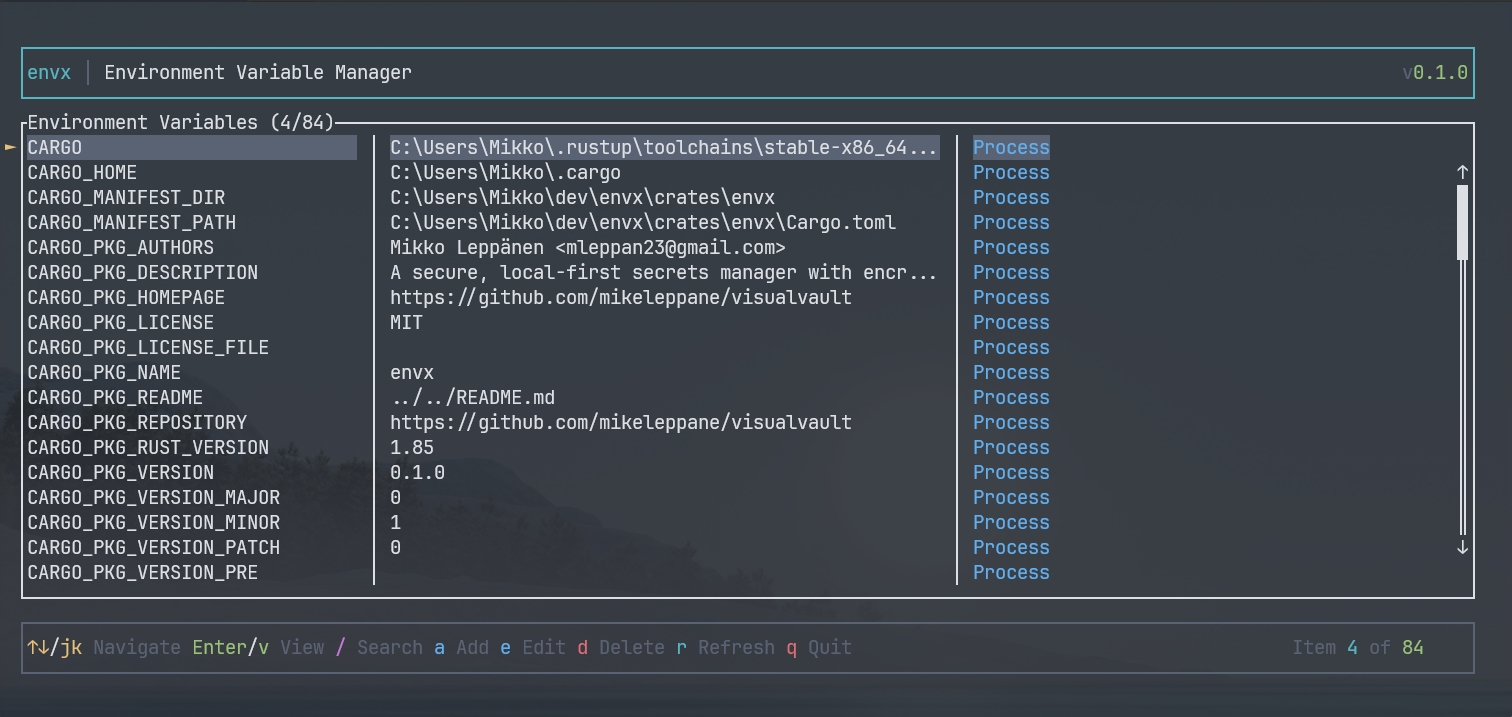 Envx's Main Page

 A powerful and secure environment variable manager for developers, featuring an intuitive Terminal User Interface (TUI)
and comprehensive command-line interface.
## 🎥 Introduction Video
[](https://youtu.be/UzrKuQQURFw)
A powerful and secure environment variable manager for developers, featuring an intuitive Terminal User Interface (TUI)
and comprehensive command-line interface.
## 🎥 Introduction Video
[](https://youtu.be/UzrKuQQURFw)
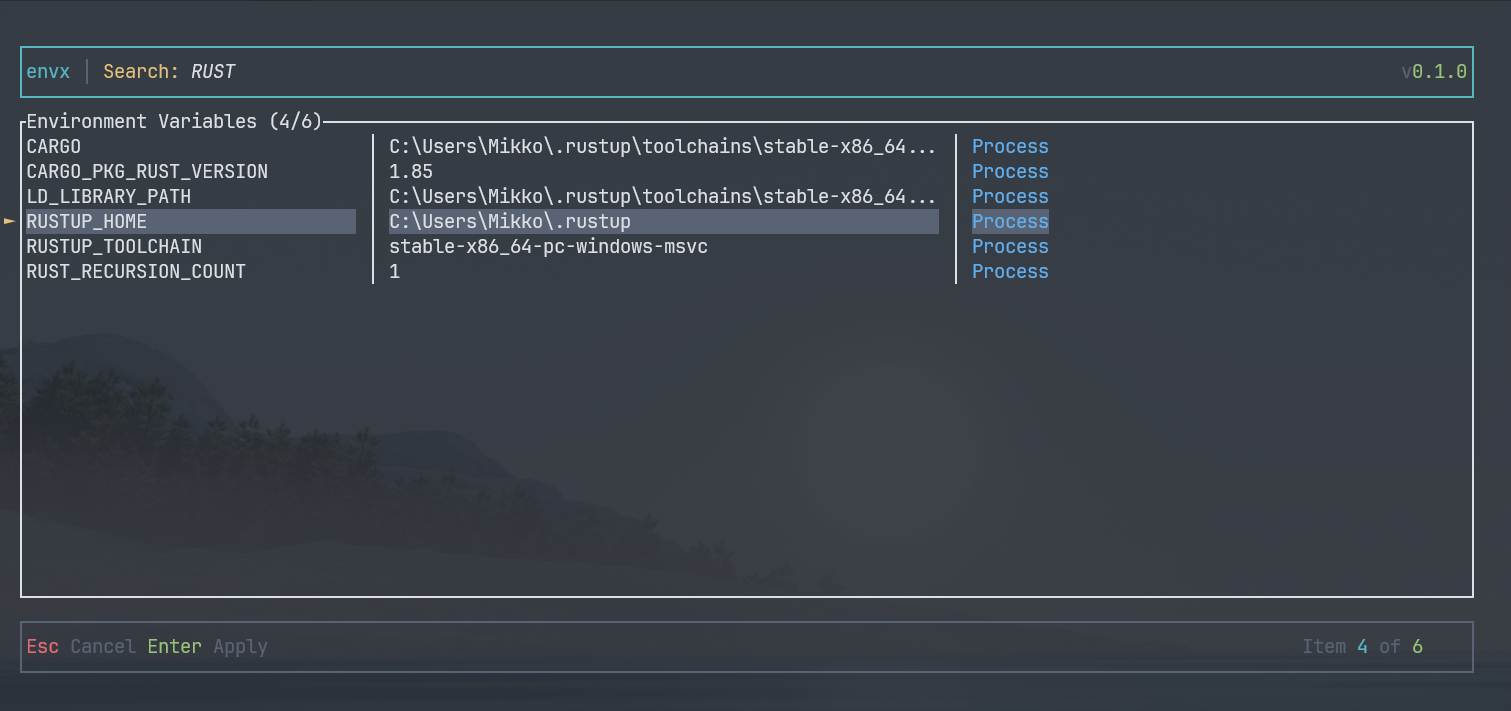 Envx's Search Dialog
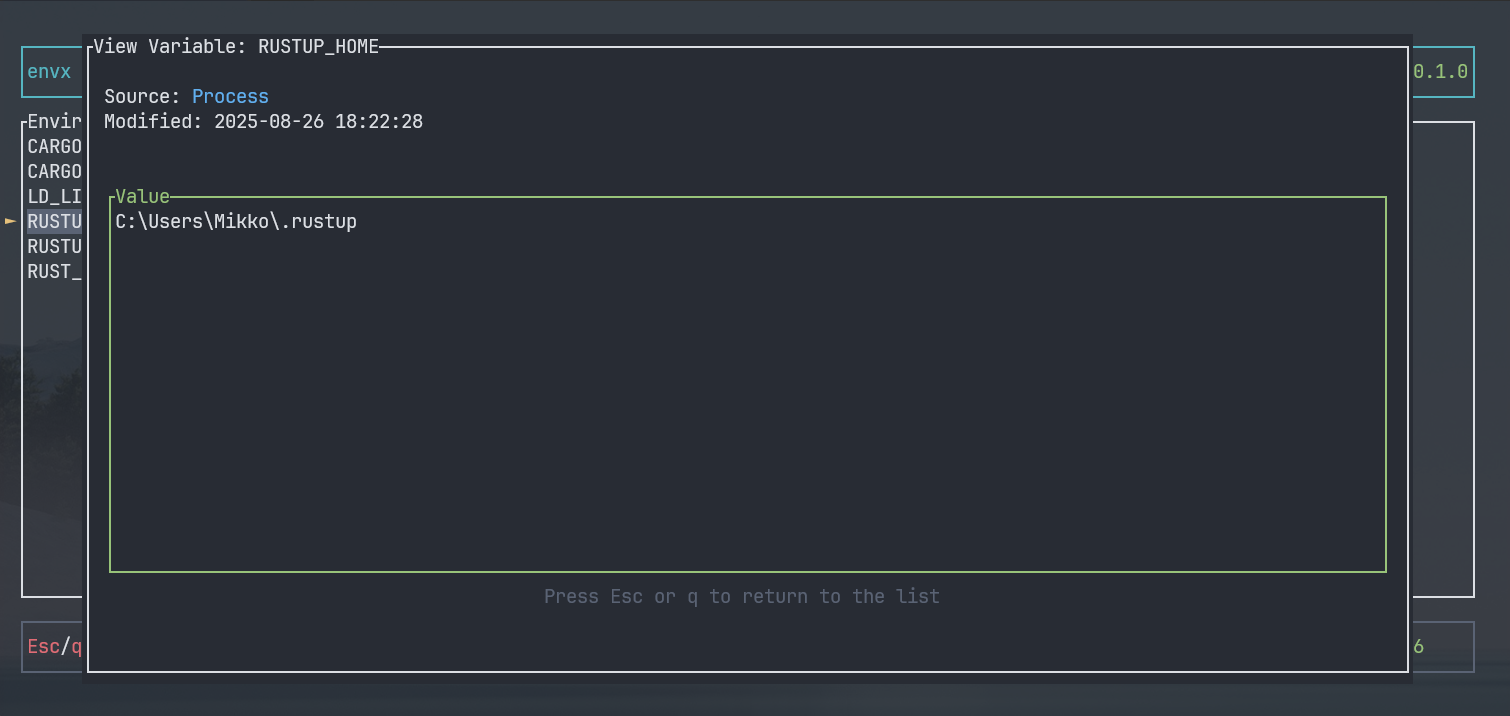 Envx's View Dialog
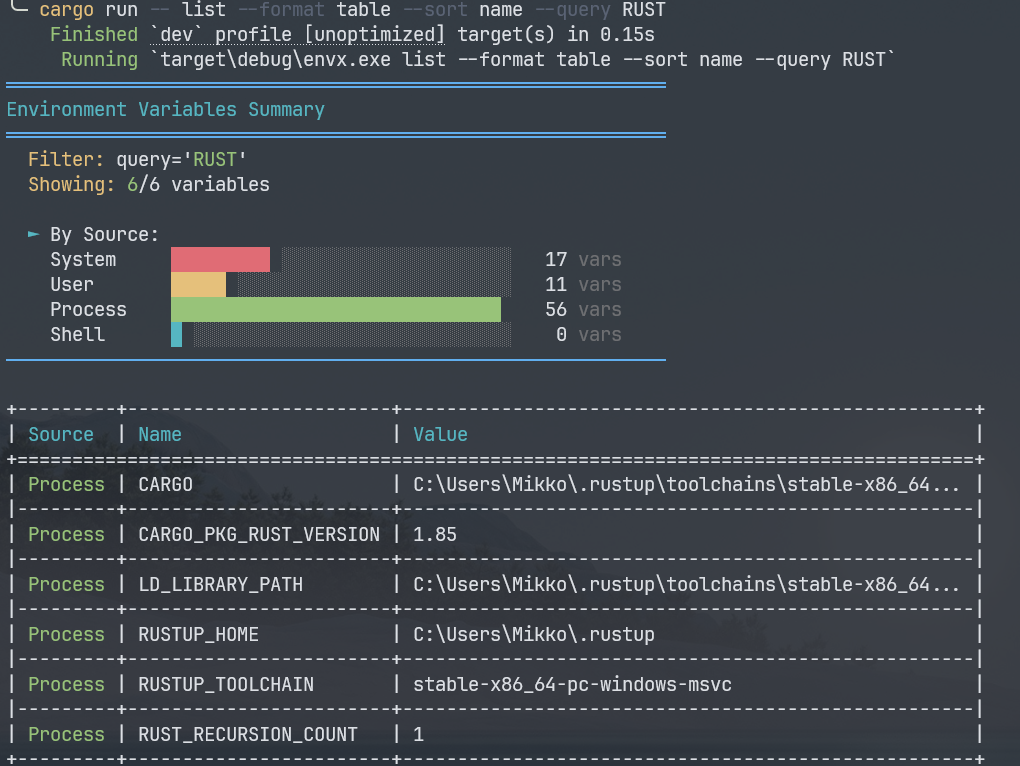 Envx's CLI Query Command