
# § Paragrafy
**Multi-Project Legal CMS & Compliance Engine**
Self-hosted headless backend for managing, translating, and publishing legal boilerplate — imprint, privacy policy, terms & conditions, cookie policies — across any number of web and app projects.
[](LICENSE)
[](CHANGELOG.md)
[](#)
[](#)
[](#-docker-setup--deployment)
[](https://github.com/mineco-de/Paragrafy/stargazers)
[Website](https://paragrafy.cloud) · [Live Demo](https://demo.paragrafy.cloud/admin) · [Documentation](https://docs.paragrafy.cloud) · [Changelog](CHANGELOG.md)
---
## Why Paragrafy?
If you run more than one website or client project, you already know the pain: the same imprint, privacy policy, and terms of service scattered across a dozen repos, in a dozen slightly-out-of-sync versions, in one language, with no idea when they were last checked.
Paragrafy centralizes all of that in a single lightweight PHP + SQLite backend. One instance, many domains — each gets its own legal texts, languages, and branding, served through a clean JSON API, an embeddable widget, or a polished public viewer.
Built for agencies, SaaS operators, and anyone who maintains legal pages for more than one project.
> Versioning follows **CalVer** (`YEAR.MONTH.BUILD`, e.g. `2026.9.1`) instead of SemVer, so you can tell at a glance how current an instance is. See [CHANGELOG.md](CHANGELOG.md) for release notes.
---
## Screenshots
| Compliance Dashboard | Public Viewer |
|---|---|
| 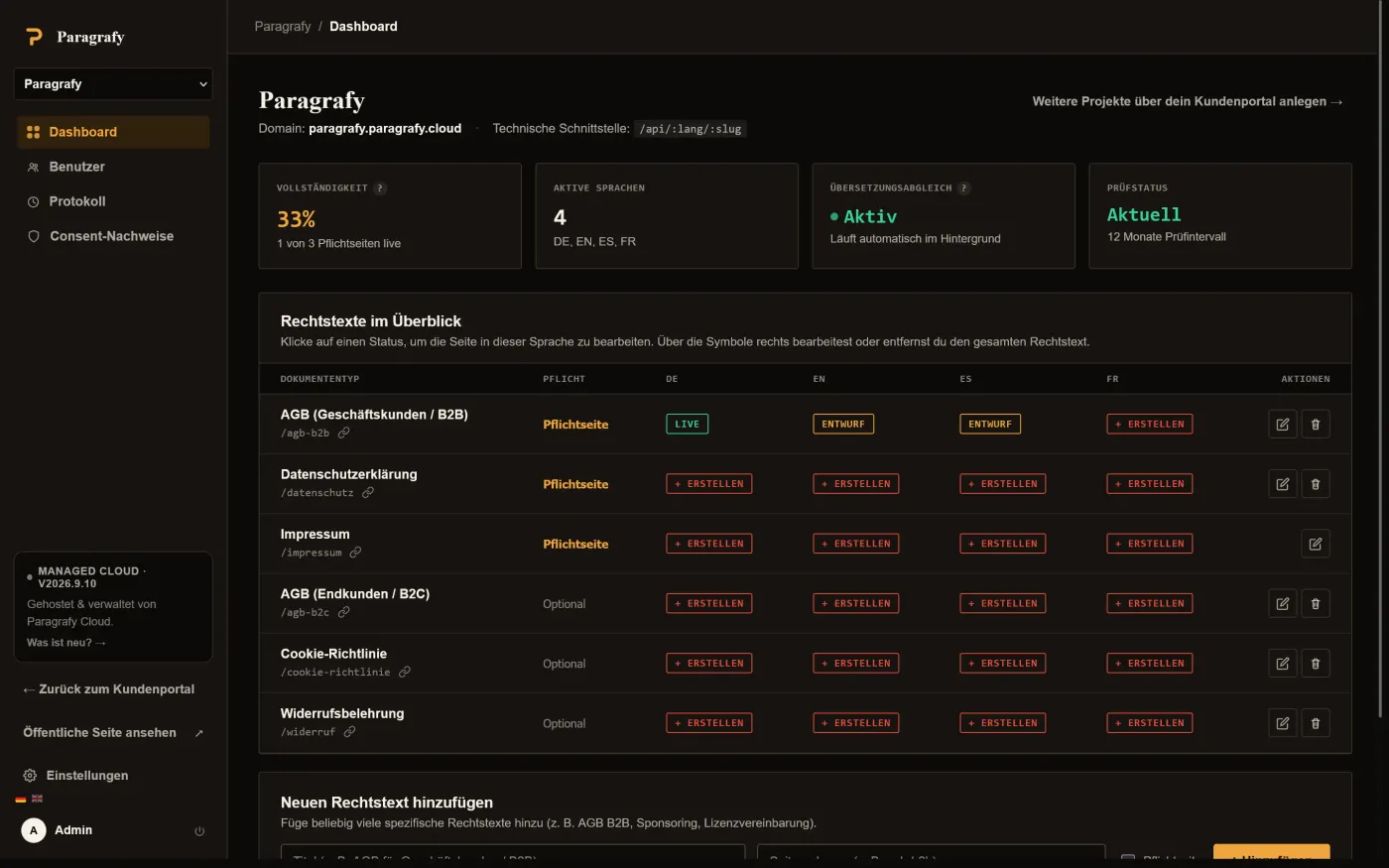 | 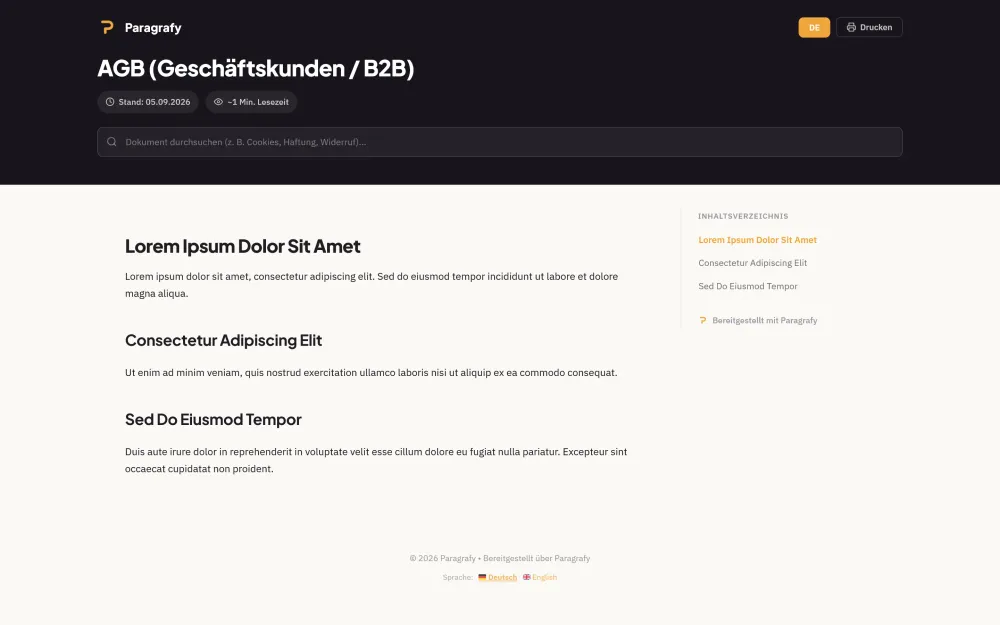 |
| Editor with Language Tabs | Settings & Cron Endpoints |
|---|---|
| 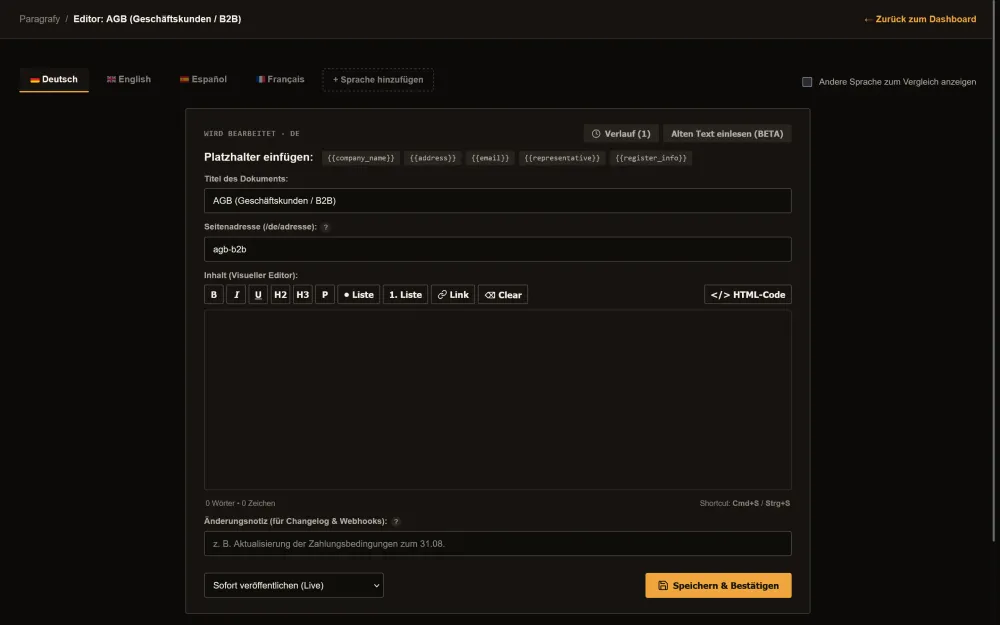 | 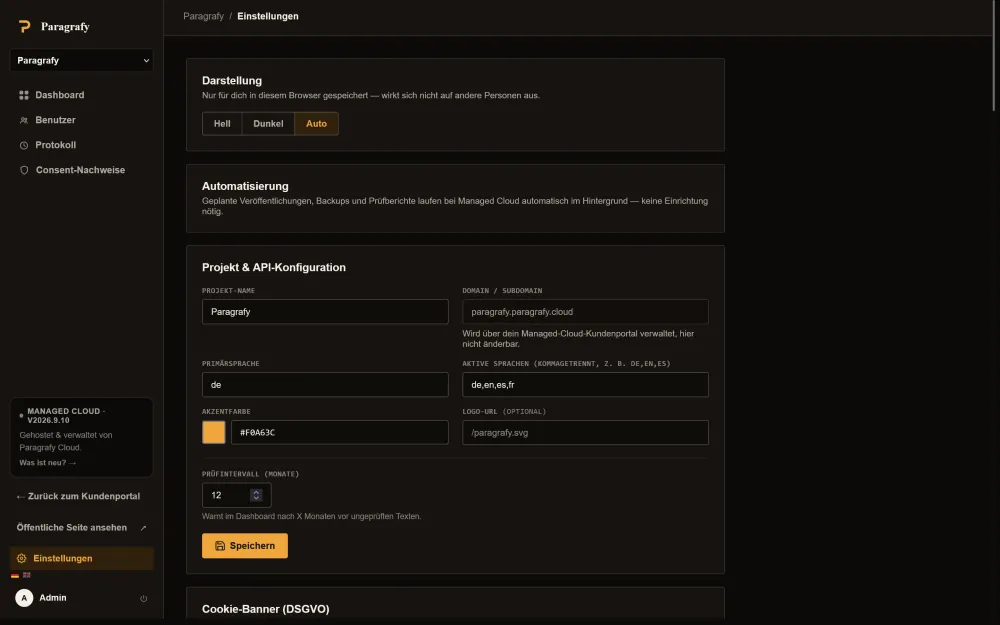 |
👉 Try it live: **[demo.paragrafy.cloud/admin](https://demo.paragrafy.cloud/admin)** (no username, password 12345678 - freely configurable, resets every 10 minutes).
---
## ✨ Key Features
- **Multi-tenant / multi-domain routing** — detects the calling subdomain (`legal.yourdomain.com`, `legal.project-b.com`) and serves the matching project's legal texts, colors, and company data automatically.
- **Compliance matrix with one-click toggle & copy-URL** — the admin dashboard shows at a glance which required texts exist in which languages (`DE`, `EN`, `ES`, `FR`, …), which are drafts, and which are missing, with instant toggles and one-click copy for every language URL.
- **Scheduled publishing** — plan changes to your terms or privacy policy ahead of time with an effective date; the current version stays live until the deadline and is swapped automatically.
- **Full-featured webhooks** — with queue, retry, and delivery logs. Notifies connected apps via `POST` on go-live (`legal_text.updated`) and upcoming changes (`legal_text.scheduled`, including a `preview_url`). Delivery runs asynchronously through a queue with automatic retry (up to 5 attempts, increasing backoff), so a slow receiver never blocks saving. See [WEBHOOKS.md](WEBHOOKS.md) for the full spec.
- **Public preview of scheduled changes** — a scheduled, not-yet-live version is viewable ahead of time at `/{lang}/{slug}/preview` (and as JSON), e.g. to notify users in advance of upcoming ToS changes.
- **Automatic rolling backups (7 days)** — a cron endpoint backs up the database daily and prunes older copies; the latest backups can be downloaded individually from settings.
- **Full WYSIWYG & code editor** — a visual formatting toolbar (H2, H3, bold, italic, lists, links) with one-click toggle to raw HTML.
- **Bidirectional DeepL translation** — translate any source text with protected placeholders (e.g. `DE → EN`, `EN → DE`, `ES → DE`) directly in the side-by-side editor.
- **Automatic version sync (hash-diff)** — when a source text changes, Paragrafy flags every other language version as `⚠ Outdated`, with a built-in diff viewer (green = added, red = removed).
- **Audit & deadline tracking with SMTP email** — get warned when texts haven't been reviewed within a configurable interval (e.g. 12 months), with optional email audit reports.
- **Headless JSON API & in-app embed drawer** — endpoints under `/api/:lang/:slug`, plus a modal sheet script (`/embed.js`) for dropping legal text straight into your web apps.
- **GDPR cookie consent banner** — a lightweight, dependency-free consent script (`/consent.js`).
- **Consent proof logging** — optional, server-side proof-of-consent log per decision: timestamp, action, anonymized IP, browser, and a hash of the displayed banner text. Exportable as CSV, with configurable retention.
- **Notion/Stripe-style public viewer** — sticky table of contents with scroll-spy, reading time estimate, deep-link anchors, and live text filtering across all target languages.
- **Backups & exports** — download a full database backup or all published legal texts as a sorted ZIP archive (by language/slug) from settings.
- **Unlimited custom document types** — go beyond the standard required pages and add project-wide documents (e.g. B2B terms, sponsorship agreements, license terms), optionally flagged as required.
- **Multi-user management with email invites** — invite as many people as you like via email; they set their own password through an activation link. Every invited user gets full admin access — no roles or permissions to configure. Self-service "forgot password" included.
- **Audit trail with CSV export** — a dedicated log tab shows who changed what and when — project settings, document types, publications, and user management — downloadable as CSV.
- **Version history with diff & restore** — every publish creates a new version. The editor shows full version history per language, including a diff against the current version and a non-destructive restore.
- **Language tabs in the editor** — active languages appear as tabs, with an optional side-by-side comparison view against a reference language.
- **Dark mode** — light/dark/auto toggle in settings, stored per browser, with no effect on other users or public legal pages.
- **Login protection** — failed login attempts are throttled per IP address (5 attempts / 15 minutes) to slow down brute-force attacks.
- **Optional Two-Factor Authentication (TOTP)** — any user account (and, self-hosted, the admin account) can enable RFC 6238 two-factor auth with QR-code setup and one-time recovery codes. See [Two-Factor Authentication (TOTP)](#-two-factor-authentication-totp) below.
- **HTTP caching for public legal texts** — the public viewer and JSON API send `ETag`/`Last-Modified`/`Cache-Control` and answer unchanged requests with `304 Not Modified`, so a traffic spike on a linked customer site doesn't hit the database on every request. An optional per-project file cache skips full re-rendering entirely for documents that haven't changed; previews are always excluded and served `private, no-store`.
- **Multilingual fallbacks** — if a visitor requests a language a document hasn't been translated into yet (e.g. `/fr/impressum` with only `DE`/`EN` published), the public viewer, JSON API, and overview page automatically fall back to English, then the project's primary language, then whichever single language exists — instead of a 404. The served page shows a clear notice with the requested language, the overview marks affected entries with a small language badge, and the JSON API adds `fallback: true` / `requested_lang` so integrations can detect it too.
---
## 🏗️ How It Fits Together
```
┌────────────────────────────┐
│ Paragrafy │
│ (PHP + SQLite, 1 instance)│
└─────────────┬────────────────┘
│
multi-domain routing by subdomain
│
┌──────────────┬──────────┴──────────┬──────────────┐
▼ ▼ ▼ ▼
legal.project-a legal.project-b legal.project-c legal.project-d
(DE / EN) (DE / FR) (DE / ES) (DE only)
│ │ │ │
└── JSON API, embed.js, consent.js, webhooks → your websites & apps
```
One Paragrafy instance can serve an unlimited number of projects, each with its own domain, languages, branding, and document set — this is what makes it a good fit for agencies managing legal pages across many client sites.
---
## 📁 Project Structure
```
/var/www/paragrafy/
├── index.php # Public router, viewer, JSON API & cron handler
├── admin.php # Admin dashboard, compliance matrix, webhook logs & settings
├── editor.php # Language-tab editor with scheduled publishing & version history
├── install.php # Interactive setup wizard for first installation
├── db.php # SQLite connection, migrations, webhooks, SMTP client & theming
├── totp.php # TOTP two-factor auth: crypto, enrollment, verification, config locking
├── bin/
│ ├── totp-reset-admin.php # Server-access-only emergency reset for a locked-out self-hosted admin
│ └── check-translations.php # CI helper: keeps lang/*.php key sets in sync
├── composer.json / composer.lock # TOTP dependencies (spomky-labs/otphp, endroid/qr-code)
├── vendor/ # Composer dependencies (not committed — run `composer install`)
├── assets/fonts/ # Self-hosted webfonts (Fraunces, Inter, JetBrains Mono) for admin/editor
├── Dockerfile # Container image definition
├── docker-compose.yaml # Docker Compose setup for container operation
├── docker-entrypoint.sh # Fixes file permissions on the data volume at container start
├── WEBHOOKS.md # Detailed webhook documentation, spec & payloads
├── paragrafy.svg # Vector logo
├── .htaccess # Apache routing & protection of sensitive files
├── config.php # Admin password hash, cron secret & TOTP encryption key (generated during setup)
├── .env.local # Optional: DEEPL_API_KEY fallback
├── backups/ # Rolling 7-day backups (created automatically)
└── paragrafy_data.sqlite # SQLite database (created automatically)
```
With Docker, `config.php`, `.env.local`, `backups/`, and `paragrafy_data.sqlite` live under `PARAGRAFY_DATA_DIR` instead — `/var/www/data` inside the container (deliberately *outside* the `/var/www/html` docroot so nothing there is ever web-reachable), mounted to `./data` on the host.
---
## 🚀 Getting Started
### Option A: Docker (recommended)
```bash
# Clone the full repository (not just the Docker files!)
git clone https://github.com/mineco-de/Paragrafy.git
cd Paragrafy
# Build and start the container
docker compose up -d --build
# Then open the setup wizard in your browser
https://your-domain.example/install.php
```
The image is built from your local checkout (`COPY . /var/www/html/` in the Dockerfile) — it doesn't pull code from GitHub itself, so `docker compose up -d --build` reliably reflects your current state instead of getting stuck on an old layer cache.
**Persistence:** `docker-compose.yaml` mounts `./data` to `/var/www/data` (outside the Apache docroot) and sets `PARAGRAFY_DATA_DIR=/var/www/data` — this is where `paragrafy_data.sqlite`, `config.php`, `/backups`, and an optional `.env.local` live. Without this volume, your database and admin credentials are lost on every `--build`. The container automatically sets correct file permissions on this folder at startup (via `docker-entrypoint.sh`), even if the host directory didn't previously exist.
> **Upgrading an existing self-hosted Docker install:** versions built before 2026-09-08 used `/var/www/html/data` (inside the docroot) as the container path. The host-side `./data` folder is unchanged, so a plain `git pull` + `docker compose up -d --build` picks up the new, safer container path automatically — no manual data migration needed.
### Option B: Apache / bare metal
**1. Upload files, install dependencies & set permissions**
```bash
composer install --no-dev --optimize-autoloader
sudo chown -R www-data:www-data /var/www/paragrafy
sudo find /var/www/paragrafy -type d -exec chmod 755 {} +
sudo find /var/www/paragrafy -type f -exec chmod 644 {} +
```
`composer install` pulls in the TOTP two-factor auth libraries (`spomky-labs/otphp`,
`endroid/qr-code`) into `vendor/` (not committed to the repo). Requires the PHP `sodium` and
`gd` extensions — both are bundled with a stock PHP 8.2 install; `gd` may need
`apt install php8.2-gd` on some distros. Without `vendor/` present, everything else keeps
working — only the TOTP setup screen under **Admin → Security** shows a "not installed" hint
instead of the QR code.
**2. Apache VirtualHost**
```apache