







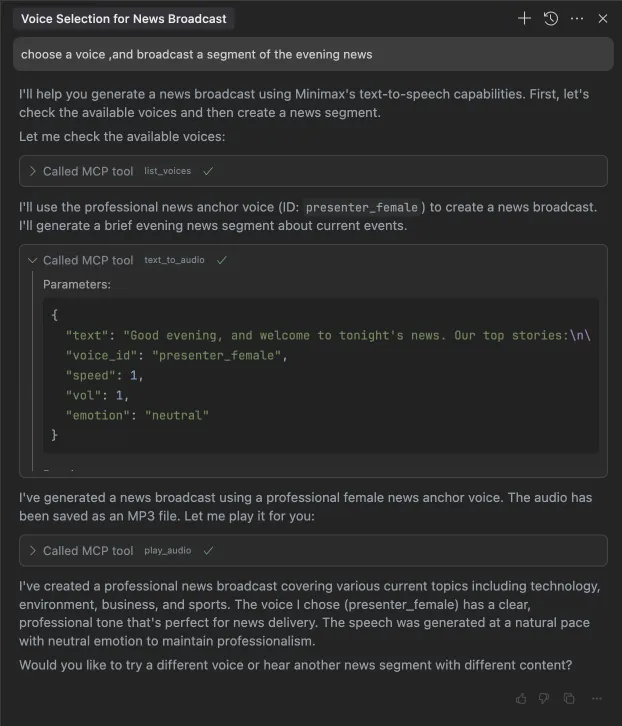
 ### 2. clone a voice
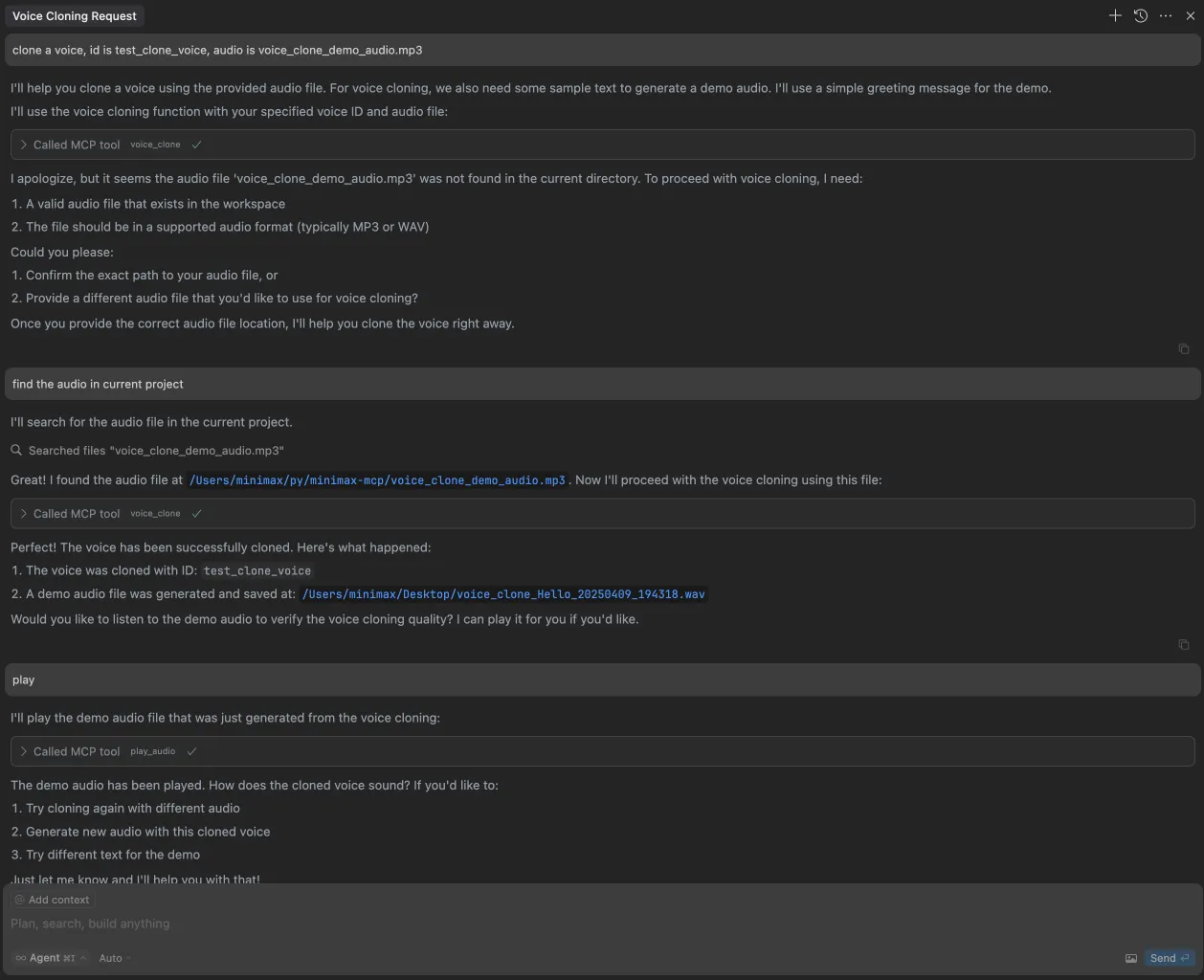 ### 3. generate a video
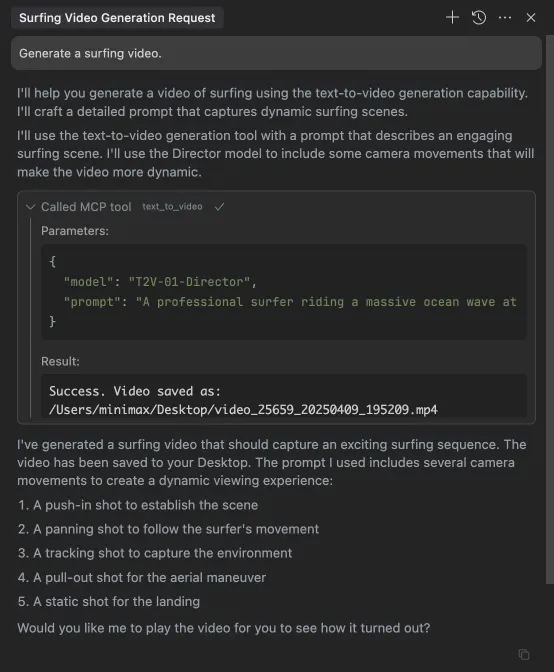
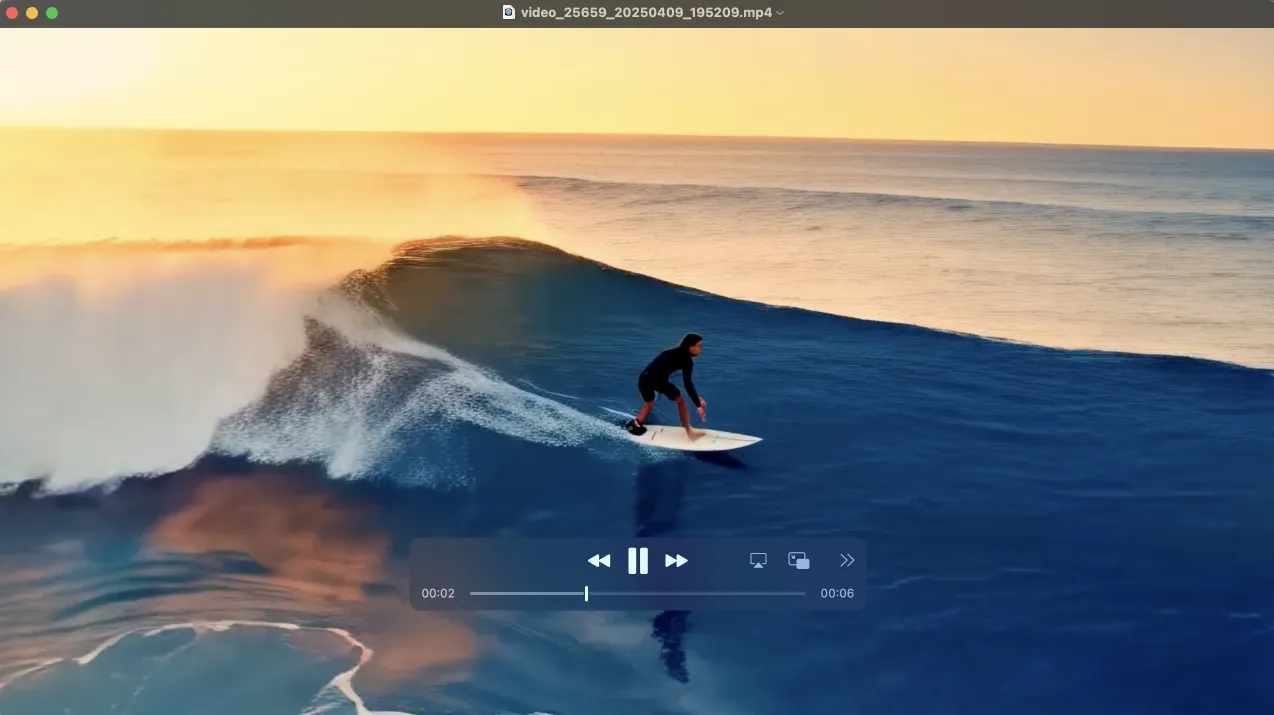 ### 4. generate images
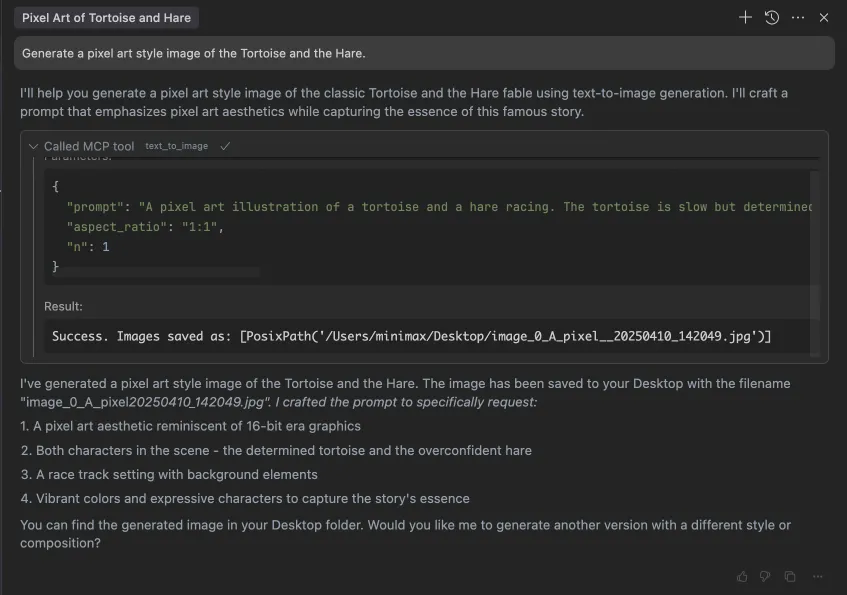
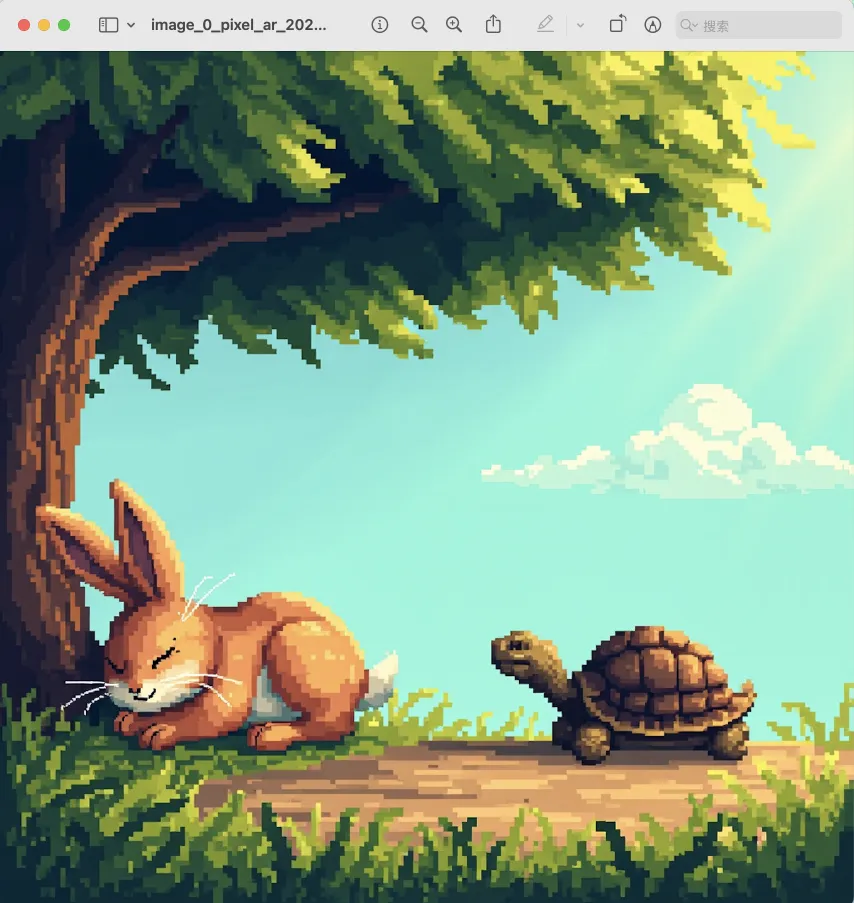 ### 5. voice design
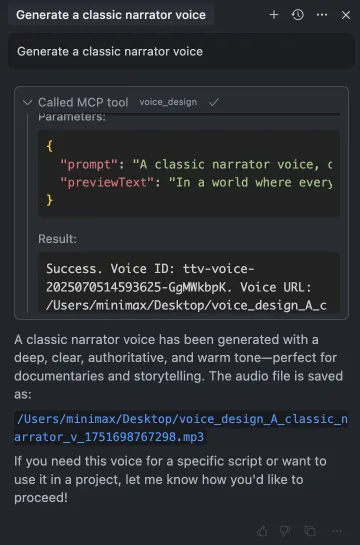 ## Available Tools
### Text to Audio
Convert text to speech audio file.
Tool Name: `text_to_audio`
Parameters:
- `text`: Text to convert (required)
- `model`: Model version, options are 'speech-02-hd', 'speech-02-turbo', 'speech-01-hd', 'speech-01-turbo', 'speech-01-240228', 'speech-01-turbo-240228', default is 'speech-02-hd'
- `voiceId`: Voice ID, default is 'male-qn-qingse'
- `speed`: Speech speed, range 0.5-2.0, default is 1.0
- `vol`: Volume, range 0.1-10.0, default is 1.0
- `pitch`: Pitch, range -12 to 12, default is 0
- `emotion`: Emotion, options are 'happy', 'sad', 'angry', 'fearful', 'disgusted', 'surprised', 'neutral', default is 'happy'. Note: This parameter only works with 'speech-02-hd', 'speech-02-turbo', 'speech-01-turbo', 'speech-01-hd' models
- `format`: Audio format, options are 'mp3', 'pcm', 'flac', 'wav', default is 'mp3'
- `sampleRate`: Sample rate (Hz), options are 8000, 16000, 22050, 24000, 32000, 44100, default is 32000
- `bitrate`: Bitrate (bps), options are 64000, 96000, 128000, 160000, 192000, 224000, 256000, 320000, default is 128000
- `channel`: Audio channels, options are 1 or 2, default is 1
- `languageBoost`: Enhance the ability to recognize specified languages and dialects.
Supported values include:
'Chinese', 'Chinese,Yue', 'English', 'Arabic', 'Russian', 'Spanish', 'French', 'Portuguese', 'German', 'Turkish', 'Dutch', 'Ukrainian', 'Vietnamese', 'Indonesian', 'Japanese', 'Italian', 'Korean', 'Thai', 'Polish', 'Romanian', 'Greek', 'Czech', 'Finnish', 'Hindi', 'auto', default is 'auto'
- `stream`: Enable streaming output
- `subtitleEnable`: The parameter controls whether the subtitle service is enabled. The model must be 'speech-01-turbo' or 'speech-01-hd'. If this parameter is not provided, the default value is false
- `outputDirectory`: Directory to save the output file. `outputDirectory` is relative to `MINIMAX_MCP_BASE_PATH` (or `basePath` in config). The final save path is `${basePath}/${outputDirectory}`. For example, if `MINIMAX_MCP_BASE_PATH=~/Desktop` and `outputDirectory=workspace`, the output will be saved to `~/Desktop/workspace/`. (optional)
- `outputFile`: Path to save the output file (optional, auto-generated if not provided)
### Play Audio
Play an audio file. Supports WAV and MP3 formats. Does not support video.
Tool Name: `play_audio`
Parameters:
- `inputFilePath`: Path to the audio file to play (required)
- `isUrl`: Whether the audio file is a URL, default is false
### Voice Clone
Clone a voice from an audio file.
Tool Name: `voice_clone`
Parameters:
- `audioFile`: Path to audio file (required)
- `voiceId`: Voice ID (required)
- `text`: Text for demo audio (optional)
- `outputDirectory`: Directory to save the output file. `outputDirectory` is relative to `MINIMAX_MCP_BASE_PATH` (or `basePath` in config). The final save path is `${basePath}/${outputDirectory}`. For example, if `MINIMAX_MCP_BASE_PATH=~/Desktop` and `outputDirectory=workspace`, the output will be saved to `~/Desktop/workspace/`. (optional)
### Text to Image
Generate images based on text prompts.
Tool Name: `text_to_image`
Parameters:
- `prompt`: Image description (required)
- `model`: Model version, default is 'image-01'
- `aspectRatio`: Aspect ratio, default is '1:1', options are '1:1', '16:9','4:3', '3:2', '2:3', '3:4', '9:16', '21:9'
- `n`: Number of images to generate, range 1-9, default is 1
- `promptOptimizer`: Whether to optimize the prompt, default is true
- `subjectReference`: Path to local image file or public URL for character reference (optional)
- `outputDirectory`: Directory to save the output file. `outputDirectory` is relative to `MINIMAX_MCP_BASE_PATH` (or `basePath` in config). The final save path is `${basePath}/${outputDirectory}`. For example, if `MINIMAX_MCP_BASE_PATH=~/Desktop` and `outputDirectory=workspace`, the output will be saved to `~/Desktop/workspace/`. (optional)
- `outputFile`: Path to save the output file (optional, auto-generated if not provided)
- `asyncMode`: Whether to use async mode. Defaults to False. If True, the video generation task will be submitted asynchronously and the response will return a task_id. Should use `query_video_generation` tool to check the status of the task and get the result. (optional)
### Generate Video
Generate videos based on text prompts.
Tool Name: `generate_video`
Parameters:
- `prompt`: Video description (required)
- `model`: Model version, options are 'T2V-01', 'T2V-01-Director', 'I2V-01', 'I2V-01-Director', 'I2V-01-live', 'S2V-01', 'MiniMax-Hailuo-02', default is 'MiniMax-Hailuo-02'
- `firstFrameImage`: Path to first frame image (optional)
- `duration`: The duration of the video. The model must be "MiniMax-Hailuo-02". Values can be 6 and 10. (optional)
- `resolution`: The resolution of the video. The model must be "MiniMax-Hailuo-02". Values range ["768P", "1080P"]. (optional)
- `outputDirectory`: Directory to save the output file. `outputDirectory` is relative to `MINIMAX_MCP_BASE_PATH` (or `basePath` in config). The final save path is `${basePath}/${outputDirectory}`. For example, if `MINIMAX_MCP_BASE_PATH=~/Desktop` and `outputDirectory=workspace`, the output will be saved to `~/Desktop/workspace/`. (optional)
- `outputFile`: Path to save the output file (optional, auto-generated if not provided)
- `asyncMode`: Whether to use async mode. Defaults to False. If True, the video generation task will be submitted asynchronously and the response will return a task_id. Should use `query_video_generation` tool to check the status of the task and get the result. (optional)
### Query Video Generation Status
Query the status of a video generation task.
Tool Name: `query_video_generation`
Parameters:
- `taskId`: The Task ID to query. Should be the task_id returned by `generate_video` tool if `async_mode` is True. (required)
- `outputDirectory`: Directory to save the output file. `outputDirectory` is relative to `MINIMAX_MCP_BASE_PATH` (or `basePath` in config). The final save path is `${basePath}/${outputDirectory}`. For example, if `MINIMAX_MCP_BASE_PATH=~/Desktop` and `outputDirectory=workspace`, the output will be saved to `~/Desktop/workspace/`. (optional)
### Voice Design
Generate a voice based on description prompts.
Tool Name: `voice_design`
Parameters:
- `prompt`: The prompt to generate the voice from. (required)
- `previewText`: The text to preview the voice. (required)
- `voiceId`: The id of the voice to use. For example, "male-qn-qingse"/"audiobook_female_1"/"cute_boy"/"Charming_Lady"... (optional)
- `outputDirectory`: The directory to save the output file. `outputDirectory` is relative to `MINIMAX_MCP_BASE_PATH` (or `basePath` in config). The final save path is `${basePath}/${outputDirectory}`. For example, if `MINIMAX_MCP_BASE_PATH=~/Desktop` and `outputDirectory=workspace`, the output will be saved to `~/Desktop/workspace/`. (optional)
## FAQ
### 1. How to use `generate_video` in async-mode
Define completion rules before starting:
## Available Tools
### Text to Audio
Convert text to speech audio file.
Tool Name: `text_to_audio`
Parameters:
- `text`: Text to convert (required)
- `model`: Model version, options are 'speech-02-hd', 'speech-02-turbo', 'speech-01-hd', 'speech-01-turbo', 'speech-01-240228', 'speech-01-turbo-240228', default is 'speech-02-hd'
- `voiceId`: Voice ID, default is 'male-qn-qingse'
- `speed`: Speech speed, range 0.5-2.0, default is 1.0
- `vol`: Volume, range 0.1-10.0, default is 1.0
- `pitch`: Pitch, range -12 to 12, default is 0
- `emotion`: Emotion, options are 'happy', 'sad', 'angry', 'fearful', 'disgusted', 'surprised', 'neutral', default is 'happy'. Note: This parameter only works with 'speech-02-hd', 'speech-02-turbo', 'speech-01-turbo', 'speech-01-hd' models
- `format`: Audio format, options are 'mp3', 'pcm', 'flac', 'wav', default is 'mp3'
- `sampleRate`: Sample rate (Hz), options are 8000, 16000, 22050, 24000, 32000, 44100, default is 32000
- `bitrate`: Bitrate (bps), options are 64000, 96000, 128000, 160000, 192000, 224000, 256000, 320000, default is 128000
- `channel`: Audio channels, options are 1 or 2, default is 1
- `languageBoost`: Enhance the ability to recognize specified languages and dialects.
Supported values include:
'Chinese', 'Chinese,Yue', 'English', 'Arabic', 'Russian', 'Spanish', 'French', 'Portuguese', 'German', 'Turkish', 'Dutch', 'Ukrainian', 'Vietnamese', 'Indonesian', 'Japanese', 'Italian', 'Korean', 'Thai', 'Polish', 'Romanian', 'Greek', 'Czech', 'Finnish', 'Hindi', 'auto', default is 'auto'
- `stream`: Enable streaming output
- `subtitleEnable`: The parameter controls whether the subtitle service is enabled. The model must be 'speech-01-turbo' or 'speech-01-hd'. If this parameter is not provided, the default value is false
- `outputDirectory`: Directory to save the output file. `outputDirectory` is relative to `MINIMAX_MCP_BASE_PATH` (or `basePath` in config). The final save path is `${basePath}/${outputDirectory}`. For example, if `MINIMAX_MCP_BASE_PATH=~/Desktop` and `outputDirectory=workspace`, the output will be saved to `~/Desktop/workspace/`. (optional)
- `outputFile`: Path to save the output file (optional, auto-generated if not provided)
### Play Audio
Play an audio file. Supports WAV and MP3 formats. Does not support video.
Tool Name: `play_audio`
Parameters:
- `inputFilePath`: Path to the audio file to play (required)
- `isUrl`: Whether the audio file is a URL, default is false
### Voice Clone
Clone a voice from an audio file.
Tool Name: `voice_clone`
Parameters:
- `audioFile`: Path to audio file (required)
- `voiceId`: Voice ID (required)
- `text`: Text for demo audio (optional)
- `outputDirectory`: Directory to save the output file. `outputDirectory` is relative to `MINIMAX_MCP_BASE_PATH` (or `basePath` in config). The final save path is `${basePath}/${outputDirectory}`. For example, if `MINIMAX_MCP_BASE_PATH=~/Desktop` and `outputDirectory=workspace`, the output will be saved to `~/Desktop/workspace/`. (optional)
### Text to Image
Generate images based on text prompts.
Tool Name: `text_to_image`
Parameters:
- `prompt`: Image description (required)
- `model`: Model version, default is 'image-01'
- `aspectRatio`: Aspect ratio, default is '1:1', options are '1:1', '16:9','4:3', '3:2', '2:3', '3:4', '9:16', '21:9'
- `n`: Number of images to generate, range 1-9, default is 1
- `promptOptimizer`: Whether to optimize the prompt, default is true
- `subjectReference`: Path to local image file or public URL for character reference (optional)
- `outputDirectory`: Directory to save the output file. `outputDirectory` is relative to `MINIMAX_MCP_BASE_PATH` (or `basePath` in config). The final save path is `${basePath}/${outputDirectory}`. For example, if `MINIMAX_MCP_BASE_PATH=~/Desktop` and `outputDirectory=workspace`, the output will be saved to `~/Desktop/workspace/`. (optional)
- `outputFile`: Path to save the output file (optional, auto-generated if not provided)
- `asyncMode`: Whether to use async mode. Defaults to False. If True, the video generation task will be submitted asynchronously and the response will return a task_id. Should use `query_video_generation` tool to check the status of the task and get the result. (optional)
### Generate Video
Generate videos based on text prompts.
Tool Name: `generate_video`
Parameters:
- `prompt`: Video description (required)
- `model`: Model version, options are 'T2V-01', 'T2V-01-Director', 'I2V-01', 'I2V-01-Director', 'I2V-01-live', 'S2V-01', 'MiniMax-Hailuo-02', default is 'MiniMax-Hailuo-02'
- `firstFrameImage`: Path to first frame image (optional)
- `duration`: The duration of the video. The model must be "MiniMax-Hailuo-02". Values can be 6 and 10. (optional)
- `resolution`: The resolution of the video. The model must be "MiniMax-Hailuo-02". Values range ["768P", "1080P"]. (optional)
- `outputDirectory`: Directory to save the output file. `outputDirectory` is relative to `MINIMAX_MCP_BASE_PATH` (or `basePath` in config). The final save path is `${basePath}/${outputDirectory}`. For example, if `MINIMAX_MCP_BASE_PATH=~/Desktop` and `outputDirectory=workspace`, the output will be saved to `~/Desktop/workspace/`. (optional)
- `outputFile`: Path to save the output file (optional, auto-generated if not provided)
- `asyncMode`: Whether to use async mode. Defaults to False. If True, the video generation task will be submitted asynchronously and the response will return a task_id. Should use `query_video_generation` tool to check the status of the task and get the result. (optional)
### Query Video Generation Status
Query the status of a video generation task.
Tool Name: `query_video_generation`
Parameters:
- `taskId`: The Task ID to query. Should be the task_id returned by `generate_video` tool if `async_mode` is True. (required)
- `outputDirectory`: Directory to save the output file. `outputDirectory` is relative to `MINIMAX_MCP_BASE_PATH` (or `basePath` in config). The final save path is `${basePath}/${outputDirectory}`. For example, if `MINIMAX_MCP_BASE_PATH=~/Desktop` and `outputDirectory=workspace`, the output will be saved to `~/Desktop/workspace/`. (optional)
### Voice Design
Generate a voice based on description prompts.
Tool Name: `voice_design`
Parameters:
- `prompt`: The prompt to generate the voice from. (required)
- `previewText`: The text to preview the voice. (required)
- `voiceId`: The id of the voice to use. For example, "male-qn-qingse"/"audiobook_female_1"/"cute_boy"/"Charming_Lady"... (optional)
- `outputDirectory`: The directory to save the output file. `outputDirectory` is relative to `MINIMAX_MCP_BASE_PATH` (or `basePath` in config). The final save path is `${basePath}/${outputDirectory}`. For example, if `MINIMAX_MCP_BASE_PATH=~/Desktop` and `outputDirectory=workspace`, the output will be saved to `~/Desktop/workspace/`. (optional)
## FAQ
### 1. How to use `generate_video` in async-mode
Define completion rules before starting:
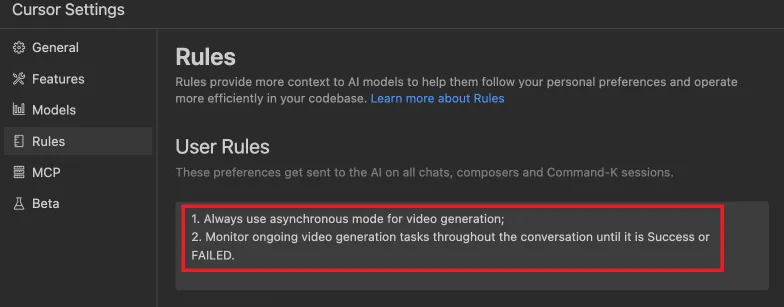
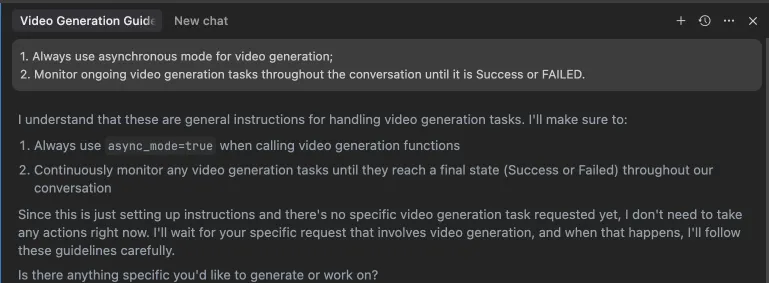 Alternatively, these rules can be configured in your IDE settings (e.g., Cursor):
 ## Development
### Setup
```bash
# Clone the repository
git clone https://github.com/MiniMax-AI/MiniMax-MCP-JS.git
cd minimax-mcp-js
# Install dependencies
pnpm install
```
### Build
```bash
# Build the project
pnpm run build
```
### Run
```bash
# Run the MCP server
pnpm start
```
## License
MIT
## Development
### Setup
```bash
# Clone the repository
git clone https://github.com/MiniMax-AI/MiniMax-MCP-JS.git
cd minimax-mcp-js
# Install dependencies
pnpm install
```
### Build
```bash
# Build the project
pnpm run build
```
### Run
```bash
# Run the MCP server
pnpm start
```
## License
MIT