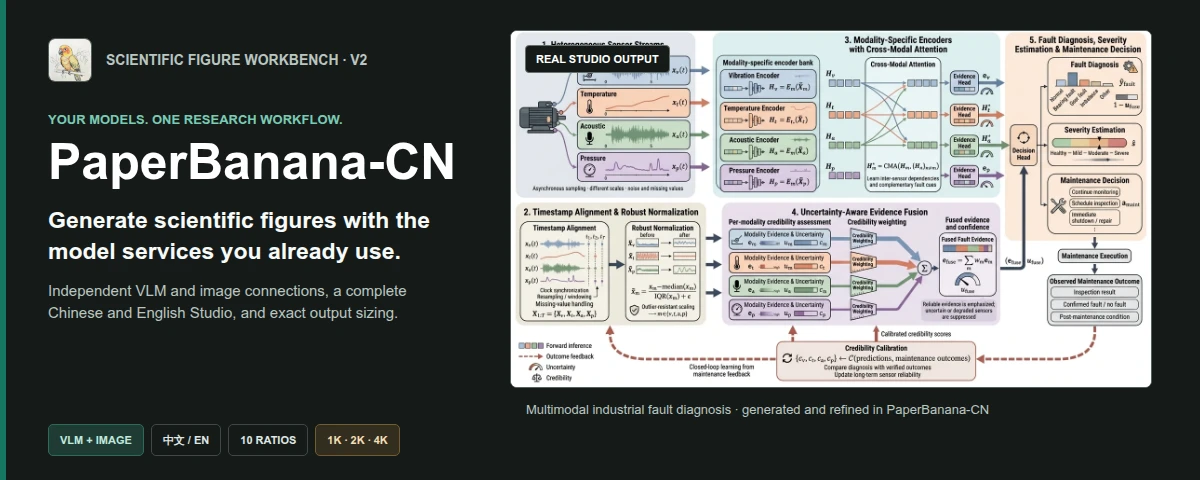
PaperBanana-CN generates methodology diagrams from research descriptions and statistical plots
from CSV or JSON data. It uses the PaperBanana scientific workflow and adds separate VLM and
image-service connections, a Chinese Studio interface, and explicit aspect-ratio and resolution
controls.
## One run from input to figure
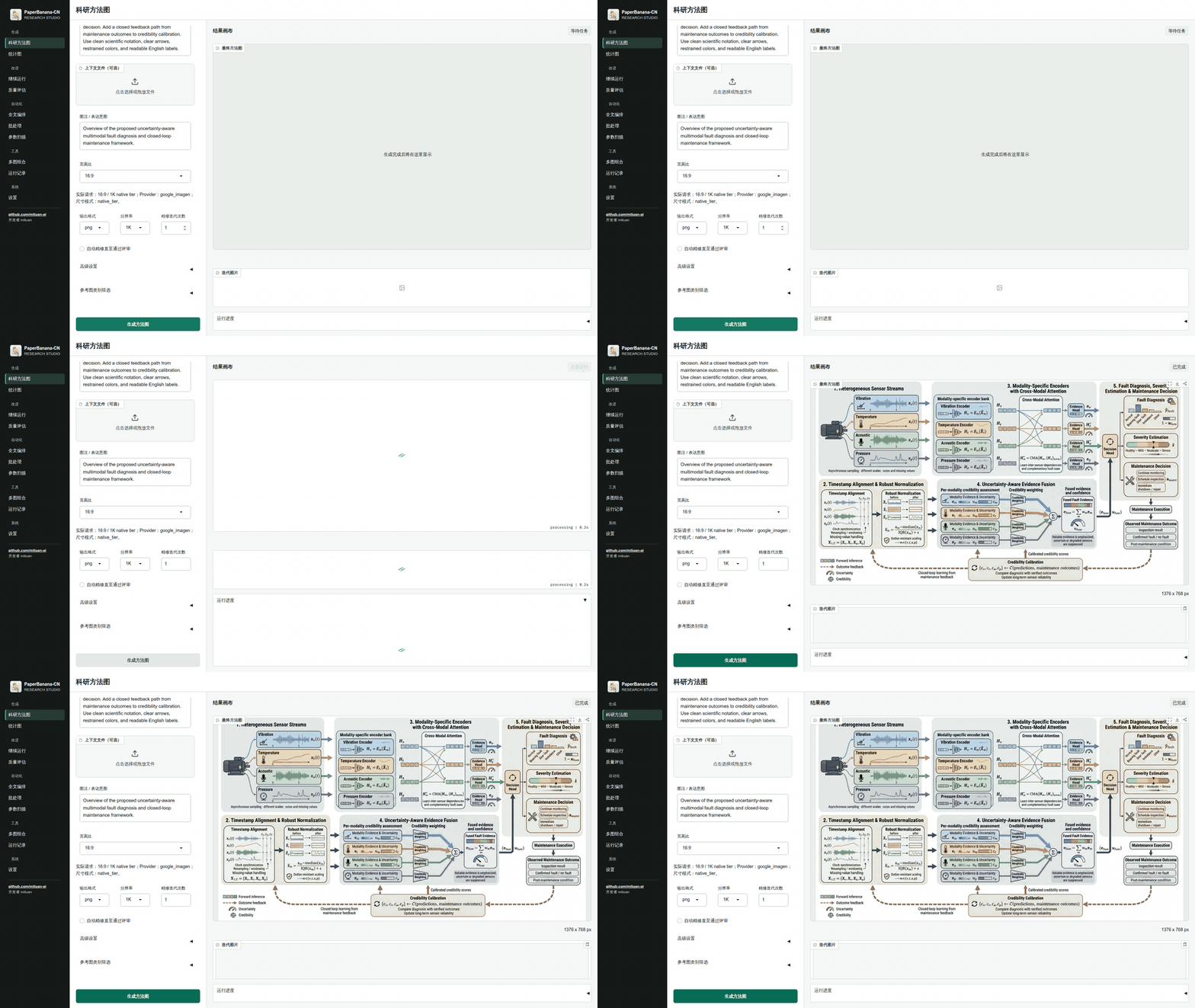
The recording follows a methodology-diagram run from submitted inputs to the completed result.
## Before you start
You need Python 3.10-3.12, [uv](https://docs.astral.sh/uv/), and a desktop browser.
| Task | Required model connections |
|---|---|
| Methodology diagram | VLM and image generation |
| Statistical plot | VLM only |
| Multi-panel composition and run browsing | None |
Each connection specifies its own protocol, Base URL, API key, model name, and timeout. The VLM and
image roles may use the same service or two different services.
## Quick start
### 1. Launch Studio
```bash
uvx paperbanana-cn studio
```
Open . `uvx` runs the package in an isolated environment and does not modify
Debian or Ubuntu's system Python.
### 2. Add the model connections
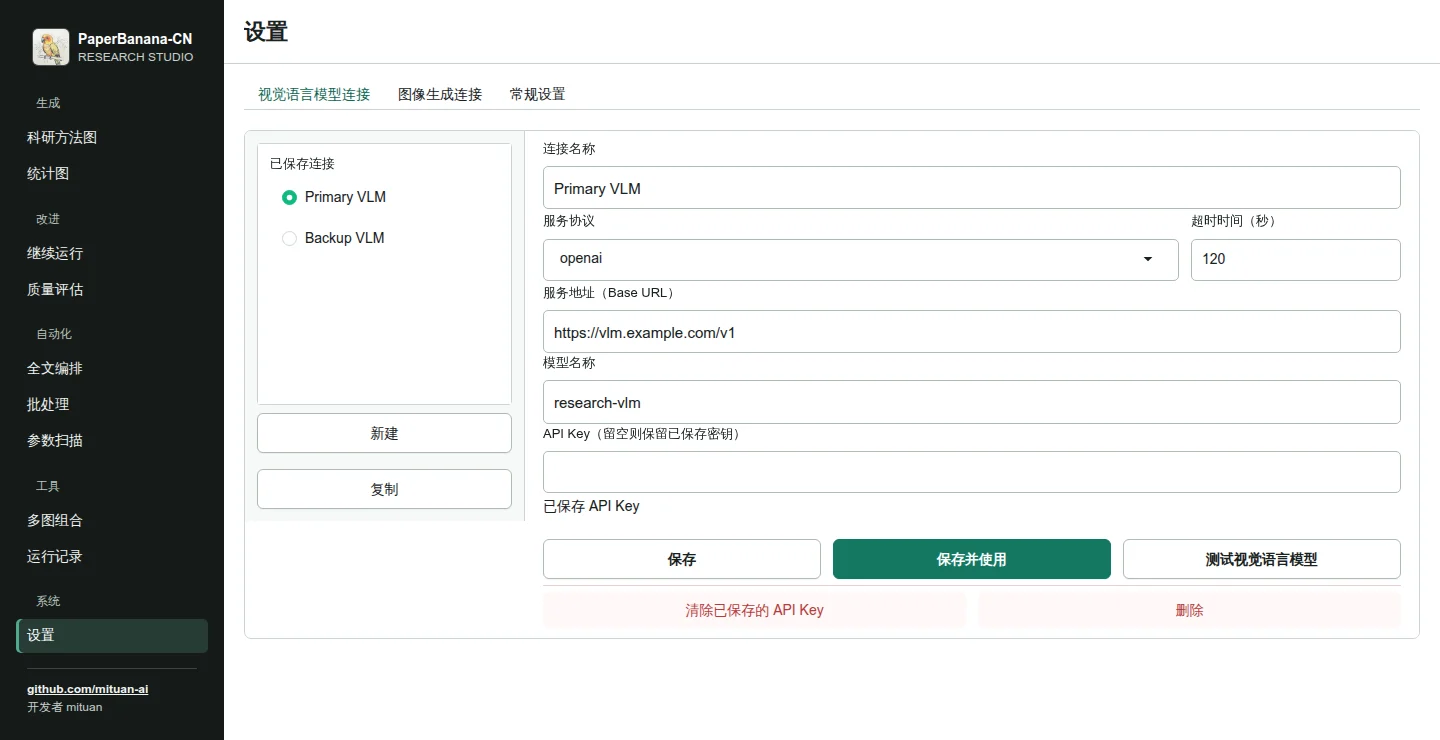
Open **Settings → VLM connection**, fill in the service fields, and select **Save and use**. Repeat
under **Image connection** before generating a methodology diagram.
Editing a saved connection does not activate it. An empty API-key field keeps the stored key.
Studio does not fill stored keys back into the browser.
Connection manager screenshot and protocol notes
The [connection guide](https://github.com/mituan-ai/PaperBanana-CN/blob/main/docs/CONNECTIONS.md)
lists the supported protocols, credential storage rules, connection tests, and legacy mode.
### 3. Generate a figure
Open **Methodology diagram**, provide the method content and figure caption, then choose an aspect
ratio, resolution, and output format.
The same task from the CLI:
```bash
paperbanana-cn generate \
--input method.txt \
--caption "Overview of the proposed architecture" \
--aspect-ratio 16:9 \
--resolution 2K \
--format png
```
## What PaperBanana-CN adds
### Separate VLM and image connections
The two model roles have independent protocol, Base URL, API key, model, and timeout settings.
Studio, CLI, and MCP resolve the same saved connections. Saved profiles contain credential
references; API keys remain outside the repository and run metadata.
Official APIs, OpenAI-compatible services, and Gemini-compatible services are supported. Provider
specifics stay in the adapters rather than the scientific workflow.
### Chinese and English Studio
The Studio interface, help text, validation, progress messages, and errors are available in Chinese
and English. Changing the interface language does not rewrite prompts, paper text, or labels inside
the generated figure.
### Aspect ratios and resolution
Supported aspect ratios:
`1:1` · `4:3` · `3:2` · `5:4` · `16:9` · `21:9` · `4:5` · `3:4` · `2:3` · `9:16`
Resolution tiers:
`1K` · `2K` · `4K`
Studio shows the request size or provider-native tier before generation. If an adapter cannot
produce the selected combination, validation stops the request and reports the unsupported option.
## Studio workflows
| Area | Workflow | Model connections |
|---|---|---|
| Create | Methodology diagram | VLM and image |
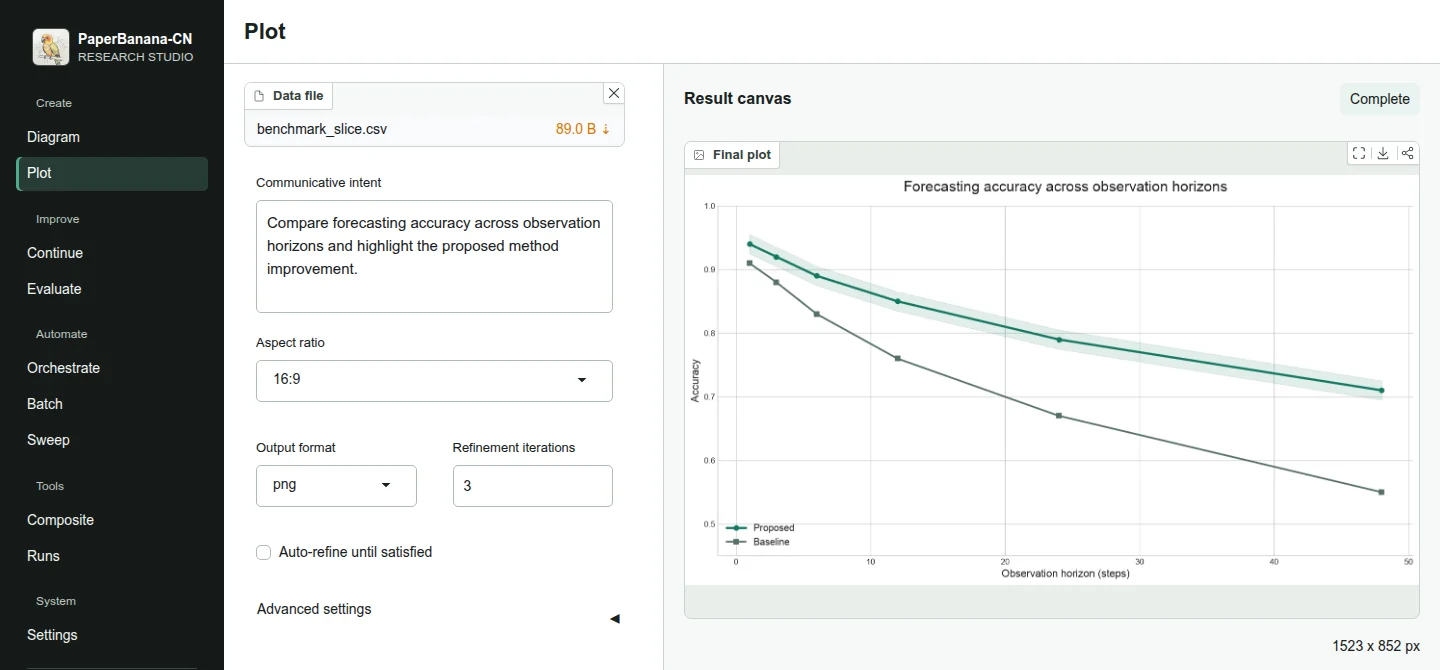
| Create | Statistical plot | VLM |
| Improve | Continue a saved run | Depends on the saved run |
| Improve | Quality evaluation | VLM |
| Automate | Full-paper orchestration | VLM and image |
| Automate | Batch generation | Depends on the task type |
| Automate | Parameter sweep | VLM and image |
| Tools | Multi-panel composition | None |
| Tools | Run browser | None |
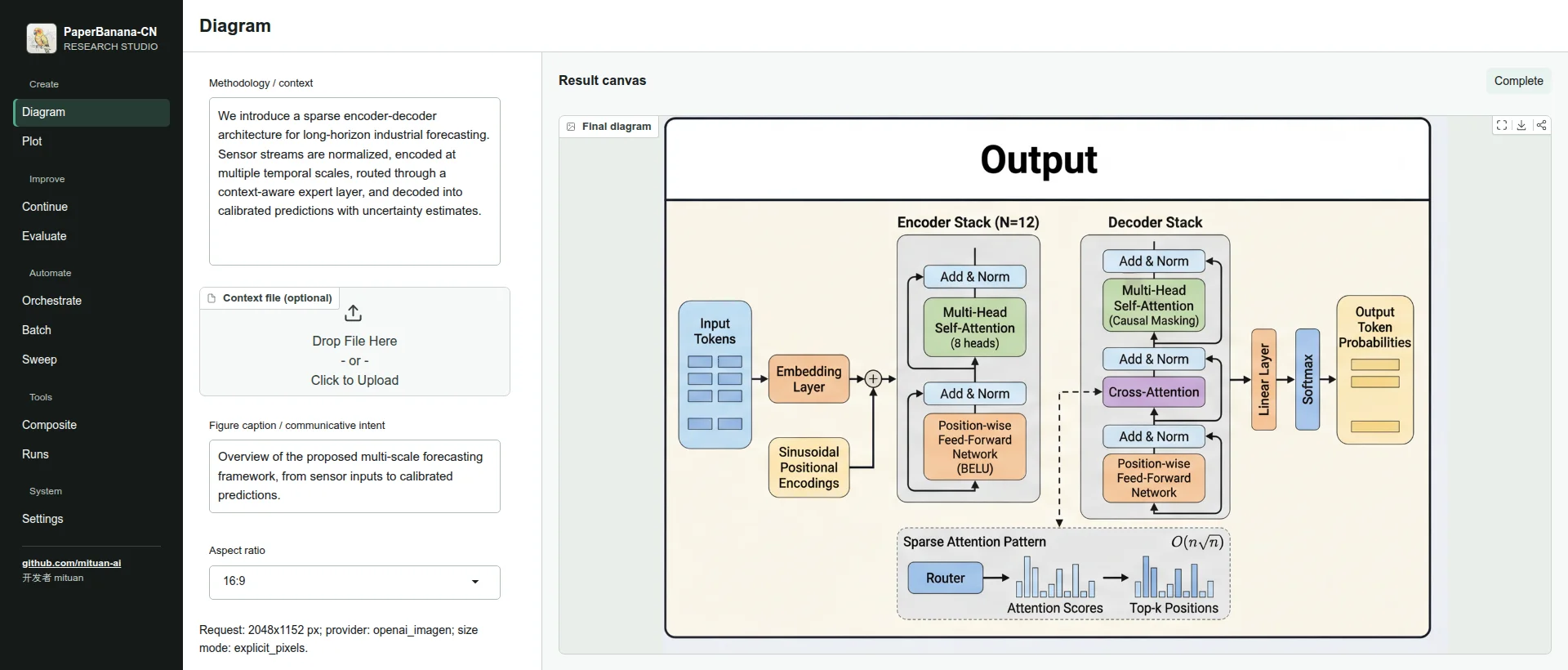
Methodology-diagram workspace
Statistical-plot workspace using synthetic demonstration data
## CLI, MCP, Docker, and Colab
| Entry point | Command or link |
|---|---|
| Studio | `paperbanana-cn studio` |
| CLI | `paperbanana-cn generate --help` |
| MCP server | `paperbanana-cn mcp` |
| GitHub Action | [Action reference](https://github.com/mituan-ai/PaperBanana-CN/blob/main/integrations/github-action/README.md) |
| Docker | `ghcr.io/mituan-ai/paperbanana-cn:2.0.1` |
| Colab | [Quickstart notebook](https://colab.research.google.com/github/mituan-ai/PaperBanana-CN/blob/main/notebooks/PaperBanana_CN_Quickstart.ipynb) |
MCP client configuration
```json
{
"mcpServers": {
"paperbanana-cn": {
"command": "uvx",
"args": ["paperbanana-cn", "mcp"]
}
}
}
```
The server provides 11 tools and reads the same active connections as Studio and CLI. See the
[MCP guide](https://github.com/mituan-ai/PaperBanana-CN/blob/main/mcp_server/README.md) for the tool
list and arguments.
Docker
```bash
docker run --rm -p 7860:7860 \
-v paperbanana-cn-config:/home/paperbanana/.config/paperbanana-cn \
-v paperbanana-cn-data:/home/paperbanana/.local/share/paperbanana-cn \
-v paperbanana-cn-outputs:/work/outputs \
ghcr.io/mituan-ai/paperbanana-cn:2.0.1 \
studio --host 0.0.0.0
```
Permanent install, source setup, and optional providers
Install the command in a uv-managed environment:
```bash
uv tool install paperbanana-cn
paperbanana-cn studio
```
Run the current source checkout:
```bash
git clone https://github.com/mituan-ai/PaperBanana-CN.git
cd PaperBanana-CN
uv sync
uv run paperbanana-cn studio
```
The default package includes Studio, MCP, PDF input, OpenAI-compatible services, and Gemini.
| Optional adapter | Install |
|---|---|
| AWS Bedrock | `uv tool install "paperbanana-cn[bedrock]"` |
| Anthropic | `uv tool install "paperbanana-cn[anthropic]"` |
| LiteLLM | `uv tool install "paperbanana-cn[litellm]"` |
| All optional providers | `uv tool install "paperbanana-cn[all-providers]"` |
For CI, use `paperbanana-cn connections add --api-key-env ENV_VAR` so the key is read from an
environment variable instead of a command-line value.
## V1 and upstream
V2 is maintained on `main` as the `paperbanana-cn` distribution, the `paperbanana_cn` Python
module, and the `paperbanana-cn` command.
- [Browse the frozen `v1` branch](https://github.com/mituan-ai/PaperBanana-CN/tree/v1)
- [Download the `v1.0.0` release](https://github.com/mituan-ai/PaperBanana-CN/releases/tag/v1.0.0)
The scientific figure-generation core is based on
[`llmsresearch/paperbanana`](https://github.com/llmsresearch/paperbanana). PaperBanana-CN is an
unofficial community implementation and is not affiliated with or endorsed by the upstream
authors.
## Community
PaperBanana-CN is maintained by [mituan](https://github.com/mituan-ai) under the
[MIT License](https://github.com/mituan-ai/PaperBanana-CN/blob/main/LICENSE).
- Ask usage questions in [Discussions](https://github.com/mituan-ai/PaperBanana-CN/discussions).
- Report reproducible bugs in [Issues](https://github.com/mituan-ai/PaperBanana-CN/issues).
- Report vulnerabilities through [Private Vulnerability Reporting](https://github.com/mituan-ai/PaperBanana-CN/security/advisories/new).
- Read [CONTRIBUTING.md](https://github.com/mituan-ai/PaperBanana-CN/blob/main/CONTRIBUTING.md) before opening a pull request.
Development checks
```bash
git clone https://github.com/mituan-ai/PaperBanana-CN.git
cd PaperBanana-CN
uv sync --extra dev
uv run pytest tests/ -q
uv run ruff check paperbanana_cn/ mcp_server/ tests/ scripts/
```
Do not upload API keys, private relay URLs, unpublished papers, private datasets, local connection
stores, or generated run directories.
## Star history