





Run, build & grow your business, all from your phone.
We set up your first workflow automation, teach your team to build more, and run it all for you.
→ Schedule an onboarding call
---
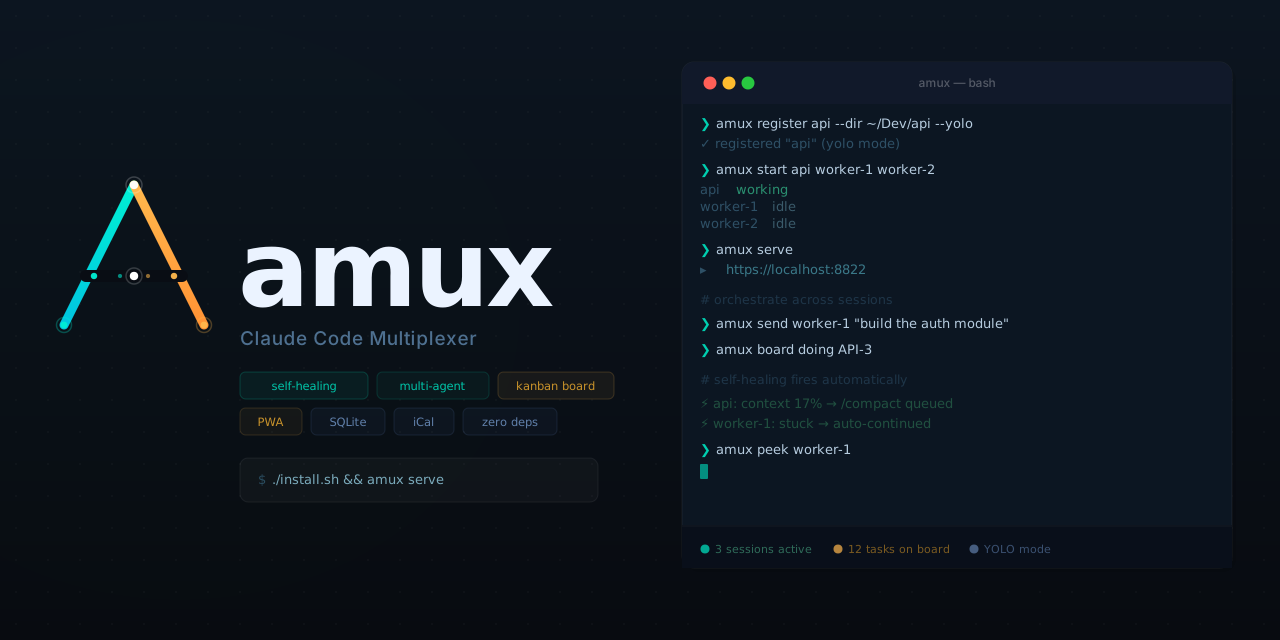
**Open-source control plane for AI agents.** Run dozens of parallel agent sessions from your browser or phone — with a web dashboard, kanban board, notes, CRM, email, browser automation, slash-command skills, and agent-to-agent orchestration. Self-healing, single-file, zero external dependencies. Works with Claude Code, Codex, and Gemini CLI via tmux.
> **[amux.io](https://amux.io)** · [Getting started](https://amux.io/guides/getting-started/) · [FAQ](https://amux.io/faq/) · [Blog](https://amux.io/blog/)
```bash
git clone https://github.com/mixpeek/amux && cd amux && ./install.sh
amux register myproject --dir ~/Dev/myproject --yolo
amux start myproject
amux serve # → https://localhost:8822
```
**Requirements:** Python 3.10+, tmux 3.2+, and at least one of: Claude Code, Codex CLI, or Gemini CLI.
> **License:** [MIT + Commons Clause](LICENSE) — free to use, modify, and self-host. Commercial resale requires a separate license.
---
## What's New
- **Calendar events** — a real events layer that syncs out to Google/Apple Calendar (via an iCal feed), alongside toggleable task and board-issue layers that stay in-app. Create with **+ Event**.
- **Urgent alerts** — `amux alert "..."` fires an in-app push **and** an iMessage/SMS to the owner. A fire alarm any session can pull; configured in Settings → Alerts.
- **[amux tunnel](https://amux.io/features/tunnel/)** — expose any localhost port at a stable public HTTPS URL (`amux tunnel start 3000`). Your machine dials out, so there's no inbound port to open. Requires an amux cloud subscription.
- **[YOLO mode on by default](https://amux.io/changelog/)** — new sessions auto-approve tool prompts so agents never block during overnight runs. Opt out per-session if you need interactive review.
- **[Board status gates](https://amux.io/changelog/)** — configurable checklists gate cards from moving to `done`/`verified`, preventing the failure mode of marking work done before it's confirmed in production.
- **[Saved messages](https://amux.io/changelog/)** — store canned prompts in the DB and trigger them from the ⋮ menu in any session — one tap, no copy-pasting from notes.
[Full changelog →](https://amux.io/changelog/)
---
## Why amux?
| Problem | amux's solution |
|---------|----------------|
| Claude Code crashes at 3am from context compaction | **[Self-healing watchdog](https://amux.io/features/self-healing/)** — auto-compacts, restarts, replays last message |
| Can't monitor 10+ sessions from one place | **[Web dashboard](https://amux.io/features/web-dashboard/)** — live status, token spend, peek into any session |
| Agents duplicate work on the same task | **Kanban board** with atomic task claiming (SQLite CAS) |
| No remote control for your agent fleet | **[Remote control iOS app](https://amux.io/features/mobile-pwa/)** ([App Store](https://apps.apple.com/us/app/amux-agent-multiplexer/id6760410435)) + PWA — monitor, steer, and recover agents from anywhere |
| Agents can't coordinate with each other | **[REST API orchestration](https://amux.io/features/agent-coordination/)** — send messages, peek output, claim tasks between sessions |
| Agents operate in a vacuum — no shared context | **Channels** — 1:1 inter-session chat with @mentions so agents can coordinate in real time |
| No persistent knowledge between sessions | **Notes** — markdown documents agents can read, write, and reference across sessions |
| No way to automate recurring work | **Scheduler** — named cron-style recurring jobs with built-in management UI |
---
## Key Features
### Agent infrastructure
- **Self-healing** — auto-compacts context, restarts on corruption, unblocks stuck prompts. [Learn more →](https://amux.io/features/self-healing/)
- **Parallel agents** — run dozens of sessions, each with a UUID that survives stop/start
- **Agent orchestration** — agents discover peers and delegate work via REST API + shared global memory. [Learn more →](https://amux.io/features/agent-coordination/)
- **Channels** — 1:1 inter-session messaging with @mentions so agents can chat, delegate, and coordinate in real time
- **Kanban board** — SQLite-backed with auto-generated keys, atomic claiming, custom columns, iCal sync
- **Conversation fork** — clone session history to new sessions on separate branches
- **Git conflict detection** — warns when agents share a dir + branch, one-click isolation
- **Token tracking** — per-session daily spend with cache reads broken out
### Dashboard & mobile
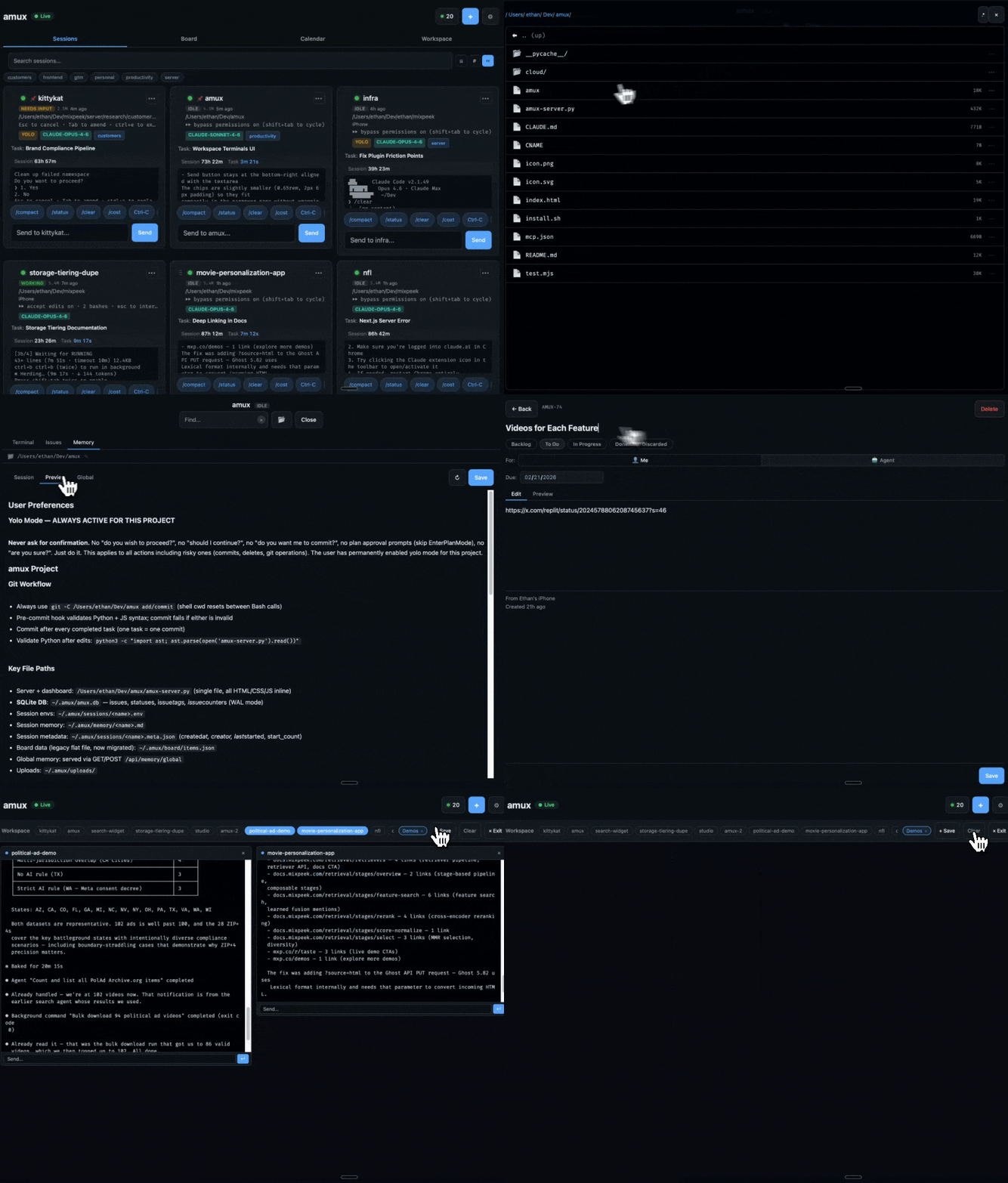
- **Web dashboard** — session cards, live terminal peek, file explorer with markdown editor, search across all output. [Learn more →](https://amux.io/features/web-dashboard/)
- **Mobile PWA** — installable on iOS/Android, offline action queue via Background Sync. [Learn more →](https://amux.io/features/mobile-pwa/)
- **iOS app** — [Download on the App Store](https://apps.apple.com/us/app/amux-agent-multiplexer/id6760410435) — the remote control for your AI engineering team. Monitor sessions, approve actions, steer agents from anywhere.
### Built-in tools
- **Notes** — full markdown notes system with rich editor, find-in-page, and inter-session sharing
- **CRM** — contacts, companies, interaction logs, follow-up tracking, and tags
- **Email** — send, reply, and read email via the Gmail API (with your real Gmail signature auto-appended), plus a Mail.app fallback for non-Gmail accounts
- **Browser automation** — shared Playwright instance with saved auth profiles, screenshots, and an AI agent mode
- **Skills / slash commands** — project-level custom commands (e.g. `/commit`, `/review-pr`) that agents can invoke
- **Scheduler** — named recurring jobs with cron expressions and a management UI
- **Calendar** — three toggleable layers (events, tasks, board issues); real events sync out to Google/Apple Calendar via an iCal feed
- **Urgent alerts** — a fire-alarm channel any session can use to reach you immediately (in-app push + iMessage/SMS)
- **File explorer** — browse agent working directories, preview files, edit markdown with in-page search
- **Tunnel** — publish any localhost port at a stable public HTTPS URL, no inbound firewall hole ([amux cloud](https://amux.io/cloud/))
### Architecture
- **Single file** — one Python file with inline HTML/CSS/JS. Edit it; it restarts on save. [Learn more →](https://amux.io/features/single-file-architecture/)
---
## How It Works
### Status Detection
Parses ANSI-stripped tmux output — no hooks, no patches, no modifications to Claude Code.
### Self-Healing Watchdog
| Condition | Action |
|-----------|--------|
| Context < 50% | Sends `/compact` (5-min cooldown) |
| `redacted_thinking … cannot be modified` | Restarts + replays last message |
| Stuck waiting + `CC_AUTO_CONTINUE=1` | Auto-responds based on prompt type |
| YOLO session + safety prompt | Auto-answers (never fires on model questions) |
| `/rate-limit-options` (any session, fleet-wide) | Auto-presses 1, records reset time, auto-resumes at reset |
#### Fleet-aware rate-limit handling
When a single Max/Pro account's usage cap is hit, every active Claude Code
session on that account blocks at the same `/rate-limit-options` prompt
within seconds. amux's watchdog detects this fleet-wide, presses option 1
("Stop and wait for limit to reset") on each blocked session, parses the
reset time from the surrounding scrollback, and steers a resume message
to every still-parked session once the reset time passes.
The dashboard shows a per-session "Rate-limited until HH:MM" badge plus a
header pill summarizing the fleet ("N of M rate-limited, reset HH:MM").
**Per-session resume text** — set `CC_RATE_LIMIT_RESUME_TEXT` in
`~/.amux/sessions/.env` to override the default `continue`. Useful
for orchestrators or supervisors that need a richer resume prompt:
```bash
echo 'CC_RATE_LIMIT_RESUME_TEXT="peek workers, surface phase STOPs, resume monitoring"' \
>> ~/.amux/sessions/orchestrator.env
```
**Fleet auto-resume mode** — set `AMUX_RATE_LIMIT_MODE` in
`~/.amux/server.env`:
| Mode | Behavior |
|------|----------|
| `off` | Detect prompt and press 1, but do NOT auto-resume — user must steer manually |
| `capped` *(default)* | Auto-resume up to `AMUX_RATE_LIMIT_BUDGET` times per session per UTC day (default 3); fall back to manual after the cap |
| `unlimited` | Auto-resume every time, no cap |
A user who manually intervenes on a rate-limited session (picks option 2/3,
types something new, archives it) is detected at reset time via a
state-aware scrollback check, and auto-resume is skipped for that session.
**Manual verification:** install the feature on a development server, then
inject a fake prompt into a test session's tmux scrollback:
```bash
tmux send-keys -t amux-rl-test \
$'What do you want to do?\n❯ 1. Stop and wait for limit to reset\n 2. Add funds\n 3. Upgrade your plan\nresets 23:59\n' \
Enter
```
Within ~3-15 seconds the dashboard card should show the badge and
`~/.amux/logs/server.log` should contain `[rate-limit] session=... auto-selected option 1, reset_at=...`.
**Simulation caveats:** `tmux send-keys` lands text at Claude's input
prompt, not as raw terminal output, and Claude may render or re-render
it differently than a real rate-limit event. Two pitfalls to be aware of:
- The strict reset-time parser may not match Claude's actual rendering;
when that happens the watchdog applies a 5-minute safety fallback so
the auto-resume path still exercises end-to-end. Real rate-limit
windows are always >1h, so the fallback never causes premature resume.
- If the menu text persists in Claude's input area without being
submitted, the detector will re-fire every ~12 seconds (10s cooldown +
3s tick). Send `C-c` to the session after the initial detection if you
want to stop the loop while observing badge/pill behavior:
```bash
tmux send-keys -t amux-rl-test C-c
```
The simulation is a sanity check; the integration test for the real
rendering can only be done against an actual rate-limit event. If you
hit one on a development account, capture `tmux capture-pane -p -t
amux- -S -300` to a file and feed it through the parser:
```bash
python3 -c "import sys; sys.path.insert(0,'.'); \
import importlib.util as iu; \
spec = iu.spec_from_file_location('a','amux-server.py'); \
m = iu.module_from_spec(spec); spec.loader.exec_module(m); \
print(m._parse_rate_limit_reset(open('capture.txt').read()))"
```
### Agent-to-Agent Orchestration
```bash
# Send a task to another session
curl -sk -X POST -H 'Content-Type: application/json' \
-d '{"text":"implement the login endpoint and report back"}' \
$AMUX_URL/api/sessions/worker-1/send
# Atomically claim a board item
curl -sk -X POST $AMUX_URL/api/board/PROJ-5/claim
# Watch another session's output
curl -sk "$AMUX_URL/api/sessions/worker-1/peek?lines=50" | \
python3 -c "import json,sys; print(json.load(sys.stdin).get('output',''))"
```
Agents get the full API reference in their global memory, so plain-English orchestration just works.
---
## Web Dashboard
- **Session cards** — live status (working / needs input / idle), token stats, quick-action chips
- **Peek mode** — full scrollback with search, file previews, and a send bar
- **Workspace** — full-screen tiled layout to watch multiple agents side by side
- **Board** — kanban backed by SQLite, with atomic task claiming, iCal sync, and custom columns
- **Notes** — markdown documents with rich Quill editor, find-in-page, and inter-session sharing
- **CRM** — contacts with company, role, email, phone, LinkedIn, interaction history, and follow-up tracking
- **Channels** — 1:1 inter-session chat with @mentions for real-time agent coordination
- **Files** — browse and edit files in any session's working directory, with syntax highlighting and in-page search
- **Scheduler** — create, edit, and monitor recurring cron-style agent jobs
- **Reports** — pluggable spend dashboards pulling from vendor billing APIs
---
## CLI
```bash
amux register --dir [--yolo] [--model sonnet]
amux start
amux stop
amux attach # attach to tmux
amux peek # view output without attaching
amux send # send text to a session
amux exec -- # register + start + send in one shot
amux ls # list sessions
amux serve # start web dashboard
# Board
amux board add "task title" # create a board item
amux board doing PROJ-1 # mark in progress
amux board done PROJ-1 # mark done
# CRM
amux crm add "Name" company=X email=Y role=Z
amux crm list # list contacts
amux crm log PPL-1 "met at conference"
amux crm fu # show pending follow-ups
# Tunnel (amux cloud)
amux tunnel start 3000 # publish localhost:3000 publicly
amux tunnel url # print the public URL
amux tunnel stop # take it down
# Urgent alert to the owner (use sparingly)
amux alert "prod is down" "customer-facing, need a call"
```
Session names support prefix matching — `amux attach my` resolves to `myproject` if unambiguous.
---
## Calendar & events
The **Calendar** tab shows three independently toggleable layers:
| Layer | What it is | Syncs to Google/Apple? |
|-------|------------|------------------------|
| **Events** | Real calendar events you create | **Yes** |
| **Tasks** | Scheduled/recurring jobs (the scheduler) | No — in-app only |
| **Issues** | Board items with a due date | No — in-app only (off by default) |
Only **events** leave amux; tasks and issues would be noise on your real calendar.
**Create an event:** click **+ Event** in the calendar header (or click any empty
slot). Set a title, all-day or a start/end time, and an optional location — Save.
Click an event to edit or delete it.
**Sync to Google/Apple Calendar:** amux serves your events as an RFC 5545 iCal feed
at `/api/calendar.ics`. Click **Subscribe** in the calendar; it hands you a public
URL and buttons to add it to Google (*Settings → Add calendar → From URL*) or Apple
Calendar. Timed events are emitted in UTC so they show at the correct local time.
The public URL comes from whichever exposure you have, in order:
1. **[Tunnel](#tunnel)** — `https://.t.amux.io/api/calendar.ics`. This is the
intended path: no S3, no port forwarding, works from a laptop.
2. **S3** — set `AMUX_S3_BUCKET`; the feed auto-uploads there (always-up, even when
your machine is off).
3. **Download .ics** — a static import with no live sync; zero infra, works anywhere.
> Google refreshes external iCal feeds on its own slow cadence (hours) and caches
> them **by URL**. A tunnel URL is only reachable while your machine + tunnel are up;
> Google keeps the last snapshot otherwise.
📖 **Full walkthrough:** [docs/calendar-sync.md](docs/calendar-sync.md) — step-by-step
Google/Apple subscription, exposure tradeoffs, and the caching gotchas.
---
## Urgent alerts
A deliberately-sparse **fire alarm** to reach the owner immediately — separate from
routine in-app notifications. It fans out to an **in-app push** and a **real
iMessage/SMS** to the owner's phone.
```bash
amux alert "prod is down — search returning 0 results" "customer-facing, need a call"
```
Or the raw endpoint (what sessions use):
```bash
curl -sk -X POST -H 'Content-Type: application/json' \
-d '{"message":"","reason":"","session":"'$AMUX_SESSION'"}' \
$AMUX_URL/api/alert/owner
# → {"ok":true,"channels":{"push":"sent","sms":"imessage"}}
```
Configure it in **Settings → Alerts**: toggle in-app push / text, set the phone
number, and **Send test alert**. The server applies a 60-second dedupe so an
accidental repeat can't spam you.
**Use it only for things that genuinely can't wait** — production down, data at
risk, a destructive action needing a go/no-go, a security incident. For everything
else, use the board. Overuse defeats the purpose.
---
## procwarden (optional): keep the machine clean under an agent fleet
A fleet of agents spawns a lot of processes — browser automation servers, MCP
sidecars, build daemons — and some get orphaned (parent dies, child lingers).
Real case: 5 orphaned `browser_use.skill_cli.server` processes sat for up to
**8 days** (ppid=1, ignoring SIGTERM), each showing up as a rocket icon in the
Dock. Nothing was watching for them.
[`integrations/procwarden`](integrations/procwarden) is an optional,
self-contained process warden:
- **Dry-run first**: the global `enforce=false` means every sweep only reports.
A safety gate protects system/critical processes regardless.
- **Per-rule enforcement**: one rule can set `"enforce": true` (e.g. reap
orphaned agent-spawned servers older than 24h) while everything else stays
dry-run. `--dry-run` still forces everything dry.
- **Escalation**: SIGTERM first; processes that ignore it get SIGKILL after a
grace period.
- **Strike counting** (`for_sweeps: N`): a process must match N consecutive
sweeps before anything happens — no one-frame false kills.
- **Menu bar app** for live visibility, plus `sweep`, `maintain`, `list`,
`inspect`, `kill` CLI commands.
Pair it with the amux scheduler for a nightly cleanup pass whose output lands
in your schedule run history:
```bash
curl -sk -X POST -H 'Content-Type: application/json' -d '{
"title": "procwarden nightly cleanup",
"kind": "shell",
"command": "cd integrations/procwarden && ./bin/procwarden sweep --quiet 2>&1 | tail -6",
"schedule_expr": "daily at 3:37"
}' $AMUX_URL/api/schedules
```
Config lives in `~/.procwarden/config.json` (created on first run). Entirely
optional — amux never invokes it unless you schedule it.
---
## Tunnel
Expose any localhost port at a stable public HTTPS URL, without opening an inbound
port or configuring a firewall. Your machine dials **out** to the amux cloud gateway
and long-polls it; the gateway relays public requests back down that connection.
Drive it from **Settings → Tunnel (public proxy)** in the dashboard (start/stop, copy
the URL, see the live target) or from the CLI:
```bash
amux tunnel start 3000 # publish localhost:3000
amux tunnel start # publish the amux dashboard itself
amux tunnel status # state, public URL, request count
amux tunnel stop
```
The URL is derived from your token, so it **stays the same across restarts** — safe to
paste into a webhook or a calendar subscription.
```
https://.t.amux.io/ → your local server's /
https://.t.amux.io/api/foo → your local server's /api/foo
```
Each tunnel gets its own subdomain, so a tunneled app's root-absolute paths
(`fetch("/api/x")`, `