# gdirect
[](https://github.com/mizorewww/gdirect/releases/latest)
[](https://github.com/mizorewww/gdirect/actions/workflows/ci.yml)
[](LICENSE)
[中文](README.zh-CN.md) · [Changelog](CHANGELOG.md)
Browse, download, upload and mount your Google Drive from networks where Google is blocked, without a proxy for the transfers themselves. gdirect finds Google front-end IPs that your network can still reach and sends Drive traffic straight to them, with multi-connection, resumable downloads.
- **Direct transfers:** scans Google's own front ends and keeps the ones that answer; certificates are checked against Google's roots built into the binary.
- **Fast and resumable:** up to 16 connections per download, MD5 checked; interrupted downloads and uploads pick up where they stopped.
- **Terminal and desktop:** a yazi-style file browser in the terminal, scripting commands, and a desktop app (preview).
- **Mount:** use Drive as a local folder through rclone, also without a proxy.
- **Multiple accounts** with your own Google OAuth client — nothing passes through a third party.
## Quick start
**1. Install** (macOS 15+, Linux x86_64 with glibc 2.35+, Windows x86_64)
```sh
# macOS / Linux
curl -fsSL https://raw.githubusercontent.com/mizorewww/gdirect/main/scripts/install.sh | bash
# or Homebrew (Homebrew 7 asks you to trust a tap before installing from it)
brew tap mizorewww/gdirect https://github.com/mizorewww/gdirect && brew trust mizorewww/gdirect
brew install mizorewww/gdirect/gdirect
# or Arch Linux (AUR)
paru -S gdirect-bin # or yay -S gdirect-bin (use gdirect-git to build from VCS)
```
```powershell
# Windows PowerShell
& ([scriptblock]::Create((Invoke-RestMethod 'https://raw.githubusercontent.com/mizorewww/gdirect/main/scripts/install.ps1')))
```
Add `--with-mount` (PowerShell: `-WithMount`) to also install what `mount` needs. Archives for every platform are on the [releases page](https://github.com/mizorewww/gdirect/releases/latest).
**2. Create your Google client** — once, about 10 minutes: follow the [Google setup guide](docs/configuration/README.md) to download a *Desktop app* OAuth client JSON.
**3. Sign in** — a browser opens; signing in needs normal access to Google, so keep a proxy on for this step if Google is blocked:
```sh
gdirect login --client-secret ~/Downloads/client_secret.json
# or, without the file: gdirect login --client-id ID (asks for the secret)
```
**4. Use it**
```sh
gdirect # browse your Drive; press ? for keys, d to download, u to upload
gdirect download FILE_ID_OR_URL # saves to ./downloads
gdirect upload ./photos -r # upload a folder; run again to resume
gdirect mount # Drive at ~/GoogleDrive
```
The first transfer scans for reachable Google IPs, which can take about a minute.
> [!IMPORTANT]
> Using a TUN-mode proxy or VPN (sing-box, Clash TUN…)? Nothing to set up: gdirect binds its Google connections to your network adapter, so the tunnel never carries them; sign-in still uses the proxy. Turn this off with `gdirect scan --bypass-tun off` or in the desktop client's Settings › Network. See [Network and proxies](docs/network.md#tun-proxies-and-vpns).
## Desktop app (preview)
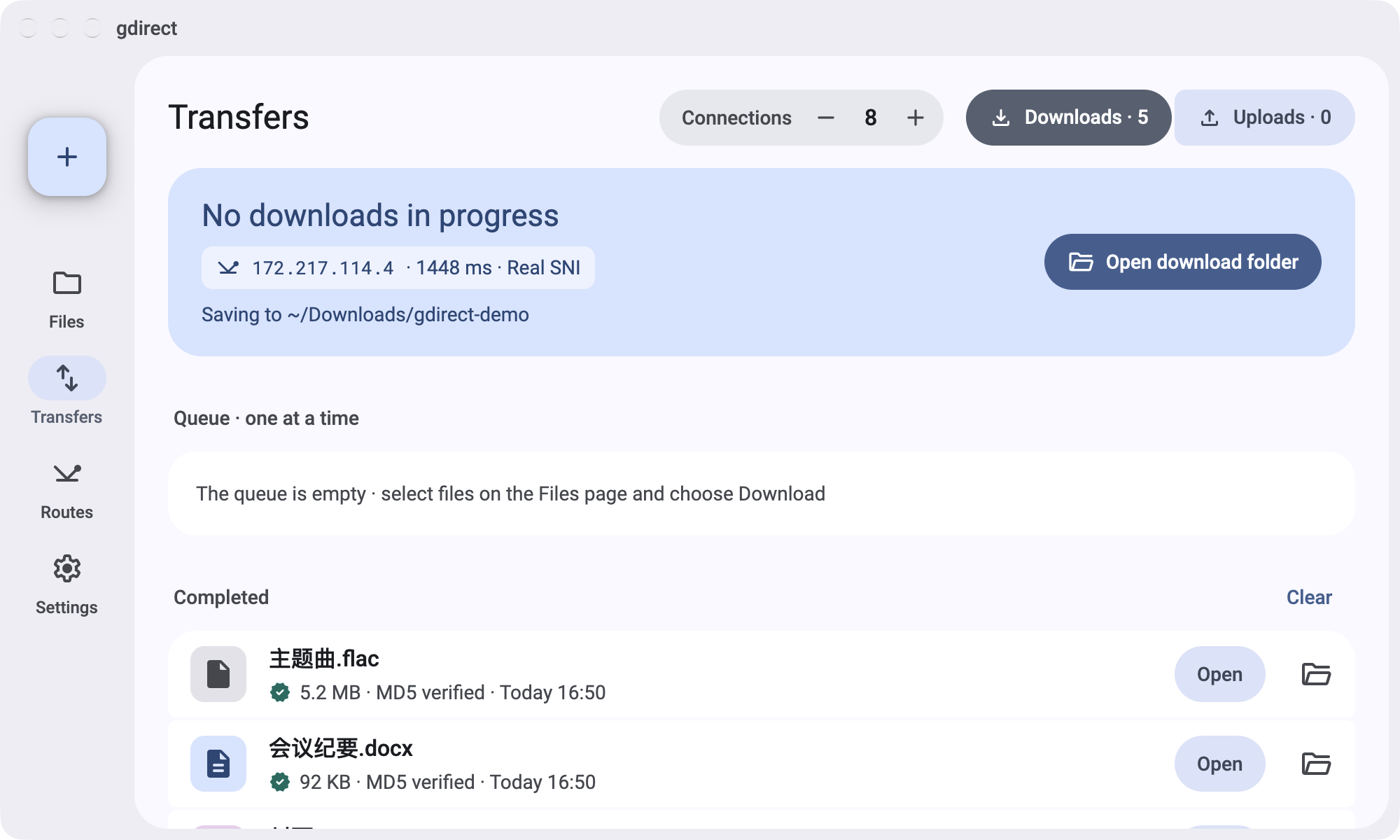
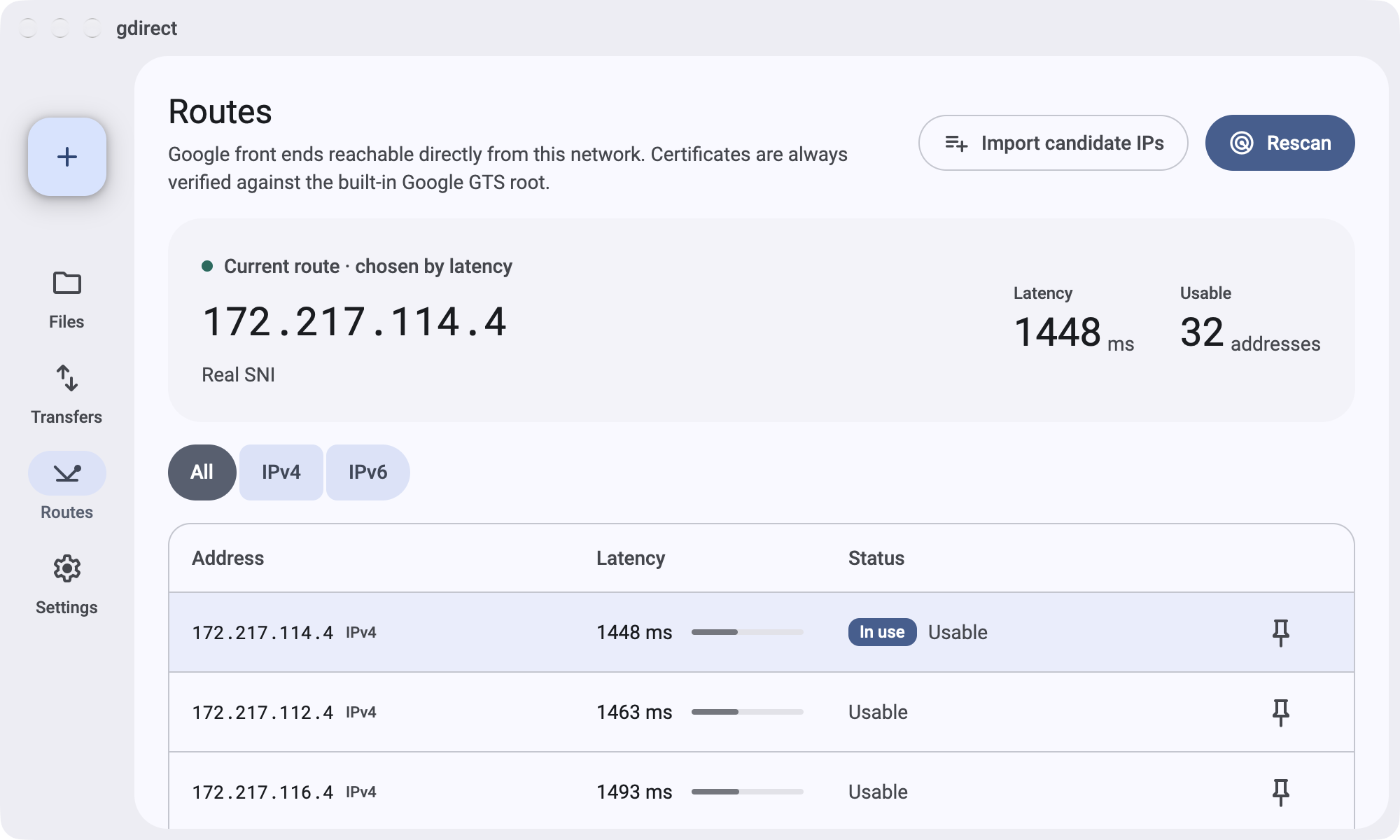
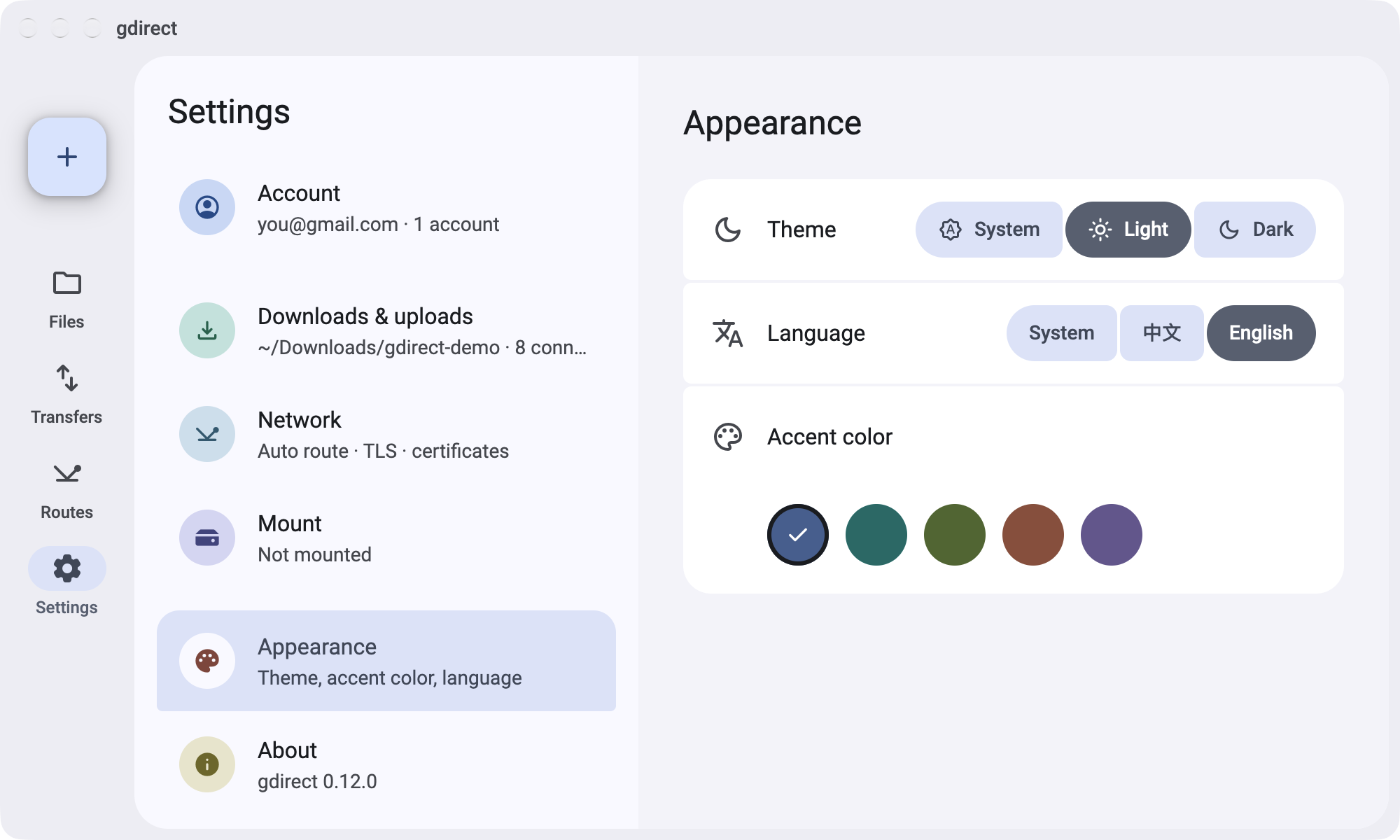
The same engine in a Material 3 window: browse and manage files, drag files in to upload, watch the transfer queue, scan and pin endpoints, and switch accounts. It shares the command line's sign-in and settings, follows your system's language (English or Chinese), and adapts to narrow windows.
| Transfers | Routes | Settings |
| --- | --- | --- |
|  |  |  |
Download it with the buttons at the top, or from the [releases page](https://github.com/mizorewww/gdirect/releases/latest):
- **macOS:** unzip and move `gdirect.app` to Applications, or, with the tap added and trusted as in [Quick start](#quick-start), `brew install --cask mizorewww/gdirect/gdirect-desktop`. The app is not notarized: the first time, open it, then allow it under System Settings › Privacy & Security › Open Anyway.
- **Windows:** run `gdirect-desktop-windows-x64.msi`; gdirect appears in the Start menu. Windows SmartScreen may warn that the publisher is unknown: choose More info › Run anyway.
- **Linux (x86_64, glibc 2.35+):** unpack the tarball and run `./install.sh` inside it for a menu entry, or start `gdirect-desktop` directly. On Arch Linux, install via AUR: `paru -S gdirect-desktop-bin` (or `gdirect-desktop-git`).
To build it yourself, see [Building from source](docs/building.md#desktop-client).
## Documentation
- [Usage](docs/usage.md) — every command, `browse` keys, multiple accounts, mount, where data is kept
- [Network and proxies](docs/network.md) — what goes where, scanning, TUN and system-proxy setups
- [Google setup and troubleshooting](docs/configuration/README.md) — the OAuth client, sign-in problems, the 7-day expiry
- [Building from source](docs/building.md) — command line and desktop app
## License
[GPL-2.0-or-later](LICENSE)




