# React Tilt
[![npm version][npm-badge]][npm-url]
[![npm downloads][downloads-badge]][npm-url]
[![npm bundle size][size-badge]][size-url]
[![Open issues][issues-badge]][issues-url]
[![TypeScript][typescript-badge]][typescript-url]
[![semantic-release][semantic-badge]][semantic-url]
[![CI][lint-badge]][lint-url]
[![CI][tsc-badge]][tsc-url]
[![CI][build-badge]][build-url]
[![CI][test-badge]][test-url]
[![CI][test-e2e-badge]][test-e2e-url]
[![Codecov Coverage][coverage-badge]][coverage-url]
[![CI][deploy-storybook-badge]][deploy-storybook-url]
[![CI][npm-release-badge]][npm-release-url]
_👀 Easily apply tilt hover effects to React components_
[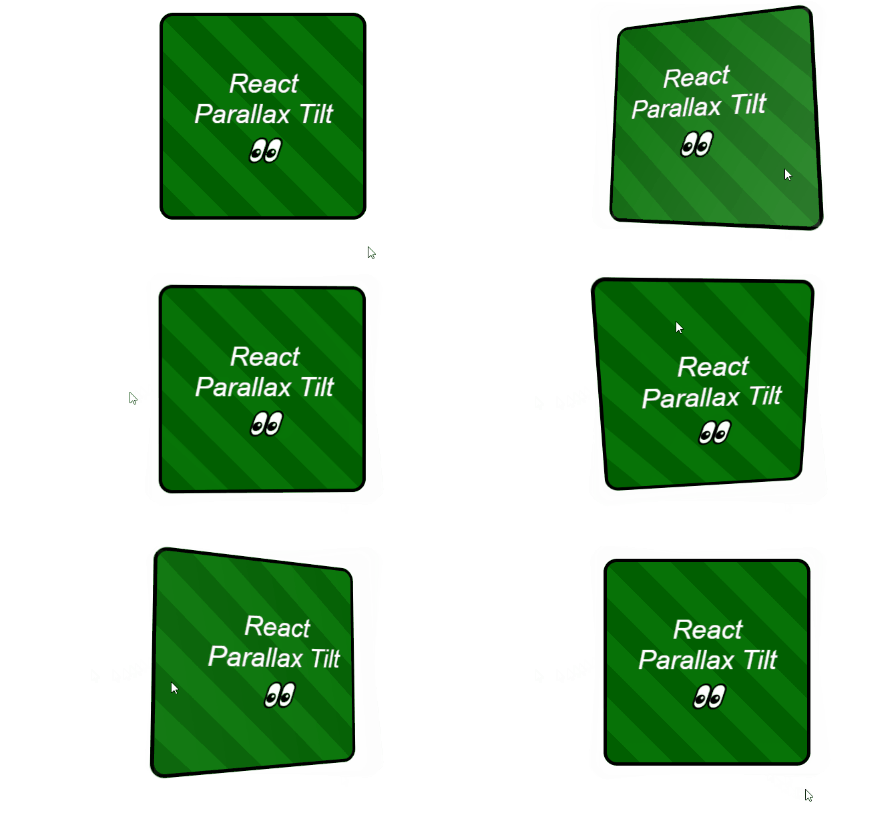](https://mkosir.github.io/react-parallax-tilt/?path=/story/react-parallax-tilt--glare-effect)
## [Live Demo 💥](https://mkosir.github.io/react-parallax-tilt)
## Install
```bash
npm install react-parallax-tilt
```
## Features
- Lightweight 2.9kB, zero dependencies 📦
- Tree-shakable 🌳 ESM and CommonJS support
- Works with React v15 onwards
- Supports **mouse** and **touch** events
- Support for device tilting (**gyroscope**)
- **Glare** effect 🌟 with custom props (color, position, etc.) [🔗demo](https://mkosir.github.io/react-parallax-tilt/?path=/story/react-parallax-tilt--parallax-effect-glare-scale)
- **Event tracking** for component values 📐 (tilt, glare, mousemove, etc.) [🔗demo](https://mkosir.github.io/react-parallax-tilt/?path=/story/react-parallax-tilt--event-params)
- Multiple built-in effects:
- **Scale** on hover [🔗demo](https://mkosir.github.io/react-parallax-tilt/?path=/story/react-parallax-tilt--scale)
- **Disable** x/y axis [🔗demo](https://mkosir.github.io/react-parallax-tilt/?path=/story/react-parallax-tilt--tilt-disable-axis)
- **Flip** component vertically/horizontally [🔗demo](https://mkosir.github.io/react-parallax-tilt/?path=/story/react-parallax-tilt--flip-vh)
- **Window** tilt hover effect [🔗demo](https://mkosir.github.io/react-parallax-tilt/?path=/story/react-parallax-tilt--track-on-window)
- **Manual tilt** control 🕹 (via joystick, slider, etc.) [🔗demo](https://mkosir.github.io/react-parallax-tilt/?path=/story/react-parallax-tilt--tilt-manual-input)
- **Parallax** effect for overlaid images [🔗demo](https://mkosir.github.io/react-parallax-tilt/?path=/story/react-parallax-tilt--parallax-effect-img)
## Example
```jsx
import Tilt from 'react-parallax-tilt';
const App = () => {
return (
React Parallax Tilt 👀
);
};
```
## Props
All props are optional.
Here's the complete list of available props and their default values:
> ▶︎ indicates the default value
**tiltEnable**: _boolean_ ▶︎ `true`
Enables/disables the tilt effect.
**tiltReverse**: _boolean_ ▶︎ `false`
Reverses the tilt direction.
**tiltAngleXInitial**: _number_ ▶︎ `0`
Initial tilt angle (in degrees) on the x-axis.
**tiltAngleYInitial**: _number_ ▶︎ `0`
Initial tilt angle (in degrees) on the y-axis.
**tiltMaxAngleX**: _number_ ▶︎ `20`
Maximum tilt rotation (in degrees) on the x-axis. Range: `0°-90°`.
**tiltMaxAngleY**: _number_ ▶︎ `20`
Maximum tilt rotation (in degrees) on the y-axis. Range: `0°-90°`.
**tiltAxis**: _'x' | 'y'_ ▶︎ `undefined`
Enables tilt on a single axis only.
**tiltAngleXManual**: _number_ | null ▶︎ `null`
Manual tilt rotation (in degrees) on the x-axis.
**tiltAngleYManual**: _number_ | null ▶︎ `null`
Manual tilt rotation (in degrees) on the y-axis.
**glareEnable**: _boolean_ ▶︎ `false`
Enables/disables the glare effect.
**glareMaxOpacity**: _number_ ▶︎ `0.7`
Maximum glare opacity (`0.5 = 50%, 1 = 100%`). Range: `0-1`
**glareColor**: _string_ ▶︎ `#ffffff`
Sets the color of the glare effect.
**glarePosition**: _'top' | 'right' | 'bottom' | 'left' | 'all'_ ▶︎ `bottom`
Sets the position of the glare effect.
**glareReverse**: _boolean_ ▶︎ `false`
Reverses the glare direction.
**glareBorderRadius**: _string_ ▶︎ `0`
Sets the border radius of the glare. Accepts any standard CSS border radius value.
**scale**: _number_ ▶︎ `1`
Scale of the component (`1.5 = 150%, 2 = 200%`).
**perspective**: _number_ ▶︎ `1000`
Defines how far the tilt component appears from the user. Lower values create more extreme tilt effects.
**flipVertically**: _boolean_ ▶︎ `false`
Enables/disables vertical flipping of the component.
**flipHorizontally**: _boolean_ ▶︎ `false`
Enables/disables horizontal flipping of the component.
**reset**: _boolean_ ▶︎ `true`
Determines if effects should reset on `onLeave` event.
**transitionEasing**: _string_ ▶︎ `cubic-bezier(.03,.98,.52,.99)`
Easing function for the transition.
**transitionSpeed**: _number_ ▶︎ `400`
Speed of the transition.
**trackOnWindow**: _boolean_ ▶︎ `false`
Tracks mouse and touch events across the entire window.
**gyroscope**: _boolean_ ▶︎ `false`
Enables/disables device orientation detection.
**onMove**: ({ **tiltAngleX**: _number_, **tiltAngleY**: _number_, **tiltAngleXPercentage**: _number_, **tiltAngleYPercentage**: _number_, **glareAngle**: _number_, **glareOpacity**: _number_, **event**: _Event_ }) => _void_
Callback triggered when user moves on the component.
**onEnter**: (**event**: _Event_) => _void_
Callback triggered when user enters the component.
**onLeave**: (**event**: _Event_) => _void_
Callback triggered when user leaves the component.
## Gyroscope - Device Orientation
Please note that device orientation detection is currently [experimental technology](https://developer.mozilla.org/en-US/docs/MDN/Contribute/Guidelines/Conventions_definitions#Experimental).
Check the [browser compatibility](https://caniuse.com/#search=DeviceOrientation) before using it in production.
Important considerations when using device orientation:
- Always use secure origins (such as `https`)
- It may not work in all browsers when used within a cross-origin `