Click a row and you're in that branch's own workspace.

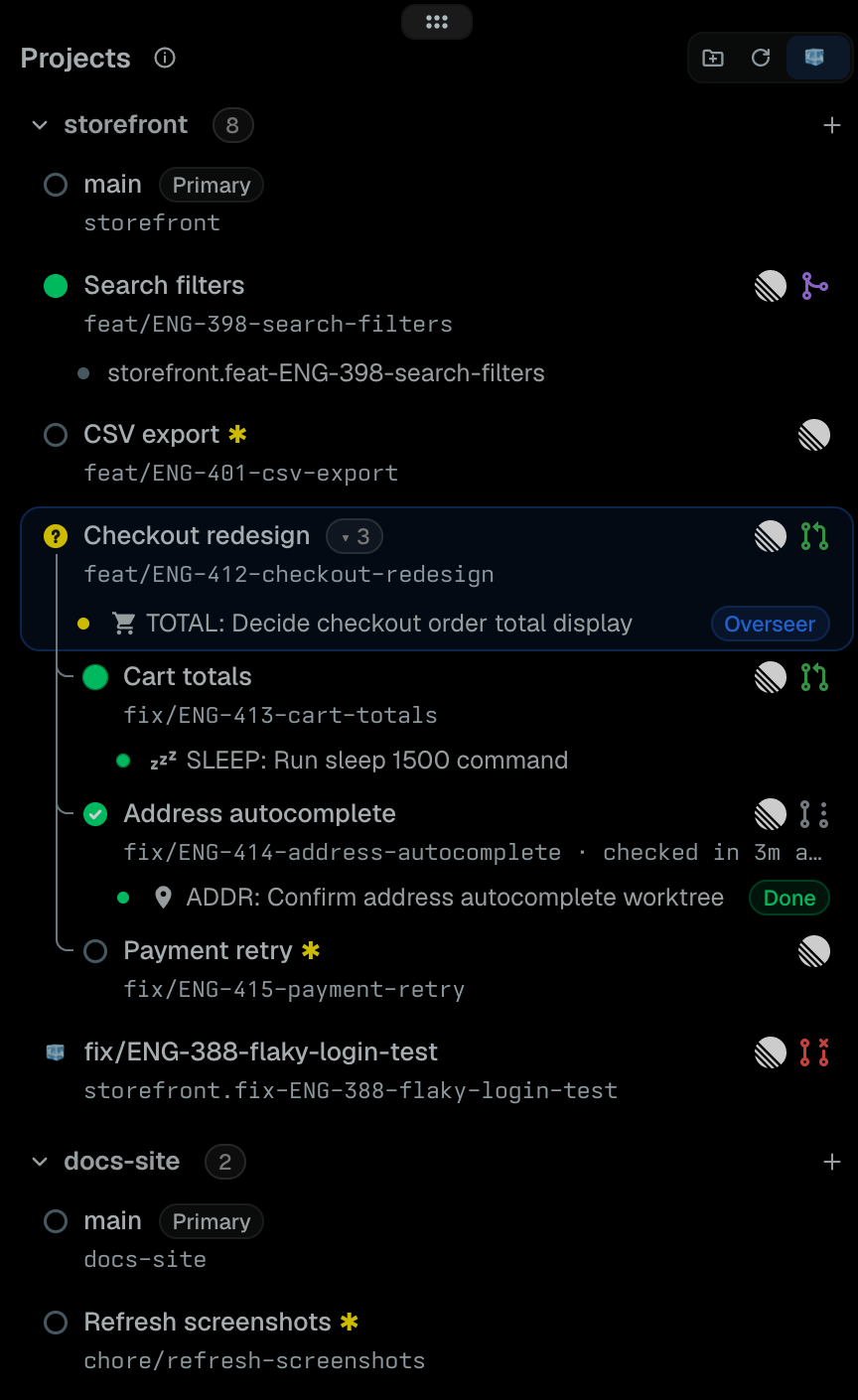 |
| You see | It means | |---|---| | ● green | Session open | | ● pulsing green · amber · red | Agent working · setup creating the worktree · deleting it | | ? in an amber circle | Agent waiting for you | | ✓ in a green · ! in a red circle | Agent finished · failed while you were away | | ○ hollow | No session yet | | **✱** amber | Uncommitted changes | | **▾ 3** | Three sub-worktrees (click to fold) | | **Creating** | Setup running; **Needs you?** if it's asking something | | 🧊 | Parked in the Ice Box | | Linear logo · PR icon | The branch's ticket · its PR state | |
 ### Start work from a ticket
Ask Tern's assistant:
> Create an overseer worktree for ENG-123
You get the branch, its session and an omp agent already reading the ticket.
## Sub-worktrees
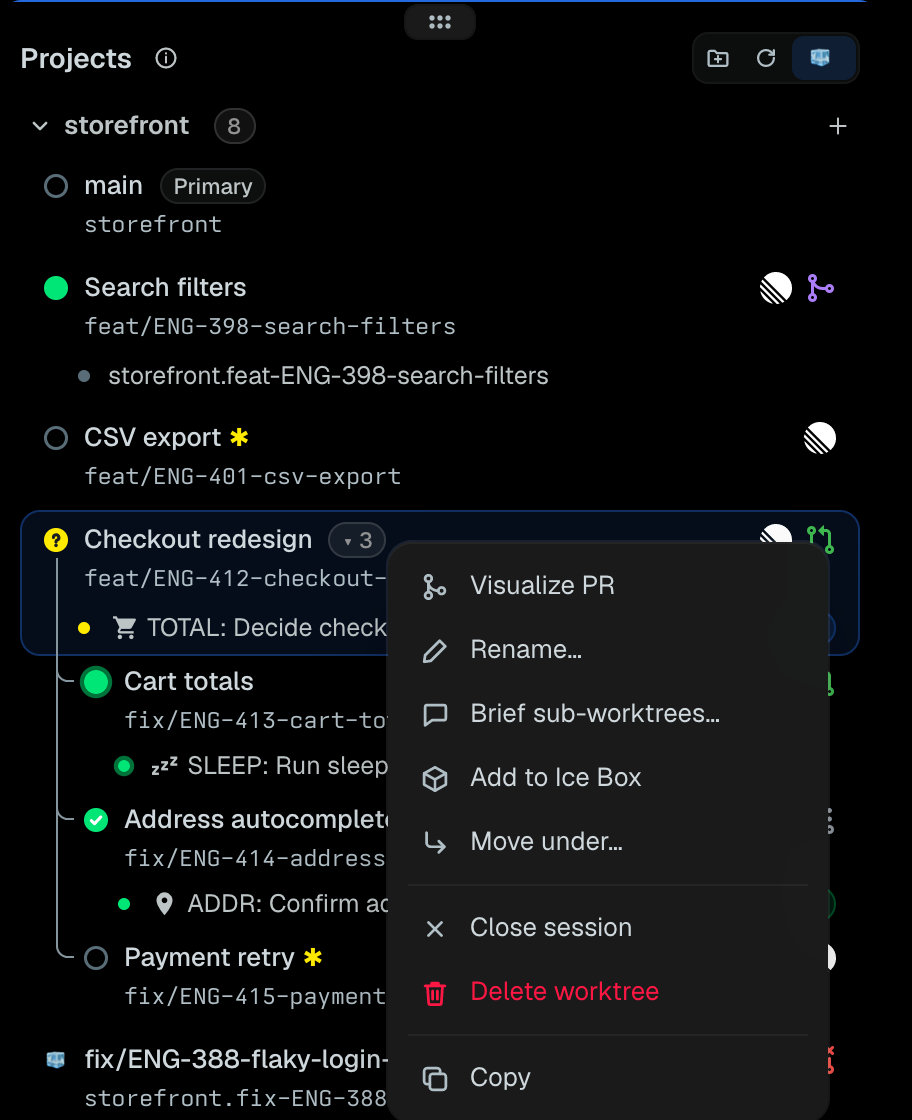
A task's worktree can own the worktrees of its sub-tasks. Agents create them for you, or use **Create sub-worktree…** or **Move under…** on a worktree's menu. Each has its own session, PR and ticket, folded under the task with **▾ N**.
Turn on **agent coordination** from a project's right-click menu and their agents stay in touch: the task's agent is woken when a sub-task's agent needs an answer, fails or opens a PR, and sub-tasks hear when the task's branch moves. omp agents also hear their family's news before every prompt and can message each other. Messages only inform; they never trigger actions. It's off until you turn it on, per repository.
## Visualize a PR
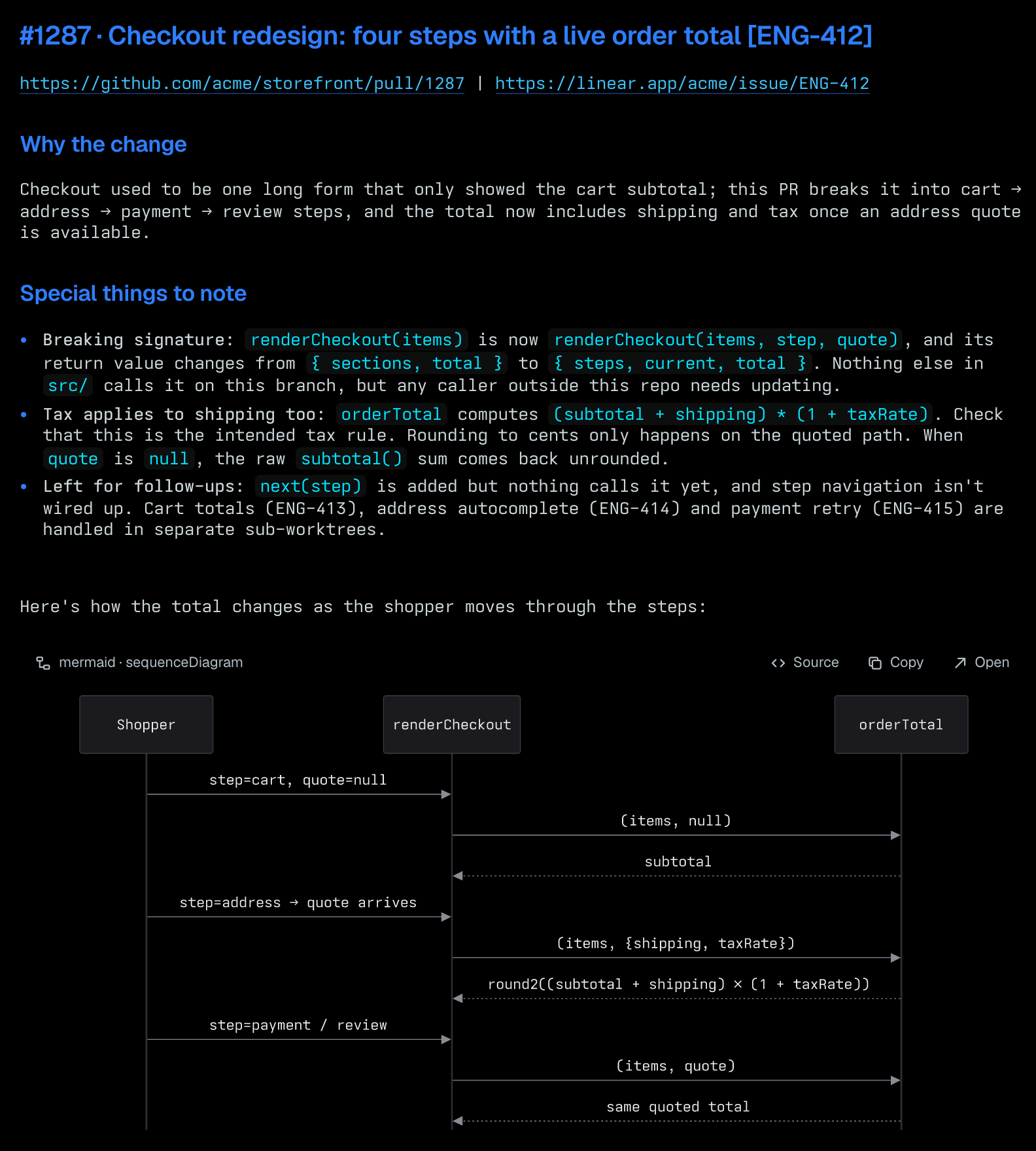 Right-click a worktree with a pull request → **Visualize PR**. It's read-only: the agent writing the outline can't push, comment or edit anything.
## How it works
```mermaid
flowchart LR
you(["You"]) --> panel["Projects panel"]
panel -- "create / remove" --> wt["Worktrunk"]
wt --> trees[("git worktrees")]
panel -- "one session each" --> sessions["Tern sessions"]
sessions --> agents["omp · claude · codex · …"]
panel -. "PR state" .-> gh["GitHub"]
panel -. "tickets" .-> linear["Linear"]
```
Worktrunk owns the worktrees, Tern owns the sessions, and Overseer never deletes a branch.
## Troubleshooting
- **"Worktrunk (wt) was not found".** Run `brew install worktrunk`. Overseer looks on Tern's PATH, then in `/opt/homebrew/bin`, `/usr/local/bin`, `~/.bun/bin` and `~/.local/bin`.
- **No PR badges.** Sign in with `gh auth login`. Badges only show for repositories whose `origin` is on GitHub.
- **No ticket links.** Sign in with `linear auth login`, or pick a workspace for the project in Settings. The branch name needs a ticket ID such as `ENG-123`.
- **A new worktree says "needs you?".** Setup is asking a question, usually a Worktrunk hook approval. Click the row, or **Answer** on its notification, to answer it.
- **Agents in a task don't hear from each other.** Turn on **agent coordination** from the project's right-click menu. omp sessions started before Overseer linked its omp side need `/new`.
- **Anything else.** **Show Overseer's operation log** in the command palette shows what Overseer did and how it ended, newest first, over the tab you're in. If that doesn't explain it, [open an issue](https://github.com/mmnavarr/overseer/issues/new/choose) with your Tern and Worktrunk versions.
## Contributing
Bug reports and pull requests are welcome. Please [open an issue](https://github.com/mmnavarr/overseer/issues/new/choose) before starting on a feature, so we can check it isn't already there or planned. [CONTRIBUTING.md](CONTRIBUTING.md) covers setup and the checklist; [AGENTS.md](AGENTS.md) is the full reference to how Overseer works.
## Credits
Built on [Tern](https://docs.stencil.so/tern/), [Worktrunk](https://worktrunk.dev) and [omp](https://omp.sh). PR icons from [Primer Octicons](https://primer.style/octicons/); Visualize PR follows [humanlayer/skills](https://github.com/humanlayer/skills)' visual-pr skill; the ticket icon is [Linear's logo mark](https://linear.app/brand), a trademark of Linear Orbit, Inc. See [CHANGELOG.md](CHANGELOG.md) for releases and [LICENSE](LICENSE) (MIT).