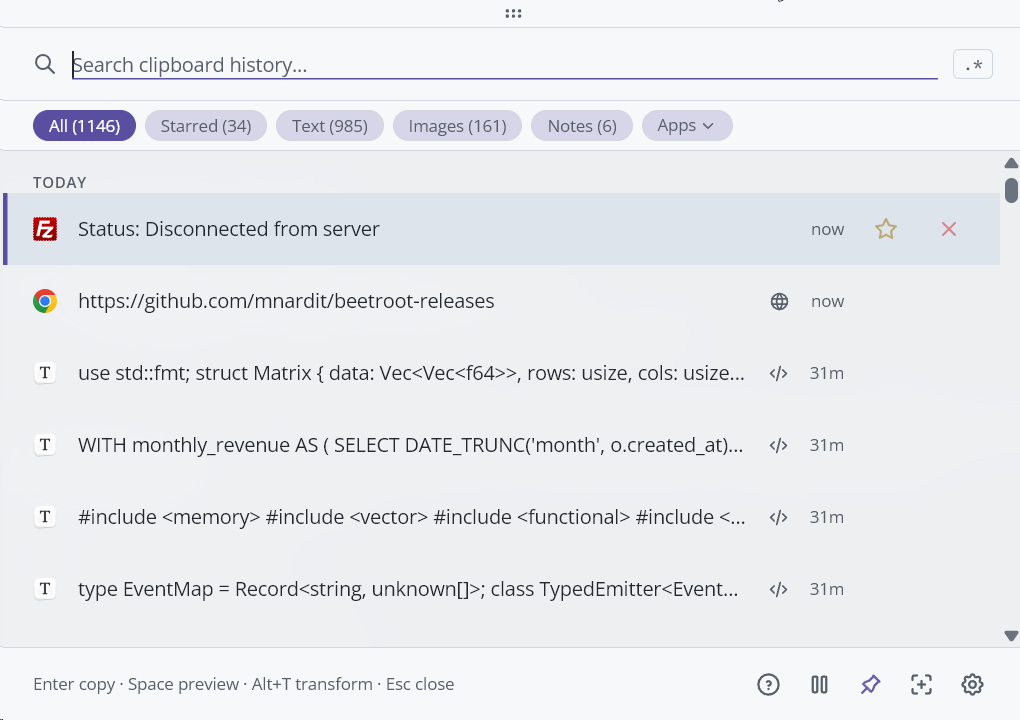
Beetroot
The clipboard manager Windows should have built.
AI transforms, OCR, and fuzzy search across your full history — one shortcut away.




Download Beetroot (free) · Website · Changelog
English · Deutsch · Español · Русский · 中文 · 日本語
> **New in v1.5.1:** ML code detection (54 languages via VS Code's TensorFlow.js model), rewritten 5-phase search engine, and fragment preview for long clips. [See what's new →](https://github.com/mnardit/beetroot-releases/releases/tag/v1.5.1)
---
## Why not Win+V?
| Feature | Win+V | Beetroot |
|---|---|---|
| History | 25 clips, lost on reboot | Unlimited, persists across reboots |
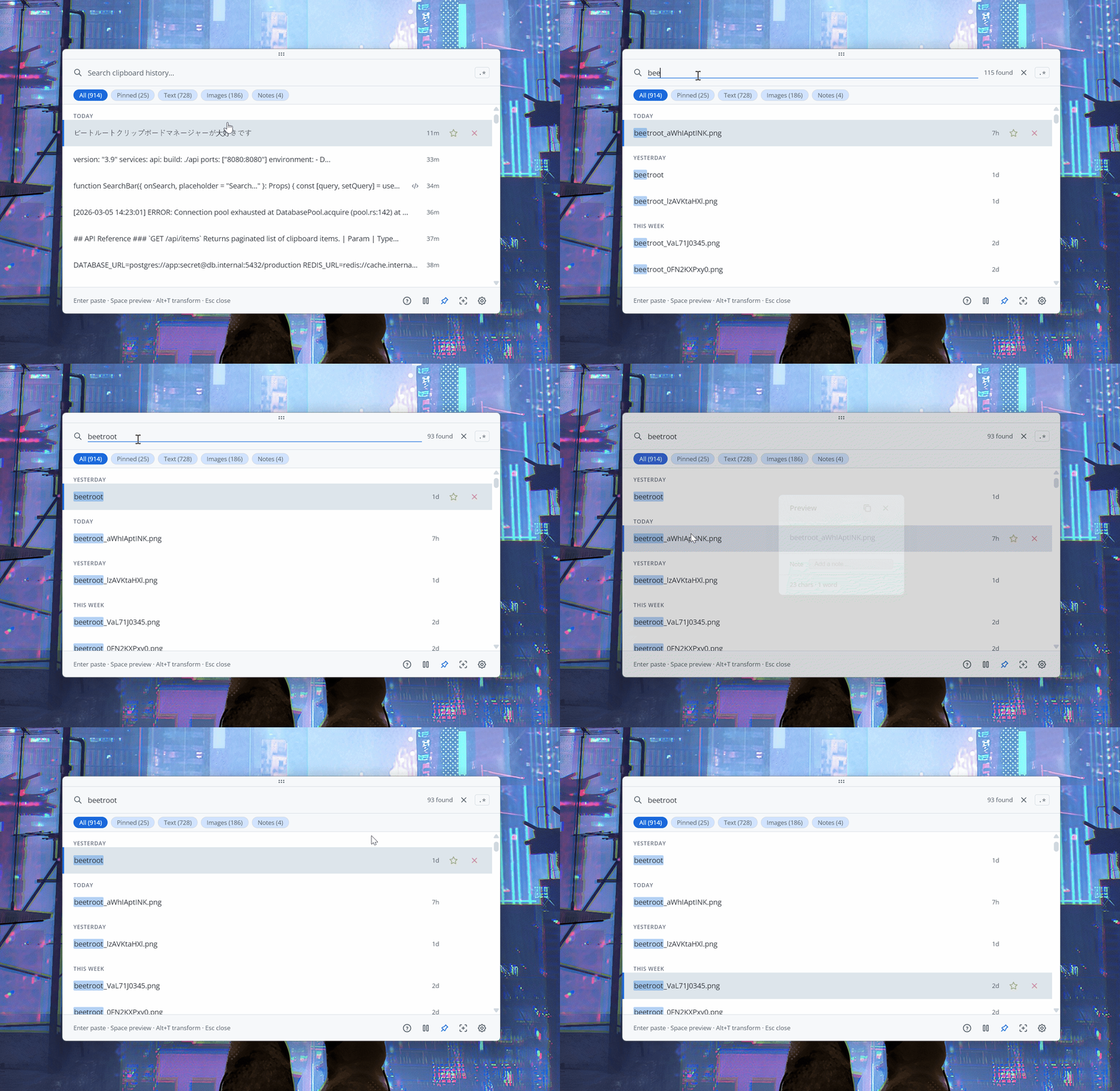
| Search | No | Fuzzy + regex |
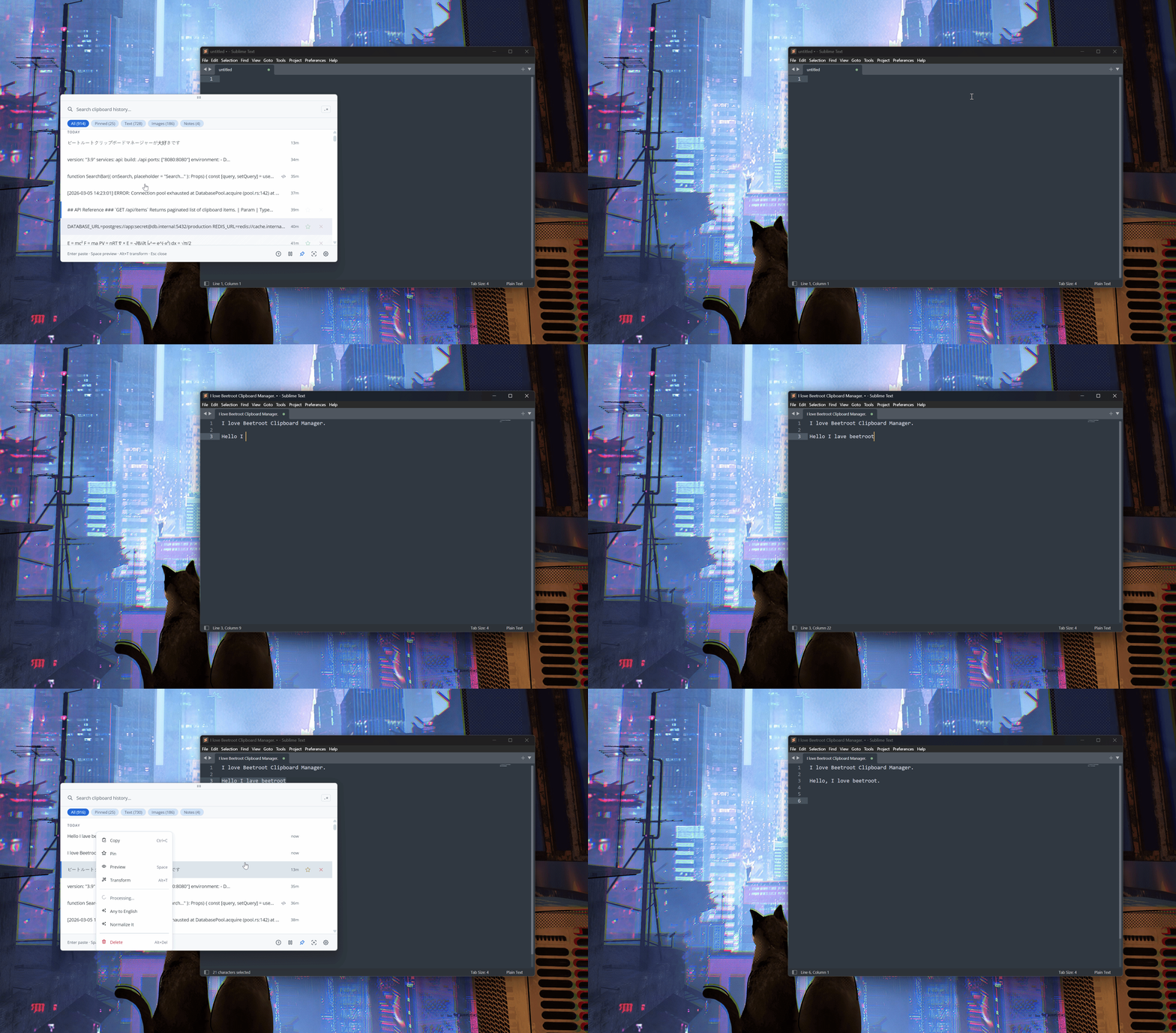
| AI transforms | No | 5 cloud providers + local models, 10 built-in + custom |
| Source app tracking | No | Icon, name, window title per clip |
| OCR | No | Native Windows engine, on-device |
| Image history | Thumbnails only | Full images, stored locally |
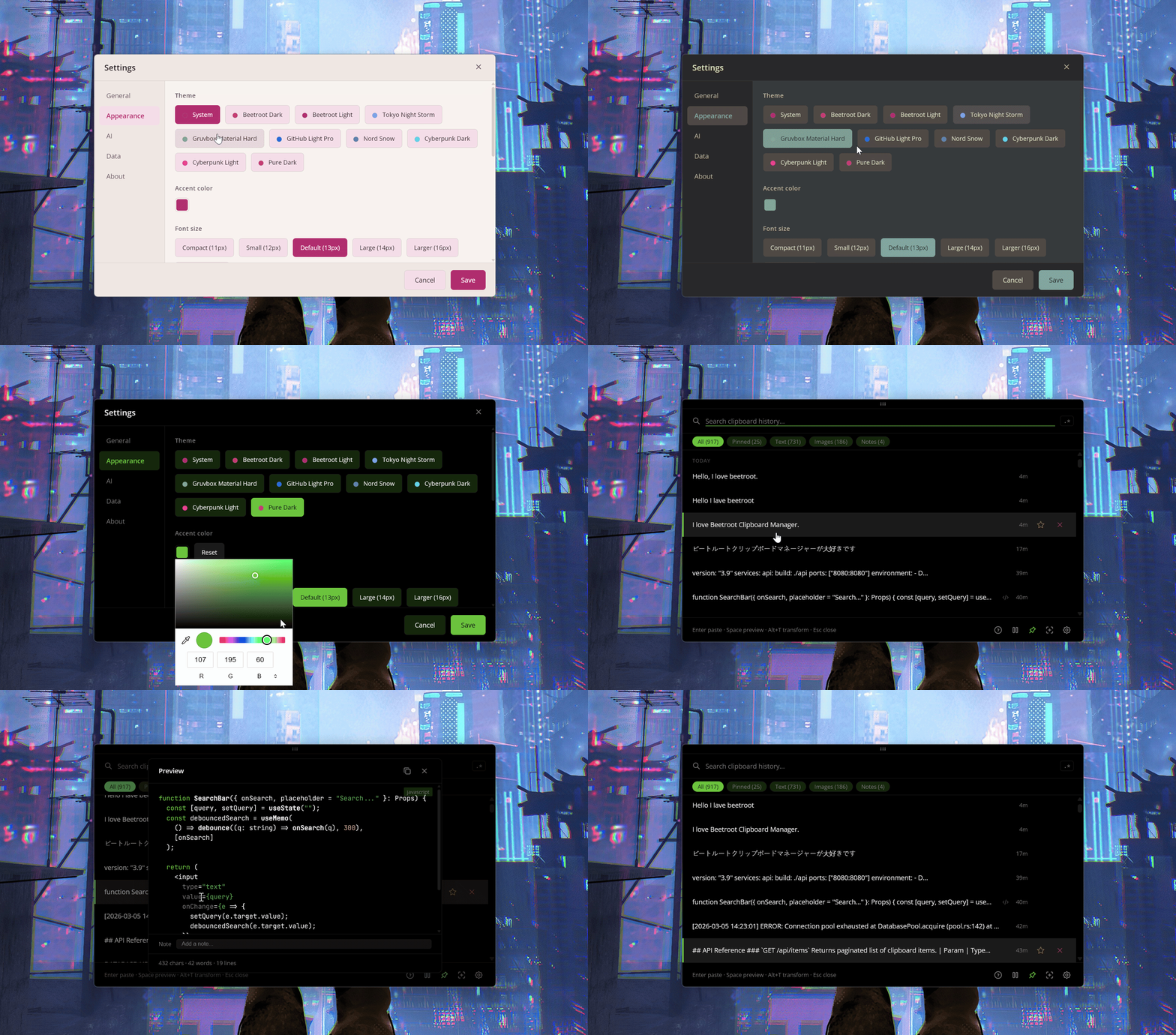
| Themes | No | 9 themes + Auto mode + accent color |
| Plain text paste | No | Dedicated hotkey |
| Multi-monitor | No | Window follows your cursor |
| Pin on top | No | Pin + drag anywhere |
| Notes | No | Searchable annotations |
---
## See it in action
| AI Transforms | Themes |
|---|---|
|  |
|  |
|
More screenshots
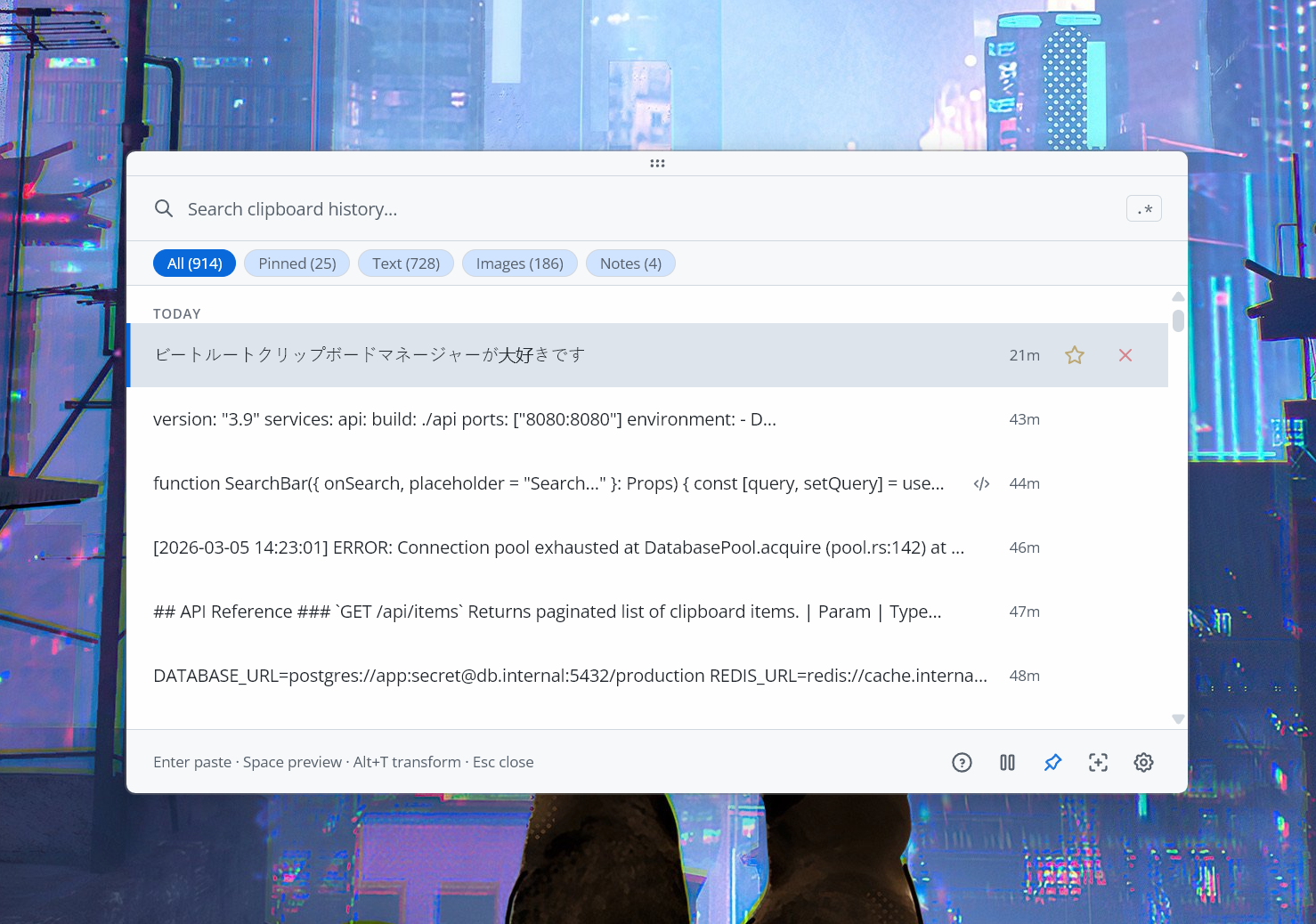
| Dark theme | Light theme |
|---|---|
|  |  |
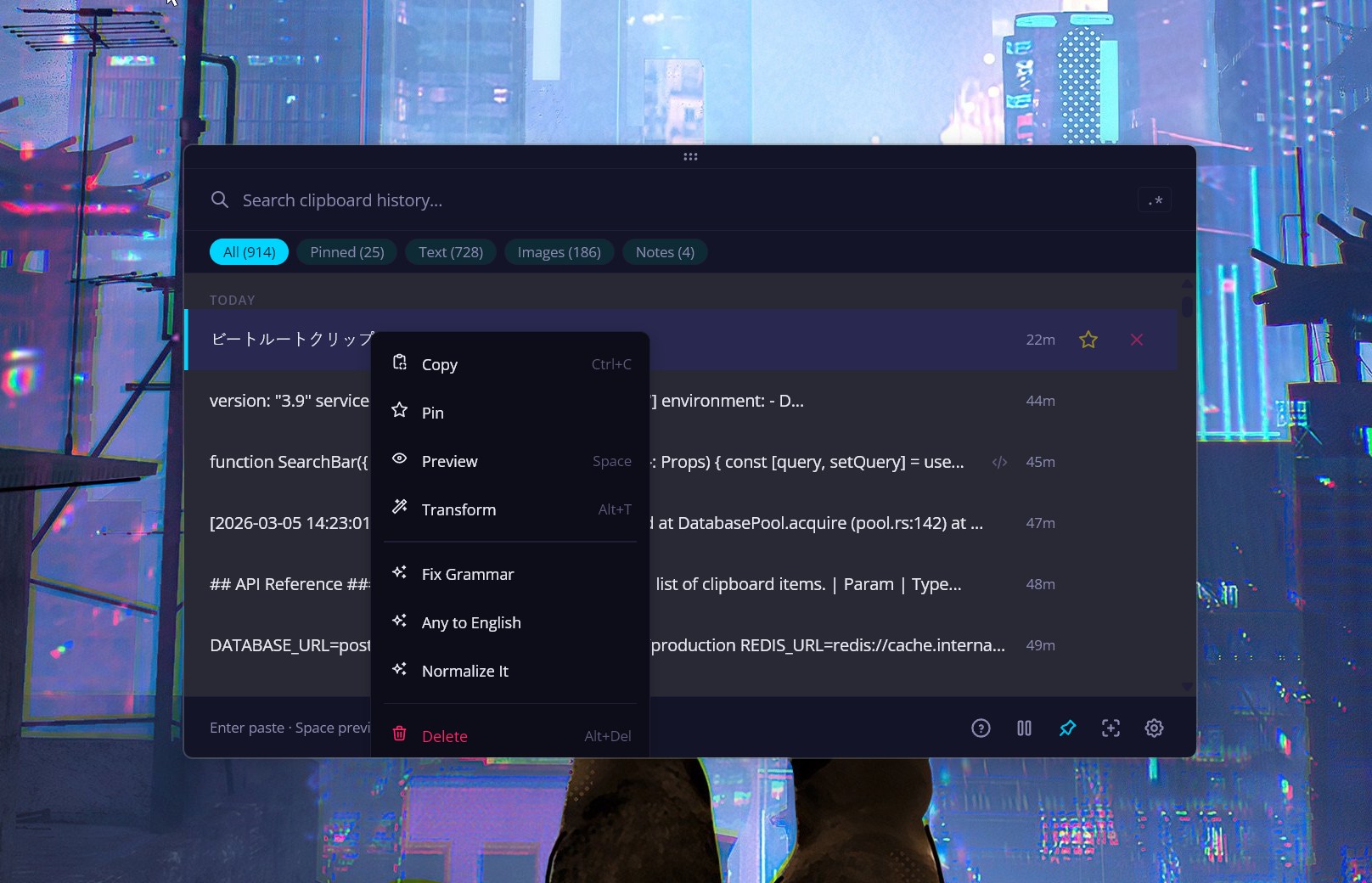
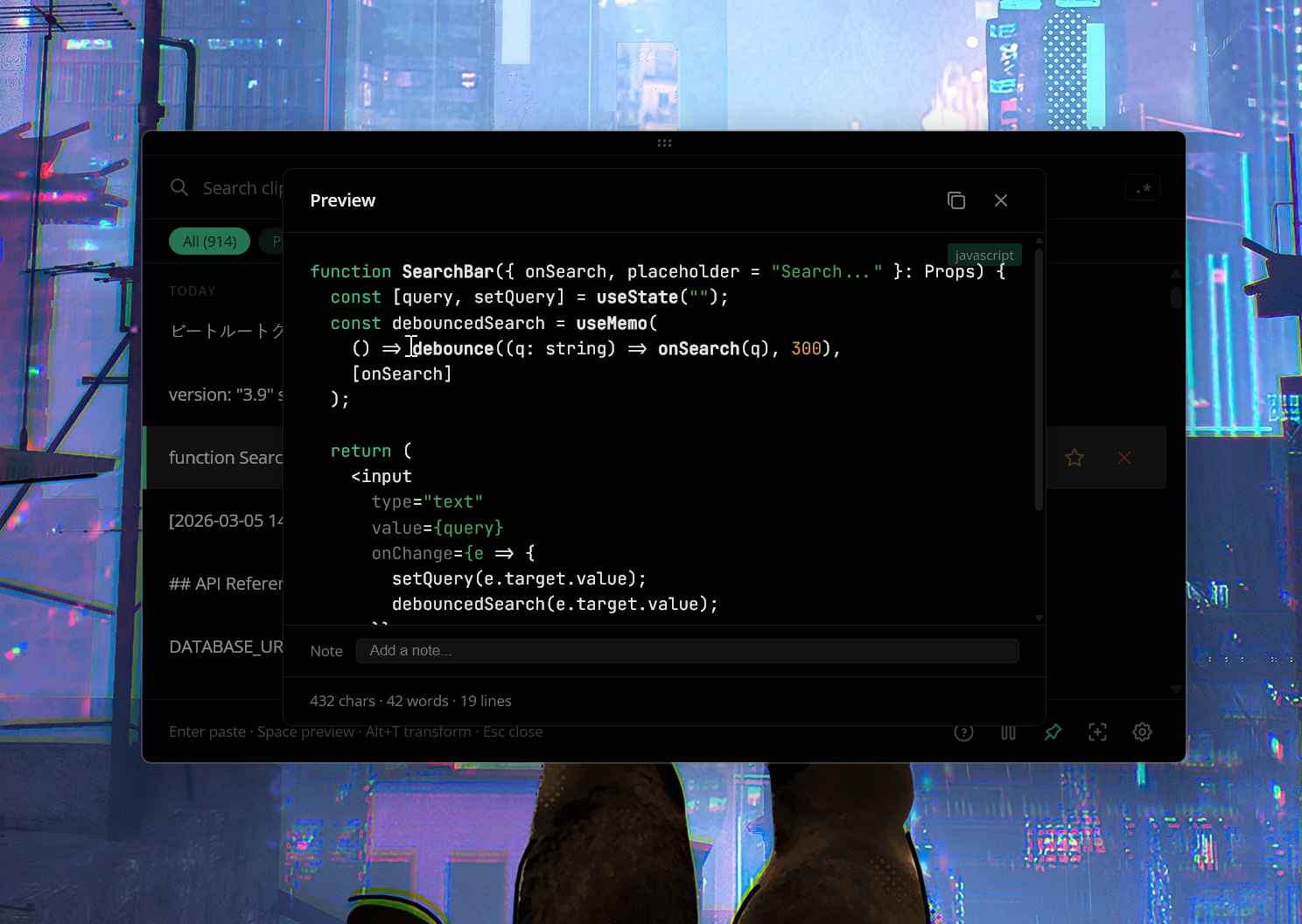
| Context menu & AI | Code preview |
|---|---|
|  |  |
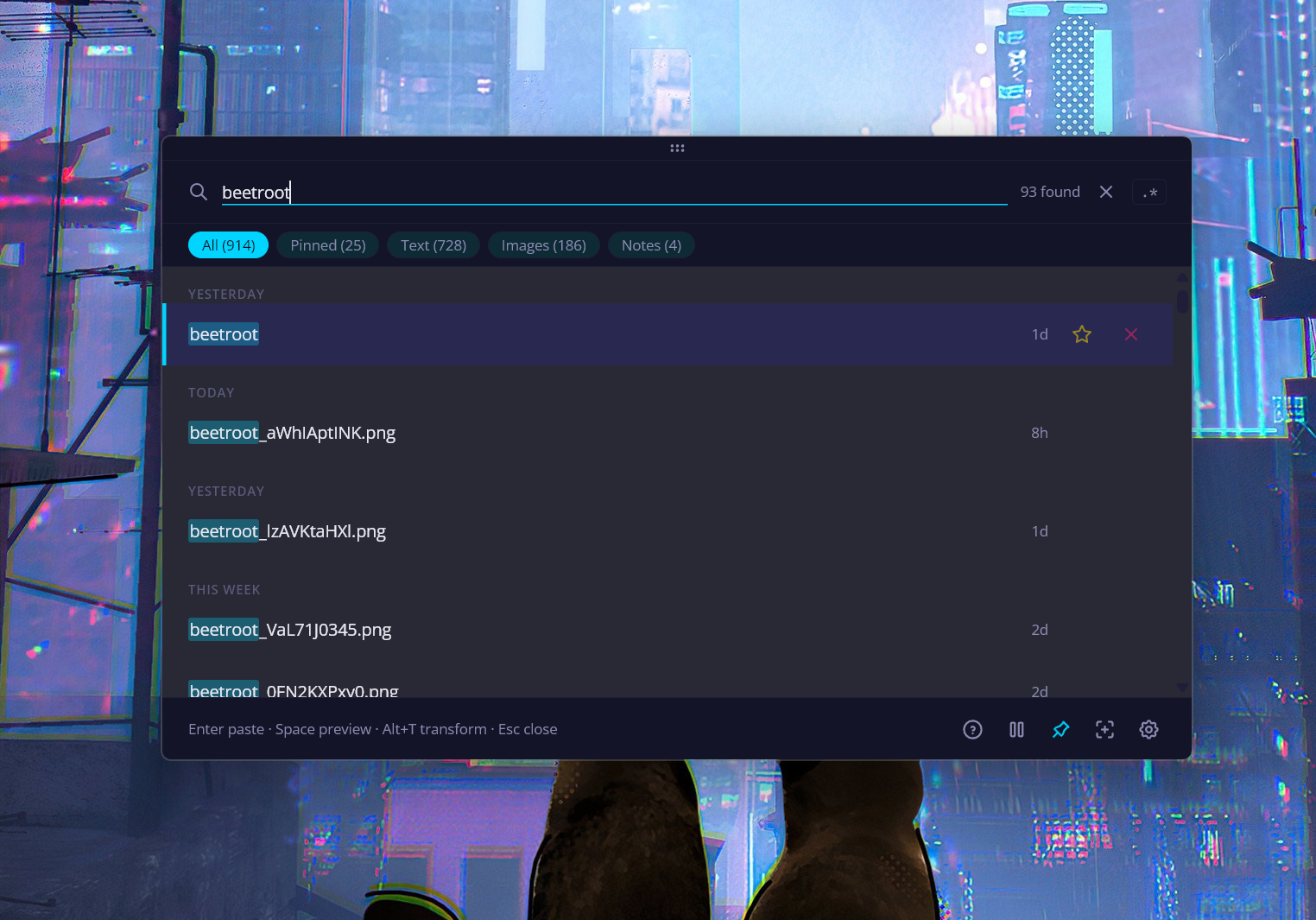
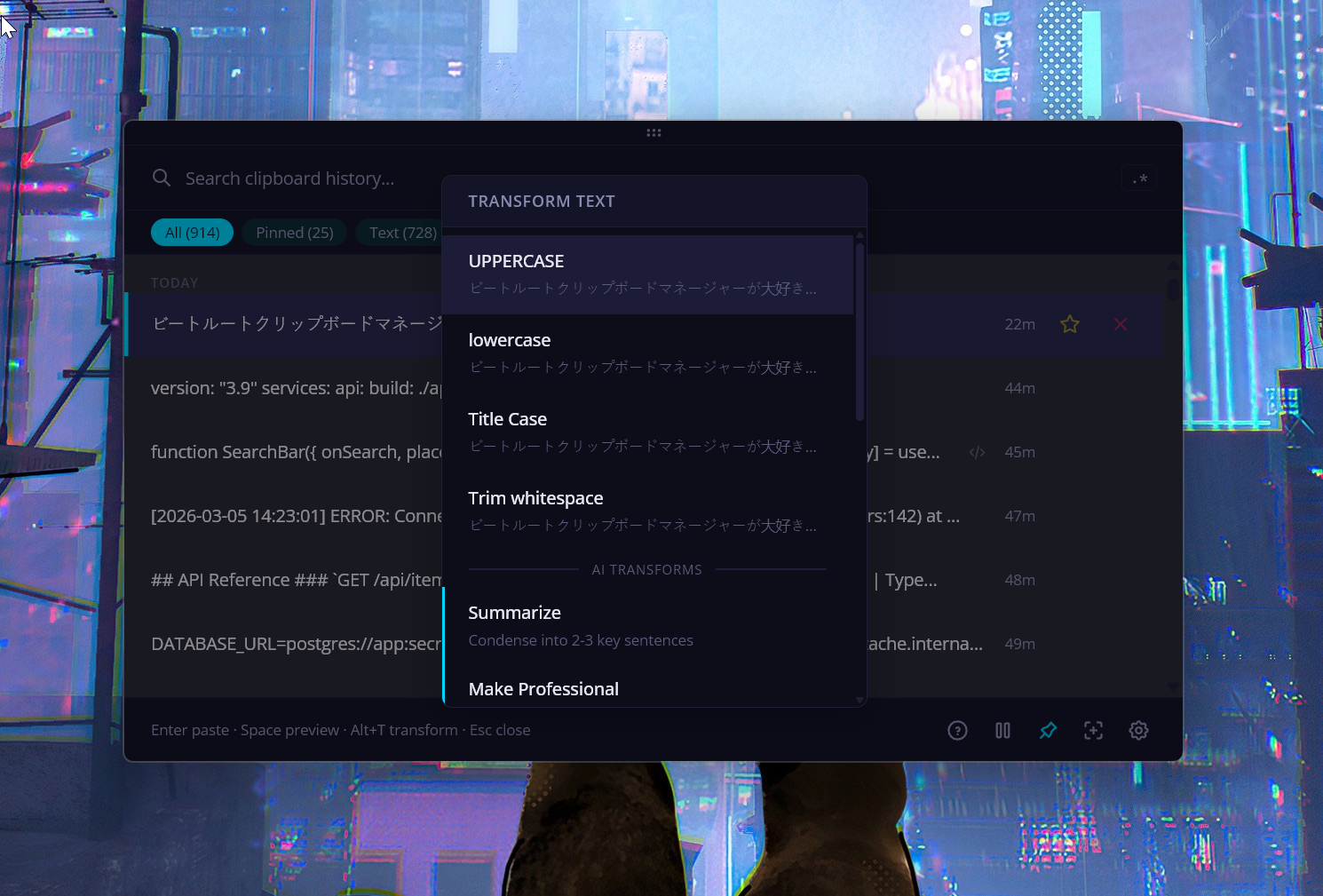
| Search | AI Transform menu |
|---|---|
|  |  |
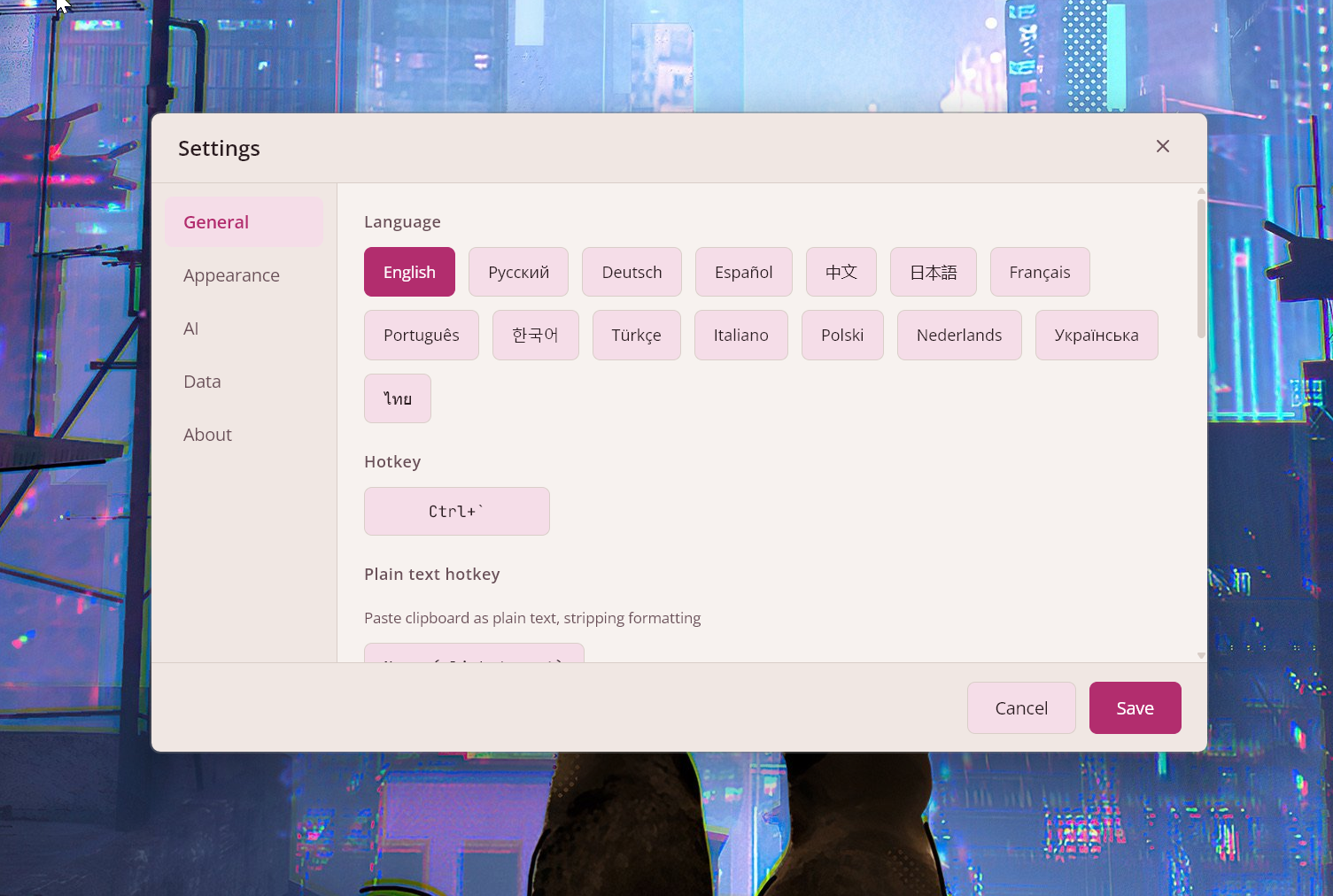
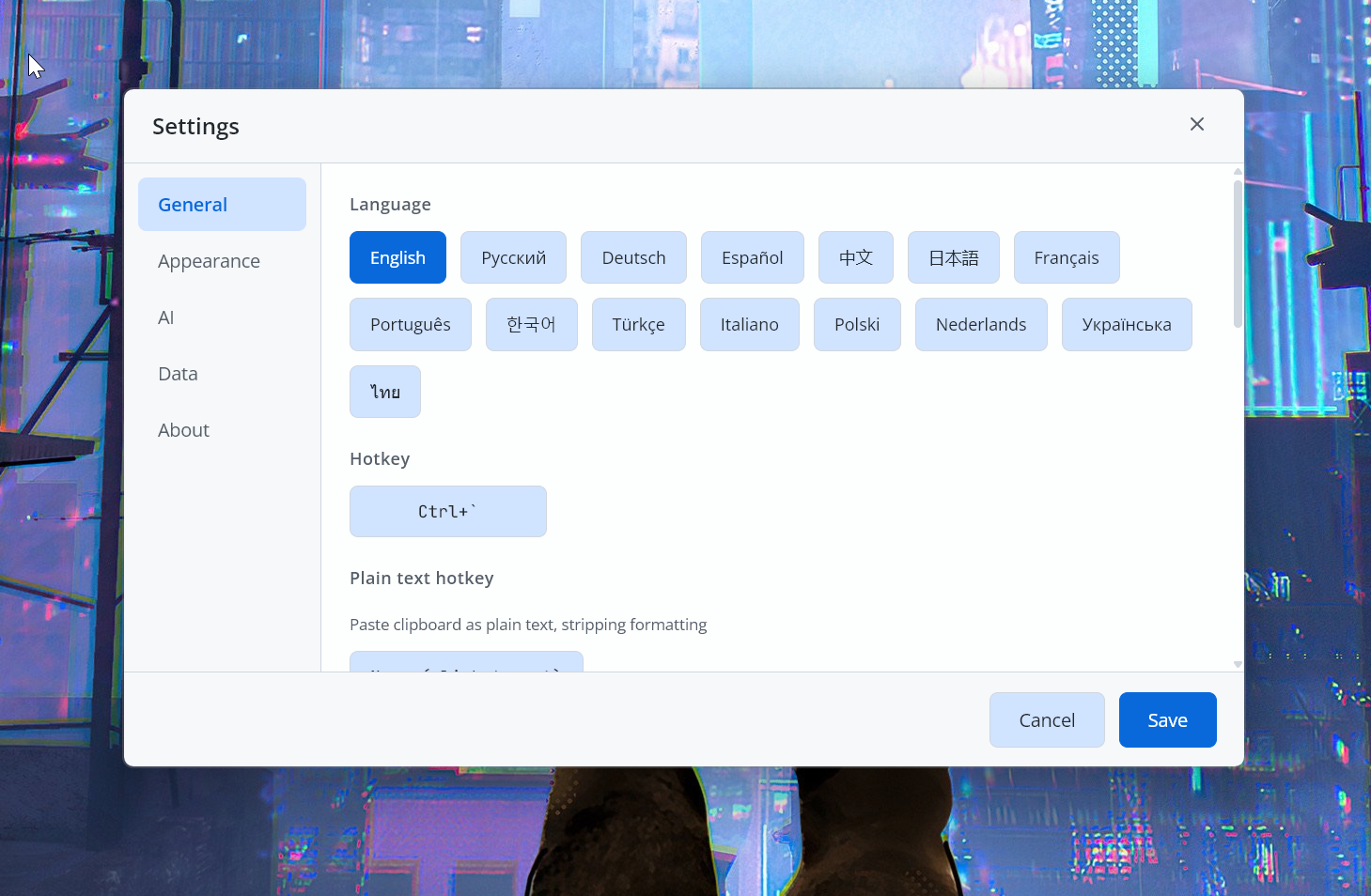
| Settings | Languages |
|---|---|
|  |  |
---
## Install
**[Download the latest .exe from GitHub Releases](https://github.com/mnardit/beetroot-releases/releases/latest)**
Or use a package manager:
```powershell
# Winget
winget install MNardit.Beetroot
# Scoop
scoop bucket add beetroot https://github.com/mnardit/scoop-bucket
scoop install beetroot
# Chocolatey
choco install beetroot
```
**Requirements:** Windows 10 or later.
---
## Features
### Search & workflow
- **5-phase search** — exact substring → word-start tokens → metadata → fuzzy. Typo-tolerant with ranked results
- **Regex mode** — `/pattern/` with match highlighting
- **Filters** — text, images, starred, notes — one click to narrow down
- **Quick paste** — `Ctrl+1..9` to paste recent clips without opening the window
- **Batch operations** — multi-select with `Ctrl+Click`, then copy (custom separator) or delete
- **Content detection** — auto-badges for URLs, emails, code, JSON, colors. ML-powered language detection (54 languages) for code preview
- **Single instance** — launching Beetroot again brings the existing window to focus
### AI transforms
- **5 cloud providers + local** — OpenAI, Gemini, Claude, DeepSeek, or local (LM Studio, Ollama), one-click switch
- **Reasoning models** — Qwen3, DeepSeek R1, and similar work out of the box (auto-strips `` tags)
- **10 built-in prompts** — fix grammar, translate, summarize, rewrite, extract data, format as code, and more
- **Custom prompts** — create up to 20 of your own, accessible from the right-click menu
- **BYOK** — bring your own OpenAI key, or skip it with a local model
Recommended local models for text transforms
| Model | Size | Speed | Best for |
|-------|------|-------|----------|
| **Qwen3 8B** (Q4_K) | ~5 GB | Fast | Grammar, translation, rewriting |
| **Gemma 3 4B** (Q4_K) | ~3 GB | Very fast | Fixing typos, simple rewrites |
| **Phi-4 Mini 3.8B** (Q4_K) | ~2.5 GB | Very fast | Code and structured text |
| **Llama 3.1 8B** (Q4_K) | ~5 GB | Fast | General-purpose |
| **Mistral Small 3.1 24B** (Q4_K) | ~14 GB | Slow (16+ GB VRAM) | Premium quality |
| **DeepSeek R1 7B** (Q4_K) | ~5 GB | Fast | Complex rewrites, summarization |
Tested with [LM Studio](https://lmstudio.ai), [Ollama](https://ollama.com), and [llama.cpp](https://github.com/ggml-org/llama.cpp). Set up in Settings → AI → Local LLM.
### Source app tracking
- **See where each clip came from** — app icon, name, and window title
- **Filter by app** — "Apps" dropdown with search, sort by last used / most used / alphabetical
- **Searchable** — source app and window title included in fuzzy and regex search
### OCR
- **Extract text from images** — right-click any image → OCR
- **Native Windows engine** — no cloud, no uploads, fully offline
- **Instant** — async, never freezes the UI
### Customization
- **9 themes** — Beetroot Dark/Light, Tokyo Night Storm, Gruvbox, GitHub Light, Nord Snow, Cyberpunk Dark/Light, Pure Dark (OLED #000000), plus Auto mode
- **Window effects** — Mica, Acrylic, or Solid; auto-detected by Windows version
- **Typography** — 8 UI fonts, 5 code fonts, 6 size presets
- **26 languages** — EN, RU, DE, ES, ZH, JA, FR, PT, KO, TR, IT, PL, NL, UK, TH, HI, ID, VI, CS, HU, RO, SV, DA, FI, NB, MS
- **Pin window** — always-on-top, drag between monitors, or follow-cursor mode
- **All shortcuts customizable** — remap everything in Settings → Shortcuts; AZERTY, QWERTZ, AltGr supported
### Reliability
- **Automatic backups** — 3-copy rotation + snapshot before every update
- **Auto-recovery** — detects corruption, restores from backup silently
- **Cloud sync warnings** — alerts if data folder is inside OneDrive, Dropbox, or Google Drive
- **Drive detection** — warns before writing to USB or network drives
- **Auto-update** — built-in updater, or disable for fully offline operation
---
## Keyboard shortcuts
| Shortcut | Action |
|---|---|
| `` Ctrl+` `` | Show / hide Beetroot |
| `Enter` | Paste selected clip |
| `Ctrl+1..9` | Quick paste |
| `Space` | Preview |
| `Alt+T` | Transform with AI |
| `Alt+P` | Pin window on top |
| `Alt+F` | Follow cursor mode |
| `Shift+F10` | Context menu |
| `Ctrl+C` | Copy to clipboard |
| `Alt+Del` | Delete |
All shortcuts are customizable in **Settings → Shortcuts**. Works with AZERTY, QWERTZ, and AltGr layouts.
---
## FAQ
**Is Beetroot free?**
Yes. Free for personal and commercial use — no ads, no trials, no feature gates, no telemetry.
**Does Beetroot send my clipboard data anywhere?**
No. Everything stays in a local SQLite database on your machine. With a local AI model, nothing ever leaves your machine. If you use a cloud AI provider (OpenAI, Gemini, Anthropic, or DeepSeek), only the text you explicitly transform is sent — directly to their API using your own key.
**Where is my API key stored?**
In the app's local settings (localStorage in the WebView2 profile). It never leaves your machine.
**Where is my data stored?**
By default in `%APPDATA%\com.beetroot.desktop\`. You can move it in Settings → Data. The database is a standard SQLite file — back it up by copying the folder.
**Does auto-update work?**
Yes, for v1.0.6+. Users on v1.0.5 or earlier need to [download manually](https://github.com/mnardit/beetroot-releases/releases/latest) once — after that, auto-update works normally. You can disable auto-update in Settings → General.
---
## Troubleshooting
**Auto-update not working (v1.0.5 or earlier)**
A one-time signing key change means you need to [download the latest version manually](https://github.com/mnardit/beetroot-releases/releases/latest). Future updates will work automatically.
**OCR not working or low quality**
OCR uses the native Windows engine. Make sure the relevant language pack is installed: Settings → Time & Language → Language → Add a language → check "Speech" or "Basic typing".
**Beetroot doesn't open or hotkey doesn't work**
- Check if another app is using the same hotkey (e.g. `Ctrl+``)
- Try running as administrator once to rule out permission issues
- Remap the hotkey in Settings → Shortcuts
**SmartScreen or antivirus warning**
Beetroot is not code-signed yet (certificate pending). Click "More info" → "Run anyway" in SmartScreen. You can verify the .exe hash against the [release checksums](https://github.com/mnardit/beetroot-releases/releases/latest).
---
## Feedback & bug reports
Found a bug or have a feature request? [Open an issue](https://github.com/mnardit/beetroot-releases/issues).
Please include:
- Beetroot version (Settings → About)
- Windows version (`winver`)
- Steps to reproduce
- Screenshot or error message if applicable
---
## License
Free for personal and commercial use. Source code is proprietary.
[Privacy Policy](PRIVACY.md) · [Security Policy](SECURITY.md) · [Terms of Service](TERMS.md)
Third-party fonts & credits
**Fonts** (SIL Open Font License 1.1):
- [Inter](https://github.com/rsms/inter) — Copyright 2020 The Inter Project Authors
- [Open Sans](https://github.com/googlefonts/opensans) — Copyright 2020 The Open Sans Project Authors
- [Montserrat](https://github.com/JulietaUla/montserrat) — Copyright 2011 The Montserrat Project Authors
- [Noto Sans](https://github.com/notofonts/latin-greek-cyrillic) — Copyright 2022 The Noto Project Authors
- [JetBrains Mono](https://github.com/JetBrains/JetBrainsMono) — Copyright 2020 The JetBrains Mono Project Authors
**Built with:** [Tauri v2](https://tauri.app/) · React 19 · Rust · SQLite · TypeScript
---
Download Beetroot · Enjoying it? A ⭐ helps others find it too.
Built by Max Nardit