Aliyun Model Studio CLI **The official command-line interface for Aliyun Model Studio (DashScope) AI Platform** [![npm version](https://img.shields.io/npm/v/bailian-cli?color=0969da&label=npm)](https://www.npmjs.com/package/bailian-cli) [![Node.js](https://img.shields.io/badge/node-%3E%3D18.17-brightgreen)](https://nodejs.org) [![TypeScript](https://img.shields.io/badge/TypeScript-strict-3178c6)](https://www.typescriptlang.org) [![License](https://img.shields.io/badge/license-Apache%202.0-blue)](LICENSE) [Aliyun Model Studio CLI Site](https://bailian.console.aliyun.com/cli?spm=a2ty07.github) · [中文文档](https://github.com/modelstudioai/cli/blob/main/README.zh.md) · [API Documentation](https://help.aliyun.com/zh/model-studio/) · [Get API Key](https://bailian.console.aliyun.com/cn-beijing/?spm=a2ty07.github&tab=app#/api-key) --- _Chat with Qwen, generate and edit images and videos, understand images, synthesize_ _and recognize speech, call apps, manage memory, retrieve knowledge, search the web —_ _every AI capability, one command away._ _Built for AI Agents. Every command works as a structured tool call._
## Features - **Model generation** — Full-modality generation across text, image, video, and speech, with editing and reference-based generation - **Asset understanding** — Parse and ask questions about images, documents, audio, and long videos - **App orchestration** — Call Managed Agents, agents, and workflows published on Aliyun Model Studio, wired to knowledge bases, memory, web search, and MCP tools; create, update, publish, copy, and delete agents/workflows, and edit workflow canvases from the CLI - **Native MCP setup** — Register Bailian MCP servers in Codex, Claude Code, Cursor, Qoder, Qoder Work, QwenWork (千问办公), Qwen Code, Gemini CLI, or Pi - **Training & deployment** — Validate and upload datasets, fine-tune models, deploy dedicated models as endpoints - **Batch inference** — Prepare CSV/JSONL, create and follow asynchronous Chat/Embedding tasks, download original results/errors with optional CSV, or send one synchronous Batch Chat request - **Account operations** — Login, UI-based configuration, model marketplace, usage and quota, rate-limit increases, team seat management - **Plan onboarding** — Connect subscription plans such as Token Plan to the CLI and common coding agents in one step > **Note:** App orchestration, native MCP setup, training & deployment, account operations, and plan onboarding are currently available only to China site (aliyun.com) account holders and are not yet supported for international / global site accounts. ## Showcase 1: A Cinematic Short Film from One Sentence

Click to play the demo video

👆 Click the cover to play the full 2-minute demo

A complete **2-minute, 16:9 cinematic short film** — produced end-to-end from a single natural-language sentence, with **zero manual editing**. This showcase demonstrates how an AI Agent can compose a multi-step creative pipeline by orchestrating three primitives: - **[Qwen Code](https://github.com/QwenLM/qwen-code)** — the agentic coding model that interprets the user's intent and drives the workflow - **[Aliyun Model Studio CLI](https://github.com/modelstudioai/cli/)** — invokes **HappyHorse 1.1**, Aliyun Model Studio's text-/image-/reference-to-video generation model - **[spark-video Skill](https://github.com/JohnKeating1997/spark-video)** — handles scene decomposition, storyboarding, shot continuity, and final stitching ### The single prompt > _"Generate a roughly 2-minute video in Japanese cinematic style — a sweet, innocent first-love story about a high-school girl. The plot should be heart-fluttering enough to make viewers want to fall in love. Aspect ratio: 16:9."_ ## Showcase 2: A Short-Film Director Managed Agent from One Sentence

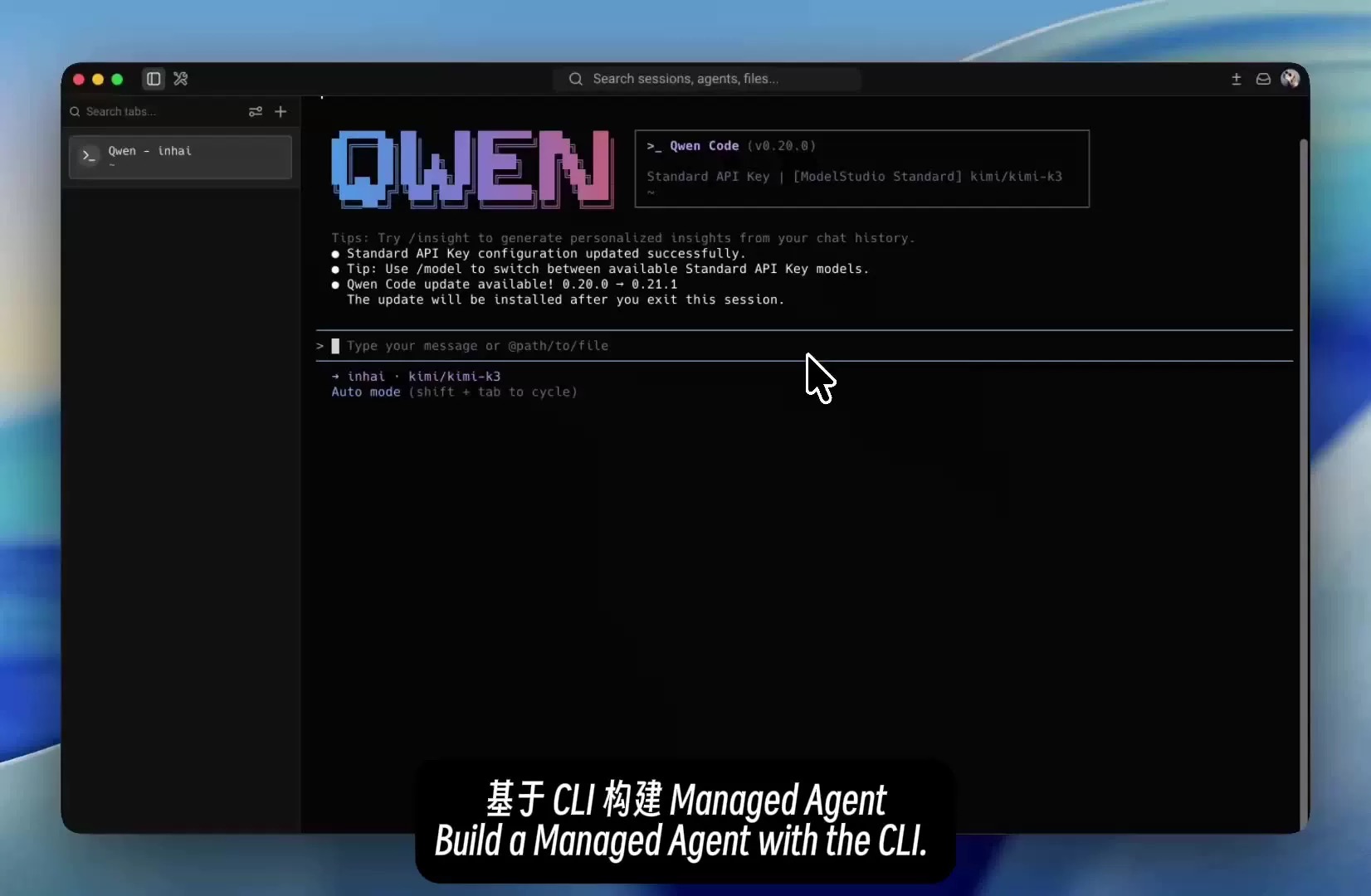
Click to play the demo video

👆 Click the cover to play the full demo

One sentence builds a reusable cloud-side short-film director for storyboarding, storyboard image generation, and video creation: - **[Qwen Code](https://github.com/QwenLM/qwen-code)** — understands the requirement and generates the agent configuration - **[Aliyun Model Studio CLI](https://github.com/modelstudioai/cli/)** — validates the configuration, previews the changes, and completes the deployment - **[Managed Agent](https://bailian.console.aliyun.com/cn-beijing/?spm=a2ty07.github&tab=managed-agents#/managed-agents/quick-start)** — runs the director role along with its skills and tools in the cloud ### The single prompt > _"Build me a Managed Agent app that can produce short films — a director expert that generates videos and can also design the matching storyboards."_ ## Installation **Agent install (recommended)** Send the following to your Agent — it will detect your environment, then install and verify the CLI for you: ```text Please read https://bailian.aliyun.com/cli/install.md and install the Aliyun Model Studio CLI for me ``` **Install with NPM** ```bash npm install -g bailian-cli bl skill init ``` > Requires Node.js >= 18.17. **Install on macOS/Linux** ```bash curl -fsSL https://bailian.aliyun.com/cli/install.sh | bash ``` > No Node.js required. The installer automatically installs Bailian Skills. **Install on Windows** ```powershell irm https://bailian.aliyun.com/cli/install.ps1 | iex ``` > No Node.js required. The installer automatically installs Bailian Skills. ## Quick Start Once installed, just describe your task to your AI Agent — no need to assemble commands by hand. | Scenario | What to say to your Agent | | ------------------------ | ------------------------------------------------------------------------------------------------------------------------------------- | | Managed Agent | "Create a Managed Agent that can generate short-film storyboards and videos." | | Image & video generation | "Generate an image of a cat in a spacesuit on Mars, then turn it into a video." | | Speech recognition | "Transcribe this audio; if proper nouns are wrong, add hot words and try again." | | Usage & quota | "Show my recent model usage, free-tier quota, and rate limits." | | Monitoring & alerts | "Show my model call stats, failures and logs, and create an alert rule." | | Throughput reservations | "List my throughput reservations and capacity instances, then scale, renew or release capacity and wait for the operation to finish." | | Model selection | "Recommend a model for image understanding and customer support." | | Decision model | "Use the Bailian decision model to route this ticket and assess whether it needs escalation." | | About Bailian CLI | "Tell me what Bailian CLI can do for me, and suggest how to use it for my needs." | > More examples and scenarios: [Aliyun Model Studio CLI Site](https://bailian.console.aliyun.com/cli?spm=a2ty07.github) ### Try a knowledge base With a valid API key and workspace, preview initialization first: ```bash bl knowledge init --workspace-id --dry-run ``` Knowledge bases accrue running-time charges from creation, even without queries. The one-time Standard Edition 720-hour allowance is shared across knowledge bases and expires 30 days after activation for new users. Model calls cost extra; your remaining allowance is unknown. Review the plan and [billing rules](https://help.aliyun.com/zh/model-studio/billing-for-knowledge-base), then add `--yes` to the same command **after confirming the operation**, removing `--dry-run` to execute. Keep the returned IDs and recovery record. Closing the CLI or a later failure does not stop billing; follow the reported cleanup actions to delete unused knowledge bases. See the [Knowledge Studio quick start](packages/kscli/README.md#quick-start) for retrieval and cleanup. The `bailian-knowledge` Skill is available through `bl skill init`. ### Console dataset and deployment queries ```bash bl dataset groups --page 1 --page-size 10 --output json bl dataset version --dataset-group-id --output json bl dataset version --dataset-id --include-status --output json bl file url --file-key --output json bl deploy instances --page 1 --page-size 10 --output json ``` Use `dataset groups` (`--name` optionally filters on the server) to obtain `records[].datasetGroupId`, then `dataset version --dataset-group-id ` to get `{result:[...]}` with `result[].datasetId` and its optional `fileId`. Use `dataset version --dataset-id ` for details; `--include-status` is available only in detail mode. Exactly one of `--dataset-group-id` and `--dataset-id` is required; they cannot be combined. `fileId` is not `datasetId` and must not be passed as a version ID. Groups fetch one page with one embedded version preview per group; `version --dataset-group-id` does not promise exhaustive results or expose pagination. The API Key / `file_id` semantics of `dataset list` are unchanged. These read-only commands use Console authentication. An optional `--workspace-id` resolves the workspace's Console identity before querying; resolution failure stops the request. `dataset version --dataset-id` keeps metadata and version/task state separate and does not infer validation success or training readiness. `file url` only resolves a download address. `deploy instances` returns one page of independent services (`records` is the list, `items` the total), not capacity instances. The API-key `dataset get --file-id` and `deploy list` commands are unchanged. Add `--dry-run` to preview without business requests; framework update checks/telemetry follow their settings. ### RAG audio and video `bl knowledge doc import --index-id --doc-id ` imports an existing file into a knowledge base; `doc list --details` shows per-file processing settings. Media support includes parser options, streaming uploads, and media references in search/chunk output. Chat JSON separates the final answer from phases, tools, docs, usage, and raw events; quiet mode hides progress and informational messages while preserving the final result, including every JSON field. See the [command guide](docs/knowledge/knowledge-cli-guide.md). ## ParseX Parse documents or audio/video and extract structured fields through the workspace-scoped ParseX API: ```bash bl parsex parse submit --workspace-id --file-url "https://example.com/document.pdf" --file-name document.pdf --output-file-format markdown --output json bl parsex parse result --workspace-id --biz-id --follow --output json bl parsex extract submit --workspace-id --parsed-file-biz-id --schema-file schema.json --output json bl parsex extract result --workspace-id --biz-id --follow --output json ``` Use an ordinary API key and a workspace with ParseX access. Submission returns `data.biz_id` immediately; `result --follow` waits for completion. `schema.json` contains a JSON Schema object, for example `{"type":"object","properties":{"title":{"type":"string"}}}`. Inputs are accessible HTTP(S) URLs; extraction also accepts a retained document parsing task. See the [ParseX command guide](docs/parsex.md) for processing options, result slices, OSS credentials, dry-run and polling behavior. ## Batch Inference ```bash bl batch convert --help bl batch convert --file input.csv --output-file input.jsonl --model qwen-plus bl batch create --file input.jsonl --dry-run bl batch create --file input.jsonl bl batch get --batch-id --follow bl batch download --batch-id --csv bl text chat --batch --model qwen-plus --message "Hello" --timeout 3600 ``` `--help` includes CSV, JSONL and result data examples. `convert` is local and needs no key; inference/task commands use a model API key. File inference uses asynchronous tasks via `create → get → download`: `create` uploads/submits and returns a task ID without waiting for completion. Query with `get` and download results after completion. Conversion/download files are atomically published per file and never silently overwritten. Use `--force` to recover partial downloads. JSONL is the authoritative result, while CSV is a lossy display; import IDs as text to preserve leading zeros. Ctrl-C stops local polling, not the remote task. `text chat --batch` sends one synchronous request and waits for its response; it does not create an asynchronous task ID. Use `--message` or `--messages-file`, which contains one request's conversation context, not independent file requests. The total request timeout defaults to 300 seconds (`--timeout`: 60–3600 seconds). Timeout/Ctrl-C/disconnection do not guarantee server cancellation. Synchronous Batch Chat is non-streaming; explicit realtime/international/Token Plan endpoints are rejected. An explicit realtime profile requires `--base-url https://batch.dashscope.aliyuncs.com`. Batch availability and limits depend on the service/model. Dry-run avoids business requests and output/directory writes; framework update checks/telemetry follow their settings. ## Authentication ### Console Login (OAuth, Recommended) Required for console capability commands (model list, flow-agent list, MCP list, workspace, usage queries, rate-limit increases, direct console calls). It can create an ordinary API key when needed. Token Plan and other subscription plans cannot use `--console`; use the API Key login below. ```bash bl auth login --console ``` Use `--console-site international` for the international console. The CLI always prints the login URL. To choose a browser yourself, keep the command running and open the URL on the **same machine**: ```bash bl auth login --console --no-browser --console-site international ``` If the browser blocks the local callback, check the console site's local-network permission or try Firefox. The PNA compatibility header does not bypass Chrome's local-network permission or Safari's mixed-content restrictions. No callback within 15 minutes is a failure (exit code 5), not a successful login. If you already have a valid console access token, import it via stdin without a browser or local callback server. Specify the token's actual region and site; for example, in a POSIX shell: ```bash bl auth login --console --token-stdin --console-site international --console-region ap-southeast-1 < /path/to/console-token.txt ``` Input must be one raw token (up to 64 KiB), not JSON or `Bearer ...`; interactive terminal input is rejected to avoid echoing secrets. Use a protected file or trusted pipe, never put the token in command arguments or shell history, and remove temporary secret files after use. The CLI validates the token before saving; failure leaves existing credentials and the active Profile unchanged. Add `--config ` to save and activate a specific Profile on success. This imports only the console session, not a model API key. ### API Key To use an existing ordinary API key or a Token Plan subscription key, run the same command: ```bash bl auth login --api-key ``` Get an ordinary key from the [DashScope Console](https://bailian.console.aliyun.com/cn-beijing/?spm=a2ty07.github&tab=app#/api-key), or a Token Plan key from the [subscription overview](https://bailian.console.aliyun.com/cn-beijing?spm=a2ty07.github&tab=plan#/efm/subscription/overview). ### Alibaba Cloud OpenAPI AK/SK Token Plan seat and member management requires an Alibaba Cloud AccessKey. Get yours from the [RAM Console](https://ram.console.aliyun.com/manage/ak). > Recommended: create a RAM sub-account with minimum privileges instead of using the root account's AK/SK. ```bash bl auth login --open-api --access-key-id LTAI5t... --access-key-secret ... ``` ## Configuration ```bash # View current config bl config show # List all config profiles bl config list # Switch config profile bl config use --name token-plan # Switch the CLI interface to Chinese bl config set --key language --value zh-CN ``` Config file location: `~/.bailian/config.json` ## Update ```bash bl update ``` Upgrades the CLI to the latest version and refreshes the installed Agent Skills. Release notes for every version live in [CHANGELOG.md](https://github.com/modelstudioai/cli/blob/main/CHANGELOG.md). ## Contributing Bug reports, feature requests, and PRs are welcome. See [CONTRIBUTING.md](https://github.com/modelstudioai/cli/blob/main/CONTRIBUTING.md) for developer setup, repo layout, and the workflow for adding or changing commands. Scan the QR code to join the Aliyun Model Studio CLI DingTalk user group for usage help, troubleshooting, bug reports, and tips from other users. Aliyun Model Studio CLI DingTalk user group ## Links Memory documentation (Chinese): [capability matrix](https://github.com/modelstudioai/cli/blob/main/docs/memory/cli-matrix.md) · [command guide](https://github.com/modelstudioai/cli/blob/main/docs/memory/memory-cli-guide.md). | Resource | URL | | :--------------------------- | :-------------------------------------------------------------------------------------------------- | | Aliyun Model Studio CLI Site | https://bailian.console.aliyun.com/cli?spm=a2ty07.github | | DashScope API Docs | https://help.aliyun.com/zh/model-studio/ | | Qwen Model List | https://help.aliyun.com/zh/model-studio/getting-started/models | | Aliyun Model Studio Console | https://bailian.console.aliyun.com/?spm=a2ty07.github | | Get API Key | https://bailian.console.aliyun.com/cn-beijing/?spm=a2ty07.github&tab=app#/api-key | | Get Token Plan API Key | https://bailian.console.aliyun.com/cn-beijing?spm=a2ty07.github&tab=plan#/efm/subscription/overview | | Get AccessKey | https://ram.console.aliyun.com/manage/ak |