Ratchet & Clank — Quest VR and PC VR
An unofficial port of Ratchet & Clank (2002, PlayStation 2) to VR: standalone on Meta Quest, and on PC VR headsets with the same launcher. It brings npiriou's Rerac-vr to the headset on OpenRAC's native port. You supply your own disc image; no game files are included.
## Built on Rerac-vr
**This project is a Quest port of [Rerac-vr](https://github.com/npiriou/Rerac-vr) by [npiriou](https://github.com/npiriou), the PC VR mod for Ratchet & Clank, and his work is its main base.** Rerac-vr worked out how Ratchet & Clank should play in VR; this port carries that design to a standalone headset. From Rerac-vr come:
- **The VR design:** first person through Ratchet's eyes, Ratchet facing and shooting where your hand points, the weapon held in your hand, and quick select by reaching for a weapon.
- **The controls:** the Touch controller layout, button for button, and the comfort choices (eye height, snap turning, recentring).
- **The game knowledge:** his notes on the hero's attached items (which mobys are Clank, his pack and the item in the hand) are how this port hides Ratchet's body and Clank in first person and keeps the weapon.
- **The features:** real wrench swings and throws, thrown bombs, two-handed weapons and Akimbo, ledge grabbing, swimming strokes, bolt cranks, plugged-in gadgets, turrets, Clank's and Giant Clank's fists, the hoverboard, the menu and the vendors in the world, the haptics and more: each is Rerac-vr's, rebuilt here; [docs/STATUS.md](docs/STATUS.md) tracks them one by one.
Rerac-vr runs on [ReRAC](https://github.com/re-rac/rerac), a Rust rewrite of the game that a headset's processor cannot yet carry at frame rate, so this port runs [OpenRAC](https://github.com/OpenRAC/OpenRAC)'s recompiled game instead and rebuilds Rerac-vr's features on it in its own VR mod (`vr/`). **On PC, [Rerac-vr](https://github.com/npiriou/Rerac-vr) is the original**, and the one this port follows. From 0.1.14 this port also comes for PC VR: the Quest version as it is, its launcher, options and mods, for players who want that on a PC.
**Latest:** [0.1.17](https://github.com/moistman42069/RatchetAndClank-Quest-VR/releases/latest), a public test build of the whole Rerac-vr port with **Smoother frames (AppSW)** on Quest, slow motion and pointing at the weapon wheel, seated play, diving, the wrench's hold and the hoverboard's view fixed from a seated tester's report, **World scale** in the game, and the PC VR HUD's text, numbers and Trespasser rings fixed, **for PC VR too** since 0.1.14: a Windows download beside the APK, the same launcher, options, mods and game as `RatchetClankVR.exe`, on SteamVR, Meta Horizon Link, Virtual Desktop, Pico Connect, Windows Mixed Reality or another OpenXR runtime, with the bindings for Touch, Index, Vive, Pico, WMR and Cosmos controllers made in (others, such as PSVR2, Steam Frame and DPVR, through SteamVR's). It works through the owner's notes and video of 0.1.13 on a Quest 3: **Keep the refresh rate** (new in Graphics, on to start: the rate you chose, such as 120 Hz, stays, where 0.1.13 dropped to 72 Hz for good where it was not held); the left grip only closing your hand on foot in first person, **Physical crouch** on or off (the left trigger crouches); **Empty hand angle** starting at 65 down; the thumb lying along the controller instead of folding under the hand; no slide forward after walking backwards or aside; and no warped picture of the copyright lines after the intro movie, or of the save select as a level's first scene begins. 0.1.13 worked through a tester's notes on 0.1.12 and the owner's list after playing it on a Quest 3. From the tester's: a ledge shimmied the way you reach (hands out to the right to go right, the new start; **Ledge shimmy** gives back 0.1.12's pull) or with the left stick, the holding hand's gun put away there; the ammo box following your gun again after a weapon switch; **Hide black bars** (on to start: no black bars in talks and scenes, for third person); **Menu pointer**, either hand pointing in menus (**Both hands** to start); on the map, A showing the planet's missions and the trigger its infobot, as their icons say; and the view no longer dipping through the ship's hull as Ratchet climbs out. For a player whose wrists hurt to swing: **Arm moves** on **Buttons** (**For real** to start), where the right grip swings the wrench and the trigger punches with the Walloper, as the game's own buttons do, and throws, ledges and swimming go the game's way, the hands still aiming. The new rows are on **More controls**, VR Controls' new last row, which also makes that page's last rows reachable again. From the owner's: **Swingshot anywhere** (new in **More controls**, off to start: where there is no target, the whole level is one: the right hand's Swingshot zips you to any wall or ground you aim at, the left hand's swings you from any point above your head, a zip let go keeps its speed, a lean pushes a swing, and one in each hand chains them; off, the Swingshot is the game's); an angle of its own for each weapon, the Swingshot too (**VR Hands**' last row); a **What's new** box in the launcher after each update; **Akimbo** on for everyone (the left hand empty until you pick it a gun with the left stick); the whole body as the start (**Body parts** on **Everything**); each finger and thumb, and the head turned as you turn yours, in Ratchet's shadow; the left grip left to your hand with **Physical crouch** on; and a ledge climbed by pulling yourself up, with either hand or both. Shooting while grinding a rail or riding a cable was checked and works, with the left gun too under **Akimbo**. The launcher's **Hide Ratchet's body** row is gone: switched off, it put the view inside his head with the weapon floating, and **Player body** and **Body parts** already set what you see of him. 0.1.12 worked through two testers' lists and the owner's, and added **mod support**: OpenRAC's mods in the launcher's new **Game** tab, five built in (**Difficulty**, **Item randomizer**, **Xbox button icons**, **Button swap**, **Ammo at the most**) and more from a file with **Add a mod file**. Also in it: the Swingshot held the right way, solid, at its size and with no stuck rumble; the stop when buying the Heli-Pack found and fixed; arms that bend to your hands, a whole body and Body parts in **VR Body**; fingers that follow yours and bend around the world; world collision and vibration; **Physical crouch**; OpenRAC's later fixes; a steady two-handed hold and **Empty hand angle** in **VR Hands**; scenes away from the ship no longer seen from its seat; **X** in a cutscene to see it through his eyes, in VR or on a screen, and a **Cutscenes** row in **VR Options**; the world kept behind the pause menu; Ratchet's shadow matching what you see of him; **Smooth plant edges**; **Cheats** in **VR Options**; and **Skip any movie** and **Game volume** on the launcher's **Game** tab. 0.1.11 put the twinkle a bolt gives off on the bolt, in the world. 0.1.10 worked through a tester's list: the ship's take-off and landing seen from Ratchet's eyes, no tiny gun after a trip in the ship, the Bomb Glove's bomb and the Pyrocitor's flame staying with the hand, hands on what they hold at any Hand size, the off-hand on a big gun where Ratchet holds it, two hands on a left-hand gun, and a crash back from third person fixed. The pause menu's **VR Hands** page (Options) also has **Items match hand size**, **Mirror left-hand guns**, **Left gun ammo**, **HUD size** and **HUD height**, besides the **Gun angle**, **Gun size** and **Hand size** of 0.1.8. **We need your logs:** see [Support and project](#support-and-project). The launcher updates itself from the Releases page.
> **Experimental / WIP:** the game is OpenRAC's native port, not an emulator, with a VR mod of its own. Rerac-vr's features are in and have run on PC with the PAL disc and a simulated headset. 0.1.12, 0.1.13 and 0.1.14 have been played on a Quest 3 by the owner (the PAL disc), and 0.1.12 by a tester (the NTSC-U disc), whose reports 0.1.13 and 0.1.14 work through, but much of the game, and the thumb fix in 0.1.15, have yet to run on a headset. **The PC VR build has run on SteamVR's simulated headset only**: no real PC headset or controller has played it yet. Expect bugs. [docs/STATUS.md](docs/STATUS.md) lists every feature and how far it has been tested; [docs/HEADSET_CHECKLIST.md](docs/HEADSET_CHECKLIST.md) what to try on the headset.
## What this port adds
Rerac-vr is where this port's VR design comes from. Everything below was added here, on top of it, and is not in [Rerac-vr](https://github.com/npiriou/Rerac-vr) as of its latest release, 0.1.5.
**Moves** (in the game, not the launcher: [how to get there](#menus-and-where-every-option-is); these all start off, or as the game has them)
- **Swingshot anywhere:** where there is no target, the right hand zips you to any wall or ground you aim at, and the left (Akimbo) swings you from a point above your head. Let go of a zip to keep its speed, lean to push a swing, chain zips in the air, and yank the hand that fired to fling yourself off.
- **Wall run and jump:** in the air by a wall, run along it or up it, or hold on where a zip ends. The jump button leaps you off where your head looks, with your speed going with you.
- **Swingshot reach:** Normal, Longer, or No limit, which reaches any surface you can aim at, right across a level.
- **Wrench throw distance:** up to 8 times as far as the game's, in an arc.
- **Wrench comes back:** by itself, or **When you call it**: it stays where it lands until the grip or the trigger calls it, then comes whirling back with your hand buzzing harder as it nears. Every catch has a thump in the hand.
**Your body and hands**
- **A body that follows yours:** arms and legs that bend (**Arms bend to your hands**, **Legs bend**), a body that turns with your head, and **Body parts** to choose what you see, with its height, its position and the arms' length to fit you (**VR Body**).
- **Fingers:** they follow your own on the controller, and bend around what they touch in the world.
- **Physical crouch:** lower your head and Ratchet crouches.
- **Vibration when your hands meet the world.**
- **His shadow matches what you see:** each finger and the thumb, and his head turned as you turn yours.
- **VR Hands:** **Gun angle**, an angle for each item, **Empty hand angle**, **Gun size**, **Hand size**, **Items match hand size**, **Mirror left-hand guns**, **Left gun ammo**, **HUD size** and **HUD height**.
**More ways to play**
- **Ledges:** climb by pulling yourself up with one hand or both, and shimmy the way you reach or with the left stick (**Ledge shimmy**).
- **Arm moves on Buttons:** for hands and wrists that should not swing, the right grip swings the wrench and the trigger punches with the Walloper, as the game's own buttons do. Your hands still aim.
- **Third person** from the game's camera, switched at any time in **VR Options**.
- **Cutscenes in VR or on a screen,** as well as through Ratchet's eyes, with **X** to switch as one plays.
- **Hide black bars:** no black bars in the game's short scenes during play.
- **Weapon wheel:** point your hand at the weapon you want, and time slows while the wheel is open, with its own sounds (**Wheel pick** and **Wheel slow motion**, More controls, on to start; the sounds or all of it can be turned off, and the old reach brought back).
- **Feet on the floor** (VR Body, off to start): the view lifts so that Ratchet's ground is your real floor.
- **The game's Help Desk** (its tips in voice and text) is on for a new game, from 0.1.17. A save keeps its own: to turn them on or off, in a level press **Y**, then **Options**, **HelpDesk**, **Voice** and **Text**.
- **Quick view switch:** in play, hold the left menu button for a second to switch between first and third person. A short press still recentres.
- **Diving:** at the water's surface pull the left trigger (first or third person), push both hands up quickly, or look well down and stroke. Under the water you go where you look: look down and push the stick to go deeper, look up to come back up.
- **Seated play:** **Play position: Seated** (VR Options) recentres and keeps leaning forward from crouching him; from 0.1.17 it no longer lifts your view and hands 45 cm above his eyes. **View height** (VR Body) raises or lowers the view, and **World scale** (VR Body) sets the world's size, in the game as in the launcher.
- **Hoverboard view** (Moves): **Ahead**, where the board goes (from 0.1.17), or **Side-on**, along his chest as before.
- **Menu pointer:** point in menus with either hand.
- **Cheats** in **VR Options:** Invincible, Infinite ammo, Infinite bolts, Big heads, Trippy contrails, Give all weapons, Give all gadgets and Unlock all planets.
**Where and how it runs**
- **Standalone on Meta Quest,** with no PC, on OpenRAC's native port.
- **Both discs:** PAL as well as NTSC-U. Rerac-vr takes the US disc.
- **A launcher,** on Quest and PC: disc checks and set-up, settings, controls, logs and a **What's new** box.
- **Updates in the launcher:** it checks a new version, installs it and keeps your set-up, saves and settings.
- **Mods:** OpenRAC's mods on the launcher's **Game** tab, five built in and more from a file.
- **Play in 2D:** the game on a big flat screen in the headset, with the controllers as a PlayStation pad.
- **Keep the refresh rate** on the Quest: the rate you chose, such as 120 Hz, stays.
- **Smoother frames (AppSW)** on the Quest (Graphics, on to start, from 0.1.17): the game draws every other frame and the Quest's Application SpaceWarp makes the ones between from the port's motion pictures, for a smooth view at 90 or 120 Hz. Tried in a simulated headset only so far.
Not all of this has been played on a headset yet, 0.1.14's **Moves** least of all: [docs/STATUS.md](docs/STATUS.md) says how far each has been tested.
## Downloads
| Platform | Download |
| --- | --- |
| Meta Quest 3 / 3S — standalone VR | `RatchetQuestVR-.apk` on the [latest release](https://github.com/moistman42069/RatchetAndClank-Quest-VR/releases/latest) |
| Windows PC — PC VR (from 0.1.14) | `RatchetQuestVR--windows.zip` on the [latest release](https://github.com/moistman42069/RatchetAndClank-Quest-VR/releases/latest) |
Quest 2 and Quest Pro may run the APK, slower; they are untested. Neither download holds game data.
## What you need
- **Quest:** a Quest 3 or 3S in Developer Mode, for sideloading, and about 6 GB free on the headset.
- **PC:** Windows 10 or 11, 64-bit, a PC and graphics card that run PC VR, a PC VR headset with its PC VR software (SteamVR, Meta Horizon Link, Virtual Desktop, Pico Connect, Windows Mixed Reality or another OpenXR runtime), and about 6 GB free.
- **Your own `.iso` of exactly one of these discs:**
| Disc | Serial | Version | Size in bytes | SHA-1 |
| --- | --- | --- | --- | --- |
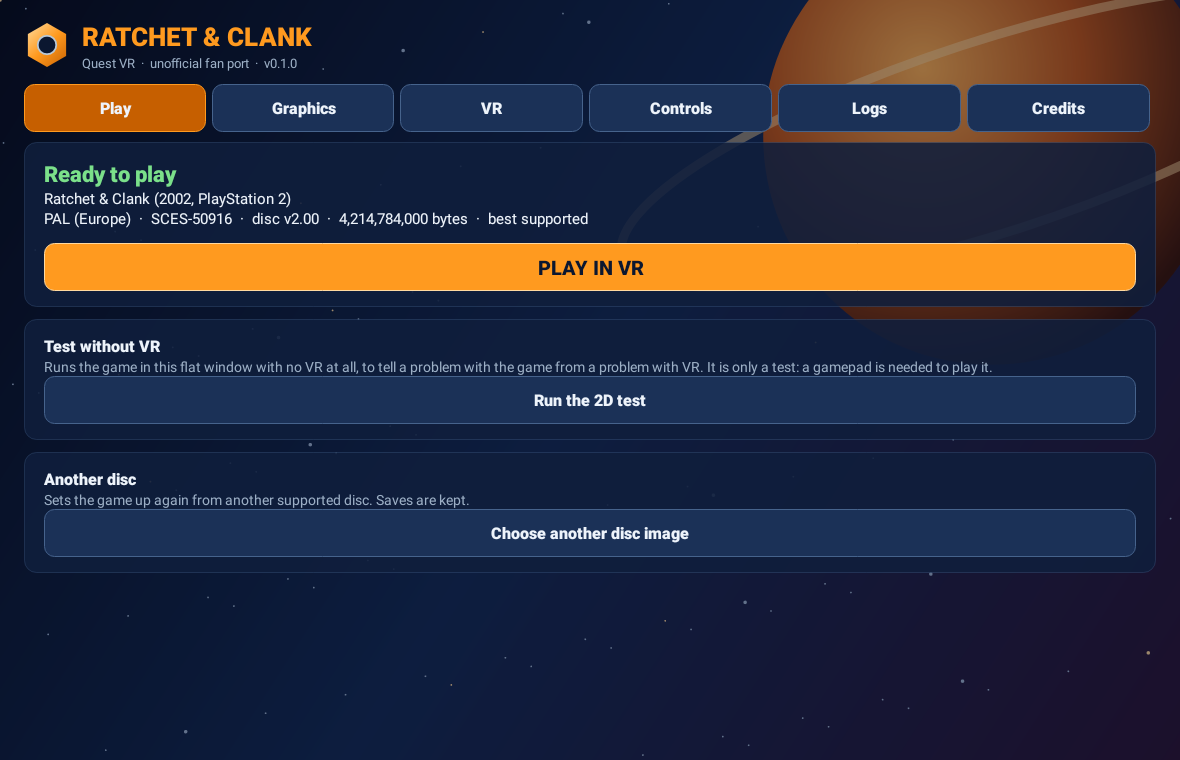
| PAL (Europe), best supported | SCES-50916 | v2.00 | 4,214,784,000 | `ef304c641c7cd426ba492707dda5974679befbc0` |
| NTSC-U (North America) | SCUS-97199 | v1.00 | 4,214,095,872 | `aee9275384f739c9b24cd5de6f7e200292db7b01` |
Greatest Hits, Platinum, other regions and the sequels are not supported. The launcher checks the disc and says exactly why one is refused.
## Installing and updating
- **Install:** with Developer Mode on, get the APK onto the headset and install it: download it in the Quest's browser (or email it to yourself and download it there) and open it from the Files app, or sideload it with SideQuest or `adb install -r`. Then open **Ratchet & Clank Quest VR** from your Library's **Unknown Sources**.
- **Set up:** put your `.iso` where the headset's file picker can see it (the Download folder), and choose it in the launcher. The first set-up copies the disc and prepares the levels: up to half an hour, once. Keep the headset on charge.
- **Play:** press **PLAY IN VR**. **Play in 2D** puts the game on a big flat screen in the headset, played with the Touch controllers as a PlayStation pad: no gamepad needed, and it tells a game problem from a VR problem.
- **Updates:** the launcher's Play tab checks this repository's releases (automatically every six hours, or with **Check now**; switch it off there). An update is downloaded, checked against GitHub's SHA-256, its size, the app's package, a newer version and the app's signing key, then handed to Android's installer, which asks you. Your set-up, saves and settings are kept. Installing a new APK over the old one by hand keeps them too; **do not uninstall or clear the app's data**.
- **Level updates:** when a new version reads its levels in a newer form, the Play tab offers **Update the levels**, made again from the disc already on the headset.
**On PC:**
- **Install:** unzip `RatchetQuestVR--windows.zip` anywhere you can write (Desktop, Documents, a games drive) and keep the `RatchetClankVR` folder together. Nothing is installed into Windows.
- **Set up:** start your headset's PC VR software, open `RatchetClankVR.exe`, and choose your `.iso`. The first set-up reads the disc and prepares the levels, once.
- **Play:** **PLAY IN VR**, or **Play in 2D** for the big flat screen in the headset, as on the Quest. The game picks your controllers' bindings by itself; the launcher's **Controls** tab lists each controller's, and the run's log names the ones it got (`[openxr] left hand:`).
- **Updates:** the same Updates card, from this repository's releases: the new zip is checked against GitHub's SHA-256 and size, and the launcher closes, puts it over its folder and opens again. Your set-up, saves and settings live in `%LOCALAPPDATA%\RatchetQuestVR` and are kept.
## Highlights
- **Native, not emulated:** OpenRAC's recompiled game draws every object of a level whatever the game culled, so turning your head never pops the world in.
- **First person** through Ratchet's eyes, his body, Clank and the pack hidden, the weapon in your right hand; or **third person** from the game's camera, the horizon level and the stick walking where you look. **VR Options** switches between them at any time, in the game or on the title.
- **Smooth turning by default**, snap turning (30–90°) as an option; walking towards where you look; Ratchet faces where your right hand points.
- **Cutscenes** through Ratchet's eyes (the default), **in VR** in 3D around you from the game's camera with your head free to look round, or **on a screen** in the game's own framing: chosen in the launcher's VR tab or **VR Options**, or with **X** as one plays. Movies play on the screen.
- **Menus in the world:** the title's own 3D scene around you and the pause menu standing in the level, with the menus' 3D models in stereo; point and pull the trigger. The vendors are on their own monitors, and you can walk while shopping.
- **Vibration** on shots and hits; quick select by pointing at a weapon, or reaching towards it.
- **Graphics:** presets, 72–120 Hz on the Quest (kept where the game cannot hold it, or back to 72 Hz with **Keep the refresh rate** off; on PC the PC VR software sets the rate), **Smoother frames (AppSW)** on the Quest, eye resolution, MSAA, texture filtering, draw distances.
- **Everything can be switched** in the launcher and in **VR Options** (Options, then VR Options: helmet, boots, camera flip, direction, player body, Akimbo, play position, view, cutscenes).
- **Launcher:** disc requirements and checks, set-up progress, settings, controls, logs, credits, updates.
- **Mods:** OpenRAC's mods on the launcher's **Game** tab, each with its own settings: **Difficulty**, **Item randomizer**, **Xbox button icons**, **Button swap** and **Ammo at the most** (the only one on to start) are built in, and **Add a mod file** takes other OpenRAC mods made for the headset. Mods are programs: add only ones you trust.
## Controls
| Control | Action |
| --- | --- |
| Left stick | Walk, towards where you look |
| Right stick | Turn (smooth by default; snap in the VR tab). In third person, the game's camera |
| A | Jump; twice for a double jump |
| B | Hover and strafe with Clank's packs, Hydro-Pack boost |
| X | Map |
| Y | Pause; skips a cutscene |
| Right trigger | Fire; with an empty hand, takes your last gun or glove back out |
| Right grip | Takes the wrench out; swing your hand for real to hit. It holds until you open the grip well past halfway. Open your hand mid-swing to throw it; let go slowly to put it away and leave your hand empty, which is how to put a gun or a glove down |
| Left trigger | Crouch, and the packs (with A: long and high jumps, flips). Or lower your head to crouch (**Physical crouch**). At the water's surface, in first or third person, it dives |
| Left grip | On foot in first person, your hand's alone: a fist, a ledge, a big weapon's barrel. With Akimbo's gun in the left hand, in third person or in a vehicle, it crouches too |
| A grip by an edge | Grab a ledge; pull yourself up with one hand or both, push both down fast, or A, to climb; let go of both to drop |
| Right stick click | Talk; hold for the weapon wheel, point your right hand at a weapon, let go. Time slows while you hold it |
| Left stick click | With Akimbo (on by default): the left hand's own quick select |
| Left menu button | Recentre (the headset's own recentre too). Hold it a second in play to switch first and third person |
In menus point with your right hand and pull the trigger or press A; the sticks move a cursor only where there is nothing to point at, or with the right controller off. B goes back, and the left grip and trigger turn the pages. The layout is Rerac-vr's, from its source; the whole list is in the launcher's Controls tab. In **2D mode** the controllers are a PlayStation pad: A Cross, B Circle, X Square, Y Triangle, triggers L1 and R1, grips L2 and R2, the left menu button Start, the left stick click Select.
## Menus, and where every option is
Options are in two places: the **launcher's tabs**, before you play, and the **pause menu**, in the game. Many are only in the game, and that includes all the newest ones. The launcher's **Controls** tab has this section too.
**The way to the new moves** (Wall run and jump, Swingshot reach, the wrench's distance):
1. In a level, press **Y** to pause. Pick **Options**. Pick **VR Options**.
2. Hold your hand on the bottom row until **VR Controls** shows at the bottom. Pick it.
3. Hold your hand on the bottom row until **More controls** shows at the bottom. Pick it.
4. Pick **Moves**, the first row.
**In a menu:**
| To | Do this |
| --- | --- |
| Choose a row | Point your hand at it, and it lights up |
| Pick it or change it | Pull the trigger or press A |
| Go back | B |
| See more rows | A page shows eight rows at a time. The box under the list says where the rest are: **More below**, **More up/down** or **More above**. Hold your hand on the bottom row and the list moves on, a row at a time. Hold it on the top row to move back up. The sticks do not move the list while your hand points at the page |
| Point with the left hand | Pull its trigger to point with it, and again to pick. The right trigger brings the right hand back. **Menu pointer** (More controls) can keep it to one hand |
**Every option in the game** (press Y, then Options, then):
| Page | Rows |
| --- | --- |
| **VR Options** | Helmet, Boots, Camera flip, Direction, Player body, Akimbo, Play position, View, Cutscenes. Further down, in a level only: Cheats, VR Body, VR Controls |
| **VR Hands** | Gun angle, Gun size, Hand size, Empty hand angle, Items match hand size, Mirror left-hand guns, Left gun ammo, HUD size, HUD height, Fingers, Fingers bend around the world, and the angle of the weapon you last held |
| VR Options, **Cheats** | Invincible, Infinite ammo, Infinite bolts, Big heads, Trippy contrails, Give all weapons, Give all gadgets, Unlock all planets |
| VR Options, **VR Body** | Player body, Body parts, Tail, Arms bend to your hands, Legs bend, Body turns with your head, Body height, Body forward, Arm length, View height, Feet on the floor, World scale |
| VR Options, **VR Controls** | Turning, Snap angle, Smooth turn speed, Physical crouch, Crouch when head drops, Vibration, Aim with the right hand, Grab ledges with your hands, Swim with your arms, Swing the wrench for real, Throw by hand. Last: More controls |
| VR Controls, **More controls** | Moves, Ledge shimmy, Hide black bars, Menu pointer, Arm moves, Two-handed weapons, World collision, World vibration, Walk around your room, Sparkles on the bolts, Wheel slow motion, Wheel pick |
| More controls, **Moves** | Swingshot anywhere, Wall run and jump, Swingshot reach (how far the hook goes), Wrench throw distance, Wrench comes back, Hoverboard view |
The game's own Save, Load, Sound, Video, Camera and Subtitles are in the Options list too.
## Support and project
**Logs are what this project needs most.** Please report both failures and successful runs: headset and its OS version, the app's version, your disc (PAL or NTSC-U), the planet, any settings you changed, what you did, and the log of that run. After playing, **open the launcher again**: that is what writes the run's log.
| Where | Each run's log |
| --- | --- |
| Quest | **Download/RatchetQuestVR**: the newest file is the last run (or set-up), with the game's own log, why VR stopped if it did, and the app's Android log. The launcher's **Logs** tab shows a summary of the last run. |
| PC | **Downloads\RatchetQuestVR**: the same, with the game's output and your PC VR software's name and controllers in the game's log. Say which headset and PC VR software you use. |
Report with the [headset report form](https://github.com/moistman42069/RatchetAndClank-Quest-VR/issues/new?template=headset-report.yml) in GitHub Issues, attaching the `.txt` file, or DM **@MeWhenINameMyself** on Discord. Please do not report this port's bugs to Rerac-vr, ReRAC or OpenRAC. [docs/HEADSET_CHECKLIST.md](docs/HEADSET_CHECKLIST.md) lists what most needs trying.
This is an unofficial community project, not affiliated with or endorsed by Sony Interactive Entertainment or Insomniac Games. No game files are distributed. See [credits](CREDITS.md) and [third-party notices](THIRD_PARTY_NOTICES.txt).
## How it fits together
| Part | Where | What it is |
| --- | --- | --- |
| The game | `third_party/OpenRAC` | [OpenRAC](https://github.com/OpenRAC/OpenRAC) 0.10.1 as a submodule (`293cb5cc`), with the Quest's changes to its frame path in [`patches/`](patches) |
| The VR mod | `vr/` | A native OpenRAC mod: OpenXR on the Quest and on PC, the head and hands into the game's views, the controllers into its pad |
| The launcher | `android/`, `pc/launcher/` | The APK, and the PC's `RatchetClankVR.exe` (Java, sharing the APK's options, disc and update rules): disc import and set-up, settings, controls, logs, credits, updates |
| The build | `tools/build_quest.py`, `tools/build_pc.py` | Everything into one APK; the PC mod for tests, and with `--package` the PC release's zip |
| Status | [`docs/STATUS.md`](docs/STATUS.md) | Every feature, and the strongest test each has had |
Why OpenRAC and not ReRAC, which the PC VR mod is built on: Rerac-vr's own measurements (51–59 fps near spawn, 14–25 under Blaster fire on a Ryzen 5 5600 and RTX 3090) rule it out on a headset's CPU; Rerac-vr's design is ported into `vr/` instead. More in [docs/STATUS.md](docs/STATUS.md).
## Building
On Windows with Git Bash (the tested set-up), in a folder without spaces:
```sh
git clone --recursive https://github.com/moistman42069/RatchetAndClank-Quest-VR.git C:/RACQuest/RatchetQuestVR
cd C:/RACQuest/RatchetQuestVR
bash tools/setup_toolchain.sh # JDK 17, Android SDK 34, NDK 27.2, Rust, under C:\RACQuest\toolchain
source env.sh
python tools/build_quest.py --release
python tools/build_pc.py --package # the PC release: both discs' games, the mod, the launcher, as a zip in pc/build
```
It needs Python 3.13 or later, CMake 3.24 or later and Ninja on the PATH. The build stops unless OpenRAC is at the pinned commit with `patches/` applied (it applies them to a clean checkout), runs the launcher's tests, and opens the finished APK to check it. A release must be signed with the project's key (see [docs/RELEASING.md](docs/RELEASING.md)); without it the APK is signed with your debug key, and the launcher's updater will not install over it.
## Licence
This project is free software under the GNU General Public License, version 3 or (at your option) any later version (`GPL-3.0-or-later`), without any warranty; the full text is in [LICENSE](LICENSE).
- **Why:** the game it runs is OpenRAC (GPL-3.0-or-later), and the walking and facing hooks come from OpenRAC's rac1-mods (GPL-3.0-or-later).
- **Source:** each release's source is its tag: this repository, OpenRAC at the submodule's commit, and `patches/`.
- **Other parts:** third-party code keeps its own licence, listed in [THIRD_PARTY_NOTICES.txt](THIRD_PARTY_NOTICES.txt); Rerac-vr's design is used under its ISC License.
- **Ratchet & Clank is not covered:** the licence covers this project's and its upstreams' work, and gives no rights in Ratchet & Clank, a trademark of Sony Interactive Entertainment, or anything else Sony or Insomniac Games own.