LeanToken

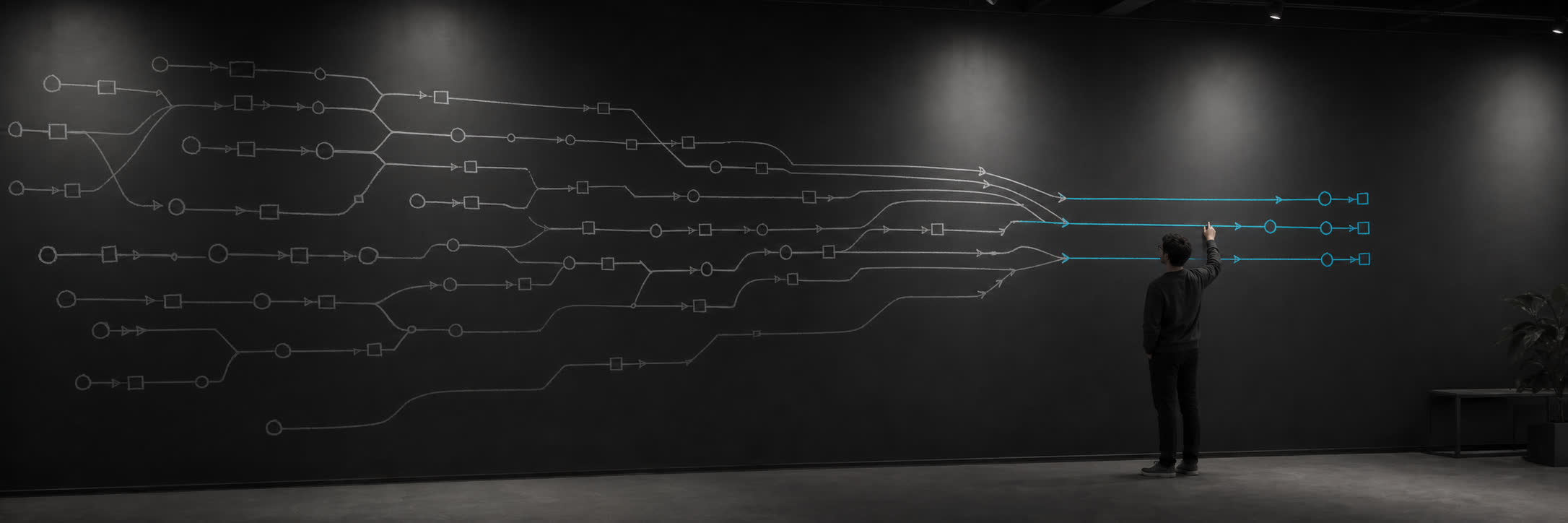
**Code intelligence for agents: find the code that matters and keep your context window and tokens lean.** **Language:** English · [简体中文](docs/i18n/zh-CN/README.md) · [日本語](docs/i18n/ja-JP/README.md) · [한국어](docs/i18n/ko-KR/README.md) - MCP Registry name: `mcp-name: io.github.morluto/leantoken` LeanToken narrowing a large codebase to the files and code an AI agent needs [![npm](https://img.shields.io/npm/v/leantoken?logo=npm&label=npm)](https://www.npmjs.com/package/leantoken) [![npm downloads](https://img.shields.io/npm/dm/leantoken?logo=npm&label=downloads)](https://www.npmjs.com/package/leantoken) [![Rust 1.95+](https://img.shields.io/badge/Rust-1.95%2B-000000?logo=rust)](https://www.rust-lang.org/) [![License: MIT OR Apache-2.0](https://img.shields.io/badge/license-MIT%20OR%20Apache--2.0-blue)](#license) [Install](#quick-start) · [Why LeanToken](#why-leantoken) · [Tools](#available-tools) · [CLI](#cli-usage) · [How it works](#how-it-works) · [Docs](#documentation)

--- > **Measured token savings:** In a controlled 60-run study, LeanToken used > 20.1% fewer model input tokens than the agent's built-in tools with limited > repository exploration, and 37.6% fewer than those tools with broad > exploration. See exactly > how it was measured in the [measurement methodology](https://github.com/morluto/leantoken/blob/main/docs/measurement.md). ## Quick start Add LeanToken to Claude Code, Cursor, OpenCode, Codex, Gemini CLI, or Antigravity: ```bash npx leantoken setup ```
Setup behavior and safety Current releases stop setup before writing when `npx` resolves a stale project-local or ancestor install, and point to `npx leantoken@latest setup`. Older releases that predate this check can be bootstrapped directly with that versioned command. The interactive setup wizard preselects supported clients it detects; you can change that selection before continuing. It then shows the exact configuration paths and MCP launcher and asks for a separate final confirmation. Automation never treats detection as consent. An npx-based setup pins the exact LeanToken version that ran setup, so restarting a client cannot silently move to a newer release. Global setup never stores the repository where setup happened. OpenCode gets a workspace-relative working directory; other supported clients launch LeanToken from the workspace cwd selected by the host. If a host instead starts it from the home directory or a filesystem root, LeanToken refuses to index that broad root by default.
Restart or reload the configured clients, then verify the connection and first retrieval from a repository: ```bash npx leantoken doctor ``` Try a broad task such as: *Find the code related to request cancellation before editing.* LeanToken helps the agent start with `leantoken.context`, while its normal tools remain available for edits, builds, and tests. Inspect LeanToken's observed repository-local token accounting: ```bash npx leantoken savings ```
Local by default

Source is indexed on your machine in a local database. LeanToken is a read-only discovery and retrieval layer.
Explicit token budgets

Every response has an explicit token limit, so large files cannot take over the request.
Built for agent workflows

Find files, search code, inspect structure, read exact ranges, trace history, query JSON, and track token usage through focused tools.
Advanced setup and version management To skip the wizard, select clients explicitly or configure all supported clients: ```bash npx leantoken setup --claude --codex --yes npx leantoken setup --all --yes ``` For regular use, `--private-runtime` is the recommended launcher: it copies the exact package-native executable into an application-data directory named by version and full BLAKE3 digest, so clients launch one verified process directly, without persistent npm/Node wrappers. Different source builds of one version can coexist. `setup --refresh --private-runtime` pins the current exact artifact; other referenced artifacts stay usable. It remains opt-in so the zero-install path does not add an application-data write. Preview its path and digest with `--dry-run`. Automation never treats detection as consent: `--yes` requires explicit client flags, `--all`, or `--refresh` for entries already managed by LeanToken. Preview the same resolved plan without changing files: ```bash npx leantoken setup --codex --cursor --dry-run ``` Setup adds the `leantoken` MCP entry plus a small owned discovery skill only in the directories used by the selected hosts: Claude Code uses `~/.claude`, while Codex and the other supported hosts use `~/.agents`. The skill advertises routing metadata; it does not duplicate tool schemas, add rules, or install shell hooks. Setup marks new MCP launchers as managed and refuses to replace a same-name manual entry unless you review the dry-run and pass `--force-unmanaged`. Remove the owned integration with: ```bash npx leantoken remove ``` After private-runtime upgrades, inspect retained artifacts and preview a reference-safe cleanup before applying it: ```bash npx leantoken runtime list npx leantoken runtime prune --dry-run npx leantoken runtime prune --yes ``` Refresh only existing LeanToken MCP entries after explicitly choosing a new version, or use an older version to roll back: ```bash npx --yes leantoken@latest setup --refresh --yes npx --yes leantoken@0.1.8 setup --refresh --yes --allow-outdated ```
## Common agent workflows LeanToken works best as a small evidence loop rather than a one-shot repository dump: 1. **Orient autonomous triage in one call.** Start an uncertain broad task with `context` and `plan_only: false`, then use the materialized evidence directly. Make at most one focused follow-up only when coverage identifies a concrete missing implementation or regression-test owner. 2. **Continue without resending source.** Pass the prior `receipt_id` on the next context call, or pass returned fragment hashes as `known_hashes`. The response reports exact and overlapping omissions instead of silently charging the same evidence again. 3. **Investigate an observed failure.** Use the `investigation` workflow and provide only directly observed `failure_traces`, paths, symbols, or test intent in `workflow_evidence`. Follow with exact `search`, `outline`, or `read` calls for the owners the evidence identifies. 4. **Review a change.** Use the `review` workflow with `base_revision` set to `BASE..HEAD` and `strict_changed_paths: true`. Request a `handoff` when another agent needs a compact manifest of selected hashes, changed paths, assumptions, and completed validations without copied source bodies. This one-call contract is for autonomous repository triage, not a limit on implementation agents. Human review and control-plane flows can still preview expensive or high-risk retrieval with `plan_only: true` before materializing. The [repeated multi-agent context suite](https://github.com/morluto/leantoken/blob/main/docs/measurement.md#repeated-multi-agent-context-suite) found that an iterative LeanToken profile used 50.9% more total input than thin native, while the frozen one-context-plus-optional-one-search profile saved 20.1% and had 15/20 path-set successes. Those results cover four pinned triage tasks; they do not prove a universal implementation workflow. Explicit focus constraints are contracts. When a request supplies `focus_paths`, exact `focus_symbols`, and `minimum_fragments_per_focus_path`, LeanToken generates candidates within the documented per-file bounds and reports a coverage failure when distinct ranges cannot satisfy the minimum. Explain-profile plans and materialized responses also identify the bounded allocation boundary that generated, reserved, selected, or suppressed each focus candidate without changing ranking. ## Why LeanToken Most agents start by searching widely and reading whole files. LeanToken narrows that work in stages: | Typical repository exploration | With LeanToken | | --- | --- | | Scan broad directory listings | Find relevant paths in a compact tree | | Read whole files to find structure | See definitions and imports without loading the entire file | | Send the same code again after each turn | Avoid repeating unchanged evidence | | Let large files fill the request | Keep returned source within an exact source-token budget and report response overhead separately | | Guess which files matter | Rank likely relevant code for the task | Your coding agent still handles editing, commands, tests, and conversation. LeanToken finds and returns the code those tasks need. LeanToken does not create one giant prompt file. It answers focused searches and reads as the agent needs them. ### Example For a task like *fix request cancellation during shutdown*, an illustrative bounded result might look like this: ```text Budget: 1,200 source tokens Selected evidence: src/services/executor.rs lines 137-147, 251-259 src/services/reconciliation.rs lines 148-175, 257-272 ``` The agent receives these ranges instead of both full files. If the budget is too small, the response also says what was left out. Paths, scores, receipts, JSON, and MCP transport wrappers are not part of this source-token budget; see [token accounting](docs/usage.md#token-accounting) for the measured boundaries. ## Available tools | Tool | Purpose | | --- | --- | | `leantoken.context` | Default materialized first call for autonomous broad triage; optional preview for human or control-plane review. | | `leantoken.search` | Prefer over grep/rg for ranked search; exhaustive text/regex calls can explicitly record or reuse complete query coverage. | | `leantoken.files` | Prefer over find/ls/glob for compact, ignore-aware path discovery. | | `leantoken.outline` | Inspect definitions, signatures, imports, and ranges without whole-file reads. | | `leantoken.read` | Prefer over cat/head/sed for one exact symbol or inclusive line range. | | `leantoken.history` | Read, batch-diff, or trace parsed symbols across immutable Git revisions. | | `leantoken.json` | Query, summarize, or compare bounded live JSON with paged keys and typed diagnostics. | | `leantoken.receipt_rebase` | Explicitly carry only same-path, same-coordinate, same-hash evidence into a newer completed generation. | | `leantoken.savings` | Report observed response accounting, hash suppression, failures, and explicit observation limits. |
Advanced retrieval controls Every index-backed retrieval tool, including `receipt_rebase`, accepts `consistency: "reconcile_working_tree"` when completed edits must be reconciled before the query. The default, `"indexed_generation"`, returns the latest completed index generation without scanning or waiting for filesystem changes; it is not a Git revision boundary. `leantoken.history` reads immutable Git objects and `leantoken.json` reads exact live files, so neither accepts an index consistency mode. To constrain context to immutable history, pass `BASE..HEAD` as `leantoken.context.base_revision` with `strict_changed_paths: true`. For autonomous broad triage, set `plan_only: false` and use the materialized evidence directly. Reserve `plan_only: true` for human or control-plane review before expensive or high-risk retrieval: it returns bounded ranked candidate metadata without source fragments or receipt mutation. After approval, repeat the same request with `plan_only: false`. Set `response_profile: "compact"` for the smallest fail-loud response, keep the default `"balanced"` shape, or use `"explain"` for bounded individual omissions, facets, and diff evidence. The response reports the resolved choice as `effective_response_profile`.
The catalog stays intentionally small because every tool description and schema also consumes model context. ## CLI usage Run LeanToken directly through `npx`: ```bash npx leantoken status npx leantoken savings npx leantoken doctor npx leantoken --root /path/to/repo search handle_request ``` Or use a globally installed binary: ```bash npm install --global leantoken@latest leantoken --root /path/to/repo index leantoken --root /path/to/repo search handle_request --mode identifier --max-tokens 800 leantoken --root /path/to/repo context \ --task "fix request cancellation during shutdown" \ --budget 2000 ``` Audit an existing redacted experiment or host report without opening a repository index: ```bash leantoken episode audit \ --adapter multi-agent-suite-v1 \ --input benchmarks/reports/multi-agent-context-suite-v1-codex-0.144.1.json ``` The default projection is Markdown; add global `--json` for the stable normalized JSON schema. The auditor is local, bounded, and read-only with respect to its input. It retains artifact hashes, not raw prompts, source, tool arguments, or tool outputs. `npm install leantoken` installs the command in the current project's `node_modules/.bin`; it does not add `leantoken` to the shell `PATH`. Invoke a project-local install through `npx leantoken`, a package script, or `./node_modules/.bin/leantoken`. Run the MCP server manually over stdio: ```bash leantoken --root /path/to/repo mcp ```
Manual MCP client configuration ```json { "mcpServers": { "leantoken": { "command": "leantoken", "args": ["--root", "/path/to/repo", "mcp"] } } } ```
For the Cargo distribution, install the published crate and point your MCP client at the resulting executable: ```bash cargo install leantoken --version VERSION leantoken --root /path/to/repo mcp ``` The official MCP Registry entry is `io.github.morluto/leantoken`. Registry clients that support Cargo packages can install the matching `leantoken` version and use the `mcp` command shown above. ## Installation options The npm package includes native binaries for: - macOS on ARM64 and x64 - glibc Linux on ARM64 and x64 - Windows on x64 Installation does not run lifecycle scripts or download an executable from a postinstall hook. Other targets, including musl Linux, must build from source. Install Rust 1.95 or later and a native C/C++ toolchain, then run: ```bash cargo install --locked --git https://github.com/morluto/leantoken leantoken ``` ## Updating MCP entries created through `npx` stay pinned to the exact LeanToken version that configured them. Update existing client integrations explicitly: ```bash npx --yes leantoken@latest setup --refresh --yes ``` For a globally installed CLI or a CLI installed with Cargo: ```bash leantoken upgrade --check leantoken upgrade --yes ``` `update` is an alias for `upgrade`. For a project-local npm installation: ```bash npm install leantoken@latest ``` Pinned MCP entries never silently move to `@latest`. If the exact package is not available locally or online, startup fails rather than selecting another version. Updating the CLI does not change existing MCP entries. See the [usage guide](docs/usage.md) for rollbacks, cache management, and version details. ## Cache management Inspect local repository caches or preview cleanup before applying it: ```bash leantoken cache list leantoken cache list --summary leantoken cache list --incompatible-with-current leantoken cache prune --incompatible-with-current leantoken cache compact --id v15-0123456789abcdef --dry-run leantoken cache prune --older-than 30 --dry-run leantoken cache prune --max-total-bytes 1073741824 --yes ``` See the [usage guide](docs/usage.md) for cache states, pagination, and cleanup safety rules. ## How it works ```text repository │ ▼ file discovery ──► code structure extraction ──► local search index │ ▼ agent request ──► ranked / exact retrieval ──► focused code within a token budget ``` LeanToken indexes source once, then serves compact paths, ranked matches, structural outlines, exact source ranges, and task-specific context. It avoids resending unchanged evidence across turns. Dependency-heavy workspaces can opt into a separate, cache-identified first-party index without changing the default whole-repository behavior: ```bash leantoken --index-include 'src/**' --index-include 'tests/**' index ``` Status and every retrieval disclose whether the active index is full or scoped, so an empty scoped result is never presented as whole-repository absence. See the [usage guide](docs/usage.md#indexing-scope) for bounds, cache identity, and MCP registration examples. LeanToken's goal is to return the code an agent needs with fewer input tokens. ## Documentation | Guide | Contents | | --- | --- | | [Usage and tool reference](docs/usage.md) | Commands, MCP tools, request options, and examples | | [Architecture and reliability](docs/architecture.md) | Components, data flow, storage, and failure behavior | | [Roadmap](docs/roadmap.md) | Current direction and planned work | | [Development and testing](https://github.com/morluto/leantoken/blob/main/docs/development.md) | Local setup, validation, and release workflow | | [Benchmark methodology](https://github.com/morluto/leantoken/blob/main/benchmarks/README.md) | Token-economy measurements and interpretation | | [Measurement harnesses](https://github.com/morluto/leantoken/blob/main/docs/measurement.md) | Experiment, wire-cost, and profiling tools | ## License Licensed under either of the following, at your option: - [Apache License, Version 2.0](LICENSE-APACHE) - [MIT License](LICENSE-MIT)
