# Binder
### The database for tools you build with AI
**Local-first**, accessible from your editor, scripts, agents, and browser.
[](https://opensource.org/licenses/MIT)
[](https://bun.sh)
[](https://www.typescriptlang.org/)
[What it's for](#what-its-for) • [Getting Started](#getting-started) • [How it works](#how-it-works) • [Features](#features) • [Working with Binder](#working-with-binder) • [Roadmap](#roadmap)
---
## What it's for
Binder is a perfect storage for all sorts of tools and automation built with agents. It especially excels when you need programmatic access and agent or human in the loop. Things like:
- **Trackers and pipelines** task tracking, hiring or sales. Binder holds the schema for stages, organizes files by status, and logs every change.
- **Inboxes and queues** of stuff to triage. Support tickets, leads, things an agent works through. Agents read and write over MCP or CLI. Scripts batch-process. Mistakes undo cleanly.
- **Catalogs and registries** you look things up in: vendors, subscriptions, research, contacts. Records are typed and link to each other. Query from the CLI. Autocomplete in the editor.
- **Dashboards and admin panels** for small ops tools that don't justify a SaaS or a full app. `binder http` gives you an API and a record browser. Drop in `server.ts` for your own routes.
- **Agent context and memory** so your AI tools have somewhere typed and persistent to share state among themselves and people. Structured, fully transparent and easy to maintain.
## Getting Started
**1. Install Binder**
```bash
npm install -g @binder.do/cli
```
Install with Bun
```bash
bun install -g @binder.do/cli
```
**2. Set up a workspace**
```bash
binder init
```
The setup wizard will prompt you to pick a blueprint: a starter schema for common use cases like project management or personal notes.
**3. Editor extension**
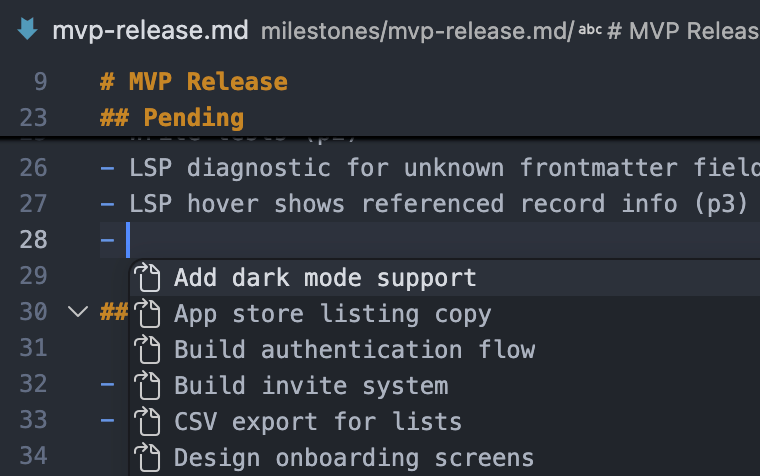
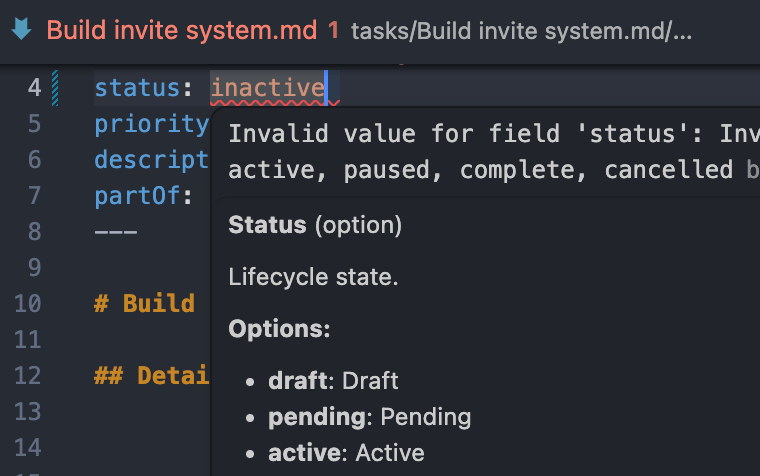
Adds autocomplete for field names and valid values, inline validation, and syncs file edits back to the database on save.
- **VS Code**: install the [Binder extension](https://marketplace.visualstudio.com/items?itemName=Binder.binder-vscode). Activates automatically in any Binder workspace.
WebStorm / IntelliJ
Install the [Binder plugin](https://plugins.jetbrains.com/plugin/31075-binder). Activates automatically in any Binder workspace.
Neovim
```lua
require('lspconfig').configs.binder = {
default_config = {
cmd = { 'binder', 'lsp' },
filetypes = { 'markdown', 'yaml' },
root_dir = require('lspconfig.util').root_pattern('.binder'),
},
}
require('lspconfig').binder.setup({})
```
## How it works
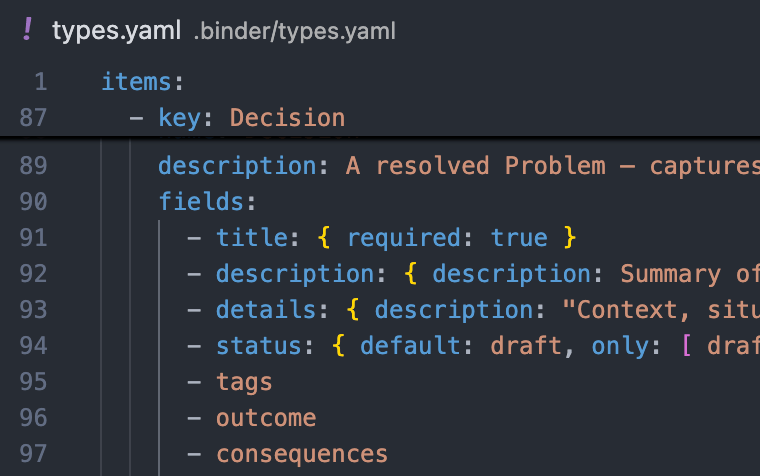
Binder stores your data as a graph of [**entities**](docs/concepts/entity.md): each one a flexible collection of field-value pairs classified by a [**type**](docs/concepts/type.md) like Task, Decision, or Contact. [**Fields**](docs/concepts/field.md) are defined once and reused across types. [**References**](docs/concepts/reference.md) link entities directly, forming the graph. Types and fields are defined in `.binder/types.yaml`:
```yaml
items:
- key: Task
fields:
- title: { required: true }
- status: { only: [pending, active, complete] }
- priority
- partOf: { only: [Milestone] }
- requires: { only: [Task] }
```
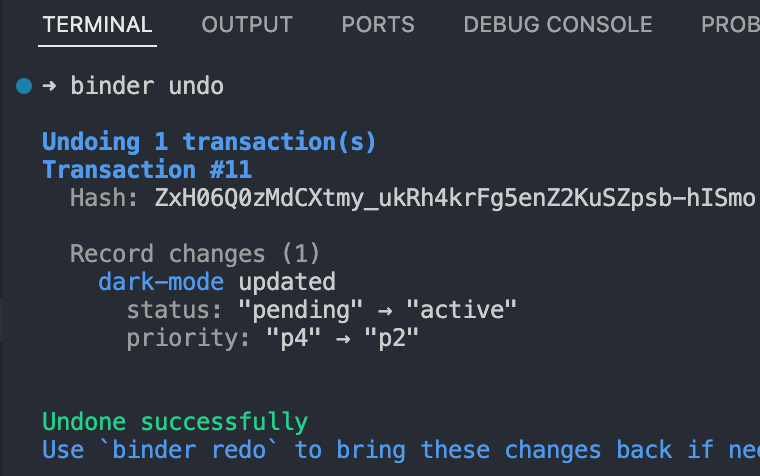
Editors, scripts, and agents all write to the same data. When something goes wrong, you need to know what changed and undo it. Binder records every change as an immutable [**transaction**](docs/concepts/transaction.md), attributed to its source. Full history, undo and redo, replay to any past state.
Markdown files are a view over this graph. [**Navigation**](docs/concepts/navigation.md) rules define where each entity lives on disk. Change a field value and Binder moves the file automatically:
```yaml
items:
- where: { type: Task, status: { op: in, value: [pending, active] } }
path: tasks/{priority} {key}
- where: { type: Task, status: complete }
path: archive/tasks/{key}
```
→ [Browse all concepts](docs/concepts/)
## Features
Data models - define your types and fields in a simple YAML schema. Easy to write, easy to evolve.
Autocomplete - links, field names, and valid values completed as you type.
Editor integration - data validation, navigation, autocomplete in your favorite editor.
CLI - search, query, and create from the terminal or script.
Transaction log - every change recorded and attributed to its source. Audit history, undo mistakes, replay any past state.
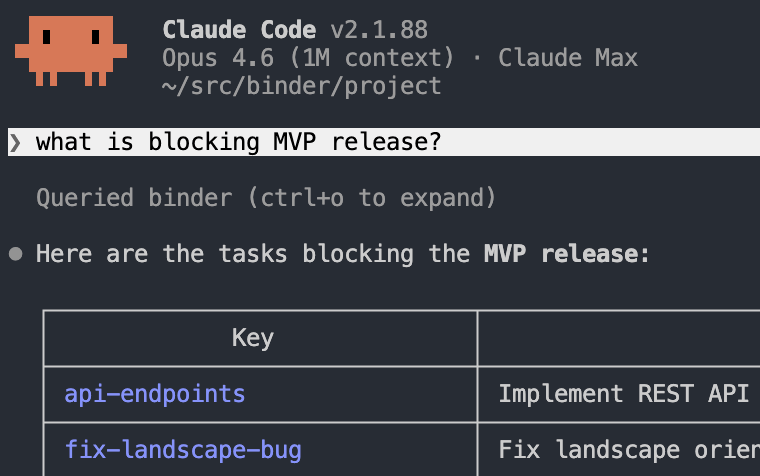
AI agents - query, create, and update entities via MCP with full audit trail.
## Working with Binder
Same data, different surfaces. Use whichever fits the task.
### Editors
Open any Markdown file in your coding editor to read, adjust, and review. Binder's LSP provides **validation, autocomplete, and navigation** across all entity files.
Install the [VS Code extension](https://marketplace.visualstudio.com/items?itemName=Binder.binder-vscode) to get started, or see [Getting Started](#getting-started) for WebStorm/IntelliJ and Neovim setup.
### AI Agents
For autonomous work: querying context, capturing decisions, writing new entities. Agents can use the **CLI directly** or connect via MCP for a typed read/write API.
Add to `.mcp.json` to enable MCP:
```json
{
"mcpServers": {
"binder": {
"type": "stdio",
"command": "binder",
"args": ["mcp"]
}
}
}
```
### Scripts and Automation
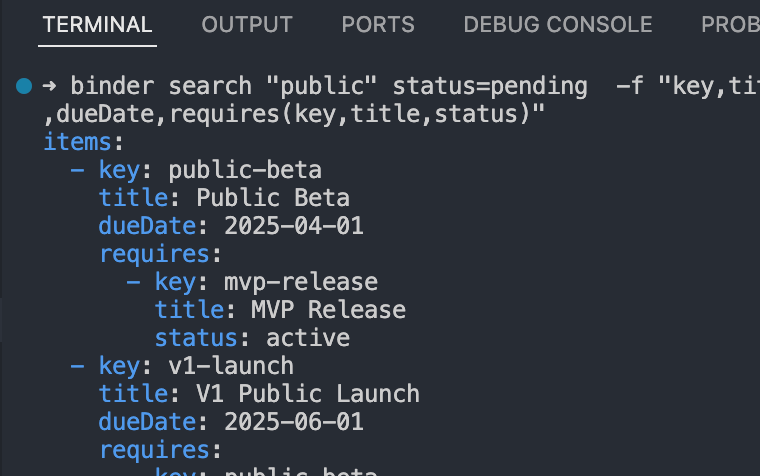
For pipelines, batch operations, reports, or embedding Binder in your own apps and libraries. Query, create, and update records without parsing Markdown. Changes write back to files automatically.
```bash
$ binder search type=Task status=active -f "title,status,priority,partOf(title,status)"
```
```yaml
items:
- title: Add dark mode support
status: active
priority: p2
partOf:
title: MVP Release
status: active
```
Pipe to any tool:
```bash
$ binder search type=Task status=active -q | jq '.items[] | .key + ": " + .title'
"setup-auth: Set up authentication"
"fix-layout-bug: Fix layout orientation bug"
```
Create and update without opening a file:
```bash
$ binder create Task dark-mode title="Add dark mode support" status=active priority=p2 partOf=mvp-release
$ binder update dark-mode status=complete
```
Embed Binder directly. Use it in a one-off script, a long-running service, a library, or any Node/Bun app:
```ts
import { open, isErr } from "@binder/repo/local";
const repo = await open("/path/to/workspace"); // omit to run from cwd
if (isErr(repo)) throw repo.error;
const { data: kg } = repo;
const r = await kg.search({ filters: { type: "Task", status: "complete" } });
if (!isErr(r)) for (const t of r.data.items) console.log("-", t.title);
await kg.close();
```
**Workspace scripts.** As a convenience, files in `.binder/scripts/` (`.ts`, `.js`, `.mjs`, `.sh`) become first-class subcommands:
```bash
$ binder weekly-report # runs .binder/scripts/weekly-report.ts
$ binder run weekly-report # equivalent, never shadowed by built-ins
```
### HTTP
For browser UIs, webhooks, and integrations. `binder http` starts a local server with a record browser at `http://127.0.0.1:4000`, plus a JSON API:
- `GET /api/schema` - types and fields
- `GET /api/records?type=Task&status=active` - query records
- `GET /api/records/:key` - fetch one
- `POST /api/transactions` - apply a transaction
Bring your own UI with `--static `, or drop one at `.binder/web/` for zero config. The built-in record browser is the fallback.
Drop a `server.ts` next to your static files to add custom routes, built on [Hono](https://hono.dev). Source files aren't served.
```ts
import { Hono } from "hono";
import type { ServerModule } from "@binder.do/cli";
const mod: ServerModule = ({ kg }) => {
const app = new Hono();
app.get("/api/stats", async (c) => {
const r = await kg.search({ filters: { type: "Task" } });
return c.json({ tasks: "data" in r ? r.data.length : 0 });
});
return app;
};
export default mod;
```
→ See [HTTP server docs](docs/guides/http-server.md) for the full reference.
### Hooks
Run a shell command on every committed transaction. The transaction is piped to stdin as JSON. Declare them in `.binder/config.yaml`:
```yaml
hooks:
- name: notify-slack
command: ./scripts/notify-slack.sh
- name: audit
command: jq -c . >> .binder/audit.log
```
## Roadmap
### Next
- More blueprints and examples
- Full-text and semantic search
- Transaction log compaction
### Future
- Cross-device synchronisation
- E2E encrypted backup
- Encrypted fields
- Web / Mobile UI
## Contributing
Binder is early-stage and actively shaped by feedback. Found a bug or have an idea? [Open an issue](https://github.com/mpazik/binder/issues). All input welcome.
## License
[MIT](LICENSE)