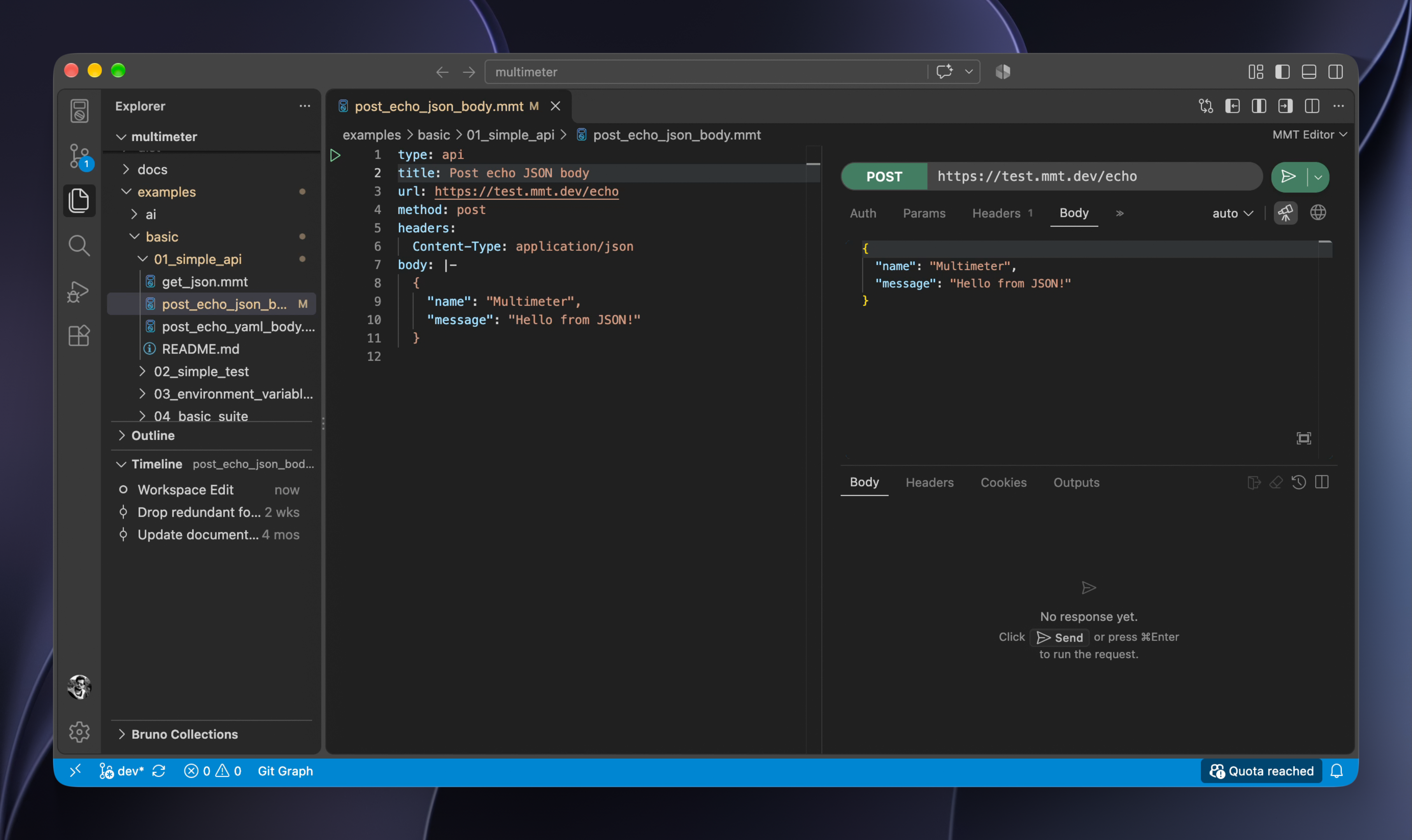
## 🚀 Start with a request. Grow into a platform.
**Multimeter** is Git-native API testing in VS Code. Requests, tests, mocks, and docs are YAML `.mmt` files in your repo.
Start with a single HTTP request.
Grow into tests, suites, mocks, reports, documentation, and CI when you need them.
All in the same tool. No migration. No second product.
## 🎯 What you get
**Simple by default**
- ✅ Git-native, file-based YAML
- ✅ Lightweight — no account, no cloud lock-in
- ✅ Collaboration through pull requests, like code
- ✅ The same files locally and in CI
**A full testing platform when you need it**
- ✅ HTTP, WebSocket, GraphQL, and gRPC
- ✅ Multi-step flows and test suites
- ✅ Mock servers
- ✅ Generated documentation
- ✅ Reports
- ✅ CI with `testlight`
**AI in the same files**
- ✅ Generate tests from an API or a description (Cursor, Copilot, Claude via MCP)
- ✅ Judge replies — semantic similarity, or open-ended checks like how funny a response is
- ✅ Bring your own model (Ollama or cloud)
[See all features →](https://mmt.dev/#features)
## ⚡ Start simple
Multimeter is a VS Code-native extension. All you need:
- Click Install button in [Multimeter VS Code Extension](https://marketplace.visualstudio.com/items?itemName=mshobeyri.multimeter)
- Open **Get Started** from the `Activity bar` and follow the instructions
There you run a POST request as follows:
```yaml
type: api
title: Simple POST
url: https://test.mmt.dev/echo
method: post
format: json
body:
message: hello
```
That's enough.
- No suites.
- No mocks.
- No workflows.
- No complexity.
## 🧪 Need tests?
```yaml
type: test
steps:
- http: https://test.mmt.dev/echo
method: get
expect:
status: 200
```
- Still simple.
- Still Git-native.
- Still easy to review.
## 🚀 Scale without switching tools
As your project grows, Multimeter grows with it.
Add:
- Test suites
- Mock servers
- Documentation
- Workflow execution
- Structured reporting
- CI artifacts
**Only when you need them.**
Everything stays in the same ecosystem.
[See all examples →](./examples)
## 🤖 MCP, AI generation, and AI judges
Cursor, Copilot, and Claude write and run the same `.mmt` files you edit in VS Code. MCP (`mmt-mcp`) gives them `scaffold_test`, `validate`, `format`, and `run` — generate tests from an API or a description, then keep them in Git.
**Judge** an API answer in the same test. Compare semantic similarity to an expected reply, or check something open-ended — for example, how funny the response is. Bring your own model (Ollama or cloud). An alternative to a separate Promptfoo eval stack.
See [MCP docs](https://mmt.dev/docs/features/mcp) · [Judge docs](https://mmt.dev/docs/files/judge)
## 🔁 Built for reliable CI
Multimeter validates test definitions before execution.
That means:
- ✅ Earlier feedback
- ✅ More deterministic execution
- ✅ Fewer surprises in CI
- ✅ Easier debugging
- ✅ Reproducible results
GitHub Actions:
```yaml
- uses: actions/checkout@v6
- uses: mshobeyri/testlight-action@v1
with:
file: tests/suite.mmt
report: junit
report-file: results/junit.xml
```
Or from a terminal using the Multimeter CLI called `testlight`.
```sh
npm install -g mmt-testlight
testlight run tests/suite.mmt
```
See the [GitHub Action](https://github.com/mshobeyri/testlight-action) and [Testlight install](https://mmt.dev/docs/features/testlight/install).
## 📦 Everything stays in Git
Your code, tests, mocks, documentation, reports, and environment settings live in the same repository.
- ✅ Version controlled
- ✅ Code and tests evolve together
- ✅ Reviewable through pull requests
- ✅ Easy to move and share
- ✅ No platform lock-in
- ✅ AI can update code and tests together
- ✅ Environment variables never go missing
- ✅ Historical test results stay with the project
## 🧠 Philosophy
Most API tools focus on requests.
Multimeter focuses on behavior.
Instead of asking:
> "Did this request return the expected response?"
Multimeter helps you answer:
> "Does this system still behave correctly?"
---
## License
Multimeter is licensed under the [Apache License 2.0](LICENSE.md).
[Demos](https://mmt.dev/demos) · [Documentation](./docs/toc.md) · [Website](https://mmt.dev) · [GitHub](https://github.com/mshobeyri/multimeter)