
 ## Setup with CocoaPods
If you are using CocoaPods add this text to your Podfile
and run `pod install`.
use_frameworks!
target 'Your target name'
pod 'TriLabelView'
## Or Add source
Simply add
[TriLabelView.swift](https://github.com/mukeshthawani/TriLabelView/blob/master/TriLabelView/TriLabelView.swift) file to you project.
## Usage
### Creating a view from the code
```Swift
let triLabelView = TriLabelView(frame:CGRect)
view.addSubview(triLabelView)
```
#### Customization
```Swift
// Change Text
triLabelView.labelText = "NEW"
// Adjust Length Percentage
// You can update this to set percentage value of this
// view to that of the superview.
// Default value is 50.0
triLabelView.lengthPercentage = 60.0
```
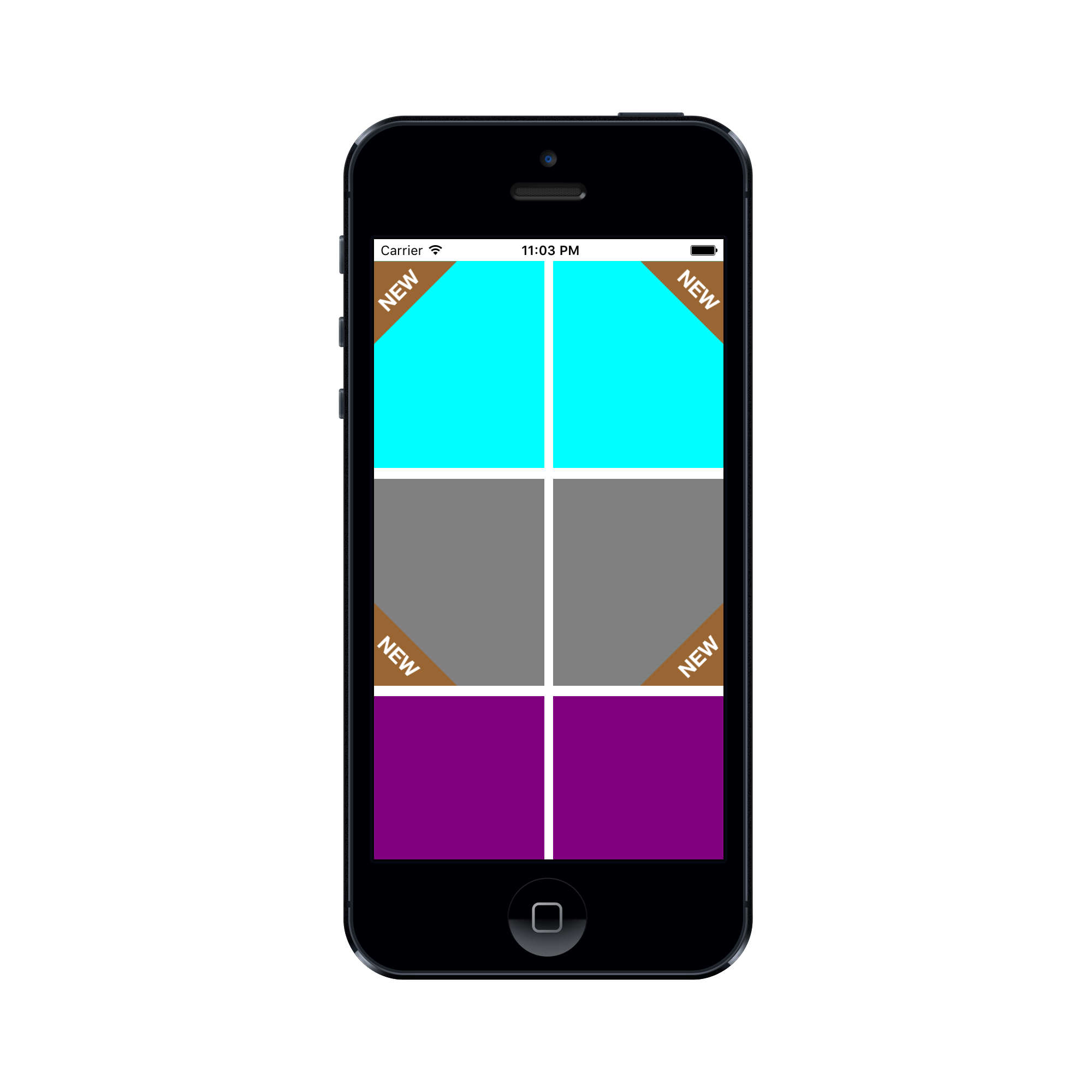
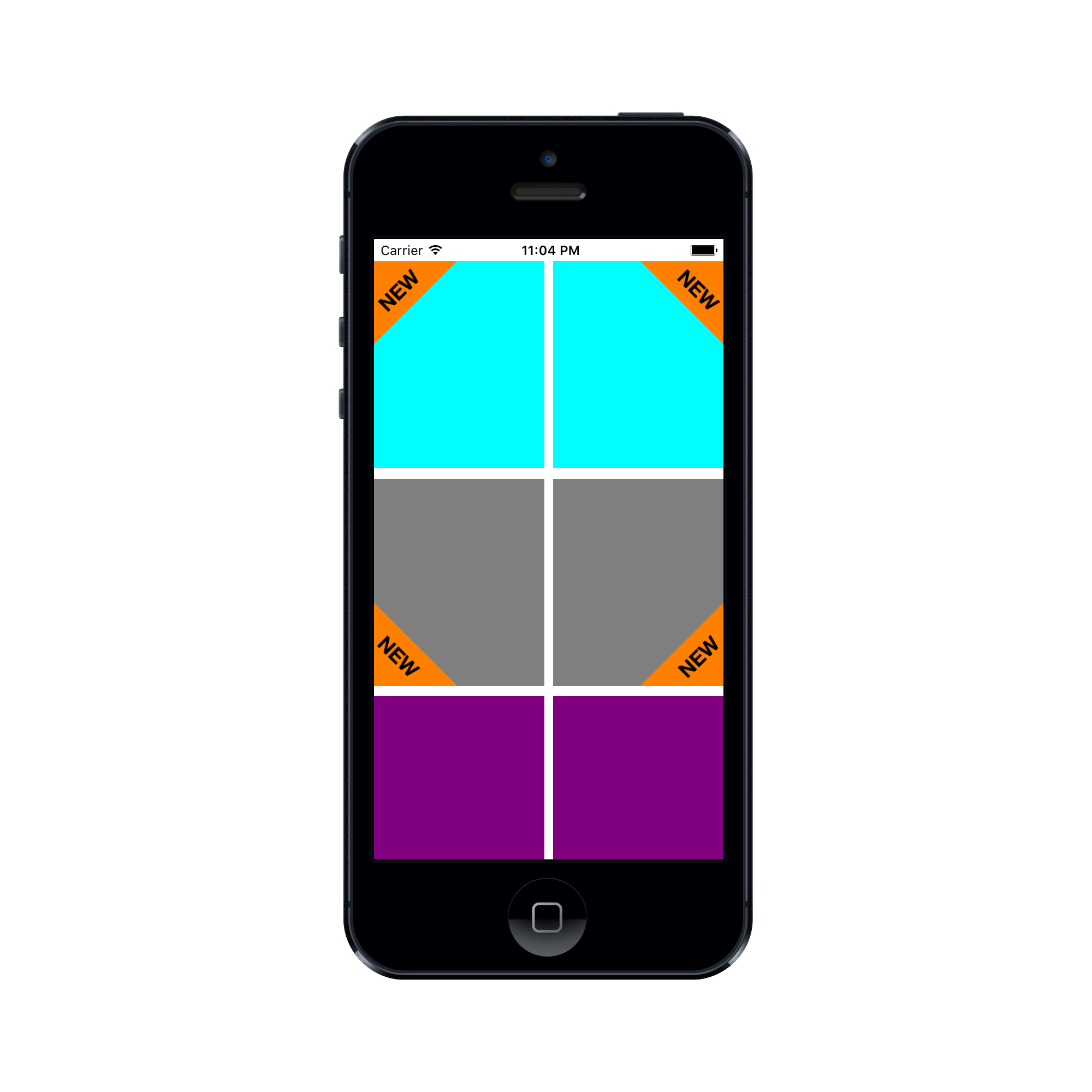
You can set the position of view with `.TopLeft` being the default. The following positions are available
```Swift
public enum Position:String {
case TopLeft
case TopRight
case BottomRight
case BottomLeft
}
```
You can update text color, font and background color
```Swift
triLabelView.textColor = UIColor.yellowColor()
triLabelView.labelFont = UIFont.systemFont(ofSize: 15)
triLabelView.viewColor = UIColor.brownColor()
```
### Creating a view from the storyboard
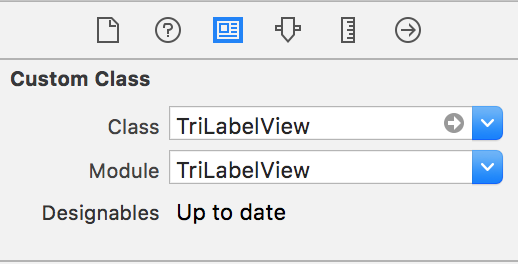
- If you already have a view where you want to use then set it's `class` to `TriLabelView` in identity inspector.
- Or drag a **View** from object library and then change it's `class` to `TriLabelView` in identity inspector.
- Set the `module` property to `TriLabelView`.
## Setup with CocoaPods
If you are using CocoaPods add this text to your Podfile
and run `pod install`.
use_frameworks!
target 'Your target name'
pod 'TriLabelView'
## Or Add source
Simply add
[TriLabelView.swift](https://github.com/mukeshthawani/TriLabelView/blob/master/TriLabelView/TriLabelView.swift) file to you project.
## Usage
### Creating a view from the code
```Swift
let triLabelView = TriLabelView(frame:CGRect)
view.addSubview(triLabelView)
```
#### Customization
```Swift
// Change Text
triLabelView.labelText = "NEW"
// Adjust Length Percentage
// You can update this to set percentage value of this
// view to that of the superview.
// Default value is 50.0
triLabelView.lengthPercentage = 60.0
```
You can set the position of view with `.TopLeft` being the default. The following positions are available
```Swift
public enum Position:String {
case TopLeft
case TopRight
case BottomRight
case BottomLeft
}
```
You can update text color, font and background color
```Swift
triLabelView.textColor = UIColor.yellowColor()
triLabelView.labelFont = UIFont.systemFont(ofSize: 15)
triLabelView.viewColor = UIColor.brownColor()
```
### Creating a view from the storyboard
- If you already have a view where you want to use then set it's `class` to `TriLabelView` in identity inspector.
- Or drag a **View** from object library and then change it's `class` to `TriLabelView` in identity inspector.
- Set the `module` property to `TriLabelView`.
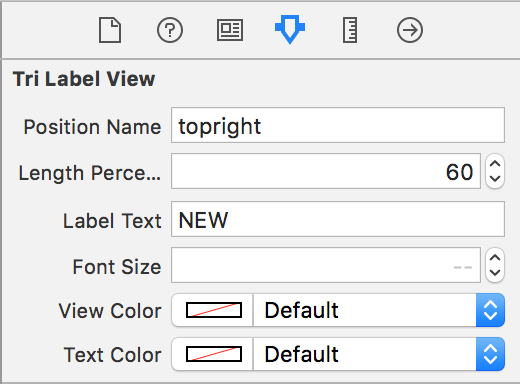
 - Customize the view properties in the attributes inspector.
 ## Requirements
- Swift 3 / Xcode 8
- iOS 9.3
## Author
[Mukesh Thawani](http://twitter.com/MukeshThawani)
## Contributing
Feature requests, bug reports, and pull requests are all welcome.
## License
Copyright (c) 2016 Mukesh Thawani. Release under the [MIT License](License).
## Requirements
- Swift 3 / Xcode 8
- iOS 9.3
## Author
[Mukesh Thawani](http://twitter.com/MukeshThawani)
## Contributing
Feature requests, bug reports, and pull requests are all welcome.
## License
Copyright (c) 2016 Mukesh Thawani. Release under the [MIT License](License).