# cursor-thinking-stat
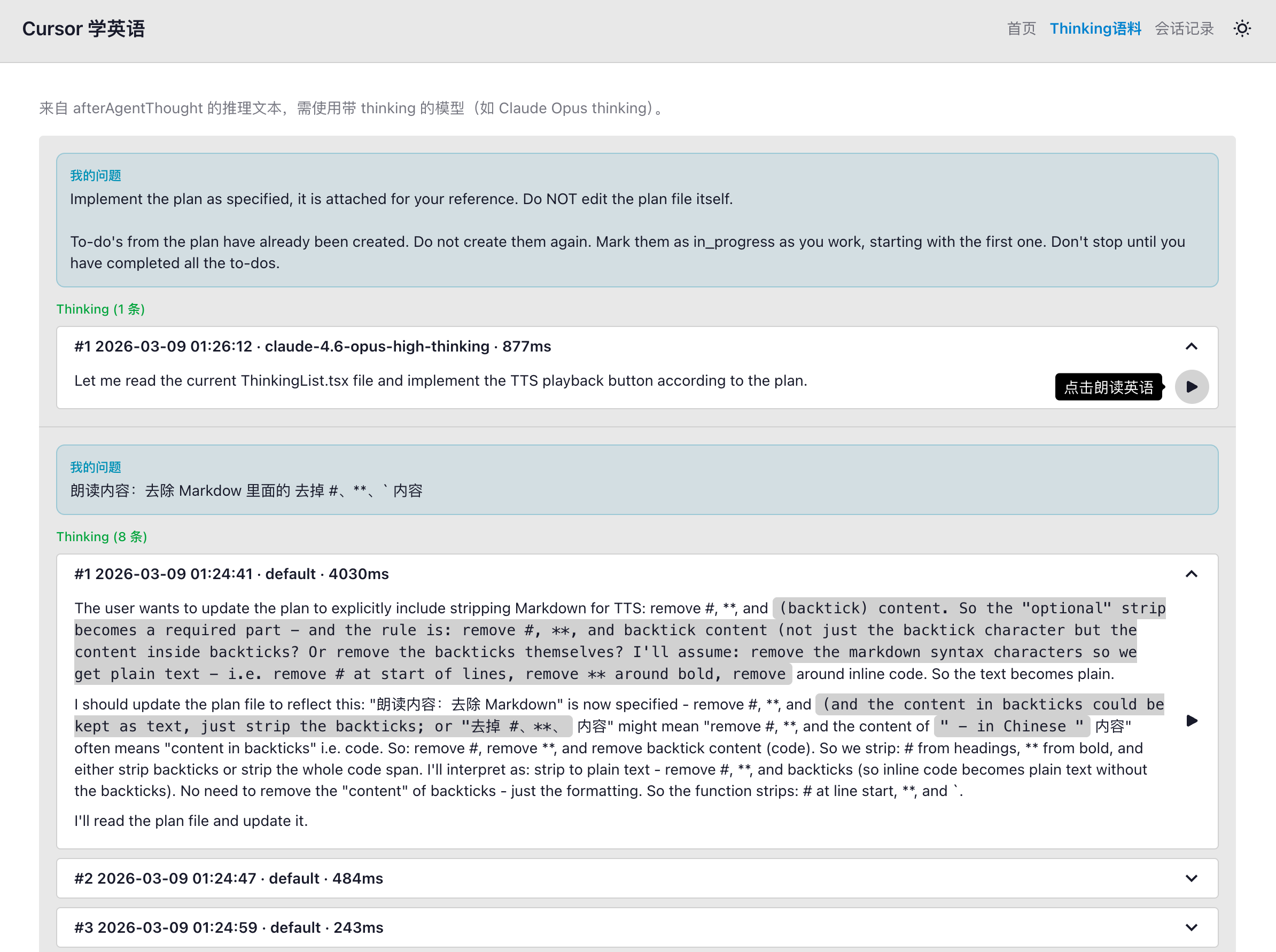
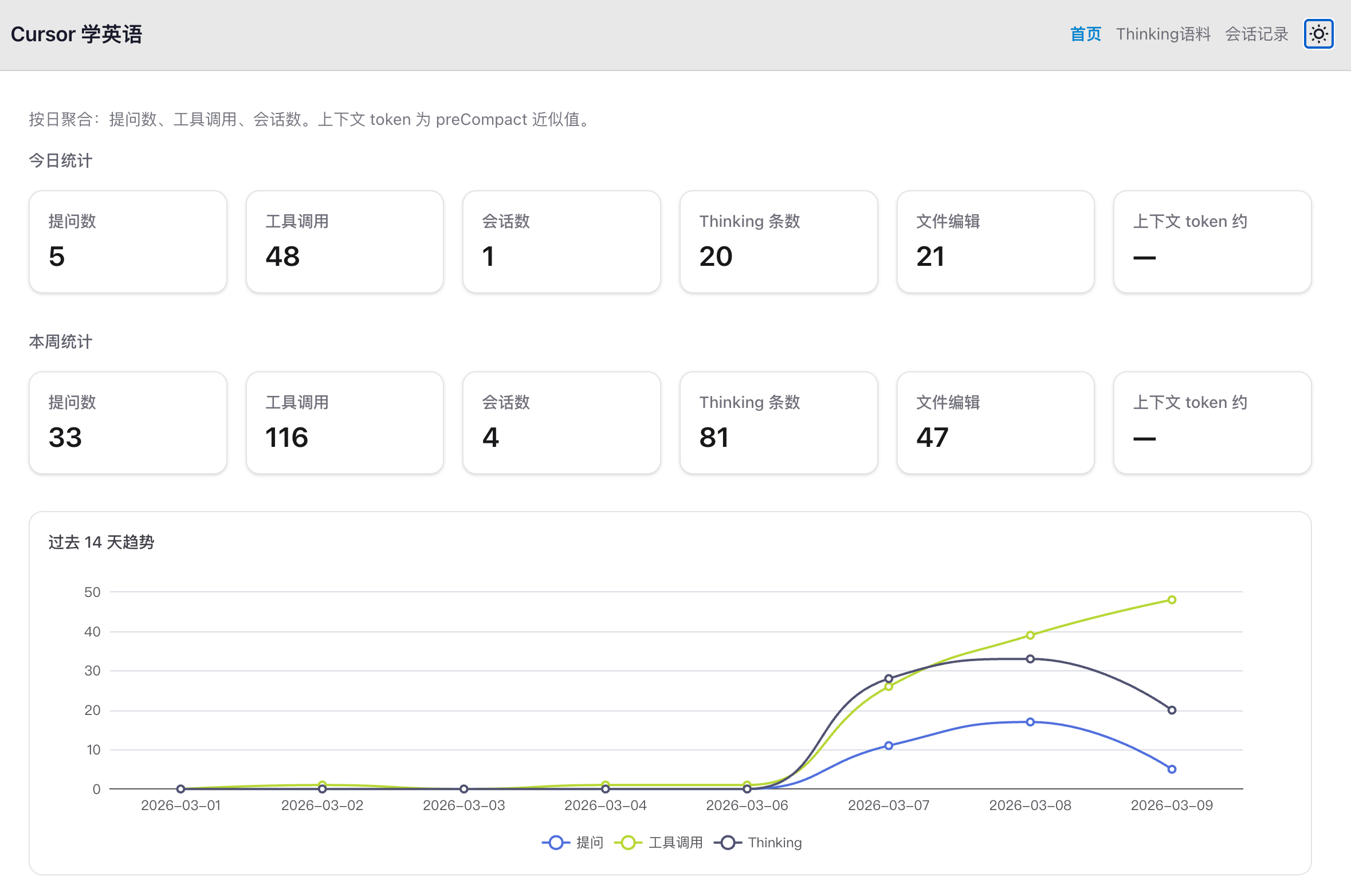
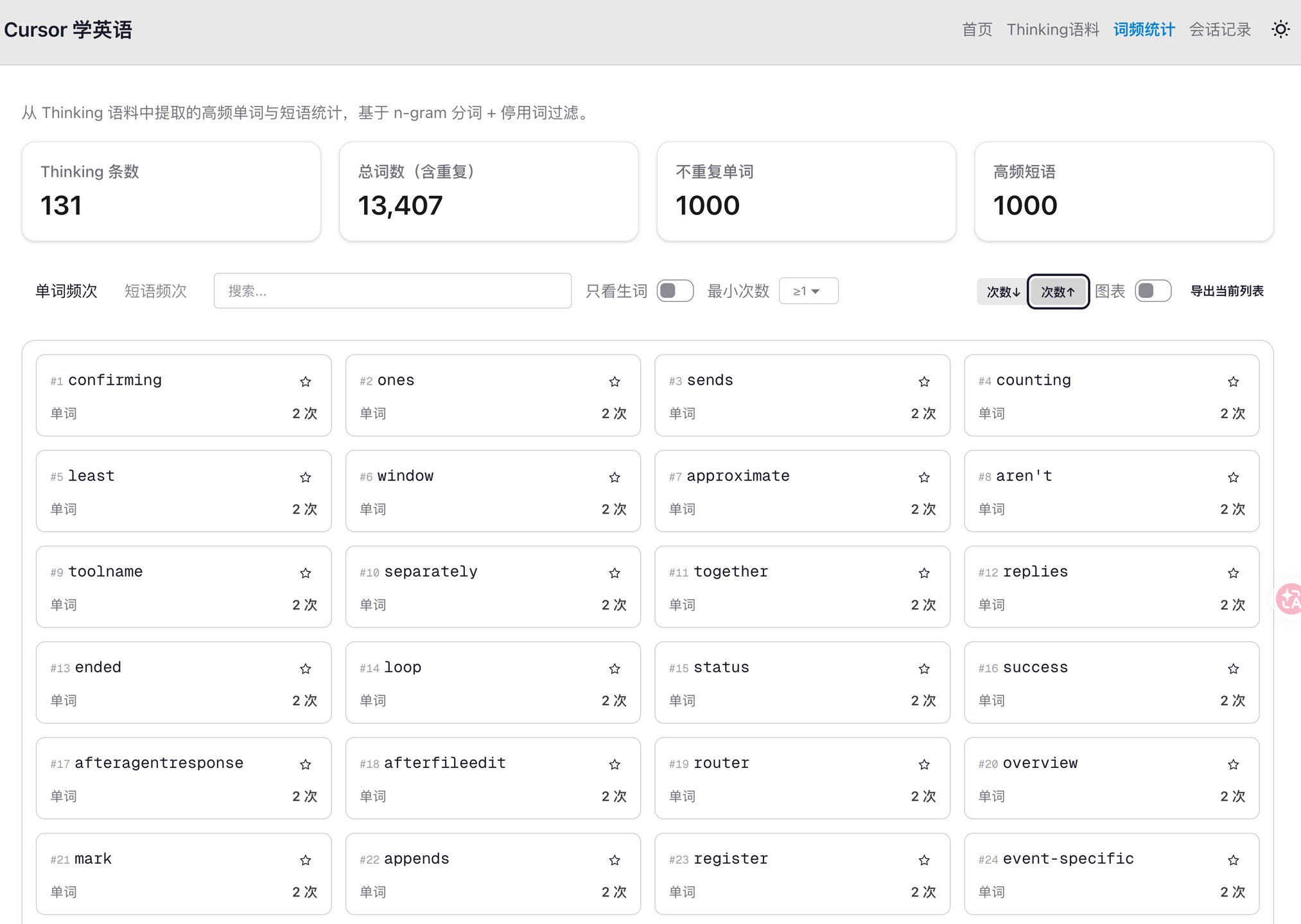
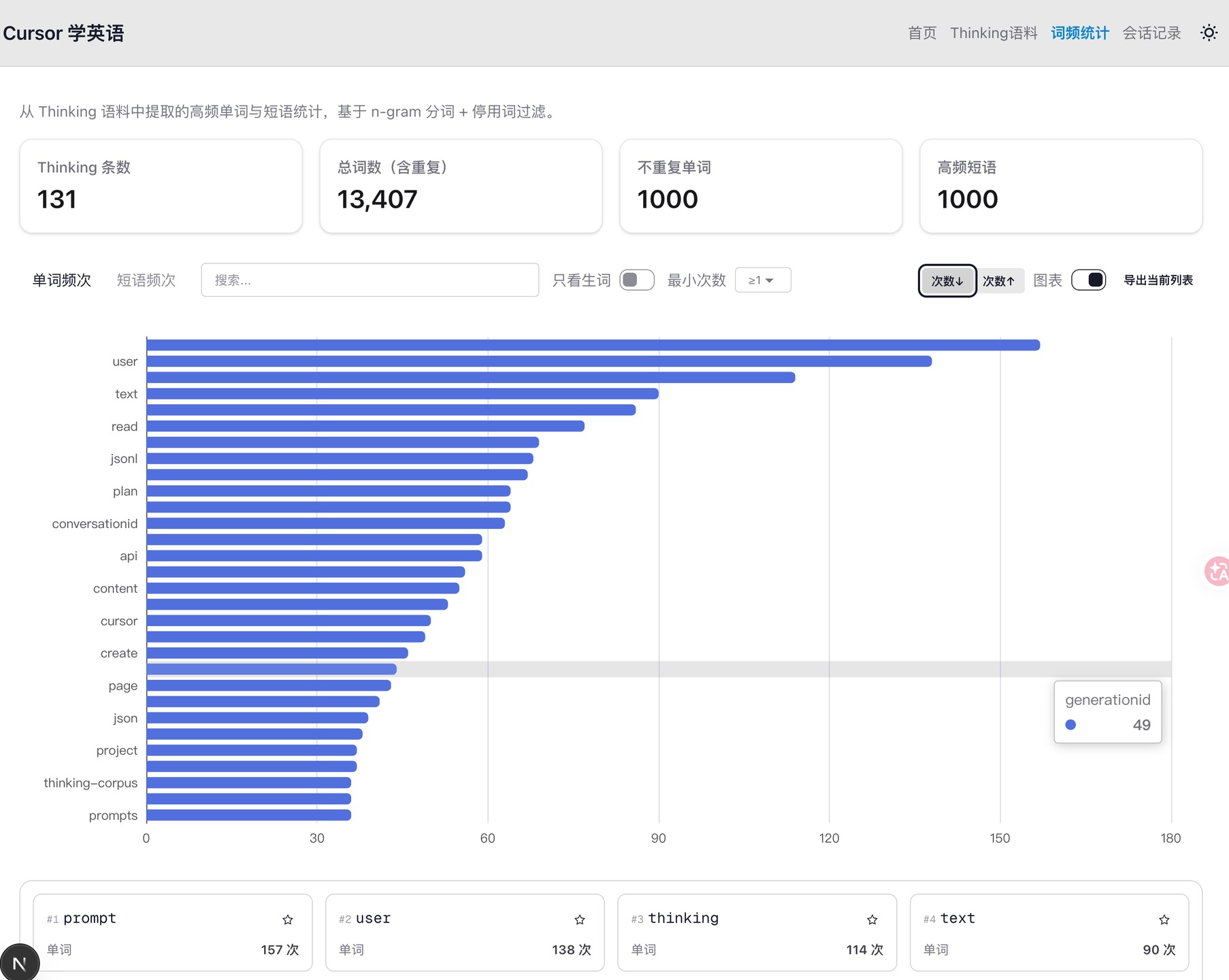
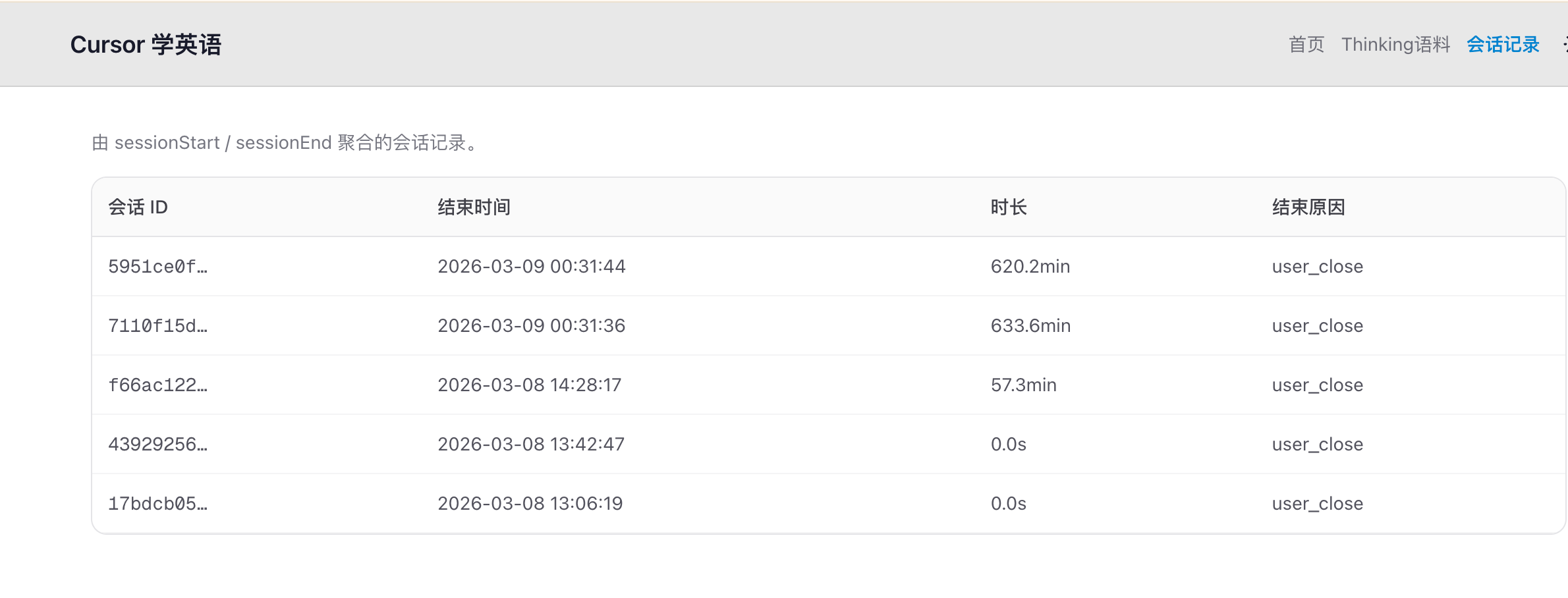
本项目是一个基于 Cursor Hooks 的数据采集与可视化工具,自动收集AI 的思考推理过程,并提供 Web 前端页面进行可视化展示,梳理高频单词短语等信息,提升英语阅读能力。
---
## 预览视频
[B站视频-使用录屏](https://www.bilibili.com/video/BV1hMNFz1Emx/?spm_id_from=333.1007.top_right_bar_window_history.content.click&vd_source=e136dbd0b0286f6018f6e08b5fffa4b4)
## 预览图片
 ## Cursor Hooks 配置
采集依赖 Cursor 的 **用户级 Hooks**,配置在 `~/.cursor/` 下。
### 1. 目录与脚本
在用户目录下建立脚本与配置(可从本仓库复制):
```text
~/.cursor/
├── hooks.json # 见下方配置内容
└── scripts/
├── capture-event.mjs # 统一事件写入 cursor-events.jsonl
├── capture-thinking.mjs # Thinking 写入 thinking-corpus.jsonl
├── capture-response-to-txt.mjs
└── test.sh
```
用户级 Hooks 的**工作目录**为 `~/.cursor/`,因此 `hooks.json` 中的命令使用 `./scripts/xxx.mjs` 即可。
### 2. hooks.json 配置示例
```json
{
"version": 1,
"hooks": {
"beforeSubmitPrompt": [{ "command": "node ./scripts/capture-event.mjs" }],
"afterAgentResponse": [{ "command": "node ./scripts/capture-event.mjs" }],
"afterAgentThought": [
{ "command": "node ./scripts/capture-thinking.mjs" },
{ "command": "node ./scripts/capture-event.mjs" }
],
"postToolUse": [{ "command": "node ./scripts/capture-event.mjs" }],
"postToolUseFailure": [{ "command": "node ./scripts/capture-event.mjs" }],
"sessionStart": [{ "command": "node ./scripts/capture-event.mjs" }],
"sessionEnd": [{ "command": "node ./scripts/capture-event.mjs" }],
"stop": [{ "command": "node ./scripts/capture-event.mjs" }],
"preCompact": [{ "command": "node ./scripts/capture-event.mjs" }],
"afterFileEdit": [{ "command": "node ./scripts/capture-event.mjs" }]
}
}
```
### 3. 数据输出路径
| 文件 | 来源 | 说明 |
| ------------------------- | ---------------------- | ---------------------------------------------------- |
| `~/thinking-corpus.jsonl` | `capture-thinking.mjs` | 每行一条 Thinking 记录(text、timestamp、model、duration_ms 等) |
| `~/cursor-events.jsonl` | `capture-event.mjs` | 每行一条事件(event_type、timestamp、conversation_id 及事件字段) |
可通过环境变量覆盖路径:
- `THINKING_CORPUS_PATH` → Thinking 语料文件
- `CURSOR_EVENTS_PATH` → 事件文件
### 4. 依赖与运行
- 脚本需 **Node.js**(无 npm 依赖)。
- Web 端:在项目根目录执行 `npm install` 后 `npm run dev`,浏览器打开仪表盘;API 默认读取上述两个 JSONL 路径(可通过 `EVENTS_JSONL_PATH`、`CORPUS_JSONL_PATH` 覆盖)。
更多事件字段说明见 [hooks.md](hooks.md)。
---
## 项目结构
```
thinking-get-hook/
├── .cursor-plugin/
│ └── plugin.json # Cursor Plugin 清单(可选,用于插件形式分发)
├── app/
│ ├── layout.tsx
│ ├── page.tsx # 仪表盘首页
│ ├── globals.css
│ ├── api/
│ │ ├── events/route.ts # GET 事件聚合(按日/类型)
│ │ ├── stats/route.ts # GET 汇总统计
│ │ ├── thinking/route.ts # GET Thinking 语料分页
│ │ └── sessions/route.ts # GET 会话列表
│ ├── daily/page.tsx # 每日统计页
│ ├── thinking/page.tsx # Thinking 语料页
│ └── sessions/page.tsx # 会话列表页
├── components/
│ ├── StatCards.tsx # 统计卡片
│ ├── DailyChart.tsx # 按日趋势图(ECharts)
│ ├── ThinkingList.tsx # Thinking 列表(Markdown 渲染)
│ └── SessionTable.tsx # 会话表格
├── lib/
│ ├── events.ts # 读 cursor-events.jsonl、按日聚合
│ └── thinking.ts # 读 thinking-corpus.jsonl、分页
├── hooks/
│ └── hooks.json # 本仓库内 Hooks 配置(可复制到 ~/.cursor)
├── scripts/
│ ├── capture-event.mjs # 统一事件采集 → cursor-events.jsonl
│ ├── capture-thinking.mjs # Thinking 采集 → thinking-corpus.jsonl
│ ├── capture-thinking.sh # 可选:Shell 版(需 jq)
│ ├── capture-response-to-txt.mjs
│ └── test.sh
├── hooks.md # Hooks 事件说明文档
├── package.json
├── next.config.ts
└── README.md
```
## 参考文档
[https://cursor.com/cn/docs/hooks#hook-5](https://cursor.com/cn/docs/hooks#hook-5)
## Cursor Hooks 配置
采集依赖 Cursor 的 **用户级 Hooks**,配置在 `~/.cursor/` 下。
### 1. 目录与脚本
在用户目录下建立脚本与配置(可从本仓库复制):
```text
~/.cursor/
├── hooks.json # 见下方配置内容
└── scripts/
├── capture-event.mjs # 统一事件写入 cursor-events.jsonl
├── capture-thinking.mjs # Thinking 写入 thinking-corpus.jsonl
├── capture-response-to-txt.mjs
└── test.sh
```
用户级 Hooks 的**工作目录**为 `~/.cursor/`,因此 `hooks.json` 中的命令使用 `./scripts/xxx.mjs` 即可。
### 2. hooks.json 配置示例
```json
{
"version": 1,
"hooks": {
"beforeSubmitPrompt": [{ "command": "node ./scripts/capture-event.mjs" }],
"afterAgentResponse": [{ "command": "node ./scripts/capture-event.mjs" }],
"afterAgentThought": [
{ "command": "node ./scripts/capture-thinking.mjs" },
{ "command": "node ./scripts/capture-event.mjs" }
],
"postToolUse": [{ "command": "node ./scripts/capture-event.mjs" }],
"postToolUseFailure": [{ "command": "node ./scripts/capture-event.mjs" }],
"sessionStart": [{ "command": "node ./scripts/capture-event.mjs" }],
"sessionEnd": [{ "command": "node ./scripts/capture-event.mjs" }],
"stop": [{ "command": "node ./scripts/capture-event.mjs" }],
"preCompact": [{ "command": "node ./scripts/capture-event.mjs" }],
"afterFileEdit": [{ "command": "node ./scripts/capture-event.mjs" }]
}
}
```
### 3. 数据输出路径
| 文件 | 来源 | 说明 |
| ------------------------- | ---------------------- | ---------------------------------------------------- |
| `~/thinking-corpus.jsonl` | `capture-thinking.mjs` | 每行一条 Thinking 记录(text、timestamp、model、duration_ms 等) |
| `~/cursor-events.jsonl` | `capture-event.mjs` | 每行一条事件(event_type、timestamp、conversation_id 及事件字段) |
可通过环境变量覆盖路径:
- `THINKING_CORPUS_PATH` → Thinking 语料文件
- `CURSOR_EVENTS_PATH` → 事件文件
### 4. 依赖与运行
- 脚本需 **Node.js**(无 npm 依赖)。
- Web 端:在项目根目录执行 `npm install` 后 `npm run dev`,浏览器打开仪表盘;API 默认读取上述两个 JSONL 路径(可通过 `EVENTS_JSONL_PATH`、`CORPUS_JSONL_PATH` 覆盖)。
更多事件字段说明见 [hooks.md](hooks.md)。
---
## 项目结构
```
thinking-get-hook/
├── .cursor-plugin/
│ └── plugin.json # Cursor Plugin 清单(可选,用于插件形式分发)
├── app/
│ ├── layout.tsx
│ ├── page.tsx # 仪表盘首页
│ ├── globals.css
│ ├── api/
│ │ ├── events/route.ts # GET 事件聚合(按日/类型)
│ │ ├── stats/route.ts # GET 汇总统计
│ │ ├── thinking/route.ts # GET Thinking 语料分页
│ │ └── sessions/route.ts # GET 会话列表
│ ├── daily/page.tsx # 每日统计页
│ ├── thinking/page.tsx # Thinking 语料页
│ └── sessions/page.tsx # 会话列表页
├── components/
│ ├── StatCards.tsx # 统计卡片
│ ├── DailyChart.tsx # 按日趋势图(ECharts)
│ ├── ThinkingList.tsx # Thinking 列表(Markdown 渲染)
│ └── SessionTable.tsx # 会话表格
├── lib/
│ ├── events.ts # 读 cursor-events.jsonl、按日聚合
│ └── thinking.ts # 读 thinking-corpus.jsonl、分页
├── hooks/
│ └── hooks.json # 本仓库内 Hooks 配置(可复制到 ~/.cursor)
├── scripts/
│ ├── capture-event.mjs # 统一事件采集 → cursor-events.jsonl
│ ├── capture-thinking.mjs # Thinking 采集 → thinking-corpus.jsonl
│ ├── capture-thinking.sh # 可选:Shell 版(需 jq)
│ ├── capture-response-to-txt.mjs
│ └── test.sh
├── hooks.md # Hooks 事件说明文档
├── package.json
├── next.config.ts
└── README.md
```
## 参考文档
[https://cursor.com/cn/docs/hooks#hook-5](https://cursor.com/cn/docs/hooks#hook-5)