AI Meeting Assistant & Real-Time Interview Copilot
[](https://github.com/VahidAlizadeh/NexQ/releases/latest) [](LICENSE) [](https://github.com/VahidAlizadeh/NexQ/actions/workflows/release.yml) [](https://github.com/VahidAlizadeh/NexQ/releases) [](https://github.com/VahidAlizadeh/NexQ/releases/latest) [](https://v2.tauri.app/) [](https://react.dev/) [](https://www.rust-lang.org/) [](https://www.typescriptlang.org/) [](CONTRIBUTING.md)
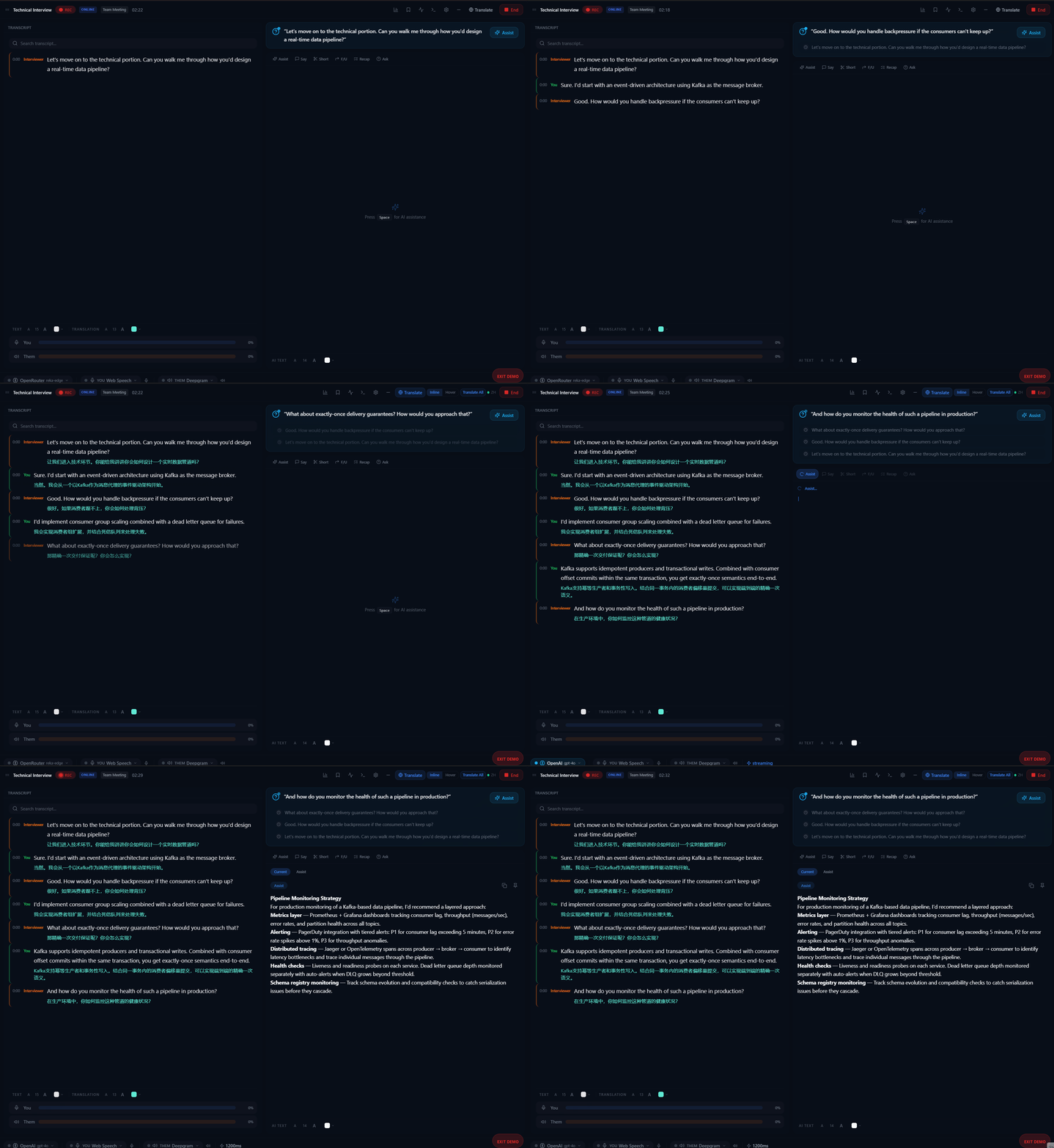
NexQ overlay during a live interview — real-time transcription and AI suggestions
### Why NexQ? 🔒 **100% Local** — your audio and data never leave your machine 🆓 **Free & Open Source** — no subscriptions, no limits, ever ⚡ **10 STT + 8 LLM providers** — from local Whisper & Ollama to cloud Deepgram & OpenAI ## Features - **Dual-party transcription** — captures mic ("You") and system audio ("Them") simultaneously - **Real-time AI copilot** — get streaming answers, follow-up suggestions, and meeting recaps from 8 LLM providers - **Local RAG pipeline** — index your own documents (PDF, DOCX, TXT, MD) for context-aware AI responses - **Gemini Context Cache** — upload documents to Gemini once, skip local embedding entirely for ~3-5s faster queries - **10 STT providers** — Web Speech API, Deepgram, Groq, Whisper, ONNX Runtime, and more - **Always-on-top overlay** — compact, transparent floating window visible only to you - **Bookmarks & action items** — pin key moments and auto-extract tasks - **Speaker labeling** — identify and name each speaker in the transcript - **Multi-language translation** — real-time translation via 5 providers (100+ languages) - **Audio recording & playback** — record meetings as WAV, replay with synced transcript - **Meeting scenarios** — pre-configured templates for interviews, lectures, and team meetings ## Quick Start 1. **Download** the [latest release](https://github.com/VahidAlizadeh/NexQ/releases/latest) 2. **Configure** your STT and LLM providers (or use free local models) 3. **Start** any meeting — NexQ captures system audio automatically [Getting Started Guide](docs/user-guide/getting-started.md) | [All User Guides](docs/user-guide/) ## Gemini Context Cache For users running NexQ on a laptop without a dedicated GPU, local embedding can add 2–5 seconds of latency per AI query. The **Gemini Context Cache** feature eliminates this entirely. Instead of embedding documents locally via Ollama on every query, NexQ uploads your context documents to Gemini's servers once per meeting session. Gemini pre-processes and stores the KV state. Every subsequent query skips local embedding completely — only the live transcript and your question are sent fresh. **Setup:** 1. Load your context documents (PDF, DOCX, TXT) in the Context panel 2. Go to **Settings → Context Strategy** 3. Select **Gemini Context Cache** 4. Choose your model and TTL, then click **Create Cache from Context Docs** **Requirements:** Google Gemini API key, documents loaded in context. **Speed comparison (CPU-only laptop):** | Mode | Per-query overhead | Notes | |------|-------------------|-------| | Local RAG (`all-minilm`) | ~1–2s | Fastest local option | | Local RAG (`nomic-embed-text`) | ~3–5s | Default model | | **Gemini Context Cache** | **~0s** | No local embedding at all | Cache expires after your chosen TTL (30 min – 24 hours). Delete it early from the same settings panel. ## Why NexQ vs. Others? | | NexQ | Otter.ai | Granola | Krisp | |---|:---:|:---:|:---:|:---:| | **Price** | **Free** | $8+/mo | $18/mo | $16/mo | | **100% Local** | Yes | No | Partial | Partial | | **Open Source** | Yes | No | No | No | | **No Bot Joins** | Yes | No | Yes | Yes | | **STT Providers** | **10** | 1 | 1 | 1 | | **LLM Providers** | **8** | 1 | 1 | 1 | | **Local LLM** | Yes | No | No | No | | **RAG / Doc Context** | Yes | No | No | No | ## Screenshots | Live Interview | Lecture Mode | Past Meeting Review | |:---:|:---:|:---:| | 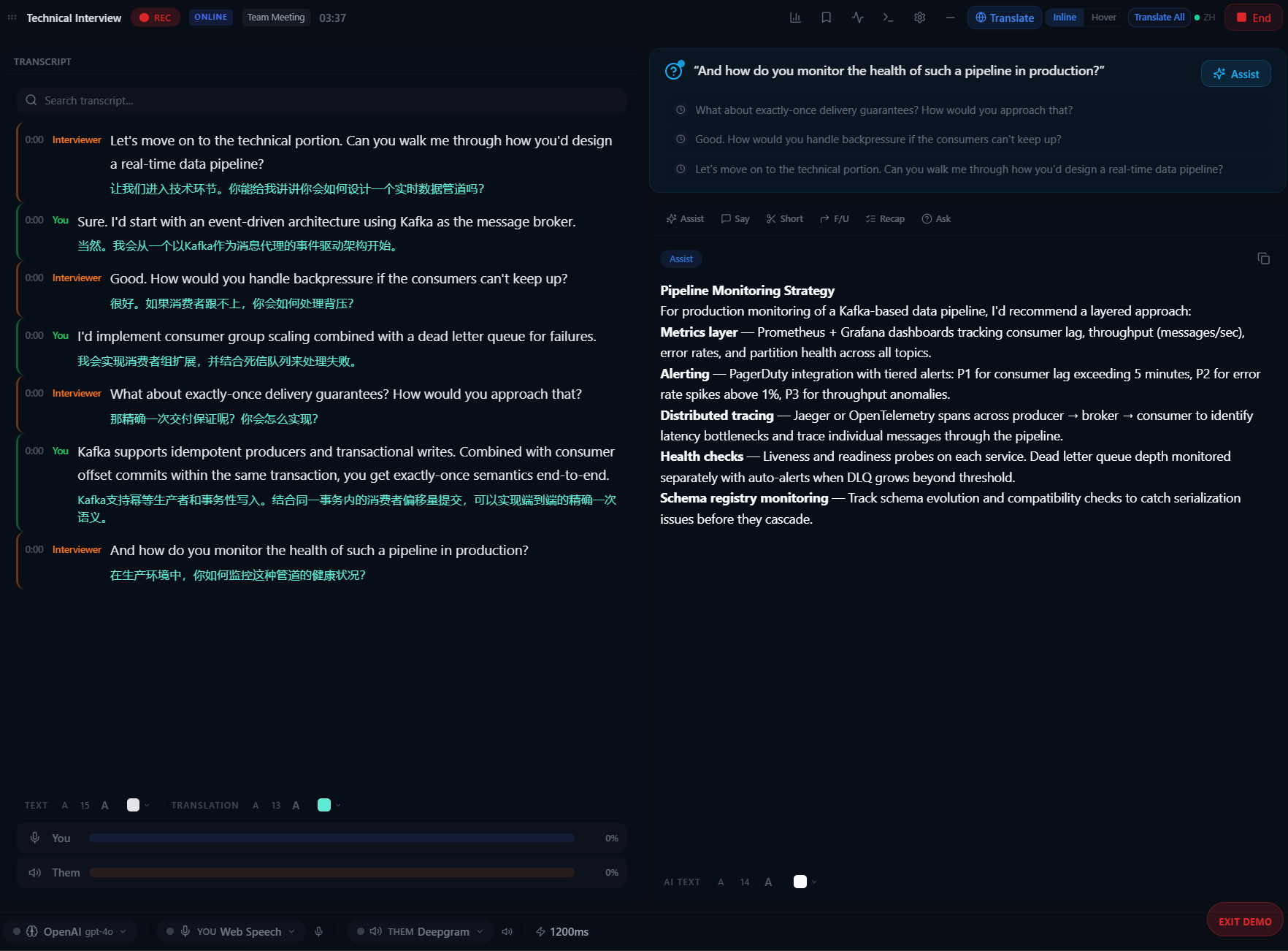 | 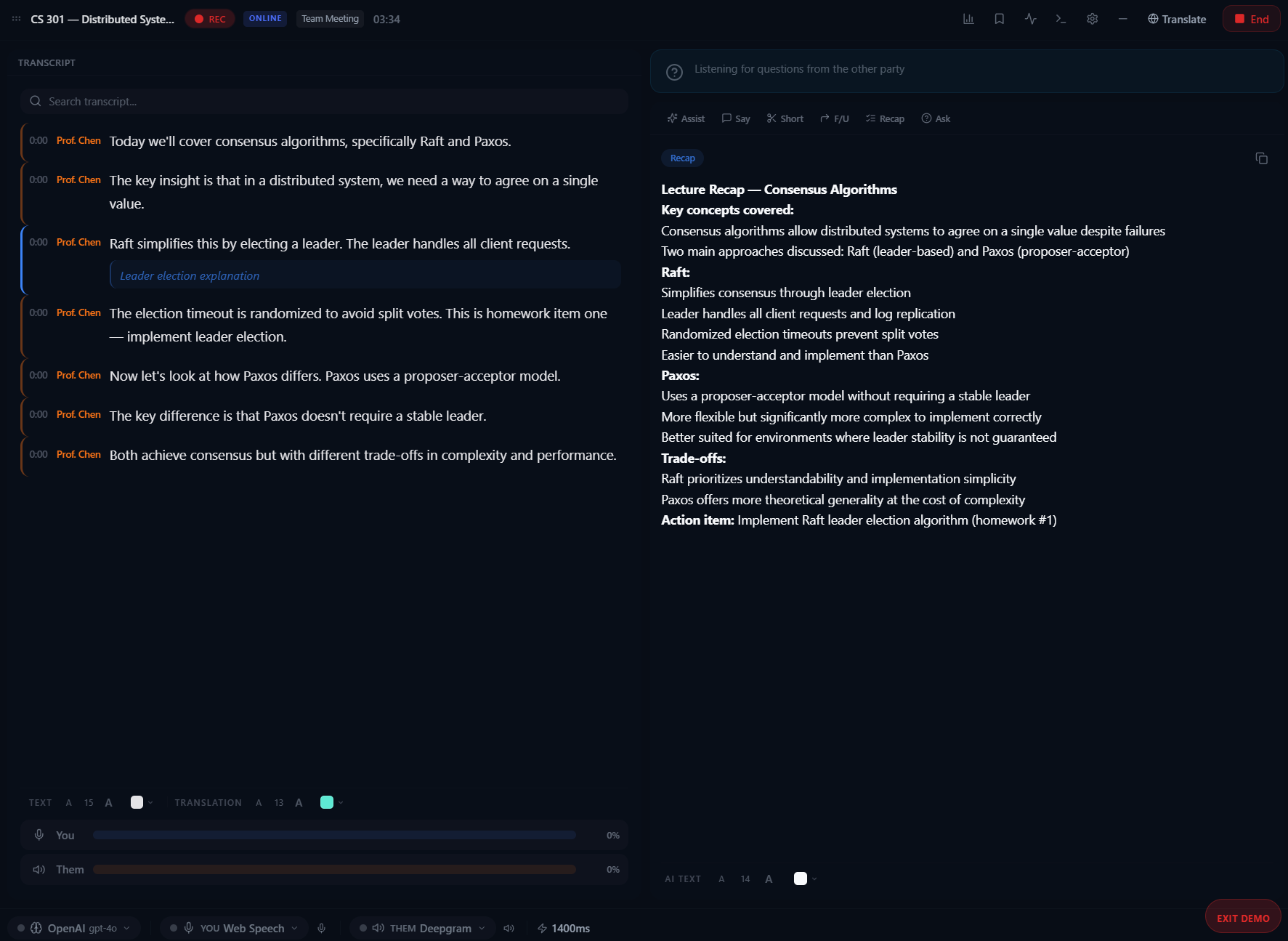 | 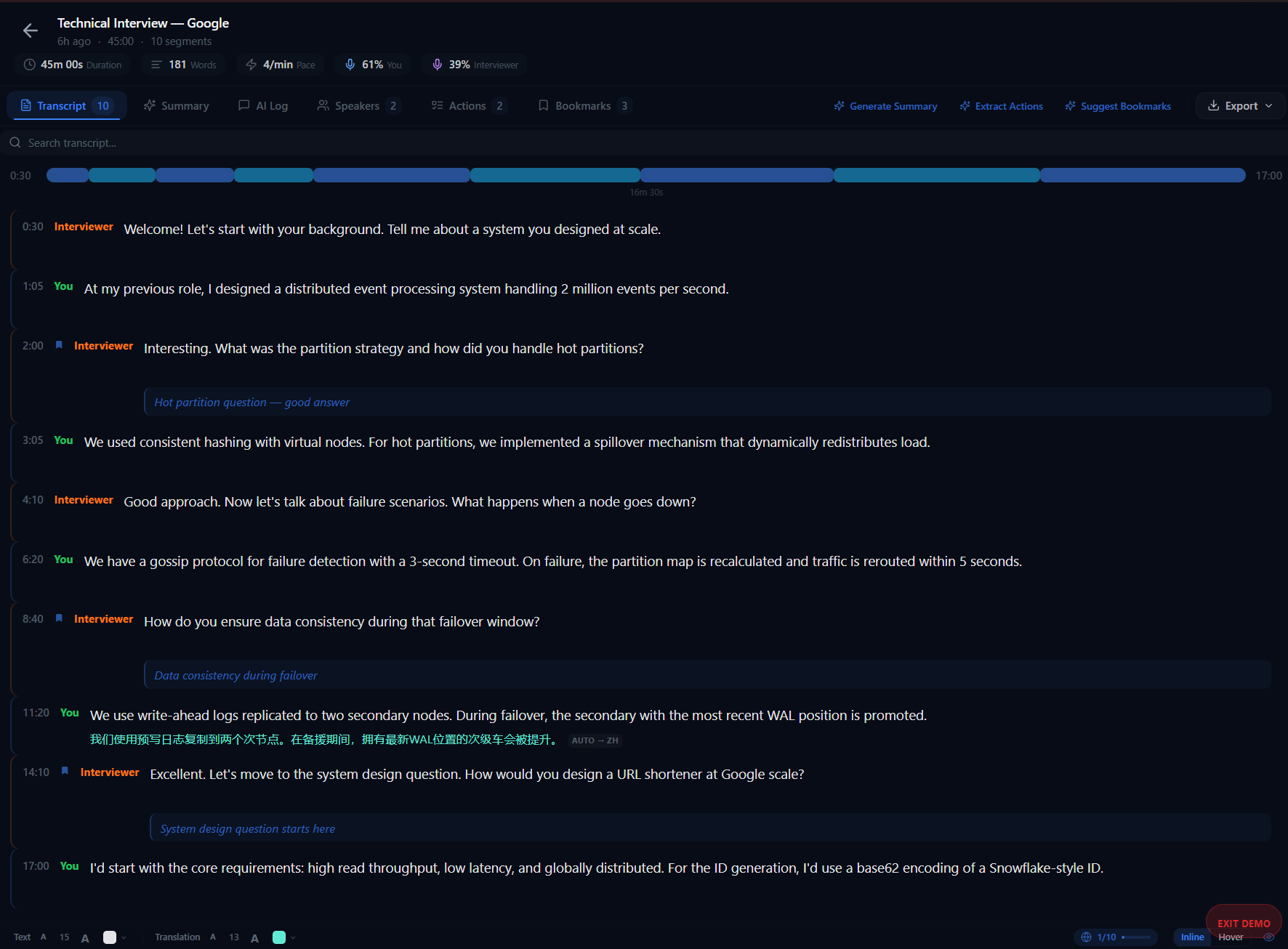 | ## Tech Stack | Layer | Technology | |-------|-----------| | Desktop | Tauri 2 (Rust + WebView2) | | Frontend | React 18, TypeScript 5.5, Vite 6 | | State | Zustand 4.5 | | Styling | Tailwind CSS 3.4, shadcn/ui | | Audio | cpal, WASAPI (Windows loopback) | | STT | whisper-rs, ONNX Runtime, Deepgram, Groq, Web Speech API | | LLM | OpenAI, Anthropic, Groq, Ollama, LM Studio, Gemini | | Database | SQLite (rusqlite) | ## Development ### Prerequisites - [Node.js](https://nodejs.org/) 20+ - [Rust](https://www.rust-lang.org/tools/install) (stable toolchain) - [Tauri CLI](https://v2.tauri.app/start/prerequisites/) (`npm install -g @tauri-apps/cli`) ### Setup ```bash # Clone the repository git clone https://github.com/VahidAlizadeh/NexQ.git cd NexQ # Install frontend dependencies npm install # Run in development mode (launches Rust backend + React frontend) npx tauri dev # Build production installer npx tauri build ``` ### Other Commands ```bash npm run dev # Vite dev server only (port 5173) npm run build # TypeScript check + Vite production build ``` ## Windows SmartScreen When you first run NexQ, Windows SmartScreen may display a warning. This is normal for open-source applications that are not code-signed. To proceed: 1. Click **"More info"** 2. Click **"Run anyway"** Code signing certificates are expensive and not feasible for most open-source projects. The application is safe to run — you can verify by building from source. ## Contributing Contributions welcome! See [CONTRIBUTING.md](CONTRIBUTING.md) for guidelines. ## License [MIT License](LICENSE) — free forever. ## Acknowledgments - [Tauri](https://tauri.app/) — desktop application framework - [React](https://react.dev/) — user interface library - [whisper-rs](https://github.com/tazz4843/whisper-rs) — Rust bindings for OpenAI Whisper - [Deepgram](https://deepgram.com/) — speech-to-text API - [shadcn/ui](https://ui.shadcn.com/) — UI component library