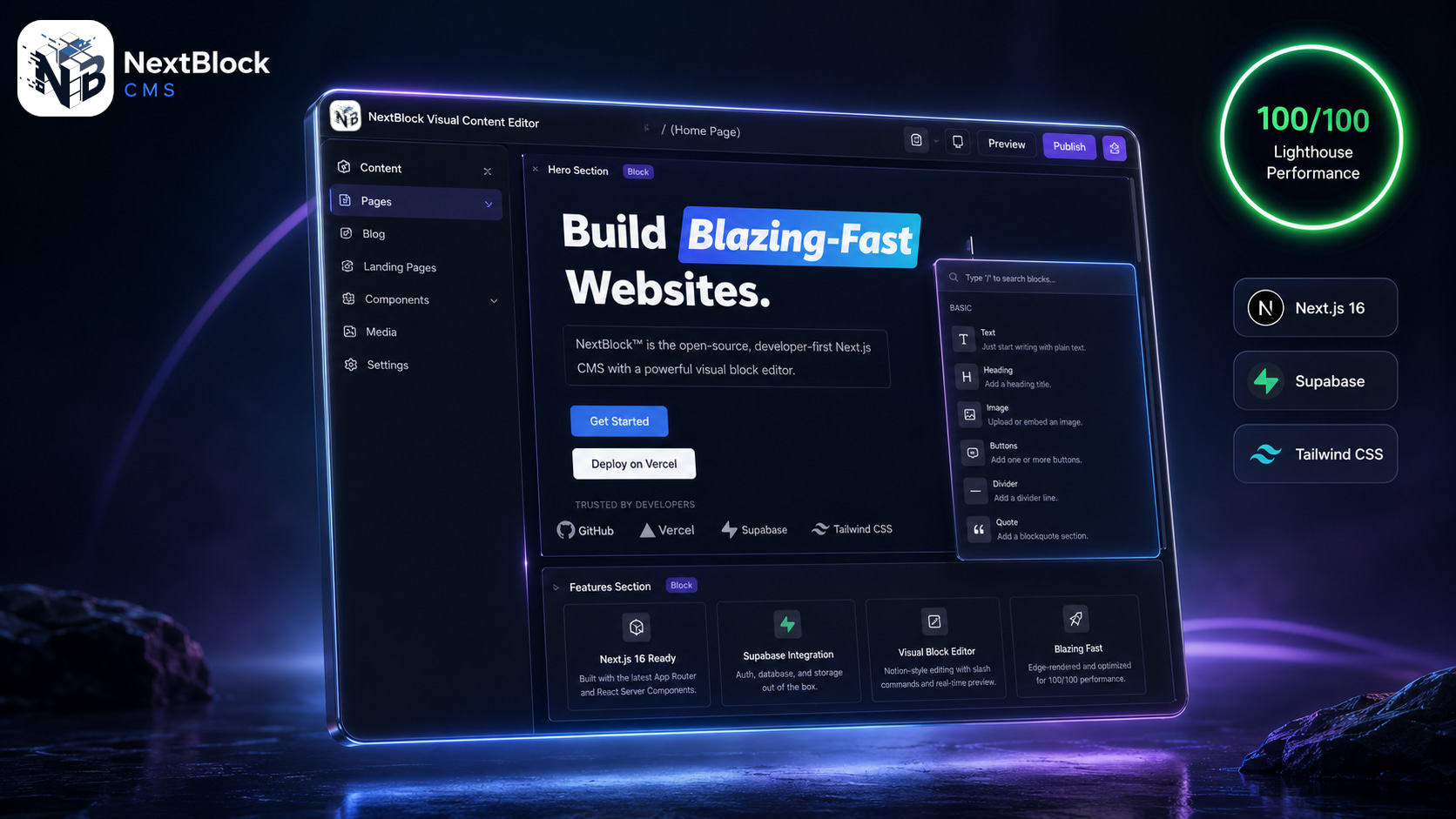
# NextBlock™ CMS
**The open-source, full-stack AI-native CMS for Next.js 16, Supabase, and Tailwind CSS.**

Deploy a production Next.js 16 + Supabase website and CMS in one click.
Vercel provisions the database and injects its keys before the first build, NextBlock applies its own
schema during that build, and the in-app wizard asks only for your admin account.
No environment variables to fill in.
Live Sandbox
·
Documentation
·
Deploy Guide
·
GitHub





Sandbox resets every 15 minutes · User: demo@nextblock.dev · Pass: password
---
## 🚀 Why NextBlock™?
Tired of slow WordPress sites? Finding headless CMSs too complex? **NextBlock™** is the sweet spot.
We combined the **flexibility of a Block Editor** with the **raw power of Next.js 16 Server Components**. The result is a CMS that feels like a static site but manages like a dynamic platform.
### ✨ Key Features
- **▲ Next.js 16 App Router + React 19 Server Components**: the public site renders on the server — page, article and product routes are all Server Components — with client components reserved for cart, checkout, forms and the CMS dashboard.
- **🗄️ Supabase PostgreSQL with JSONB block storage**: every content block is a row in `public.blocks` with a `jsonb` `content` column. User-defined block types live in `custom_block_definitions` (`fields` / `layout_schema` as `jsonb`, guarded by Postgres CHECK constraints) and render without a rebuild.
- **🚀 Zero-config 1-click migrations**: the Vercel Supabase integration provisions the database and injects its keys before the first build; NextBlock then applies its own forward-only migrations *during that build* (`tools/build-migrate.mjs`), with a runtime fallback in the `/setup` wizard. Nothing to run, nothing to paste.
- **⚡ [100/100 Lighthouse](./docs/assets/lighthouse-scores.png)**: Perfect scores across Performance, Accessibility, Best Practices and SEO — 0.3 s FCP, 0.8 s LCP, **0 ms** Total Blocking Time and **0** Cumulative Layout Shift on a production build. AVIF/WebP images with a one-year cache TTL, critical-CSS inlining and tree-shaken imports are the defaults, not plugins.
- **🤖 Built for AI Agents**: Our codebase is documented and structured specifically to be easily read and extended by AI coding assistants.
- **🛍️ E-Commerce Ready**: Premium commerce package for digital products, checkout providers, currency, tax, and shipping management.
- **🧱 Visual Block Editor**: A reusable Tiptap-powered Notion-style editor that your clients will actually enjoy using.
- **🔓 Open-Core Model**: The core is 100% Free & Open Source (AGPL). Premium modules (today Cortex AI and Commerce Pro, with more to come) ship in every install and switch on in the CMS with a free 30-day trial (no credit card) or a license key.
## 🆚 The NextBlock™ Advantage
| Feature | NextBlock™ CMS | WordPress | Payload / Strapi |
| :--------------- | :----------------------------- | :------------------------ | :---------------------- |
| **Tech Stack** | Next.js 16 + Supabase | PHP + MySQL | React / Node.js |
| **Architecture** | Nx Monorepo | Monolith | Monolith / Workspaces |
| **Performance** | 🟢 **100/100 (Default)** | 🔴 Bloated (Plugins) | 🟡 Spec-dependent |
| **Security** | 🔒 Static/Edge First | 🔓 Plugin vulnerabilities | 🔒 Secure |
| **DX** | 💎 **React Server Components** | 📜 Legacy PHP Hooks | 🧩 Config Heavy |
| **AI Ready** | ✅ **Native** | ❌ No | 🟡 Integration required |
## 🏁 Get Started
### ☁️ Option 1 — Deploy to the cloud in one click (recommended)
[](https://vercel.com/new/clone?repository-url=https%3A%2F%2Fgithub.com%2Fnextblock-cms%2Fnextblock&project-name=nextblock&repository-name=nextblock&stores=%5B%7B%22type%22%3A%22integration%22%2C%22integrationSlug%22%3A%22supabase%22%2C%22productSlug%22%3A%22supabase%22%7D%5D&demo-title=NextBlock%20CMS&demo-description=Open-source%20Next.js%2016%20%2B%20Supabase%20CMS%20with%20a%20block%20editor%2C%20SEO%20engine%2C%20bilingual%20content%20and%20an%20MCP%20server%20for%20AI%20agents.&demo-url=https%3A%2F%2Fcms.nextblock.dev%2F&demo-image=https%3A%2F%2Fcms.nextblock.dev%2Fassets%2Fnextblock-banner.jpg)
During import, Vercel's native **Supabase Marketplace integration** (the `stores`
button parameter) prompts you to create a Supabase database (name + region), then
**provisions it, connects it to the project, and injects its keys before the first
build** — you never copy a value, and there are **no environment variables to fill in**
(the site URL defaults to your `*.vercel.app` URL and the app secrets are derived
automatically). The app boots with the database already connected: the wizard
auto-skips the connection step, applies the schema for you, uses the connected Supabase
project for media storage, and leaves just "create your admin." Full walkthrough:
[docs/12-VERCEL-DEPLOYMENT.md](./docs/12-VERCEL-DEPLOYMENT.md).
> **Tip — keep the new repo public.** When Vercel asks, leave **"Create private Git
> Repository" unchecked**. On the free (Hobby) plan, automatic upstream updates only deploy
> from a **public** repo — Hobby blocks bot-authored deploys on private repos — and public
> also makes update checks fully tokenless. You can change visibility later in the repo's
> GitHub settings if you change your mind. Details: [docs/13](./docs/13-STAYING-UP-TO-DATE.md).
### 💻 Option 2 — Scaffold locally with the CLI
Stop cloning heavy repos. Start with our CLI and get a production-ready app instantly.
```bash
npm create nextblock@latest
```
This runs the `create-nextblock` CLI, which scaffolds the canonical application. The CLI no longer asks for credentials in the terminal — once the project is created, start it and finish setup in your browser:
```bash
cd 